If you’re looking for the 10 best UPS network management cards for 2026, I’ve got you covered. These cards support major brands like APC, Tripp Lite, and CyberPower, offering secure remote access, environmental monitoring, and compatibility with enterprise management tools. They’re easy to deploy, reliable, and backed by solid warranties. Interested in knowing which specific models top the list? Stick with me, and I’ll guide you through the latest options.
Key Takeaways
- Top management cards support multiple protocols like SNMP, SSH, HTTPS, and Telnet for secure remote access.
- Compatibility with popular UPS brands such as APC, Eaton, CyberPower, and PDU units ensures broad deployment options.
- Advanced security features include SSL/TLS, Radius, and user role management for protected network access.
- Offer comprehensive monitoring with environmental sensors, event logging, and real-time power condition alerts.
- Easy installation with plug-and-play design and reliable support, suitable for data centers and enterprise environments.
| Tripp Lite UPS Network Management Card (WEBCARDLXE) | 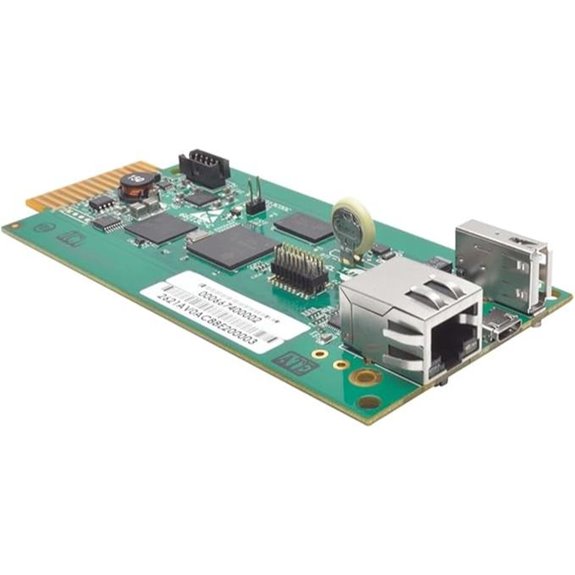 | Best Overall | Network Protocols: IPv4, IPv6, HTTP, HTTPS, SMTP, SNMPv1/v2c/v3, Telnet, SSH, FTP, DHCP | Remote Management Capabilities: Reboot outlets, monitor logs, power events | Environmental Monitoring: Not supported | VIEW LATEST PRICE | See Our Full Breakdown |
| APC AP9640 UPS Network Management Card | 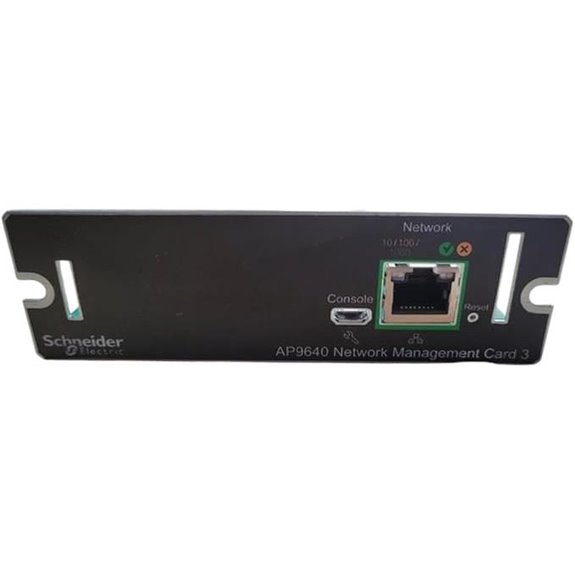 | Enterprise Ready | Network Protocols: Web, SNMP, CLI (Telnet/SSH) | Remote Management Capabilities: Reboot, shutdown, control UPS | Environmental Monitoring: Not supported | VIEW LATEST PRICE | See Our Full Breakdown |
| CyberPower Cloud Monitoring Card for UPS Management |  | Cloud Integration | Network Protocols: HTTP, SNMP, Telnet, SSH | Remote Management Capabilities: Monitoring via PowerPanel Cloud, notifications | Environmental Monitoring: Optional via accessories | VIEW LATEST PRICE | See Our Full Breakdown |
| APC UPS Network Management Card 3 (Renewed) | 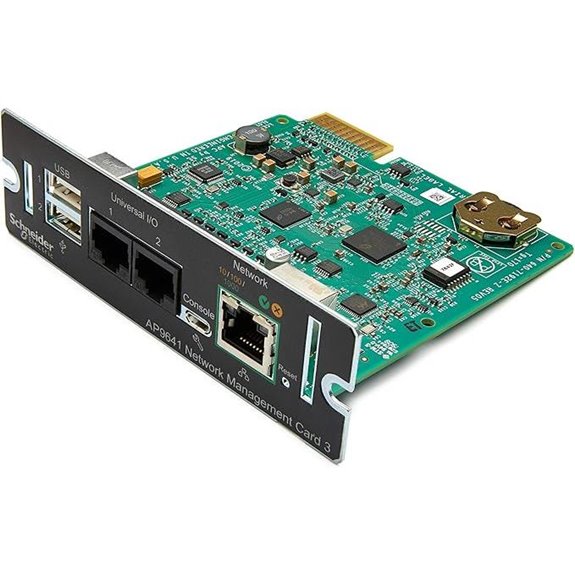 | Renewed Value | Network Protocols: Web, SNMP, PowerChute Software | Remote Management Capabilities: Centralized management, environmental sensors | Environmental Monitoring: Supports temperature/humidity sensors | VIEW LATEST PRICE | See Our Full Breakdown |
| APC AP9630 UPS Network Management Card 2 | 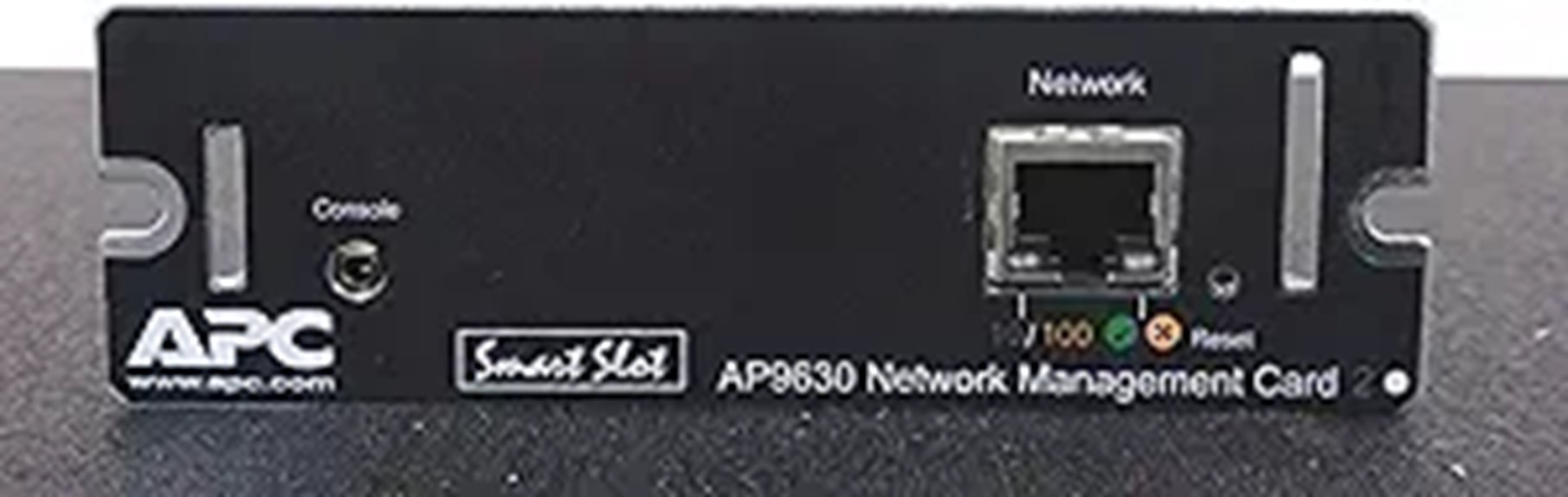 | Secure Management | Network Protocols: HTTPS/SSL, SSH, SNMPv3 | Remote Management Capabilities: Schedule shutdown, remote control | Environmental Monitoring: Supports temperature sensors | VIEW LATEST PRICE | See Our Full Breakdown |
| APC AP9630 UPS Network Management Card 2 |  | Scalable Control | Network Protocols: Web, SNMP, SSH, Telnet | Remote Management Capabilities: Remote diagnostics, alerts | Environmental Monitoring: Supports environmental sensors | VIEW LATEST PRICE | See Our Full Breakdown |
| APC AP9631 UPS Network Management Card 2 with Environmental Monitoring | 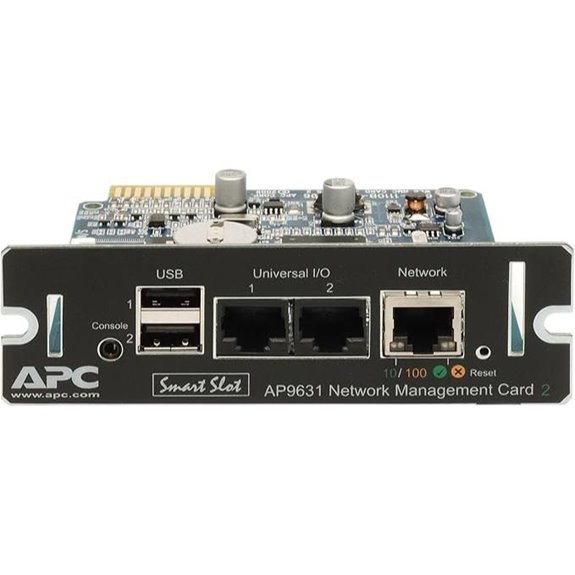 | Advanced Features | Network Protocols: Web, SNMP, CLI (Telnet/SSH) | Remote Management Capabilities: Multi-device management, environmental data | Environmental Monitoring: Supports environmental monitoring | VIEW LATEST PRICE | See Our Full Breakdown |
| AP9643 |  | Best Data Logging | Network Protocols: SNMP, Web, RADIUS, LDAP, LDAPS | Remote Management Capabilities: Environmental and battery monitoring, SNMP data | Environmental Monitoring: Supports environmental sensors | VIEW LATEST PRICE | See Our Full Breakdown |
| CyberPower RMCARD205 UPS & ATS PDU Remote Management Card | 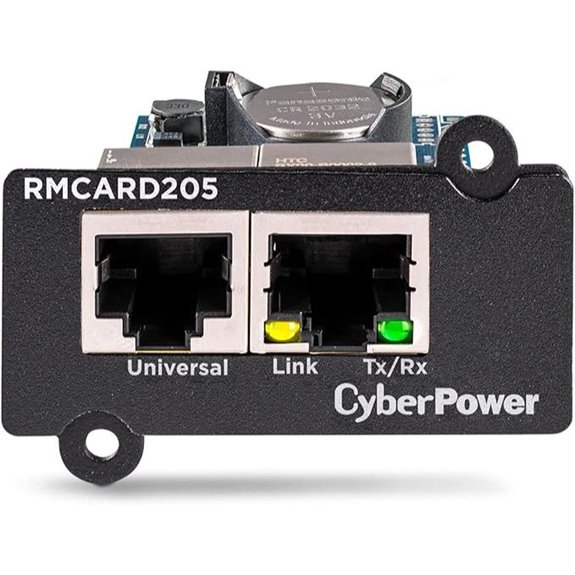 | Comprehensive Monitoring | Network Protocols: Web, CLI, SNMP, Email, Syslog | Remote Management Capabilities: Event logging, remote control, notifications | Environmental Monitoring: Optional via accessories | VIEW LATEST PRICE | See Our Full Breakdown |
| APC AP9631 SNMP UPS Network Management Card | 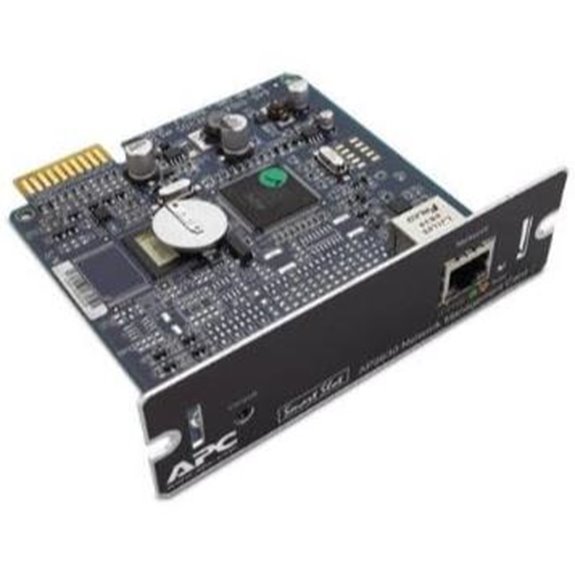 | Cost-Effective Reliability | Network Protocols: Web, SNMP, SSH, RADIUS, LDAP | Remote Management Capabilities: Monitor, control, environment, notifications | Environmental Monitoring: Supports environmental sensors | VIEW LATEST PRICE | See Our Full Breakdown |

More Details on Our Top Picks
-
B0FR26KRNV
Amazon Product B0FR26KRNV
As an affiliate, we earn on qualifying purchases.
Tripp Lite UPS Network Management Card (WEBCARDLXE)
The Tripp Lite UPS Network Management Card (WEBCARDLXE) stands out as an ideal choice for organizations seeking all-encompassing remote management of their UPS systems. It transforms compatible Eaton Tripp Lite UPS or PDU into network-managed devices, supporting diverse protocols like IPv4, IPv6, SNMP, HTTP, HTTPS, SSH, and more. I appreciate its ability to monitor power conditions, log events, and enable remote reboots without disrupting power. The card offers customizable user access, email alerts, and maintains accurate time via NTP. With a 2-year warranty and dedicated support, it’s a reliable solution for seamless, secure remote UPS management.
- Network Protocols:IPv4, IPv6, HTTP, HTTPS, SMTP, SNMPv1/v2c/v3, Telnet, SSH, FTP, DHCP
- Remote Management Capabilities:Reboot outlets, monitor logs, power events
- Environmental Monitoring:Not supported
- User Access Security:Permission sets, user levels
- Firmware & Software Updates:NTP sync, firmware updates
- Compatibility:Eaton Tripp Lite UPS/PDU
- Additional Feature:Supports multiple protocols including Telnet
- Additional Feature:Real-time clock with NTP
- Additional Feature:Customizable user permissions
-

CyberPower RCCARD100 Cloud Monitoring Card, Remote UPS Management via PowerPanel Cloud, Plug-and-Play Installation, Real-Time Alerts, Compatible with Select CyberPower UPS Models
REMOTE MONITORING VIA THE CLOUD: Connects UPS systems to PowerPanel cloud to provide users the ability to monitor...
As an affiliate, we earn on qualifying purchases.
APC AP9640 UPS Network Management Card
If you need reliable remote management for your APC UPS systems, the APC AP9640 UPS Network Management Card stands out because of its advanced web interface and secure access features. It enables seamless remote monitoring and control, supporting customized shutdowns and reboots to enhance system reliability. The card integrates smoothly with PowerChute Network software for extensive power management and protection. Compatible with APC UPS systems operating at 3V, it’s compact, lightweight, and easy to install. Manufactured in the USA, it offers straightforward setup, secure web access, and dependable remote management—making it an excellent choice for optimizing your UPS performance and ensuring maximum uptime.
- Network Protocols:Web, SNMP, CLI (Telnet/SSH)
- Remote Management Capabilities:Reboot, shutdown, control UPS
- Environmental Monitoring:Not supported
- User Access Security:Secure login, web access
- Firmware & Software Updates:Firmware via web, automatic updates
- Compatibility:APC UPS systems (3V)
- Additional Feature:Includes PowerChute software
- Additional Feature:Compact, lightweight design
- Additional Feature:Reboot outlets remotely
-

APC UPS Network Management Card 3 with 2 USB Ports and Temperature Monitoring, Model 2020 (AP9641) (Renewed)
UPS Network Management Card: Network Management Card 3 provides multiple-user access, pre-loaded multiple language support, advanced security protection...
As an affiliate, we earn on qualifying purchases.
CyberPower Cloud Monitoring Card for UPS Management
CyberPower’s Cloud Monitoring Card is an ideal choice for users who want effortless remote oversight of their UPS systems. It connects your UPS to PowerPanel Cloud for real-time monitoring and instant alerts via email and mobile app, keeping you informed of any issues. Setup is straightforward—simply scan a QR code to add your UPS to your account. Compatible with select CyberPower models, it offers seamless integration. The plug-and-play, hot-swappable design allows quick installation or replacement without shutting down your UPS, minimizing downtime. Firmware updates keep the card current with new features, ensuring your management system remains reliable and efficient.
- Network Protocols:HTTP, SNMP, Telnet, SSH
- Remote Management Capabilities:Monitoring via PowerPanel Cloud, notifications
- Environmental Monitoring:Optional via accessories
- User Access Security:User accounts, cloud access
- Firmware & Software Updates:Firmware upgrades via app
- Compatibility:Select CyberPower UPS models
- Additional Feature:Connects via QR code setup
- Additional Feature:Free PowerPanel Cloud app
- Additional Feature:Hot swappable plug-and-play
APC UPS Network Management Card 3 (Renewed)
For those seeking a reliable, feature-rich management solution for their UPS systems, the APC UPS Network Management Card 3 (Renewed) stands out. It enables centralized monitoring and control, supporting multiple users and multilingual options. The card offers extensive data logging with 100x event log space and robust security features. It supports environmental sensors like temperature and humidity, alerting you to changes via email or interface. Compatibility with the EcoStruxure IT platform allows seamless integration, while PowerChute software ensures safe system shutdowns during power events. Overall, it’s an effective, flexible tool for maintaining system integrity and optimizing UPS performance.
- Network Protocols:Web, SNMP, PowerChute Software
- Remote Management Capabilities:Centralized management, environmental sensors
- Environmental Monitoring:Supports temperature/humidity sensors
- User Access Security:Multi-user, secure web login
- Firmware & Software Updates:Firmware updates through management platform
- Compatibility:EcoStruxure IT, APC UPS
- Additional Feature:Supports environmental sensors
- Additional Feature:Extensive event log storage
- Additional Feature:Compatible with EcoStruxure IT
APC AP9630 UPS Network Management Card 2
The APC AP9630 UPS Network Management Card 2 stands out for its robust security features, making it an ideal choice for organizations that prioritize safeguarding their power management systems. It supports secure connections via HTTPS/SSL, SSH with up to 2048-bit encryption, and SNMPv3, ensuring sensitive data remains protected. Users can set custom passwords to prevent unauthorized access. The card allows remote management of UPS units through network connectivity, using command line interfaces like Telnet or SSH. Additionally, it offers scheduling options for shutdowns and reboots, providing automated control that enhances system reliability and operational efficiency.
- Network Protocols:HTTPS/SSL, SSH, SNMPv3
- Remote Management Capabilities:Schedule shutdown, remote control
- Environmental Monitoring:Supports temperature sensors
- User Access Security:Password protection, encrypted access
- Firmware & Software Updates:Web firmware updates
- Compatibility:APC UPS models (various)
- Additional Feature:HTTPS/SSL & SNMPv3 security
- Additional Feature:Remote CLI management
- Additional Feature:Scheduled shutdown/reboot
APC AP9630 UPS Network Management Card 2
If you’re managing multiple APC Smart-UPS units, the APC AP9630 UPS Network Management Card 2 stands out for its scalable control and all-encompassing remote management features. It allows me to monitor and control UPS systems via web interface, SNMP, or CLI, whether I’m managing a single device or a distributed network. I receive real-time alerts for power events, enabling quick remote troubleshooting to minimize downtime. The card supports secure access protocols like HTTPS, SNMPv3, SSH, and Telnet, ensuring sensitive data stays protected. Its user-friendly web setup and compatibility with APC SmartSlot make deployment straightforward, streamlining my UPS management across diverse environments.
- Network Protocols:Web, SNMP, SSH, Telnet
- Remote Management Capabilities:Remote diagnostics, alerts
- Environmental Monitoring:Supports environmental sensors
- User Access Security:Secured protocols, user management
- Firmware & Software Updates:Firmware updates via web
- Compatibility:APC Smart-UPS
- Additional Feature:Supports multiple remote access methods
- Additional Feature:Real-time alerts
- Additional Feature:SmartSlot compatibility
APC AP9631 UPS Network Management Card 2 with Environmental Monitoring
Users seeking extensive remote management of their UPS systems will find the APC AP9631 UPS Network Management Card 2 with Environmental Monitoring to be an excellent fit. It supports web browser access for up to 8 users and CLI access for 3, ensuring flexible control. The card enables remote management via Telnet and SSH, making it easy to monitor and control systems from anywhere. It’s compatible with standard UPS protocols, sharing data with enterprise management tools through SNMP traps. Additionally, it offers environmental monitoring and detailed battery info, including parameters for early fault detection, simplifying maintenance for SRT Smart-UPS models.
- Network Protocols:Web, SNMP, CLI (Telnet/SSH)
- Remote Management Capabilities:Multi-device management, environmental data
- Environmental Monitoring:Supports environmental monitoring
- User Access Security:Multiple user access, secure login
- Firmware & Software Updates:Firmware upgrade support
- Compatibility:SRT, SMT, SMX models
- Additional Feature:Multiple user access levels
- Additional Feature:UPS RFC 1628 MIB support
- Additional Feature:Battery info monitoring
AP9643
For those seeking reliable network management for their UPS systems, the APC AP9643 stands out with its robust environmental monitoring and Modbus compatibility. This UPS Network Management Card 3, introduced in late 2022, offers seamless integration and enhanced security with Radius authentication. Its compact size—just 4.25 by 4.76 inches—makes it easy to install without taking up much space. Customers rate it highly, with a perfect 5-star average based on one review. The AP9643 is available both online and offline, and it includes a warranty. If you need a dependable card with advanced environmental and communication features, the AP9643 is definitely worth considering.
- Network Protocols:SNMP, Web, RADIUS, LDAP, LDAPS
- Remote Management Capabilities:Environmental and battery monitoring, SNMP data
- Environmental Monitoring:Supports environmental sensors
- User Access Security:Authentication via RADIUS, LDAP
- Firmware & Software Updates:Firmware updates via web
- Compatibility:APC models, specific hardware
- Additional Feature:Radius authentication
- Additional Feature:Environmental monitoring
- Additional Feature:Compact size
CyberPower RMCARD205 UPS & ATS PDU Remote Management Card
The CyberPower RMCARD205 stands out as an ideal choice for IT professionals and data center managers seeking extensive remote management of their UPS systems and ATS PDUs. It offers detailed control through web, CLI, SNMP, or NMS, with features like event logging, email, SMS, SNMP traps, and Syslog notifications for real-time updates. Its built-in automatic shutdown protects critical equipment during outages, while optional sensors monitor temperature and humidity. The device is hot-swappable, secure with MD5, SSL/TLS, and supports user authentication via RADIUS, LDAP, or Active Directory. Compact and easy to install, the RMCARD205 ensures reliable, remote oversight of power infrastructure.
- Network Protocols:Web, CLI, SNMP, Email, Syslog
- Remote Management Capabilities:Event logging, remote control, notifications
- Environmental Monitoring:Optional via accessories
- User Access Security:User login, role management
- Firmware & Software Updates:Firmware upgrade via web
- Compatibility:Select CyberPower UPS/PDU
- Additional Feature:Supports automatic notifications
- Additional Feature:RADIUS and LDAP security
- Additional Feature:Firmware update via web
APC AP9631 SNMP UPS Network Management Card
The APC AP9631 SNMP UPS Network Management Card stands out as an excellent choice for those needing secure, remote monitoring of UPS systems. I find its support for web browsers, command line interface, and SNMP protocols incredibly versatile, making management straightforward. Its embedded technology ensures reliable operation, giving me confidence that my critical infrastructure stays protected. Whether for environmental monitoring or remote control, this renewed, cost-effective card delivers essential features without sacrificing quality. I appreciate its focus on security and stability, making it ideal for data centers or any setting where uptime matters. Overall, it’s a solid, dependable solution for professional UPS management.
- Network Protocols:Web, SNMP, SSH, RADIUS, LDAP
- Remote Management Capabilities:Monitor, control, environment, notifications
- Environmental Monitoring:Supports environmental sensors
- User Access Security:Secure login, user roles
- Firmware & Software Updates:Firmware management via web
- Compatibility:APC UPS, compatible models
- Additional Feature:Cost-effective renewal
- Additional Feature:Environmental monitoring support
- Additional Feature:Secure remote management
Factors to Consider When Choosing an UPS Network Management Card

When selecting an UPS network management card, I focus on factors like compatibility with my devices and the security features it offers. I also consider which management protocols are supported, along with options for environmental monitoring and how easy it is to install. These points help guarantee I choose a card that fits my needs and keeps my systems running smoothly.
Compatibility With Devices
Choosing the right UPS network management card hinges on verifying its compatibility with your existing devices. I always check if the card matches my specific UPS or PDU model to guarantee proper integration. It’s essential to confirm that the card supports vital communication protocols like SNMP, SSH, or HTTP for seamless management. I also verify that the hardware interface, such as the UPS slot type, aligns with my device’s specifications, making installation straightforward. Firmware compatibility matters too; I want the card to work smoothly with my current UPS software and management systems. Finally, I consider whether the card’s environmental and security features fit my operational needs. Ensuring these compatibility aspects helps avoid issues and guarantees reliable performance.
Security Features Included
Security features are crucial considerations because they directly impact the safety and integrity of your UPS management system. I look for cards that support HTTPS, SSH, SNMPv3, and robust encryption protocols to safeguard remote access. User authentication methods like passwords, RADIUS, or LDAP ensure only authorized personnel can manage the system. Role-based permissions give me granular control over user privileges, minimizing the risk of accidental or malicious changes. Regular firmware and software updates are essential, especially if they include security patches to fix vulnerabilities. Additionally, secure data transmission and logging protect sensitive information from tampering or interception. Prioritizing these security features helps me maintain a resilient, trustworthy UPS network that defends against potential cyber threats.
Management Protocol Support
Selecting a UPS network management card involves more than just security features; it’s also about guaranteeing it supports the right communication protocols. I look for cards that support multiple protocols like SNMP, SSH, Telnet, and HTTP/HTTPS to allow versatile remote access and monitoring. Compatibility with my existing UPS or PDU’s communication standards ensures seamless integration. Support for secure protocols such as SNMPv3, SSH, and SSL/TLS is essential to protect sensitive data during remote management. I also value flexible protocol options that align with my network security policies and management tools. Additionally, compatibility with industry standards like RFC 1628 and support for environmental monitoring protocols enable extensive device management, making the management card both adaptable and secure.
Environmental Monitoring Options
Environmental monitoring options are essential when evaluating UPS network management cards because they help maintain ideal operating conditions and prevent equipment damage. Sensors for temperature and humidity are common, guaranteeing the environment stays within safe limits. Many cards also support real-time alerts via email or mobile notifications, so I can respond immediately if conditions become problematic. Compatibility with additional sensors, like dry-contact or remote sensors, allows for more thorough environmental oversight. Integration with management software provides detailed data logging and reporting, which helps identify trends and potential issues before they escalate. Monitoring environmental factors is indispensable to prevent overheating, humidity-related damage, and system failures. Choosing a card with robust environmental monitoring features ensures my equipment remains reliable, protected, and operating efficiently over the long term.
Installation Ease Level
Choosing a UPS network management card with easy installation can save you time and reduce the risk of mistakes during setup. A straightforward process guarantees that even users with limited technical skills can get everything up and running quickly. Devices with clear, step-by-step configuration guides make setup more efficient, while features like plug-and-play design and intuitive web interfaces simplify the process further. Hot-swappable management cards allow for seamless upgrades or replacements without shutting down the UPS, minimizing downtime. Compatibility with existing network infrastructure and straightforward connection procedures also play a crucial role in reducing complexity. Overall, an installation-friendly card helps ensure a smooth deployment, saving you effort and preventing costly errors from misconfiguration.
Remote Access Capabilities
When evaluating UPS network management cards, I pay close attention to their remote access capabilities. I look for secure protocols like HTTPS, SSH, or SNMPv3 to guarantee sensitive data stays protected. It’s imperative that the card offers multiple access methods, including web browser, CLI, and SNMP, so I can manage the system flexibly. Compatibility with existing network infrastructure and management software is essential for seamless remote monitoring. I also check if the card supports multiple simultaneous connections, enabling team collaboration without issues. Additionally, remote power cycling features, such as rebooting connected devices without needing physical access, are indispensable. These capabilities assure reliable, secure, and efficient remote management, which is crucial for modern, distributed IT environments.
Power Management Integration
Effective power management integration is vital for guaranteeing your UPS system operates reliably and efficiently. I look for cards that support integration with power management software, allowing automated shutdowns and reboots during outages, which minimizes downtime. Compatibility with protocols like SNMP, SSH, or Telnet is essential for seamless communication with existing network infrastructure. The card should provide real-time monitoring of electrical parameters such as voltage, current, and temperature, helping optimize power usage and prevent equipment damage. Additionally, features like environmental sensors and monitoring support ensure ideal operating conditions are maintained. Secure remote access via encrypted protocols gives me peace of mind, safeguarding my system from unauthorized control while enabling efficient management from anywhere. These factors collectively help maximize system uptime and reliability.
Price and Warranty
The price of UPS network management cards varies widely based on features, compatibility, and brand reputation, making it essential to compare options carefully. Some models are budget-friendly, offering basic monitoring and control, while others include advanced functionalities like environmental sensors, security, and seamless software integration, which increase costs. When evaluating options, consider the warranty period—standard warranties typically last one year, but extended warranties can provide long-term peace of mind, especially for mission-critical setups. These warranties often cover hardware defects and technical support, reducing potential repair expenses. Additionally, manufacturer support and warranty upgrades can be crucial for high-availability environments, ensuring reliable operation and quick assistance when needed. Balancing price with warranty coverage helps you find the best value for your investment.
Frequently Asked Questions
How Do Network Management Cards Improve UPS Performance?
Network management cards boost UPS performance by allowing me to monitor and control my system remotely in real-time. I can receive alerts about battery health, power fluctuations, or outages instantly, enabling quick responses to prevent downtime. These cards also help optimize my UPS settings, improve efficiency, and make certain of reliable power protection. Overall, they give me peace of mind knowing I can manage my UPS proactively and prevent potential issues before they escalate.
Are There Compatibility Issues With Different UPS Brands?
Yes, compatibility issues can arise with different UPS brands. I’ve found that some network management cards work seamlessly with certain models, while others may require specific firmware or adapters. It’s vital to check the card’s specifications and your UPS’s brand and model before purchasing. I always recommend consulting the manufacturer’s guidelines or support to guarantee compatibility and avoid potential connectivity or performance problems.
What Security Features Are Included in These Management Cards?
Security features in these management cards are like a digital fortress. They include encryption protocols to protect data transmissions, user authentication to restrict access, and firmware updates for ongoing security patches. While they safeguard your network, I remind you to keep firmware current and restrict access to trusted personnel. It’s like locking your door but also installing a security alarm—both are essential for thorough protection.
Can Management Cards Be Remotely Accessed Securely?
Yes, management cards can be accessed securely remotely. I use encrypted connections like VPNs or HTTPS to guarantee data stays protected during remote access. Additionally, I implement strong authentication methods, such as multi-factor authentication, to prevent unauthorized entries. Regular firmware updates and secure network configurations further enhance security. This way, I can manage my UPS systems confidently from anywhere, knowing my network stays safe.
What Is the Typical Installation Process for These Cards?
I believe the installation process is straightforward and reliable. I start by physically installing the management card into the UPS, usually in a dedicated slot, then connect it to my network via Ethernet. Next, I access the card’s web interface to configure settings, update firmware if needed, and make certain it’s communicating correctly. I always follow the manufacturer’s instructions step-by-step to avoid issues and ensure secure remote access.
Conclusion
So, there you have it—these UPS network management cards are truly the superheroes your setup needs! Whether you want lightning-fast remote control or unbeatable reliability, these options will keep your network running smoother than a rocket ship. Trust me, once you upgrade to one of these, your worries will vanish faster than your coffee on a Monday morning. Don’t settle for less—embrace the power and take your UPS management to legendary status today!