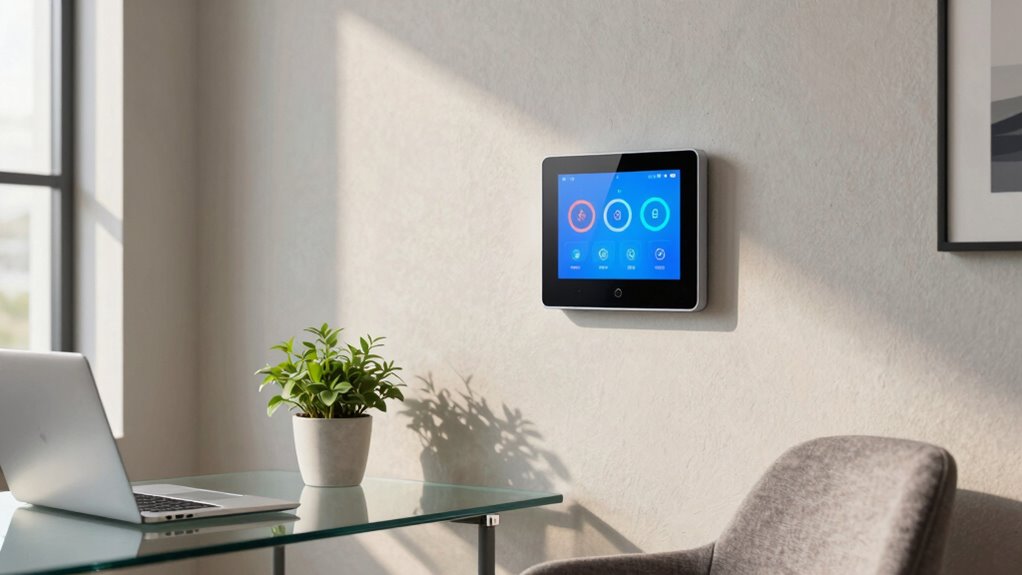

For a typical small office, I’d choose the Ecobee Smart Thermostat Essential as the best overall balance of scheduling, app control, and smart-home support. The Amazon Smart Thermostat is a simpler fit for an office already built around Alexa, while the Sensi Smart Thermostat ST55 suits buyers who want a more traditional control experience. The main tradeoffs are HVAC compatibility, how much scheduling control you need, and whether your office relies on Alexa, Google, Apple, or no voice assistant. A thermostat made for a single home system may not suit a shared or multi-zone workplace. Read on for the full comparison and help matching a pick to your office.

Get privacy and security gear delivered free with Prime
- Fast, free delivery on millions of items
- Prime Video, Amazon Music and more included
- Member-only deals all year
Key Takeaways
- Ecobee Smart Thermostat Essential leads this lineup for buyers seeking a capable balance of app scheduling and smart-home compatibility; it still depends on confirming HVAC support.
- Amazon Smart Thermostat makes the most sense in Alexa-centered offices, while its ecosystem fit is less appealing if the workplace uses Google or Apple devices.
- Sensi ST55 and Sensi Lite ST25 give conventional controls and familiar scheduling more weight than screen-forward models, which may suit staff who prefer a straightforward interface.
- Aqara W200 is the lineup’s Apple-oriented specialist, so its appeal depends on the office’s existing smart-home setup rather than broad compatibility alone.
- Several lower-profile Wi-Fi models advertise extensive weekly schedules, but buyers should verify wiring, HVAC type, and app or assistant support before treating those schedules as useful office features.
| WiFi Thermostats for Home Smart Thermostat Single-Stage 1Heat/ 1Cool |  | Best for Simple, Single-Stage Offices | HVAC compatibility: Conventional single-stage 1 heat/1 cool | Supported fuel types: Gas, oil, or electric | Required wiring: 24V C-wire | VIEW ON AMAZON | See Our Full Breakdown |
| Smart Thermostats for Home, WiFi Thermostats 4.3 Inches Touch Screen |  | Best for Hands-Off Scheduling | Display: 4.3-inch touchscreen | Scheduling: 7-day, 8 periods per day | Required wiring: C-wire | VIEW ON AMAZON | See Our Full Breakdown |
| Google Nest Thermostat – Charcoal |  | Best for Google Home Offices | Wi-Fi: 802.11b/g/n 2.4GHz and 802.11a/n 5GHz | Wireless interconnect: Bluetooth Low Energy | Power: Designed to work without a C-wire in many homes | VIEW ON AMAZON | See Our Full Breakdown |
| Aqara Smart Thermostat W200 with Apple Adaptive Temperature |  | Best Premium Smart Office Hub | Display: 4-inch full-color touchscreen | HVAC compatibility: About 85% of systems; includes furnaces, air conditioners, heat pumps, boilers, and PTAC units | Power: C-wire, or Aqara C-Wire Adapter sold separately | VIEW ON AMAZON | See Our Full Breakdown |
| vine Smart Thermostat for House, WiFi Thermostat |  | Best for Broad HVAC Compatibility | HVAC compatibility: 24V AC conventional systems up to 2H/2C; heat pumps up to 2 heat/2 cool plus 2 auxiliary or emergency heat stages | Supported systems: Gas, oil, electric, boiler, heat-only, or cool-only | Required wiring: C-wire | VIEW ON AMAZON | See Our Full Breakdown |
| Sensi Smart Thermostat ST55 |  | Best for Straightforward Office Retrofits | Model: ST55 | Connectivity: Wi-Fi | Smart home compatibility: Amazon Alexa | VIEW ON AMAZON | See Our Full Breakdown |
| Honeywell Home RTH9585WF Wi-Fi Smart Color Thermostat |  | Best for Offices That Need a Clear, Shared Display | Model: RTH9585WF | Connectivity: Wi-Fi | Supported systems: Forced air, hot water, steam, and heat pumps with electric backup | VIEW ON AMAZON | See Our Full Breakdown |
| SITERWELL Smart Thermostat Programmable Home WiFi Thermostat |  | Best for Offices Wanting a Large Touchscreen | Connectivity: Wi-Fi | Supported voltage and systems: Most standard 24VAC systems; single- and multi-stage heating and cooling | Heat sources: Gas, oil, and electric | VIEW ON AMAZON | See Our Full Breakdown |
| Amazon Smart Thermostat |  | Best for Alexa-Centered Offices | Connectivity: Alexa app and compatible Alexa devices | Power requirement: C-wire required | Control: Remote temperature monitoring and control through the Alexa app | VIEW ON AMAZON | See Our Full Breakdown |
| Ecobee Smart Thermostat Essential |  | Best for Offices With Mixed Smart-Home Platforms | Connectivity: Wi-Fi | HVAC compatibility: Listed for 85% of systems, including gas, oil, electric, dual fuel, and forced air | Power requirement: No C-wire needed; optional Power Extender Kit sold separately | VIEW ON AMAZON | See Our Full Breakdown |
| Sensi Lite Smart Thermostat (ST25) | 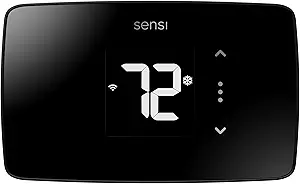 | Best for Straightforward DIY Setup | Model: ST25 | Connectivity: 2.4GHz Wi-Fi | Voice assistants: Amazon Alexa, Google Assistant, SmartThings | VIEW ON AMAZON | See Our Full Breakdown |
| Google Nest Thermostat (Snow) |  | Best for Google Home Office Automation | Color: Snow | Connectivity: Wi-Fi | Certification: ENERGY STAR | VIEW ON AMAZON | See Our Full Breakdown |
| smart thermostat for office | Connectivity | Display |
|---|---|---|
| WiFi Thermostats for Home Smar | — | Backlit LCD |
| Smart Thermostats for Home | — | 4.3-inch touchscreen |
| Google Nest Thermostat | — | — |
| Aqara Smart Thermostat W200 wi | Dual-band 2.4/5GHz Wi-Fi and Bluetooth | 4-inch full-color touchscreen |
| vine Smart Thermostat for Hous | Wi-Fi | — |
| Sensi Smart Thermostat ST55 | Wi-Fi | — |
| Honeywell Home RTH9585WF Wi-Fi | Wi-Fi | — |
| SITERWELL Smart Thermostat Pro | Wi-Fi | 3.5-inch full-color touchscreen |
| Amazon Smart Thermostat | Alexa app and compatible Alexa devices | — |
| Ecobee Smart Thermostat Essent | Wi-Fi | Color touchscreen |
| Sensi Lite Smart Thermostat | 2.4GHz Wi-Fi | LCD |
| Google Nest Thermostat | Wi-Fi | — |
More Details on Our Top Picks
WiFi Thermostats for Home Smart Thermostat Single-Stage 1Heat/ 1Cool
For a small office with a conventional single-stage heating and cooling system, this thermostat covers the basics: app access, a seven-day schedule, and a backlit screen for local adjustments. Its narrow system support puts it below the vine Smart Thermostat for offices with heat pumps or multistage HVAC, but that simplicity may suit a space with a straightforward furnace and air conditioner. I’d check the wiring before choosing it: a 24V C-wire is required, and the listed terminals exclude many common system configurations. It also connects only to 2.4GHz Wi-Fi. The stated temperature control range is within 2°F, so buyers seeking tighter control or broader building compatibility should look elsewhere.
Pros:- App control allows temperature changes away from the office
- Seven-day scheduling can match weekday and weekend occupancy
- Backlit LCD is readable for on-site adjustments
- Lists compatible wiring terminals and system types clearly
Cons:- Requires a C-wire and cannot run on batteries
- Does not support heat pumps or multistage systems
- Works only with 2.4GHz Wi-Fi
Best for: Small offices with conventional single-stage gas, oil, or electric heating and air conditioning, plus an existing C-wire
Not ideal for: Offices with heat pumps, multistage HVAC, line-voltage heaters, or wiring that lacks a C-wire
- HVAC compatibility:Conventional single-stage 1 heat/1 cool
- Supported fuel types:Gas, oil, or electric
- Required wiring:24V C-wire
- Wi-Fi:2.4GHz only
- Scheduling:7-day programmable
- Temperature control:Within 2°F
- Display:Backlit LCD
- Dimensions:0.98 × 4.72 × 3.86 inches
Our verdict“Choose it for a small office with compatible single-stage HVAC and a C-wire; skip it if the system needs broader compatibility.”
Smart Thermostats for Home, WiFi Thermostats 4.3 Inches Touch Screen
The EdgeAnt suits an office where schedules and remote oversight matter more than broad HVAC support. Its seven-day, eight-period programming offers more daily change points than the basic schedule on the single-stage WiFi thermostat in this lineup, which can help separate arrival, work hours, and closing time. App and voice controls add convenient ways to adjust the space, while temperature alerts and filter reminders can prompt attention between visits. The tradeoff is system fit: it requires a C-wire and excludes heat-only two-wire setups, line-voltage heat, and several specialty systems. Product details also don’t specify supported HVAC stages, so I’d verify compatibility before buying. For offices needing broader stated system coverage, vine lists heat pumps and multistage configurations.
Pros:- Seven-day programming with eight periods per day
- App control plus Alexa and Google Assistant support
- Temperature alerts and filter-change reminders
- Child lock can prevent casual changes to office settings
Cons:- Requires a C-wire
- Excludes several common specialty and line-voltage systems
- Listed details do not specify supported HVAC stages
Best for: Small teams or office managers who want several temperature periods per day, remote adjustments, and Alexa or Google Assistant control
Not ideal for: Offices with two-wire heat-only, line-voltage, millivolt, or specialty HVAC systems, or without a confirmed C-wire
- Display:4.3-inch touchscreen
- Scheduling:7-day, 8 periods per day
- Required wiring:C-wire
- App control:EdgeAnt app
- Voice assistants:Alexa and Google Assistant
- Alerts:Temperature alerts and filter-change reminders
- Additional controls:Child lock
- Incompatible systems:Two-wire heat-only, 120–240V electric baseboard, line-voltage, millivolt, humidifier, and dehumidifier systems
Our verdict“Pick EdgeAnt for finely segmented schedules and app or voice access after confirming the office HVAC matches its compatibility checker.”
Google Nest Thermostat – Charcoal
For an office already managed through Google Home, the Nest offers a familiar app-based schedule, remote adjustments, and voice control through Google Assistant and compatible Matter assistants. Its ability to work without a C-wire in many homes makes it less restrictive than the C-wire-dependent EdgeAnt and vine models, though some HVAC setups still need a C-wire or power accessory. Nest also includes HVAC monitoring and maintenance reminders, useful when the space is often empty between workdays. It ranks below the Aqara W200 for offices that need built-in presence sensing or broad Matter hub functions, and its compatibility depends on the system. The listed model has no lock feature, so it may be a weak fit for shared offices where staff should not change settings.
Pros:- Remote control and scheduling through the Google Home app
- Works without a C-wire in many installations
- HVAC monitoring can flag potential system issues
- Supports 2.4GHz and 5GHz Wi-Fi
Cons:- Some systems require a C-wire or compatible power accessory
- No lock feature for limiting staff adjustments
- Compatibility varies by heating, cooling, and zone setup
Best for: Small offices already using Google Home that want remote temperature changes, scheduling, and basic HVAC alerts
Not ideal for: Shared offices needing a thermostat lock, or workplaces requiring built-in occupancy sensing and a broad HVAC feature set
- Wi-Fi:802.11b/g/n 2.4GHz and 802.11a/n 5GHz
- Wireless interconnect:Bluetooth Low Energy
- Power:Designed to work without a C-wire in many homes
- Scheduling:Programmable schedule in Google Home
- Remote control:Phone, laptop, or tablet
- HVAC monitoring:Alerts and maintenance reminders
- Voice assistant support:Google Assistant and compatible Matter-certified assistants
- Energy certification:ENERGY STAR certified
Our verdict“Choose Nest for a Google Home office that values remote scheduling and system alerts, provided its wiring and access controls fit.”
Aqara Smart Thermostat W200 with Apple Adaptive Temperature
The Aqara W200 is the most capable fit here for an office already invested in smart building controls. Its built-in mmWave presence sensor can distinguish human presence from simple motion, enabling automations around occupancy, while Matter support links it with Apple Home, Google Home, Alexa, and SmartThings. It goes well beyond the EdgeAnt’s scheduling and alerts with a 4-inch touchscreen, Zigbee hub, Matter controller, and Thread border router. That breadth also brings dependencies: Apple Adaptive Temperature requires a compatible home hub and current Apple devices, and a C-wire adapter is sold separately if wiring lacks one. Its doorbell and lock display functions are Aqara-specific, so the added panel features may not matter in a typical office. Choose it for integration depth, not for a basic thermostat swap.
Pros:- Built-in mmWave sensor supports occupancy-based automations
- Matter support spans Apple Home, Google Home, Alexa, and SmartThings
- Includes Zigbee hub, Matter controller, and Thread border router
- Large touchscreen can also display compatible Aqara doorbell and lock information
Cons:- C-wire adapter is sold separately when needed
- Apple Adaptive Temperature requires a home hub and recent Apple devices
- Several smart panel features depend on compatible Aqara devices
Best for: Offices with Apple Home or mixed Matter smart devices that can use occupancy automations and a central control panel
Not ideal for: A basic office retrofit where occupants only need scheduled heating and cooling, especially if adding a C-wire adapter is undesirable
- Display:4-inch full-color touchscreen
- HVAC compatibility:About 85% of systems; includes furnaces, air conditioners, heat pumps, boilers, and PTAC units
- Power:C-wire, or Aqara C-Wire Adapter sold separately
- Smart home standard:Matter 1.4
- Connectivity:Dual-band 2.4/5GHz Wi-Fi and Bluetooth
- Presence sensing:Built-in mmWave radar
- Built-in hubs:Zigbee hub, Matter controller, and Thread border router
- Apple features:Adaptive Temperature and Clean Energy Guidance; requirements and availability vary
Our verdict“Choose the W200 when occupancy sensing and smart home integration justify its extra setup and device requirements.”
vine Smart Thermostat for House, WiFi Thermostat
Vine earns a place for offices whose HVAC is more involved than a single-stage furnace and air conditioner. Its stated support includes two-stage conventional systems and heat pumps with auxiliary or emergency heat, giving it a wider listed fit than the first WiFi thermostat in this batch. Seven-day, eight-period programming and auto home/away mode can tailor climate control to office hours, while app and voice controls make schedule changes accessible off-site. The C-wire requirement remains a firm installation constraint, and the compatibility claim still calls for a system check before purchase. Compared with the Google Nest, Vine offers more explicit stage support and reminders, while Nest is designed to work without a C-wire in many homes. Vine is the better match when system coverage takes priority over avoiding that wiring requirement.
Pros:- Supports conventional systems up to 2H/2C and specified multistage heat pumps
- Seven-day schedule with eight periods per day
- Auto home/away mode, geofencing, and vacation mode
- Works with Alexa, Google Assistant, Vine app, and Smart Life app
Cons:- C-wire is required for all installations
- Compatibility must be checked for the specific HVAC system
- App, touch, and voice controls add setup choices compared with a basic programmable thermostat
Best for: Office managers with a compatible multistage furnace or heat pump who want scheduled control and remote access
Not ideal for: Offices without a C-wire or with systems outside its stated 24V AC compatibility, including line-voltage heating
- HVAC compatibility:24V AC conventional systems up to 2H/2C; heat pumps up to 2 heat/2 cool plus 2 auxiliary or emergency heat stages
- Supported systems:Gas, oil, electric, boiler, heat-only, or cool-only
- Required wiring:C-wire
- Scheduling:7-day, 8 periods per day
- Connectivity:Wi-Fi
- Control methods:App, touch, and voice
- Voice assistants:Alexa and Google Assistant
- Additional modes:Auto-away, geofencing, vacation mode, and child lock
Our verdict“Pick Vine for a compatible multistage office HVAC system that needs flexible schedules and remote controls, as long as a C-wire is available.”
Sensi Smart Thermostat ST55
For a small office replacing an older thermostat, the Sensi ST55 pairs remote control and flexible scheduling with an installation that does not require a C-wire in most applications. That can make it easier to fit into an existing setup than the Honeywell Home RTH9585WF, which requires one. Its maintenance alerts and usage reports also give an office manager practical prompts for filter changes and system checks. Sensi estimates energy savings of about 23%, though actual results depend on building use and climate. The tradeoff is a more focused feature set: the ST55 lacks the Honeywell’s color touchscreen and broad system compatibility details, and its smart controls rely on Wi-Fi. I’d choose it for a simple retrofit where ease of installation matters more than a prominent display.
Pros:- No C-wire needed in most applications, which can simplify retrofits
- Remote access and flexible scheduling support office-hour temperature control
- Maintenance alerts and usage reports help track routine HVAC care
- ENERGY STAR certified, with stated potential savings of about 23%
Cons:- Smart features require a Wi-Fi connection
- Energy savings vary with usage and climate
- Offers fewer display and system-compatibility details than the Honeywell RTH9585WF
Best for: Small offices replacing a compatible thermostat, especially where a C-wire is unavailable and staff need remote scheduling.
Not ideal for: Offices with unreliable Wi-Fi or systems that need a feature-rich color touchscreen and broader documented heating-system support.
- Model:ST55
- Connectivity:Wi-Fi
- Smart home compatibility:Amazon Alexa
- Certification:ENERGY STAR
- Installation:DIY; no C-wire required in most applications
- Maintenance features:Filter replacement and system performance alerts
- Privacy:States that personal information is not sold to third parties
Our verdict“Choose the Sensi ST55 for a compatible office retrofit where simple installation and remote scheduling matter more than a color touchscreen.”
Honeywell Home RTH9585WF Wi-Fi Smart Color Thermostat
The Honeywell Home RTH9585WF makes sense in a shared office where people adjust the temperature at the wall: its customizable color touchscreen puts settings and readings in easy view. Unlike the more installation-flexible Sensi ST55, this model requires a C-wire, so it may call for wiring work before it can be fitted. In return, it supports 7-day programming, vacation holds, remote control, and Alexa and Google Home integration. Its listed system support covers forced air, hot water, steam, and heat pumps with electric backup, giving it a wider documented range than a basic single-stage thermostat. The limits matter: it does not support line-voltage or electric baseboard heat, and heating-only oil systems need a C-wire. I’d rank it for offices that value clear local controls and scheduled operation, provided the wiring and HVAC system are compatible.
Pros:- Customizable color touchscreen makes wall-side adjustments easy to see
- 7-day programming supports consistent weekday and weekend schedules
- Works with Alexa, Google Home, and the Honeywell Home app
- ENERGY STAR certified with monthly energy reports
Cons:- Requires a C-wire for installation
- Does not support line-voltage or 120–240V electric baseboard heating
- Heating-only oil systems require a C-wire
Best for: Small offices with compatible low-voltage HVAC that want a visible touchscreen, weekly schedules, and Alexa or Google Home control.
Not ideal for: Offices with electric baseboard or other line-voltage heat, or sites without a C-wire and no practical way to add one.
- Model:RTH9585WF
- Connectivity:Wi-Fi
- Supported systems:Forced air, hot water, steam, and heat pumps with electric backup
- Incompatibility:Line-voltage heating and 120–240V electric baseboard heat
- Power requirement:C-wire required
- Certification:ENERGY STAR
- Smart home integration:Amazon Alexa and Google Home
- Display and programming:Color touchscreen; 7-day programmable
Our verdict“Pick the Honeywell RTH9585WF when your office has compatible wiring and HVAC and benefits from a clear, programmable touchscreen.”
SITERWELL Smart Thermostat Programmable Home WiFi Thermostat
The SITERWELL Smart Thermostat puts a 3.5-inch color touchscreen and real-time temperature, humidity, and mode readings at the center of its pitch. In an office where staff regularly adjust settings at the wall, that larger interface may be more approachable than the Amazon Smart Thermostat, whose appeal is more closely tied to Alexa control. SITERWELL also lists compatibility with many 24VAC systems, including single- and multi-stage heating and cooling, plus Alexa and Google Assistant voice control. The office buyer should check wiring and equipment before choosing it: a C-wire is required, and broad compatibility claims still need to match the building’s actual system. The PIN lock can help prevent casual setting changes, but this model offers less established ecosystem detail than Ecobee’s stated Apple HomeKit support. I’d consider it when wall controls and system breadth are priorities.
Pros:- 3.5-inch color touchscreen shows temperature, humidity, and operating mode
- Lists support for single- and multi-stage 24VAC heating and cooling systems
- Works with Alexa and Google Assistant
- PIN-code lock can reduce accidental setting changes
Cons:- Requires a C-wire for steady power
- Compatibility claims should be checked against the office’s specific HVAC equipment
- Provides less smart-home ecosystem detail than the Ecobee Smart Thermostat Essential
Best for: Small offices with a compatible 24VAC system that want a large touchscreen, voice control, and a PIN lock against casual setting changes.
Not ideal for: Offices without a C-wire, or teams that need clearly documented compatibility with a specific smart-home platform or HVAC configuration.
- Connectivity:Wi-Fi
- Supported voltage and systems:Most standard 24VAC systems; single- and multi-stage heating and cooling
- Heat sources:Gas, oil, and electric
- Power requirement:C-wire required
- Display:3.5-inch full-color touchscreen
- Readings:Real-time temperature, humidity, and operating mode
- Smart home compatibility:Alexa and Google Assistant
- Additional features:PIN-code lock; UL-certified; 3-year warranty
Our verdict“Choose SITERWELL if your office has compatible 24VAC wiring and you want an easy-to-read touchscreen with voice control.”
Amazon Smart Thermostat
The Amazon Smart Thermostat is the clearest fit for an office already organized around Alexa devices. It can use compatible Alexa temperature readings or presence detection to adjust heating and cooling, while the app supports remote control and home, away, and sleep schedules. That focus gives it a different role from the Honeywell RTH9585WF, which offers a color touchscreen and 7-day programming for people who want more direct control at the thermostat. Amazon describes DIY installation through its app, but the product requires a C-wire, so an older office setup may need wiring changes. Its strongest automation features depend on compatible Alexa devices, and the listing does not provide the same detailed HVAC compatibility information as Honeywell’s. I’d place it high for Alexa-equipped spaces seeking app-based automation, but lower for mixed-platform offices.
Pros:- Alexa routines can adjust temperature using compatible device readings or presence detection
- App supports remote temperature control
- Offers home, away, and sleep schedules
- DIY installation guidance is available in the Alexa app
Cons:- C-wire required
- Automation depends on compatible Alexa devices and ecosystem use
- Provided product data gives less detail on HVAC compatibility than the Honeywell RTH9585WF
Best for: Offices already using compatible Alexa devices that want app control, scheduled settings, and presence-based temperature adjustments.
Not ideal for: Teams using Apple HomeKit or Google Home, or offices without a C-wire or confirmed compatible HVAC system.
- Connectivity:Alexa app and compatible Alexa devices
- Power requirement:C-wire required
- Control:Remote temperature monitoring and control through the Alexa app
- Scheduling:Home, away, and sleep schedules
- Automation:Can use compatible Alexa device temperature readings or presence detection
- Installation:DIY guidance through the Alexa app
- Technology:Honeywell Home thermostat technology
Our verdict“Pick the Amazon Smart Thermostat for an Alexa-equipped office that wants remote control and automation within that ecosystem.”
Ecobee Smart Thermostat Essential
For an office whose staff use different smart-home platforms, the Ecobee Smart Thermostat Essential offers the broadest stated integration here: Wi-Fi, Apple HomeKit, Google Assistant, and Alexa. Its schedule assistant and time-of-use optimization can help align HVAC operation with office routines and electricity timing, while indoor humidity detection adds another useful signal for comfort. Compared with the Amazon Smart Thermostat, it is less tied to Alexa alone, and its listed compatibility covers several HVAC types. Installation also avoids a required C-wire, though an optional Power Extender Kit is sold separately. That qualification matters: accessories such as the extender and SmartSensor add cost and are not included, and older systems may not work. I’d rank Ecobee highest for platform flexibility, while offices seeking the simplest accessory-free setup may prefer the Sensi ST55.
Pros:- Supports Apple HomeKit, Google Assistant, and Alexa
- Does not require a C-wire; optional Power Extender Kit is available
- Schedule assistant, humidity detection, and time-of-use optimization support office comfort planning
- ENERGY STAR certified with free over-the-air software upgrades
Cons:- Power Extender Kit and SmartSensor are sold separately
- May not work with some older HVAC systems
- Energy savings depend on schedule, equipment, and usage
Best for: Small offices with mixed Apple, Google, and Alexa users that want scheduling, humidity detection, and time-of-use controls.
Not ideal for: Offices with older or unverified HVAC equipment, or buyers who need a Power Extender Kit or SmartSensor included.
- Connectivity:Wi-Fi
- HVAC compatibility:Listed for 85% of systems, including gas, oil, electric, dual fuel, and forced air
- Power requirement:No C-wire needed; optional Power Extender Kit sold separately
- Smart home compatibility:Apple HomeKit, Google Assistant, and Alexa
- Display:Color touchscreen
- Smart features:Indoor humidity detection, schedule assistant, and time-of-use optimization
- Software:Free over-the-air software upgrades
- Certification:ENERGY STAR
Our verdict“Choose Ecobee Essential for a compatible office that needs broad smart-home support and more schedule-aware controls.”
Sensi Lite Smart Thermostat (ST25)
Sensi Lite suits office owners who want app scheduling and remote adjustments without a more involved smart home setup. Its built-in level and step-by-step instructions make installation approachable, while the mobile app lets you change settings when the office is empty or outside normal hours. Compared with the Google Nest Thermostat, Sensi Lite puts more emphasis on guided DIY installation and a stated privacy policy that excludes selling personal data and targeted advertising. Its tradeoff is a narrower connectivity requirement: it uses 2.4GHz Wi-Fi, and some heat pump and heat/cool-only installations require a C-wire. That makes it a practical fit for a conventional office HVAC setup, but a less flexible pick for networks or systems that do not match those requirements.
Pros:- Built-in level and step-by-step instructions support DIY installation
- Remote control and flexible scheduling through the mobile app
- Works with Alexa, Google Assistant, and SmartThings
- Privacy policy states that personal data is not sold or used for targeted advertising
Cons:- Some heat pump and heat/cool-only systems require a C-wire
- Wi-Fi connectivity is limited to 2.4GHz
Best for: Small office owners who want guided DIY installation, app-based scheduling, and Alexa or Google Assistant control
Not ideal for: Offices with heat pump or heat/cool-only wiring that lacks a C-wire, or Wi-Fi networks that only support 5GHz
- Model:ST25
- Connectivity:2.4GHz Wi-Fi
- Voice assistants:Amazon Alexa, Google Assistant, SmartThings
- Power:Battery or C-wire
- Voltage:24 volts
- Display:LCD
- Mounting:Wall mount
- HVAC compatibility:Air conditioner, boiler, furnace, heat pump
Our verdict“Choose Sensi Lite for a small office where guided installation and app scheduling matter more than broader Wi-Fi flexibility.”
Google Nest Thermostat (Snow)
The Google Nest Thermostat is a good match for an office that already runs on Google Home and can benefit from automatic temperature changes when the space is empty. Its Google Home app provides remote control and scheduling, while HVAC monitoring can alert you to certain system issues. Compared with the Sensi Lite, Nest puts more weight on occupancy-based adjustments and maintenance alerts; Sensi Lite offers a more explicit guided-installation focus and a stated privacy policy around data selling. Nest’s main limitation for an office is that its away behavior may depend on how the space is detected and used, so a workplace with irregular visits may need schedule adjustments. Some HVAC systems also need a C-wire or power accessory, and there is no built-in lock for limiting changes by staff.
Pros:- Can adjust temperatures automatically when it detects that occupants have left
- Remote temperature control and scheduling through Google Home
- HVAC monitoring can provide alerts about system issues
- Supports Google Assistant, Alexa, and Matter-certified voice assistants
Cons:- Some heating and cooling systems may need a C-wire or power accessory
- No built-in lock feature for restricting staff temperature changes
- Automatic away adjustments may need tuning for irregular office occupancy
Best for: Small offices already using Google Home that have predictable occupancy patterns and want automatic away adjustments
Not ideal for: Shared workplaces that need thermostat controls locked against staff changes, or systems that need a C-wire accessory the office cannot accommodate
- Color:Snow
- Connectivity:Wi-Fi
- Certification:ENERGY STAR
- App support:Google Home for Android and iOS
- Voice and smart home compatibility:Google Assistant, Alexa, Matter-certified devices
- Energy features:Automatic away adjustments, Savings Finder, Nest Renew
- HVAC features:HVAC monitoring and alerts
- Power requirement:May require a C-wire or power accessory, depending on the system
Our verdict“Pick Nest for a Google Home office with routine occupancy and skip it if staff need a built-in way to lock the controls.”

How We Picked
I ranked these thermostats around the needs of a small office: dependable control of a compatible HVAC system, schedules that can follow working hours, an interface staff can understand, and smart-home support that fits the workplace. I also weighed whether the product’s stated capabilities appear suited to routine office use, such as adjusting comfort without requiring someone to visit the wall control. Since the list includes limited product detail and does not establish compatibility with any particular building, I treated HVAC and wiring checks as a condition of every recommendation.
The ranking gives the top spot to the Ecobee Smart Thermostat Essential for its balanced office role, with Amazon Smart Thermostat and Sensi ST55 close behind for buyers prioritizing a specific ecosystem or familiar operation. The remaining models earn their places through narrower strengths, such as Apple integration, a color touch display, or detailed weekly programming. I ranked generic Wi-Fi models lower because the supplied descriptions provide less evidence about their distinguishing office benefits. None is a universal fit: a shared commercial system, multiple zones, or unsupported wiring can outweigh any app feature.
Factors to Consider When Choosing Smart Thermostat For Office
Choosing a thermostat for an office starts with the building and its working pattern, not the longest feature list. These checks can prevent a smart control from becoming an expensive wall display that cannot manage the equipment or schedule you need.
Match the thermostat to the HVAC equipment
Before comparing apps, identify the system the thermostat must control: conventional heating and cooling, a heat pump, or a zoned setup. Product titles that say “single-stage” or require a C-wire are meaningful limits, not small-print details. Check the current thermostat wiring and HVAC documentation, then compare both with the manufacturer’s compatibility guidance. A building with several air handlers or independently controlled zones may need multiple controls or a building-level system. Avoid assuming that a model described for home use will work with a commercial rooftop unit. If the equipment type is unclear, ask the HVAC installer to identify it before buying.
Schedule around occupancy, not just weekdays
An office may open early, close late, or sit empty on certain days, so a useful schedule needs to reflect actual occupancy. Weekly programming can reduce needless heating or cooling outside work hours, but frequent meetings, shift work, or shared rooms can make fixed periods frustrating. Decide who can change the schedule and whether temporary adjustments should expire automatically. A common mistake is setting aggressive setbacks that leave the space uncomfortable when the first employees arrive. For a small office with steady hours, simple weekday and weekend programming may be easier to maintain than many periods. For variable attendance, prioritize accessible manual changes and clear schedule controls.
Choose the smart-home platform the office already uses
Voice control can help when someone needs to adjust a room without walking to the thermostat, but it works best when the office already uses the same platform. Alexa-focused businesses may find Amazon’s thermostat the most natural match, while Apple-oriented users may look at Aqara’s W200. Google Assistant support or broader app control can matter more in mixed-device workplaces. Confirm which functions work through each platform, since compatibility labels do not always mean every setting is available by voice. Also decide whether staff should be able to control the thermostat from personal accounts. A single managed account can reduce confusion when people share the space.
Plan for shared control and staff turnover
A home thermostat often assumes one household’s preferences; an office has to handle competing comfort needs and changing occupants. Decide who owns the administrator account, who may make temporary adjustments, and how access is removed when staff leave. A bright touch display can make local changes easier for visitors, while app-first control may be simpler for a small team with one facilities contact. Do not rely on voice assistants as the only way to change settings, since not every employee will have access. Agree on a comfortable range and a process for reporting problems before installation. Clear ownership can prevent repeated schedule resets and arguments over settings.
Treat wiring and installation as part of the decision
A C-wire requirement can rule out an otherwise appealing thermostat or add work before installation. Check whether the existing setup has a C-wire and whether the manufacturer permits an adapter or another approved wiring method. If the office has a landlord, shared mechanical room, or service contract, get the installer’s requirements before replacing controls. A thermostat that is easy to mount may still need professional setup to preserve equipment settings. Consider how a system will be restored or serviced if the Wi-Fi network changes. Installation fit matters more than a polished display when a mismatch can leave heating or cooling unavailable.
Pay for features the office will actually use
A color touchscreen, voice integrations, or more scheduling periods can be useful, but each adds value only when staff will use it. For a small room with stable hours, clear scheduling and dependable local control may matter more than a feature-rich interface. A premium choice makes more sense when its ecosystem support or control options solve a real workplace need. Conversely, avoid choosing the least expensive-looking Wi-Fi model solely because it lists many schedule periods; check the app, compatibility notes, and support details first. Think about who will maintain the settings after installation. The best fit is the one that supports the office routine without creating extra work.
Frequently Asked Questions
Can I use a home smart thermostat in a small office?
Often, but the thermostat must match the office HVAC system and wiring. Many products in this lineup are described for home systems, and some specify single-stage equipment or a C-wire, so check those conditions against the building. A small office with one compatible heating and cooling system may be a reasonable fit. A multi-zone setup or commercial rooftop unit needs a more careful compatibility check. Ask the HVAC service provider before replacing a control tied to shared building equipment.
Will a smart thermostat save energy if the office is empty?
Scheduling can reduce heating or cooling during unoccupied hours, but savings depend on the building, climate, equipment, and schedule. Setbacks that are too large may make the office uncomfortable at opening time or prompt staff to override the schedule. Start with modest changes and review whether the space reaches a comfortable temperature before people arrive. A thermostat cannot correct poor insulation, equipment faults, or an unsuitable HVAC system. Treat energy reduction as a possible result of better control rather than a guaranteed outcome.
Do I need a C-wire for one of these thermostats?
Some listings in this roundup explicitly require a C-wire, including several Wi-Fi models, while the supplied product descriptions do not establish wiring needs for every option. Check the exact model’s installation guide and inspect the existing thermostat wiring before ordering. A C-wire provides continuous power, which can matter for Wi-Fi-connected controls. If your office lacks one, ask whether the manufacturer supports an adapter or whether an electrician or HVAC technician should handle the change. Do not infer wiring compatibility from the thermostat’s smart-home features.
Which platform should I choose for an office with mixed devices?
Start with the platform employees or facilities staff already use, then verify that the thermostat supports the functions you need there. The Amazon model is the clearest match for an Alexa-centered office, and Aqara’s W200 is positioned toward Apple users. The lineup also includes products that advertise Google Assistant compatibility, but the descriptions do not establish identical controls across every platform. If staff use a mix of phones and assistants, prioritize a useful standalone app and wall controls. That reduces dependence on one person’s account or device.
Should I choose a thermostat with more schedule periods for a shared workplace?
More periods can help if the office has predictable changes in occupancy, such as early opening, a midday closure, and evening use. They can create needless complexity when staff hours vary or several people adjust settings. For a shared workplace, decide who will maintain the schedule and how temporary overrides should work. A simpler plan that employees understand is often easier to keep consistent. Choose extra schedule detail only when it maps to a real operating pattern.
Conclusion
For most small offices with compatible wiring and equipment, I’d start with the Ecobee Smart Thermostat Essential as the best overall pick. The Amazon Smart Thermostat is my value-oriented choice for an Alexa-based workplace, while the Sensi Lite ST25 is the straightforward beginner option for buyers who want familiar scheduling and app control. Choose the Aqara W200 when Apple integration is the specific need, and look at the Honeywell Home RTH9585WF if a color touchscreen is a priority. The Sensi ST55 suits buyers who favor traditional controls. Before choosing any of them, confirm HVAC and wiring compatibility; for multi-zone or shared commercial systems, ask the building’s HVAC provider which controls are supported.