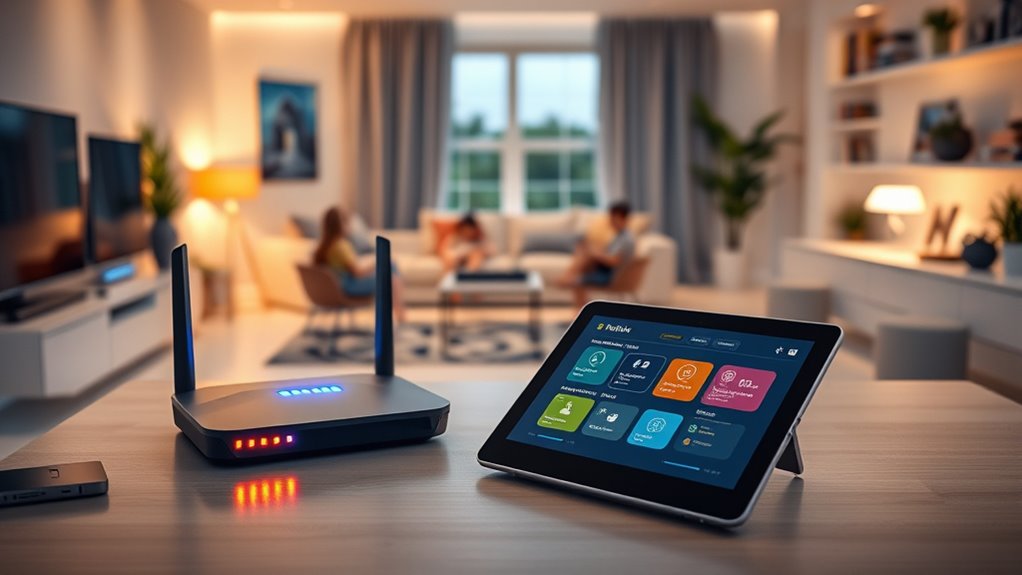

When it comes to managing your family’s online activity, a dedicated parental control router can make a significant difference. The best models balance robust filtering, ease of use, and reliable performance. The TP-Link Deco S4 Mesh System offers comprehensive coverage for larger homes, while the ASUS RT-AX1800S provides advanced security features for tech-savvy users. However, these routers often involve tradeoffs—like higher prices or complexity—that can be daunting for some families. Keep reading for a detailed breakdown of the top options and what each one uniquely offers.

Get privacy and security gear delivered free with Prime
- Fast, free delivery on millions of items
- Prime Video, Amazon Music and more included
- Member-only deals all year
Key Takeaways
- The best parental control routers combine strong filtering with user-friendly interfaces.
- Mesh systems excel in covering large or multi-story homes, but may come at a higher cost.
- Advanced security features are often found in higher-end models, which can be beneficial for tech-savvy households.
- Performance and ease of setup vary widely among options, affecting daily usability.
- Budget-conscious buyers should weigh the tradeoff between features and affordability carefully.
| TP-Link Smart WiFi 6 Router (Archer AX10) with 4 Gigabit LAN Ports |  | Best Overall Parental Control Router | Wi-Fi Standard: Wi-Fi 6 (802.11ax) | Bands: Dual Band | Max Speed: 1201 Mbps on 5 GHz, 300 Mbps on 2.4 GHz | VIEW ON AMAZON | See Our Full Breakdown |
| ASUS RT-AX1800S Dual Band WiFi 6 Extendable Router with Network Security and Parental Controls |  | Best for Security and Expandability | WiFi Standard: WiFi 6 (802.11ax) | Antenna: External antenna x 4 | Processor: Dual-core | VIEW ON AMAZON | See Our Full Breakdown |
| TP-Link Deco M5 Mesh WiFi Router – Dual Band Gigabit Wireless, Quad-core CPU, MU-MIMO, Parental Control, Alexa Compatible, 1-Pack |  | Best for Whole-Home Mesh Coverage | Coverage: Up to 2,000 sq. ft. | WiFi Speed: 1300 Mbps | Number of Units: 1 | VIEW ON AMAZON | See Our Full Breakdown |
| TP-Link AC1200 WiFi Router (Archer A54) – Dual Band Wireless Internet Router |  | Best Budget Dual-Band Router with Parental Controls | Wi-Fi Bands: Dual-band 2.4 GHz and 5 GHz | Max Speed: 1200 Mbps | Ethernet Ports: 4 x 10/100 Mbps | VIEW ON AMAZON | See Our Full Breakdown |
| TP-Link Deco S4 2-Pack Whole Home Mesh WiFi System, AC1900, Coverage up to 3,800 sq.ft. |  | Best Value for Large Coverage | Coverage: Up to 3,800 sq.ft. | WiFi Speed: AC1900 | Number of Units: 2 | VIEW ON AMAZON | See Our Full Breakdown |
| TP-Link Deco S4 Mesh WiFi System (3-Pack) |  | Best Whole-Home Mesh Coverage for Parental Control | Coverage: up to 5,500 sq.ft. | WiFi Standard: AC1900 | Number of Units: 3 | VIEW ON AMAZON | See Our Full Breakdown |
| ASUS RT-AX3000S Dual Band WiFi 6 Router |  | Best WiFi 6 Router with Extendable Parental Controls | WiFi Standard: 802.11ax | Speed: 3000Mbps | Bands: Dual Band | VIEW ON AMAZON | See Our Full Breakdown |
| parental control router | Features | Coverage |
|---|---|---|
| TP-Link Smart WiFi 6 Router | Beamforming, OFDMA, MU-MIMO, Parental Controls | — |
| ASUS RT-AX1800S Dual Band WiFi | Extendable with AiMesh | — |
| TP-Link Deco M5 Mesh WiFi Rout | — | Up to 2,000 sq. ft. |
| TP-Link AC1200 WiFi Router | EasyMesh, parental controls | Up to 1,000 sq. ft. |
| TP-Link Deco S4 2-Pack Whole H | — | Up to 3,800 sq.ft. |
| TP-Link Deco S4 Mesh WiFi Syst | — | up to 5,500 sq.ft. |
| ASUS RT-AX3000S Dual Band WiFi | Extendable with AiMesh, Parental Control, VPN, Scheduling | — |
More Details on Our Top Picks
TP-Link Smart WiFi 6 Router (Archer AX10) with 4 Gigabit LAN Ports
The TP-Link Archer AX10 stands out for its WiFi 6 technology, delivering faster speeds and more efficient device management compared to older standards. It supports multiple devices simultaneously, making it ideal for busy households with many smart gadgets and streaming needs. While it offers robust coverage with Beamforming and MU-MIMO, it requires a separate modem, which adds to setup complexity. Its advanced features can be overwhelming for non-technical users, but for those wanting high speed and reliable parental controls, it hits a sweet spot.
Pros:- Supports Wi-Fi 6 for faster and more efficient connections
- Multiple devices connect smoothly with reduced lag
- Strong coverage with Beamforming technology
Cons:- Requires a separate modem, increasing overall cost
- Advanced features may be complex for non-technical users
Best for: Tech-savvy families needing high-speed internet with comprehensive parental controls
Not ideal for: Users seeking an all-in-one device with built-in modem or simple setup without additional equipment
- Wi-Fi Standard:Wi-Fi 6 (802.11ax)
- Bands:Dual Band
- Max Speed:1201 Mbps on 5 GHz, 300 Mbps on 2.4 GHz
- LAN Ports:4 Gigabit LAN ports
- Processor:Dual-Core 900MHz
- Features:Beamforming, OFDMA, MU-MIMO, Parental Controls
Our verdict“This router is perfect for households that prioritize speed and control, and are comfortable managing more complex setups.”
ASUS RT-AX1800S Dual Band WiFi 6 Extendable Router with Network Security and Parental Controls
The ASUS RT-AX1800S offers strong security features like VPN support and AiProtection, making it a solid choice for privacy-conscious families. Its four external antennas help extend coverage, especially when paired with AiMesh for mesh expansion—a feature that sets it apart from the Deco M5, which is more straightforward but less flexible. While its security suite is comprehensive, the actual performance can vary based on environment and network conditions, and it lacks detailed customization options for advanced users. This makes it ideal for tech-savvy households prioritizing security and future-proof expandability.
Pros:- Supports WiFi 6 for faster speeds and efficiency
- Includes multiple gigabit ports for wired connections
- Built-in VPN and security features for privacy
Cons:- Performance varies depending on environment
- Limited details on advanced customization
Best for: Families wanting strong security features and expandability for smart home integration
Not ideal for: Users seeking plug-and-play simplicity or basic internet needs without security concerns
- WiFi Standard:WiFi 6 (802.11ax)
- Antenna:External antenna x 4
- Processor:Dual-core
- Ports:1 Gigabit WAN, 4 Gigabit LAN
- Security:AiProtection Classic, VPN
- Features:Extendable with AiMesh
Our verdict“Ideal for security-conscious families who want a scalable WiFi 6 solution with parental controls.”
TP-Link Deco M5 Mesh WiFi Router – Dual Band Gigabit Wireless, Quad-core CPU, MU-MIMO, Parental Control, Alexa Compatible, 1-Pack
The Deco M5 offers seamless whole-home WiFi coverage, making it an excellent choice for larger homes or multi-room setups. Its mesh system eliminates dead zones better than traditional routers like the Archer A54, especially when expanding with additional units. Its setup via the Deco app is straightforward, and Alexa compatibility adds voice control convenience. However, as a single pack, coverage can be limited if you don’t add more units, and it still requires a separate modem. This pick makes the most sense for households seeking easy expansion and reliable parental controls across a large area.
Pros:- Easy setup with the Deco app
- Supports seamless mesh network for large coverage
- Supports voice control via Alexa
Cons:- Requires a modem for most internet setups
- Coverage limited if only using a single unit
Best for: Homeowners needing expandable, whole-house WiFi with parental controls
Not ideal for: Apartment dwellers or small households with simple internet needs
- Coverage:Up to 2,000 sq. ft.
- WiFi Speed:1300 Mbps
- Number of Units:1
- Processor:Quad-core CPU
- Security:HomeCare with parental controls
- Compatibility:Alexa, IPv4 and IPv6
Our verdict“This mesh system is ideal for large homes that require reliable, expansive WiFi with parental controls.”
TP-Link AC1200 WiFi Router (Archer A54) – Dual Band Wireless Internet Router
The Archer A54 provides decent dual-band WiFi speeds up to 1200 Mbps at a budget-friendly price, making it suitable for small households with basic internet and parental control needs. Its EasyMesh support allows for simple expansion, although performance can be affected by obstacles and interference, especially in larger or crowded environments. While it lacks some of the advanced features found in WiFi 6 models, its WPA3 security and parental controls cover essential network management functions at a lower cost. It’s a solid choice for users seeking straightforward control without high technical demands.
Pros:- Fast dual-band Wi-Fi speeds up to 1200 Mbps
- Supports EasyMesh for coverage expansion
- WPA3 security for safer networks
Cons:- Performance varies with obstacles or interference
- Limited Ethernet ports (only 4) and no modem included
Best for: Small households or budget-conscious families needing reliable parental controls
Not ideal for: Households with many devices or high-bandwidth activities like 4K streaming or gaming
- Wi-Fi Bands:Dual-band 2.4 GHz and 5 GHz
- Max Speed:1200 Mbps
- Ethernet Ports:4 x 10/100 Mbps
- Coverage:Up to 1,000 sq. ft.
- Security:WPA3
- Features:EasyMesh, parental controls
Our verdict“This router suits small or budget-conscious homes that want basic parental controls and decent WiFi speeds.”
TP-Link Deco S4 2-Pack Whole Home Mesh WiFi System, AC1900, Coverage up to 3,800 sq.ft.
The Deco S4 2-Pack offers extensive coverage up to 3,800 sq. ft., making it a cost-effective way to achieve whole-home WiFi with parental controls. Its mesh system smoothly handles multiple devices and large areas, similar to the Deco M5 but at a more affordable price. Unlike single-router solutions, its ability to expand with additional units provides flexibility, but coverage as a single unit is limited. It’s a smart choice for large households that want reliable, manageable WiFi with integrated parental controls without breaking the bank.
Pros:- Easy setup via Deco app
- Seamless mesh eliminates dead zones
- Supports multiple devices with fast speeds
Cons:- Requires a modem for most ISPs
- Coverage as a single unit is limited
Best for: Large households needing budget-friendly, expandable mesh WiFi with parental controls
Not ideal for: Small apartments or homes with simple, single-router needs
- Coverage:Up to 3,800 sq.ft.
- WiFi Speed:AC1900
- Number of Units:2
- Ethernet Ports:4 (2 per unit)
- Supports Wired Ethernet Backhaul:Yes
- Parental Controls:Yes
Our verdict“This mesh system is ideal for large homes seeking affordable, expandable WiFi with parental controls.”
TP-Link Deco S4 Mesh WiFi System (3-Pack)
This mesh system stands out for delivering extensive, seamless coverage up to 5,500 square feet, making it ideal for larger households with multiple devices. Compared to the ASUS RT-AX3000S, it lacks WiFi 6 support, which means slightly slower speeds and less future-proofing, but it compensates with easy setup and reliable mesh performance. Its robust parental controls are straightforward to manage via the Deco app, and support for wired backhaul ensures stable performance in demanding environments. However, it requires a separate modem, adding complexity to setup, and doesn’t support WiFi 6, which could be a limitation as device speeds increase.
Pros:- Provides extensive coverage up to 5,500 sq.ft.
- Seamless mesh network with easy setup via app
- Supports wired backhaul for improved stability
- Robust parental controls compatible with Alexa
Cons:- Requires a modem for most internet providers
- No WiFi 6 support, limiting future speed upgrades
Best for: Families needing broad, reliable coverage with simple parental controls and multi-device support
Not ideal for: Tech-savvy users seeking WiFi 6 speeds or those with a small apartment, as mesh overkill may be unnecessary
- Coverage:up to 5,500 sq.ft.
- WiFi Standard:AC1900
- Number of Units:3
- Ethernet Ports per Unit:2
- Total Ethernet Ports:6
- Supports Wired Backhaul:Yes
Our verdict“This mesh system is a great choice for large households prioritizing coverage and simple parental controls over the latest WiFi technology.”
ASUS RT-AX3000S Dual Band WiFi 6 Router
This router is tailored for users wanting the latest in wireless technology, supporting WiFi 6 for faster, more efficient connections, especially in multi-device households. Unlike the TP-Link Deco S4, it offers up to 3000 Mbps combined bandwidth, making it suitable for high-demand activities like streaming or gaming. Its support for MU-MIMO and OFDMA enhances device management, and the extendable AiMesh feature adds flexibility for larger homes. However, setup can be complex for non-technical users, and its higher price point makes it less appealing for those with basic needs. Its advanced features, including parental controls and VPN support, make it a strong choice for tech-savvy families.
Pros:- Supports WiFi 6 for faster, more efficient connections
- Extendable with AiMesh for seamless network coverage
- Includes advanced features like parental controls, VPN, and scheduling
- Suitable for high-bandwidth activities and large device counts
Cons:- Setup can be complicated for non-technical users
- Higher cost compared to basic routers
Best for: Tech-oriented families seeking high-speed, extendable, and feature-rich parental control options
Not ideal for: Users with minimal technical experience or strict budgets, as setup and cost may be barriers
- WiFi Standard:802.11ax
- Speed:3000Mbps
- Bands:Dual Band
- Features:Extendable with AiMesh, Parental Control, VPN, Scheduling
Our verdict“This WiFi 6 router is perfect for users wanting cutting-edge speed and expandability, with parental controls as a valuable bonus.”
How We Picked
The products in this roundup were evaluated based on their ability to deliver reliable parental controls, ease of setup, overall network performance, build quality, and value for money. We prioritized features like customizable filtering, user management, and security options that directly impact a family’s ability to control internet access. Performance benchmarks and user interface usability also played key roles, ensuring that each router not only offers robust controls but is also practical for everyday use. Our rankings reflect a balance between advanced features and accessibility, helping different types of families find the best fit.| parental control router | Features | Coverage |
|---|---|---|
| TP-Link Smart WiFi 6 Router | Beamforming, OFDMA, MU-MIMO, Parental Controls | — |
| ASUS RT-AX1800S Dual Band WiFi | Extendable with AiMesh | — |
| TP-Link Deco M5 Mesh WiFi Rout | — | Up to 2,000 sq. ft. |
| TP-Link AC1200 WiFi Router | EasyMesh, parental controls | Up to 1,000 sq. ft. |
| TP-Link Deco S4 2-Pack Whole H | — | Up to 3,800 sq.ft. |
| TP-Link Deco S4 Mesh WiFi Syst | — | up to 5,500 sq.ft. |
| ASUS RT-AX3000S Dual Band WiFi | Extendable with AiMesh, Parental Control, VPN, Scheduling | — |
Factors to Consider When Choosing Parental Control Router
Choosing the right parental control router involves more than just filtering capabilities. It’s important to consider how well the device integrates into your home network, the level of control it provides, and how easy it is to manage. Budget constraints, coverage needs, and tech expertise all influence which model will suit your family best. Below are key factors to evaluate before making a decision, along with common pitfalls to avoid.Coverage and Scalability
Assess your home’s size and layout to determine whether a single router suffices or if a mesh system is needed. Mesh setups like the TP-Link Deco S4 can blanket large or multi-floor homes with seamless coverage, reducing dead zones. However, they tend to be pricier and more complex to manage. Consider future expansion as well—some routers support additional nodes or extenders, which can save money over time and adapt to your growing needs.
Filtering and Control Features
Look for routers that offer granular filtering options, including time limits, website blocking, and app control. Some models include preset profiles for different age groups, simplifying management. Beware of overly simplistic controls that lack customization, as they may not effectively address your family’s specific needs. Also, check if controls can be managed via mobile apps, which improves ease of use, especially for parents who prefer managing settings remotely.
Security and Privacy
Many parental control routers incorporate security features like built-in firewalls, malware protection, or VPN options. These enhance overall network safety beyond just filtering content. Be cautious about routers that require cloud accounts or collect data—privacy-focused features are vital, especially when managing children’s online activity. Prioritize models with transparent privacy policies and strong security protocols.
Ease of Setup and Management
The best routers balance advanced features with straightforward setup. Look for models with clear instructions, mobile app management, and intuitive interfaces. Complex setups can discourage ongoing management, leading to inconsistent controls. Additionally, consider whether the router supports automatic updates, which keep parental controls and security features current without manual intervention.
Performance and Reliability
Parental controls are only effective if the network performs well. Check for routers that support the latest Wi-Fi standards, such as Wi-Fi 6, for faster speeds and better device handling. Laggy or unreliable connections undermine control efforts, especially when managing multiple devices. Consider reviews on real-world stability and whether the device maintains strong signals across your home environment.
Frequently Asked Questions
Can I set different controls for each family member?
Yes, many modern parental control routers allow multiple user profiles, enabling you to assign specific filters, time limits, and access permissions to individual devices or users. This feature is especially helpful for tailoring restrictions based on age or maturity level. Ensure the router’s management app supports multi-user profiles before purchasing if this functionality is important to your household.
Are parental controls effective against tech-savvy kids who use VPNs or proxy servers?
While parental control routers can block many common sites and restrict access, tech-savvy children might bypass controls using VPNs or proxy servers. For stronger protection, consider routers with advanced security features like DNS filtering or integrate additional security tools. Combining hardware controls with ongoing conversations about safe internet usage often yields the best results.
How often should I update my router’s firmware for security and controls?
Regular firmware updates are vital for maintaining security and ensuring parental controls work correctly. Many routers automatically prompt for updates, but it’s good practice to check manually at least once a quarter. Staying current helps patch vulnerabilities and adds new features, improving both safety and performance over time.
Can I use a parental control router with my existing modem?
Absolutely. Most parental control routers function as a secondary device connected to your existing modem via Ethernet or Wi-Fi. They act as the primary Wi-Fi access point while managing the network and controls. Just ensure compatibility and proper setup to avoid conflicts or coverage gaps.
Is it better to buy a dedicated parental control device or a regular router with controls?
Dedicated parental control routers typically offer more advanced filtering, user management, and security features compared to standard routers with basic controls. However, if you already have a reliable router, adding parental control software or mesh extenders might suffice. Your choice depends on how much control and security your family needs, as well as your budget and technical comfort level.
Conclusion
For families seeking robust overall performance with easy management, the ASUS RT-AX1800S stands out as the best choice. Those prioritizing value and coverage should consider the TP-Link Deco S4 Mesh System, especially for larger or multi-story homes. If budget is a concern, the TP-Link AC1200 offers decent controls at a lower price point. For tech-savvy households wanting advanced security, the ASUS RT-AX3000S delivers premium features. Lastly, beginners or less tech-inclined families will find the setup and controls of the TP-Link Deco M5 or S4 systems straightforward, making them ideal starting points.