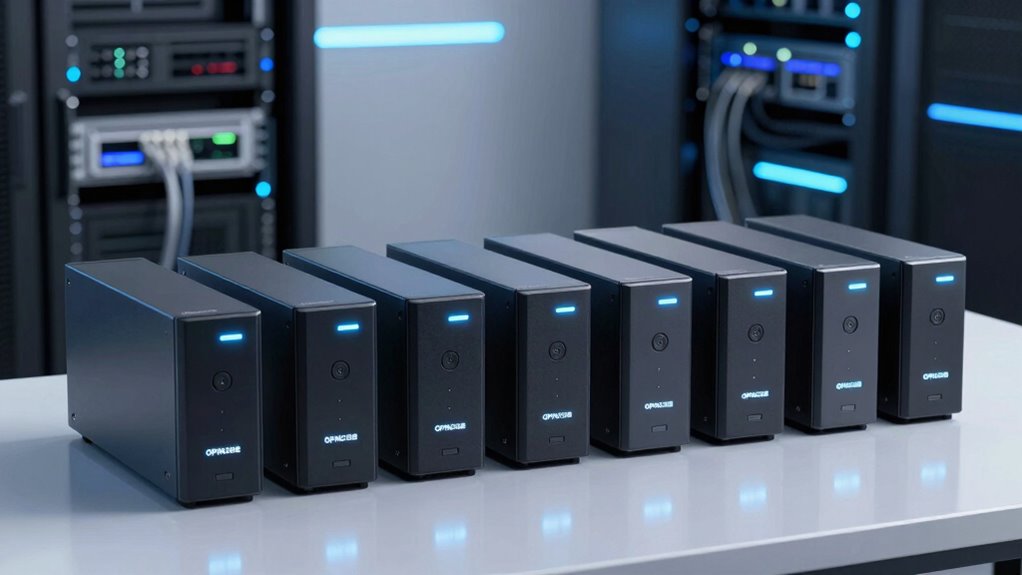

For those seeking a reliable opnsense firewall appliance, the choices can be overwhelming. The best options balance performance, ease of use, and expandability, but often require tradeoffs between price and features. The Protectli Vault FW4C stands out as the overall best due to its balanced performance and solid build quality. Meanwhile, the fanless models with multiple LAN ports excel in silent operation, ideal for dedicated security setups. However, higher-end appliances tend to be more expensive and complex, which can be a hurdle for smaller networks or less technical users. Continue reading for a detailed breakdown of the top options and what makes each one unique.

Get privacy and security gear delivered free with Prime
- Fast, free delivery on millions of items
- Prime Video, Amazon Music and more included
- Member-only deals all year
Key Takeaways
- Performance and LAN port count are key factors for choosing a firewall appliance tailored to small versus larger networks.
- Fanless designs offer silent operation but often come at a higher cost and with limited expandability.
- Build quality and hardware durability significantly impact long-term reliability, especially in continuous operation environments.
- Price varies widely, with budget options suitable for small offices and premium picks designed for enterprise-grade security.
- Compatibility and support for features like multiple displays or NVMe storage can influence setup flexibility and future-proofing.


| opnsense firewall appliance | Storage | Processor | RAM | Form Factor |
|---|---|---|---|---|
| Protectli Vault FW4C | 120GB SSD | Intel J3710 Celeron Quad Core, 1.6 GHz (Burst to 2.6 GHz) | 8GB DDR3 | Mini PC |
| Fanless Firewall Appliance wit | 128GB mSATA SSD (up to 512GB supported) | Intel N3710 up to 2.56GHz | 8GB DDR3 | — |
| Firewall Mini PC J3710 Quad Co | 128GB SSD, mSATA | Pentium J3710, up to 2.64 GHz | 8GB DDR3L | Micro size 11 x 10 x 3.5 cm |
| N150 Mini PC Firewall | 128GB NVMe SSD, 1x SATA 3.0, 2x M.2 NVMe | 12th Gen N150, 4 Cores, up to 3.6 GHz | 8 GB DDR5, max 32 GB | — |
| Firewall Mini PC with Intel J1 | 64 GB mSATA SSD | Intel J1900 Quad-Core 2.0 GHz | 4 GB DDR3L | Mini PC |
| Firewall Mini PC J6413 4-Core | 128GB SSD, 2 NVMe slots, 2 SATA3.0 slots | Celeron J6413, 4 cores, up to 3.0 GHz | 8GB DDR4, supports up to 64GB | Mini PC, fanless, aluminum alloy |
| Protectli Vault FW4B | 120GB mSATA SSD | Intel Quad Core Celeron J3160 | 8GB DDR3L | Fanless, compact |
| Fanless Micro Firewall Applian | 240GB mSATA SSD | Intel J3710, up to 2.40GHz | 8GB DDR3 | — |
| Firewall Mini PC Router J6412 | 1× M-SATA, 1× SATA3.0 | — | — | — |
More Details on Our Top Picks
Protectli Vault FW4C – 4 Port Firewall Micro Appliance / Mini PC
The Protectli Vault FW4C stands out for its versatility and compatibility with various open-source firewall solutions, making it a solid choice for those who prioritize customization. Unlike the Firewall Mini PC with J1900, which offers basic performance for small setups, the FW4C provides more robust hardware and expandability options, though it requires more technical knowledge to set up. Its fanless design ensures silent operation, ideal for quiet environments, but the absence of pre-installed software means extra setup time. With 4x 2.5G Ethernet ports, it supports high-speed network connections essential for business or advanced home use. However, limited storage capacity and the need for user configuration could be drawbacks for less experienced users. Overall, this device makes the most sense for those needing a reliable, flexible firewall platform that can grow with their network needs.
Pros:- Fanless and silent operation for quiet environments
- Multiple high-speed network ports for versatile connectivity
- Compatible with popular open-source firewall software
Cons:- No pre-installed operating system, requiring technical setup
- Limited storage capacity with only 120GB SSD
- Requires technical knowledge to configure properly
Best for: Small to medium-sized businesses or tech-savvy home users seeking a customizable, silent firewall appliance.
Not ideal for: Beginners or users who need a plug-and-play solution with minimal setup effort.
- Processor:Intel J3710 Celeron Quad Core, 1.6 GHz (Burst to 2.6 GHz)
- RAM:8GB DDR3
- Storage:120GB SSD
- Network Ports:4x 2.5G Ethernet
- USB Ports:2x USB 3.0
- Form Factor:Mini PC
- Power Consumption:20 watts
- Dimensions:4.5 x 4.3 x 1.5 inches
Our verdict“This device is best suited for experienced users who want a flexible, silent firewall appliance with high connectivity options.”
Fanless Firewall Appliance with 6 Intel i226 LAN Ports and Intel N3710 CPU
The Fanless Firewall Appliance with 6 Intel i226 LAN Ports offers a compelling balance of high port density and silent operation, making it perfect for network gateways that need to run continuously without noise. Compared with the Protectli Vault FW4C, which has fewer ports, this model’s 6 LAN ports support complex network configurations. Its fanless design ensures durability and quietness, but the maximum RAM of 8GB might limit performance under heavy loads. Storage support is limited to 128GB mSATA SSDs, which could be restrictive for logging or additional services. Although it supports open-source firewall OSs like pfSense and OPNsense, setup may challenge less experienced users. Overall, this device is ideal for those needing multiple LAN ports in a low-power, silent form factor without the need for extensive storage.
Pros:- Fanless design ensures silent, durable operation
- Supports up to 6 LAN ports for complex network topologies
- Compact size with VESA mounting for flexible deployment
Cons:- Limited storage options, no HDD support
- Maximum RAM of 8GB may restrict performance under heavy loads
- No included peripherals, setup requires technical skill
Best for: Small office or advanced home network setups requiring multiple LAN ports and silent operation.
Not ideal for: Heavy storage or high-performance workloads, as storage and memory are limited.
- Processor:Intel N3710 up to 2.56GHz
- Cores:4 cores
- RAM:8GB DDR3
- Storage:128GB mSATA SSD (up to 512GB supported)
- LAN Ports:6 Intel i226
- Power Consumption:6W
- Size:13cm x 12cm x 3.6cm
Our verdict“This appliance suits users needing multiple LAN connections in a silent, low-power package, but with limited storage and upgrade options.”
Firewall Mini PC J3710 Quad Core, 4 x i225V 2.5GbE LAN Fanless OPNsense Appliance
The Firewall Mini PC J3710 combines a quad-core processor with 4 high-speed LAN ports, making it well-suited for small but demanding networks. Its compact size and fanless design are advantages over bulkier models like the Protectli Vault FW4C, especially in tight spaces. Supporting dual display outputs, it is adaptable for monitoring or management tasks. The main tradeoff involves storage—limited to 128GB SSDs—and a setup process that might challenge less technical users. While it lacks built-in Wi-Fi, its multiple 2.5GbE ports support high-throughput applications. Overall, this pick is perfect for space-restricted environments needing reliable, high-speed, wired network security.
Pros:- Compact, space-saving design with fanless operation
- Multiple high-speed 2.5GbE LAN ports for demanding network tasks
- Supports dual display for monitoring or configuration
Cons:- Limited storage capacity, no additional drives supported
- No built-in Wi-Fi connectivity, needs external solutions
- Requires technical expertise to set up and optimize
Best for: Small offices or advanced home networks with space constraints and high-speed wired connections.
Not ideal for: Users requiring Wi-Fi or extensive local storage for logs or additional services.
- Processor:Pentium J3710, up to 2.64 GHz
- LAN Ports:4 x i225V 2.5GbE
- RAM:8GB DDR3L
- Storage:128GB SSD, mSATA
- Display Output:HD + DP dual
- Form Factor:Micro size 11 x 10 x 3.5 cm
Our verdict“Ideal for compact, high-speed wired network deployments in space-limited environments, with some setup complexity.”
N150 Mini PC Firewall (N100 Upgrade), Fanless Desktop Computer with 6 x 2.5GbE LAN, DDR5 8GB RAM, 128GB NVMe SSD, Supports Triple Display
The N150 Mini PC Firewall offers a powerful combination of a 12th Gen processor and 6 high-speed LAN ports, making it a standout for demanding security environments. Its support for triple display output and multiple storage options surpasses many competitors like the Firewall Mini PC J3710, providing increased flexibility for multitasking and extensive logs. However, the system requires user setup, as it doesn’t come with pre-installed software, and its optional fan may need additional cooling for prolonged heavy workloads. The DDR5 RAM ensures future-proofing, but the overall complexity might be overkill for simple home use. This device is ideal for enterprise or high-performance network security where multitasking and multiple displays are priorities.
Pros:- Powerful 12th Gen processor with high multitasking capability
- Supports triple 4K display output for monitoring
- Ample storage with NVMe and SATA slots
Cons:- Requires technical setup and configuration
- Higher complexity and cost than simpler options
- Fan support may need additional cooling
Best for: Businesses or power users needing high processing power, multiple outputs, and extensive storage options.
Not ideal for: Home users or those seeking a simple, plug-and-play firewall appliance without complex setup.
- Processor:12th Gen N150, 4 Cores, up to 3.6 GHz
- LAN Ports:6 x i226V 2.5GbE
- RAM:8 GB DDR5, max 32 GB
- Storage:128GB NVMe SSD, 1x SATA 3.0, 2x M.2 NVMe
- Graphics:UHD Graphics, triple display support
- Dimensions:7 x 5 x 2.2 inches
Our verdict“Best suited for advanced users or enterprises demanding high processing power and multitasking capabilities in a firewall appliance.”
Firewall Mini PC with Intel J1900, 4-Port i210, 4GB RAM, 64GB SSD
The Firewall Mini PC with Intel J1900 provides a simple, energy-efficient solution for basic firewall tasks in home or small office settings. Its 4-port Intel i210 network interface cards are reliable for multi-WAN or VPN setups, similar to the Protectli Vault FW4B, but with slightly less hardware power. Its fanless design ensures silent operation, yet the modest 4GB RAM and 64GB SSD limit performance for high-traffic environments or logging needs. Being pre-compatible with pfSense and OPNsense, it’s straightforward to set up for users with some networking experience. However, the hardware may fall short for more demanding or expanding networks, making it best suited for straightforward, light-duty firewall applications.
Pros:- Fanless and silent operation
- Reliable multi-WAN routing with 4GbE ports
- Compatible with popular firewall OSs like pfSense and OPNsense
Cons:- Limited storage capacity, only 64GB SSD
- Basic hardware may not handle high traffic or logging
- Requires user configuration to deploy
Best for: Home users or small office owners needing a simple, silent firewall with basic multi-WAN routing.
Not ideal for: High-traffic networks or those requiring extensive storage/logging or advanced features.
- Processor:Intel J1900 Quad-Core 2.0 GHz
- Network Ports:4×Intel i210 GbE
- RAM:4 GB DDR3L
- Storage:64 GB mSATA SSD
- Form Factor:Mini PC
- System Compatibility:Windows 10, Linux, pfSense, OPNsense
Our verdict“A solid, low-cost choice for simple firewall needs in small-scale environments, but not suited for demanding workloads.”
Firewall Mini PC J6413 4-Core, 4 x i226V 2.5GbE LAN OPNsense Router Micro Appliance, DDR4 8GB RAM, 128GB SSD, Fanless, 2 NVMe, 2 SATA, 2 HDMI + USB-C, 3 Display
This mini PC excels in environments where space and multi-display support are priorities, making it ideal for network monitoring or small office control rooms. Its fanless design and low power consumption contribute to quiet, energy-efficient operation. While its 4 high-speed LAN ports provide ample connectivity, the limited 128GB SSD storage might be restrictive for extensive logs or additional software, especially compared to larger storage options. Compared with the Protectli Vault FW4B, which offers more straightforward network routing, this model’s multi-display capability makes it better suited for visualization tasks but less optimal for heavy data storage or processing. The limited RAM support (up to 64GB) could also be a bottleneck for intensive workloads, making it less ideal for demanding setups.
Pros:- Supports multiple high-resolution displays for monitoring
- Fanless and energy-efficient, ideal for continuous operation
- Multiple high-speed LAN ports for advanced networking
Cons:- Limited 128GB SSD storage restricts logging and software installation
- Maximum RAM support 64GB may be insufficient for heavy workloads
- No included operating system, requiring user installation
Best for: Small businesses or home lab users needing multi-display visualization and energy efficiency in a compact form.
Not ideal for: Organizations requiring extensive storage or high RAM capacity for complex firewall rules or logging.
- Processor:Celeron J6413, 4 cores, up to 3.0 GHz
- RAM:8GB DDR4, supports up to 64GB
- Storage:128GB SSD, 2 NVMe slots, 2 SATA3.0 slots
- Network:4 x i226V 2.5GbE LAN ports
- Display Outputs:2 x HDMI, 1 x USB-C
- Form Factor:Mini PC, fanless, aluminum alloy
Our verdict“This pick is perfect for space-constrained environments needing multi-display support and low noise, but not for storage-heavy or high-performance tasks.”
Protectli Vault FW4B – 4 Port Firewall Micro Appliance with Intel Quad Core, 8GB RAM, 120GB mSATA SSD
The Protectli Vault FW4B stands out for its fanless design and robust network capabilities, making it well-suited for continuous operation in noise-sensitive environments. Its 4 Ethernet ports and support for open-source firewall solutions make it a flexible choice for small to medium networks. However, compared with the Firewall Mini PC J6412, which offers more recent hardware, the FW4B’s older processor and limited storage (120GB SSD) may restrict its performance in logging or software expansion. Its no pre-installed OS means users need to be comfortable with setup, which could be a barrier for less technical buyers. The limited storage also makes it less suitable for environments with extensive traffic or logging needs.
Pros:- Fanless, silent operation ideal for office environments
- Multiple Ethernet ports for flexible network segmentation
- Supports open-source security platforms
Cons:- Requires technical knowledge for setup and BIOS configuration
- Limited storage capacity of 120GB SSD may constrain logs and updates
Best for: Tech-savvy small business owners or network enthusiasts seeking a silent, reliable firewall appliance.
Not ideal for: Users who prefer plug-and-play solutions with pre-installed OS or require large storage capacity.
- Processor:Intel Quad Core Celeron J3160
- RAM:8GB DDR3L
- Storage:120GB mSATA SSD
- Ports:4x Gigabit Ethernet, 2x USB 3.0, 1x RJ-45 COM, 2x HDMI
- Support:AES-NI hardware, coreboot BIOS
- Form Factor:Fanless, compact
Our verdict“This appliance is ideal for those needing a silent, reliable firewall with good network flexibility, provided they are comfortable with manual setup.”
Fanless Micro Firewall Appliance with Intel J3710, 4xGbE LAN, 8GB RAM, 240GB SSD, VESA Mount, Soft Router Compatibility
This compact, fanless firewall device offers a solid mix of speed and space efficiency, making it suitable for small offices or home setups where discreet placement is key. Its Intel J3710 processor and 4 Gigabit LAN ports provide sufficient throughput for typical firewall tasks, while the VESA mount allows for discreet installation behind monitors or on walls. Compared to the Firewall Mini PC J6413, its slightly lower processing power is offset by its smaller size and VESA compatibility, though it doesn’t support traditional HDD storage—limiting capacity for logs or large data. Its <=8GB RAM limit could restrict performance under heavy load, but for standard firewall functions, it remains effective.
Pros:- Fanless design ensures silent operation
- Compact size with VESA mount for flexible placement
- Multiple Gigabit LAN ports suitable for routing
Cons:- Limited to 8GB RAM, which may restrict performance under load
- No HDD support, limiting storage for logs or software
Best for: Small offices or home users needing a discreet, low-power firewall with easy mounting options.
Not ideal for: Large networks or environments with extensive logging or storage requirements, due to limited RAM and storage options.
- Processor:Intel J3710, up to 2.40GHz
- RAM:8GB DDR3
- Storage:240GB mSATA SSD
- LAN Ports:4x Intel 2.5GbE
- Size:5.27 x 4.98 x 1.43 inches
- Weight:500g
Our verdict“This device is best for users prioritizing space-saving design and quiet operation over extensive storage or high RAM capacity.”
Firewall Mini PC Router J6412, 6-Port 2.5GbE Network, 8GB RAM, 128GB SSD, Support pfSense/OPNsense
The J6412 mini PC makes a compelling case for users needing a robust yet compact router with multiple high-speed connections. Its 6 x 2.5GbE ports cater well to multi-WAN setups or segmented networks, especially compared with products like the Firewall Mini PC J6413, which has fewer ports. The up to 32GB RAM support and flexible storage options add to its appeal for more demanding firewall configurations. That said, its configuration complexity can be daunting for less experienced users, and the absence of pre-installed software means setup is entirely manual. For environments needing reliable, high-throughput routing, it’s a solid choice, yet it might be overkill for small, simple networks.
Pros:- Six high-speed 2.5GbE ports for multi-WAN or LAN segmentation
- Supports up to 32GB RAM for demanding firewall rules
- Flexible storage options for logs and data
Cons:- Requires technical expertise for initial configuration
- No pre-installed system, so setup can be complex for beginners
Best for: Small to medium businesses with multi-WAN needs or complex network segmentation requiring high port density.
Not ideal for: Home users or small offices seeking a straightforward, plug-and-play firewall device without extensive configuration.
- CPU:Intel J6412
- Power Consumption:10W
- Performance:up to 3.0 GHz burst
- Network Ports:6× Intel i226-V 2.5GbE
- Memory:Supports 4–32GB DDR4
- Storage:1× M-SATA, 1× SATA3.0
Our verdict“This model is suited for network professionals needing high port count and throughput, but less so for casual or less technical users.”

How We Picked
This lineup was evaluated based on core factors vital for effective opnsense deployment: hardware performance, port versatility, build quality, noise levels, and value for money. We prioritized appliances with reliable hardware components, ample LAN ports, and features that support easy setup and maintenance. The ranking reflects a balance between cost and capability, ensuring options for different user needs—from small home networks to more demanding small business environments. Additional considerations included fanless operation for noise-sensitive settings and expandability options for future upgrades. Our goal was to highlight appliances that offer dependable security, straightforward usability, and scalability without unnecessary complexity.| opnsense firewall appliance | Form Factor |
|---|---|
| Protectli Vault FW4C | Mini PC |
| Fanless Firewall Appliance wit | — |
| Firewall Mini PC J3710 Quad Co | Micro size 11 x 10 x 3.5 cm |
| N150 Mini PC Firewall | — |
| Firewall Mini PC with Intel J1 | Mini PC |
| Firewall Mini PC J6413 4-Core | Mini PC, fanless, aluminum alloy |
| Protectli Vault FW4B | Fanless, compact |
| Fanless Micro Firewall Applian | — |
| Firewall Mini PC Router J6412 | — |
Factors to Consider When Choosing Opnsense Firewall Appliance
Choosing the right opnsense firewall appliance involves understanding several key factors that impact performance, usability, and long-term value. It’s important to consider your network size, future growth plans, and specific security needs. The following considerations will help you identify which features matter most for your setup and avoid common pitfalls such as underpowered hardware or overly complex configurations.Performance and Hardware Specifications
Performance is the backbone of a reliable firewall appliance. Look for processors capable of handling your expected traffic load, especially if you plan to run additional services. Multi-core CPUs and ample RAM ensure smooth operation under load. Hardware that supports hardware acceleration can also improve throughput, particularly for larger networks. Avoid underpowered CPUs or insufficient memory, which can create bottlenecks and reduce security responsiveness.
Number and Type of LAN Ports
The number of LAN ports determines how many network segments you can directly connect. For small offices or home use, 4-6 ports are often sufficient, while larger setups may require 8 or more. Consider whether you need gigabit or 2.5GbE ports, especially if your network has high-speed devices. Also, check if the appliance supports additional ports via expansion slots or USB Ethernet adapters for future scalability.
Build Quality and Fanless Design
Durability matters for appliances that will run continuously. Fanless models are preferred for noise-sensitive environments or where dust and dirt are concerns, since they tend to have fewer moving parts. However, fanless units often require better heat dissipation in their design. Budget models with fans might be less reliable long-term due to potential fan failure, so weigh noise preferences against maintenance needs when choosing.
Expandability and Storage Options
Future-proofing your setup means considering expandability features like additional SSD slots, NVMe support, or USB ports. These allow you to upgrade storage or add features down the line. For larger or more complex networks, appliances with multiple M.2 slots or SATA ports can support extensive logs, VPN data, or other services. Avoid devices with limited upgrade paths if you anticipate growing or evolving your network.
Ease of Deployment and Support
An appliance with straightforward setup, clear documentation, and active community or vendor support reduces initial configuration time and troubleshooting stress. Look for appliances that come with pre-installed firmware images, easy BIOS access, and compatibility with your existing network hardware. Support channels and firmware update policies are also worth considering to ensure your device remains secure and functional over time.
Frequently Asked Questions
Can I replace my existing firewall with an opnsense appliance easily?
Switching to an opnsense appliance is generally straightforward if your current network setup is simple. However, it requires careful planning of IP schemes, routing, and rules to avoid downtime or security gaps. Most appliances support standard network configurations, but you should verify compatibility with your ISP or existing hardware. Backup current settings and have a clear migration plan to ensure a smooth transition.
What hardware specs are necessary for a small office with moderate traffic?
A small office with moderate traffic typically benefits from a multi-core processor, at least 4GB of RAM, and gigabit LAN ports. For better performance and future growth, opting for 8GB RAM and 2.5GbE ports can be wise. Storage isn’t usually a bottleneck unless you’re logging extensive data, but SSDs improve responsiveness. Avoid underpowered CPUs or minimal RAM, as these can lead to latency and lag during peak usage.
Is fanless design worth the extra cost?
Fanless appliances are ideal if noise levels matter or if the environment is dust-sensitive. They tend to last longer due to fewer moving parts and require less maintenance. However, they can be more expensive and sometimes less capable of handling high thermal loads. If your setup is in a quiet office or home environment, investing in fanless models makes sense; otherwise, a well-ventilated fan-based unit can suffice and save money.
How important is expandability for future security needs?
Expandability is key if you expect your network to grow or if you plan to add features like VPNs, intrusion detection, or additional storage. Appliances with extra M.2 slots, SATA ports, or USB expansion support provide flexibility and can extend the lifespan of your hardware. Skipping this consideration might mean needing to upgrade sooner or facing limitations that restrict new security services.
What support options should I look for in a firewall appliance?
Reliable support includes clear documentation, firmware update policies, and active community or vendor assistance. Appliances with dedicated support channels, responsive firmware updates, and compatibility with common network hardware tend to offer a smoother experience. Support quality can significantly impact long-term reliability, especially if you encounter configuration issues or security vulnerabilities that need prompt attention.
Conclusion
For small home networks or users new to network security, the Firewall Mini PC with Intel J1900 offers simplicity and affordability. Small businesses aiming for a balance of performance and expandability might find the Protectli Vault FW4C to be the best overall choice. For those seeking the highest performance and future-proofing, the Firewall Mini PC J6413 4-Core stands out. Budget-conscious buyers should consider less expensive fan-based models, while enterprise users with demanding needs should look at appliances with multiple NVMe slots and extensive port options. Your ideal pick depends on your specific network size, security requirements, and future plans.
Halloween Picks

9 ft Halloween Inflatable Haunted Castle with Dragon and Ghost

6-Foot Jason Voorhees Animatronic Halloween Decoration

Kalolary 11 ft Halloween Inflatable Archway Ghost House Tunnel
As an affiliate, we earn on qualifying purchases.