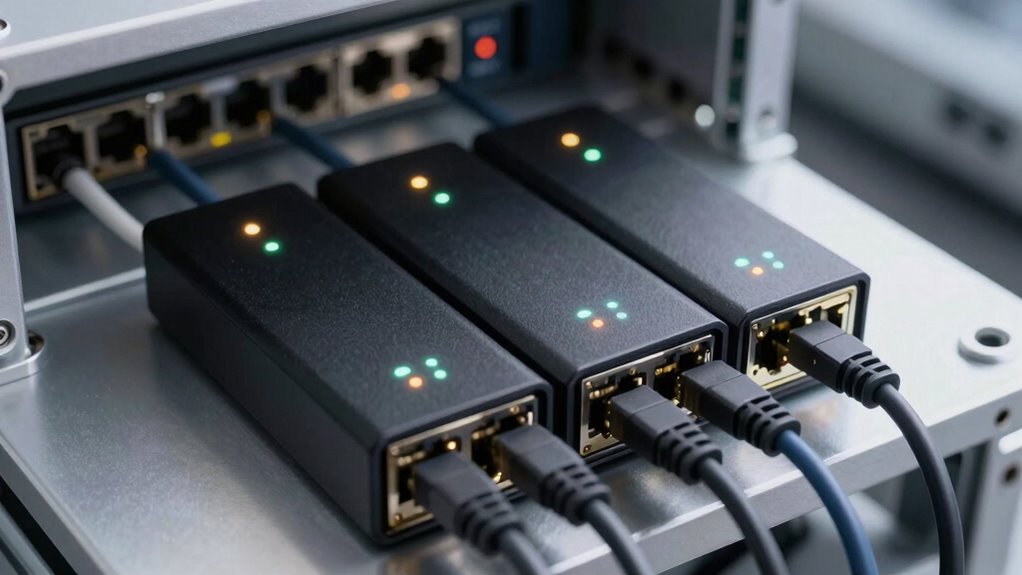

A network tap device allows you to monitor, analyze, and troubleshoot network traffic without disrupting the flow. The best models balance performance, ease of use, and compatibility with different network speeds, from Ethernet to fiber. The Dualcomm 10/100/1000Base-T Gigabit Ethernet Network TAP stands out as the overall top pick for its reliability and versatility, while the SharkTapHUB Network Sniffer excels for its advanced monitoring features. Keep in mind, tradeoffs often involve complexity versus affordability or speed versus depth of analysis. Continue reading for a detailed breakdown to find the perfect fit for your needs.

Get privacy and security gear delivered free with Prime
- Fast, free delivery on millions of items
- Prime Video, Amazon Music and more included
- Member-only deals all year
Key Takeaways
- Top picks balance performance with ease of setup, catering to both technical and non-technical users.
- Many high-performing models support both copper and fiber connections, offering greater flexibility.
- Passive taps provide reliable, low-latency monitoring but are less versatile for active network management.
- Advanced features like zero-delay and multi-port support often come with higher costs but deliver essential performance for enterprise environments.
- Choosing between standalone devices and integrated solutions depends on your existing network infrastructure and monitoring goals.
| Dualcomm 10/100/1000Base-T Gigabit Ethernet Network TAP |  | Best Overall for High-Performance Monitoring | Network Standards: 10/100/1000Base-T | Maximum Cable Length: 200 meters | Power Source: USB | VIEW ON AMAZON | See Our Full Breakdown |
| SharkTapHUB Network Sniffer |  | Best for Multi-Port Packet Monitoring | Supported speeds: 10/100/1000Base-T | Power: Powered via USB-B, <350mA | Features: Auto-MDIX, PoE pass-through | VIEW ON AMAZON | See Our Full Breakdown |
| ETAP-2206 Dual-Link GbE Copper & Fiber Ethernet Network Tap |  | Best for Versatile Copper & Fiber Monitoring | Monitor Ports: 2 | Inline Interfaces: RJ45 (copper), SFP (fiber) | Power: USB from host | VIEW ON AMAZON | See Our Full Breakdown |
| SharkTap USB Ethernet Sniffer |  | Best for Portable Ethernet Traffic Capture | Product Dimensions: 5.25 x 3 x 1.25 inches | Item Weight: 5 ounces | Manufacturer: midBit Technologies, LLC | VIEW ON AMAZON | See Our Full Breakdown |
| Gigabit Ethernet/USB Bypass Network Tap |  | Best for Bypass and Continuity in Monitoring | Network Speed: 10/100/1000 Mbps | Power: 0.75A at 57VDC | Power Options: USB 3 port or 5V wall transformer | VIEW ON AMAZON | See Our Full Breakdown |
| SharkTap Gigabit Network Sniffer |  | Best for Lab Environments and Protocol Analysis | Network Compatibility: 10/100/1000Base-T | Power: USB-B cable, 350mA or less | Features: PoE pass-through, Auto-MDIX, non-conductive enclosure | VIEW ON AMAZON | See Our Full Breakdown |
| SharkTapBYP Ethernet Sniffer | 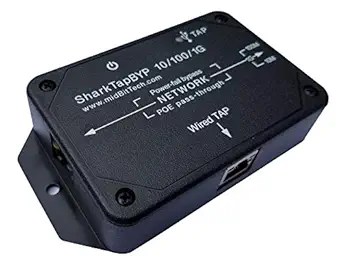 | Best for Permanent Ethernet Monitoring | Supported Ethernet Speeds: 10/100/1000Base-T | Power: 200-400mA | Power-fail Bypass: Yes | VIEW ON AMAZON | See Our Full Breakdown |
| Compact Upgraded Passive LAN Tap |  | Best for Space-Conscious Monitoring Setups | Size: 40% smaller than standard LAN tap | Design: Streamlined and upgraded | Assembly: Hand-assembled in the USA | VIEW ON AMAZON | See Our Full Breakdown |
| ETAP-1000 Zero-Delay Fast Ethernet Copper Tap |  | Best for Real-Time Monitoring of Fast Ethernet Networks | Network Type: 100Base-T Fast Ethernet | Packet Delay: Zero | Monitor Port: Gigabit | VIEW ON AMAZON | See Our Full Breakdown |
| network tap device | Power |
|---|---|
| Dualcomm 10/100/1000Base-T Gig | — |
| SharkTapHUB Network Sniffer | Powered via USB-B, <350mA |
| ETAP-2206 Dual-Link GbE Copper | USB from host |
| SharkTap USB Ethernet Sniffer | — |
| Gigabit Ethernet/USB Bypass Ne | 0.75A at 57VDC |
| SharkTap Gigabit Network Sniff | USB-B cable, 350mA or less |
| SharkTapBYP Ethernet Sniffer | 200-400mA |
| Compact Upgraded Passive LAN T | — |
| ETAP-1000 Zero-Delay Fast Ethe | — |
More Details on Our Top Picks
Dualcomm 10/100/1000Base-T Gigabit Ethernet Network TAP
This compact, USB-powered Ethernet tap stands out for delivering full 1Gbps throughput over long cable runs of up to 200 meters, making it ideal for large-scale network diagnostics. Compared to the SharkTapHUB, it offers a straightforward, high-speed connection without complex features like multiple ports or advanced packet analysis, which can be a plus for users prioritizing simplicity. However, its limited specifications mean it lacks advanced monitoring features or multi-port options, restricting its use to basic traffic capture. This pick makes the most sense for network administrators who need reliable, high-speed monitoring in a portable form factor, but it might fall short for those requiring detailed analysis or multi-link monitoring.
Pros:- Delivers full 1Gbps throughput for high-performance monitoring
- Supports cable runs up to 200 meters, ideal for extended networks
- USB-powered with surge protection enhances portability and safety
Cons:- Limited detailed specifications and features
- No multi-port or advanced monitoring capabilities
Best for: Network engineers needing reliable, high-throughput monitoring for single links in large or long-distance setups.
Not ideal for: Casual users or small office environments that require multi-port or more advanced diagnostic features.
- Network Standards:10/100/1000Base-T
- Maximum Cable Length:200 meters
- Power Source:USB
- PoE Compatibility:Yes
- Size:Small and portable
Our verdict“This tap is best suited for professionals needing straightforward, high-speed network monitoring over long distances without additional complexity.”
SharkTapHUB Network Sniffer
The SharkTapHUB excels at duplicating network packets across multiple ports, making it ideal for detailed troubleshooting and analysis. Unlike the Dualcomm Gigabit TAP, it provides multiple output ports, allowing simultaneous monitoring of different devices, which is perfect for complex network environments. Its support for PoE pass-through adds convenience for powered devices, but it requires an external USB power source, adding some setup complexity. This device is better suited for network administrators needing to observe multiple traffic streams at once, but it’s less appropriate for simple or portable monitoring needs due to its more specialized design.
Pros:- Supports multiple ports for simultaneous packet monitoring
- Compatible with Gigabit Ethernet speeds including PoE pass-through
- Enables detailed traffic analysis with multiple outputs
Cons:- Requires an external USB power source
- Designed primarily for professional network troubleshooting, not casual use
Best for: Network professionals managing multi-device environments requiring real-time packet duplication and analysis.
Not ideal for: Home users or those seeking a simple, portable tap with minimal setup or advanced features.
- Supported speeds:10/100/1000Base-T
- Power:Powered via USB-B, <350mA
- Features:Auto-MDIX, PoE pass-through
Our verdict“Ideal for advanced network troubleshooting where multiple device monitoring is necessary, but less suited for portable or basic applications.”
ETAP-2206 Dual-Link GbE Copper & Fiber Ethernet Network Tap
The ETAP-2206 shines in environments where monitoring both copper and fiber links simultaneously matters. Its dual monitor ports allow for complex setups, and the support for SFP modules makes it adaptable to various fiber standards. Compared with the SharkTapHUB, it offers fiber monitoring—an essential feature for enterprise networks—though it requires separate SFP modules, which might add to the cost and complexity. The USB power source simplifies installation, but the setup can be challenging for users unfamiliar with fiber configurations. This device makes the most sense for network professionals managing mixed environments needing flexible, multi-link monitoring, but it might be overkill for small or straightforward networks.
Pros:- Simultaneously monitors copper and fiber links
- Stackable design for monitoring multiple connections
- Powered via USB, reducing external power needs
Cons:- Requires separate SFP modules for fiber connections
- Setup complexity may challenge beginners
Best for: Network administrators overseeing both copper and fiber links in enterprise or data center environments.
Not ideal for: Casual or small-scale network users who do not need fiber support or multi-link monitoring.
- Monitor Ports:2
- Inline Interfaces:RJ45 (copper), SFP (fiber)
- Power:USB from host
- PoE Pass-through:Yes
- Stackable:Yes
- SFP Modules Included:No
Our verdict“Best suited for complex networks needing versatile copper and fiber monitoring, but not for casual or small-scale setups.”
SharkTap USB Ethernet Sniffer
The SharkTap USB Ethernet Sniffer offers a portable solution for capturing Ethernet packets without needing a dedicated Ethernet port on your device. Its support for all common Ethernet speeds, including Gigabit, makes it flexible for various environments. Unlike the Dualcomm or ETAP-2206, it’s designed primarily for on-the-go troubleshooting and debugging, especially on laptops or tablets lacking Ethernet jacks. Compatibility with Wireshark and other analysis software ensures detailed packet inspection, but its focus on basic sniffing means it lacks additional features like multi-port monitoring or fiber support. It’s best for users comfortable with packet analysis and seeking a portable, easy-to-use device.
Pros:- Enables Ethernet monitoring without dedicated ports
- Supports multiple Ethernet speeds, including Gigabit
- Compatible with Wireshark and similar tools
Cons:- Requires knowledge of network packet analysis
- Limited to basic sniffing, no extra features
Best for: IT professionals needing portable Ethernet packet capture for debugging or analysis on laptops without Ethernet ports.
Not ideal for: Users seeking multi-link monitoring or advanced network analysis features beyond basic packet capture.
- Product Dimensions:5.25 x 3 x 1.25 inches
- Item Weight:5 ounces
- Manufacturer:midBit Technologies, LLC
- Item Model Number:SharkTapUSB
Our verdict“Perfect for portable, on-the-fly Ethernet analysis but not suited for complex multi-link monitoring.”
Gigabit Ethernet/USB Bypass Network Tap
The Gigabit Ethernet/USB Bypass Network Tap offers a straightforward solution for high-speed traffic monitoring with the added benefit of automatic bypass in case of power failure, ensuring network uptime. Its port mirroring and PoE pass-through make it suitable for environments where maintaining network continuity is critical, such as data centers or enterprise networks. Compared with the Dualcomm, it emphasizes network reliability through automatic bypass but lacks detailed compatibility info and advanced features like management interfaces. This device is best for organizations prioritizing uninterrupted monitoring and simple setup, but it may not suit those looking for detailed control or multi-link configurations.
Pros:- Supports high-speed Gigabit traffic monitoring
- Automatic bypass enhances network reliability during power issues
- Supports PoE pass-through for powered devices
Cons:- Limited detailed compatibility and feature set
- Requires external power source for full features
Best for: Organizations needing reliable, high-speed monitoring with fail-safe features during power outages.
Not ideal for: Small offices or casual users who do not require automatic bypass or high-speed network support.
- Network Speed:10/100/1000 Mbps
- Power:0.75A at 57VDC
- Power Options:USB 3 port or 5V wall transformer
- Consumption:500mA
Our verdict“Designed for critical environments where network uptime and high-speed monitoring are priorities, with a focus on reliability over complexity.”
SharkTap Gigabit Network Sniffer
The SharkTap Gigabit Network Sniffer stands out for its ability to duplicate packets with zero delay across gigabit Ethernet networks, making it ideal for detailed protocol analysis in controlled environments. Unlike the SharkTapBYP, which supports plug-and-play and is better suited for permanent monitoring, the SharkTap is designed for lab use with a non-conductive enclosure that ensures safety during testing. Its support for Power over Ethernet (PoE) pass-through adds flexibility but limits it to non-live network deployments, and it doesn’t route packets back to the network, contrasting with more integrated solutions. The device’s reliance on external analyzers like Wireshark means it’s less suitable for quick troubleshooting but excellent for in-depth inspection. Tradeoffs include a specialized use case and the need for external software.
Pros:- Supports gigabit Ethernet with auto-MDIX for seamless connectivity
- Powered via USB with easy setup in lab conditions
- Non-conductive enclosure enhances safety during testing
- Zero-delay packet duplication ensures accurate capture
Cons:- Does not route packets from TAP to network, limiting its use for active monitoring
- Requires external analysis software like Wireshark, adding setup complexity
Best for: Network engineers conducting protocol analysis and packet inspection in lab or testing environments
Not ideal for: Live network monitoring in production environments where routing and real-time analysis are required
- Network Compatibility:10/100/1000Base-T
- Power:USB-B cable, 350mA or less
- Features:PoE pass-through, Auto-MDIX, non-conductive enclosure
- Packet Duplication:Zero delay, protocol agnostic
Our verdict“This device best suits professionals needing detailed, protocol-level analysis in controlled lab settings rather than real-time network troubleshooting.”
SharkTapBYP Ethernet Sniffer
The SharkTapBYP Ethernet Sniffer offers a straightforward, plug-and-play approach to capturing Ethernet traffic, making it well-suited for embedded or continuous monitoring scenarios. Compared to the SharkTap Gigabit, which requires external software and is more suited for lab use, the SharkTapBYP includes a built-in bypass feature that ensures network continuity during maintenance or failures. Its USB3 connectivity provides high-speed data transfer, but it doesn’t include a display or direct interface, meaning users must rely on external software like Wireshark. While it supports multiple Ethernet speeds, its lack of onboard management features means it’s less flexible for complex setups. Tradeoffs involve simplicity versus limited on-device control.
Pros:- Supports 10/100/1000Base-T for versatile network compatibility
- Plug-and-play operation with USB3 for high-speed data transfer
- Power-fail bypass maintains network uptime
- Ideal for embedded, permanent installations
Cons:- No built-in interface or display; requires external software
- Limited to Ethernet monitoring without additional network features
Best for: IT professionals needing reliable, permanent Ethernet traffic capture with minimal setup
Not ideal for: Users requiring device management or direct on-device monitoring without external tools
- Supported Ethernet Speeds:10/100/1000Base-T
- Power:200-400mA
- Power-fail Bypass:Yes
- Connectivity:USB3
Our verdict“This sniffer is a solid choice for continuous, embedded Ethernet monitoring where minimal fuss and reliable operation are priorities.”
Compact Upgraded Passive LAN Tap
The Compact Upgraded Passive LAN Tap excels in environments where space-saving design is critical, with a size reduction of 40% compared to standard models. Its hand-assembled construction in the USA with individual inspection ensures quality and reliability, making it a good fit for critical installations. Unlike the SharkTapBYP or ETAP-1000, which focus on active packet duplication or real-time monitoring, this passive tap offers a straightforward, durable solution for monitoring Ethernet communications without introducing latency or complexity. The limited specifications and lack of detailed technical features mean it’s less suitable for high-traffic or highly technical environments, but its simplicity and size make it ideal for discreet deployment. Tradeoffs include limited technical features and lack of detailed specs.
Pros:- 40% smaller than standard LAN taps for tight spaces
- Streamlined, durable design with hand-assembled quality
- Made in the USA with individual testing for reliability
Cons:- Limited technical details and specifications are available
- No pricing or user ratings, making evaluation difficult
Best for: Organizations needing a small, reliable passive tap for discrete Ethernet monitoring
Not ideal for: High-demand networks requiring active packet analysis or detailed technical control
- Size:40% smaller than standard LAN tap
- Design:Streamlined and upgraded
- Assembly:Hand-assembled in the USA
- Testing:Individual inspection
Our verdict“This passive LAN tap is best suited for space-constrained environments where simple, reliable monitoring suffices.”
ETAP-1000 Zero-Delay Fast Ethernet Copper Tap
The ETAP-1000 is a dedicated Fast Ethernet copper tap that guarantees zero packet delay, making it ideal for applications where timing accuracy is critical. Its single gigabit monitor port offers a reliable way to observe traffic without impacting network performance. Compared to the SharkTap gigabit sniffer, which is more versatile but designed for lab analysis, the ETAP-1000 focuses on real-time, low-latency monitoring in operational networks. Its support for Power over Ethernet (PoE) and built-in current limiting provides added flexibility, but its scope is limited to 100Base-T networks, restricting its use in modern gigabit environments. Tradeoffs involve network speed limitations versus real-time performance guarantees.
Pros:- Zero packet delay for real-time monitoring
- Supports PoE power for flexible deployment
- USB power with inrush current limiting protects devices
- Link fault pass-through maintains network stability
Cons:- Limited to 100Base-T Ethernet networks, less future-proof
- No advanced management or remote features
Best for: Facilities needing precise, zero-delay monitoring on 100Base-T Ethernet links
Not ideal for: Networks running gigabit or higher speeds where advanced features or higher capacity are needed
- Network Type:100Base-T Fast Ethernet
- Packet Delay:Zero
- Monitor Port:Gigabit
- Power Source:USB
- PoE Support:Yes
- Power Fail-Safe:Yes
Our verdict“This tap is suitable for environments where exact timing of Fast Ethernet traffic monitoring is essential over a simple, reliable interface.”

How We Picked
We evaluated network tap devices based on performance, build quality, ease of installation, compatibility with various network speeds and types, and overall value. Devices that offer reliable, non-intrusive monitoring without introducing latency or packet loss received higher marks. We also considered user reviews and industry reputation to gauge real-world durability and support. Our ranking reflects a balance between professional-grade features and accessibility for different user levels, from small businesses to large enterprises.Factors to Consider When Choosing Network Tap Device
Selecting the right network tap device involves understanding your specific network environment and monitoring needs. Key considerations include compatibility with your network speed, connection type, and the level of analysis required. Also, think about ease of deployment and future scalability to avoid costly upgrades later. The right device should seamlessly integrate into your existing infrastructure while providing reliable, accurate data without adding latency or complexity.Compatibility with Network Speed and Type
Ensure the tap device supports your current network speed, whether it’s Fast Ethernet, Gigabit Ethernet, or fiber. Many devices are optimized for specific speeds, and mismatched equipment can lead to bottlenecks or packet loss. Also, check if the device supports both copper and fiber connections if you plan to future-proof or upgrade your network. Compatibility issues often cause frustration and additional costs, so confirm these specs before purchasing.
Passive vs. Active Taps
Passive taps are designed to replicate network traffic without introducing latency or affecting network performance. They are ideal for monitoring and troubleshooting in sensitive environments. Active taps, on the other hand, can offer additional features like filtering or packet aggregation but may add latency and complexity. Your choice depends on whether your priority is simple, reliable monitoring or more advanced analysis capabilities.
Ease of Installation and Use
Devices that are plug-and-play with clear instructions tend to reduce setup time and minimize errors. Consider whether the tap device requires specialized knowledge or tools for installation. Additionally, look for features like remote management or easy-to-read indicators, which can simplify ongoing operation. Complexity can lead to mistakes or downtime, especially in environments where quick troubleshooting is necessary.
Build Quality and Durability
Since network taps often operate continuously, durability is key. Metal enclosures and robust connectors can withstand vibration, dust, and temperature fluctuations. Lower-cost models might cut corners on build quality, risking failure over time. Investing in a well-made device can reduce maintenance costs and downtime in critical network segments.
Budget and Future Scalability
While cheaper models might seem appealing initially, they often lack features or durability needed for long-term use. Conversely, high-end devices with advanced features can be expensive but offer scalability and higher reliability. Consider your future plans—if expanding or upgrading your network, choose a device that can grow with your needs without requiring a complete replacement.
Frequently Asked Questions
Can a network tap device handle encrypted traffic?
Most network tap devices are designed to passively monitor traffic without decrypting it. To analyze encrypted data, you’ll need additional tools like packet analyzers or decryption appliances. It’s important to verify whether the tap supports the network protocols you’re using and how it integrates with your existing security setup. Relying solely on a tap for comprehensive analysis of encrypted traffic can be limiting, so plan accordingly.
What’s the difference between a passive and an active network tap?
Passive taps simply replicate network traffic without affecting or interfering with the original data flow, making them ideal for non-intrusive monitoring. Active taps can perform functions like filtering, traffic aggregation, or packet modification, but they may introduce latency or complexity. The choice depends on your monitoring goals; passive taps suit basic traffic analysis, while active options are better for advanced network management.
Are fiber-compatible network taps worth the extra cost?
Fiber-compatible taps are essential if your network includes fiber optic links, offering higher speeds and longer-distance connectivity. They tend to be more expensive but provide future-proofing and higher bandwidth capabilities. For environments with fiber infrastructure, investing in fiber-compatible taps ensures compatibility and reliable performance, avoiding the need for costly upgrades later.
How difficult is it to install a network tap device?
Installation difficulty varies depending on the device’s complexity and your network setup. Many passive, plug-and-play models are straightforward, requiring only basic Ethernet connections. More advanced or fiber-based devices might need additional configuration or specialized skills. Always review the manufacturer’s instructions, and consider your own technical expertise to prevent installation errors that could affect network performance.
Will a network tap device introduce latency into my network?
High-quality passive taps are designed to be transparent, adding minimal or no latency, which is crucial for real-time monitoring. Some active or more complex devices might introduce slight delays due to processing or filtering functions. If your network demands real-time data or low latency, prioritize passive, non-intrusive models and verify specifications before purchase.
Conclusion
The best overall choice for most users is the Dualcomm 10/100/1000Base-T Gigabit Ethernet Network TAP due to its balanced mix of performance, durability, and ease of use. For those on a budget or just starting out, the Compact Upgraded Passive LAN Tap offers reliable basic monitoring. Enterprise users needing advanced features and fiber support might prefer the ETAP-2206 Dual-Link GbE Copper & Fiber Ethernet Network Tap. Beginners should focus on plug-and-play options, while professionals should consider models with multi-port or high-speed capabilities to future-proof their setup. Carefully align your choice with your current network environment and future plans to ensure long-term value.Fall Picks
fall essentials
As an affiliate, we earn on qualifying purchases.