
Choosing the right LTO tape drive in 2026 depends heavily on your storage needs, system compatibility, and budget. For enterprise-scale backup, the HPE LTO-8 Ultrium 30750 offers massive capacity and fast speeds, but it comes at a higher cost and requires SAS. Meanwhile, the HPE StoreEver LTO-9 External Tape Drive provides a portable, high-capacity solution with robust security features. If you want a versatile, scalable system, the HPE StoreEver Tape Autoloader can grow with your data needs, although it’s pricier and meant for larger environments. For smaller-scale or budget-conscious users, the HP LTO-5 Ultrium 3280 remains a reliable choice despite its older technology. This guide compares these options to help you balance capacity, speed, and system compatibility.

Get privacy and security gear delivered free with Prime
- Fast, free delivery on millions of items
- Prime Video, Amazon Music and more included
- Member-only deals all year
Key Takeaways
- The HPE LTO-8 offers massive compressed storage but requires SAS compatibility and is more expensive.
- The LTO-9 external drive balances high capacity with portability and advanced security features.
- The autoloader provides scalable, multi-format support but is best suited for enterprise environments.
- Older models like the HP LTO-5 still deliver solid performance but lack modern features and higher capacities.
- Choosing the right drive depends on your data volume, existing infrastructure, and budget constraints.
| HP LTO-5 Ultrium 3280 SAS Internal Tape Drive | 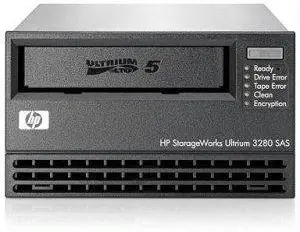 | Best for Enterprise Backup on a Budget | Storage Capacity: 1.5TB native / 3TB compressed | Transfer Speed: 145.64 MBps native / 291.27 MBps compressed | Interface: SAS | VIEW ON AMAZON | See Our Full Breakdown |
| HPE LTO-8 Ultrium 30750 SAS Internal Tape Drive |  | Best for High-Capacity Enterprise Backup | Storage Capacity: 30TB compressed | Transfer Speed: 300 MB/s | Interface: SAS | VIEW ON AMAZON | See Our Full Breakdown |
| HPE StoreEver LTO-9 Ultrium 45000 External Tape Drive |  | Best for External High-Capacity Backup | Native Storage Capacity: 18TB | Compressed Storage Capacity: 45TB | Transfer Speed: 300 MB/s | VIEW ON AMAZON | See Our Full Breakdown |
| HPE StoreEver Tape Autoloader, 8 Slot, 1U, LTO-6/LTO-9 |  | Best for Scalability and Flexibility | Number of Slots: 8 | Native Capacity: 360 TB | Supported Formats: LTO-6 to LTO-9 | VIEW ON AMAZON | See Our Full Breakdown |
| Quantum Tape LTO Ultrium-9, 18TB/45TB, Mr-L9Mqn-01 |  | Best for Long-Term, Secure Archiving | Storage Capacity: 18TB native / 45TB compressed | Compatibility: LTO-9, 8, 7, 6 | Media Life Management: EDLM | VIEW ON AMAZON | See Our Full Breakdown |
| lto tape drive | Storage Capacity | Transfer Speed | Interface | Form Factor |
|---|---|---|---|---|
| HP LTO-5 Ultrium 3280 SAS Inte | 1.5TB native / 3TB compressed | 145.64 MBps native / 291.27 MBps compressed | SAS | 5.25" |
| HPE LTO-8 Ultrium 30750 SAS In | 30TB compressed | 300 MB/s | SAS | 2.5 inches |
| HPE StoreEver LTO-9 Ultrium 45 | — | 300 MB/s | 12Gb/s SAS | 5.25" width, 1/2H height |
| HPE StoreEver Tape Autoloader | — | — | — | — |
| Quantum Tape LTO Ultrium-9 | 18TB native / 45TB compressed | — | — | — |
More Details on Our Top Picks
HP LTO-5 Ultrium 3280 SAS Internal Tape Drive
This HP LTO-5 drive stands out for its solid capacity of 1.5TB native, which can be suitable for smaller enterprise backups or legacy systems. Its fast transfer speeds of up to 145 MBps native make it efficient, but compared to newer models, it falls short on raw capacity and speed. Its SAS interface ensures reliable performance in professional environments, yet it’s less compatible with consumer setups. This drive is ideal for those maintaining older infrastructure that doesn’t require the massive storage of newer models.
Pros:- Decent transfer speeds for its time
- Compact, factory-sealed, with warranty
- Good choice for existing SAS infrastructure
Cons:- Limited capacity compared to newer drives
- Designed mainly for professional use
- Bulkier size for some setups
Best for: Small to medium enterprise backups, legacy system integration
Not ideal for: High-volume data centers or users needing modern, high-capacity drives
- Storage Capacity:1.5TB native / 3TB compressed
- Transfer Speed:145.64 MBps native / 291.27 MBps compressed
- Interface:SAS
- Form Factor:5.25″
- Dimensions:8.19 x 3.35 x 5.91 inches
- Weight:2 pounds
Our verdict“A reliable, cost-effective option for legacy enterprise systems needing moderate capacity.”
HPE LTO-8 Ultrium 30750 SAS Internal Tape Drive
This drive offers a remarkable 30TB of compressed storage per cartridge, making it ideal for large-scale data centers. Its fast transfer speeds of up to 300 MB/s and support for SAS interfaces mean it handles high-volume backups efficiently. The inclusion of AES 256-bit encryption enhances security, which is critical in enterprise environments. However, its compatibility is limited to SAS-enabled systems, and it’s heavier and more expensive than smaller drives. This model fits organizations with extensive data needs that can leverage its raw capacity and speed.
Pros:- Massive storage capacity per cartridge
- Fast data transfer speeds
- Built-in AES encryption for security
Cons:- Requires SAS interface, limiting compatibility
- Heavier and bulkier than external options
- Higher purchase cost
Best for: Large enterprise backups, security-conscious data centers
Not ideal for: Small businesses or users without SAS infrastructure
- Storage Capacity:30TB compressed
- Transfer Speed:300 MB/s
- Interface:SAS
- Form Factor:2.5 inches
- Weight:3.2 lbs
- Encryption:AES 256-bit
Our verdict“A top choice for large-scale, secure, high-speed backups in enterprise environments.”
HPE StoreEver LTO-9 Ultrium 45000 External Tape Drive
This external drive offers 18TB native and 45TB compressed storage, combining high capacity with high-speed data transfer of up to 300 MB/s. Its hardware encryption and linear serpentine recording technology make it suitable for security-sensitive, large-scale backups. The external form factor provides portability and ease of integration, but it requires compatible SAS connections and space for installation. Its high price tag makes it more suitable for organizations with demanding data management needs, rather than casual or small-scale users.
Pros:- High native and compressed capacity
- Fast transfer speeds
- Built-in hardware encryption
Cons:- External setup needs dedicated space
- Costly for smaller operations
- Requires compatible SAS interface
Best for: Large-scale external backups, portable enterprise solutions
Not ideal for: Small-scale users or those without SAS support
- Native Storage Capacity:18TB
- Compressed Storage Capacity:45TB
- Transfer Speed:300 MB/s
- Interface:12Gb/s SAS
- Form Factor:5.25″ width, 1/2H height
- Encryption:Hardware
Our verdict“A powerful external backup option for organizations demanding high capacity and security.”
HPE StoreEver Tape Autoloader, 8 Slot, 1U, LTO-6/LTO-9
This autoloader offers a scalable solution with 8 cartridge slots supporting LTO-6 through LTO-9 formats, with a native capacity of 360 TB. Its space-efficient 1U rack-mount design makes it ideal for growing organizations needing flexible, long-term data protection. The inclusion of built-in encryption and remote management features boosts security and operational ease. However, its cost and complexity can be overkill for small operations, and it requires compatible tapes to function properly. This setup suits enterprises planning for future expansion and needing seamless scalability.
Pros:- Supports multiple LTO formats
- High total storage capacity
- Built-in encryption and remote management
Cons:- Higher investment cost
- Requires compatible tapes
- Designed mainly for larger environments
Best for: Scalable enterprise backup, long-term data protection
Not ideal for: Small businesses or casual users
- Number of Slots:8
- Native Capacity:360 TB
- Supported Formats:LTO-6 to LTO-9
- Rack Height:1U
- Encryption:Yes
- Management:Remote
Our verdict“An excellent choice for scalable, long-term enterprise backup solutions.”
Quantum Tape LTO Ultrium-9, 18TB/45TB, Mr-L9Mqn-01
Quantum’s LTO-9 media excels in providing high capacity with 18TB native and 45TB compressed, suited for organizations prioritizing durability and long-term archiving. Its advanced media health reporting and security features help maintain data integrity over extended periods. Compatibility with LTO-8 and earlier formats ensures flexibility for existing systems. The main tradeoff involves a higher media cost and the need for compatible tape libraries, making it more suitable for archival-heavy workflows rather than frequent, high-speed backups.
Pros:- High capacity and durability
- Advanced health reporting
- Supports multiple LTO formats
Cons:- Higher media costs
- Requires compatible tape libraries
- Less suited for rapid, frequent backups
Best for: Long-term archival and secure data storage
Not ideal for: Frequent, high-speed backup operations
- Storage Capacity:18TB native / 45TB compressed
- Compatibility:LTO-9, 8, 7, 6
- Media Life Management:EDLM
- Built-in Memory:16 KB IC chip
Our verdict“An excellent media choice for secure, long-term storage and archival projects.”

How We Picked
Our selection process focused on drives that balance capacity, transfer speeds, compatibility, and security features. We prioritized models widely used in enterprise settings, supported by reputable manufacturers, with proven reliability and scalability. We also considered user needs across different scales—from small businesses to large data centers—and included options for various budgets. Compatibility and ease of integration with existing systems played a key role, along with the capacity to meet future storage demands.
| lto tape drive | Encryption |
|---|---|
| HP LTO-5 Ultrium 3280 SAS Inte | — |
| HPE LTO-8 Ultrium 30750 SAS In | AES 256-bit |
| HPE StoreEver LTO-9 Ultrium 45 | Hardware |
| HPE StoreEver Tape Autoloader | Yes |
| Quantum Tape LTO Ultrium-9 | — |
Factors to Consider When Choosing Lto Tape Drive
Selecting the right LTO tape drive hinges on understanding your data volume, system interface compatibility, and future scalability needs. Whether you require a compact external model, a high-capacity internal drive, or a scalable autoloader, each option offers tradeoffs in speed, capacity, and cost. The key is aligning your storage demands with the features that matter most to your workflow, such as encryption, ease of integration, and ease of maintenance.Capacity and Performance
Assess your data growth trajectory to determine the necessary native and compressed storage capacities. Higher capacities often come with faster transfer speeds, but they may also demand more advanced interfaces like SAS or high-speed SAS connections. For frequent backups of large datasets, prioritize drives with robust throughput, while archival needs might favor drives with longer media life and security features.
Compatibility and Interface
Make sure your existing infrastructure supports the drive’s interface—be it SAS, external SAS, or other protocols. Internal drives often require specific slots and connectors, while external models may need specific cables or rack space. Compatibility with your media type and future upgrade plans should guide your choice to avoid costly retrofits later.
Security and Management
Data security features like hardware encryption are essential for sensitive information. Also, consider management features such as remote administration and scalability options like autoloaders for growing storage needs. These features add layers of security and convenience, especially in larger or more complex environments.
Frequently Asked Questions
What is the main difference between internal and external tape drives?
Internal tape drives are installed directly into your server or storage system, offering a compact, integrated solution that often provides higher performance, especially for high-throughput tasks. External drives, on the other hand, connect via interfaces like SAS or USB, providing portability and the ability to easily share or move data between systems. The choice depends on your space constraints, performance needs, and whether you prioritize portability or integration.
How does tape drive capacity impact backup and archival workflows?
The capacity determines how much data you can back up or archive before needing to swap tapes or expand your system. Larger capacities reduce the frequency of tape swaps, saving time during backups and restorations. For long-term archival, high-capacity tapes ensure you can store more data per media, which can be cost-effective over time, but they may require more sophisticated hardware and management systems.
Are higher-speed drives always the better choice?
Speed is important if your workflow involves frequent, large backups or restores, but it’s not the only factor. Higher-speed drives often come with higher costs and may require more advanced interfaces. For many users, a balance of sufficient transfer speeds and reliable media handling is more practical, especially when considering overall system compatibility and budget constraints.
What security features should I look for in an LTO tape drive?
Encryption is a key security feature, with hardware-based options like AES 256-bit encryption providing robust data protection. Some drives also include features like media health reporting and secure erase functions, which help maintain data integrity and prevent unauthorized access. Always match security features with your data sensitivity needs to ensure compliance and protection.
Can I mix different LTO formats in a single environment?
Yes, many modern tape drives support multiple LTO formats, such as LTO-6 through LTO-9, allowing flexibility for incremental upgrades. However, compatibility depends on your hardware and media library. Mixing formats can complicate management, so planning your upgrade path carefully and ensuring your hardware supports multiple formats is recommended for seamless operation.
Conclusion
For small to medium-sized organizations or those with legacy infrastructure, the HP LTO-5 offers a cost-effective, reliable solution. Larger enterprises needing massive capacity and speed should consider the HPE LTO-8 or LTO-9 drives, especially if security and future scalability are priorities. Users seeking portable, high-capacity external backup will find the HPE StoreEver LTO-9 ideal, while those planning long-term, scalable storage should look at autoloaders like the HPE StoreEver Tape Autoloader. Your choice should align with your current needs and long-term data management goals.