If you’re looking for the top KVM over IP switches for 2026 that can truly power your remote access, I’ve found some of the best options. These include high-resolution models supporting 4K at 60Hz, such as the PiKVM V4 Plus, AV Access extender, and Vertiv’s Avocent series. Many offer USB, audio, and serial support for versatile control over long distances. Keep going to discover expert insights on choosing the right device for your needs.
Key Takeaways
- Prioritize KVM over IP switches with 4K support, low latency, and secure remote access features for professional-grade control.
- Look for devices offering BIOS-level management, multiple access methods, and high-resolution video transmission up to 60Hz.
- Choose models with robust network connectivity options including Ethernet, PoE, and Wi-Fi for versatile deployment.
- Consider hardware with remote power control, integrated sensors, and flexible installation suited for industrial environments.
- Ensure compatibility with open-source management tools like Tailscale and WebRTC for customizable, reliable remote access.
| IP KVM Over Internet 4K Remote Control for PC and Servers |  | Remote Control Powerhouse | Video Resolution: 4K@60Hz | Network Connectivity: Ethernet (LAN/WAN) | Remote Control Methods: Desktop app, Web login | VIEW LATEST PRICE | See Our Full Breakdown |
| PiKVM V4 Plus | 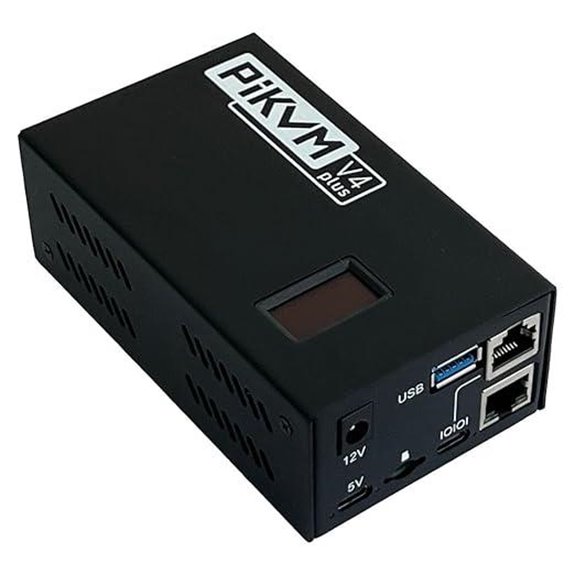 | Open-Source Flexibility | Video Resolution: 1080p@60Hz / 1920×1200@60Hz | Network Connectivity: Ethernet | Remote Control Methods: Web, App | VIEW LATEST PRICE | See Our Full Breakdown |
| AV Access 4K HDMI USB KVM Extender over IP | 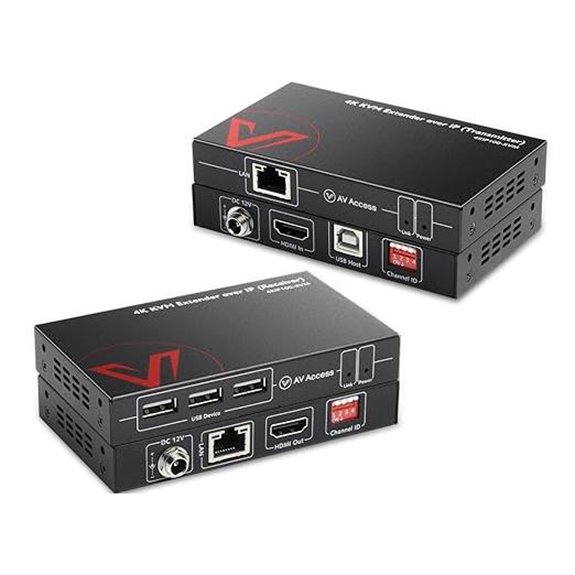 | Long-Distance HDMI | Video Resolution: 4K@30Hz / 1080P@120Hz | Network Connectivity: Ethernet | Remote Control Methods: Web, TCP/IP | VIEW LATEST PRICE | See Our Full Breakdown |
| IP KVM Over IP Remote Control 4K@60Hz with Audio | 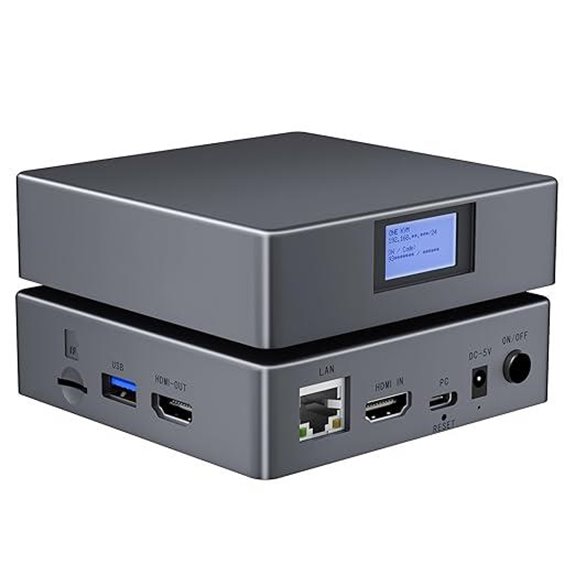 | High-Resolution Control | Video Resolution: 4K@60Hz | Network Connectivity: Ethernet | Remote Control Methods: App, Web login | VIEW LATEST PRICE | See Our Full Breakdown |
| Open-Source IP KVM Switch for Remote Computer Control | 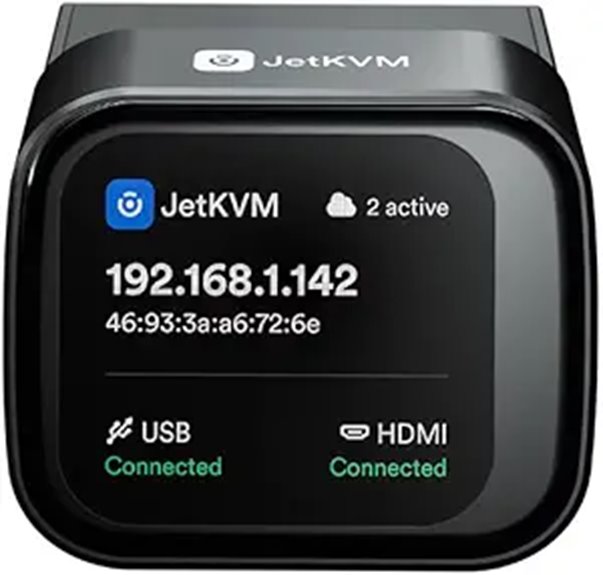 | Customizable & Hackable | Video Resolution: 1080p@60Hz | Network Connectivity: Ethernet, Tailscale Wi-Fi/Internet | Remote Control Methods: Web, SSH, Cloud (JetKVM) | VIEW LATEST PRICE | See Our Full Breakdown |
| GL.iNet Comet PoE Remote KVM Switch with Tailscale Support | 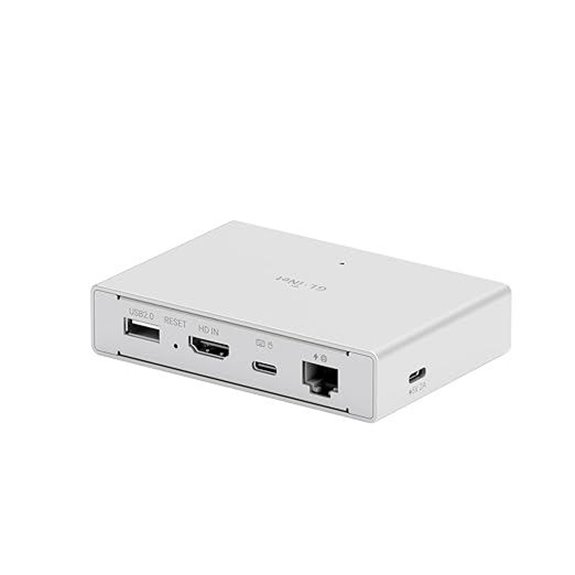 | PoE Convenience | Video Resolution: 4K@30Hz | Network Connectivity: PoE, Ethernet, USB-C | Remote Control Methods: Web, Tailscale, App | VIEW LATEST PRICE | See Our Full Breakdown |
| 4K HDMI USB KVM Extender over IP |  | Enterprise-Grade Performance | Video Resolution: 4K@30Hz | Network Connectivity: Ethernet | Remote Control Methods: Web, IR remote | VIEW LATEST PRICE | See Our Full Breakdown |
| MT-VIKI 8-Port KVM Over IP with 17″ LCD |  | Rackmount Versatility | Video Resolution: 1280×1024 (with BIOS control) | Network Connectivity: LAN, IP, LAN Switch | Remote Control Methods: OSD, Hotkeys, IP | VIEW LATEST PRICE | See Our Full Breakdown |
| GL.iNet Comet Remote KVM Switch with Tailscale Support |  | Cloud-Ready Remote | Video Resolution: 4K@30Hz | Network Connectivity: Ethernet, Tailscale Wi-Fi/Internet | Remote Control Methods: App, Web | VIEW LATEST PRICE | See Our Full Breakdown |
| Vertiv Avocent AV3000 8-Port KVM Over IP Switch | 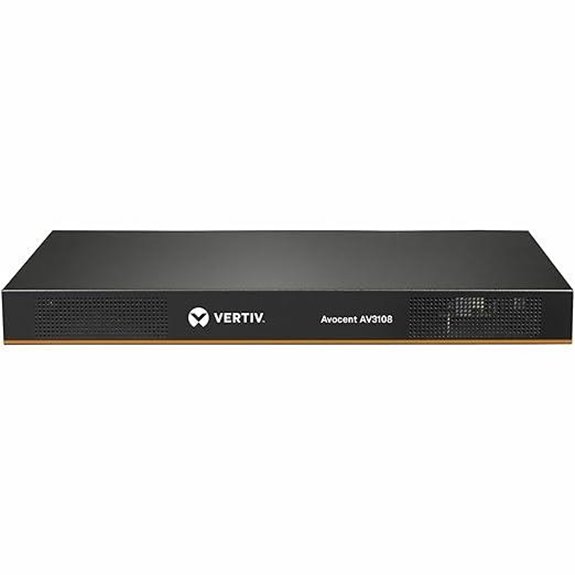 | Secure Access | Video Resolution: Up to 2048×1536 | Network Connectivity: Ethernet, LAN | Remote Control Methods: Web, Hotkeys | VIEW LATEST PRICE | See Our Full Breakdown |
| OREI 4K HDMI KVM Extender Over IP (UHD-EXM500-KVM) |  | Professional AV Extension | Video Resolution: 4K@60Hz | Network Connectivity: Ethernet | Remote Control Methods: IR, Web, App | VIEW LATEST PRICE | See Our Full Breakdown |
| OREI 4K HDMI KVM Extender Over IP (EX-500-KVM) | 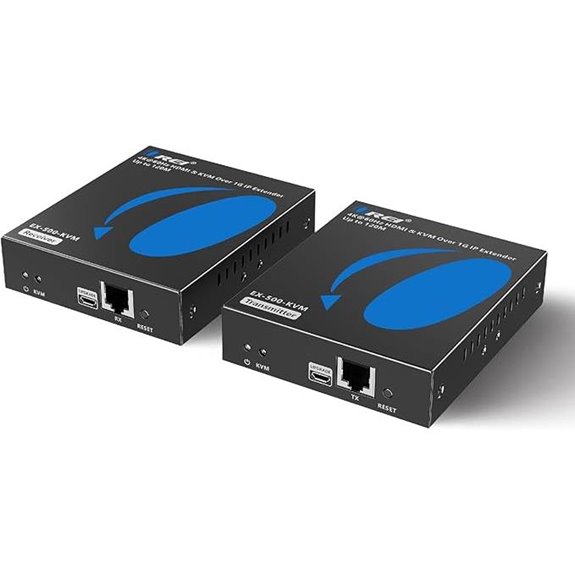 | Multi-Location Control | Video Resolution: 4K@60Hz | Network Connectivity: Ethernet | Remote Control Methods: Web, Hotkeys | VIEW LATEST PRICE | See Our Full Breakdown |
More Details on Our Top Picks
-
B0CVB82PXY
Amazon Product B0CVB82PXY
As an affiliate, we earn on qualifying purchases.
IP KVM Over Internet 4K Remote Control for PC and Servers
If you’re looking for a reliable way to remotely control PCs and servers in high resolution, IP KVM over Internet solutions are the best choice. They let me access my devices via PC or mobile phone without installing extra software or drivers. I can connect with Windows, Mac, Android, or industrial systems, using web login or a desktop app over LAN or WAN. The setup is straightforward: HDMI, USB, and Ethernet cables connect my device, supporting stunning 4K resolution at 60Hz with minimal delay. I can troubleshoot locally or remotely, control power, and even wake sleeping systems—all from a single, secure interface.
- Video Resolution:4K@60Hz
- Network Connectivity:Ethernet (LAN/WAN)
- Remote Control Methods:Desktop app, Web login
- Power Options:Remote power control (desktop only)
- Additional Connectivity:Local ports (monitor, keyboard, mouse)
- Hardware Encoding/Support:Hardware-based H.264 encoding
- Additional Feature:Supports remote OS installation
- Additional Feature:Local monitor and port troubleshooting
- Additional Feature:Remote power on/off control
-
B07N2M5YYR
Amazon Product B07N2M5YYR
As an affiliate, we earn on qualifying purchases.
PiKVM V4 Plus
The PiKVM V4 Plus stands out for its robust Raspberry Pi Compute Module 4-based design, making it an excellent choice for professionals seeking a reliable, open-source KVM over IP solution. It provides seamless remote management of servers and PCs with industrial-grade durability and CE certification. The device supports full HD video at 60Hz, with two additional HDMI outputs for expanded display options. Connectivity is flexible, featuring WiFi, Ethernet, and Cellular options, plus an internal USB 3.0 port for extra storage. Designed as a turnkey solution, it includes all necessary components for easy setup and reliable performance right out of the box.
- Video Resolution:1080p@60Hz / 1920×1200@60Hz
- Network Connectivity:Ethernet
- Remote Control Methods:Web, App
- Power Options:Power supply included
- Additional Connectivity:USB, HDMI outputs
- Hardware Encoding/Support:Raspberry Pi Compute Module 4
- Additional Feature:Raspberry Pi Compute Module 4
- Additional Feature:Supports external WiFi/Cellular
- Additional Feature:Industrial-grade CE certification
-
B0G1T9MR4S
Amazon Product B0G1T9MR4S
As an affiliate, we earn on qualifying purchases.
AV Access 4K HDMI USB KVM Extender over IP
Designed for professionals demanding high-resolution, long-distance KVM extension, the AV Access 4K HDMI USB KVM Extender over IP stands out with support for 4K@30Hz video transmission up to 120 meters. It delivers seamless, high-definition visuals with zero latency and is compatible with all operating systems—Windows, Mac, Linux—no drivers needed. The built-in USB 2.0 hub supports quick data transfer and remote control of PCs, gaming consoles, and peripherals over 100 meters. Using TCP/IP over a single Ethernet cable, it features DIP switches for flexible signal routing. Its reliable design, secure power connection, and advanced ESD protection make it ideal for professional, long-distance KVM applications.
- Video Resolution:4K@30Hz / 1080P@120Hz
- Network Connectivity:Ethernet
- Remote Control Methods:Web, TCP/IP
- Power Options:Power via USB or external
- Additional Connectivity:USB hub, dual RS232
- Hardware Encoding/Support:Hardware H.264 encoding
- Additional Feature:Supports 120m transmission distance
- Additional Feature:Built-in USB hub ports
- Additional Feature:Supports multiple set configurations
IP KVM Over IP Remote Control 4K@60Hz with Audio
Remote control enthusiasts and IT professionals will appreciate the IP KVM Over IP system supporting 4K@60Hz with audio, as it delivers ultra-high-definition visuals alongside synchronized sound. It allows remote control of PCs, servers, and industrial devices via Ethernet, with no extra software needed, and works seamlessly across Windows, Mac, and Android. You can access BIOS, troubleshoot, install OS, transfer files, and wake sleeping systems remotely. The hardware supports 4K video with low latency, while audio enhances multimedia tasks. Easy to set up via HDMI, USB, and Ethernet, it’s perfect for remote work, industrial use, and tech support, offering reliable, high-quality control from anywhere.
- Video Resolution:4K@60Hz
- Network Connectivity:Ethernet
- Remote Control Methods:App, Web login
- Power Options:Power via Ethernet/Power Adapter
- Additional Connectivity:Local ports, Loop out
- Hardware Encoding/Support:Hardware H.264 encoding
- Additional Feature:Supports remote BIOS access
- Additional Feature:Loop out for local troubleshooting
- Additional Feature:Virtual optical drive feature
Open-Source IP KVM Switch for Remote Computer Control
If you’re seeking a highly customizable IP KVM switch that offers seamless remote access, this open-source solution is an excellent choice. It supports 1080p video at 60 FPS with low latency, ensuring smooth interaction. You can manage devices securely via WebRTC using JetKVM Cloud or directly through NAT environments with STUN and TURN servers. Built with Golang and compatible with Linux, it’s easy to modify and update via SSH. Hardware is fully customizable, supporting extensions like temperature sensors, power control, and serial interfaces. With device monitoring, USB-C connections, and robust power management features, this open-source KVM provides flexible, secure, and scalable remote control for any setup.
- Video Resolution:1080p@60Hz
- Network Connectivity:Ethernet, Tailscale Wi-Fi/Internet
- Remote Control Methods:Web, SSH, Cloud (JetKVM)
- Power Options:PoE, 5V USB-C, Ext extensions
- Additional Connectivity:RJ11, GPIO, hardware extensions
- Hardware Encoding/Support:Hardware H.264 encoding
- Additional Feature:Fully customizable hardware
- Additional Feature:RJ11 extension port support
- Additional Feature:Linux-compatible software
GL.iNet Comet PoE Remote KVM Switch with Tailscale Support
Looking for a KVM over IP switch that combines seamless remote management with reliable power options? The GL.iNet Comet PoE (GL-RM1PE) fits the bill perfectly. It supports Power over Ethernet via PoE switches, reducing cable clutter, and offers dual power sources—PoE and 5V Type-C—for added stability. With 4K@30Hz video and ultra-low latency, it ensures smooth, clear streaming, while built-in two-way audio enhances remote communication. Its 32GB storage simplifies updates and recovery. Compatible with web browsers, GLKVM app, and Tailscale, it provides secure, flexible access from anywhere, making it ideal for professional and home lab setups.
- Video Resolution:4K@30Hz
- Network Connectivity:PoE, Ethernet, USB-C
- Remote Control Methods:Web, Tailscale, App
- Power Options:PoE, 5V USB-C
- Additional Connectivity:Extensions (ATX, serial), USB-C
- Hardware Encoding/Support:Hardware H.264 encoding
- Additional Feature:Power over Ethernet (PoE)
- Additional Feature:32GB eMMC storage onboard
- Additional Feature:Supports Tailscale encrypted network
4K HDMI USB KVM Extender over IP
The K HDMI USB KVM Extender over IP stands out as an ideal solution for professionals who need reliable, high-quality remote access to servers, security systems, or industrial equipment. It extends uncompressed 4K HDMI video and KVM control up to 120 meters using Cat cables, ensuring zero-latency, clear images, and smooth operation. With features like IR remote switching, EDID pass-through for stable signals, and four USB 2.0 ports, it supports peripherals and serial devices for automation. Its bidirectional audio and HDR support enhance multimedia experiences. Built with durable metal housing, it’s designed for demanding environments, making remote management straightforward and dependable.
- Video Resolution:4K@30Hz
- Network Connectivity:Ethernet
- Remote Control Methods:Web, IR remote
- Power Options:Power over Ethernet, local power
- Additional Connectivity:USB, serial ports
- Hardware Encoding/Support:Hardware H.264 encoding
- Additional Feature:Supports HDR content
- Additional Feature:Metal housing durability
- Additional Feature:Supports multiple sets via DIP switches
MT-VIKI 8-Port KVM Over IP with 17″ LCD
Designed for data centers and server rooms requiring reliable remote management, the MT-VIKI 8-Port KVM Over IP with a 17″ LCD stands out with its integrated high-resolution monitor and versatile control options. It lets me manage up to 8 servers locally or remotely over LAN or IP, with support for BIOS-level control and full boot interaction. The device offers multiple switching methods—OSD menu, buttons, hotkeys, and IP access—making operation flexible. Its secure, cost-effective design includes 8 cables for quick setup, 5 USB ports, and compatibility with standard 19-inch racks, ensuring seamless integration into my infrastructure.
- Video Resolution:1280×1024 (with BIOS control)
- Network Connectivity:LAN, IP, LAN Switch
- Remote Control Methods:OSD, Hotkeys, IP
- Power Options:Not specified
- Additional Connectivity:USB, BIOS access
- Hardware Encoding/Support:Not specified
- Additional Feature:Supports BIOS-level control
- Additional Feature:Daisy chain up to 64
- Additional Feature:On-screen display menu
GL.iNet Comet Remote KVM Switch with Tailscale Support
If you need reliable remote access to multiple devices without installing extra software, the GL.iNet Comet Remote KVM Switch with Tailscale Support is an excellent choice. It allows you to reboot, install OS via BIOS, and power on computers remotely, compatible with laptops, desktops, and servers. Connection is simple—just one click through the app—no additional software needed on controlled devices. It supports 4K resolution at 30Hz with low latency and includes remote audio, ensuring a desktop-quality experience. Plus, effortless file transfers streamline data management. Designed for home offices, data centers, and technical support, it offers constant remote access for enhanced productivity.
- Video Resolution:4K@30Hz
- Network Connectivity:Ethernet, Tailscale Wi-Fi/Internet
- Remote Control Methods:App, Web
- Power Options:Not specified
- Additional Connectivity:USB, audio
- Hardware Encoding/Support:Hardware H.264 encoding
- Additional Feature:3840×2160@30Hz resolution
- Additional Feature:Supports remote reboot
- Additional Feature:No additional software needed
Vertiv Avocent AV3000 8-Port KVM Over IP Switch
For IT professionals seeking secure, centralized server management, the Vertiv Avocent AV3000 8-Port KVM Over IP Switch stands out with its support for Common Access Card (CAC) authentication. This feature guarantees robust security while providing both local and remote access to multiple servers from a single console. Its flexible installation options include 1U rackmount, 0U rackmount, and desktop configurations, making it adaptable to various setups. With support for VGA and DisplayPort outputs up to 2048×1536 resolution, it offers clear video quality. Intuitive controls like touch buttons, hotkeys, and scan mode streamline management, making server control more efficient and straightforward.
- Video Resolution:Up to 2048×1536
- Network Connectivity:Ethernet, LAN
- Remote Control Methods:Web, Hotkeys
- Power Options:Not specified
- Additional Connectivity:VGA, DisplayPort, USB
- Hardware Encoding/Support:Not specified
- Additional Feature:Supports CAC secure access
- Additional Feature:Optional VGA/DisplayPort support
- Additional Feature:Scan mode for quick navigation
OREI 4K HDMI KVM Extender Over IP (UHD-EXM500-KVM)
The OREI 4K HDMI KVM Extender Over IP (UHD-EXM500-KVM) stands out as an excellent choice for professional environments that demand high-resolution, long-distance signal transmission. It extends HDMI and USB signals up to 400 feet over Cat6 cable at 4K@60Hz, supporting point-to-point or multi-device setups via a 1G switch. With IR transmission for remote source control and HDMI loop-out for local display, it offers flexible, low-latency operation. No drivers are required, and the package includes all necessary components. Its reliable design and support make it ideal for remote monitoring, AV setups, or multi-location control.
- Video Resolution:4K@60Hz
- Network Connectivity:Ethernet
- Remote Control Methods:IR, Web, App
- Power Options:Power adapters included
- Additional Connectivity:IR, USB, HDMI loop-out
- Hardware Encoding/Support:Not specified
- Additional Feature:Supports 4K@60Hz 4:4:4
- Additional Feature:IR remote control
- Additional Feature:Supports point-to-multi setups
OREI 4K HDMI KVM Extender Over IP (EX-500-KVM)
Professionals seeking reliable, high-quality long-distance HDMI and USB extension will find the OREI 4K HDMI KVM Extender Over IP (EX-500-KVM) to be an ideal choice, especially when maintaining 4K@60Hz resolution is critical. It extends HDMI and USB signals up to 400 feet (120 meters) over shielded Cat6 cables, supporting crystal-clear 4K visuals. Compatible with point-to-point and one-to-many setups via a 1G network switch, it includes USB ports, HDMI Loop Out, and IR transmission for remote source control. Its low-latency, HDCP 2.2 compliance, and automatic EDID management make it perfect for professional AV, remote monitoring, and multi-display environments.
- Video Resolution:4K@60Hz
- Network Connectivity:Ethernet
- Remote Control Methods:Web, Hotkeys
- Power Options:Power adapters included
- Additional Connectivity:USB, HDMI
- Hardware Encoding/Support:Not specified
- Additional Feature:4K@60Hz with low latency
- Additional Feature:Supports RS-232 serial
- Additional Feature:Compatible with enterprise-grade networks
Factors to Consider When Choosing a KVM Over IP Switch

When selecting a KVM over IP switch, I focus on compatibility with my devices and the supported video resolution to guarantee seamless operation. Network connectivity options and remote access features are also critical for reliable, flexible management. Finally, I consider power management capabilities to keep the system efficient and secure.
Compatibility With Devices
Selecting a KVM over IP switch that matches your devices is essential for seamless remote management. First, make certain it supports your operating systems, such as Windows, Mac OS, Linux, or Android, to guarantee compatibility. Next, verify that the switch can handle your required video resolution and refresh rate, whether 4K@60Hz or 1080p@60Hz. It’s also important to match the video interfaces—HDMI, DisplayPort, VGA, or DVI—to your hardware outputs. Additionally, confirm the switch supports the peripherals you plan to connect, like USB keyboards, mice, or serial devices. Finally, check if the remote control features align with your setup, including BIOS access, OS installation, and peripheral sharing. Compatibility with your devices ensures smooth operation and effective remote management.
Video Resolution Support
Choosing a KVM over IP switch with the right video resolution is essential to ensuring clear, crisp remote access. You need to verify that the switch supports your display’s resolution, whether it’s 1080p, 4K, or higher, to avoid image quality issues. Check the supported refresh rate, like 60Hz, to guarantee smooth video playback during control sessions. Compatibility with your hardware’s video output format—such as HDMI, DisplayPort, VGA, or DVI—is also critical for seamless connections. If you handle protected content like Blu-ray movies or DRM streams, confirm the switch’s HDCP compliance. Additionally, if you want enhanced image quality, consider whether the device supports high dynamic range (HDR) or deep color depths. These factors ensure your remote experience is both high-quality and reliable.
Network Connectivity Options
Network connectivity options play a crucial role in guaranteeing reliable remote access to your KVM over IP switch. Ethernet remains the most common choice, offering stable, high-speed connections essential for smooth control. Some models support dual or multi-channel options, like Ethernet paired with WiFi or cellular, providing flexibility in various environments. Power over Ethernet (PoE) support simplifies installations by enabling power delivery through network cables, reducing clutter and additional hardware. Compatibility with protocols such as TCP/IP, WebRTC, and Tailscale ensures secure, versatile remote management across different network setups. When selecting a switch, consider your network infrastructure and the importance of redundancy. Multiple connectivity options help maintain access in case one connection fails, ensuring your remote management is always reliable.
Remote Access Features
When evaluating a KVM over IP switch, verifying that it supports flexible remote access options is vital. I look for devices that allow login via desktop apps or web interfaces, giving me versatile control regardless of location. Remote BIOS access and OS installation capabilities are necessary, so I can manage systems without physical presence. Features like remote wake-up, file transfer, and virtual drive support ensure comprehensive management, making remote troubleshooting seamless. Security is a top priority, so I confirm the switch offers encrypted protocols or VPN integration to protect sensitive data during remote sessions. Additionally, I check for low latency and high-resolution support, especially for high-definition video and audio, guaranteeing smooth, real-time operation without delays. These features empower me to manage my systems efficiently from anywhere.
Power Management Capabilities
Power management features are essential when selecting a KVM over IP switch because they directly impact your ability to control and maintain connected systems remotely. I look for switches that support remote power control, allowing me to turn systems on, off, or reboot them without physical access. Integration with existing power management systems like ATX or DC Power Control helps automate routines and streamline operations. Compatibility with Power over Ethernet (PoE) reduces cabling and simplifies setup. I also consider whether the device offers fixed or dynamic IP settings, ensuring reliable remote management. Finally, attaching external modules or sensors for advanced power monitoring helps me keep tabs on power consumption and detect issues early. These features are crucial for efficient, remote system management.
Installation and Setup
Choosing the right KVM over IP switch involves more than just its features; the installation and setup process can make or break your experience. I look for devices that support easy plug-and-play setup with clear connection instructions for HDMI, USB, and network cables. It’s also essential that the switch offers simple ways to configure network settings, like fixed IP addresses or DHCP, to guarantee seamless remote access. Local ports for troubleshooting and on-site control are a big plus during installation. Compatibility with existing network infrastructure, especially gigabit switches, helps maintain high data transfer rates. Ultimately, a user-friendly interface or management software simplifies initial setup, configuration, and firmware updates, saving time and reducing frustration. These factors ensure a smooth deployment and reliable remote management.
Frequently Asked Questions
How Secure Are KVM Over IP Switches Against Cyber Threats?
KVM over IP switches can be quite secure if you implement proper measures. I make sure to use strong passwords, enable encryption, and keep firmware up-to-date. Regularly monitoring access logs and restricting user permissions also help protect against cyber threats. While no system is completely foolproof, staying vigilant and following best security practices markedly reduces risks and keeps remote access safer.
What Is the Typical Latency Experienced With High-Resolution Remote KVM Control?
Imagine a whisper in your ear—that’s how low the latency feels when I use high-resolution remote KVM control. Typically, I experience around 1-3 milliseconds of delay, which is almost imperceptible. This ultra-low latency guarantees smooth, real-time control, even at 4K resolution. It’s like being right there in the room, making remote management seamless and efficient without frustrating lag or delay.
Can KVM Over IP Switches Support Multiple Users Simultaneously?
Yes, KVM over IP switches can support multiple users simultaneously. I’ve seen many models designed with this feature, allowing several people to access and control servers at once without conflicts. These switches often include user management, secure login, and bandwidth allocation to guarantee smooth operation. If you need multi-user access, I recommend choosing a model that specifically supports concurrent sessions, so everyone can work efficiently without interruptions.
How Scalable Are KVM Over IP Solutions for Large Enterprise Deployments?
Imagine a vast network of connections seamlessly supporting hundreds or even thousands of users— that’s how scalable KVM over IP solutions are for large enterprises. I’ve seen these systems grow effortlessly, thanks to modular designs and high port counts. They’re built to expand, allowing you to add switches without disrupting your operations, ensuring your remote access stays reliable, flexible, and ready for future growth.
What Are the Maintenance and Troubleshooting Challenges of KVM Over IP Systems?
Maintenance and troubleshooting of KVM over IP systems can be tricky. I often find firmware updates and network configurations challenging, especially when dealing with compatibility issues or connectivity drops. Regularly checking hardware health and keeping documentation handy helps me troubleshoot faster. I also recommend having a solid support plan and remote access tools to resolve issues quickly, minimizing downtime and ensuring smooth remote operations.
Conclusion
So, whether you’re seeking seamless remote control or crystal-clear 4K streaming, these KVM over IP switches are your gateway to efficiency. Think of them as the heartbeat of your remote workspace—powerful, reliable, essential. As technology advances and needs evolve, choosing the right switch becomes a dance of balance and precision. Embrace the future of remote access, and let these options lead you toward smarter, more responsive control—because excellence is just a switch away.