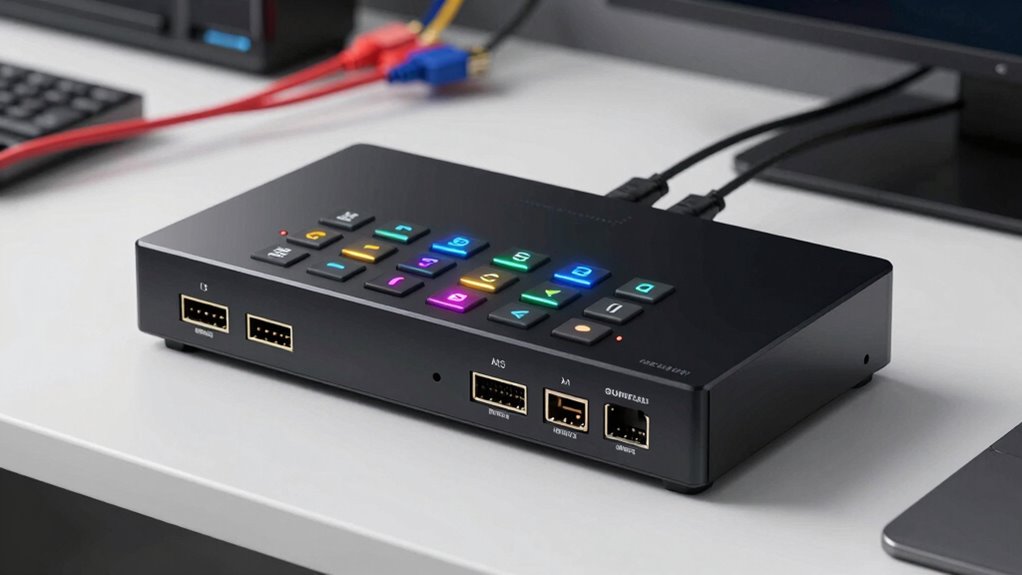

An 8×8 HDMI matrix switch lets you send any of eight sources to any of eight displays independently, which is why these units anchor so many commercial AV, sports bar, and whole-home video distribution setups. The category splits along a few clear lines: 4K@30Hz models that trade bandwidth for price, 4K@60Hz HDMI 2.0 units like the J-Tech Digital JTECH-88MU for smooth 60fps content, and HDBaseT-based systems such as the OREI 8×8 HDBaseT Extender Matrix that push video over long cable runs with PoC power. For an all-around balance of resolution, control options, and reliability, the OREI 8×8 HDMI 2.1 Matrix with Audio Extraction stands out as the best overall pick, while the OREI UHD-808 remains the go-to for buyers who want proven performance without paying for extension features they don’t need. The main tradeoff you’ll face is bandwidth versus distance — the newest HDMI standards live on local-switch models, while long-run extension favors HDBaseT at 4K@60Hz or below. Read on for the full breakdown of all 13 switches and which one fits your installation.

Get privacy and security gear delivered free with Prime
- Fast, free delivery on millions of items
- Prime Video, Amazon Music and more included
- Member-only deals all year
Key Takeaways
- Resolution claims are the biggest trap in this roundup: only the J-Tech JTECH-88MU, the OREI HDMI 2.1 model, and the HDBaseT extender matrix reliably pass 4K@60Hz, while most OREI and MT-VIKI units top out at 4K@30Hz — fine for signage and cable TV, limiting for gaming PCs and consoles.
- HDBaseT with PoC (the OREI extender matrix) is the only realistic path if displays sit more than 25–50 feet from the rack; every other pick here assumes direct HDMI cabling.
- Web GUI and LAN control separate the professional-grade units (OREI HDMI 2.1, UHDS-808VW, both MT-VIKI models, Yinker rackmount) from remote-only budget models like the standard UHD-808 — a decisive factor for commercial installs with control systems.
- Audio extraction appears in only four models (OREI HDMI 2.1, MT-VIKI Web GUI unit, Yinker, and the UHD-808 60Hz variant), and it changes the game for bars and venues feeding separate sound systems or amplifiers.
- The OREI HDS-816 (8×16) and UHDS-808VW (video wall) break the standard 8×8 mold — worth shortlisting only if you actually need 16 outputs or bezel-corrected wall processing, since both cost more and run hotter than plain matrices.
| OREI 8×8 HDMI 2.1 Matrix Switch with Audio Extraction (BK-808) |  | Best Overall | Brand: OREI | Model: BK-808 | Inputs/Outputs: 8×8 | VIEW ON AMAZON | See Our Full Breakdown |
| OREI 4K 8×8 HDMI Matrix Switch and Video Wall Controller (UHDS-808VW) |  | Best for Video Walls | Inputs/Outputs: 8×8 HDMI matrix | Video Wall Layouts: Up to 4×2 (plus 2×2, 1×2, 2×1, 1×3, 3×1, 1×4, 4×1) | Maximum Resolution: 4K at 60 Hz | VIEW ON AMAZON | See Our Full Breakdown |
| OREI 8×8 HDMI Matrix Switch, 4K@30Hz with EDID, RS-232, Web GUI (HDS-808) |  | Best for Preset-Based Control | HDMI Inputs: 8 | HDMI Outputs: 8 | Maximum Resolution: 4K@30Hz | VIEW ON AMAZON | See Our Full Breakdown |
| OREI 8×8 HDMI Matrix Switcher Extender with 4K, IR, CEC, PoC, EDID & RS-232 |  | Best for Long-Distance Multi-Room Distribution | Inputs: 8 HDMI | Outputs: 8 HDMI + 8 CAT mirrored (16 total) | Max Resolution: 4K @ 60 Hz 4:4:4 | VIEW ON AMAZON | See Our Full Breakdown |
| MT-VIKI 8×8 HDMI Matrix Switch with Web GUI and Audio Extraction (MT-HD88L) |  | Best Value for Budget Racks | Brand: MT-VIKI | Model: MT-HD88L | Inputs: 8 HDMI | VIEW ON AMAZON | See Our Full Breakdown |
| J-Tech Digital 8×8 HDMI Matrix Switch 4K 60Hz HDMI 2.0 (JTECH-88MU) |  | Best for Audio Flexibility | Model: JTECH-88MU | Inputs / Outputs: 8 HDMI in / 8 HDMI out | Max Resolution: 4K@60Hz 4:4:4 | VIEW ON AMAZON | See Our Full Breakdown |
| OREI 8×8 HDMI Extender Matrix, 4K 60Hz, HDBaseT, PoC, IR, CEC, EDID, RS-232 |  | Best for Long-Distance Installations | Model: UHD88-EXB400R-K | Inputs / Outputs: 8 HDMI in / 8 HDMI out | Transmission Distance: Up to 330 feet over CAT5e/6/7 | VIEW ON AMAZON | See Our Full Breakdown |
| Yinker 1U Rackmount 8×8 HDMI Matrix Switch – 4K@30Hz with Downscale, 3.5mm Audio De-embedding, RS232 & LAN Control, EDID & HDCP Support |  | Best Budget Pick | Inputs / Outputs: 8 HDMI in / 8 HDMI out | Max Resolution: 4K@30Hz | HDMI Version: 1.4b (10.2Gbps) | VIEW ON AMAZON | See Our Full Breakdown |
| OREI UHD-808 8×8 HDMI 4K Matrix Switch/Splitter with Remote Control |  | Best Overall | Inputs / Outputs: 8 HDMI in / 8 HDMI out | Max Resolution: 4K@60Hz YUV 4:4:4 8-bit | HDR Support: 4K@60Hz YUV 4:2:0 10-bit | VIEW ON AMAZON | See Our Full Breakdown |
| OREI HDS-816 8×16 HDMI Matrix Switch – 4K@30Hz, EDID, RS-232, Web GUI, IR, HDCP 2.2 |  | Best for Maximum Display Count | Model: HDS-816 | Inputs / Outputs: 8 HDMI in / 16 HDMI out | Max Resolution: 4K@30Hz | VIEW ON AMAZON | See Our Full Breakdown |
| OREI UHD-808 8×8 HDMI Matrix Switch – 4K@60Hz, Audio Extraction, EDID, ARC, HDCP 2.2 |  | Best Overall | Inputs/Outputs: 8 HDMI in / 8 HDMI out | Max Resolution: 4K@60Hz YUV 4:4:4 8-bit | HDR Support: Yes (4K@60Hz YUV 4:2:0 10-bit) | VIEW ON AMAZON | See Our Full Breakdown |
| MT-VIKI 4K HDMI Matrix Switch 8×8, Rack Mount Switcher & Splitter with RS232, LAN, EDID, and Web GUI |  | Best Rack-Mount Value | Inputs/Outputs: 8 HDMI in / 8 HDMI out | Max Resolution: 4K 3840×2160 @ 30Hz | Control Methods: Web GUI, buttons, IR remote, RS-232, LAN | VIEW ON AMAZON | See Our Full Breakdown |
| Arvitek 8×8 4K HDMI Matrix Switch with Video Wall Controller |  | Best for Video Walls | Inputs/Outputs: 8 HDMI in / 8 HDMI out | Max Resolution: 4K @ 30Hz | Video Wall Output: 1080p @ 60Hz | VIEW ON AMAZON | See Our Full Breakdown |
| hdmi matrix switch 8×8 | Max Resolution | Warranty | Control |
|---|---|---|---|
| OREI 8×8 HDMI 2.1 Matrix Switc | — | 1 year | — |
| OREI 4K 8×8 HDMI Matrix Switch | — | 1-year limited | Front panel, IR remote, RS-232, LAN, WebGUI |
| OREI 8×8 HDMI Matrix Switch | — | 1 year | Front panel, IR remote, RS-232, LAN, Web GUI |
| OREI 8×8 HDMI Matrix Switcher | 4K @ 60 Hz 4:4:4 | — | Front panel, IR remote, RS-232, LAN, Web GUI |
| MT-VIKI 8×8 HDMI Matrix Switch | — | 2 years | Buttons, IR remote, RS232, LAN, web GUI, third-party |
| J-Tech Digital 8×8 HDMI Matrix | 4K@60Hz 4:4:4 | 1-year manufacturer replacement | — |
| OREI 8×8 HDMI Extender Matrix | 4K@60Hz, 18Gbps | 1 year | — |
| Yinker 1U Rackmount 8×8 HDMI M | 4K@30Hz | — | Backlit buttons, IR remote, RS232, LAN (web GUI, PC software, Android app) |
| OREI UHD-808 8×8 HDMI 4K Matri | 4K@60Hz YUV 4:4:4 8-bit | 1 year | Front panel, IR remote, RS-232, LAN, web GUI |
| OREI HDS-816 8×16 HDMI Matrix | 4K@30Hz | 1 year | — |
| OREI UHD-808 8×8 HDMI Matrix S | 4K@60Hz YUV 4:4:4 8-bit | — | Front panel, IR, RS-232, LAN, web GUI |
| MT-VIKI 4K HDMI Matrix Switch | 4K 3840×2160 @ 30Hz | — | — |
| Arvitek 8×8 4K HDMI Matrix Swi | 4K @ 30Hz | — | — |
More Details on Our Top Picks
OREI 8×8 HDMI 2.1 Matrix Switch with Audio Extraction (BK-808)
This model stands out as the most future-ready option in the lineup. With HDMI 2.1 and 48 Gbps of bandwidth, it handles 8K video, HDR10+, Dolby Vision, and gaming-focused features like VRR, QFT, and QMS — capabilities no other switch here can match. Compared with the OREI UHDS-808VW, which tops out at 4K 60 Hz over HDMI 2.0, the BK-808 gives buyers headroom for PS5, Xbox Series X, and next-gen AV gear. The web GUI and IR control make daily operation straightforward, and audio extraction plus EDID management solves two of the most common multi-display headaches. The tradeoff is that cutting-edge bandwidth costs more, and if every source and display is 4K or older, that HDMI 2.1 capacity goes unused.
Pros:- Full HDMI 2.1 support with 8K and 48 Gbps bandwidth
- Gaming features including VRR, QFT, QMS, and Dolby Vision
- Audio extraction and EDID management built in
- Web GUI plus IR remote for flexible control
Cons:- Premium HDMI 2.1 capability commands a higher price
- Overkill for setups where no source exceeds 4K 60 Hz
Best for: Home theater and gaming enthusiasts with 8K consoles, PCs, or displays who want one switch to stay relevant for years
Not ideal for: Buyers running only 1080p or 4K 30Hz sources like cable boxes — the extra bandwidth is wasted budget
- Brand:OREI
- Model:BK-808
- Inputs/Outputs:8×8
- HDMI Standard:HDMI 2.1
- Maximum Bandwidth:48 Gbps
- Video Features:8K, HDR10+, Dolby Vision, VRR, QFT, QMS, SBTM
- Controls:Web GUI, IR
- Audio:Audio extraction
- Warranty:1 year
Our verdict“The pick for anyone who wants maximum bandwidth and gaming features today without needing to upgrade the matrix later.”
OREI 4K 8×8 HDMI Matrix Switch and Video Wall Controller (UHDS-808VW)
What separates the UHDS-808VW from every other matrix in this roundup is its built-in video wall controller, supporting layouts up to 4×2 plus 2×2, 1×4, and other combinations. That makes it the natural choice for bars, retail signage, and lobbies where one image needs to span multiple screens. It carries 4K 60 Hz with HDR and 7.1-channel audio, matching the J-Tech Digital JTECH-88MU on resolution, and offers five control paths including RS-232 and WebGUI for commercial integration. The catches are real: video wall mode caps each display at 1080i, there’s no screen rotation, and mirroring drops out in multi-view. For buyers who only need switching, not tiling, the OREI UHD-808 is simpler and cheaper.
Pros:- True video wall support up to 4×2 layouts
- 4K 60 Hz with HDR and Dolby TrueHD/DTS-HD Master Audio
- Five control options including RS-232, LAN, and WebGUI
- Bezel adjustment, EDID management, and power-off memory
Cons:- Video wall configurations limited to 1080i per display
- No screen rotation or mirroring in multi-view mode
Best for: Businesses and venues building signage or display walls with 2×2 through 4×2 screen layouts
Not ideal for: Portrait-orientation displays or buyers who don’t need tiling — the rotation limit and added cost work against them
- Inputs/Outputs:8×8 HDMI matrix
- Video Wall Layouts:Up to 4×2 (plus 2×2, 1×2, 2×1, 1×3, 3×1, 1×4, 4×1)
- Maximum Resolution:4K at 60 Hz
- HDMI Standard:HDMI 2.0a (18 Gbps)
- Copy Protection:HDCP 2.2
- Audio:Up to 7.1-channel, Dolby TrueHD, DTS-HD Master Audio
- Control:Front panel, IR remote, RS-232, LAN, WebGUI
- Warranty:1-year limited
Our verdict“The only pick here that tiles content across screens, making it the default choice for multi-display commercial installs despite its video wall resolution cap.”
OREI 8×8 HDMI Matrix Switch, 4K@30Hz with EDID, RS-232, Web GUI (HDS-808)
This model earns its spot for its eight preset scenes — a feature no other switch in this batch offers. In venues like houses of worship or conference rooms where the same source-to-display combinations repeat week after week, recalling a saved scene is faster than routing each output manually. It handles 4K at 30 Hz with downscaling to 1080p, so mixed-resolution display fleets work without handshake failures, and control spans front panel, IR, RS-232, LAN, and web GUI. Compared with the MT-VIKI MT-HD88L, the OREI adds those presets and RS-232 integration at a similar resolution ceiling. Both share the 4K 30 Hz limit, so gamers and home theater fans should step up to the OREI UHD-808 4K 60 Hz instead. The 1U rack chassis makes it easy to slot into an existing rack.
Pros:- Eight preset scenes for instant recall of routing configurations
- 4K-to-1080p downscaling for mixed-resolution displays
- Five control options including RS-232 and web GUI
- 1U rack-mountable chassis
Cons:- 4K limited to 30 Hz
- Listing shows conflicting port counts between title and details — verify before purchase
Best for: AV installers and facility operators who need repeatable, one-touch routing configurations across eight displays
Not ideal for: Anyone with 4K 60 Hz sources — the 30 Hz ceiling will visibly restrict motion smoothness
- HDMI Inputs:8
- HDMI Outputs:8
- Maximum Resolution:4K@30Hz
- Downscaling:4K to 1080p
- Supported Audio:LPCM 2/5.1/7.1, Dolby Digital, Dolby Atmos, DTS-HD MA, DTS:X
- Control:Front panel, IR remote, RS-232, LAN, Web GUI
- Preset Scenes:Up to 8
- Mounting:1U rack-mountable
- Warranty:1 year
Our verdict“A practical, integration-friendly matrix for fixed-install venues where saved scenes matter more than high frame rates.”
OREI 8×8 HDMI Matrix Switcher Extender with 4K, IR, CEC, PoC, EDID & RS-232
This is the most ambitious unit of the five: it doesn’t just switch, it distributes to 16 displays through eight HDMI ports plus eight mirrored CAT outputs reaching 230 feet over CAT6/7. That makes it the right tool when displays live far from the rack — classrooms, restaurants, or whole-home installs. Unlike the OREI HDBaseT extender matrix also in this roundup, this one pushes uncompressed 4K 60 Hz 4:4:4 with HDR10 and Dolby Vision, and 12V PoC means receivers need no separate power supplies. Independent per-output downscaling handles mixed 4K and 1080p screens gracefully. The quirks: IR output follows the HDMI input rather than the output, which can complicate source control planning, and IR is one-way only — no feedback from remote displays.
Pros:- 8 HDMI plus 8 mirrored CAT outputs for 16 total displays
- Uncompressed 4K 60 Hz 4:4:4 with HDR10, Dolby Vision, and HLG
- 230 ft extension over CAT6/7 with 12V PoC powering receivers
- Independent 4K-to-1080p downscaling per output
Cons:- IR OUT tracks HDMI input rather than output, complicating some setups
- One-way IR only, with no return control from remote displays
Best for: Installers feeding displays in multiple rooms up to 230 feet away without running separate power to receivers
Not ideal for: Compact single-room setups — the extender hardware and cost are wasted when all displays sit next to the rack
- Inputs:8 HDMI
- Outputs:8 HDMI + 8 CAT mirrored (16 total)
- Max Resolution:4K @ 60 Hz 4:4:4
- Bandwidth:18 Gbps
- HDR Support:HDR10, HDR10+, Dolby Vision, HLG
- Extension Distance:Up to 230 ft over CAT6/7
- PoC:12V per port
- Audio:LPCM 7.1, Dolby TrueHD, DTS-HD MA, ARC
- Control:Front panel, IR remote, RS-232, LAN, Web GUI
Our verdict“The clear choice for long-distance, multi-room 4K distribution where PoC and dual output types eliminate a tangle of extra gear.”
MT-VIKI 8×8 HDMI Matrix Switch with Web GUI and Audio Extraction (MT-HD88L)
The MT-HD88L makes the list as the straightforward, budget-conscious workhorse. It does the core job — routing any of eight sources to any of eight displays, with mirroring — and includes rack ears, RS-232, LAN, and a web GUI at a price point below most OREI equivalents. Its two-year warranty actually doubles OREI’s one-year coverage, which says something about expected reliability. Compared with the OREI HDS-808, you give up preset scenes but gain analog audio extraction via a 3.5 mm jack — though only on output 8, a limitation that shapes how you wire the rack. The 4K 30 Hz ceiling and 30-foot cable runs rule out demanding home theater use; the OREI UHD-808 4K 60 Hz model covers that ground better.
Pros:- Full 8×8 independent routing with source mirroring
- Six control methods including RS232, LAN, and web GUI
- Rack ears included for standard equipment racks
- Two-year warranty — longer than most competitors here
Cons:- Audio extraction only available through output 8
- 4K support capped at 30 Hz
Best for: Budget-conscious integrators building 1080p-centric multi-screen setups in a standard equipment rack
Not ideal for: Home theater owners with 4K 60 Hz sources or long cable runs beyond 30 feet per leg
- Brand:MT-VIKI
- Model:MT-HD88L
- Inputs:8 HDMI
- Outputs:8 HDMI
- Maximum Resolution:4K x 2K at 30 Hz
- Audio Extraction:3.5 mm stereo via output 8 only
- Transmission Distance:Up to 30 ft input / 30 ft output
- Control:Buttons, IR remote, RS232, LAN, web GUI, third-party
- Warranty:2 years
Our verdict“A sensible low-frills matrix for rack-based commercial or 1080p deployments where the longer warranty matters more than 4K speed.”
J-Tech Digital 8×8 HDMI Matrix Switch 4K 60Hz HDMI 2.0 (JTECH-88MU)
Where most 8×8 matrices treat audio as an afterthought, this J-Tech model makes it a headline feature. Beyond full 4K@60Hz 4:4:4 with HDR10 and Dolby Vision, it offers both analog audio embedding and extraction across analog and S/PDIF coaxial outputs, with ARC support — a combination the OREI UHD-808 also delivers but with fewer routing layers for audio zones. The web GUI plus RS232 control stack puts it on equal footing with OREI’s pricier hardware, and the free lifetime technical support from the Texas-based team adds peace of mind that smaller brands can’t match. The tradeoff is setup complexity: getting embedding and extraction configured correctly assumes some technical comfort, and this sits at a premium price point. Compared with the Yinker 1U, you’re paying more but getting true HDMI 2.0 bandwidth instead of a 4K@30Hz ceiling.
Pros:- Full 4K@60Hz 4:4:4 with HDR10 and Dolby Vision
- Rare combination of audio embedding and extraction with ARC
- Four control methods including web GUI and RS232
- Free lifetime technical support with US-based staff
Cons:- Audio embedding and extraction configuration demands technical know-how
- Premium price point is hard to justify for casual home use
Best for: Home theater and bar/restaurant installers who need audio breakout to amplifiers or zone speakers alongside pristine 4K HDR video
Not ideal for: Casual users with a simple TV-and-soundbar setup — the audio toolset and price go far beyond what a basic matrix requires
- Model:JTECH-88MU
- Inputs / Outputs:8 HDMI in / 8 HDMI out
- Max Resolution:4K@60Hz 4:4:4
- HDMI Version:2.0
- HDR Support:HDR10, Dolby Vision
- Audio Features:Analog embedding, analog and S/PDIF coaxial extraction, ARC
- Control Methods:Front panel, IR remote, RS232, web GUI
- Warranty:1-year manufacturer replacement
Our verdict“This pick makes the most sense for installers who treat audio routing as seriously as video routing and need HDMI 2.0 bandwidth to back it up.”
OREI 8×8 HDMI Extender Matrix, 4K 60Hz, HDBaseT, PoC, IR, CEC, EDID, RS-232
Every other matrix in this roundup sends HDMI over copper runs measured in feet; the OREI UHD88-EXB400R-K pushes full 8×8 routing up to 330 feet over CAT5e/6/7, which changes what’s physically possible in multi-room venues. The eight included receivers mean displays far from the rack only need a network cable, and Power over Cable eliminates eight separate wall warts at the display end. Eight local loop outputs let you monitor or mirror feeds at the rack itself, something the JTECH-88MU can’t do. You still get 4K@60Hz, HDCP 2.2, and five control methods including web GUI. The tradeoffs are structural: this demands properly installed cabling (CAT6 recommended) and a wiring plan, so it’s over-engineered for a single-room setup where the OREI UHD-808 would cost and weigh less.
Pros:- 330-foot transmission distance over CAT5e/6/7 with eight receivers included
- PoC powers remote receivers from the transmitter, reducing clutter at displays
- Eight local loop outputs for monitoring at the rack
- Full 4K@60Hz with HDCP 2.2 and five control methods including LAN and web GUI
Cons:- Requires properly spec’d structured cabling, ideally CAT6
- International users may need a converter for the included power adapter
Best for: Whole-home or commercial AV installers running distributed video across large buildings with existing conduit and CAT6 infrastructure
Not ideal for: Single-room users with displays close to the rack — the extender hardware and cabling requirements add cost and complexity you won’t use
- Model:UHD88-EXB400R-K
- Inputs / Outputs:8 HDMI in / 8 HDMI out
- Transmission Distance:Up to 330 feet over CAT5e/6/7
- Local Loop Outputs:8
- Max Resolution:4K@60Hz, 18Gbps
- HDCP:2.2 / 1.4
- Audio Support:LPCM, DTS-HD, Dolby TrueHD
- Control Methods:Front panel, IR remote, RS-232, LAN, web GUI
- Warranty:1 year
Our verdict“If your displays live in other rooms or other floors, this is the only option here built for the job.”
Yinker 1U Rackmount 8×8 HDMI Matrix Switch – 4K@30Hz with Downscale, 3.5mm Audio De-embedding, RS232 & LAN Control, EDID & HDCP Support
Not everyone needs 18Gbps bandwidth, and the Yinker 1U is the honest budget answer: a full 8×8 routing matrix with six control methods — including web GUI, PC software, and an Android app — that costs far less than the HDMI 2.0 crowd. The mixed-resolution adaptive technology is a genuinely useful trick, letting a 4K TV and 1080p panels coexist on the same source without black screens, which is often why people buy matrices in the first place. Compared with the OREI HDS-816, you give up half the outputs but gain app control and a slimmer 1U chassis. The compromises are real, though: the 4K@30Hz HDMI 1.4b ceiling rules out smooth 60fps gaming or PC desktops, HDCP 1.4 only may stumble with protected streaming sources, and audio de-embedding exists solely on Output Port 8.
Pros:- Six control methods including web GUI, Android app, and RS232/LAN integration
- Mixed-resolution adaptive technology supports simultaneous 4K and 1080p displays
- Advanced EDID management reduces black-screen and handshake issues
- Complete accessory package with rack ears, cables, remote, and power adapter
Cons:- Capped at 4K@30Hz on HDMI 1.4b — no 60Hz or HDMI 2.0 support
- Audio de-embedding limited to Output Port 8 only
- HDCP 1.4 may fail with HDCP 2.2-protected streaming content
Best for: Budget-conscious installers setting up signage, bars, or multi-TV sports viewing where 30Hz motion is acceptable and 1080p dominates
Not ideal for: Gamers and PC users — the 4K@30Hz HDMI 1.4b ceiling makes 60fps content look choppy
- Inputs / Outputs:8 HDMI in / 8 HDMI out
- Max Resolution:4K@30Hz
- HDMI Version:1.4b (10.2Gbps)
- HDCP:1.4
- Audio De-embedding:3.5mm output (Output Port 8)
- Audio Formats:PCM, Dolby TrueHD, DTS-HD
- Control:Backlit buttons, IR remote, RS232, LAN (web GUI, PC software, Android app)
- Form Factor:1U, 19-inch rackmount
Our verdict“The smart money-saver for static or low-motion content, as long as 60fps video and protected streams aren’t in your plans.”
OREI UHD-808 8×8 HDMI 4K Matrix Switch/Splitter with Remote Control
This is the option I’d point most buyers toward first because it nails the fundamentals without specialization tradeoffs. You get true HDMI 2.0a bandwidth at 18Gbps, 4K@60Hz 4:4:4, HDR, and HDCP 2.2 — everything the Yinker 1U lacks — plus per-output downscaling to 1080p, so a legacy display in one zone doesn’t drag the whole system down. The audio story is unusually generous: eight analog and eight SPDIF coaxial extraction outputs with ARC, which means every zone can feed a separate amp without workarounds. Control spans front panel, IR, RS-232, LAN, and web GUI, matching the JTECH-88MU nearly feature-for-feature with broader per-output audio coverage. The drawbacks are mild but worth naming: no dedicated wireless app (a gap next to the Yinker’s Android control), and eight-by-eight is simply more money and chassis than a three-TV household needs.
Pros:- Full 4K@60Hz 4:4:4 with HDR on HDMI 2.0a at 18Gbps
- Per-output downscaling lets 4K and 1080p displays coexist
- Eight analog plus eight SPDIF audio extraction outputs with ARC
- Five control methods including RS-232, LAN, and web GUI
Cons:- Eight ports is overkill and costly for small setups
- No dedicated wireless app control
Best for: Home theater enthusiasts and small venues wanting a do-everything 8×8 with per-zone audio and mixed 4K/1080p displays
Not ideal for: Households with two or three displays — a smaller 4×4 matrix would do the same job for less
- Inputs / Outputs:8 HDMI in / 8 HDMI out
- Max Resolution:4K@60Hz YUV 4:4:4 8-bit
- HDR Support:4K@60Hz YUV 4:2:0 10-bit
- HDMI Version:2.0a, HDCP 2.2
- Bandwidth:18 Gbps
- Audio Outputs:8x analog, 8x SPDIF coaxial, ARC via SPDIF
- Control:Front panel, IR remote, RS-232, LAN, web GUI
- Warranty:1 year
Our verdict“The most balanced 8×8 here — full modern bandwidth, per-zone audio, and mixed-resolution support with no single weak point.”
OREI HDS-816 8×16 HDMI Matrix Switch – 4K@30Hz, EDID, RS-232, Web GUI, IR, HDCP 2.2
Sometimes eight outputs just isn’t enough, and this is the only matrix in the roundup that doubles down with 16 outputs fed from 8 sources, each routable independently and simultaneously. For sports bars, retail video walls, or signage networks, that headroom matters more than refresh rate, and OREI clearly understands the priorities: 16 preset scene save/recall lets staff flip the whole venue to a game day layout with one command, while per-output downscaling keeps older panels in the mix. Unlike the Yinker 1U, it carries HDCP 2.2, so protected streaming boxes won’t hit a wall. Audio handling is strong too, passing Dolby Atmos and DTS:X through untouched. The costs are physical and technical: an 8-pound 2U chassis needs real rack space, and the 4K@30Hz ceiling makes it the wrong tool for 60fps gaming or PC content that the OREI UHD-808 handles easily.
Pros:- 16 independently routable outputs from 8 sources
- 16 preset scene save/recall for instant venue-wide configurations
- HDCP 2.2 with Dolby Atmos and DTS:X passthrough
- Per-output downscaling and advanced EDID management
Cons:- Limited to 4K@30Hz — no 60Hz support
- Hefty 8 lb, 2U chassis is oversized for small installations
Best for: Sports bars, gyms, and retail venues driving more than eight displays with preset scene switching for events
Not ideal for: Anyone with eight or fewer displays — the extra outputs, 2U size, and weight are wasted capacity
- Model:HDS-816
- Inputs / Outputs:8 HDMI in / 16 HDMI out
- Max Resolution:4K@30Hz
- Bandwidth:10.2 Gbps
- HDCP:2.2
- Audio Support:LPCM 2.0/5.1/7.1, Dolby Digital, Dolby Atmos, DTS-HD Master Audio, DTS:X
- Control Options:Front panel, IR remote, RS-232, web GUI (IP/LAN)
- Form Factor:2U rack-mountable (19-inch)
- Warranty:1 year
Our verdict“Buy this only when display count is your bottleneck — it trades refresh rate and rack space for outputs nothing else here can match.”
OREI UHD-808 8×8 HDMI Matrix Switch – 4K@60Hz, Audio Extraction, EDID, ARC, HDCP 2.2
This option stands out for being the only model in this trio that runs a true 4K@60Hz with 4:4:4 chroma, which matters if any of your displays show fast-motion sports, gaming, or signage with fine text. Compared with the MT-VIKI HD0808, the OREI UHD-808 doubles the refresh ceiling at 4K and adds per-output downscaling, so a mixed rack of 4K and 1080p screens can share the same sources without handshake failures. The audio side is unusually flexible: eight analog plus eight SPDIF coaxial extraction outputs let you feed a distributed audio system directly, something the Arvitek only partially covers with 3.5mm jacks. The tradeoff is complexity — the web GUI and EDID settings assume some install knowledge — and it sits at the premium end of the 8×8 category.
Pros:- Full 4K@60Hz 4:4:4 with HDR and 18Gbps bandwidth for motion-critical content
- Per-output 4K-to-1080p downscaling for mixed-resolution display setups
- Eight analog and eight SPDIF coaxial audio extraction outputs plus ARC
- Control via front panel, IR, RS-232, LAN, and web GUI for professional integration
Cons:- Configuration and EDID management have a real learning curve for non-technical users
- Premium pricing typical of full-bandwidth 8×8 matrices
Best for: AV integrators and home theater builders running mixed 4K and 1080p displays who need full-bandwidth 60Hz video and multizone audio extraction
Not ideal for: Casual users setting up a single-room system — the deep configuration menus and price are overkill for two or three displays
- Inputs/Outputs:8 HDMI in / 8 HDMI out
- Max Resolution:4K@60Hz YUV 4:4:4 8-bit
- HDR Support:Yes (4K@60Hz YUV 4:2:0 10-bit)
- HDCP:2.2
- Bandwidth:18Gbps
- Audio Extraction:8x analog, 8x SPDIF coaxial, ARC via SPDIF
- Downscaling:Per-output 4K to 1080p
- Control:Front panel, IR, RS-232, LAN, web GUI
Our verdict“If your project justifies a single do-everything 8×8 matrix, the UHD-808’s combination of 60Hz 4K, downscaling, and audio extraction makes it the safest long-term pick.”
MT-VIKI 4K HDMI Matrix Switch 8×8, Rack Mount Switcher & Splitter with RS232, LAN, EDID, and Web GUI
This model makes the most sense for buyers whose priority is a dependable, rack-ready 8×8 switch rather than cutting-edge bandwidth. It caps out at 4K@30Hz, so against the OREI UHD-808 it gives up smooth 60Hz motion — a real limitation for sports or gaming but barely noticeable for conference rooms, digital signage, and slide-driven content. What you get instead is a 1U 19-inch chassis with backlit buttons, a US-imported ADI 12.75G switching chip, and 8KV ESD protection, which translates to cleaner installation and steadier long-term switching than cheaper generic matrices. Control parity with pricier rivals is good: web GUI, IR, RS-232, and LAN are all present. One annoyance: LAN control requires driver software from an included CD, so expect a small hurdle on machines without optical drives.
Pros:- 1U 19-inch rack chassis with backlit buttons for clean equipment installs
- US-imported ADI 12.75G switching chip with 8KV ESD protection
- Full control suite: web GUI, IR remote, RS-232, and LAN
- Broad audio format support including Dolby AC3, DTS 7.1, and DSD
Cons:- Limited to 4K@30Hz — no 60Hz support at any resolution tier
- LAN control requires installing drivers from an included CD
Best for: Commercial installers outfitting meeting rooms or signage racks who need reliable 4K@30Hz distribution at a lower cost than 60Hz matrices
Not ideal for: Home theaters with 60fps gaming consoles or sports-heavy viewing — the 30Hz ceiling will show visible motion judder
- Inputs/Outputs:8 HDMI in / 8 HDMI out
- Max Resolution:4K 3840×2160 @ 30Hz
- Control Methods:Web GUI, buttons, IR remote, RS-232, LAN
- Audio Formats:PCM, Dolby AC3, DTS 5.1, DTS 7.1, DSD
- Rack Mount:1U 19-inch standard
- ESD Protection:8KV
- Switching Chip:US-imported ADI 12.75G high-bandwidth
Our verdict“A sensible mid-tier choice for rack-based commercial distribution where 30Hz is acceptable and build reliability matters more than bandwidth.”
Arvitek 8×8 4K HDMI Matrix Switch with Video Wall Controller
Compared with a dedicated video wall unit like the OREI UHDS-808VW, the Arvitek earns its spot by folding matrix switching, splitting, and video wall modes into one box with unusually flexible layouts — 4×2, 2×4, 2×2, 1×8, 8×1, plus custom arrangements. For retail displays, control rooms, or event walls, that versatility beats the straight routing focus of the OREI UHD-808. Control options go beyond the competition too, adding an Android app alongside web GUI, RS-232, LAN, and IR, and 16 scene presets let operators recall full routing-plus-wall configurations instantly. The catch is bandwidth: like the MT-VIKI HD0808 it tops out at 4K@30Hz for matrix mode, and video wall output is further limited to 1080p@60Hz, so high-resolution multi-screen walls are off the table. Audio handling is 3.5mm embed/de-embed only — fine for basic sound, short of a distributed audio setup.
Pros:- Combines matrix, splitter, and customizable video wall modes in one unit
- Android app control in addition to web GUI, RS-232, LAN, and IR
- Up to 16 scene presets for instant recall of full configurations
- Audio embedding and de-embedding via 3.5mm with broad format support
Cons:- Video wall output is capped at 1080p@60Hz
- Matrix resolution limited to 4K@30Hz with no HDR mention
Best for: Retail, hospitality, and event operators who want matrix routing and multi-screen video walls from a single 1U device
Not ideal for: Installations needing 4K video walls or 60Hz 4K matrix output — the 1080p wall cap and 30Hz ceiling are hard limits
- Inputs/Outputs:8 HDMI in / 8 HDMI out
- Max Resolution:4K @ 30Hz
- Video Wall Output:1080p @ 60Hz
- Video Wall Modes:4×2, 2×4, 2×2, 1×8, 8×1, and custom layouts
- Control Methods:Web GUI, buttons, RS-232, LAN, IR, software, Android app
- Scene Presets:Up to 16
- Audio:3.5mm embed/de-embed; PCM, Dolby AC3, DTS 5.1/7.1, DSD
- Mounting:1U rack mount
Our verdict“Choose this if video wall capability is the priority and 1080p walls fit your project; skip it if you need full 4K output on every display.”

How We Picked
I evaluated these 13 switches against the criteria that actually decide whether an 8×8 installation succeeds or becomes a support nightmare. Video bandwidth came first: I separated true 4K@60Hz HDMI 2.0/2.1 units from 4K@30Hz models, because the difference determines whether gaming, sports broadcasts in high frame rates, and modern media players display properly. Signal extension capability was the second filter — direct HDMI matrices cap out around 25–50 feet, so HDBaseT models with PoC earned separate treatment for multi-room and commercial runs.
From there I weighed control ecosystem fit (Web GUI, RS-232, LAN, IR, and CEC support determine integration with Crestron, Control4, or custom automation), audio flexibility including extraction and ARC, HDCP 2.2 and EDID management for mixed-source environments, and finally physical design — rack-mount depth, fan noise, and power supply quality matter more than buyers expect in a unit that runs 24/7. Products are ranked by how well they balance those factors at their intended use case, not by spec-sheet length, which is why a focused 4K@30Hz workhorse can outrank a feature-laden unit that overcomplicates a simple install.
| hdmi matrix switch 8×8 | Control |
|---|---|
| OREI 8×8 HDMI 2.1 Matrix Switc | — |
| OREI 4K 8×8 HDMI Matrix Switch | Front panel, IR remote, RS-232, LAN, WebGUI |
| OREI 8×8 HDMI Matrix Switch | Front panel, IR remote, RS-232, LAN, Web GUI |
| OREI 8×8 HDMI Matrix Switcher | Front panel, IR remote, RS-232, LAN, Web GUI |
| MT-VIKI 8×8 HDMI Matrix Switch | Buttons, IR remote, RS232, LAN, web GUI, third-party |
| J-Tech Digital 8×8 HDMI Matrix | — |
| OREI 8×8 HDMI Extender Matrix | — |
| Yinker 1U Rackmount 8×8 HDMI M | Backlit buttons, IR remote, RS232, LAN (web GUI, PC software, Android app) |
| OREI UHD-808 8×8 HDMI 4K Matri | Front panel, IR remote, RS-232, LAN, web GUI |
| OREI HDS-816 8×16 HDMI Matrix | — |
| OREI UHD-808 8×8 HDMI Matrix S | Front panel, IR, RS-232, LAN, web GUI |
| MT-VIKI 4K HDMI Matrix Switch | — |
| Arvitek 8×8 4K HDMI Matrix Swi | — |
Factors to Consider When Choosing Hdmi Matrix Switch 8×8
Choosing an 8×8 matrix involves more than matching specs on a listing page. The factors below explain where buyers most often go wrong and where spending more genuinely pays off.Bandwidth and Resolution: Why 4K@30Hz Still Exists
The single most common mistake in this category is buying a 4K@30Hz matrix for sources that output 60fps. A 30Hz ceiling forces gaming consoles, PCs, and Apple TV 4K into compatibility mode, producing stutter and dropped frames that no cable upgrade can fix. 4K@30Hz remains perfectly acceptable for cable boxes, signage players, static menus, and most streaming at film frame rates — which is exactly why budget matrices still ship with it. If your sources include anything interactive or fast-motion, insist on HDMI 2.0-level bandwidth of 18Gbps and confirm the unit passes 4K@60 with 4:4:4 chroma rather than just claiming ‘4K support.’ Also check HDR passthrough explicitly, since several budget matrices accept an HDR signal but strip the metadata, leaving displays washed out. The safest approach is to list your least-capable source and most demanding display, then buy for that pairing.
Direct HDMI vs. HDBaseT Extension
Every matrix in this roundup except the HDBaseT extender models assumes you can run HDMI cable from the rack to each display, and passive HDMI fails unpredictably beyond roughly 25–50 feet even with quality cable. Measure your actual cable routes before buying — not the room dimensions — because walls, plenum spaces, and patch panels add length fast. HDBaseT transmission over Cat6 sends video, IR, and often power (PoC) up to 70 meters, eliminating both the distance problem and the need for power outlets at every display. That convenience carries real tradeoffs: HDBaseT matrices cost substantially more, cap at 4K@60 rather than the newest HDMI 2.1 bandwidth, and require single-run solid-core Cat6 rather than patch-cord chains. If even one display sits far from the rack, an extender-based matrix like the OREI HDBaseT model often beats a local switch plus aftermarket extenders, since integrated systems handle EDID and HDCP handshakes far more cleanly across the chain.
Control Integration: Web GUI, RS-232, and CEC
In a home setup, the included IR remote is usually enough; in a commercial or automated environment, it’s a liability. A built-in Web GUI lets you reconfigure routing from any browser on the network, which matters when a matrix lives in a locked rack room. RS-232 remains the lingua franca of Control4, Crestron, and Savant drivers, so skipping it can lock you out of professional integration later. LAN control enables scheduled input switching — think a sports bar that flips every display to the game at open. CEC support deserves special caution: it’s convenient for single-display setups but can cause phantom switching and power cycling in an 8-display environment, so look for matrices that let you disable it per port. Buyers who plan to grow into automation should pay for RS-232 and network control upfront, because retrofitting a remote-only matrix means replacing it entirely.
EDID and HDCP Management
EDID (the handshake that tells a source what the display can accept) is where multi-display installs go haywire. When one matrix output feeds eight different displays, a poorly managed EDID implementation can force every output to the lowest common denominator — dropping every screen to 1080p because one older monitor can’t handle 4K. Good matrices offer per-output EDID modes, copy-from-display options, and global EDID profiles you can force manually. HDCP 2.2 is non-negotiable if any source plays protected streaming content: Netflix, Disney+, and most Blu-ray players black-screen through non-compliant chains, and the failure looks like a broken switch rather than a licensing issue. Before purchasing, verify HDCP 2.2 on every hop — matrix, extenders, and displays — since a single weak link blanks every protected source on the network.
Audio Extraction and ARC
Displaying video in eight zones doesn’t mean anyone can hear it well — TV speakers rarely survive a bar or conference room. Audio extraction (a 3.5mm, RCA, or digital output that de-embeds sound from any stream) lets you feed an amplifier or distributed audio system directly from the matrix, which is why venues should treat it as a requirement rather than a luxury. ARC support works the other direction, pulling audio from smart-TV apps back into your sound system, though ARC across a matrix is notoriously finicky and varies by display brand. Check the extraction format carefully: analog 3.5mm handles zone paging and background music fine, but surround-sound setups need optical or coaxial digital outputs. If your install includes a receiver in any zone, a matrix without extraction forces awkward HDMI detours that complicate switching logic.
Build, Cooling, and Long-Term Reliability
An 8×8 matrix runs hot — eight simultaneous 4K streams mean eight scaler chips and a beefy power supply working around the clock. Rack-mountable steel chassis with ventilation and quality fans last years; plastic-bodied units in enclosed cabinets often fail within months of thermal cycling. Check the depth requirement against your rack before ordering, since some units with external power bricks and deep chassis overhang smaller wall racks. Power supply design matters more than any other reliability factor: cheap units ship with undersized adapters that brown out under full load, producing the intermittent dropouts that dominate negative feedback in this category. For commercial installs, also confirm the warranty terms cover continuous operation, since some consumer-grade warranties exclude 24/7 commercial use. Spending a modest premium on a proven chassis from OREI, J-Tech Digital, or MT-VIKI is cheaper than pulling a failed matrix out of a finished rack.
Frequently Asked Questions
Will a 4K@30Hz 8×8 matrix work with my PS5, Xbox, or gaming PC?
It will pass a signal, but you won’t enjoy it. Consoles and PCs default to 60Hz or higher output, so a 30Hz matrix forces them down into compatibility modes with visible stutter in fast motion. You can usually force the source to 4K@30 or 1080p@60, but that defeats the point of owning 4K gaming hardware. If gaming appears anywhere in your eight sources, choose a genuine 4K@60Hz HDMI 2.0 unit like the J-Tech JTECH-88MU or the OREI HDMI 2.1 matrix. Reserve 4K@30Hz models for cable boxes, media players, signage, and streaming at film frame rates, where the bandwidth ceiling never becomes visible.
Do I need HDBaseT, or can I run HDMI cables to all eight displays?
It depends entirely on distance. Passive HDMI over quality cable holds a reliable 4K signal to roughly 25 feet, stretching to about 50 feet at lower bandwidths with premium certified cable. Beyond that, dropouts and handshake failures become a lottery no matter how good the cable claims to be. If all eight displays sit within one room or adjacent rooms of your rack, a direct-HDMI matrix like the OREI UHD-808 is simpler and cheaper. If any display is in a different room or on another floor, the OREI HDBaseT extender matrix running Cat6 with PoC eliminates both the distance limit and the need for power outlets at each display — a cleaner install despite the higher upfront cost.
Why do some of my displays show a black screen while others work fine?
Ninety percent of the time this is an HDCP 2.2 or EDID negotiation failure, not a broken matrix. Protected sources like streaming sticks, Netflix-capable devices, and Blu-ray players refuse to send video through any hop in the chain that lacks HDCP 2.2, so one older display or extender can blank that output while unprotected sources play fine. Start troubleshooting by testing a non-protected source (a PC desktop or media player menu) on the dead output — if it appears, you’ve confirmed an HDCP issue. Then use the matrix’s EDID controls to force a compatible global EDID profile rather than letting each display negotiate independently. This is exactly why per-output EDID management on models like the OREI HDMI 2.1 and MT-VIKI Web GUI units justifies their position at the top of this roundup.
Is an 8×16 matrix like the OREI HDS-816 worth buying if I only need eight displays today?
Only if growth is genuinely on the horizon and you can’t expand later. The HDS-816 costs more than comparable 8×8 units, occupies more rack space, and its 4K@30Hz ceiling means you’re paying for outputs, not bandwidth. Future expansion through a matrix is cleaner than daisy-chaining splitters, which create EDID conflicts and HDCP headaches — so if you’re building a venue with plans for a patio or additional zones, the headroom has real value. But if your eight displays are fixed by the physical layout, that money buys more capability elsewhere: stepping up to 4K@60Hz, HDBaseT extension, or audio extraction will improve your daily experience far more than two empty outputs ever will.
Can I control an 8×8 matrix from my phone or home automation system?
Yes, but the control path varies sharply between models and should drive your purchase decision. Units with a built-in Web GUI and LAN control — the OREI HDMI 2.1, both MT-VIKI models, and the Yinker rackmount — are reachable from any browser on your network and often from mobile apps without extra hardware. RS-232 is the professional path: it’s the protocol Control4, Crestron, and Savant drivers are built around, so a matrix without a serial port can’t integrate cleanly with those systems. IR works as a fallback but requires line of sight or an IR distribution kit, which gets messy across eight zones. If automation is even a possibility, buy the RS-232 and LAN capability now; remote-only units like the standard OREI UHD-808 effectively cap your system’s future.
Conclusion
After comparing all 13 switches, the right choice maps cleanly to what you’re building. For the best overall, the OREI 8×8 HDMI 2.1 Matrix with Audio Extraction combines the freshest bandwidth in the lineup with Web GUI, RS-232, and flexible audio — the safest long-term buy for mixed commercial and high-end residential use. The best value is a two-way split: the OREI UHD-808 4K@30Hz for simple same-room installs, and the MT-VIKI Web GUI model with audio extraction when you need network control on a tighter budget. Best premium goes to the OREI HDBaseT Extender Matrix, the only pick that solves long-distance distribution with PoC — worth every extra dollar for multi-room and multi-floor projects.
For beginners setting up a first matrix, the remote-controlled OREI UHD-808 keeps things simple without the configuration options that trip up newcomers. For specific needs: the J-Tech JTECH-88MU for 4K@60Hz gaming and sports without extension; the OREI UHDS-808VW or Arvitek video wall model for bezel-corrected display walls; the OREI HDS-816 when 16 outputs are in your future; and the Yinker 1U rackmount when rack depth is tight and RS-232 control is mandatory. Match the pick to your distances, frame rates, and control system, and any of these will route eight sources without regret.