
TL;DR

Get privacy and security gear delivered free with Prime
- Fast, free delivery on millions of items
- Prime Video, Amazon Music and more included
- Member-only deals all year
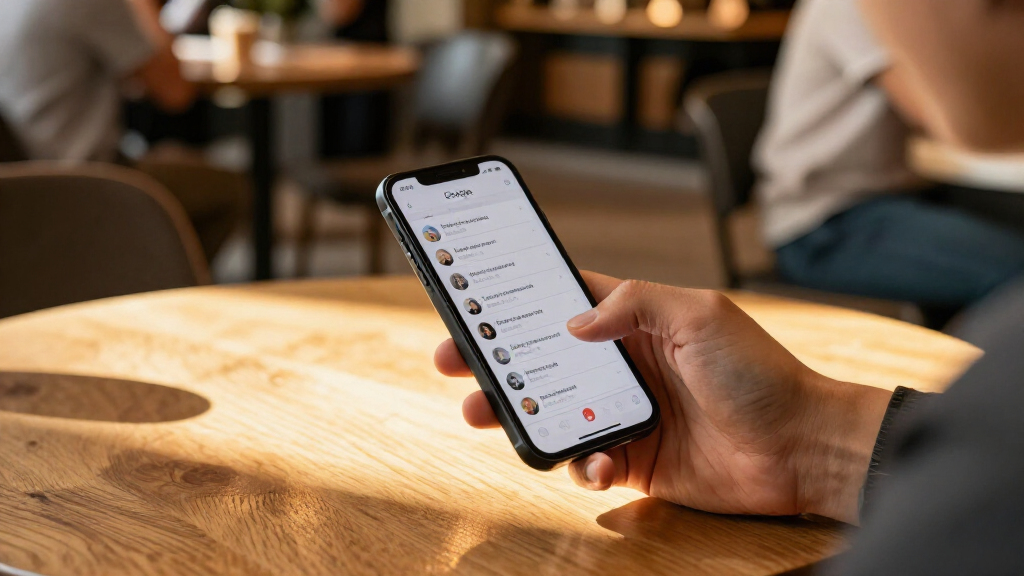
Android Central reports that Google’s automatic phone-number verification can associate a number with every Google account signed in on the same Android device. Google documents the feature as a way to support services including account recovery and RCS, but users have reported unexpected verification emails and say the setting may turn back on. Turning the setting off does not remove numbers already linked to accounts.
Google’s automatic phone-number verification on Android can associate a phone number with every Google account signed in on the same device, including secondary work or alternate accounts, according to Android Central. The setting is raising privacy concerns among users who say they received verification emails without knowingly opting in, particularly if they use separate accounts to keep parts of their digital lives apart.
Google’s documentation describes the setting as a way for Google and mobile carriers to periodically re-verify a phone number. The process supports services such as account recovery, RCS messaging, emergency features and Quick Share. Android Central reports that the number can be associated with all Google accounts signed in on the device, rather than only the account a user may expect to use it with.
Some users have posted on Reddit about receiving unexpected messages from noreply-phone-verification@google.com saying their number had been verified. Those reports describe individual experiences; they do not establish how many users are affected or whether the process works the same way on every device. The concern is that someone with personal, work and secondary accounts may not realize that the same number is being connected across them.
Android Central says users can check the setting at Settings > Google > All services > Phone number verification and switch off “Verify phone numbers automatically.” Menu wording may differ by device. Turning off automatic verification does not remove a number already attached to an account: users must visit their Google Account’s Personal Info page, open Contact info and Phone, and remove the number from any accounts where they do not want it listed.
Android privacy report · October 2026
Google Is Linking Your Phone Number to Accounts You Wanted to Keep Separate
Android Central reports that automatic phone number verification may associate one number with every Google account signed in on the same Android device. Here’s what the feature does, what remains uncertain, and how to review your accounts.
Reported by Android Central · Google response not included
One device, several account links
The concern is about where a number may be associated—not evidence that account contents are shared.
Accounts on the device
Android Central says verification can associate a number with all Google accounts signed in on the same Android device, including work or alternate accounts.
Service support
Google describes periodic number re-verification with mobile carriers to support account recovery, RCS messaging, emergency features, and Quick Share.
Unexpected notices
Some users have reported verification emails they did not expect. These individual reports do not establish how many people are affected or how consistently it occurs.
Separate accounts, shared phone number
A number can act as recovery information and an identity signal, so its placement matters to people who keep accounts distinct.
The privacy concern
A person may expect a number verified for one account to stay there. An association across personal, work, or secondary accounts can conflict with that expectation.
- Some users say the process happens without a clear opt-in prompt.
- Some report the setting appears to turn back on after being disabled.
- These reports are not confirmation of behavior on every device.
What the reports do not show
A number appearing on multiple accounts does not, by itself, show that account contents are shared or that another person can access them.
- Prevalence has not been established.
- Behavior may vary by device, Android version, or account setup.
- Google’s reason for the default remains unexplained in the report.
From verification to account details
Google’s stated service rationale and the reported cross-account scope are separate parts of the story.
Number on device
A mobile number is available to the Android device.
Periodic check
Google and mobile carriers may re-verify the number.
Service uses
Recovery, RCS, emergency features, and Quick Share are listed purposes.
Review account links
Check which signed-in accounts list the number and remove unwanted entries.
Check the setting, then check each account
These are two different actions: one controls automatic verification; the other removes a number already listed.
On your Android device
Switch off automatic verification
Open the phone number verification control and turn off “Verify phone numbers automatically.” Menu wording can differ by device.
Settings > Google > All services > Phone number verificationFor each Google Account
Remove a number where unwanted
Visit the account’s Personal Info page, open Contact info, then Phone. Repeat for each account where you do not want the number listed.
Google Account > Personal Info > Contact info > PhoneGoogle’s policy is still unexplained
Android Central says it contacted Google; a company response was not included in the report.
Why enabled by default?
The reported information does not explain why automatic verification is enabled by default or whether that policy will change.
How broad is the behavior?
The scope across devices, Android versions, and account configurations has not been established.
Why does it return?
Some users say the setting turns back on. The available information does not establish why or whether this is general behavior.
Quick answers
The current account is based on Google’s documentation as described by Android Central and user reports cited in its coverage.
Does Android link a number to every account?
Android Central reports that automatic verification can associate one number with all Google accounts signed in on a device. The extent across setups is not established.
How do I turn it off?
Go to Settings > Google > All services > Phone number verification, then switch off “Verify phone numbers automatically.” Labels may vary.
Does turning it off remove my number?
No. Visit each account’s Personal Info > Contact info > Phone page and remove the number where you do not want it listed.
Phone numbers can serve as recovery information and identity signals, so linking one across accounts may matter to people who deliberately keep work, personal or temporary accounts distinct. A user may expect a number supplied or verified for one account to remain there; an automatic association with other accounts changes that expectation, even if the feature is intended to support Google services.
The practical issue is also one of awareness and control. If verification happens without a clear opt-in prompt, users may learn of the association only through an email or by checking account settings. That does not by itself show that account contents are shared or that another person can access the accounts. It does mean users who rely on separation should check which accounts list their number and remove it where they do not want it used.
The reports about the setting allegedly switching itself back on add another concern, but remain user reports rather than a confirmed behavior across Android devices. Google has not yet provided a public explanation in the material reported by Android Central about why automatic verification is enabled by default or whether that policy will change.
Products Worth Considering

Logitech MX Anywhere 3S for Mac Compact Wireless Mouse, Space Gray

Ledger Flex Crypto Wallet with 2.8-Inch E Ink Touchscreen

Ledger Nano Gen5 Crypto Wallet, Black
As an affiliate, we earn on qualifying purchases.
How Android Phone Verification Works
Google’s documentation frames phone-number verification as a process involving Google and mobile carriers, which may periodically confirm that a number remains associated with a device or account. The stated uses include account recovery and features that depend on a phone number, such as RCS messaging, alongside emergency features and Quick Share.
The reported privacy issue is not simply that Android checks a number. It is the reported scope of the association: accounts signed in on the same device may receive the number link, including accounts that users treat as separate. Android Central says the process does not require an explicit opt-in prompt, and that users have reported verification emails after the association occurs.
Two steps are needed for people who want to review the situation: switch off automatic verification in Android’s Google settings, then inspect each account’s Personal Info and phone contact details. The first step changes the verification setting; it does not automatically erase existing account information.
“The setting allows Google and mobile carriers to periodically re-verify numbers.”
— Google, in its official documentation as described by Android Central
Google’s Policy Still Unexplained
It is not yet clear why Google enables automatic verification by default, how broadly the reported cross-account linking occurs, or whether the behavior varies by Android version, device or account configuration. The Reddit posts cited in the report are user accounts, not a measure of prevalence or independent confirmation of every reported detail.
Some users say the setting turns itself back on after they disable it, but the available information does not establish why this happens or whether it is a general system behavior. It is also unclear whether Google plans to change the default, add a clearer consent prompt or provide a simpler way to remove existing number links across accounts. Android Central has contacted Google, and a company response was not included in its report.
Check Settings and Await Google
Users concerned about cross-account associations can review the phone-number verification control on their Android device and inspect the phone details on each Google Account. If a number appears on an account where it is not wanted, it must be removed from that account’s contact information; disabling automatic verification alone will not delete the existing link. Because some users report the setting returning to its enabled state, they may want to check it again later.
The next public development depends on Google’s response to Android Central’s request for comment. That response could clarify the feature’s default behavior, the scope of account linking and whether the company intends to change its controls. Until then, the reported user experiences and the company’s documented service rationale are the available information, while the reasons for the default and the reported setting changes remain unresolved.
Source: Android Central
Key Questions
Does Android automatically link a phone number to every Google account on a device?
Android Central reports that automatic phone-number verification can associate a number with all Google accounts signed in on the same device, including secondary accounts. The extent of the behavior across devices and account setups has not been established in the reported information.
How can I turn off automatic phone-number verification?
Go to Settings > Google > All services > Phone number verification and switch off “Verify phone numbers automatically.” Menu labels can vary between devices.
Will turning off verification remove my number from accounts?
No. Turning off automatic verification does not delete existing phone-number links. Review each Google Account under Personal Info, then Contact info and Phone, and remove the number from accounts where you do not want it listed.
Why does Google verify phone numbers?
Google’s documentation says Google and mobile carriers may periodically re-verify numbers to support services such as account recovery, RCS messaging, emergency features and Quick Share. Google’s reason for making the setting automatic by default is not explained in the reported material.
Has Google responded to the privacy concerns?
Android Central says it contacted Google for comment. The report did not include a response, so the company’s position on the reported cross-account linking and users’ claims that the setting turns itself back on remains unclear.
Source: Android Central
![EFF Letter To FTC On X Consent Order [Pdf]](https://cipherdot.com/wp-content/uploads/2026/07/eff-letter-to-ftc-on-x-consent-order-pdf-featured-560x300.jpg)