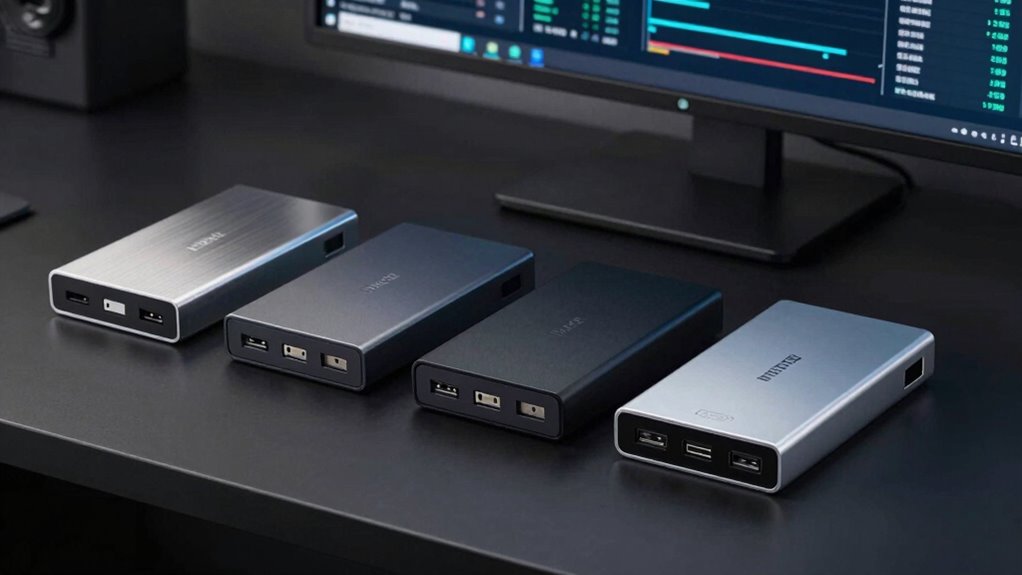

Choosing an enterprise-grade USB backup drive involves balancing speed, security, capacity, and durability. The WD 5TB My Passport offers a solid choice for those needing reliable portable storage with ransomware protection. Meanwhile, the Corsair EX400U Survivor delivers blazing-fast transfer speeds and rugged durability for high-demand workflows. For users prioritizing large capacities and simple plug-and-play use, the WD 6TB Elements stands out, but it lacks advanced security. Lastly, the Samsung BAR Plus 128GB provides a rugged, portable flash option ideal for quick transfers on the go. Each of these options makes different tradeoffs between speed, security, capacity, and price, so understanding those differences is key to selecting the best fit.

Get privacy and security gear delivered free with Prime
- Fast, free delivery on millions of items
- Prime Video, Amazon Music and more included
- Member-only deals all year
Key Takeaways
- Speed varies significantly, from the 128GB Samsung‘s moderate transfer rates to the Corsair SSD’s ultra-fast 4,000MB/sec speeds.
- Security features are often limited; only the WD My Passport offers hardware encryption and ransomware protection.
- Capacity ranges from 128GB to 6TB, with larger drives ideal for large backups but often at a higher cost.
- Durability differs: rugged metal casings and IP55 ratings are common in portable drives for on-the-go reliability.
- Price and performance tradeoffs are evident, with premium options like the Corsair SSD costing more but offering unmatched speed.
| WD 5TB My Passport Portable External Hard Drive |  | Best Overall Portable Backup Drive with Security | Capacity: 5TB | Color: Black | Interface: USB 3.1/USB 3.0 | VIEW ON AMAZON | See Our Full Breakdown |
| Samsung BAR Plus 128GB USB 3.1 Flash Drive |  | Best Rugged Portable Flash for Quick Transfers | Storage Capacity: 128GB | Hardware Interface: USB 3.1 | Write Speed: 200MB/s | VIEW ON AMAZON | See Our Full Breakdown |
| Corsair EX400U Survivor 1TB USB4 External SSD |  | Premium Ultra-Fast Rugged SSD for Creative Workflows | Digital Storage Capacity: 1TB | Hard Disk Interface: Solid State | Connectivity Technology: USB4, USB Type-C, Thunderbolt 4 | VIEW ON AMAZON | See Our Full Breakdown |
| WD 6TB Elements Portable External Hard Drive for Windows and Mac |  | Best Large Capacity Plug-and-Play External Drive | Capacity: 6TB | Interface: USB 3.2 Gen 1 / USB 3.0 | Compatibility: Windows, Mac | VIEW ON AMAZON | See Our Full Breakdown |
| Amazon Basics 256 GB Ultra Fast USB 3.1 Flash Drive |  | Best Portable Speedy Flash for Everyday Use | Capacity: 256GB | Transfer Speed: 130MB/s read, 30MB/s write | Interface: USB 3.1 Gen 1 / USB 3.0 | VIEW ON AMAZON | See Our Full Breakdown |
| enterprise grade usb backup drive | Capacity | Interface |
|---|---|---|
| WD 5TB My Passport Portable Ex | 5TB | USB 3.1/USB 3.0 |
| Samsung BAR Plus 128GB USB 3.1 | — | — |
| Corsair EX400U Survivor 1TB US | — | — |
| WD 6TB Elements Portable Exter | 6TB | USB 3.2 Gen 1 / USB 3.0 |
| Amazon Basics 256 GB Ultra Fas | 256GB | USB 3.1 Gen 1 / USB 3.0 |
More Details on Our Top Picks
WD 5TB My Passport Portable External Hard Drive
The WD My Passport 5TB stands out for its large storage capacity combined with built-in security features like hardware encryption and ransomware protection. Compared to smaller-capacity drives, this model offers more space for extensive backups, but it requires software setup for backup functions, which can be a minor hurdle. Its rugged, compact design makes it suitable for mobile enterprise environments, though its reliance on software for backup means it might lack the seamlessness of plug-and-play solutions. It’s a balanced choice for those needing large capacity and security without sacrificing portability.
Pros:- Large 5TB capacity for extensive backups
- Hardware encryption and ransomware protection
- Compact, durable design for portability
Cons:- Limited to 5TB capacity (not the maximum 6TB available)
- Requires software setup for backup features
- No onboard encryption or biometric security
Best for: Business users needing secure, portable storage with substantial capacity
Not ideal for: Users seeking ultra-fast transfer speeds or the highest security standards like biometric encryption
- Capacity:5TB
- Color:Black
- Interface:USB 3.1/USB 3.0
- Warranty:3 years
Our verdict“A reliable, portable drive ideal for enterprise users who prioritize security and capacity over speed.”
Samsung BAR Plus 128GB USB 3.1 Flash Drive
The Samsung BAR Plus 128GB excels in durability and speed, making it suitable for quick, on-the-fly backups. Its rugged metal casing resists water, shock, and temperature extremes, ideal for fieldwork or mobile workforces. However, its 128GB capacity limits its use for large-scale backups, and it lacks encryption features, which could be a concern for sensitive enterprise data. Its transfer speeds of up to 300MB/sec are impressive for a flash drive, but performance can vary depending on the file size and system compatibility. It’s a dependable, portable option for fast file transfers in tough environments.
Pros:- Fast transfer speeds up to 300MB/sec
- Rugged, water, shock, and temperature resistant
- Compact, portable design
Cons:- Limited to 128GB capacity
- No built-in security features
- Speed may vary with capacity and system
Best for: Field personnel or mobile professionals needing durable, fast transfers
Not ideal for: Heavy data backup tasks requiring large capacity or enterprise-grade security
- Storage Capacity:128GB
- Hardware Interface:USB 3.1
- Write Speed:200MB/s
- Read Speed:400MB/s
- Additional Features:Dust proof, water resistant
Our verdict“A durable, portable flash drive best suited for rapid data transfers in challenging environments, but not for large backups or secure storage.”
Corsair EX400U Survivor 1TB USB4 External SSD
The Corsair EX400U SURVIVOR offers extraordinary transfer speeds up to 4,000MB/sec, making it ideal for large file transfers and demanding workflows. Its rugged, IP55-rated housing ensures durability against impacts, water, and dust, which is especially valuable for mobile professionals or creative teams. Compatibility with USB4, Thunderbolt 4, and USB Type-C broadens its usability across high-end devices. However, its high price might be prohibitive for budget-conscious users, and actual performance can depend heavily on connection type and system setup. This drive is suited to those needing top-tier speed and durability, accepting a premium price tag.
Pros:- Speeds up to 4,000MB/sec
- Rugged, IP55-rated housing
- Compatibility with USB4 and Thunderbolt 4
Cons:- Premium price point
- Performance varies with connection and capacity
- Limited storage options (1TB)
Best for: Creative professionals and enterprise users needing blazing-fast data transfer and rugged durability
Not ideal for: Budget-conscious users or those with only basic backup needs
- Digital Storage Capacity:1TB
- Hard Disk Interface:Solid State
- Connectivity Technology:USB4, USB Type-C, Thunderbolt 4
Our verdict“A high-end drive for demanding enterprise users prioritizing speed and durability, with a premium cost.”
WD 6TB Elements Portable External Hard Drive for Windows and Mac
The WD 6TB Elements provides a sizable capacity suitable for extensive backups, media libraries, or archive storage. Its plug-and-play setup with USB 3.2 Gen 1 simplifies deployment, and compatibility with Windows and Mac enhances flexibility. However, it sticks to older USB 3.2 Gen 1 speeds, limiting data transfer rates compared to newer standards, and it lacks advanced security features, making it less ideal for sensitive enterprise data. It’s a straightforward, high-capacity drive for users who prioritize storage volume and ease of use but don’t need enterprise-grade security or top transfer speeds.
Pros:- Large 6TB capacity for extensive backups
- Simple plug-and-play with USB 3.2 Gen 1
- Compatible with Windows and Mac
Cons:- Limited to USB 3.2 Gen 1 speeds
- No security or encryption features
- Performance may be slower compared to newer standards
Best for: Businesses needing large, straightforward storage solutions with easy setup
Not ideal for: Security-conscious enterprises or those requiring ultra-fast transfer speeds
- Capacity:6TB
- Interface:USB 3.2 Gen 1 / USB 3.0
- Compatibility:Windows, Mac
- Plug and Play:Yes
Our verdict“A practical, high-capacity external drive for straightforward backup needs, lacking advanced security or speed features.”
Amazon Basics 256 GB Ultra Fast USB 3.1 Flash Drive
The Amazon Basics 256GB USB 3.1 Flash Drive offers a portable, stylish solution for quick file transfers. Its read speeds of up to 130MB/sec make it suitable for frequent, moderate-sized backups or transfers. The retractable design minimizes risk of damage, but the lower write speed and limited capacity mean it’s less suited for large-scale backups or secure enterprise storage. It’s best for users who need a fast, portable solution for everyday data movement rather than heavy-duty enterprise backups or security.
Pros:- High-speed transfer with up to 130MB/sec read
- Stylish, retractable design for portability
- High capacity for photos, videos, and music
Cons:- Lower write speeds
- No security features
- Reformatting needed for files over 4GB
Best for: Mobile professionals and casual enterprise users needing portable, fast transfers
Not ideal for: Large backups or security-critical enterprise data storage
- Capacity:256GB
- Transfer Speed:130MB/s read, 30MB/s write
- Interface:USB 3.1 Gen 1 / USB 3.0
- Design:Retractable, telescopic
Our verdict“A sleek, portable flash drive for quick, everyday file transfers, but not suitable for large backups or sensitive data.”

How We Picked
We selected these drives based on their relevance to enterprise backup needs, emphasizing speed, security, durability, and capacity. We prioritized drives with proven reliability, security features, and compatibility with enterprise workflows. Budget-friendly options were considered if they offered meaningful security or durability benefits, while premium picks focused on speed and ruggedness. Our selections also reflect real-world tradeoffs, ensuring each drive has a clear role for different types of enterprise users.
| enterprise grade usb backup drive | Interface |
|---|---|
| WD 5TB My Passport Portable Ex | USB 3.1/USB 3.0 |
| Samsung BAR Plus 128GB USB 3.1 | — |
| Corsair EX400U Survivor 1TB US | — |
| WD 6TB Elements Portable Exter | USB 3.2 Gen 1 / USB 3.0 |
| Amazon Basics 256 GB Ultra Fas | USB 3.1 Gen 1 / USB 3.0 |
Factors to Consider When Choosing Enterprise Grade Usb Backup Drive
When choosing an enterprise-grade USB backup drive, consider the key factors that align with your workflow: speed, security, capacity, and durability. High-speed drives like SSDs are essential for large file transfers and creative workloads, while secure drives with encryption protect sensitive data. Durability features such as rugged casing and water resistance are vital for mobile or field use. Capacity needs depend on your backup size, with larger drives suitable for extensive archives. Balancing these factors ensures you select a drive that meets your enterprise demands without overspending on unnecessary features.Speed and Performance
Performance varies widely, from moderate transfer speeds of USB 3.1 drives to blazing-fast SSDs with Thunderbolt and USB4 compatibility. For large, frequent backups or high-speed workflows, investing in SSDs like the Corsair EX400U makes sense, but for routine backups, a good USB 3.2 drive might suffice. Consider your file sizes and transfer frequency to match the drive’s performance with your needs.
Security Features
Security is paramount for enterprise data. Drives like the WD My Passport include hardware encryption and ransomware protection, adding a layer of safety. Many budget drives lack encryption, so if data security is critical, prioritize models with built-in security features. External security may also involve software or hardware encryption, so evaluate your risk profile accordingly.
Capacity and Scalability
Capacity needs depend on your backup volume. Smaller drives like the Samsung BAR Plus are portable and quick but limited in space. Larger drives such as the WD 6TB Elements provide extensive storage for large archives but may lack speed or security features. Choose a capacity that balances your current needs with potential growth, keeping in mind the cost implications.
Durability and Portability
Fieldwork or mobile environments demand rugged, impact-resistant drives. Metal casings, IP ratings, and water/shock resistance are features to look for. The Samsung BAR Plus and Corsair SSD offer ruggedness for tough conditions, making them reliable companions outside the office. For stationary backup solutions, durability features may be less critical, allowing focus on capacity and speed instead.
Frequently Asked Questions
What is the difference between SSD and HDD backup drives?
Solid State Drives (SSDs) offer much faster transfer speeds and greater durability because they have no moving parts. HDDs, or traditional spinning drives, provide larger capacities at lower costs but at slower speeds and with more vulnerability to physical shocks. For enterprise backup needs where speed and reliability are priorities, SSDs like the Corsair EX400U are preferable, while HDDs are more suitable for large, infrequently accessed archives.
Are security features common in enterprise-grade USB drives?
Security features such as hardware encryption and ransomware protection are increasingly common in drives marketed for enterprise use. The WD My Passport is a prime example, offering built-in encryption. However, many portable drives lack these features, so if data security is a concern, ensure the drive explicitly states encryption support or consider adding software encryption solutions to your workflow.
How important is durability for enterprise backup drives?
Durability becomes critical if the drive will be used in the field or transported frequently. Rugged features like metal casings, shock resistance, and water resistance help prevent data loss due to physical damage. For office-based backups, durability might be less important, but for mobile workforces, investing in rugged drives reduces risks and downtime.
Should I choose a drive with the highest capacity or the fastest speed?
This depends on your primary use case. If you need to backup large files quickly, prioritize speed—especially with SSDs or drives supporting USB4. If your main need is storing vast amounts of data, a high-capacity HDD might be more cost-effective. Many enterprise users find a balance by selecting drives that offer sufficient capacity with acceptable performance, depending on their workflow.
Is it better to choose a drive with built-in security or add security via software?
Built-in security features like hardware encryption are generally more secure and easier to manage, providing better protection against unauthorized access. Software-based security can be effective but depends on proper configuration and management. For sensitive enterprise data, a drive with hardware security features offers a more robust and seamless protection layer.
Conclusion
For businesses prioritizing security and portability, the WD 5TB My Passport offers a balanced mix of capacity and data protection. Creative teams or users needing rapid transfer speeds with rugged durability should consider the Corsair EX400U. Large organizations with extensive storage needs might lean toward the WD 6TB Elements for its straightforward, high-capacity design, but should be aware of its speed limitations. For quick, on-the-go transfers without security concerns, the Samsung BAR Plus and Amazon Basics flash drive are reliable choices. Each selection hinges on your specific needs for speed, security, capacity, and mobility, guiding you toward the best enterprise-grade backup drive for your environment.