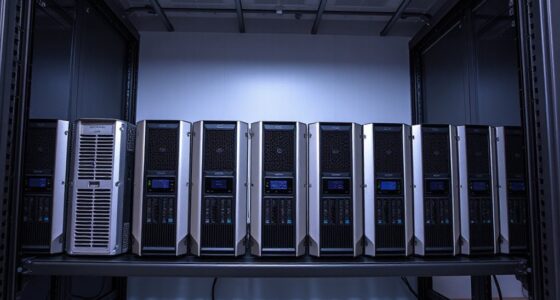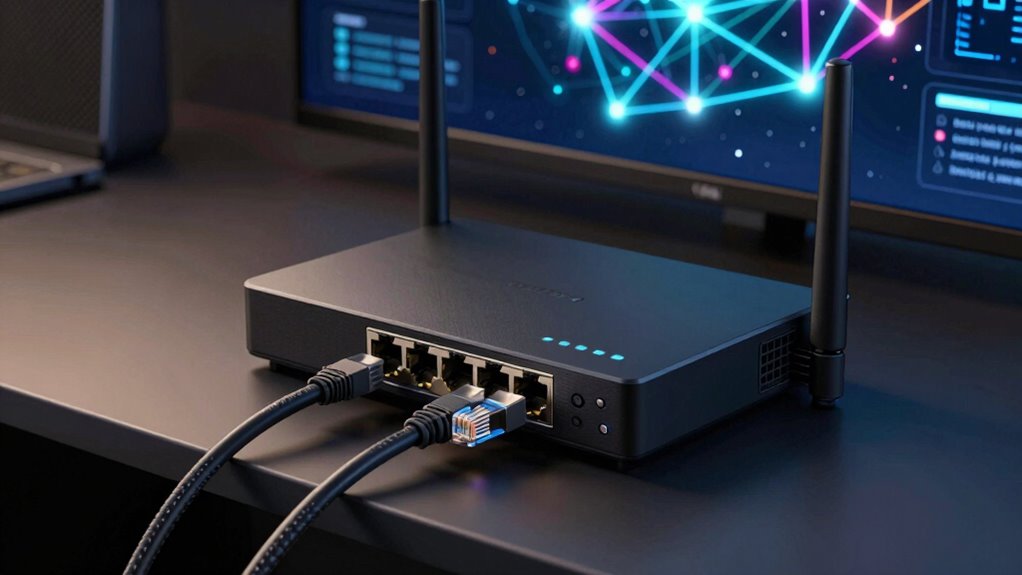

If you’re searching for a dual WAN router, you’re likely looking to improve network reliability or load balancing across multiple internet connections. The NETGEAR 10G/Multi-Gigabit Dual WAN Cloud Managed Pro Router (PR60X) stands out for its enterprise-level performance, making it ideal for demanding setups. The TP-Link ER7206 offers a solid balance of features and affordability, perfect for small to medium businesses. However, choosing the right dual WAN router involves tradeoffs between complexity, speed, security, and price. Continue reading for a detailed breakdown of these options and what to consider before making your decision.

Get privacy and security gear delivered free with Prime
- Fast, free delivery on millions of items
- Prime Video, Amazon Music and more included
- Member-only deals all year
Key Takeaways
- Top-tier models like the NETGEAR PR60X excel in high-speed, multi-gigabit environments but come with a higher price and complexity.
- Affordable options like the TP-Link ER7206 deliver reliable multi-WAN support suitable for small businesses, with easier setup and management.
- The best routers for advanced users combine high port counts, VPN features, and mesh compatibility, but may overwhelm beginners.
- Mesh-ready dual WAN routers like ASUS RT-BE88U simplify network expansion, ideal for larger spaces or multi-device environments.
- Tradeoffs often involve balancing speed, security features, ease of use, and price—understanding your specific needs is key to choosing wisely.
| NETGEAR 10G/Multi-Gigabit Dual WAN Cloud Managed Pro Router (PR60X) |  | Best Overall for Business-Grade Performance and Remote Management | Ports: 8 | LAN Port Bandwidth: 10 Gbps | Maximum Upstream Data Transfer Rate: 10,000 Mbps | VIEW ON AMAZON | See Our Full Breakdown |
| TP-Link ER7206 Multi-WAN Gigabit VPN Router |  | Best for Large-Scale, Secure Enterprise Networks | Port Configuration: 1 Gigabit SFP WAN, 1 Gigabit WAN, 2 Gigabit WAN/LAN, 1 Gigabit LAN | Maximum Clients: 700 | Security Features: Firewall policies, DoS defense, IP/MAC/URL filtering | VIEW ON AMAZON | See Our Full Breakdown |
| D-Link Guardian 600 PoE Multi-Gig Business Router (DBR-600-P) |  | Best for Small Business with PoE and Multi-WAN Failover | PoE Ports: 8x 2.5 GbE+ | PoE Power: Up to 30 W per port | Total PoE Power: 123 W | VIEW ON AMAZON | See Our Full Breakdown |
| AC1200 Dual Band WiFi Router with Long Range Coverage |  | Best for Home Users Needing Wide Wi-Fi Coverage and Streaming | WiFi Speed: 1200 Mbps | Bands: Dual-band (2.4GHz and 5GHz) | External FEM Chips: 4 | VIEW ON AMAZON | See Our Full Breakdown |
| ASUS RT-BE58U WiFi 7 Router – Dual-WAN, 3.6 Gbps, Mesh + VPN Compatible |  | Best for Advanced Home and Small Office with WiFi 7 and VPN | Frequency Band: Dual-Band | Wireless Compatibility: 802.11.be | Maximum Data Transfer Rate: 3600 Mbps | VIEW ON AMAZON | See Our Full Breakdown |
| ASUS ExpertWiFi EBG15 Gigabit VPN Wired Router |  | Best for Business-Grade Load Balancing and Security | Ethernet Ports: Up to 3 WAN ports (1 gigabit WAN + 2 gigabit WAN/LAN) | USB Ports: 1 USB port for backup WAN | Security Features: IPS intrusion prevention, Layer 7 firewall, VLAN support | VIEW ON AMAZON | See Our Full Breakdown |
| ASUS RT-BE88U WiFi 7 Router – Dual 10G Ports, Up to 7.2 Gbps, Mesh Compatible |  | Best for High-Speed Demanding Home Networks | WiFi Technology: WiFi 7 | Max Throughput: 7.2 Gbps | Ports: 2 x 10G ports, 1 x 10G WAN/LAN | VIEW ON AMAZON | See Our Full Breakdown |
| Cudy Gigabit Multi-WAN Router R700 |  | Best for Multi-ISP Business and Advanced Customization | Number of Ports: 5 Ethernet ports | Compatible Devices: Laptop, Router | Data Transfer Rate: 1 Gbps | VIEW ON AMAZON | See Our Full Breakdown |
| TP-Link BE6500 Dual-Band WiFi 7 Router (BE400) |  | Best for Large Homes Needing Fast Wi-Fi 7 Coverage | Wi-Fi Technology: Wi-Fi 7 | Maximum Bandwidth: 6.5 Gbps | Coverage: 2400 sq. ft. | VIEW ON AMAZON | See Our Full Breakdown |
More Details on Our Top Picks
NETGEAR 10G/Multi-Gigabit Dual WAN Cloud Managed Pro Router (PR60X)
This router stands out for its high-speed multi-gigabit ports and robust cloud management, making it an excellent choice for small to medium-sized businesses that require reliable, high-capacity connectivity. Unlike the TP-Link ER7206, which emphasizes security and extensive VPN options for larger networks, the PR60X focuses on ultra-fast wired data transfer and remote control, though its setup can be complex for non-technical users and it lacks Wi-Fi. Its rackmount form factor and cloud-based management simplify deployment in professional environments, but the premium price and wired focus might deter smaller or home users.
Pros:- Multi-gigabit ports support extremely fast data transfer
- Dual WAN failover enhances network reliability
- Cloud management simplifies remote control and configuration
- Rackmount design integrates well into professional network setups
Cons:- Setup process can be complex for less experienced users
- Higher cost compared to consumer-grade dual WAN routers
- Limited Wi-Fi capabilities, focusing mainly on wired connections
Best for: Businesses needing high-speed wired backbone with remote management and minimal downtime
Not ideal for: Home users or small offices seeking integrated Wi-Fi or easy setup without technical expertise
- Ports:8
- LAN Port Bandwidth:10 Gbps
- Maximum Upstream Data Transfer Rate:10,000 Mbps
- Form Factor:Rackmount
- Management:NETGEAR Insight Remote Cloud Management
- Dimensions:440 x 100 x 43.2 mm
Our verdict“This router is ideal for small to medium businesses that prioritize wired speed and remote management over Wi-Fi features.”
TP-Link ER7206 Multi-WAN Gigabit VPN Router
Compared with the NETGEAR PR60X, which excels in wired speed, the TP-Link ER7206 focuses on extensive security, VPN support, and centralized control via Omada SDN, making it suitable for larger, security-conscious networks. Its multiple gigabit WAN ports and capacity to handle up to 700 clients make it a strong choice for enterprise environments, though the setup process is complex and it requires compatible SDN controllers for full functionality. This model is less suited for small offices or home users due to its scale and technical requirements, but it offers unmatched network management for large deployments.
Pros:- Supports multiple WAN ports for optimized bandwidth
- High network capacity supporting up to 700 clients
- Integrated with Omada SDN for centralized control
- Robust security features including advanced firewall and VPN support
Cons:- Setup can be complex without technical expertise
- Requires SDN controllers for full functionality
- Lacks consumer-friendly features like Wi-Fi
Best for: IT professionals managing large, security-sensitive networks with multiple WAN links
Not ideal for: Home users or small business owners seeking simple, plug-and-play dual WAN routers
- Port Configuration:1 Gigabit SFP WAN, 1 Gigabit WAN, 2 Gigabit WAN/LAN, 1 Gigabit LAN
- Maximum Clients:700
- Security Features:Firewall policies, DoS defense, IP/MAC/URL filtering
- VPN Support:LAN-to-LAN IPsec, OpenVPN, L2TP, PPTP
- Manufacturer Location:Richmond Hill, ON, Canada
- Management:Omada SDN platform
Our verdict“Ideal for enterprise-level networks needing robust security, extensive VPN options, and centralized management.”
D-Link Guardian 600 PoE Multi-Gig Business Router (DBR-600-P)
Compared with the NETGEAR PR60X, which emphasizes high-speed wired connections and cloud management, the D-Link Guardian 600 offers PoE support and integrated security tailored for small businesses needing powered devices like cameras and VoIP phones. Its eight 2.5 GbE PoE+ ports provide flexibility for deploying network devices without separate power supplies, while the built-in VPN and security features ensure remote access safety. However, its limited coverage area and North America focus might restrict use outside that region, and it lacks Wi-Fi, making it unsuitable for wireless homes or cafes.
Pros:- High-speed multi-gig Ethernet ports support fast wired connections
- PoE support powers network devices directly through ports
- Built-in VPN and security features for secure remote access
- Multi-WAN failover enhances network reliability
Cons:- Limited to North American product coverage
- No integrated Wi-Fi, requiring separate access points
- May be complex for users unfamiliar with networking
Best for: Small businesses needing PoE-powered device integration and reliable multi-WAN failover
Not ideal for: Home users seeking Wi-Fi coverage or businesses without PoE device requirements
- PoE Ports:8x 2.5 GbE+
- PoE Power:Up to 30 W per port
- Total PoE Power:123 W
- WAN Port:1x 2.5 GbE
- Multi-WAN:Yes
- VPN Support:Up to 50 tunnels
Our verdict“Best suited for small businesses with PoE needs and multiple internet connections requiring dependable failover.”
AC1200 Dual Band WiFi Router with Long Range Coverage
This router excels in delivering fast dual-band Wi-Fi up to 1200 Mbps, making it suitable for streaming, gaming, and multiple device connectivity at home. Unlike the business-focused routers like the NETGEAR PR60X or TP-Link ER7206, this model emphasizes Wi-Fi coverage and ease of use, though it requires a separate modem and setup can be tricky for non-technical users. Its external antennas and mesh support help extend coverage, but it lacks wired multi-gig ports and enterprise security features, limiting its role in business networks.
Pros:- Fast dual-band Wi-Fi speeds support multiple devices
- Wide coverage with external antennas and mesh support
- Enhanced security with WPA3 encryption
- Supports MU-MIMO and beamforming for stable connections
Cons:- Requires separate modem, adding setup complexity
- Limited wired connectivity options
- Not suitable for enterprise or large-scale networks
Best for: Home users seeking reliable Wi-Fi coverage for streaming, gaming, and smart devices
Not ideal for: Businesses requiring multi-gig wired connections or advanced network management
- WiFi Speed:1200 Mbps
- Bands:Dual-band (2.4GHz and 5GHz)
- External FEM Chips:4
- Antennas:4 high-gain
- Ports:1 Gigabit WAN, 3 Gigabit LAN
- Security:WPA3
Our verdict“Great for home environments needing extensive Wi-Fi coverage without complex networking features.”
ASUS RT-BE58U WiFi 7 Router – Dual-WAN, 3.6 Gbps, Mesh + VPN Compatible
Compared to the AC1200, the ASUS RT-BE58U offers blazing WiFi speeds up to 3600 Mbps and supports WiFi 7, making it a powerful choice for tech-savvy users needing fast, reliable wireless and versatile WAN options. Its multi-link operation and mesh support provide seamless coverage, while the VPN compatibility and AiProtection security bolster remote access safety. However, the setup can be complex for those unfamiliar with high-end networking, and its premium features come with a higher price tag. It’s better suited for users who want cutting-edge Wi-Fi and advanced security in a home or small office setting.
Pros:- WiFi speeds up to 3600 Mbps with WiFi 7 support
- Supports mesh networking and multi-link operation
- VPN and AiProtection Pro enhance security
- Versatile WAN options including 4G/5G tethering
Cons:- Setup may be challenging for non-technical users
- Higher price point compared to basic routers
- Limited user reviews due to recent release
Best for: Home users or small offices needing high-speed Wi-Fi 7 with VPN and mesh features
Not ideal for: Budget-conscious users or those seeking simple, plug-and-play routers without advanced features
- Frequency Band:Dual-Band
- Wireless Compatibility:802.11.be
- Maximum Data Transfer Rate:3600 Mbps
- LAN Ports:5
- Number of Antennas:4
- Security Protocols:WPA/WPA2/WPA3, Firewall, VPN
Our verdict“Ideal for users seeking top-tier Wi-Fi speeds, mesh coverage, and VPN security in a modern home or small office.”
ASUS ExpertWiFi EBG15 Gigabit VPN Wired Router
The ASUS ExpertWiFi EBG15 stands out as a robust choice for small to medium businesses needing reliable, secure internet with multiple WAN ports. Compared to the Cudy R700, it offers more advanced security features like IPS intrusion prevention and VLAN support, ideal for protecting sensitive data. Its multiple WAN ports with load balancing ensure stable connectivity, even if one ISP experiences issues—something the TP-Link BE6500 can’t match with its single WAN port. However, its complex configuration may challenge less technically-savvy users, and the premium features come at a higher cost. This router is perfect for those with technical expertise seeking a secure, scalable network solution, but it might be overkill for simple home setups.
Pros:- Supports up to 3 WAN ports with load balancing for stable internet
- Enhanced security with IPS intrusion prevention and VLAN support
- Remote management via web or mobile app
- USB port for backup WAN connectivity
Cons:- Complex setup requiring technical knowledge
- Higher price point due to advanced features
Best for: Small to medium-sized businesses requiring advanced security and multi-WAN support
Not ideal for: Home users with limited technical skills or simple internet needs
- Ethernet Ports:Up to 3 WAN ports (1 gigabit WAN + 2 gigabit WAN/LAN)
- USB Ports:1 USB port for backup WAN
- Security Features:IPS intrusion prevention, Layer 7 firewall, VLAN support
- Management:Remote management via web browser or ASUS ExpertWiFi mobile app
- Additional Features:Load balancing, VPN, Safe Browsing, AiProtection Pro
Our verdict“This router makes the most sense for business environments needing reliability, security, and multiple WAN options.”
ASUS RT-BE88U WiFi 7 Router – Dual 10G Ports, Up to 7.2 Gbps, Mesh Compatible
The ASUS RT-BE88U WiFi 7 Router is tailored for users who demand lightning-fast wireless speeds, supporting up to 7.2 Gbps with WiFi 7 technology. Its dual 10G ports provide exceptionally fast wired connections that surpass the TP-Link BE6500’s single 2.5 Gbps port, making it ideal for gaming and high-bandwidth tasks. The mesh compatibility allows expansion, providing seamless coverage in large homes. However, the setup process is complex for non-technical users, and the higher price may deter budget-conscious buyers. This model is best suited for tech-savvy households seeking cutting-edge WiFi speeds and extensive wired connectivity, but it may be too advanced for typical casual users.
Pros:- Supports WiFi 7 with throughput up to 7.2 Gbps
- Dual 10G ports for high-speed wired links
- Mesh compatibility for large coverage
- Advanced security features with AiProtection Pro
Cons:- Complex setup process
- Premium pricing may be prohibitive for some
- Limited user reviews for long-term reliability
Best for: Power users and gamers needing ultra-fast Wi-Fi 7 performance and extensive wired connections
Not ideal for: Less tech-savvy households or those on a tight budget
- WiFi Technology:WiFi 7
- Max Throughput:7.2 Gbps
- Ports:2 x 10G ports, 1 x 10G WAN/LAN
- CPU:Quad-core 2.6GHz 64-bit
- Additional Features:Mesh compatible, USB port for 4G/5G tethering, AiProtection Pro
Our verdict“Ideal for high-performance home networks where speed and coverage are top priorities, despite its setup complexity.”
Cudy Gigabit Multi-WAN Router R700
The Cudy R700 offers support for up to five ISPs, making it a strong candidate for multi-business setups or homes with multiple internet sources. Its OpenWRT support delivers extensive flexibility for advanced users who want to customize their network, a feature not available on the ASUS or TP-Link options. Its automatic failover and load balancing ensure continuous internet access, even if multiple connections drop, outperforming simpler routers like the TP-Link BE6500. Nonetheless, the setup can be daunting for non-technical users, and its lack of built-in Wi-Fi limits its use to wired environments. This router suits tech-savvy professionals or businesses needing maximum ISP redundancy, but it’s less suitable for straightforward home use.
Pros:- Supports up to five ISPs with automatic failover
- OpenWRT support for deep customization
- Built-in VPN options for secure remote access
- Supports load balancing for stable connectivity
Cons:- Complex setup requiring technical expertise
- No Wi-Fi built-in, limiting use to wired networks
Best for: Advanced users and businesses managing multiple internet connections
Not ideal for: Average home users seeking plug-and-play simplicity or Wi-Fi coverage
- Number of Ports:5 Ethernet ports
- Compatible Devices:Laptop, Router
- Data Transfer Rate:1 Gbps
- Interface:RJ45 Ethernet
- Additional Features:OpenWRT support, VPN, firewall, load balancing
Our verdict“Best suited for tech-savvy environments requiring multi-ISP redundancy and customization, not for typical home users.”
TP-Link BE6500 Dual-Band WiFi 7 Router (BE400)
The TP-Link BE6500 is designed for users wanting reliable, high-speed Wi-Fi 7 connectivity across large spaces. Its support for Multi-Link Operation, MU-MIMO, and OFDMA ensures efficient handling of multiple devices, making it a strong choice over older Wi-Fi standards like the AC1200. While it offers easy setup and management through the Tether app, it does not support mesh systems like Deco, limiting expansion options. Its single modem requirement may be a restriction for some, and the lack of built-in Wi-Fi makes it unsuitable for users seeking an all-in-one device. This router is ideal for large households that prioritize high-speed wireless coverage but already have or plan to buy a separate modem and mesh system.
Pros:- Supports Wi-Fi 7 with high bandwidth of 6.5 Gbps
- Easy setup via Tether app
- Excellent coverage for large homes
- Strong security with WPA3 and HomeShield
Cons:- Does not support mesh WiFi systems
- Requires separate modem
- Limited detailed long-term review data
Best for: Large households seeking fast, reliable Wi-Fi 7 coverage with straightforward setup
Not ideal for: Users wanting an all-in-one router with integrated modem or mesh system support
- Wi-Fi Technology:Wi-Fi 7
- Maximum Bandwidth:6.5 Gbps
- Coverage:2400 sq. ft.
- Number of Devices Supported:up to 90
- Ports:1x 2.5 Gbps WAN/LAN, 1x 2.5 Gbps LAN, 3x 1 Gbps LAN
Our verdict“Best for large homes needing fast Wi-Fi 7 coverage with simple management, but not for those wanting integrated mesh or modem features.”

How We Picked
Our selection process focused on performance, feature set, build quality, and value. We prioritized routers with robust multi-WAN capabilities, high throughput, and user-friendly interfaces. Compatibility with VPNs, mesh systems, and security features also played a role, as these are critical for business or demanding home networks. Devices that offer flexible configuration options and reliable hardware were ranked higher, while those with overly complex setups or limited scalability fell lower. This approach ensures that each pick addresses different user needs, from basic redundancy to high-performance enterprise setups.
Factors to Consider When Choosing Dual Wan Router
Choosing the right dual WAN router requires understanding your specific network needs and how different features impact performance, security, and ease of management. Here are key factors to consider before making your purchase:Performance and Speed
Assess your internet plan’s bandwidth and future growth potential. High-speed dual WAN routers with multi-gigabit ports are essential for demanding environments, but they tend to come at a premium. If your needs are modest, a router with gigabit ports and good load balancing may suffice. Remember, a router’s advertised speed can be misleading if it lacks the processing power to handle multiple connections efficiently.
Number of WAN Ports and Port Flexibility
Evaluate how many internet sources you’ll connect. Some routers provide two dedicated WAN ports, while others support multiple via switch or USB options. Port flexibility can simplify setup and future expansion, especially if your internet sources change or grow. Overlooking this can lead to a need for additional hardware or frustrating reconfigurations.
Security and VPN Features
Security is often overlooked but critical, especially for business networks. Look for routers that support VPN protocols, firewall customization, and intrusion detection. These features add layers of protection, but may increase complexity. For small offices, ease of setup and reliable security are more important than extensive options, so balance these factors accordingly.
Ease of Setup and Management
An intuitive interface can save hours of frustration. Routers with mobile apps or cloud management tend to simplify configuration, especially for non-experts. Advanced features like automated failover or load balancing should be straightforward to enable. Avoid overly complex options if you’re not comfortable with networking; otherwise, a steep learning curve could hinder your network’s reliability.
Price and Scalability
Price often correlates with performance and feature richness, but not always. Determine your budget and consider how your needs might evolve—investing in a scalable, feature-rich router can be more cost-effective long-term. Conversely, overspending on features you don’t need can lead to unnecessary expense. Focus on a model that balances current requirements with future growth potential.
Frequently Asked Questions
Can a dual WAN router improve my home internet stability?
Yes, a dual WAN router can enhance stability by distributing traffic across two internet connections or providing failover in case one connection drops. While this setup is more common in business environments, some advanced home users benefit from increased reliability, especially if they rely heavily on internet for work or streaming. However, setting up and maintaining such a router might require a bit of technical knowledge, so consider your comfort with networking tasks before choosing this solution.
Is it worth paying extra for a multi-gigabit dual WAN router?
Investing in a multi-gigabit router makes sense if your internet plan offers speeds above 1 Gbps or if you need to support multiple high-bandwidth devices simultaneously. For most standard home users, gigabit ports are sufficient, and the extra cost may not justify the performance gains. In business or enterprise setups, the higher throughput can prevent bottlenecks, but for casual use, a well-reviewed gigabit model may be more cost-effective.
Do I need a dual WAN router if I only have one internet connection?
If you currently operate with a single internet source, a dual WAN router might seem unnecessary. However, some models support future expansion or advanced features like load balancing and VPN support that could be beneficial even with one connection. Still, if redundancy or multiple providers aren’t priorities, a standard router may better suit your needs, saving you money and complexity.
What should I watch for in terms of firmware updates and support?
Reliable firmware updates ensure your router remains secure and compatible with new standards. Check if the manufacturer provides regular updates and responsive support channels. Routers with a strong track record of firmware stability reduce the risk of bugs or security vulnerabilities, especially important for business use. Avoid models with infrequent updates or limited support, as they can become security liabilities over time.
Can a dual WAN router support mesh Wi-Fi systems?
Many modern dual WAN routers support mesh Wi-Fi systems, allowing seamless coverage across large or multi-story homes and offices. Compatibility varies, so it’s important to verify if the router can integrate with your preferred mesh setup. Mesh support simplifies network management and enhances coverage, but may add cost and complexity. If Wi-Fi coverage is a priority alongside dual WAN capabilities, choose a model explicitly designed for mesh compatibility.
Conclusion
For most small business owners or advanced home users, the NETGEAR PR60X offers unmatched performance and scalability, making it the best overall choice. Budget-conscious buyers or those new to multi-WAN setups should consider the TP-Link ER7206 for reliable features at an accessible price. For those seeking premium features like high port counts and mesh compatibility, the ASUS RT-BE88U provides a compelling package. Beginners or casual users can start with simpler, user-friendly options, while large organizations with complex needs will benefit from enterprise-grade models like the D-Link Guardian 600. Tailor your choice based on your current requirements and future plans.
Fall Picks
fall essentials
As an affiliate, we earn on qualifying purchases.