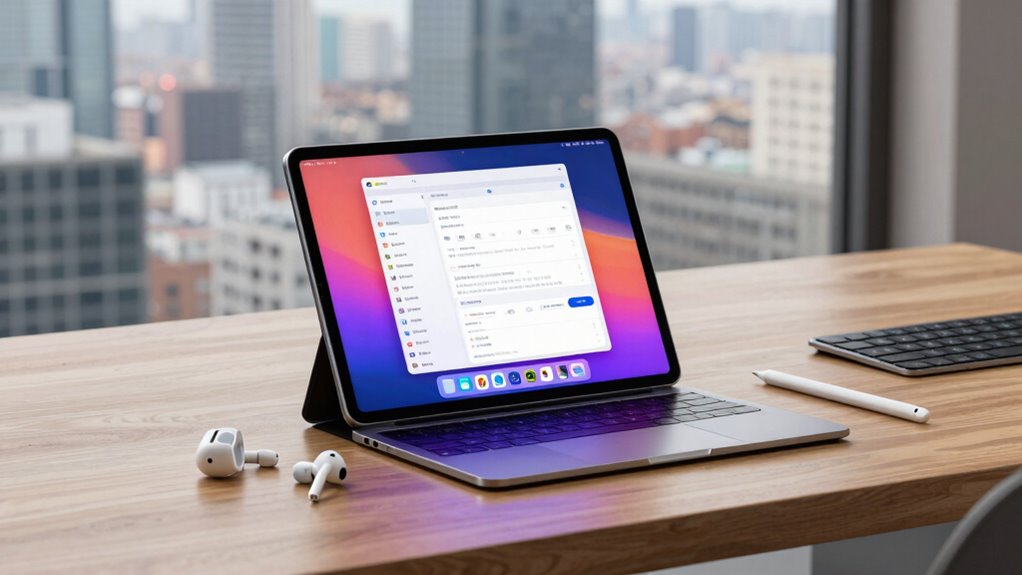

For most people seeking an Android tablet for productivity, I’d start with the Samsung Galaxy Tab A11+ for its established brand, expandable storage, and balanced everyday setup. The TCL NXTPAPER 14 stands out for a large, paper-like screen suited to reading and split-screen work, while the TCL TAB A1 offers a sharper 11-inch display with a 90Hz refresh rate. The main tradeoffs are screen size versus portability, a keyboard bundle versus a dependable tablet-first setup, and advertised memory figures versus the details that explain real performance. I compare all 15 options by their work-friendly features, practical limitations, and likely buyer fit below.

Get privacy and security gear delivered free with Prime
- Fast, free delivery on millions of items
- Prime Video, Amazon Music and more included
- Member-only deals all year
Key Takeaways
- The Samsung Galaxy Tab A11+ is my strongest all-round starting point: it pairs 6GB RAM and 128GB storage with expandable storage, without relying on a bundled keyboard to make its case.
- The TCL NXTPAPER 14 is the standout for a roomy reading and multitasking workspace, but its 14.3-inch size is a tradeoff for carrying it around.
- The TCL TAB A1 offers a 2.1K, 90Hz screen in an 11-inch format, a useful balance for people who want smoother scrolling without a very large tablet.
- Keyboard bundles are common among the less established options, but accessories alone do not establish typing comfort, software support, or overall reliability.
- Large advertised RAM totals vary across this lineup; I would compare processor details, storage, screen, and update support before treating those figures as proof of stronger productivity.
| TCL TAB 10 Gen 4 Android Tablet |  | Best Lightweight Everyday Pick | Display: 10.1-inch IPS FHD, 1920 × 1200, 16:10 | Operating system: Android 15 | Processor: Octa-core with TCL NXTURBO | VIEW ON AMAZON | See Our Full Breakdown |
| JJGJ 13 Inch Android 16 Tablet with Keyboard |  | Best Large-Screen Keyboard Bundle | Display: 13.4-inch 2K, 1920 × 1200 | Operating system: Android 16 | Processor: Unisoc T615 octa-core | VIEW ON AMAZON | See Our Full Breakdown |
| 10.1-Inch Android 15 Tablet with Case and Stylus |  | Best Starter Bundle | Display: 10.1-inch IPS touchscreen, 1280 × 800 | Operating system: Android 15 | Processor: Quad-core | VIEW ON AMAZON | See Our Full Breakdown |
| TCL NXTPAPER 11 Gen 2 Android Tablet |  | Best for Reading and Pen Notes | Display: 11-inch 2K NXTPAPER 4.0 with three viewing modes | Operating system: Android 15 | Processor: MediaTek Helio G80 | VIEW ON AMAZON | See Our Full Breakdown |
| TABWEE T90 11 Inch Android 16 Tablet | 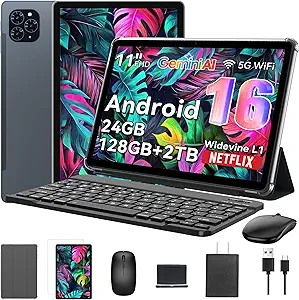 | Best Value Keyboard Bundle | Display: 11-inch FHD IPS, 1920 × 1200, 380 nits | Operating system: Android 16 | Processor: Unisoc T615 octa-core | VIEW ON AMAZON | See Our Full Breakdown |
| Evermyth 10-Inch Android 16 Tablet, 24GB RAM, 64GB Storage, Wi-Fi 6 |  | Best Compact Work Companion | Operating system: Android 16 | Processor: 5-core, up to 1.8 GHz | Display: 10-inch IPS, 1280 × 800 | VIEW ON AMAZON | See Our Full Breakdown |
| Samsung Galaxy Tab A11+ 6GB RAM, 128GB Storage, Expandable Storage, Gray |  | Best for Everyday Multitasking | Memory: 6GB RAM | Storage: 128GB, expandable | Display: 11 inches, up to 90Hz refresh rate | VIEW ON AMAZON | See Our Full Breakdown |
| URAO 11-inch Android 16 Tablet, Octa-Core, 36GB RAM + 128GB Storage, Gemini AI, 2-in-1 with Keyboard |  | Best for Keyboard-Based Work | Operating system: Android 16 | Processor: 1.8 GHz octa-core | Display: 11-inch IPS, 1280 × 800 | VIEW ON AMAZON | See Our Full Breakdown |
| TCL NXTPAPER 14 Android Tablet, 14.3″ 2.4K Paper-Like Display, 8GB RAM + 256GB Storage |  | Best for Reading and Handwritten Notes | Display: 14.3-inch 2.4K NXTPAPER 3.0 | Processor: MediaTek Helio G99 | Memory: 8GB RAM, plus 8GB expandable memory | VIEW ON AMAZON | See Our Full Breakdown |
| TCL TAB A1 Android Tablet, 11″ 2.1K 90Hz NXTVISION Display, 6GB+128GB |  | Best Overall for Everyday Productivity | Display: 11-inch 2.1K NXTVISION, 90Hz, 650 nits | Processor: MediaTek Helio G100 octa-core with NXTURBO | Memory: 6GB physical + 10GB virtual | VIEW ON AMAZON | See Our Full Breakdown |
| TECLAST T65 13.4-Inch Android 16 4G Tablet, 20GB RAM, 128GB Storage, 120Hz Display |  | Best for Mobile Multitasking | Operating system: Android 16 | Display: 13.4-inch IPS, 1920 × 1200, 120Hz | Processor: Octa-core A75, up to 2.2GHz | VIEW ON AMAZON | See Our Full Breakdown |
| Jeazans X7 11-Inch Android 16 Tablet, 36GB RAM, 128GB Storage |  | Best for Streaming Alongside Light Work | Operating system: Android 16 | Display: 11-inch HD in-cell, 800 × 1280 | Processor: Octa-core, 2GHz | VIEW ON AMAZON | See Our Full Breakdown |
| URAO 10.1″ Android 16 Tablet, Octa-Core, 36GB RAM + 128GB Storage, Dual Camera |  | Best for Compact Everyday Tasks | Operating system: Android 16 | Display: 10.1-inch IPS, 1280 × 800 | Processor: Octa-core, 1.8GHz | VIEW ON AMAZON | See Our Full Breakdown |
| Laptok KB10L 10 Inch Android 16 Tablet with Keyboard, 24GB RAM, 64GB Storage (Expandable to 1TB), Black |  | Best Complete Accessory Bundle | Operating system: Android 16 | Display: 10-inch IPS, 1280 × 800 | Processor: 1.8GHz five-core Allwinner | VIEW ON AMAZON | See Our Full Breakdown |
| Jeazans 10.1-Inch Android 16 Tablet Bundle with Keyboard, Mouse, Stylus, and Case |  | Best for Basic Study on the Go | Operating system: Android 16 | Display size: 10.1 inches | RAM: 24GB (3GB physical + 21GB virtual) | VIEW ON AMAZON | See Our Full Breakdown |
| android tablet for productivity | Display | Storage | Battery | Operating system |
|---|---|---|---|---|
| TCL TAB 10 Gen 4 Android Table | 10.1-inch IPS FHD, 1920 × 1200, 16:10 | 128GB internal; microSD support up to 1TB | 6000mAh; 18W fast charging | Android 15 |
| JJGJ 13 Inch Android 16 Tablet | 13.4-inch 2K, 1920 × 1200 | 256GB; microSD expansion up to 2TB | 10,000mAh; rated for 12+ hours of video playback | Android 16 |
| 10.1-Inch Android 15 Tablet wi | 10.1-inch IPS touchscreen, 1280 × 800 | 32GB; expandable up to 1TB | 6000mAh; rated for 6–8 hours of continuous use | Android 15 |
| TCL NXTPAPER 11 Gen 2 Android | 11-inch 2K NXTPAPER 4.0 with three viewing modes | 64GB listed in item details; expandable up to 1TB | 8000mAh; 18W fast charging and reverse charging | Android 15 |
| TABWEE T90 11 Inch Android 16 | 11-inch FHD IPS, 1920 × 1200, 380 nits | 128GB; expandable up to 2TB via TF card | 8000mAh; rated for up to 11 hours of video playback | Android 16 |
| Evermyth 10-Inch Android 16 Ta | 10-inch IPS, 1280 × 800 | 64GB, expandable up to 1TB via TF card | 6000mAh; rated for up to 8 hours mixed use | Android 16 |
| Samsung Galaxy Tab A11+ 6GB RA | 11 inches, up to 90Hz refresh rate | 128GB, expandable | Long-lasting; fast charging supported | — |
| URAO 11-inch Android 16 Tablet | 11-inch IPS, 1280 × 800 | 128GB, expandable up to 1TB via TF card | 7800mAh, rated for up to 8 hours mixed use | Android 16 |
| TCL NXTPAPER 14 Android Tablet | 14.3-inch 2.4K NXTPAPER 3.0 | 256GB built-in; no microSD support | 10,000mAh; 33W fast charging | Android 14 |
| TCL TAB A1 Android Tablet | 11-inch 2.1K NXTVISION, 90Hz, 650 nits | 128GB, expandable up to 2TB | 8000mAh, 20W fast charging | — |
| TECLAST T65 13.4-Inch Android | 13.4-inch IPS, 1920 × 1200, 120Hz | 128GB, expandable up to 1TB | 8000mAh | Android 16 |
| Jeazans X7 11-Inch Android 16 | 11-inch HD in-cell, 800 × 1280 | 128GB, expandable up to 1TB via microSD | 7800mAh | Android 16 |
| URAO 10.1" Android 16 Tablet | 10.1-inch IPS, 1280 × 800 | 128GB, expandable up to 1TB via TF card | 6000mAh | Android 16 |
| Laptok KB10L 10 Inch Android 1 | 10-inch IPS, 1280 × 800 | 64GB, expandable up to 1TB via microSD | 6000mAh | Android 16 |
| Jeazans 10.1-Inch Android 16 T | — | — | — | Android 16 |
More Details on Our Top Picks
TCL TAB 10 Gen 4 Android Tablet
The TCL TAB 10 Gen 4 is the straightforward choice for productivity that means email, documents, web research, and video calls on the go. Its 0.87 lb metal body is lighter than the TCL NXTPAPER 11 Gen 2, making it easier to carry between meetings, while the 10.1-inch FHD screen gives documents more room than a phone. The 128GB storage and microSD slot also provide more breathing room than the 32GB entry-level 10.1-Inch Android 15 Tablet. Its limits show up when work gets demanding: 4GB physical RAM and an unspecified octa-core chip are better suited to everyday apps than heavy multitasking, and no keyboard or stylus is included. I’d choose it for portable basics, but not as a laptop replacement.
Pros:- Lightweight 0.87 lb metal design is easy to carry for a full workday.
- FHD 16:10 display provides useful space for documents and split-screen tasks.
- 128GB storage with microSD expansion supports larger offline work and media libraries.
- Android 15 includes Family Link and Kids Space for shared household use.
Cons:- 4GB physical RAM may constrain switching among demanding apps.
- Keyboard and stylus are not included.
- Fast charging requires a separately purchased compatible charger.
Best for: Commuters and students who want a light tablet for notes, reading, email, and everyday office apps.
Not ideal for: People who need a bundled keyboard, pressure-sensitive pen input, or frequent heavy multitasking.
- Display:10.1-inch IPS FHD, 1920 × 1200, 16:10
- Operating system:Android 15
- Processor:Octa-core with TCL NXTURBO
- Memory:4GB RAM plus 8GB expandable
- Storage:128GB internal; microSD support up to 1TB
- Battery:6000mAh; 18W fast charging
- Weight:0.87 lb
- Connectivity:Wi-Fi 5, Bluetooth 5.1, USB-C, 3.5mm headphone jack
Our verdict“Choose the TAB 10 Gen 4 for lightweight everyday productivity, provided you do not need a keyboard bundle or demanding multitasking.”
JJGJ 13 Inch Android 16 Tablet with Keyboard
The JJGJ 13 Inch makes the most sense when a larger workspace and ready-to-use accessories matter more than processing headroom. Its 13.4-inch 2K display leaves more room for long documents and side-by-side apps than the 11-inch TABWEE T90, and the included keyboard, mouse, stylus, and case let buyers start desk work without assembling a separate kit. The 10,000mAh battery is also the largest listed here, while microSD expansion can accommodate substantial offline files. The tradeoff is the Unisoc T615: its modest performance may limit demanding multitasking, regardless of the advertised 32GB figure, which includes virtual memory. At this size, the 1920 × 1200 resolution is not especially sharp. I’d pick it for broad workspace and bundled input, not intensive workloads.
Pros:- Large 13.4-inch display gives documents and split-screen apps more working area.
- Keyboard, mouse, stylus, case, and screen protector are included.
- 10,000mAh battery is rated for 12+ hours of video playback.
- 256GB storage with microSD support up to 2TB accommodates extensive files.
Cons:- Unisoc T615 may struggle with demanding apps and heavy multitasking.
- The advertised 32GB RAM includes 24GB virtual expansion, not physical memory.
- 1920 × 1200 resolution is modest across a 13.4-inch screen.
Best for: Remote learners and office users who want a large screen with keyboard, mouse, and stylus included.
Not ideal for: Power users running demanding creative or multitasking workloads, or commuters prioritizing a compact device.
- Display:13.4-inch 2K, 1920 × 1200
- Operating system:Android 16
- Processor:Unisoc T615 octa-core
- Memory:8GB RAM plus 24GB virtual expansion
- Storage:256GB; microSD expansion up to 2TB
- Battery:10,000mAh; rated for 12+ hours of video playback
- Connectivity:5G Wi-Fi, Bluetooth 5.0
- Included accessories:Keyboard, mouse, stylus, foldable case, screen protector, charger, USB-C cable
Our verdict“Pick the JJGJ for a spacious, accessory-rich work setup, as long as your tasks fit its modest processor.”
10.1-Inch Android 15 Tablet with Case and Stylus
This 10.1-inch Android 15 tablet is aimed at buyers who want a basic note-taking kit without choosing accessories separately. The included stylus and foldable case make it ready for handwritten notes and propped-up reading, a useful advantage over the TCL TAB 10 Gen 4, which ships without a pen. Its 8GB listed memory includes 5GB of expansion, however, and the 32GB built-in storage is far less generous than that TCL’s 128GB. The 1280 × 800 screen also gives text and spreadsheets less detail than either model’s FHD panel. With a quad-core processor and a battery rated for 6–8 hours, this is best for lighter tasks such as reading, simple notes, and browsing. I’d skip it for a primary work device holding many apps or files.
Pros:- Stylus and foldable protective case are included.
- IPS touchscreen supports basic document viewing and handwritten notes.
- Storage can be expanded by up to 1TB with a compatible card.
- Wi-Fi 6 and GPS are listed among its connectivity features.
Cons:- 32GB internal storage is limited for app and document libraries.
- 1280 × 800 resolution is less detailed than the FHD TCL TAB 10 Gen 4.
- Battery is rated for only 6–8 hours of continuous use.
Best for: Students and first-time tablet buyers who need a case and stylus for light note-taking and reading.
Not ideal for: People who keep large work files locally, use demanding apps, or expect a sharp display for dense spreadsheets.
- Display:10.1-inch IPS touchscreen, 1280 × 800
- Operating system:Android 15
- Processor:Quad-core
- Memory:8GB listed, including 5GB expansion
- Storage:32GB; expandable up to 1TB
- Battery:6000mAh; rated for 6–8 hours of continuous use
- Connectivity:Wi-Fi 6, Bluetooth 5.0, GPS
- Included accessories:Stylus and foldable protective case
Our verdict“Choose this bundle for basic notes and reading with a pen and case included, but look elsewhere for a main work tablet.”
TCL NXTPAPER 11 Gen 2 Android Tablet
The TCL NXTPAPER 11 Gen 2 gives productivity a reading-and-writing focus. Its anti-reflective NXTPAPER display offers three viewing modes, and the included T-PEN has 4096 pressure levels for handwritten notes and drawing. That makes it better suited to extended reading and pen input than the keyboard-focused TABWEE T90, which is bundled with a stylus but does not list pressure sensitivity. A flip case, dual speakers, and an 8000mAh battery round out a useful mobile study setup. There is a meaningful tradeoff: the item details specify 6GB RAM and 64GB storage, while the product description gives a conflicting 8GB and 128GB configuration. I’d verify the exact configuration before buying. The Helio G80 is also better matched to everyday apps than demanding workloads.
Pros:- NXTPAPER display offers anti-reflective, flicker-free viewing with three modes.
- Included T-PEN supports 4096 pressure levels for handwriting and drawing.
- Flip case and 8000mAh battery suit reading and note-taking away from a desk.
- Storage supports microSD expansion up to 1TB.
Cons:- Product information conflicts on whether it has 6GB or 8GB RAM and 64GB or 128GB storage.
- No keyboard is listed among the included components.
- MediaTek Helio G80 is a modest choice for demanding multitasking.
Best for: Readers, students, and meeting-heavy workers who annotate documents or write notes by hand.
Not ideal for: Buyers who need a keyboard in the box, dependable high-performance multitasking, or unambiguous memory and storage specifications.
- Display:11-inch 2K NXTPAPER 4.0 with three viewing modes
- Operating system:Android 15
- Processor:MediaTek Helio G80
- Memory:6GB RAM plus 6GB virtual RAM listed in item details
- Storage:64GB listed in item details; expandable up to 1TB
- Stylus:Included T-PEN with 4096 pressure levels
- Battery:8000mAh; 18W fast charging and reverse charging
- Weight:1.1 lb
Our verdict“Choose the NXTPAPER 11 Gen 2 for reading and pen-based work, after confirming its memory and storage configuration.”
TABWEE T90 11 Inch Android 16 Tablet
The TABWEE T90 is the more compact keyboard bundle for buyers who want a tablet to handle everyday typing and light office work. Its 11-inch FHD screen is easier to carry than the JJGJ’s 13.4-inch panel, and the keyboard, mouse, and stylus provide more ways to work straight from the box. The 128GB storage and support for a TF card up to 2TB also beat the TCL NXTPAPER 11 Gen 2’s listed 64GB, though that model offers a more specialized reading display and pressure-sensitive pen. Here, the 24GB RAM claim includes 16GB virtual expansion; the Unisoc T615 and 8GB physical RAM make demanding multitasking a poor fit. The modest front camera may also disappoint frequent video callers. I’d pick it for portability and included input accessories over heavier workloads.
Pros:- Keyboard, mouse, and stylus are included for varied work and input.
- 11-inch FHD display offers a portable workspace with 1920 × 1200 resolution.
- 128GB storage can be expanded by up to 2TB with a TF card.
- 8000mAh battery is rated for up to 11 hours of video playback.
Cons:- Unisoc T615 and 8GB physical RAM may constrain heavy multitasking.
- Advertised 24GB RAM includes 16GB virtual expansion.
- 5MP front camera is a limitation for frequent video calls.
Best for: Mobile students and office users who want a portable FHD tablet with keyboard, mouse, and stylus included.
Not ideal for: People who run demanding creative apps, rely on a high-quality front camera, or need a pressure-sensitive pen.
- Display:11-inch FHD IPS, 1920 × 1200, 380 nits
- Operating system:Android 16
- Processor:Unisoc T615 octa-core
- Memory:8GB RAM plus 16GB virtual expansion
- Storage:128GB; expandable up to 2TB via TF card
- Battery:8000mAh; rated for up to 11 hours of video playback
- Connectivity:Dual-band 5G Wi-Fi, Bluetooth 5.0, GPS
- Included accessories:Keyboard, mouse, and stylus
Our verdict“Choose the T90 for a portable, accessory-rich setup for everyday typing, but not for demanding workloads or frequent video meetings.”
Evermyth 10-Inch Android 16 Tablet, 24GB RAM, 64GB Storage, Wi-Fi 6
The Evermyth suits buyers who want a straightforward tablet for email, documents, and video calls without carrying an 11-inch model. Its 10-inch display is easier to handle than the larger Samsung Galaxy Tab A11+, though its 1280 × 800 resolution gives text and spreadsheets less room and sharpness. The listed 24GB RAM includes 21GB of virtual memory, so the 3GB of physical RAM is the more useful guide to multitasking expectations. Wi-Fi 6 and Bluetooth 5.4 provide current wireless connections, while expandable storage helps keep files and downloads on the device. The tradeoff is a modest processor and an HD screen; buyers who work across several apps or need detailed documents may prefer the TCL TAB A1’s sharper, faster-refresh display.
Pros:- Compact 10-inch size is easier to carry and hold than the 11-inch options.
- Storage can be expanded up to 1TB with a separately purchased TF card.
- Wi-Fi 6 and Bluetooth 5.4 support modern wireless accessories and networks.
- Battery is rated for up to 8 hours of mixed use.
Cons:- The 1280 × 800 display offers less detail and workspace than the TCL TAB A1’s 2.1K screen.
- Only 3GB of the advertised 24GB RAM is physical memory.
- A TF card is required to use expandable storage and is not included.
Best for: Students and commuters who mainly handle notes, email, browsing, and occasional video calls on a compact tablet.
Not ideal for: People who keep many work apps open or regularly read dense spreadsheets, since physical RAM is 3GB and the screen is 1280 × 800.
- Operating system:Android 16
- Processor:5-core, up to 1.8 GHz
- Display:10-inch IPS, 1280 × 800
- Memory:24GB total (3GB physical + 21GB virtual)
- Storage:64GB, expandable up to 1TB via TF card
- Battery:6000mAh; rated for up to 8 hours mixed use
- Connectivity:Wi-Fi 6, dual-band 2.4GHz/5GHz, Bluetooth 5.4
- Cameras:5MP front, 8MP rear
Our verdict“Choose the Evermyth for basic mobile tasks in a compact form, but pick the TCL TAB A1 for clearer document work and more screen space.”
Samsung Galaxy Tab A11+ 6GB RAM, 128GB Storage, Expandable Storage, Gray
The Galaxy Tab A11+ is the balanced choice here for people who split a tablet between light work, calls, and media. Its 6GB of RAM and 128GB storage give it a more concrete everyday productivity footing than the Evermyth, whose headline memory figure includes virtual RAM and whose base storage is smaller. The 11-inch screen with up to 90Hz refresh makes scrolling through long pages feel fluid, while quad speakers with Dolby Atmos are useful for calls and recorded lessons. That screen specification does not include a resolution in the supplied details, and the 5MP front camera is modest for frequent meetings. The TCL TAB A1 specifies a sharper 2.1K display and expandable storage up to 2TB, so it may suit document-heavy work better; Samsung’s listed configuration keeps the appeal simple and balanced.
Pros:- 6GB of listed RAM and 128GB storage provide a practical baseline for everyday apps and files.
- 11-inch display supports up to a 90Hz refresh rate for smoother scrolling.
- Quad speakers with Dolby Atmos add useful clarity for calls, lessons, and media.
- Expandable storage and fast charging support flexible everyday use.
Cons:- The supplied specifications do not state display resolution or battery capacity and runtime.
- The 5MP front camera is a basic option for frequent video meetings.
- The TCL TAB A1 lists a 2.1K display and storage expansion up to 2TB.
Best for: People who want one familiar-sized tablet for everyday documents, web research, video calls, and media playback.
Not ideal for: Buyers who prioritize a high-resolution screen for dense spreadsheets or need a specified long runtime for work away from an outlet.
- Memory:6GB RAM
- Storage:128GB, expandable
- Display:11 inches, up to 90Hz refresh rate
- Speakers:Quad speakers with Dolby Atmos
- Front camera:5MP
- Battery:Long-lasting; fast charging supported
- Color:Gray
Our verdict“Pick the Galaxy Tab A11+ for balanced everyday work and media, while the TCL TAB A1 is a stronger fit if screen detail is your priority.”
URAO 11-inch Android 16 Tablet, Octa-Core, 36GB RAM + 128GB Storage, Gemini AI, 2-in-1 with Keyboard
The URAO X7L is the most work-oriented pick for buyers who want to type on a tablet and can supply their own accessories. It supports a Bluetooth keyboard, mouse, and stylus, giving it a laptop-style setup option that the Samsung Galaxy Tab A11+ does not spell out in the provided product details. Those accessories are sold separately, however, so the 2-in-1 flexibility requires extra purchases. The 11-inch screen and 128GB storage are practical for notes and documents, with TF card expansion for larger file libraries. Its 36GB RAM figure includes 30GB virtual memory; the 6GB physical portion is the meaningful baseline. The TCL TAB A1 has a sharper, brighter specified display and a lighter listed weight, while the URAO emphasizes Android 16, accessory support, and a larger battery. Its 1280 × 800 resolution limits detail for dense work.
Pros:- Bluetooth keyboard, mouse, and stylus support makes laptop-style work possible.
- 11-inch screen provides more room than the Evermyth’s 10-inch display.
- 128GB storage can be expanded up to 1TB with a separately purchased TF card.
- 7800mAh battery is rated for up to 8 hours of mixed use and supports fast charging.
Cons:- The keyboard, mouse, and TF card are not included.
- The 1280 × 800 screen is less detailed than the TCL TAB A1’s 2.1K display.
- Only 6GB of the advertised 36GB RAM is physical memory, and GPS is not included.
Best for: Students and mobile workers who plan to pair a tablet with a Bluetooth keyboard and mouse for writing, email, and document edits.
Not ideal for: Buyers seeking a ready-to-type bundle, a high-resolution display, or built-in GPS; its keyboard and mouse are separate purchases and GPS is absent.
- Operating system:Android 16
- Processor:1.8 GHz octa-core
- Display:11-inch IPS, 1280 × 800
- Memory:36GB total (6GB physical + 30GB virtual)
- Storage:128GB, expandable up to 1TB via TF card
- Battery:7800mAh, rated for up to 8 hours mixed use
- Connectivity:Wi-Fi 6, Bluetooth 5.4, USB Type-C
- Cameras:5MP + 8MP
Our verdict“Choose the URAO if you want keyboard-based work and will provide your own accessories; choose the TCL TAB A1 for a sharper screen and lighter listed weight.”
TCL NXTPAPER 14 Android Tablet, 14.3″ 2.4K Paper-Like Display, 8GB RAM + 256GB Storage
The NXTPAPER 14 is built around a different productivity need from the smaller tablets: extended reading, annotation, and handwritten notes. Its 14.3-inch 2.4K display gives documents and split-screen tasks room to breathe, while three viewing modes, glare reduction, and blue-light filtering offer flexibility for long sessions. The included T-PEN stylus supports 4096 pressure levels, and the flip case adds a practical way to prop up the large screen. Compared with the TCL TAB A1, this model has a much larger, higher-resolution workspace and 256GB of built-in storage, but it weighs 1.67 pounds and does not support microSD expansion. Android 14 also trails the Android 16 versions in this lineup. Choose it for reading and pen work; frequent travelers may prefer a smaller, lighter tablet.
Pros:- Large 14.3-inch 2.4K screen provides generous room for documents and split-screen work.
- NXTPAPER modes, glare reduction, and blue-light filtering support extended reading.
- Included T-PEN offers 4096 pressure levels for handwriting and drawing.
- 10,000mAh battery and 33W fast charging support long work sessions.
Cons:- At 1.67 pounds, it is substantially less portable than the TCL TAB A1.
- Storage is limited to the built-in 256GB because there is no microSD support.
- The charger is not included, and Android 14 is older than Android 16 on several alternatives.
Best for: Researchers, students, and note-takers who spend long sessions reading PDFs, annotating documents, or writing with a stylus.
Not ideal for: Commuters who need a light, compact tablet or buyers who want expandable storage, since it weighs 1.67 pounds and has no microSD slot.
- Display:14.3-inch 2.4K NXTPAPER 3.0
- Processor:MediaTek Helio G99
- Memory:8GB RAM, plus 8GB expandable memory
- Storage:256GB built-in; no microSD support
- Operating system:Android 14
- Battery:10,000mAh; 33W fast charging
- Stylus:Included T-PEN with 4096 pressure levels
- Weight:1.67 lbs
Our verdict“Pick the NXTPAPER 14 for a roomy reading and stylus workspace, but choose a smaller model such as the TCL TAB A1 if portability matters more.”
TCL TAB A1 Android Tablet, 11″ 2.1K 90Hz NXTVISION Display, 6GB+128GB
The TCL TAB A1 earns the lead for general productivity by pairing a sharp 11-inch 2.1K screen with a light 0.95-pound body, useful for both desk work and carrying between classes or meetings. Its 90Hz refresh rate makes scrolling feel fluid, and 650 nits of stated brightness gives the screen a stronger visibility claim than the Samsung Galaxy Tab A11+, whose supplied specs do not list resolution or brightness. Storage expands up to 2TB, so project files and offline materials have room to grow. The 6GB physical RAM is more modest than its advertised 16GB total suggests, since 10GB is virtual memory. Its Helio G100 and 8000mAh battery suit routine tasks, but the included details do not specify operating system version, and the charging block is not included. It is the most balanced portable work screen in this group.
Pros:- 2.1K resolution, 90Hz refresh, and 650 nits make the 11-inch screen well suited to everyday documents and browsing.
- At 0.95 pounds, it is easier to carry than the 14.3-inch TCL NXTPAPER 14.
- Expandable storage supports cards up to 2TB.
- 8000mAh battery, 20W fast charging, and quad speakers support work and media use.
Cons:- The advertised 16GB memory includes 10GB virtual RAM; physical RAM is 6GB.
- Charging block is not included.
- The provided product data does not specify Android version, and the cameras are basic at 5MP front and 8MP rear.
Best for: Students and hybrid workers who need a light tablet for documents, browsing, video calls, and media, with room to expand file storage.
Not ideal for: Buyers who need a keyboard, stylus, or charger included, or who prefer a tablet with a clearly specified Android version and higher physical RAM.
- Display:11-inch 2.1K NXTVISION, 90Hz, 650 nits
- Processor:MediaTek Helio G100 octa-core with NXTURBO
- Memory:6GB physical + 10GB virtual
- Storage:128GB, expandable up to 2TB
- Battery:8000mAh, 20W fast charging
- Cameras:5MP front, 8MP rear
- Weight:0.95 lbs
- Protection:IP54-rated metal design
Our verdict“Choose the TCL TAB A1 for a light, sharp-screen tablet that balances everyday work and portability, provided you are comfortable supplying your own charger and accessories.”
TECLAST T65 13.4-Inch Android 16 4G Tablet, 20GB RAM, 128GB Storage, 120Hz Display
The TECLAST T65 is the strongest fit here for people who need a large workspace away from a desk. Its 13.4-inch 120Hz display gives documents and split-screen apps more room than the 10.1-inch URAO X109, while 4G LTE and GPS make it more useful on commutes or job sites without Wi-Fi. The 1920 × 1200 resolution also gives text more definition than the lower-resolution Jeazans X7. That said, the T65’s 720g weight makes it less comfortable to hold for long stretches, and an octa-core processor does not establish that it will handle demanding workloads as well as a laptop. Choose it for a portable, connected work surface; skip it if light carry weight matters most.
Pros:- 13.4-inch 1920 × 1200 display provides more room for documents and split-screen work than the smaller tablets here.
- 120Hz refresh rate supports smoother scrolling through long pages and lists.
- 4G LTE and GPS support work away from Wi-Fi.
- 128GB storage can be expanded up to 1TB.
Cons:- At 720g, it may be tiring to hold for extended periods.
- The supplied specs do not establish performance for demanding multitasking or desktop-class workloads.
Best for: Field workers and commuters who need a large screen, cellular connectivity, and GPS for documents and everyday apps away from Wi-Fi.
Not ideal for: Readers who work handheld for long periods or need a tablet that is comfortable to carry all day, given its 720g weight.
- Operating system:Android 16
- Display:13.4-inch IPS, 1920 × 1200, 120Hz
- Processor:Octa-core A75, up to 2.2GHz
- RAM:20GB
- Storage:128GB, expandable up to 1TB
- Connectivity:4G LTE, dual-band Wi-Fi, GPS, OTG
- Battery:8000mAh
- Weight:720g
Our verdict“Choose the TECLAST T65 if you want a large, cellular-connected Android work screen and can accept its weight.”
Jeazans X7 11-Inch Android 16 Tablet, 36GB RAM, 128GB Storage
The Jeazans X7 suits buyers who split an Android tablet’s time between light productivity and media. Its 11-inch screen is easier to carry than the TECLAST T65’s 13.4-inch panel, and dual speakers plus Widevine L1 support make it a more capable video companion than the work-first T65. Storage expands to 1TB, leaving room for downloaded files and apps. The tradeoff is the display: at 800 × 1280, text and spreadsheets have less detail than on the T65’s 1920 × 1200 screen, so dense documents are less comfortable to read. Its listed 6–8 hours of battery life also makes it a less convincing choice for a full day away from a charger. The advertised 36GB RAM figure should not be read as a guarantee of faster work.
Pros:- 11-inch size is more portable than the TECLAST T65’s 13.4-inch format.
- Widevine L1 certification supports HD streaming on compatible services.
- Dual speakers and front and rear cameras suit video calls and media.
- 128GB storage expands up to 1TB by microSD.
Cons:- 800 × 1280 resolution offers limited detail for text-heavy work.
- Listed battery life is 6–8 hours, which may not cover a long day away from power.
- The 36GB RAM claim does not by itself establish strong multitasking performance.
Best for: Students who want one portable tablet for video, reading, and basic notes or document edits, with expandable storage.
Not ideal for: People who regularly review dense spreadsheets, edit detailed documents, or need a tablet for a full workday away from an outlet.
- Operating system:Android 16
- Display:11-inch HD in-cell, 800 × 1280
- Processor:Octa-core, 2GHz
- Storage:128GB, expandable up to 1TB via microSD
- Battery:7800mAh
- Listed battery life:6–8 hours
- Connectivity:5G/2.4G Wi-Fi, Bluetooth 5.4, USB-C 2.0
- Cameras:5MP front, 8MP rear with autofocus and flash
Our verdict“Pick the Jeazans X7 for portable streaming and light study tasks, but choose a higher-resolution screen for document-heavy work.”
URAO 10.1″ Android 16 Tablet, Octa-Core, 36GB RAM + 128GB Storage, Dual Camera
For basic work in a compact format, the URAO X109 has a practical mix of current connectivity and expandable storage. Its 10.1-inch footprint is easier to pack than the Jeazans X7, while Wi-Fi 6 and Bluetooth 5.4 give it modern wireless connections for a home network and peripherals. Storage starts at 128GB and can grow to 1TB, useful for offline files and course materials. The compromises are clear: the 1280 × 800 panel is modest for document work, and the TECLAST T65’s higher-resolution screen is a better fit for viewing several pages or windows. URAO also lists no GPS, so it is a poor pick for navigation-dependent work. Its 36GB figure includes 30GB of virtual memory, rather than 36GB of physical RAM.
Pros:- Compact 10.1-inch size is easy to pack for school or home use.
- Wi-Fi 6 and Bluetooth 5.4 support current wireless networks and accessories.
- 128GB storage expands up to 1TB via TF card.
- 18W USB-C fast charging is listed with a 1.5-hour full-charge time.
Cons:- 1280 × 800 resolution is limited for reading dense documents.
- No GPS functionality.
- The advertised 36GB RAM includes 30GB of virtual memory.
Best for: Students and home users who need a packable tablet for web research, reading, video calls, and light document tasks.
Not ideal for: Mobile professionals who rely on GPS or need a sharp, roomy display for frequent spreadsheet and document work.
- Operating system:Android 16
- Display:10.1-inch IPS, 1280 × 800
- Processor:Octa-core, 1.8GHz
- RAM:36GB (6GB physical + 30GB virtual)
- Storage:128GB, expandable up to 1TB via TF card
- Battery:6000mAh
- Charging:18W USB-C fast charging
- Connectivity:Wi-Fi 6, Bluetooth 5.4; no GPS
Our verdict“Choose the URAO X109 for portable everyday tasks and expandable storage, provided GPS and a sharper screen are not priorities.”
Laptok KB10L 10 Inch Android 16 Tablet with Keyboard, 24GB RAM, 64GB Storage (Expandable to 1TB), Black
The Laptok KB10L is the most ready-to-type option in this group: the box includes a keyboard, mouse, stylus, case, and charger, so a student can set up a basic writing station without sourcing accessories separately. That bundle gives it a more work-oriented starting point than the URAO X109, which is a simpler tablet purchase. Its 64GB internal storage is the main limitation; microSD expansion helps with files, but does not change the listed onboard capacity. The display is also 1280 × 800, and the Allwinner five-core processor plus only 2GB of physical RAM make it a poor match for demanding apps or heavy multitasking. Compared with the Jeazans bundle, Laptok specifies Widevine L1 for HD streaming, but the listed memory configuration remains modest for productivity.
Pros:- Includes keyboard, mouse, stylus, protective case, and charger.
- Storage expands up to 1TB via microSD.
- Wi-Fi 6 and Bluetooth 5.4 support modern wireless accessories.
- Widevine L1 certification supports HD streaming on compatible services.
Cons:- Only 2GB of the advertised 24GB RAM is physical memory.
- The 1280 × 800 display is low resolution for detailed documents.
- Five-core Allwinner processor may struggle with demanding tasks.
Best for: Students on a tight setup budget who need a keyboard, mouse, stylus, and case for typing notes and handling simple assignments.
Not ideal for: People who keep many apps open, work with large files, or expect laptop-like speed from a tablet bundle.
- Operating system:Android 16
- Display:10-inch IPS, 1280 × 800
- Processor:1.8GHz five-core Allwinner
- RAM:24GB (2GB physical + virtual)
- Storage:64GB, expandable up to 1TB via microSD
- Battery:6000mAh
- Connectivity:Wi-Fi 6, Bluetooth 5.4, USB-C
- Included accessories:Bluetooth keyboard, wireless mouse, stylus, case, charger
Our verdict“Choose the Laptok KB10L for an inexpensive all-in-one kit for basic typing and study, not for intensive multitasking.”
Jeazans 10.1-Inch Android 16 Tablet Bundle with Keyboard, Mouse, Stylus, and Case
The Jeazans 10.1-inch bundle is aimed at learners who want a portable kit for notes, web research, and video calls. Its keyboard, mouse, stylus, folding case, and PD charger give it a similar ready-to-work setup to the Laptok KB10L. The Jeazans lists 3GB physical RAM, one gigabyte more than Laptok’s 2GB, but both advertise 24GB by adding virtual memory, so neither should be mistaken for a high-capacity multitasking device. Internal storage is just 64GB, though it can expand to 1TB; that helps with stored files but does not remove the limited onboard space for apps. The supplied details do not include display resolution, processor, or camera specifics, making it harder to judge its fit for intensive productivity than the more fully specified Laptok.
Pros:- Includes a Bluetooth keyboard, wireless mouse, stylus, folding case, and PD charger.
- 3GB physical RAM, as listed, exceeds the Laptok KB10L’s 2GB physical RAM.
- Storage can be expanded up to 1TB.
- Wi-Fi 6 and PD fast charging are listed.
Cons:- 64GB internal storage leaves limited room for apps before expansion.
- The 24GB RAM figure includes 21GB of virtual memory.
- Provided specifications omit display resolution and processor details.
Best for: Students who want a lightweight starter setup for typing notes, joining calls, and storing class materials on expandable storage.
Not ideal for: Professionals who depend on detailed display specs, substantial onboard storage, or reliable performance across many demanding apps.
- Operating system:Android 16
- Display size:10.1 inches
- RAM:24GB (3GB physical + 21GB virtual)
- Internal storage:64GB
- Expandable storage:Up to 1TB
- Connectivity:Dual-band Wi-Fi 6
- Charging:PD fast charging
- Included accessories:Bluetooth keyboard, wireless mouse, stylus, folding leather case, PD fast charger
Our verdict“Pick the Jeazans bundle for basic study tasks and included accessories, while recognizing its limited onboard storage and sparse performance details.”

How We Picked
I compared each tablet around practical productivity needs: whether the screen can support reading and side-by-side tasks, how much listed memory and storage it offers, whether storage can expand, and whether a keyboard or other accessories are included. I also considered portability, connectivity, and how clearly the listing identifies the hardware. A tablet can be a useful work companion without a keyboard bundle, while a bundle can save setup effort if its accessories suit the buyer’s workflow.
The ranking favors a balanced, clearly specified setup over a long accessory list or unusually large advertised memory total. That puts the Samsung Galaxy Tab A11+ and established TCL options ahead for broad everyday use, while the NXTPAPER 14 earns a distinct place for a large reading-focused workspace. Lower-ranked bundle models may suit a buyer who wants an all-in-one kit, but unclear component details and limited listed storage make it harder to recommend them as dependable primary work devices. The supplied product information does not establish performance benchmarks, update timelines, or accessory quality, so I treat those as questions buyers should verify.
| android tablet for productivity | Operating system |
|---|---|
| TCL TAB 10 Gen 4 Android Table | Android 15 |
| JJGJ 13 Inch Android 16 Tablet | Android 16 |
| 10.1-Inch Android 15 Tablet wi | Android 15 |
| TCL NXTPAPER 11 Gen 2 Android | Android 15 |
| TABWEE T90 11 Inch Android 16 | Android 16 |
| Evermyth 10-Inch Android 16 Ta | Android 16 |
| Samsung Galaxy Tab A11+ 6GB RA | — |
| URAO 11-inch Android 16 Tablet | Android 16 |
| TCL NXTPAPER 14 Android Tablet | Android 14 |
| TCL TAB A1 Android Tablet | — |
| TECLAST T65 13.4-Inch Android | Android 16 |
| Jeazans X7 11-Inch Android 16 | Android 16 |
| URAO 10.1" Android 16 Tablet | Android 16 |
| Laptok KB10L 10 Inch Android 1 | Android 16 |
| Jeazans 10.1-Inch Android 16 T | Android 16 |
Factors to Consider When Choosing Android Tablet For Productivity
Productivity depends on matching the tablet to the work, not simply choosing the longest spec list. I’d decide how you plan to type, how much screen you need, and whether your essential apps work well on Android before settling on a model.
Choose a screen size for your actual workspace
A larger screen gives documents, spreadsheets, and two apps more room, but it also makes a tablet harder to carry and use one-handed. A 10- or 11-inch model can fit commuting, classes, and casual work more easily; a 13- or 14-inch screen better suits desk-based reading and split-screen tasks. Think about where the tablet will sit during a typical work session, including whether you have a stand or a place to rest your arms. A high resolution helps text look clearer, while a faster refresh rate makes scrolling feel smoother; neither guarantees that apps will display desktop-style layouts. Check the screen format and brightness details against your reading and work environment. Avoid choosing a large display solely for multitasking if you mostly work on the move.
Treat keyboard bundles as a starting point
A bundled keyboard, mouse, stylus, and case can cover the basics without assembling accessories separately. The listing, however, may not tell you whether the keyboard has a comfortable layout, a stable connection, or a useful stand angle. If you write for long stretches, check key spacing and whether the tablet can be positioned at a comfortable viewing height. A stylus is most useful for handwriting, marking up documents, or sketching; it will not replace a keyboard for long-form writing. Before buying, verify which accessories are included in the exact configuration and how they connect. If typing is central to your day, consider whether a dedicated keyboard case or a familiar external keyboard would better suit your routine.
Look beyond advertised memory totals
Listings may combine different types of memory when presenting a large RAM figure, so headline totals do not always describe directly comparable hardware. Check the tablet’s actual physical RAM, processor model, and independent performance information where available. Those details have a closer connection to how smoothly the tablet handles several apps than a single prominent number. For office documents, browser tabs, and video calls, a balanced processor and sufficient real RAM matter more than a dramatic-sounding total. Storage also matters: operating system files and downloaded documents take space, and a model with a modest built-in capacity can fill quickly. Expandable storage can help with files, but it may not expand the space available to install or run apps.
Check app compatibility before planning a laptop replacement
Android tablets handle email, video calls, note-taking, document editing, and many browser-based tasks well, but some workflows depend on desktop software or specific advanced features. Check the exact apps you rely on, including whether their tablet versions support multitasking, external displays, file handling, and keyboard shortcuts. A larger display does not automatically provide a desktop operating system or a full desktop version of every app. If your work involves specialist software, complex spreadsheets, or tightly managed company tools, ask your IT team about compatibility before choosing. For more flexible work, compare how your cloud storage and peripherals connect across devices. This check can prevent a capable tablet from becoming a second device you rarely use.
Weigh portability against connectivity
Most options here are described as Wi-Fi tablets, while the TECLAST T65 listing includes 4G connectivity. Cellular access can help when you work away from dependable Wi-Fi, but check network compatibility and data requirements before relying on it. A Wi-Fi model can still work on the move through a phone hotspot, at the cost of another device connection and its battery. Larger tablets take up more bag space and can feel awkward on crowded commutes, even if they provide a more comfortable workspace at a desk. Also check the weight, dimensions, charging details, and case setup in the full listing; those details are not provided consistently in the product names. Choose cellular only when independent connectivity solves a real part of your routine.
Consider update support and the cost of a weak link
A work tablet holds accounts, documents, and messages, so software support is part of its usefulness. Check the maker’s published security and Android update policy, especially when the listing highlights a newer Android version but says little about future support. Also confirm warranty coverage, service options, and whether replacement accessories are available. A bundle with a keyboard may look ready for work, yet an unreliable accessory or a short support window can undermine the whole setup. Paying more can make sense for clearer support, a screen that fits your daily tasks, or a model from a brand with a track record you trust. Prioritize the part that would interrupt your work most if it fell short.
Frequently Asked Questions
Can one of these Android tablets replace my laptop for work?
It depends on the apps and files your work requires. These tablets can handle common tasks such as email, document editing, calls, reading, and web research, particularly with a keyboard. They may not support desktop-only software or every advanced feature your workflow uses. Before replacing a laptop, check app compatibility, file handling, external display support, and any workplace security requirements. If those checks pass, a tablet can cover a focused work routine; otherwise, it may work better as a companion device.
Should I pick a tablet with a keyboard bundle or buy accessories separately?
A bundle is convenient if you want a ready-made typing setup and its listed accessories suit your needs. It does not tell you whether the keyboard is comfortable for long sessions or whether the stand holds a useful angle. Buying separately gives you more control over keyboard feel and accessory quality, though you will need to check compatibility and account for the extra pieces you carry. If you type only occasionally, an included keyboard can be a practical bonus. For daily writing, look for detailed keyboard specifications or a return policy that lets you assess the fit.
Is a 13- or 14-inch Android tablet worth choosing over an 11-inch model?
A larger tablet makes more sense when reading long documents, viewing spreadsheets, or keeping multiple apps visible matters more than portability. The TCL NXTPAPER 14 is the clearest large-screen option in this group, while the TCL TAB A1 offers a smaller 11-inch format with a sharper 2.1K, 90Hz display. Large tablets take up more space and can be less comfortable to hold for extended periods. Consider whether you will mostly use the device on a desk or in your hands. If it must travel daily, an 11-inch model may be easier to live with.
How should I compare tablets that advertise very high RAM totals?
First check whether the listing distinguishes physical RAM from any memory expansion feature. Headline totals from different sellers may not describe the same hardware, so comparing those numbers alone can mislead. Look for the processor model, independent performance information, and the amount of built-in storage as well. For productivity, smooth app switching and enough room for your files are more useful than a large number without context. If the processor and physical memory are not clearly stated, treat that uncertainty as part of the buying decision.
Do I need cellular connectivity for productive work away from home?
Cellular can be useful if you often work where Wi-Fi is unavailable and need a connection independent of your phone. The TECLAST T65 listing includes 4G, but you should confirm supported network bands, carrier compatibility, and data costs before relying on it. A Wi-Fi tablet can use a phone hotspot, which avoids a separate cellular plan but adds a step and draws on phone battery. If most of your work happens at home, school, or an office, Wi-Fi may be enough. Base the choice on how often a hotspot would interrupt your work.
Conclusion
For a broad everyday recommendation, I’d choose the Samsung Galaxy Tab A11+: its listed 6GB RAM, 128GB storage, and expandable storage make it the most balanced tablet-first pick here. For best value in a bundle, compare the TCL TAB 10 Gen 4 and the keyboard-equipped options against their exact accessory and hardware details before deciding; the listings alone do not establish which bundle is the better buy. The TCL NXTPAPER 14 is my premium-style choice for buyers who want a large paper-like display for reading and desk work. Beginners who mainly need browsing, notes, and basic documents can start with the TCL TAB A1 or Samsung, then add accessories to match their routine. For cellular work on the move, investigate the TECLAST T65’s 4G compatibility; for frequent typing, choose a keyboard setup only after confirming its layout and fit.