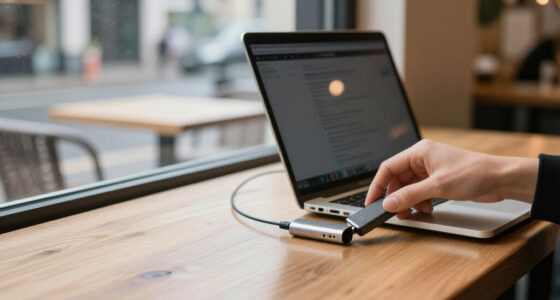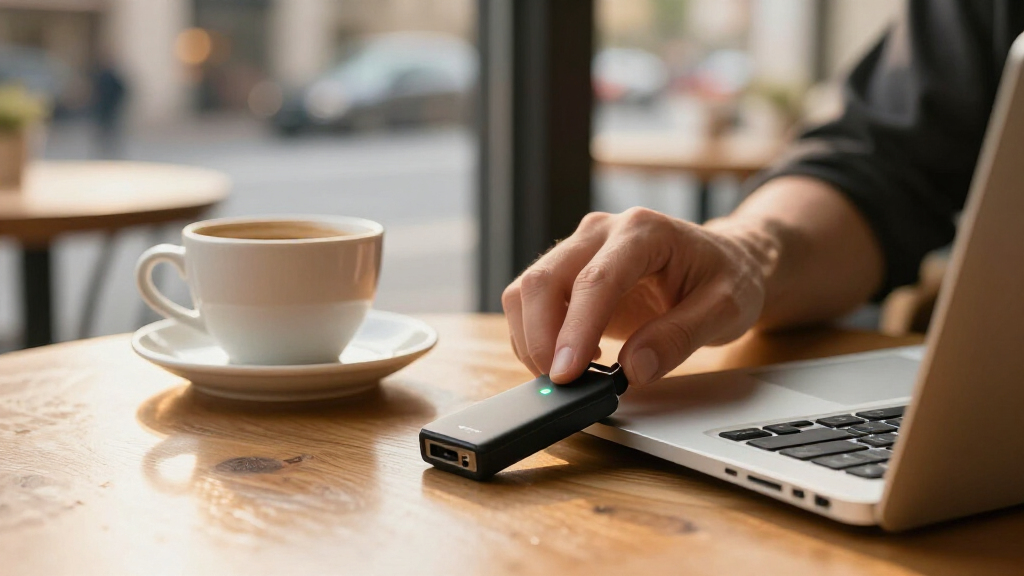

Encrypted USB flash drives add protection when files leave your computer, but the right choice depends on how you balance security controls, capacity, and ease of use. My best overall pick is the Apricorn Aegis Secure Key 3NX 32GB, which pairs keypad access with hardware encryption in a practical capacity. The Kingston IronKey Keypad 200 16GB is a strong choice for buyers who prioritize keypad-based access, while the Kingston IronKey Locker+ 50 G2 64GB offers more room for everyday files. This group also shows a clear tradeoff: smaller drives can suit tightly controlled file transfers, while higher-capacity models reduce the need to carry multiple devices. Read on for the full comparison and guidance on choosing a drive that fits your security needs.

Get privacy and security gear delivered free with Prime
- Fast, free delivery on millions of items
- Prime Video, Amazon Music and more included
- Member-only deals all year
Key Takeaways
- Keypad access is a defining difference: the Apricorn Aegis Secure Key 3NX and Kingston IronKey Keypad 200 let users enter credentials on the drive, while other models may rely on software-based setup and access.
- Capacity choices are unusually broad: the lineup ranges from 4GB to 128GB, so buyers should match capacity to the files they actually carry rather than assume the largest model is automatically better.
- The Kingston Locker+ 50 G2 family offers the widest capacity spread: its 32GB, 64GB, and 128GB versions let buyers select storage size without changing product family.
- FIPS-related claims differ by model: the Apricorn 32GB listing specifies FIPS 140-2 Level 3 validation, while the Integral Crypto-197 listings reference FIPS 197; these labels are not interchangeable.
- Small-capacity models can still make sense: the 4GB and 8GB options suit limited, deliberate transfers, but are less flexible for larger files or growing collections.
| Apricorn Aegis Secure Key 3 NX 8GB Encrypted USB 3.0 Flash Drive, Black |  | Best for Managed Access Controls | Storage capacity: 8GB | Encryption: 256-bit | Validation: FIPS 140-2 Level 3 | VIEW LATEST PRICE | See Our Full Breakdown |
| Kingston IronKey Locker+ 50 G2 64GB Encrypted USB Drive |  | Best Mid-Capacity Performer | Storage capacity: 64GB | Encryption: 256-bit XTS-AES hardware encryption | Certification: FIPS 197 | VIEW LATEST PRICE | See Our Full Breakdown |
| Integral Secure 360 32GB Encrypted USB 3.0 Flash Drive |  | Best for Flexible File Coverage | Storage capacity: 32GB | Interface: USB 3.0 Type-A | Encryption: 256-bit AES Secure Lock II | VIEW LATEST PRICE | See Our Full Breakdown |
| Kingston IronKey Locker+ 50 G2 128GB Encrypted USB Drive |  | Best High-Capacity Choice | Storage capacity: 128GB | Hardware interface: USB 3.2 Gen 1 | Encryption: 256-bit XTS-AES hardware encryption | VIEW LATEST PRICE | See Our Full Breakdown |
| Integral Crypto-197 4GB Encrypted USB 3.0 Flash Drive |  | Best for Small, Rugged File Transfers | Storage capacity: 4GB | Interface: USB 3.0 | Encryption: 256-bit AES hardware encryption | VIEW LATEST PRICE | See Our Full Breakdown |
| Kingston IronKey Vault Privacy 50 16GB Encrypted USB Drive |  | Best for Configurable Access Controls | Storage capacity: 16GB | Encryption: Hardware-based XTS-AES 256-bit | Compliance: FIPS 197; TAA compliant | VIEW LATEST PRICE | See Our Full Breakdown |
| Kingston DataTraveler Vault Privacy 3.0 8GB Encrypted USB Flash Drive |  | Best for Simple, Low-Capacity Storage | Storage capacity: 8GB | Encryption: 256-bit AES hardware encryption with XTS block cipher mode | Interface: USB 3.0 | VIEW LATEST PRICE | See Our Full Breakdown |
| Apricorn Aegis Secure Key 3NX 32GB 256-bit Encrypted FIPS 140-2 Level 3 Validated Secure USB 3.0 Flash Drive (Black) | | Best for Cross-Platform Workflows | Storage capacity: 32GB | Encryption: 256-bit AES XTS | FIPS validation: Level 3, listed as pending | VIEW LATEST PRICE | See Our Full Breakdown |
| Integral 16GB Crypto-197 256-Bit Hardware Encrypted USB 3.0 Secure Flash Drive – FIPS 197 Certified, Brute‑Force Protection, Rugged Waterproof Design |  | Best for Rugged, Software-Free Use | Storage capacity: 16GB | Encryption: AES 256-bit hardware encryption; FIPS 197 certified | Interface and connector: USB 3.0; USB Type-A | VIEW LATEST PRICE | See Our Full Breakdown |
| Kingston IronKey Keypad 200 16GB Encrypted USB Flash Drive |  | Best for Keypad-Based Access | Storage capacity: 16GB | Encryption: XTS-AES 256-bit hardware encryption | Interface and connector: USB 3.2 Gen 1; USB Type-A | VIEW LATEST PRICE | See Our Full Breakdown |
| Kingston IronKey Locker+ 50 G2 32GB Encrypted USB Drive | 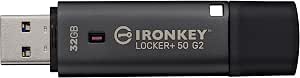 | Best Balanced Capacity | Storage capacity: 32 GB | Encryption: 256-bit XTS-AES hardware encryption | Certification: FIPS 197 | VIEW LATEST PRICE | See Our Full Breakdown |
| encrypted USB flash drife | Storage capacity | Encryption | Read speed | Write speed |
|---|---|---|---|---|
| Apricorn Aegis Secure Key 3 NX | 8GB | 256-bit | — | — |
| Kingston IronKey Locker+ 50 G2 | 64GB | 256-bit XTS-AES hardware encryption | Up to 145 MB/s | Up to 115 MB/s |
| Integral Secure 360 32GB Encry | 32GB | 256-bit AES Secure Lock II | — | — |
| Kingston IronKey Locker+ 50 G2 | 128GB | 256-bit XTS-AES hardware encryption | Up to 145 MB/s | Up to 115 MB/s |
| Integral Crypto-197 4GB Encryp | 4GB | 256-bit AES hardware encryption | — | — |
| Kingston IronKey Vault Privacy | 16GB | Hardware-based XTS-AES 256-bit | — | — |
| Kingston DataTraveler Vault Pr | 8GB | 256-bit AES hardware encryption with XTS block cipher mode | 165 MB/s | 165 MB/s |
| Apricorn Aegis Secure Key 3NX | 32GB | 256-bit AES XTS | Up to 77 MB/s | Up to 60 MB/s |
| Integral 16GB Crypto-197 256-B | 16GB | AES 256-bit hardware encryption; FIPS 197 certified | 130 MB/s | 100 MB/s |
| Kingston IronKey Keypad 200 16 | 16GB | XTS-AES 256-bit hardware encryption | Up to 145 MB/s | Up to 115 MB/s |
| Kingston IronKey Locker+ 50 G2 | 32 GB | 256-bit XTS-AES hardware encryption | Up to 145 MB/s | Up to 115 MB/s |
More Details on Our Top Picks
Apricorn Aegis Secure Key 3 NX 8GB Encrypted USB 3.0 Flash Drive, Black
The Apricorn Aegis Secure Key 3 NX is a strong fit when access policies matter as much as encryption. Its FIPS 140-2 Level 3 validation and 256-bit encryption pair with separate admin and user modes, letting an organization distinguish setup privileges from everyday access. Two read-only modes can help limit changes to stored files, while data recovery PINs offer a recovery path that the simpler Integral Crypto-197 4GB does not list.
The tradeoff is its 8GB capacity, which is better suited to selected documents than large working collections. The Kingston IronKey Locker+ 50 G2 64GB offers far more room and specified transfer speeds, though it has a different certification and security feature set. I’d choose the Apricorn for its layered controls, not for capacity or speed claims absent from the supplied specifications.
Pros:- FIPS 140-2 Level 3 validation and 256-bit encryption
- Separate administrator and user modes
- Two read-only modes can restrict changes to stored data
- Data recovery PINs and Aegis Configurator compatibility
Cons:- 8GB capacity limits it to smaller file collections
- No read or write speed figures are provided in the supplied specifications
Best for: Organizations or professionals who need a compact drive with admin and user access, read-only modes, and recovery PIN support.
Not ideal for: People carrying large project files or wanting a higher-capacity drive; its 8GB capacity is the smallest practical limitation here.
- Storage capacity:8GB
- Encryption:256-bit
- Validation:FIPS 140-2 Level 3
- Interface:USB 3.0
- Access modes:Separate admin and user modes; two read-only modes
- Recovery:Data recovery PINs
- Configuration compatibility:Aegis Configurator
- Color:Black
Our verdict“Choose the Aegis Secure Key 3 NX if layered access controls and recovery PINs matter more than carrying a large volume of data.”
Kingston IronKey Locker+ 50 G2 64GB Encrypted USB Drive
The 64GB IronKey Locker+ 50 G2 balances useful storage with stated transfer speeds, making it a more practical everyday file carrier than the 8GB Apricorn Aegis Secure Key 3 NX. It uses 256-bit XTS-AES hardware encryption and carries FIPS 197 certification; separate administrator and user passwords give owners a way to manage access rather than relying on a single shared credential. Kingston lists reads up to 145 MB/s and writes up to 115 MB/s, useful when moving sizeable work folders.
Its USB Type-A connector can require an adapter with newer devices, and 64GB may still feel restrictive for extensive media or backup collections. The 128GB version of the same Locker+ 50 G2 family is the clearer choice when capacity takes priority. I’d pick this model for a balance of speed, password options, and moderate storage rather than maximum room.
Pros:- 256-bit XTS-AES hardware encryption with FIPS 197 certification
- Separate administrator and user password options
- Specified speeds of up to 145 MB/s read and 115 MB/s write
- 64GB capacity offers more room than the 8GB Apricorn Aegis Secure Key 3 NX
Cons:- USB Type-A may need an adapter for newer devices
- 64GB can be limiting for large backups or media collections
Best for: Professionals who regularly transfer work files between USB Type-A computers and want hardware encryption with separate admin and user passwords.
Not ideal for: People with newer Type-C-only devices or large media libraries who want direct connectivity or more than 64GB.
- Storage capacity:64GB
- Encryption:256-bit XTS-AES hardware encryption
- Certification:FIPS 197
- Interface:USB 3.2 Gen 1
- Connector:USB Type-A
- Read speed:Up to 145 MB/s
- Write speed:Up to 115 MB/s
- Warranty:5 years
Our verdict“Pick the 64GB Locker+ 50 G2 for a well-balanced encrypted drive when its Type-A connector and capacity suit your devices and files.”
Integral Secure 360 32GB Encrypted USB 3.0 Flash Drive
The Integral Secure 360 gives buyers a choice the password-focused Kingston IronKey Locker+ 50 G2 64GB does not advertise in the supplied details: encrypt the full drive or a separate partition. That flexibility suits people who want a protected area for sensitive files alongside space for less sensitive transfers. Its capless rotating housing also avoids a loose cap, and the drive works with Windows and macOS without a software installation, license, or subscription.
The main security tradeoff is unforgiving: after 10 failed access attempts, data is erased. That can help protect lost data from repeated guessing, but it raises the stakes of forgotten credentials. The 32GB capacity sits between the 8GB Apricorn and 64GB Kingston options, though the provided speed figures should not be treated as a guarantee across host devices. This is a flexible, moderate-capacity pick, not the safest choice for someone prone to password mistakes.
Pros:- Choice of full-drive or separate-partition encryption
- 256-bit AES Secure Lock II protection
- Capless rotating housing avoids a removable cap
- Works with Windows and macOS without installation, license, or subscription
Cons:- Data is erased after 10 unsuccessful access attempts
- 32GB capacity is less than the 64GB and 128GB Kingston Locker+ 50 G2 options
- Actual transfer performance can depend on the connected device
Best for: Windows and Mac users who want to choose between encrypting an entire drive and protecting only a partition.
Not ideal for: People who may forget passwords or need a large archive; failed attempts trigger data erasure, and capacity is 32GB.
- Storage capacity:32GB
- Interface:USB 3.0 Type-A
- Encryption:256-bit AES Secure Lock II
- Encryption coverage:Separate partition or full drive
- Failed-attempt protection:Data erased after 10 unsuccessful access attempts
- Design:Capless rotating housing
- Compatibility:Windows and macOS
- Warranty:2 years
Our verdict“Choose the Secure 360 if flexible encryption coverage and capless design matter more than larger capacity or a forgiving password-recovery experience.”
Kingston IronKey Locker+ 50 G2 128GB Encrypted USB Drive
For buyers who want one encrypted drive to hold a broader working set, the 128GB IronKey Locker+ 50 G2 offers twice the capacity of its 64GB sibling while retaining the same stated 145 MB/s read and 115 MB/s write speeds. It uses FIPS 197-certified, 256-bit XTS-AES hardware encryption and supports administrator and user passwords, giving it a stronger balance of capacity and access management than the 8GB Apricorn Aegis Secure Key 3 NX.
The compromise is connectivity: this version has a USB Type-A interface, so owners of Type-C-only laptops or phones may need an adapter. The supplied details also do not specify password modes or a connector alternative, unlike the detailed 64GB listing. Compared with that smaller Kingston, this is the straightforward pick for more files; skip it if compact device compatibility matters more than storage headroom.
Pros:- 128GB capacity for larger encrypted file collections
- FIPS 197-certified 256-bit XTS-AES hardware encryption
- Administrator and user password access
- Specified read and write speeds of up to 145 MB/s and 115 MB/s
Cons:- USB Type-A connector may require an adapter with newer devices
- Larger capacity may be unnecessary for buyers carrying only a small set of documents
- Supplied product details do not list password modes beyond admin and user access
Best for: Professionals who need encrypted storage for larger work folders and use computers with USB Type-A ports.
Not ideal for: Type-C-only device owners who want a direct connection, or buyers who need a smaller drive for occasional document transport.
- Storage capacity:128GB
- Hardware interface:USB 3.2 Gen 1
- Encryption:256-bit XTS-AES hardware encryption
- Certification:FIPS 197
- Access:Administrator and user passwords
- Read speed:Up to 145 MB/s
- Write speed:Up to 115 MB/s
- Weight:22.68 g
- Warranty:5 years
Our verdict“Choose the 128GB Locker+ 50 G2 over the 64GB version when you need more encrypted storage and already have USB Type-A access.”
Integral Crypto-197 4GB Encrypted USB 3.0 Flash Drive
The Integral Crypto-197 is aimed at buyers who carry a small set of sensitive files and value simple hardware protection over capacity. It combines FIPS 197-certified 256-bit AES hardware encryption with automatic locking when disconnected, and its dual-layer waterproof design adds physical protection that the Kingston IronKey Locker+ 50 G2 listings do not specify. PC and Mac compatibility without software or a subscription keeps setup requirements modest.
Its 4GB capacity is the defining limitation: this is for documents and small transfers, not a large work archive. The six-failed-attempt erase rule is stricter than the Integral Secure 360’s 10-attempt policy, so a forgotten password can have a sharper consequence. That tradeoff may suit a drive kept away from unauthorized access, but it is a poor fit for anyone likely to mistype or forget credentials. I’d choose it for compact, rugged storage rather than versatility.
Pros:- FIPS 197-certified 256-bit AES hardware encryption
- Automatically locks when disconnected
- Dual-layer waterproof design
- Works with PC and Mac without software or a subscription
Cons:- 4GB capacity sharply limits the size and number of files
- Data is erased after six unsuccessful access attempts
- No transfer-speed figures are supplied
Best for: PC and Mac users carrying a small set of confidential documents who want hardware encryption and a waterproof design.
Not ideal for: People storing large files or who may forget their password; capacity is 4GB and six failed attempts erase the data.
- Storage capacity:4GB
- Interface:USB 3.0
- Encryption:256-bit AES hardware encryption
- Certification:FIPS 197
- Password length:8–16 alphanumeric characters
- Failed-attempt protection:Data erased after six unsuccessful access attempts
- Compatibility:PC and Mac
- Design:Dual-layer waterproof design
Our verdict“Pick the Crypto-197 for a small, waterproof encrypted document carrier, but choose the Integral Secure 360 or a Kingston Locker+ if you need more room.”
Kingston IronKey Vault Privacy 50 16GB Encrypted USB Drive
The Vault Privacy 50 suits buyers who want hardware encryption alongside choices for how the drive is accessed and used. Its XTS-AES 256-bit encryption and protections against brute-force and BadUSB attacks give it a more security-focused feature set than the Kingston DataTraveler Vault Privacy 3.0, while complex-password and passphrase modes let users choose their preferred credential style. Two read-only settings can help protect files from accidental changes when sharing or opening stored data. The tradeoff is capacity: at 16GB, it is better for a focused set of sensitive documents than a broad backup. Buyers who need keypad-based entry may prefer the IronKey Keypad 200; this model relies on password modes instead. Its listed FIPS 197 compliance and TAA compliance add relevant credentials for organizational buyers.
Pros:- Hardware-based XTS-AES 256-bit encryption
- Protection against brute-force and BadUSB attacks
- Complex-password and passphrase options
- Dual read-only settings help limit unwanted changes
Cons:- 16GB capacity restricts larger collections and backups
- Uses password access rather than a physical keypad
Best for: Organizations and individual professionals storing a limited set of sensitive files who want password-mode choices and read-only controls.
Not ideal for: People carrying large media libraries or backups, or anyone who prefers PIN entry on a physical keypad.
- Storage capacity:16GB
- Encryption:Hardware-based XTS-AES 256-bit
- Compliance:FIPS 197; TAA compliant
- Attack protection:Brute-force and BadUSB protection
- Password modes:Complex password and passphrase
- Write protection:Dual read-only settings
Our verdict“Choose the Vault Privacy 50 for configurable password access and read-only safeguards on a compact collection of sensitive files.”
Kingston DataTraveler Vault Privacy 3.0 8GB Encrypted USB Flash Drive
The DataTraveler Vault Privacy 3.0 is a straightforward choice for carrying a small working set of protected files: it combines 256-bit AES hardware encryption with a USB 3.0 connection and a stated 165 MB/s read and write speed. Compared with the Kingston IronKey Vault Privacy 50, it offers less capacity and fewer listed access controls, but its 8GB size may be enough for documents that do not need to travel with a larger drive. A read-only mode can reduce exposure to unwanted changes when accessing files on unfamiliar computers. The key risk is the response to failed attempts: after 10 incorrect intrusion attempts, the drive locks and reformats, which may erase its contents. That makes careful password management essential. Its USB Type-A connector also suits compatible ports, not devices that require an adapter.
Pros:- Hardware-based 256-bit AES encryption with XTS mode
- Read-only mode can help limit malware-related changes
- USB 3.0 interface with stated 165 MB/s read and write speeds
- Locks and reformats after 10 failed intrusion attempts
Cons:- 8GB capacity is restrictive for larger file collections
- Reformatting after repeated failed attempts can erase stored data
- USB Type-A may require an adapter for newer devices
Best for: Traveling professionals who carry a small set of sensitive documents and can reliably manage a complex password.
Not ideal for: Anyone storing irreplaceable files without another copy, or users who need room for larger backups and media collections.
- Storage capacity:8GB
- Encryption:256-bit AES hardware encryption with XTS block cipher mode
- Interface:USB 3.0
- Connector:USB Type-A
- Read speed:165 MB/s
- Write speed:165 MB/s
- Failed-attempt response:Locks and reformats after 10 failed intrusion attempts
- Warranty:Two years
Our verdict“Pick this drive for a small, protected document set if you accept its limited capacity and the data-loss risk from repeated incorrect passwords.”
Apricorn Aegis Secure Key 3NX 32GB 256-bit Encrypted FIPS 140-2 Level 3 Validated Secure USB 3.0 Flash Drive (Black)
The Aegis Secure Key 3NX stands out here for its 32GB capacity and broad listed device compatibility, making it a better fit than the 16GB Kingston IronKey Vault Privacy 50 for users moving a larger working set between different operating systems. Its 256-bit AES XTS encryption is paired with separate admin and user modes, plus two read-only options; those controls help distinguish it from simpler encrypted drives such as the DataTraveler Vault Privacy 3.0. The USB Type-A connector works with many computers, though newer phones and laptops may need an adapter. One certification detail calls for care: the supplied product data describes FIPS 140-2 Level 3 validation as pending, not confirmed. Its listed transfer speeds are useful context, but the certification status and connector format matter more to buyers choosing it for a particular security policy or device setup.
Pros:- 32GB capacity exceeds the 8GB DataTraveler Vault Privacy 3.0
- 256-bit AES XTS hardware encryption
- Separate admin and user modes with two read-only options
- Listed compatibility includes Windows, iOS, Linux, Android, and Chrome
Cons:- FIPS 140-2 Level 3 validation is listed as pending
- USB Type-A may require an adapter for newer devices
- Listed read and write speeds are 77 MB/s and 60 MB/s
Best for: People who move encrypted files among Windows, Linux, Android, iOS, and Chrome devices and want more capacity than an 8GB drive.
Not ideal for: Buyers whose procurement rules require confirmed FIPS 140-2 Level 3 validation or who need a native USB-C connector.
- Storage capacity:32GB
- Encryption:256-bit AES XTS
- FIPS validation:Level 3, listed as pending
- Interface and connector:USB 3.0; USB Type-A
- Read speed:Up to 77 MB/s
- Write speed:Up to 60 MB/s
- Compatible devices:Windows, iOS, Linux, Android, Chrome
- Warranty:3 years
Our verdict“Choose the Aegis Secure Key 3NX for cross-platform use and 32GB of encrypted storage, but verify certification needs and port compatibility first.”
Integral 16GB Crypto-197 256-Bit Hardware Encrypted USB 3.0 Secure Flash Drive – FIPS 197 Certified, Brute‑Force Protection, Rugged Waterproof Design
The Integral Crypto-197 pairs FIPS 197-certified AES-256 hardware encryption with a double-layer waterproof case, giving it a practical durability angle that the Kingston IronKey Vault Privacy 50 does not list. Its operation also needs no software installation or subscription, which can simplify use across USB-enabled computers. The tradeoff is a strict failed-password response: after six incorrect attempts, it erases the data. That is a stronger consequence than the DataTraveler Vault Privacy 3.0’s 10-attempt threshold, so this drive makes more sense when password procedures are well managed and stored files have a backup. Capacity is limited to 16GB, and its stated 100 MB/s write speed is lower than the Aegis Secure Key 3NX’s 60 MB/s? No—the supplied figures put the Integral at 100 MB/s write, so it is faster on paper; its read speed is 130 MB/s. Overall, it favors ruggedness and simple setup over generous storage or forgiving recovery.
Pros:- AES-256 hardware encryption certified to FIPS 197
- Double-layer waterproof case adds protection against water exposure
- No software installation or subscription required
- Stated read speed of 130 MB/s and write speed of 100 MB/s
Cons:- Erases data after six failed password attempts
- 16GB capacity limits larger backups and media collections
- USB Type-A may need an adapter for newer devices
Best for: Field workers and travelers who need a waterproof, software-free encrypted drive for a modest set of backed-up files.
Not ideal for: Users carrying the only copy of important data, or those who need large capacity and a forgiving response to incorrect passwords.
- Storage capacity:16GB
- Encryption:AES 256-bit hardware encryption; FIPS 197 certified
- Interface and connector:USB 3.0; USB Type-A
- Read speed:130 MB/s
- Write speed:100 MB/s
- Password length:8–16 alphanumeric characters
- Failed-attempt response:Data erased after six failed attempts
- Protection:Double-layer waterproof case
Our verdict“Choose the Crypto-197 for rugged, software-free handling of backed-up sensitive files, not as the sole home for irreplaceable data.”
Kingston IronKey Keypad 200 16GB Encrypted USB Flash Drive
The IronKey Keypad 200 is the lineup’s clear choice for people who want to enter credentials on the drive itself rather than type a password into a connected computer. Its alphanumeric keypad supports admin and user PIN options, while XTS-AES 256-bit hardware encryption and brute-force and BadUSB protection address data and device-level risks. That physical entry method sets it apart from the password-based Kingston IronKey Vault Privacy 50, which offers complex-password and passphrase modes instead. Both have 16GB capacity, so neither is suited to a large archive. The Keypad 200’s listed read speed reaches 145 MB/s and write speed 115 MB/s, and its USB Type-A connection supports a wide range of operating systems when they accept USB mass storage. The main qualification is certification: FIPS 140-3 Level 3 is pending, not confirmed in the supplied data.
Pros:- Alphanumeric keypad avoids entering the PIN through the host computer
- Admin and user PIN options support separate access roles
- XTS-AES 256-bit hardware encryption with brute-force and BadUSB protection
- Listed read speed up to 145 MB/s and write speed up to 115 MB/s
Cons:- FIPS 140-3 Level 3 certification is pending
- 16GB capacity is limited for backups and large collections
- USB Type-A may require an adapter on newer devices
Best for: Users who need to enter an access PIN on the drive itself, including people moving sensitive files among supported operating systems.
Not ideal for: Buyers who require confirmed FIPS 140-3 Level 3 certification, larger capacity, or a native USB-C connector.
- Storage capacity:16GB
- Encryption:XTS-AES 256-bit hardware encryption
- Interface and connector:USB 3.2 Gen 1; USB Type-A
- PIN access:Alphanumeric keypad; admin and user PIN options
- Certification:FIPS 140-3 Level 3, pending
- Read speed:Up to 145 MB/s
- Write speed:Up to 115 MB/s
- Compatible operating systems:Windows, macOS, Linux, Chrome OS, Android
Our verdict“Pick the Keypad 200 if physical PIN entry matters more than extra capacity or confirmed pending certification.”
Kingston IronKey Locker+ 50 G2 32GB Encrypted USB Drive
The 32GB Locker+ 50 G2 is a well-balanced choice for buyers who want hardware-encrypted storage without stepping up to a larger-capacity model. Its 256-bit XTS-AES encryption and FIPS 197 certification give it a clear security focus, while separate administrator and user passwords can help when one person manages access for another. Compared with the Kingston IronKey Locker+ 50 G2 64GB, this version offers less room for archives and larger work files, but its 32GB capacity may suit document sets and portable work files without carrying unused storage. Read speeds of up to 145 MB/s and writes up to 115 MB/s are useful for routine transfers, though actual results depend on the host device and files. The tradeoff is the fixed USB Type-A connector and capacity ceiling; buyers needing more headroom should choose the 64GB or 128GB version.
Pros:- 256-bit XTS-AES hardware encryption with FIPS 197 certification
- Separate administrator and user password options
- Complex-password and passphrase modes support different password preferences
- Specified read and write speeds suit routine file transfers
Cons:- 32GB capacity limits larger collections and long-term archives
- USB Type-A may require an adapter for devices with USB-C-only ports
- Listed speed figures are maximums, not guaranteed transfer rates
Best for: People carrying sensitive documents and moderate-sized work files who want administrator and user password options in a 32GB drive.
Not ideal for: Photographers, video editors, and buyers keeping large archives on one drive; 32GB may fill quickly, and the USB Type-A connector may not suit newer devices without an adapter.
- Storage capacity:32 GB
- Encryption:256-bit XTS-AES hardware encryption
- Certification:FIPS 197
- Password options:Administrator and user passwords; complex or passphrase modes
- Interface and connector:USB 3.2 Gen 1; USB Type-A
- Read speed:Up to 145 MB/s
- Write speed:Up to 115 MB/s
- Dimensions and weight:0.73 × 0.37 × 0.37 in; 22.68 g
- Warranty and model:5 years; IKLP50G2/32GB
Our verdict“Choose this 32GB model for encrypted document and work-file storage with flexible password roles; select the 64GB or 128GB Locker+ 50 G2 if capacity matters more.”
How We Picked
I ranked these drives around the decisions that matter when portable files need protection: the stated security approach, how access is managed, available capacity, and how well each model fits common work patterns. A keypad can make a drive easier to use across computers because access does not depend on installing software on the host, while software-managed options may suit buyers who prefer a more familiar computer-based workflow. I also treated certifications and protection claims carefully, keeping distinct standards separate rather than treating every security label as equivalent.
The order reflects a balance of security controls and everyday usefulness, not capacity alone. The Apricorn Aegis Secure Key 3NX 32GB leads because its specified hardware-encryption and keypad-oriented design are paired with a useful middle-ground capacity. Kingston’s IronKey Keypad 200 and Locker+ 50 G2 models follow for buyers with different access and storage preferences. Lower-capacity and more specialized options rank further down when their narrower storage allowance or less broadly described use case makes them a more targeted choice.
Factors to Consider When Choosing Encrypted USB Flash Drives
Choosing an encrypted drive is less about finding the most imposing security claim and more about matching the device to your transfer routine. I would start with where the drive will be used, who needs access, and what happens if it is lost. Those answers help clarify whether keypad entry, software-based access, a particular certification, or extra storage should guide the decision.
Choose an Access Method That Fits Your Computers
A drive that uses a keypad can be handy when you move files among computers where you cannot install programs or change settings. It also adds a physical step before the drive contents become available. A software-based workflow may feel more familiar, but it can depend on compatibility with the computers you use. Before buying, check the product’s setup and operating-system requirements rather than assuming every encrypted drive works the same way. For shared or managed computers, ease of access can matter as much as the encryption claim. A security method that repeatedly interrupts your routine may lead to risky workarounds, such as keeping an unprotected copy elsewhere.
Match Capacity to the Files You Carry
Text documents and spreadsheets use far less space than video, design files, or large archives. Estimate the size of a typical transfer, then leave room for temporary copies and future needs. The 4GB and 8GB drives in this lineup can suit a narrow set of documents, but they leave little flexibility for larger media. Moving up in capacity can reduce the number of devices you carry, though it also means more data may sit on one lost drive. For sensitive material, carrying only the files needed for a task can be safer than filling a high-capacity device by default.
Read Security Labels Precisely
Certification names describe different things, so do not treat similar wording as proof of equivalent validation. For example, FIPS 140-2 Level 3 and FIPS 197 refer to distinct standards and claims in the product descriptions. If your workplace or client requires a specific certification, confirm the exact model and validation status against the applicable official documentation. A product listing may summarize a claim without answering whether it satisfies your organization’s policy. Ask an administrator or security team before purchasing for regulated work. For personal use, access controls and a reliable routine may be more relevant than selecting a drive based on a label alone.
Plan for Forgotten Credentials and Recovery
Encryption can make lost credentials a serious problem: a drive may protect files precisely because there is no easy way around its access controls. Before storing the only copy of an important file, learn what the manufacturer says about password reset, recovery, and lockout behavior. Keep a separate, protected backup rather than relying on the USB drive as the sole archive. If several people need access, agree on credential handling before files are copied onto the device. A clear process can prevent both accidental lockouts and unsafe password sharing. These steps matter even when a drive is intended for occasional use.
Check Durability and Physical Fit
A secure drive still has to survive the way you carry it. Look for product-specific information about water resistance, casing, connectors, and any cap or cover design rather than assuming all models in this category are rugged. A bulky connector or keypad may be awkward beside other devices on a crowded laptop. Frequent travel raises the value of a protective case and a consistent place to store the drive. If the drive will remain in an office drawer, portability and weather protection may matter less than access controls. Match physical features to the risks the device will actually face.
Decide When More Storage or Security Is Worth It
Paying for a higher-capacity model makes sense when it replaces repeated transfers or supports files that would not fit on a smaller device. A more specialized security model can be justified when a policy, client requirement, or sensitive workflow calls for its particular controls. Neither upgrade automatically improves day-to-day safety if credentials are handled poorly or the drive is left unattended. Avoid buying the biggest capacity just in case if you plan to carry only a few documents. Likewise, do not pay for a certification you cannot verify or do not need. Choose the feature that solves a real constraint in your workflow.
Frequently Asked Questions
Is a keypad USB drive better than one that uses software?
Neither access method is automatically better for every buyer. A keypad model can be useful across computers where installing software is restricted, since credentials are entered on the device itself. A software-based approach may suit a regular personal computer workflow, but compatibility and setup requirements deserve a check before purchase. Think about where you will unlock the drive, not only where you will store it. For mixed or managed computers, a hardware keypad may reduce dependence on the host machine.
Which capacity should I choose if I mostly store office documents?
For a small set of text files and spreadsheets, a low-capacity drive may be enough, but leave room for presentations, PDFs, and temporary copies. The 4GB and 8GB options in this roundup are the most constrained, while 16GB or 32GB offers more flexibility for changing needs. Larger files such as video can fill even a seemingly generous drive quickly. Check the size of your current folder before deciding, then allow spare capacity rather than buying exactly to that figure. Keep a separate backup of important files regardless of drive size.
Do FIPS 140-2 Level 3 and FIPS 197 mean the same thing?
No. They are distinct standards, and a product description that mentions one should not be read as a claim to the other. In this roundup, the Apricorn Aegis Secure Key 3NX 32GB listing specifies FIPS 140-2 Level 3 validation, while the Integral Crypto-197 listing references FIPS 197. If a job, contract, or policy calls for a particular standard, verify the exact model and current validation details through official documentation. Ask your organization’s security contact if you are uncertain which requirement applies.
Can I use an encrypted USB drive as my only backup?
I would not rely on any single USB drive as the only copy of important files. Encryption helps protect data if a device is lost, but it does not prevent physical damage, accidental deletion, or credential lockout. Keep another copy in a separate, protected location and confirm that the backup can be restored. For work files, follow the backup rules set by your organization rather than making an informal personal copy. A secure drive works best as a portable transfer or supplemental storage device, not as the whole backup plan.
Should I choose the 128GB model if it gives me room to grow?
Choose the 128GB Kingston IronKey Locker+ 50 G2 if you regularly carry large collections of files or want to avoid splitting transfers across drives. For a handful of sensitive documents, that capacity may add little practical value and can encourage carrying more data than a task requires. More storage does not by itself mean stronger protection. Consider how much information you need away from your main computer and how you will back it up. A smaller capacity can be a sensible way to limit what is exposed if the device goes missing.
Conclusion
For most buyers seeking a balance of hardware-based access controls and usable storage, my best overall choice is the Apricorn Aegis Secure Key 3NX 32GB. The best value by fit is the Kingston IronKey Locker+ 50 G2 32GB for buyers who want a moderate capacity in the Locker+ family without stepping up to its larger versions. For a best premium or policy-led pick, consider the Apricorn Aegis Secure Key 3NX 32GB with its stated FIPS 140-2 Level 3 validation, after confirming it meets your requirements. The Kingston IronKey Keypad 200 16GB is my best choice for beginners who want keypad access, while the 128GB Locker+ 50 G2 suits buyers carrying larger files. For tightly limited transfers, the small-capacity Integral or Kingston options may be a better match; choose by the exact access method and security claim your workflow requires.