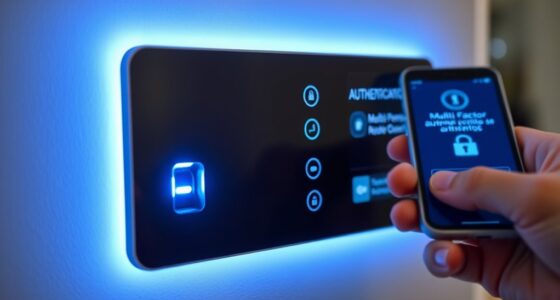
To safeguard your physical tokens and security keys, keep them in a secure, consistent location like a bag or pocket, and handle them carefully to avoid drops or impacts. Use protective covers or cases, and avoid exposing them to extreme temperatures, dust, or moisture. Register your devices with manufacturers for quick replacements if stolen. Proper storage and cautious handling help guarantee their durability and continued security. If you want to learn more about best practices, keep exploring further.
Key Takeaways
- Store security keys in secure, designated locations like pouches or locked drawers to prevent theft or misplacement.
- Handle devices gently, avoiding impacts or drops to prevent internal damage and ensure proper functionality.
- Use protective covers or tamper-evident cases to shield against physical damage and tampering attempts.
- Register devices with manufacturers for quick replacement if stolen or lost, and keep backup keys in separate secure locations.
- Keep devices away from extreme temperatures, dust, moisture, and environmental hazards to maintain durability and performance.
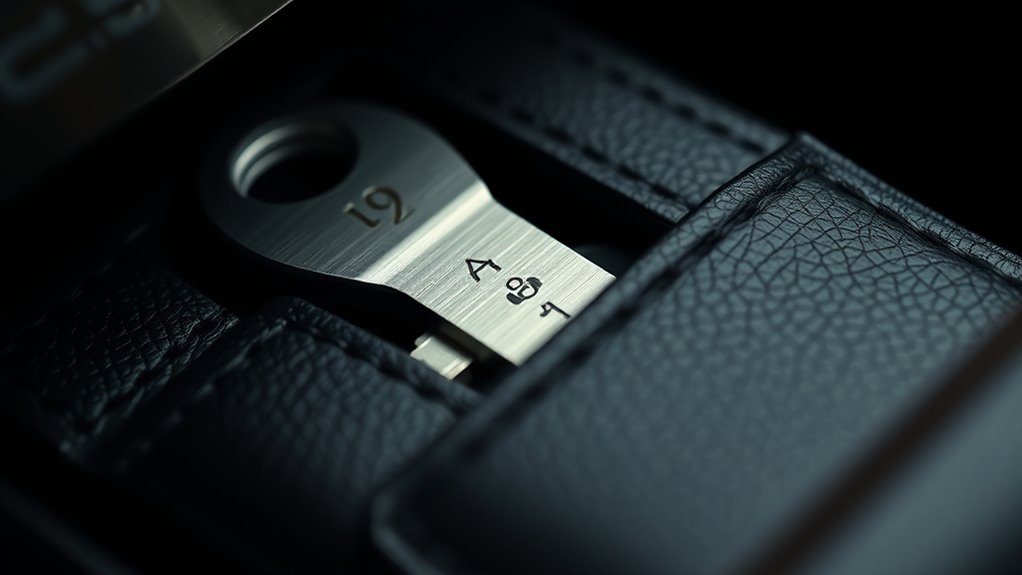
In today’s digital landscape, physical tokens and security keys are indispensable tools for safeguarding your online accounts. They provide a reliable layer of protection beyond passwords, making it harder for hackers to access your personal information. However, just like any valuable asset, these devices need proper care to guarantee they remain effective. One of the most important factors is hardware durability. You want your security keys to withstand daily use, accidental drops, and environmental factors like dust or moisture. Choosing a device with sturdy construction, such as a metal casing or reinforced design, can substantially extend its lifespan. Additionally, handling your security key carefully—avoiding unnecessary impacts and keeping it away from extreme temperatures—helps prevent internal damage that could compromise its functionality. Remember, a durable device isn’t just about longevity; it also ensures consistent performance, so you’re not left scrambling when you need to authenticate your identity. Ensuring your device has robust filtration can help prevent dust and debris from affecting its internal components, further extending its operational life.
Theft prevention is another critical aspect of protecting your physical tokens. Because these keys are valuable and often linked to sensitive accounts, losing them can pose serious security risks. To reduce this threat, always keep your security key in a secure, designated location. Many people opt for a dedicated pouch, a wallet compartment, or a keychain holder that clips onto a bag or belt loop. This way, you’re less likely to misplace it or leave it somewhere unattended. If you’re traveling, consider carrying your security key on your person rather than leaving it in checked luggage or unattended bags. Some security keys come with protective covers or tamper-evident cases, which add an extra layer of theft prevention. It’s also wise to register your device with the manufacturer if possible, so you can quickly report and replace it if stolen. Keeping a backup security key in a separate, secure location is another smart move, providing peace of mind in case the original gets lost or stolen. Ultimately, protecting your physical tokens involves both guaranteeing their hardware can handle daily wear and tear and implementing practical theft prevention strategies. By investing in a durable device and handling it carefully, you reduce the risk of damage that could disable your security measures. Coupling this with smart storage practices and backups minimizes the chances of losing access to your accounts altogether. Remember, your security key is a crucial part of your digital security, so taking steps to preserve and protect it isn’t just smart—it’s essential. With proper care and vigilance, your physical tokens can serve you reliably for years to come, keeping your online presence safe from threats.

Shieldcase Protective Case for Yubikey 5C NFC, Flip Cover Keychain Holder for Yubico Security Key, Shockproof, Black
Compatibility: Only compatible with YubiKey 5C NFC (USB-C model)– this case provides a snug fit to ensure your…
As an affiliate, we earn on qualifying purchases.
As an affiliate, we earn on qualifying purchases.
Frequently Asked Questions
How Do I Recover Data if My Token Is Lost or Stolen?
If your token is lost or stolen, you should immediately use your backup strategies to regain access. Many services offer emergency access options, such as backup codes or alternative authentication methods. Contact your provider to verify your identity and disable the lost token. Once you’ve secured your account, set up new tokens and make sure your backup options are up-to-date, so you’re prepared for future emergencies.
Are Physical Tokens Resistant to Physical Damage or Environmental Factors?
Physical tokens are designed with durability testing and environmental resistance in mind, making them fairly resistant to physical damage and environmental factors like dust, moisture, and temperature fluctuations. However, they’re not completely immune. You should still handle them carefully, keep them in protective cases if possible, and avoid exposing them to extreme conditions. Proper care guarantees your security keys stay functional and secure over time.
What Are the Best Practices for Securely Disposing of Old Tokens?
When securely disposing of old tokens, you should follow proper disposal procedures to prevent unauthorized access. Start with token destruction, such as shredding or physically damaging the device to make data irrecoverable. Avoid just throwing tokens in the trash. Instead, use certified secure disposal services or designated collection points. Always verify that your organization’s disposal procedures are followed strictly, ensuring your tokens are completely unusable before disposal.
Can Physical Tokens Be Hacked or Cloned?
Yes, physical tokens can be hacked or cloned, especially through token cloning and exploiting hacking vulnerabilities. Attackers may capture or duplicate token data, making it possible to bypass security. To minimize risks, you should keep tokens secure, regularly update firmware, and use multi-factor authentication. Being aware of potential vulnerabilities helps you better protect your tokens from cloning or hacking attempts.
How Often Should I Update or Replace My Security Keys?
A stitch in time saves nine, so don’t delay your security. You should replace your security keys according to the recommended token lifespan, usually every 1-3 years, or if they show signs of damage or compromise. Follow your device’s replacement schedule, and stay proactive to keep your accounts safe. Regular updates guarantee your security remains tight, just as a well-maintained lock keeps out intruders.

RSA SecurID Token 700 Series Case (White)
[Easy Identification] Bright colors to easily distinguish between multiple tokens without having to mark them with pens, markers,…
As an affiliate, we earn on qualifying purchases.
As an affiliate, we earn on qualifying purchases.
Conclusion
Remember, safeguarding your physical tokens and security keys is essential in preventing unauthorized access. Studies show that over 80% of data breaches involve compromised credentials, highlighting the importance of secure storage. Keep your keys in a safe place, avoid sharing them, and consider using a secure hardware wallet. Protecting these small devices can make a big difference in keeping your digital life secure—don’t underestimate their value in your overall security strategy.

lanpard Faraday Pouch for Car Keys, Faraday Bag, Car RFID Signal Blocking Holder, Key Fob Protector, Key fob cage Block Signal Anti-Theft Fob Case (2 Pack)
[ RFID KEY FOB PROTECTOR ] This faraday bags can protect your car effectively. Lanpard faraday bags protect…
As an affiliate, we earn on qualifying purchases.
As an affiliate, we earn on qualifying purchases.
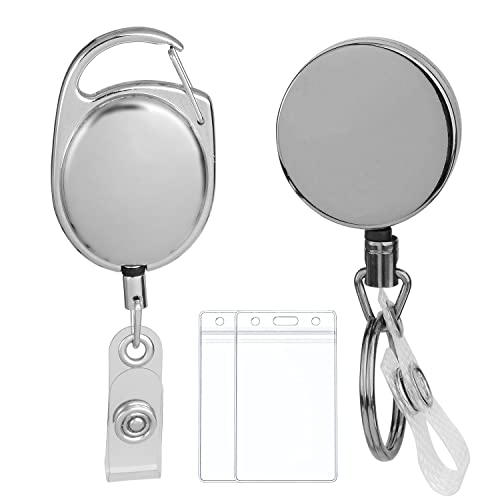
2 Pack Heavy Duty Retractable Badge Holder Reel Metal Tactical ID Badge Holder Key Chain with Carabiner Belt Clip Key Ring for Name Card Keychain All Metal Casing with Reinforced Id Strap
【HEAVY DUTY】:These heavy-duty badge holder reels are made of all metal zinc alloy. They can support over 100,000…
As an affiliate, we earn on qualifying purchases.
As an affiliate, we earn on qualifying purchases.