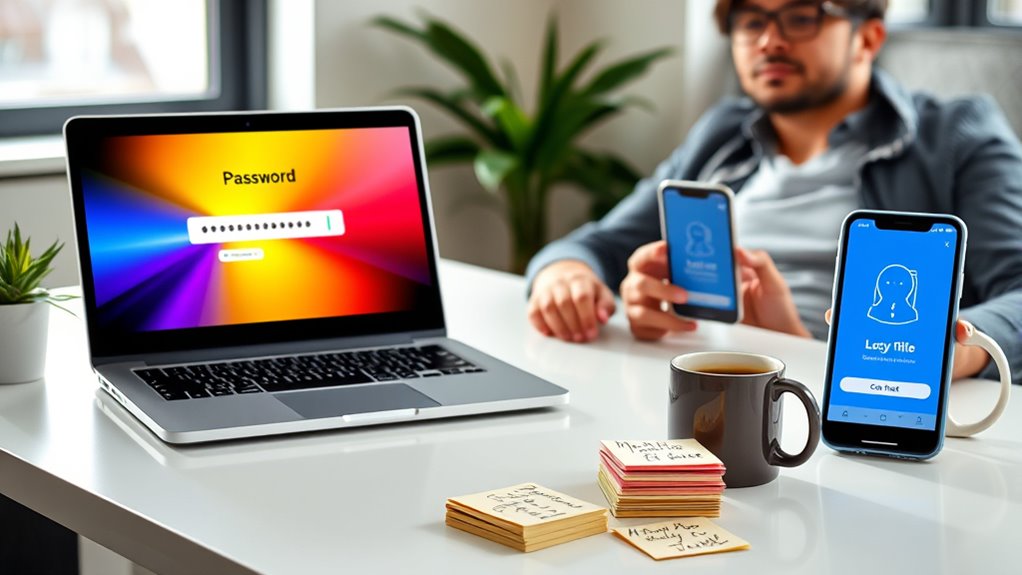

Balancing strong password policies with user convenience involves setting clear, achievable rules like minimum length and encouraging passphrases, rather than overly complex requirements. Incorporate multi-factor authentication to reduce reliance on complex passwords alone, and promote user education and tools for easy password management. Communicating policies effectively helps prevent frustration and resistance. When you consider the right mix of security and usability, you create a safer environment without sacrificing productivity—discover how to optimize this balance seamlessly.
Key Takeaways
- Implement clear, straightforward password complexity requirements that balance security with ease of remembrance.
- Use password expiration policies that prompt updates without causing frustration or frequent resets.
- Incorporate multi-factor authentication to reduce reliance on overly complex passwords alone.
- Educate users on best practices and provide password management tools to simplify secure password creation and storage.
- Design security policies that integrate seamlessly into workflows, fostering compliance without disrupting user productivity.
Balancing strong password policies with user convenience is a challenge that many organizations face today. You want to keep your systems secure, but you also don’t want to frustrate users or create barriers that slow productivity. To strike this balance, understanding the importance of password complexity and multi-factor authentication (MFA) is essential. Password complexity involves requiring users to create passwords that include a mix of uppercase and lowercase letters, numbers, and special characters. While these rules improve security by making passwords harder to crack, they can also lead to user frustration, especially if the requirements are overly strict or unclear. You might find users resorting to predictable patterns or writing passwords down, which defeats the purpose of the policies altogether. That’s why many organizations are now adopting smarter approaches to password complexity, such as setting minimum lengths and encouraging passphrases that are easier to remember but still secure. Additionally, implementing password expiration policies can prompt regular updates, further enhancing security without overly complicating the process.
Balancing password complexity with user convenience requires smarter policies and user education for effective security.
However, password complexity alone isn’t enough. You need to implement multi-factor authentication to considerably enhance security without overly burdening users. MFA adds an extra layer by requiring two or more verification methods—like a password plus a one-time code sent to a mobile device or biometric verification. This way, even if a password is compromised, an attacker still needs the secondary factor to gain access. For you, MFA offers a way to maintain security standards while reducing the pressure to enforce overly complicated passwords. It provides peace of mind that accounts are protected, even if password policies are somewhat lenient or simplified.
The challenge is to integrate these security measures seamlessly into users’ workflows. You want to make the process as straightforward as possible, so users aren’t tempted to find shortcuts or ignore security protocols. Education plays a key role here: informing users about why strong, complex passwords matter and how MFA protects their accounts encourages compliance. Additionally, leveraging password management tools can simplify the process of creating and storing complex passwords, reducing the cognitive load on users. When you combine well-designed password policies with MFA, you create a security system that’s both robust and user-friendly.
Ultimately, the goal is to foster a security culture where users understand the importance of these measures and are motivated to follow best practices. You don’t want security to feel like a hindrance; instead, it should be an integrated part of your organization’s daily operations. Achieving this balance requires thoughtful policies, user education, and the right technology tools that support both security and ease of use. When done correctly, you ensure your systems stay protected without alienating the very people who need to access them.

NordPass Premium, Unlimited Devices, 2-Year, Password Manager, Digital Code
Automatically fill out login details. Save time online, let NordPass autofill login details for you. All it takes…
As an affiliate, we earn on qualifying purchases.
As an affiliate, we earn on qualifying purchases.
Frequently Asked Questions
How Can Organizations Encourage Users to Follow Strong Password Policies?
You can encourage users to follow strong password policies by combining user education with clear policy enforcement. Educate them on the importance of creating complex passwords and the risks of weak ones. Use automated systems to enforce policies, like requiring regular updates and strong password criteria. Make the process user-friendly, offer password managers, and communicate the benefits clearly, so users see the value and are motivated to comply willingly.
What Are the Latest Technologies Blending Security and User Convenience?
You’re on the brink of a security revolution. Biometric authentication, like fingerprint and facial recognition, makes access nearly effortless while supercharging security. Paired with password managers, which store and generate complex passwords effortlessly, you get a seamless experience without sacrificing safety. These technologies blend security and convenience, ensuring you can protect your data without the hassle of remembering countless passwords. It’s the future of effortless, bulletproof security.
How Often Should Password Policies Be Reviewed and Updated?
You should review your password policy and perform password review at least every three to six months. Regular policy updates help address new security threats and make certain user convenience isn’t compromised. Keep an eye on evolving best practices and emerging technologies to strike the right balance. By consistently updating your password policies, you protect your systems while maintaining a smooth user experience, reducing the risk of breaches and user frustration.
Are There Specific Industries More Prone to Password Policy Challenges?
You’re likely to face more password policy challenges in highly regulated industries like healthcare, finance, and government, where industry-specific compliance demands strict security measures. These sectors often struggle to strike a balance between security and user convenience, especially if organizational culture leans toward rigid policies. It’s a fine line to walk, but understanding industry-specific needs helps create policies that protect data without overburdening users.
How Does Multi-Factor Authentication Impact User Convenience?
Multi-factor authentication can considerably reduce user convenience, but it enhances security by adding layers like biometric authentication and single sign-on. You might find it more convenient since biometric methods speed up login, while single sign-on reduces the need to remember multiple passwords. Although it requires extra steps initially, the overall benefit is increased security without substantially sacrificing ease of access, helping you balance protection and convenience effectively.

Yubico – YubiKey 5C NFC – Multi-Factor authentication (MFA) Security Key and passkey, Connect via USB-C or NFC, FIDO Certified – Protect Your Online Accounts
POWERFUL SECURITY KEY: The YubiKey 5C NFC is the most versatile physical passkey, protecting your digital life from…
As an affiliate, we earn on qualifying purchases.
As an affiliate, we earn on qualifying purchases.
Conclusion
Striking the right balance between strong password policies and user convenience is essential. Did you know that 81% of data breaches are due to poor passwords? It’s clear that overly strict rules can frustrate users and lead to weaker security habits. By finding a middle ground—like encouraging multi-factor authentication—you make security manageable without sacrificing ease of use. Remember, a well-balanced approach keeps your accounts safer and your experience smoother.
Yubico – YubiKey 5C NFC – Multi-Factor authentication (MFA) Security Key and passkey, Connect via USB-C or NFC, FIDO Certified – Protect Your Online Accounts
POWERFUL SECURITY KEY: The YubiKey 5C NFC is the most versatile physical passkey, protecting your digital life from…
As an affiliate, we earn on qualifying purchases.
As an affiliate, we earn on qualifying purchases.
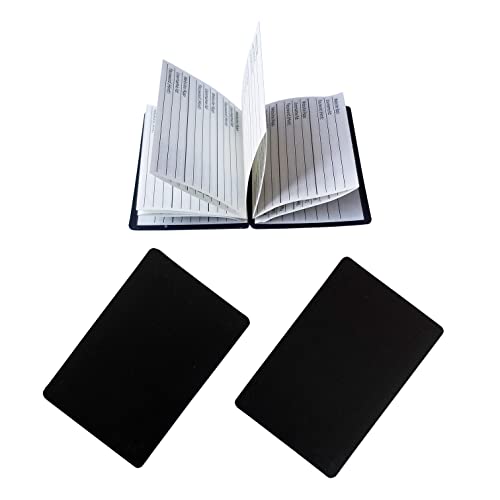
AppleTofu Magnetic Password Keeper – Credit Card Size Pocket Password Journal – Magnetic Wallet Book, Portable Website Name,Username,ID,Password Organizer – Set of 2,Black,3 58inchL x 2 58inch 18inch
PORTABLE SMALL PASSWORD KEEPER – Use these internet password logbooks to keep your passwords and login details safely…
As an affiliate, we earn on qualifying purchases.
As an affiliate, we earn on qualifying purchases.