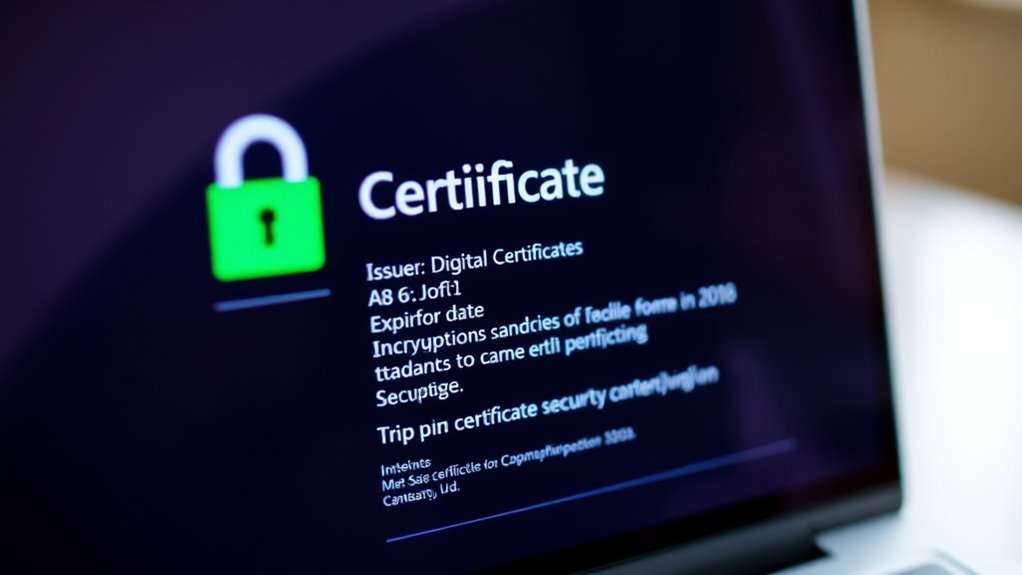

When you check an SSL certificate, start by looking at the certificate authority (CA) to confirm who issues it, guaranteeing trustworthiness. Next, verify the digital signature to confirm the integrity of the certificate hasn’t been altered. Check the validity dates and subject details to ensure the certificate is current and matches the website. Also, review encryption protocols and trust indicators like EV status. If you continue, you’ll gain a deeper understanding of how these elements work together to keep your data safe.
Key Takeaways
- Check the certificate’s issuer to identify the Certificate Authority (CA) and verify its trustworthiness.
- Review the digital signature to ensure the certificate’s integrity and that it hasn’t been tampered with.
- Confirm the validity period matches the current date and that the subject details match the website.
- Examine the encryption details, including SSL/TLS version and encryption strength, for security assurance.
- Look for additional indicators like Extended Validation (EV) certificates and trust indicators such as expiration dates and CA reputation.

Understanding how to read an SSL certificate is essential for ensuring website security and trustworthiness. When you visit a website secured with SSL, the certificate plays a crucial role in establishing a secure connection between your browser and the server. To interpret this certificate properly, you need to recognize key elements, starting with the Certificate Authority (CA). The CA is the entity that issues the SSL certificate, verifying the website’s identity. When you view the certificate details, you’ll see the CA’s name, which indicates who vouches for the site’s legitimacy. A reputable CA guarantees that the certificate is trustworthy, helping you avoid malicious or fake websites.
Recognize the CA name to verify your SSL certificate’s trustworthiness and ensure website legitimacy.
Next, pay attention to the Digital Signature embedded within the certificate. The digital signature is a cryptographic proof that the certificate hasn’t been tampered with since it was issued. It’s created using the CA’s private key and serves as a guarantee of authenticity. When your browser examines the certificate, it verifies this digital signature by using the CA’s public key. If the signature is valid, it confirms that the certificate is genuine and issued by the trusted CA. This process helps prevent impersonation or man-in-the-middle attacks, giving you confidence that your data remains secure.
Another critical aspect to look for is the certificate’s validity period. Certificates are issued with a specific start and expiration date. If a certificate has expired, your browser will warn you that the connection may no longer be secure. Always check that the certificate is current. Also, examine the subject details, which specify the domain name or IP address the certificate protects. Verifying these details match the website you’re visiting is vital for confirming the site’s authenticity.
You should also review the encryption details, such as the SSL/TLS version and the strength of the encryption algorithm used. Strong encryption ensures that any data exchanged between your browser and the website remains private and protected from eavesdropping. Additionally, some certificates include extended validation (EV), which provides extra verification and displays a green address bar or organization name, further boosting your confidence in the site’s legitimacy. Recognizing the popularity of somatic therapy and its growing acceptance can help you understand the importance of trusted sources and secure communications online.

Nathan James Theo 5-Shelf Oak Wood Modern Bookcase, Open Wall Mount Ladder Bookshelf with Industrial Black Metal Frame
The Theo Industrial Ladder Shelf is built with a durable metal frame and oak-laminate reclaimed wood for a...
As an affiliate, we earn on qualifying purchases.
Frequently Asked Questions
How Often Should I Renew My SSL Certificate?
You should renew your SSL certificate before its expiration date, typically a few weeks in advance to avoid security warnings. Keep track of renewal reminders from your certificate provider, as they help you stay aware of the expiration date. Regular renewal guarantees your website remains secure and trustworthy. Don’t wait until the certificate expires, as this can cause service disruptions and compromise user trust. Stay proactive with renewal reminders to maintain continuous protection.
What Are the Differences Between SSL and TLS Certificates?
You might wonder about the differences between SSL and TLS certificates. While both ensure secure data transmission, TLS certificates are more advanced, offering stronger encryption algorithms and better security features. Certificate authorities issue both types, but TLS is the modern standard. When you choose a certificate, guarantee it uses current encryption algorithms and is issued by a trusted certificate authority to keep your data safe.
Can I Read an SSL Certificate on Mobile Devices?
Yes, you can read an SSL certificate on mobile devices. To do so, you typically access the website’s security details through your browser, which shows certificate validation info. Some mobile browsers or security apps let you view full certificate details for enhanced mobile security. This helps you verify the website’s authenticity and guarantees your connection is secure, giving you peace of mind while browsing on your device.
What Are Common SSL Certificate Errors and Their Meanings?
Did you know that over 60% of website visitors abandon a site due to SSL errors? Common SSL certificate errors include “certificate validation failed,” which means your browser can’t verify the site’s identity, and “expired certificate,” indicating the certificate has lapsed. These errors signal issues with trust and security. To fix them, you need to troubleshoot the certificate, ensuring it’s valid, correctly installed, and trusted by browsers.
How Do Wildcard SSL Certificates Differ From Standard Ones?
Wildcard Certificates differ from Standard Certificates because they secure multiple subdomains under a single domain with one certificate. With Wildcard Certificates, you only need to install one, saving time and money. Standard Certificates, on the other hand, typically protect only one domain or subdomain. If you manage many subdomains, Wildcard Certificates are more flexible and cost-effective, making them ideal for expanding websites or businesses with numerous subdomains.

BON AUGURE Ladder Shelf Bookcase, 5-Tier Industrial Ladder Bookshelf, Tall Living Room Shelves, Wood and Metal Leaning Shelf for Home Office, Kitchen, Bedroom, Balcony (Rustic Oak)
Multifunctional Ladder Shelf - Bring a streamlined industrial style to your space with this modern leaning shelves. It...
As an affiliate, we earn on qualifying purchases.
Conclusion
Now that you know how to read an SSL certificate, you’re equipped to navigate the digital landscape with confidence. Think of the certificate as a lighthouse guiding your way through the stormy seas of the internet, ensuring your connection is secure and trustworthy. By understanding its details, you’re not just a passive observer but an active guardian of your online safety. Keep this knowledge close—your digital voyage just got a whole lot safer.

Set of 2 Ladder Bookshelf with Cabinet, 71" Tall Bookcase with Shelves & Storage, Fluted Ladder Shelf with Metal Frame, 6-Tier Display Rack for Living/Bedroom, Home & Office, Walnut & Black
Sleek Walnut Black Ladder Shelf: Elevate your home decor with our sleek modern ladder bookshelf, featuring a striking...
As an affiliate, we earn on qualifying purchases.

Tribesigns 5-Tier Bookshelf Industrial Bookcase, 5 Shelf Ladder Shelf Book Storage Shelf Organizer for Living Room, Home Office
✔ 【Attractive Vintage Style Ladder Bookshelf】: Rustic brown wood with an old-time classic appearance that will beautify and...
As an affiliate, we earn on qualifying purchases.