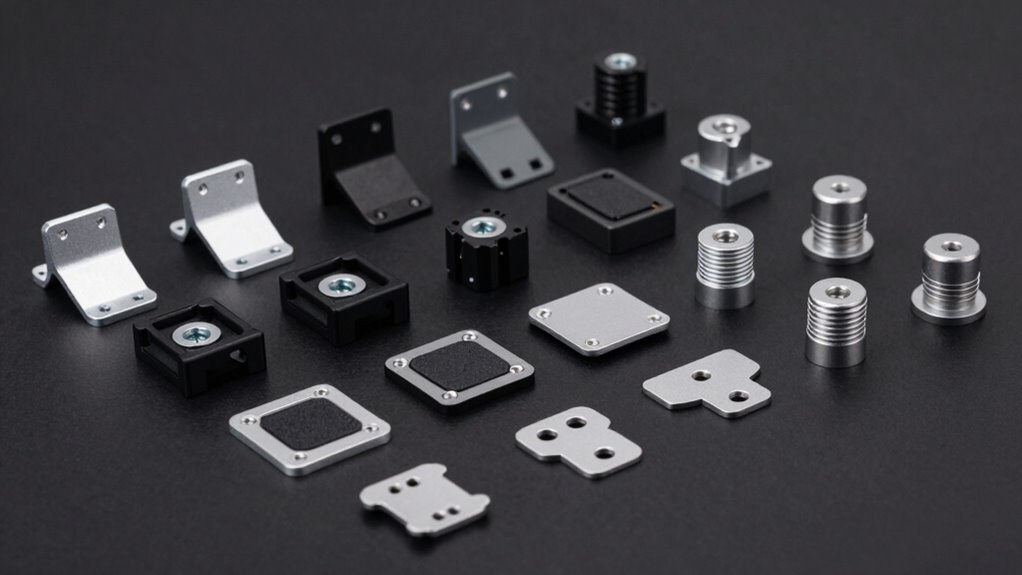

A VESA mount adapter kit solves one specific problem: your monitor or TV has mounting holes that don’t line up with your stand or wall mount. The Mount-It! Non-VESA Monitor Adapter Kit (MI-780) stands out as the best overall pick because it covers screens without any native VESA pattern at all, which is the hardest gap to bridge. For larger TVs, the Demimy 4-Piece Extension Bracket Kit and the monTEK 52-Piece Kit offer more hardware flexibility at different weight capacities. The main tradeoffs in this category come down to screen size range, weight limits, and whether you need a full non-VESA plate or just a pattern-size mismatch fix. Keep reading for the full breakdown.

Get privacy and security gear delivered free with Prime
- Fast, free delivery on millions of items
- Prime Video, Amazon Music and more included
- Member-only deals all year
Key Takeaways
- Non-VESA plates (Mount-It! MI-780, Mount World 1056, suptek) solve a fundamentally different problem than extension brackets — they attach to screens with no mounting holes at all, usually via adjustable arms clamping the frame.
- TV-sized extension brackets (Demimy, PUTORSEN, monTEK, VIVO AD400B) dominate the list because the 200×200 to 400x400mm mismatch is the most common scenario, but weight capacity varied by more than double across kits.
- The monTEK 52-piece kit wins on included hardware variety, but that extra hardware adds bulk behind the TV — a real issue for ultra-thin panels and tilting mounts.
- Several kits overlap almost exactly in specs (the three 32–55 inch extension kits), so the differentiator comes down to build thickness, slot adjustability, and bolt quality rather than raw capability.
- Smaller monitor adapters like the VIVO MOUNT-AD2X2 and Mount-It! 75×75/100×100 kit trade screen-size range for a slimmer profile — the right call for desk setups, the wrong one for living rooms.
| Mount-It! Non-VESA Monitor Mount Adapter Kit (MI-780) |  | Best for Monitors Without VESA Holes | Model: MI-780 | Screen size compatibility: 13–27 inches | VESA patterns: 75x75mm, 100x100mm | VIEW ON AMAZON | See Our Full Breakdown |
| Mount-It! VESA Mount Adapter Kit (200×200 to 400x400mm) |  | Best Overall for TV Size Upgrades | Model: MI-790 | VESA conversion: 200×200 to 400×200/400x400mm; 100×100 to 200×200/300x300mm | Weight capacity: 66 lbs | VIEW ON AMAZON | See Our Full Breakdown |
| Mount-It! VESA Mount Adapter Kit (200x200mm to 300x300mm & 400x400mm) |  | Best Warranty and Support | Model: MI-791 | Supported VESA patterns: 300x300mm, 400x400mm (from 200x200mm mount) | Load capacity: 66 lbs | VIEW ON AMAZON | See Our Full Breakdown |
| Demimy VESA Adapter Kit – 4-Piece TV Mount Extension Brackets |  | Best Value for Mid-Size Conversions | Model: DMM47104 | Supported conversions: 100×100 to 200×100/200×200/300×200/300x300mm; 200×200 to 300×200/300×300/400×300/400x400mm | Weight capacity: 66 lbs (complete kit) | VIEW ON AMAZON | See Our Full Breakdown |
| PUTORSEN VESA Extension Mount Adapter Bracket Kit for 32–55 Inch TVs |  | Best for Wide-Range Pattern Coverage | Model: FPT-201F | VESA compatibility: 100×100 to 300×200/200×300/300x300mm; 200×200 to 400x400mm | Compatible screen size: 32–55 inches | VIEW ON AMAZON | See Our Full Breakdown |
| Mount World 1056 Universal VESA Adapter Plate, Up to 200 x 200 mm |  | Best for Lightweight Compatibility | Brand: Mount Plus | Supported VESA patterns: 75 x 75 up to 200 x 200 mm | Max screen size: 42 inches | VIEW ON AMAZON | See Our Full Breakdown |
| VIVO Black VESA Monitor & TV Mount Adapter for 23-42 in Screens (MOUNT-AD2X2) |  | Best Overall for Mid-Size Screens | Brand: VIVO | Model: MOUNT-AD2X2 | Screen compatibility: 23–42 inches | VIEW ON AMAZON | See Our Full Breakdown |
| Mount-It! VESA Mount Adapter Kit, 75×75/100×100 to 200×100/200x200mm |  | Best Hardware Kit | Brand: Mount-It! | Model: MI-788 | Material: Heavy-gauge steel | VIEW ON AMAZON | See Our Full Breakdown |
| VIVO Black VESA Mount Adapter Kit, Supports Screens up to 99 lbs |  | Best Heavy-Duty Pick | Brand: VIVO | Material: Cold-rolled steel | Finish: Powder-coated black | VIEW ON AMAZON | See Our Full Breakdown |
| VESA Extension Mount Adapter Kit for 32–55-Inch TVs |  | Best Warranty Coverage | Brand: Nosxxus | Model: AD400 | Compatible screen size: 32–55 inches | VIEW ON AMAZON | See Our Full Breakdown |
| VIVO Black VESA Extension Adapter for 32–55-Inch TVs (MOUNT-AD400B) |  | Best Brand-Backed Reliability | Brand: VIVO | Model: MOUNT-AD400B | Compatible screen size: 32–55 inches | VIEW ON AMAZON | See Our Full Breakdown |
| HumanCentric VESA Mount Adapter Plate for Flat & Curved TVs – 200 x 200mm |  | Best for Pattern Mismatch Fixes | Brand: HumanCentric | Part number: 101-2003 | Plate dimensions: 8.26″ × 8.26″ (21 × 21 cm) | VIEW ON AMAZON | See Our Full Breakdown |
| VESA Extension Mount Adapter Brackets Kit for 32-55 inch TVs (Up to 400x400mm) |  | Best Value Bracket Kit | Brand: Yantuo | Model number: M47104 | Material: Alloy steel | VIEW ON AMAZON | See Our Full Breakdown |
| monTEK VESA Extension Bracket Kit (52-Pc), Fits 32-55 Inch TVs up to 66 lbs |  | Best Hardware Bundle | Brand: monTEK | Model number: US-DS-MA1000BK-AC2 | Supported screen size: 32–55 inches (some 60 inch monitors) | VIEW ON AMAZON | See Our Full Breakdown |
| suptek Universal VESA Mount Adapter Bracket for 17–27 Inch Monitors |  | Best for Non-VESA Monitors | Brand: suptek | Compatible screen size: 17–27 inches | Maximum monitor weight: 8 kg | VIEW ON AMAZON | See Our Full Breakdown |
| vesa mount adapter kit | Material | Brand | Model | Warranty |
|---|---|---|---|---|
| Mount-It! Non-VESA Monitor Mou | Powder-coated steel | — | MI-780 | Manufacturer lifetime warranty |
| Mount-It! VESA Mount Adapter K | Heavy-gauge steel | — | MI-790 | — |
| Mount-It! VESA Mount Adapter K | Heavy-gauge steel | — | MI-791 | Lifetime |
| Demimy VESA Adapter Kit | Steel with black powder-coat finish | — | DMM47104 | 2 years |
| PUTORSEN VESA Extension Mount | Alloy steel | — | FPT-201F | 5 years |
| Mount World 1056 Universal VES | Plastic | Mount Plus | — | Lifetime |
| VIVO Black VESA Monitor & TV M | Powder-coated steel | VIVO | MOUNT-AD2X2 | 3 years |
| Mount-It! VESA Mount Adapter K | Heavy-gauge steel | Mount-It! | MI-788 | — |
| VIVO Black VESA Mount Adapter | Cold-rolled steel | VIVO | — | — |
| VESA Extension Mount Adapter K | Alloy steel | Nosxxus | AD400 | 10 years |
| VIVO Black VESA Extension Adap | Alloy steel | VIVO | MOUNT-AD400B | 3 years |
| HumanCentric VESA Mount Adapte | Metal | HumanCentric | — | — |
| VESA Extension Mount Adapter B | Alloy steel | Yantuo | — | 1 year |
| monTEK VESA Extension Bracket | Steel | monTEK | — | — |
| suptek Universal VESA Mount Ad | Steel | suptek | — | — |
More Details on Our Top Picks
Mount-It! Non-VESA Monitor Mount Adapter Kit (MI-780)
Most adapters in this roundup bridge one VESA pattern to another, but the MI-780 solves a different problem entirely: it adds VESA compatibility to monitors that have no mounting holes at all. Adjustable arms clamp onto the bezel of screens from 13 to 27 inches, effectively converting budget displays from Dell, HP, Acer, and others into mount-ready monitors. Compared with pattern-conversion kits like the Mount-It! MI-790, this is the only real option if your monitor has a blank back panel. The powder-coated steel build and 17.6 lb capacity feel appropriately overbuilt for smaller screens. The tradeoff is fit precision — arms only work with bezel heights between 10.5 and 16.25 inches, and curved panels are off the table. Compared with the suptek 17–27 inch bracket, the lifetime warranty and U.S.-based support give it an edge for long-term ownership.
Pros:- Works on monitors with no VESA holes at all — a rare capability
- Universal clamp fit across Dell, HP, Acer, ASUS, Samsung, AOC and ViewSonic screens
- Steel construction with a 17.6 lb rating and lifetime warranty
- All hardware and step-by-step instructions included
Cons:- Strict bezel height range of 10.5–16.25 inches excludes some monitors
- Not suitable for curved screens
Best for: Owners of hole-less budget monitors (13–27 inches) who want to reclaim desk space with an arm or wall mount
Not ideal for: Curved monitor owners or anyone with a bezel outside the 10.5–16.25 inch height range
- Model:MI-780
- Screen size compatibility:13–27 inches
- VESA patterns:75x75mm, 100x100mm
- Max screen thickness:2.75 inches
- Bezel height range:10.5–16.25 inches
- Weight capacity:17.6 lbs
- Material:Powder-coated steel
- Warranty:Manufacturer lifetime warranty
Our verdict“If your monitor has no mounting holes and fits the bezel range, this is the adapter that makes mounting possible at all.”
Mount-It! VESA Mount Adapter Kit (200×200 to 400x400mm)
When a bigger TV outgrows an existing wall mount, this kit is the cleanest fix. The MI-790 converts 200x200mm mounts to 400x200mm or 400x400mm, and also handles 100x100mm to 200x200mm or 300x300mm — the widest spread of conversions among Mount-It!’s TV adapters. Compared with the Demimy four-bar kit, the plate-style design here feels more rigid under a heavy panel, and the 66 lb rating covers most 32–55 inch TVs comfortably. What sets it apart from the similar MI-791 is flexibility: this one supports asymmetric 400x200mm patterns, which the MI-791 explicitly does not. Two honest caveats — your existing mount’s rating becomes the real ceiling, and a handful of TV models need screw lengths not in the box, so a quick measure of your TV’s thread depth before ordering saves frustration.
Pros:- Broadest conversion range in the Mount-It! TV line, including asymmetric 400x200mm
- Heavy-gauge steel rated to 66 lbs
- Full M6/M8 hardware kit with spacers and instructions
- US-based customer support
Cons:- Final load limit is capped by the existing mount’s rating
- A small number of TVs need screw lengths not included in the kit
Best for: Homeowners upgrading from a 200x200mm-mounted TV to a larger 32–55 inch panel without reinstalling a wall mount
Not ideal for: Anyone whose wall mount is rated well below 66 lbs, since the mount — not the adapter — sets the safe limit
- Model:MI-790
- VESA conversion:200×200 to 400×200/400x400mm; 100×100 to 200×200/300x300mm
- Weight capacity:66 lbs
- Compatible screen size:32–55 inches
- Material:Heavy-gauge steel
- Mounting type:Wall mount
- Included hardware:M6x30 and M8x30 bolts, spacers, nuts, washers
Our verdict“The most versatile pattern converter for TV upgrades, especially if your new panel uses a non-square 400x200mm layout.”
Mount-It! VESA Mount Adapter Kit (200x200mm to 300x300mm & 400x400mm)
For straightforward square-pattern upgrades, the MI-791 keeps things simple: 200x200mm in, 300x300mm or 400x400mm out, nothing else to confuse the install. That narrower scope compared with the MI-790 is actually a strength for buyers who know exactly what pattern their new TV uses — fewer brackets, a lighter 1.1 lb package, and a slimmer 2.5 inch profile that sits tighter to the wall. The hardware assortment is generous, with M6 and M8 bolts, spacers, flat bolts, and nylon lock nuts that resist loosening from vibration — a detail the PUTORSEN kit doesn’t match. The lifetime warranty plus US-based support is the strongest backing in this batch. Just note the limitations: no asymmetric patterns like 400x200mm, and TVs with raised ridges or recessed panels around the VESA area may prevent a flush fit.
Pros:- Simple, focused conversion path with a slim 2.5-inch profile
- Nylon lock nuts keep hardware tight over time
- Complete hardware kit with clear instructions
- Lifetime warranty and US-based support
Cons:- No support for asymmetric patterns such as 400x200mm
- May not sit flush on TVs with ridges or recessed panels near the VESA holes
Best for: Buyers doing a simple 200x200mm to 300×300 or 400x400mm upgrade who value long-term warranty coverage
Not ideal for: Anyone with an asymmetric VESA pattern or a TV with recessed mounting areas near the holes
- Model:MI-791
- Supported VESA patterns:300x300mm, 400x400mm (from 200x200mm mount)
- Load capacity:66 lbs
- Material:Heavy-gauge steel
- Weight:1.1 pounds
- Depth:2.5 inches
- Included hardware:M6x30 and M8x30 bolts, spacers, flat bolts, nylon lock nuts
- Warranty:Lifetime
Our verdict“A focused, well-backed adapter for standard square-pattern upgrades where warranty peace of mind matters.”
Demimy VESA Adapter Kit – 4-Piece TV Mount Extension Brackets
The four-bar design here trades the rigid plate approach of the Mount-It! MI-790 for individual adjustable rails, which buys you placement flexibility — the bars can be positioned to hit 200×100, 300×200, 400×300 and other intermediate patterns that plate-style adapters simply can’t reach. That makes it the pick when your TV’s holes don’t align neatly with standard square conversions. The kit includes a genuinely thorough hardware assortment — M6 and M8 screws, spacers, washers, and hex nuts — though M4 screws are absent, so smaller TVs using fine threads will need a hardware-store trip. Like every adapter here, the 66 lb rating is a kit figure; it cannot raise your original mount’s limit. Compared with the PUTORSEN FPT-201F, Demimy’s documented conversion list is more explicit, which makes pre-purchase verification easier, but the two-year warranty is shorter than most rivals.
Pros:- Four-bar design reaches intermediate patterns plate adapters can’t
- Full assortment of M6/M8 screws, spacers, and washers
- Clear documentation of exactly which conversions are supported
- Steel build with a 66 lb kit rating
Cons:- No M4 screws included, excluding some smaller TVs
- Only a two-year warranty versus the lifetime coverage from Mount-It!
Best for: Budget-conscious upgraders whose TV uses an odd intermediate pattern like 300×200 or 400x300mm
Not ideal for: Owners of smaller TVs that need M4 mounting screws, or anyone expecting a complete wall mount in the box
- Model:DMM47104
- Supported conversions:100×100 to 200×100/200×200/300×200/300x300mm; 200×200 to 300×200/300×300/400×300/400x400mm
- Weight capacity:66 lbs (complete kit)
- Material:Steel with black powder-coat finish
- Components:4 adapter bars, spacers, M6/M8 screws, washers, hex nuts
- Warranty:2 years
Our verdict“The flexible four-bar approach earns its spot for unconventional VESA patterns, provided your TV uses M6 or M8 threads.”
PUTORSEN VESA Extension Mount Adapter Bracket Kit for 32–55 Inch TVs
PUTORSEN’s FPT-201F covers an unusual middle ground: it stretches a small 100x100mm mount all the way to 300x300mm — a jump most kits in this roundup won’t attempt — while also handling the standard 200x200mm to 400x400mm conversion. That makes it the fallback choice when your existing mount is unusually small and the Mount-It! MI-790 or Demimy kit starts from a pattern you don’t have. The alloy steel build and 66 lb rating are in line with the category, and the five-year warranty outlasts Demimy’s two years even if it trails Mount-It!’s lifetime coverage. Setup is manual-and-screwdriver territory: you’ll need your own Phillips screwdriver and open-end wrench, and bolt compatibility with your specific TV deserves a check before ordering. It’s a solid, unglamorous workhorse rather than a category leader.
Pros:- Rare 100x100mm to 300x300mm conversion capability
- Alloy steel construction rated to 66 lbs
- Covers both monitor and TV sizes from 32 to 55 inches
- Five-year warranty with included manual
Cons:- Tools not included — Phillips screwdriver and open-end wrench required
- Bolt size compatibility must be verified before purchase
Best for: Upgraders with a small 100x100mm mount who need to reach 300x300mm patterns without replacing the mount
Not ideal for: Buyers who want every tool and bolt size covered in the box, or those with mounts rated far below 66 lbs
- Model:FPT-201F
- VESA compatibility:100×100 to 300×200/200×300/300x300mm; 200×200 to 400x400mm
- Compatible screen size:32–55 inches
- Maximum load:66 lbs (30 kg)
- Material:Alloy steel
- Color:Black
- Warranty:5 years
Our verdict“Worth choosing when your mount’s starting pattern is too small for other kits and you need maximum reach.”
Mount World 1056 Universal VESA Adapter Plate, Up to 200 x 200 mm
Where most adapters in this lineup, like the VIVO MOUNT-AD2X2, are steel plates built for heavier panels, this option takes a different approach: a plastic universal plate that covers an unusually wide range of hole patterns, from 75 x 75 mm all the way to 200 x 200 mm. That flexibility makes it a natural fit for smaller monitors and lightweight TVs whose mounts simply don’t line up. The included M4, M6, and M8 hardware with spacers means you likely won’t need a separate trip to the hardware store. The tradeoff is structural: plastic simply can’t match the 66 lb steel ratings elsewhere in this roundup, and it does nothing to raise your mount’s weight ceiling. This pick makes the most sense for mismatched mid-size displays rather than large TVs.
Pros:- Covers a broad range of VESA patterns from 75 x 75 to 200 x 200 mm
- Complete hardware kit with M4, M6, and M8 screws plus spacers
- Lightweight design adds minimal bulk behind the screen
- Lifetime warranty backing the product
Cons:- Plastic construction limits it to lighter displays
- Does not increase the existing mount’s weight capacity
Best for: Owners of smaller monitors or lightweight TVs (under ~42 inches) whose mount hole pattern doesn’t match their display
Not ideal for: Anyone mounting a heavy TV — the plastic build and no added weight capacity make steel options like the Mount-It! MI-788 safer
- Brand:Mount Plus
- Supported VESA patterns:75 x 75 up to 200 x 200 mm
- Max screen size:42 inches
- Material:Plastic
- Included hardware:M4, M6, M8 screws, spacers, bolts, and nuts
- Item weight:0.8 kg
- Warranty:Lifetime
Our verdict“A flexible, low-cost fix for lightweight mismatched displays — just don’t trust it with a heavy TV.”
VIVO Black VESA Monitor & TV Mount Adapter for 23-42 in Screens (MOUNT-AD2X2)
This adapter stands out as the most balanced choice for the common scenario: a 23–42 inch TV with 200 x 100 or 200 x 200 holes and a mount that only accepts 50 x 50, 75 x 75, or 100 x 100 patterns. Its powder-coated steel build and 66 lb rating put it in the same durability class as the Mount-It! MI-788, but its four-way smaller-pattern compatibility (including 50 x 50 mm) gives it an edge with older or budget mounts. The universal hardware pack simplifies installation for buyers who don’t want to sort through loose bolts. Compared with the plastic Mount World 1056, this model is the one to trust with heavier panels. The tradeoff: it adds a bit of bulk behind the screen, which matters on slim-profile wall setups, and it can’t rescue a mount that’s simply overloaded.
Pros:- Sturdy powder-coated steel supporting up to 66 lbs
- Converts 200 x 100 / 200 x 200 patterns down to 50 x 50, 75 x 75, or 100 x 100
- Universal hardware pack included
- Low-profile black finish blends into most setups
Cons:- Adds slight bulk behind the screen
- Requires a mount with one of the smaller supported patterns
Best for: Buyers with a 23–42 inch TV and an older or compact mount limited to small VESA patterns
Not ideal for: Ultra-slim wall installations where added depth behind the panel is unacceptable
- Brand:VIVO
- Model:MOUNT-AD2X2
- Screen compatibility:23–42 inches
- Adapter converts:200x100mm and 200x200mm to 50x50mm, 75x75mm, 100x100mm
- Max weight capacity:66 lbs
- Material:Powder-coated steel
- Warranty:3 years
Our verdict“The go-to steel adapter for mid-size TVs on small-pattern mounts, with the widest mount compatibility in its class.”
Mount-It! VESA Mount Adapter Kit, 75×75/100×100 to 200×100/200x200mm
What separates this kit from the nearly identical VIVO MOUNT-AD2X2 is the packaging of the installation experience: a clearly organized set of M5, M6, and M8 bolts in multiple counts, two sizes of spacers, and printed instructions. For buyers who dread guessing which screw fits their TV, that alone justifies choosing it. The heavy-gauge steel plate handles up to 66 lb across 23–42 inch displays — the same load class as the VIVO — but its mount-side compatibility is narrower, limited to 75 x 75 and 100 x 100 patterns with no 50 x 50 option. Mount-It! is also upfront that the real load ceiling is capped by your existing mount, an honest caveat that applies to every adapter here but is worth repeating. This pick makes the most sense for first-time installers who want everything sorted in one box.
Pros:- Heavy-gauge steel construction rated to 66 lb
- Comprehensive hardware with M5, M6, M8 bolts and two spacer sizes
- Includes printed installation instructions
- Cleanly handles the most common 75/100-to-200 conversion
Cons:- Real load limit is dictated by the existing mount
- No 50 x 50 mm mount-side compatibility unlike the VIVO AD2X2
Best for: First-time installers who want a complete, clearly labeled hardware kit and don’t need 50 x 50 mm compatibility
Not ideal for: Owners of older mounts with 50 x 50 mm holes — the VIVO AD2X2 covers that pattern and this one doesn’t
- Brand:Mount-It!
- Model:MI-788
- Material:Heavy-gauge steel
- VESA conversion:75×75/100x100mm to 200×100/200x200mm
- Compatible display size:23–42 inches
- Load capacity:66 lb (limited by existing mount)
- Included hardware:M5x12 bolts (8), M6x14 bolts (4), M8x20 bolts (4), two spacer sizes
Our verdict“The most installer-friendly steel adapter for standard 75/100 mm mounts, ideal if you want zero hardware guesswork.”
VIVO Black VESA Mount Adapter Kit, Supports Screens up to 99 lbs
When the panel gets big, most adapters in this roundup tap out — the VIVO AD2X2 and Mount-It! MI-788 both stop at 66 lb and 200 x 200 mm. This kit pushes through both limits with a 99 lb rating and support for screens with patterns up to 400 x 400 mm, while still mating to common 75 x 75 or 100 x 100 mounts. That makes it the adapter of choice for larger TVs that need to live on a compact monitor arm or bracket. The cold-rolled steel with powder coating feels appropriately overbuilt for the job, and hardware plus instructions come in the box. The tradeoff is fit flexibility: if your display or mount falls outside the specified patterns, there’s no workaround, and the added plate size means more depth behind bigger panels.
Pros:- Highest weight rating in this batch at 99 lbs
- Handles screen patterns up to 400 x 400 mm
- Cold-rolled steel with durable powder-coated finish
- Hardware and instructions included
Cons:- Compatible only with the specified VESA patterns on both sides
- Larger plate adds depth behind the panel
Best for: Owners of large, heavy TVs (up to 99 lbs, 400 x 400 mm VESA) pairing them with a small-pattern mount
Not ideal for: Buyers with mid-size monitors — its size and pattern focus are overkill compared with slimmer 200 x 200 options
- Brand:VIVO
- Material:Cold-rolled steel
- Finish:Powder-coated black
- Max supported weight:99 lbs
- Screen VESA pattern:Up to 400 x 400 mm
- Mount compatibility:75 x 75 mm or 100 x 100 mm
- Included:Hardware pack and instructions
Our verdict“The strongest adapter here for big TVs — choose it when 66 lb-rated kits aren’t enough.”
VESA Extension Mount Adapter Kit for 32–55-Inch TVs
This kit targets the same 32–55 inch, up-to-400 x 400 mm territory as the VIVO 99 lb adapter, but with a different pitch: a 10-year warranty that outlasts the three years VIVO offers on its comparable models. Its alloy steel build carries a 66 lb ceiling — noticeably below VIVO’s 99 lb — so the choice between them comes down to weight versus long-term backing. Where this option stands out for typical living-room TVs in the 43–55 inch range, the hardware pack and manual make installation straightforward, though you’ll need your own Phillips screwdriver and open-end wrench since tools aren’t boxed. Compared with bracket-style extension kits like the Demimy four-piece set, this single-plate design is simpler to align but less adjustable once drilled. It’s a sensible middle path for buyers prioritizing coverage length over raw load capacity.
Pros:- Supports VESA patterns up to 400 x 400 mm on 32–55 inch TVs
- Alloy steel construction rated to 66 lb (30 kg)
- 10-year warranty — the longest in this batch
- Mounting hardware and installation manual included
Cons:- Tools (Phillips screwdriver, open-end wrench) not included
- 66 lb rating limits heavier panels compared with rivals
Best for: Buyers mounting 32–55 inch living-room TVs who value long-term warranty protection over maximum load rating
Not ideal for: Owners of very heavy panels — the 66 lb cap trails the VIVO 99 lb kit for comparable screen sizes
- Brand:Nosxxus
- Model:AD400
- Compatible screen size:32–55 inches
- Max supported weight:66 lb (30 kg)
- Max VESA pattern:400 x 400 mm
- Material:Alloy steel
- Movement type:Fixed
- Warranty:10 years
Our verdict“A well-backed adapter for standard 32–55 inch TVs when warranty length matters more than top-tier weight capacity.”
VIVO Black VESA Extension Adapter for 32–55-Inch TVs (MOUNT-AD400B)
Of the large-pattern TV adapters in this lineup, this one stands out for brand track record and warranty coverage — the 3-year warranty is longer than what Yantuo or monTEK offer on nearly identical hardware. Like the Yantuo kit, it adapts TVs up to 400 × 400 mm patterns to standard mounts and carries the same 66 lb ceiling, so the real differences come down to finish and support rather than raw capability. The low-profile black design keeps the TV closer to the wall than bracket-style kits that add visible extension arms. The tradeoff is that VIVO keeps compatibility guidance strict: if your TV falls outside the listed size and pattern ranges, this kit simply is not for you, whereas competitors like the HumanCentric plate take a broader one-plate-fits-many approach at smaller patterns.
Pros:- Fits large VESA patterns up to 400 × 400 mm on standard mounts
- Steel construction rated for TVs up to 66 lbs
- Low-profile black finish keeps installation discreet
- 3-year warranty beats most budget rivals in this roundup
Cons:- Compatibility strictly limited to listed size and VESA ranges
- Only 0.39 kg of hardware — no spare screws for unusual TV backs
Best for: Buyers mounting a 32–55 inch TV who want a big-name adapter with the longest warranty in this group
Not ideal for: Owners of TVs outside the 32–55 inch or 400 × 400 mm limits — the compatibility window is firmly enforced
- Brand:VIVO
- Model:MOUNT-AD400B
- Compatible screen size:32–55 inches
- Supported VESA patterns:Up to 400 × 400 mm
- Maximum supported weight:66 lbs
- Material:Alloy steel
- Color:Black
- Warranty:3 years
Our verdict“The safest pick for mid-size TVs if warranty support and a trusted brand matter more than the lowest cost.”
HumanCentric VESA Mount Adapter Plate for Flat & Curved TVs – 200 x 200mm
Where most kits here — like the Yantuo and monTEK brackets — work in one direction (small mount to big TV), this plate converts both ways between four common patterns (50 × 50 through 200 × 200 mm). That makes it the go-to fix when your TV and mount simply speak different hole-pattern languages rather than when you need to enlarge anything. It is also the only entry in this batch explicitly rated for curved screens up to 65 inches, and the bundled M6/M8 screws, nuts, and spacers mean fewer trips to the hardware store than bare-bones kits. The compromises are real, though: it is a fixed plate with no articulation, and it pushes the TV slightly off the mount, which matters on low-profile wall setups where every millimeter of offset shows.
Pros:- Converts between 50 × 50, 75 × 75, 100 × 100, and 200 × 200 mm patterns in either direction
- Works with both flat and curved TVs up to 65 inches
- Complete hardware kit including M6/M8 screws, nuts, and spacers
- Clear step-by-step instructions simplify installation
Cons:- Fixed design — no tilt or swivel capability
- Adds offset between TV and mount
- Caps out at 200 × 200 mm, far below the 400 × 400 mm kits in this guide
Best for: Owners of flat or curved TVs up to 65 inches facing a straightforward hole-pattern mismatch at 200 × 200 mm or smaller
Not ideal for: Anyone with a TV needing patterns above 200 × 200 mm, or setups where extra offset from the wall is unacceptable
- Brand:HumanCentric
- Part number:101-2003
- Plate dimensions:8.26″ × 8.26″ (21 × 21 cm)
- Compatible VESA patterns:50 × 50, 75 × 75, 100 × 100, 200 × 200 mm
- Max supported screen size:65 inches
- Material:Metal
- Mounting type:Wall mount (fixed)
- Included hardware:M6 screws, M8 screws, nuts, plastic spacers, adapter plate
Our verdict“The cleanest solution for pattern mismatches at common mid-size patterns, as long as your TV does not need anything beyond 200 × 200 mm.”
VESA Extension Mount Adapter Brackets Kit for 32-55 inch TVs (Up to 400x400mm)
This Yantuo kit does the same core job as the VIVO MOUNT-AD400B — adapting large TV patterns up to 400 × 400 mm onto smaller standard mounts at the same 66 lb rating — but typically at a friendlier price, which is why it earns the value slot. Its dual-mode design is a genuine plus: it handles 100 × 100 mm mounts up to 300 × 300 mm TVs as well as the full 200 × 200 to 400 × 400 conversion, giving it more flexibility than single-pattern plates like the HumanCentric. The matte black brackets arrive with all mounting hardware, so installation is a one-session job. The tradeoffs mirror the category: a 55-inch screen ceiling excludes larger living-room TVs, and the bracket arms add offset that can eat into your mount’s tilt range — a common issue whenever extension brackets rather than flush plates are used.
Pros:- Adapts two mount sizes — 100 × 100 to 300 × 300 and 200 × 200 to 400 × 400 mm
- Heavy-duty steel rated to 66 lbs
- All installation hardware included
- Matte black finish blends with most screens and stands
Cons:- 55-inch screen-size ceiling rules out larger TVs
- Added offset can reduce effective tilt range
- Only a 1-year warranty, shorter than VIVO’s coverage
Best for: Budget-conscious buyers with 32–55 inch TVs who want maximum pattern flexibility without paying brand-name premiums
Not ideal for: Owners of TVs larger than 55 inches, or anyone whose mount relies on aggressive tilt that added offset would disrupt
- Brand:Yantuo
- Model number:M47104
- Material:Alloy steel
- Compatible screen size:32–55 inches
- VESA adaptation:100 × 100 mm mounts to 300 × 300 mm TVs; 200 × 200 mm mounts to 400 × 400 mm TVs
- Max weight capacity:66 lbs
- Movement type:Tilt
- Warranty:1 year
Our verdict“The smart spend if you want VIVO-level capability on a mid-size TV and can accept a shorter warranty.”
monTEK VESA Extension Bracket Kit (52-Pc), Fits 32-55 Inch TVs up to 66 lbs
What separates this monTEK kit from the Yantuo and VIVO alternatives is not the bracket geometry — the 100 × 100 to 300 × 300 and 200 × 200 to 400 × 400 mm conversions are identical — but the sheer volume of included fasteners. With 48 VESA-compatible screws, washers, and spacers, it is the kit to pick when your TV’s back has recessed or oversized holes that would strand a lesser bundle. It also stretches slightly further on compatibility, listing some 60-inch monitors alongside the standard 32–55 inch range. The catch is unusual for this category: the VESA plate is not included, so if your mount lacks its own plate you will need to source one separately — something neither Yantuo nor HumanCentK requires you to think about. Like all extension brackets, it adds depth between TV and mount.
Pros:- 52-piece kit with 48 screws, washers, and spacers covers nearly every hole scenario
- Same 400 × 400 mm and 66 lb capability as pricier rivals
- Steel build handles heavy 32–55 inch screens (and some 60 inch monitors)
- Works with both wall and desk mounts
Cons:- VESA plate not included — an extra purchase for some setups
- Added extension depth may not suit flush wall installations
Best for: Buyers with awkward TV mounting holes who want every screw size and spacer they might need in one box
Not ideal for: Anyone whose mount has no integrated VESA plate — this kit assumes one already exists
- Brand:monTEK
- Model number:US-DS-MA1000BK-AC2
- Supported screen size:32–55 inches (some 60 inch monitors)
- Max weight capacity:66 lbs
- VESA conversions:100 × 100 mm to 300 × 300 mm; 200 × 200 mm to 400 × 400 mm
- Pieces included:52 (48 VESA-compatible screws, washers, spacers)
- Material:Steel
- Mounting type:Wall mount, desk mount
Our verdict“Buy it for the hardware abundance, not the brackets — the fastener selection is what justifies choosing it over Yantuo.”
suptek Universal VESA Mount Adapter Bracket for 17–27 Inch Monitors
This kit solves a different problem than everything else here. While the Yantuo and monTEK brackets adapt mismatched hole patterns, the suptek adapter creates mounting points where none exist — it clamps onto monitors with no VESA holes at all and presents standard 75 mm or 100 mm threads. For anyone with an older or budget monitor stuck on its factory stand, this is often the only path to an arm or wall mount short of replacing the screen. Compared with the Mount-It! MI-780, which covers a smaller 13–27 inch range with its own fit limits, this option supports monitors up to 8 kg with padded grip arms that protect the casing. The constraints deserve attention before buying: the mount and pole are not included, the clamps can block rear ports, and fit depends on your monitor’s exact thickness (1–2.75 inches) and bezel height (266–412 mm).
Pros:- Converts non-VESA monitors to standard 75 mm or 100 mm mounting
- Steel build with padded grips that help prevent scratching the monitor
- Accommodates a broad range of 17–27 inch monitor shapes up to 8 kg
- Includes mounting hardware and user manual
Cons:- VESA mount and pole not included — this is only the bridge
- Clamp arms may block power or video ports depending on placement
- Fit depends on strict thickness, bezel-height, and weight limits
Best for: Owners of hole-less 17–27 inch monitors who want to attach a monitor arm or wall mount without buying a new display
Not ideal for: Anyone who already has VESA holes — a pattern adapter like the HumanCentric plate is simpler and more secure
- Brand:suptek
- Compatible screen size:17–27 inches
- Maximum monitor weight:8 kg
- Screen thickness:1–2.75 inches
- Bezel height:266–412 mm
- VESA compatibility:75 mm or 100 mm
- Material:Steel
- Mounting type:Wall mount (fixed)
Our verdict“The rescue option for monitors with no VESA holes at all — just verify your monitor’s dimensions before committing.”

How We Picked
My ranking logic starts with one question: what mounting problem does this kit actually solve? Non-VESA plates, pattern-extension brackets, and size-up adapters are often lumped together in search results, but they serve different buyers, so each pick earned its position within its own lane. From there, I weighted weight capacity against screen-size range — an adapter rated for 66 lbs on a 55-inch TV is far more demanding engineering than one rated for 22 lbs on a 27-inch monitor, and mismatched ratings are where cheap kits fail.
Build quality came next: plate thickness, slot adjustability, and whether the kit includes properly sized M4/M5/M6/M8 bolts and spacers, since missing or soft hardware is the most common complaint in this category. Finally, I factored in installation practicality — clearance behind the TV, compatibility with tilting arms, and whether instructions are clear enough for a first-time wall mounter. Kits that excel on fit and hardware ranked above those that simply hit a size number on the box.
Factors to Consider When Choosing Vesa Mount Adapter Kit
Choosing a VESA adapter kit is less about finding the best product and more about correctly diagnosing your mismatch. These are the factors that actually determine whether a kit bolts up cleanly or ends up back in the box.Know Your Actual Mismatch
Before buying anything, measure the hole pattern on your screen (horizontal and vertical spacing between mounting holes, in millimeters) and the pattern on your mount. The single most common mistake in this category is buying a non-VESA plate when the screen already has standard holes, or vice versa. Non-VESA plates use clamping arms and add several inches of depth behind the monitor, which can push a desk setup into the wall or block a tilting arm. Extension brackets, by contrast, only help when both patterns exist but differ in size. Getting this diagnosis wrong means the kit literally cannot attach, no matter how well it’s built.
Weight Capacity Is Not Optional Math
Every adapter becomes a load-bearing component, so its rating must cover the full weight of your screen, not a comfortable estimate. A safe rule is to keep the screen’s weight at no more than about 80% of the adapter’s stated maximum, because ratings are measured under static lab conditions rather than the constant micro-stress of an articulating arm. Heavier TVs on under-rated adapters won’t fail dramatically — they’ll slowly bend at the slots or strip the bolt threads over months. Also remember that an adapter adds leverage: a 55-inch TV hanging an extra inch off the wall exerts more force on the mount than its weight alone suggests.
Depth, Clearance, and Arm Compatibility
Every adapter adds behind-screen depth, and this is where living-room installs go wrong. Non-VESA plates are the worst offenders, sometimes adding two inches or more, which can prevent a TV from sitting flush or stop a full-motion arm from reaching its rated tilt. Extension brackets are thinner but still stack on top of the mount’s own profile. Check whether your mount has recessed bolt holes or a curved back plate — some adapters can’t seat flush against them. If you’re pairing with an articulating arm, look for kits with slotted holes that give you lateral play to find solid attachment points.
Hardware Quality and Included Bolts
The bolts are half the product. A well-made plate shipped with soft, poorly threaded M4–M8 hardware is a worse buy than a mediocre plate with hardened bolts and the right spacers. Larger kits that include dozens of fastener sizes (like the monTEK 52-piece) eliminate a trip to the hardware store and cover oddball TV thread depths. Missing spacers are a quieter problem: without them, recessed screen backs leave the adapter floating loose on the bolts. If a kit doesn’t list its included hardware sizes, assume you’ll need to supplement it.
Small Monitor vs. Large TV Kits
This category splits cleanly into desk-grade and living-room-grade products, and crossing that line is a false economy. Monitor adapters (sized for 17–42 inch screens) are lighter, slimmer, and cheaper, but their thinner steel and smaller bolt channels will not survive a 50-pound TV. TV extension kits are overbuilt for a 24-inch monitor, adding pointless depth and cost. Buyers with ultrawide or curved monitors face an extra wrinkle: the adapter must not contact the curve, which is why flat-plate designs with adjustable arms rank higher for those screens.
Frequently Asked Questions
Can I use a VESA adapter kit on a monitor or TV that has no mounting holes at all?
Yes, but only with a specific type of kit. Non-VESA adapter plates like the Mount-It! MI-780, Mount World 1056, and suptek bracket use adjustable clamping arms that grip the frame of the screen instead of bolting into threaded holes. These work well for monitors with slim bezels and flat backs, but they add significant depth behind the screen and are not recommended for heavy TVs. Check the clamp opening range against your monitor’s frame thickness before buying, since oversized or curved bezels can defeat the grip. For anything larger than about 27 inches, a clamping adapter becomes risky.
Will a 200×200 to 400x400mm extension bracket work with any 55-inch TV?
Not automatically — two conditions have to line up. Your TV needs a native 200x200mm pattern (some 55-inch models use 300x300mm or 400x400mm natively), and your mount needs the larger pattern the adapter converts to. The kits from Demimy, PUTORSEN, VIVO, and monTEK in this roundup handle the common sizes, but slotted holes vary, so verify both patterns with a tape measure rather than trusting the TV’s spec sheet, which is sometimes wrong. Also confirm the adapter’s weight rating covers your TV, since 55-inch panels range widely from around 30 to over 50 pounds.
Do VESA adapters add enough depth to cause problems with tilting or full-motion mounts?
They can, and it’s the most overlooked issue in this category. A non-VESA clamping plate can add two inches or more behind the screen, which changes the pivot geometry of an articulating arm and can reduce its tilt range or cause the TV to contact the wall. Extension brackets add less, usually a centimeter or two, but stacking depth still matters on low-profile mounts designed to sit nearly flush. If your mount is a fixed ultra-slim model, look for the thinnest bracket option and confirm the bolt holes are recessed to sit flat. Full-motion mounts tolerate adapters far better than fixed low-profile ones.
Why do some adapter kits include 50+ pieces of hardware — is that just padding?
The hardware count is genuinely useful, not filler. TVs and monitors use different bolt diameters and thread pitches depending on size — M4 on small monitors up through M8 on large TVs — plus varying lengths for recessed backs and spacers to prevent overtightening. A kit with a wide fastener assortment, like the monTEK 52-piece set, means you won’t stall an installation mid-way because the included bolts don’t reach your TV’s threaded inserts. The tradeoff is that you’re paying for hardware you may never use, so buyers who already know their exact bolt size can save money with a leaner kit. For anyone mounting an unfamiliar TV brand, the bigger assortment removes guesswork.
Can I stack two adapters to bridge a very large pattern gap?
Physically it’s sometimes possible, but I’d advise against it. Stacking adapters multiplies depth, adds two more failure points, and voids the weight-capacity assumptions each kit was engineered around — the combined setup is far weaker than either piece alone. The safer approach is finding a single kit that covers your full range, or replacing the mount itself, which often costs barely more than two adapters and eliminates the problem cleanly. If your mismatch is extreme (say, converting a 100×100 monitor to a 400×400 mount), the right answer is usually a new mount rather than a chain of brackets.
Conclusion
For most buyers, the Mount-It! Non-VESA Monitor Adapter Kit (MI-780) is the best overall pick because it handles the hardest job in the category — screens with no VESA holes at all — with adjustable clamping that fits a wide range of 13–27 inch monitors. On the value side, the generic VESA Extension Mount Adapter Kit for 32–55-Inch TVs delivers the essential 200×200-to-400×400 conversion at the lowest complexity. For a premium, hardware-complete experience, the monTEK 52-Piece Kit justifies its position with an exhaustive fastener assortment and a 66-pound capacity.
Beginners should lean toward the Mount World 1056 or suptek universal plates, which make installation forgiving with wide slot adjustability. Desk users with standard-holed monitors get the cleanest fit from the slim VIVO MOUNT-AD2X2 or the Mount-It! 75×75/100×100 kit, while curved-screen owners should look at the HumanCentric 200×200 plate designed with that geometry in mind. Whatever you choose, measure your patterns and weigh your screen first — the best adapter is simply the one that matches the mismatch you actually have.
Halloween Picks
halloween
As an affiliate, we earn on qualifying purchases.