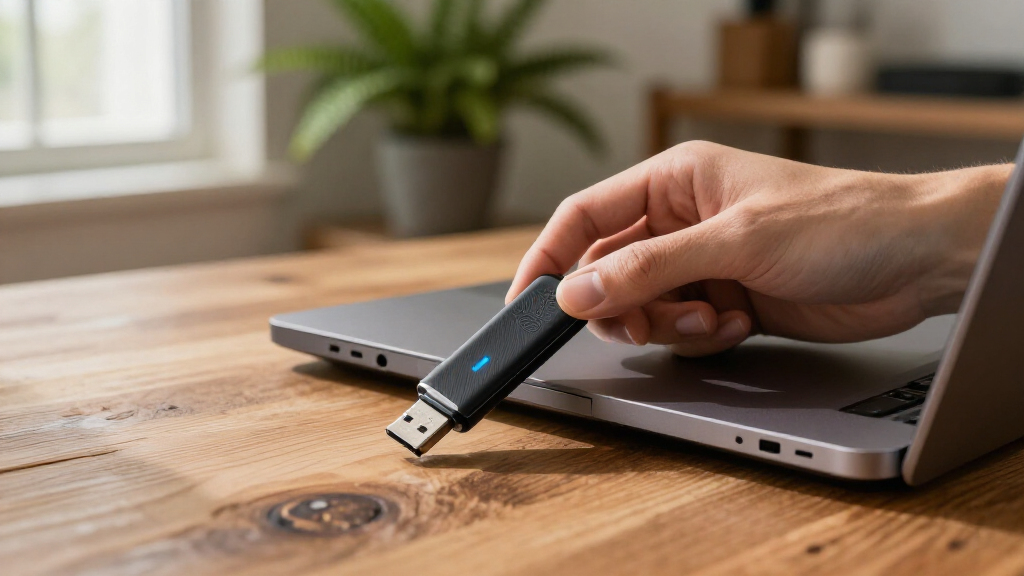

For most buyers, I would start with the Kingston IronKey Keypad 200 16GB: its built-in keypad lets you unlock the drive without relying on computer software. The Apricorn Aegis Secure Key 3NX is another strong fit for a compact, hardware-encrypted drive, while the Kingston IronKey Vault Privacy 50 suits buyers who want a more conventional USB workflow. The main tradeoffs are keypad convenience versus size and cost, capacity versus security-focused features, and how much setup a user is willing to manage. A secure drive can protect stored files, but it cannot replace a backup or protect files after they are copied onto an untrusted device. Read on for the full comparison and recommendations by buyer type.

Get privacy and security gear delivered free with Prime
- Fast, free delivery on millions of items
- Prime Video, Amazon Music and more included
- Member-only deals all year
Key Takeaways
- The Keypad 200 16GB stands out for computer-independent access: its keypad can make it a better fit for mixed-device use than models that depend on host software.
- The roundup favors purpose-built security over capacity alone: large-capacity choices such as the Keypad 200 512GB and Aegis Secure Key 3.0 1TB suit bigger archives, but buyers should check that their chosen model and workflow meet their security needs.
- Several product families appear at different capacities: the Apricorn Aegis Secure Key, Integral Crypto-197, and Kingston IronKey Keypad 200 lines give buyers capacity choices, but capacity does not by itself indicate stronger protection.
- Keypad drives trade some convenience for a separate unlock step: models such as the Apricorn Aegis Secure Key 3Z, iStorage datAshur PRO, and IronKey Keypad 200 may appeal to people who prefer not to depend on software-based unlocking.
- Small-capacity options remain useful for focused tasks: 4GB and 8GB drives can suit documents or limited transfers, while buyers carrying larger archives should avoid choosing capacity before checking the security and compatibility details.
| Apricorn Aegis Secure Key 3NX 8GB Encrypted USB 3.0 Flash Drive |  | Best for Layered Physical Security | Capacity: 8 GB | Encryption: 256-bit AES-XTS hardware encryption | Security validation: FIPS 140-2 Level 3 | VIEW LATEST PRICE | See Our Full Breakdown |
| Integral Crypto-197 4GB Encrypted USB 3.0 Flash Drive |  | Best for Simple, Automatic Locking | Capacity: 4 GB | Encryption: 256-bit AES hardware encryption | Certification: FIPS 197 | VIEW LATEST PRICE | See Our Full Breakdown |
| Apricorn Aegis Secure Key 3.0 Encrypted USB Flash Drive, 1 TB |  | Best for High-Capacity Secure Storage | Capacity: 1 TB | Encryption: 256-bit AES-XTS hardware-based encryption | Security certification: FIPS 140-2 Level 3 | VIEW LATEST PRICE | See Our Full Breakdown |
| Apricorn Aegis Secure Key 3Z 16GB Hardware-Encrypted USB Flash Drive |  | Best for Rugged, Mid-Size Everyday Carry | Capacity: 16 GB | Encryption: 256-bit AES-XTS hardware encryption | Security certification: FIPS 140-2 Level 3 validated | VIEW LATEST PRICE | See Our Full Breakdown |
| Kingston IronKey Vault Privacy 50 16GB Encrypted USB Flash Drive |  | Best for Firmware and Password Defenses | Capacity: 16 GB | Encryption: FIPS 197-certified, hardware-based AES-256 in XTS mode | Interface and connector: USB 3.2 Gen 1, USB Type-A | VIEW LATEST PRICE | See Our Full Breakdown |
| Kingston IronKey Locker+ 50 G2 32GB Encrypted USB Drive | 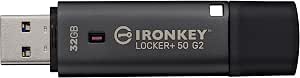 | Best Overall | Capacity: 32 GB | Interface: USB 3.2 Gen 1 | Encryption: XTS-AES 256-bit hardware encryption | VIEW LATEST PRICE | See Our Full Breakdown |
| Kingston IronKey Keypad 200 16GB Encrypted USB Flash Drive |  | Best for PIN-Based, Software-Free Access | Capacity: 16 GB | Interface: USB 3.2 Gen 1 | Connector: USB Type-A | VIEW LATEST PRICE | See Our Full Breakdown |
| Integral Crypto-197 16GB USB 3.0 Hardware-Encrypted Flash Drive | | Best for Automatic Lockdown | Capacity: 16 GB | Interface: USB 3.0 | Connector: USB Type-A | VIEW LATEST PRICE | See Our Full Breakdown |
| INNÔPLUS 64GB Encrypted USB Flash Drive, 256-Bit AES XTS, USB 3.0, Gray |  | Best for Capacity and Stated Speed | Capacity: 64 GB | Interface: USB 3.0 | Connector: USB Type-A | VIEW LATEST PRICE | See Our Full Breakdown |
| Kingston DataTraveler Vault Privacy 3.0 8GB Encrypted USB 3.0 Flash Drive |  | Best for Read-Only Malware Risk Reduction | Capacity: 8 GB | Interface: USB 3.0 | Connector: USB Type-A | VIEW LATEST PRICE | See Our Full Breakdown |
| iStorage datAshur PRO 4 GB Encrypted USB Flash Drive |  | Best for Certified, Rugged Security | Storage capacity: 4 GB | Hardware encryption: AES-XTS 256-bit | Authentication: 7–15 digit PIN | VIEW LATEST PRICE | See Our Full Breakdown |
| 32GB Secure Encrypted USB 3.0 Flash Drive with 256-Bit Hardware Encryption |  | Best for Straightforward Encrypted Storage | Storage capacity: 32GB | Interface: USB 3.0 | Encryption: 256-bit AES XTS hardware encryption | VIEW LATEST PRICE | See Our Full Breakdown |
| Kingston IronKey Keypad 200 512GB USB Type-A Encrypted Flash Drive |  | Best for High-Capacity PIN-Controlled Security | Storage capacity: 512GB | Hardware interface: USB 3.2 Gen 1 | Connector: USB Type-A | VIEW LATEST PRICE | See Our Full Breakdown |
| secure USB flash drife | Encryption | Capacity | Interface |
|---|---|---|---|
| Apricorn Aegis Secure Key 3NX | 256-bit AES-XTS hardware encryption | 8 GB | — |
| Integral Crypto-197 4GB Encryp | 256-bit AES hardware encryption | 4 GB | — |
| Apricorn Aegis Secure Key 3.0 | 256-bit AES-XTS hardware-based encryption | 1 TB | — |
| Apricorn Aegis Secure Key 3Z 1 | 256-bit AES-XTS hardware encryption | 16 GB | — |
| Kingston IronKey Vault Privacy | FIPS 197-certified, hardware-based AES-256 in XTS mode | 16 GB | — |
| Kingston IronKey Locker+ 50 G2 | XTS-AES 256-bit hardware encryption | 32 GB | USB 3.2 Gen 1 |
| Kingston IronKey Keypad 200 16 | XTS-AES 256-bit hardware encryption | 16 GB | USB 3.2 Gen 1 |
| Integral Crypto-197 16GB USB 3 | 256-bit AES hardware encryption | 16 GB | USB 3.0 |
| INNÔPLUS 64GB Encrypted USB Fl | 256-bit AES XTS hardware encryption | 64 GB | USB 3.0 |
| Kingston DataTraveler Vault Pr | 256-bit AES hardware encryption with XTS mode | 8 GB | USB 3.0 |
| iStorage datAshur PRO 4 GB Enc | — | — | USB 3.0 |
| 32GB Secure Encrypted USB 3.0 | 256-bit AES XTS hardware encryption | — | USB 3.0 |
| Kingston IronKey Keypad 200 51 | XTS-AES 256-bit hardware encryption | — | — |
More Details on Our Top Picks
Apricorn Aegis Secure Key 3NX 8GB Encrypted USB 3.0 Flash Drive
The Aegis Secure Key 3NX combines keypad PIN access with FIPS 140-2 Level 3 validation, tamper-resistant epoxy, and locked-down firmware. That mix suits sensitive files that may be carried between computers, since unlocking does not depend on software installed on the host. Separate administrator and user modes, plus two read-only modes, offer more control than the simpler password setup of the Integral Crypto-197. Its 8GB capacity is the main constraint: it fits documents and small work files, not a large archive. The listed read speed is 77 MB/s, while the write speed is provided without a unit, so performance comparisons are incomplete. I’d rank it above basic encrypted drives for its layered defenses, but below the 1TB Aegis Secure Key 3.0 for buyers who need room for substantial data.
Pros:- Hardware-based 256-bit AES-XTS encryption with onboard PIN authentication
- FIPS 140-2 Level 3 validation and tamper-resistant epoxy protection
- Administrator and user modes with two read-only modes
- Compatibility with Windows, iOS, Linux, Android, and Chrome
Cons:- 8GB capacity is restrictive for large files or long-term archives
- Listed write speed has no unit, making speed comparisons difficult
Best for: People carrying a small set of confidential files between different operating systems who want keypad access and stronger physical-tampering defenses.
Not ideal for: Photographers, video editors, and anyone archiving large folders; 8GB leaves little room for bulky files.
- Capacity:8 GB
- Encryption:256-bit AES-XTS hardware encryption
- Security validation:FIPS 140-2 Level 3
- Interface and connector:USB 3.0 (USB 3.1), USB Type-A
- Authentication:Onboard keypad PIN
- Modes:Administrator and user modes; two read-only modes
- Read speed:77 MB/s
- Compatibility:Windows, iOS, Linux, Android, and Chrome
- Warranty:3 years
Our verdict“Choose the 3NX for small, sensitive file sets where keypad access and tamper-resistant construction matter more than capacity.”
Integral Crypto-197 4GB Encrypted USB 3.0 Flash Drive
The Integral Crypto-197 keeps its security routine straightforward: it uses FIPS 197-certified 256-bit AES hardware encryption, needs no software installation, and locks when disconnected. That makes it easier to deploy on managed or borrowed computers than the keypad-based Apricorn Aegis Secure Key 3Z, which requires PIN entry on the drive itself. Its impact-resistant, rubberized housing adds a layer of physical protection, though the description only says it is designed to resist water exposure rather than giving an IP rating. The sharp tradeoff is capacity: at 4GB, it is best for a narrow set of documents, not a working archive. After six unsuccessful access attempts, data is erased, which helps deter guessing but also makes forgotten credentials risky. I’d choose it for basic secure transfers, not for forgiving everyday storage.
Pros:- FIPS 197-certified 256-bit AES hardware encryption
- Locks automatically when disconnected, without requiring installed software
- Dual-layer housing is designed to resist impacts and water exposure
- Password length supports 8–16 alphanumeric characters
Cons:- 4GB capacity limits it to small file sets
- Six unsuccessful access attempts erase the stored data
- Write speed is listed as “2x,” which does not provide a clear MB/s comparison
Best for: Office staff and contractors who need a small, software-free encrypted drive that locks automatically when unplugged.
Not ideal for: People storing irreplaceable files or those likely to forget a password; six failed attempts erase the data, and capacity is only 4GB.
- Capacity:4 GB
- Encryption:256-bit AES hardware encryption
- Certification:FIPS 197
- Interface and connector:USB 3.0, USB Type-A
- Password length:8–16 alphanumeric characters
- Failed-access protection:Data erased after 6 unsuccessful attempts
- Housing:Dual-layer hardened internal case with rubberized silicone outer case
- Software requirement:None
Our verdict“Pick the Crypto-197 for simple, automatic locking and small transfers, but avoid it if you need generous capacity or a forgiving recovery path.”
Apricorn Aegis Secure Key 3.0 Encrypted USB Flash Drive, 1 TB
For buyers who need encrypted storage at scale, the 1TB Aegis Secure Key 3.0 stands apart from the 8GB Aegis Secure Key 3NX and 16GB Aegis Secure Key 3Z. It pairs 256-bit AES-XTS hardware encryption and keypad PIN access with FIPS 140-2 Level 3 certification, giving sensitive files room to stay on one protected drive instead of being split across several small devices. Its IP68-rated design adds dust and water protection, and the listed 195 MB/s read and 162 MB/s write speeds make it the clearest performance choice among the Apricorn options here. The tradeoff is that it still needs a powered USB port and a supported file system, and every access requires PIN entry. I’d favor it for large secure collections, not for someone who only carries a few documents.
Pros:- 1TB capacity paired with hardware-based 256-bit AES-XTS encryption
- Keypad supports separate administrator and user PINs
- IP68-rated protection against dust and sustained water immersion
- FIPS 140-2 Level 3 security certification
Cons:- Requires a powered USB port and a supported storage file system
- PIN entry is required each time the drive is accessed
- USB Type-A connector may require an adapter on devices without that port
Best for: Mobile professionals and small teams who need to carry large sensitive file collections on one hardware-encrypted, PIN-protected drive.
Not ideal for: Users with only a few documents to protect, or anyone whose devices lack a powered USB port or supported file system.
- Capacity:1 TB
- Encryption:256-bit AES-XTS hardware-based encryption
- Security certification:FIPS 140-2 Level 3
- Interface and connector:USB 3.0, USB Type-A
- Authentication:Onboard keypad with separate Admin and User PINs
- Ingress protection:IP68
- Read and write speeds:195 MB/s read; 162 MB/s write
- Compatibility:Windows, Linux, Mac, Android, Chrome, embedded systems, and USB-enabled devices
Our verdict“Choose this Aegis when a large sensitive archive needs hardware encryption and rugged protection on one drive.”
Apricorn Aegis Secure Key 3Z 16GB Hardware-Encrypted USB Flash Drive
The Aegis Secure Key 3Z is a useful middle ground between the 8GB Aegis Secure Key 3NX and the 1TB Aegis Secure Key 3.0: it offers 16GB capacity, keypad PIN access, and hardware-based 256-bit AES-XTS encryption without requiring host software. Its IP57-rated aluminum housing gives it a more concrete dust- and water-resistance claim than the Integral Crypto-197’s housing description. Separate user and administrator PINs, read-only modes, and brute-force protection give it more configuration options than a basic encrypted stick. The tradeoff is that those security settings demand careful credential management: exceeding the configured incorrect-PIN limit can delete the encryption key and data. It also cannot match the 1TB Aegis for storage or the Kingston IronKey Vault Privacy 50 for listed transfer speeds and digitally signed firmware. I’d choose it for modest work files that need a rugged, software-free lock.
Pros:- 256-bit AES-XTS hardware encryption with embedded PIN authentication
- IP57-rated aluminum housing resists water and dust exposure
- Separate user and administrator PINs with configurable read-only modes
- Brute-force protection and operation without required host software
Cons:- 16GB capacity is limited for large collections or media files
- Too many incorrect PIN entries can delete the encryption key and data
- Listed read and write speeds of 77 MB/s and 72 MB/s trail the Kingston IronKey Vault Privacy 50’s stated speeds
Best for: Field workers and business users who carry a moderate set of confidential documents and want PIN access in a rugged aluminum body.
Not ideal for: People who need large media storage or a forgiving password-recovery option; capacity is 16GB and too many incorrect PINs can erase access to the data.
- Capacity:16 GB
- Encryption:256-bit AES-XTS hardware encryption
- Security certification:FIPS 140-2 Level 3 validated
- Interface and connector:USB 3.0, USB Type-A
- Authentication:Embedded 7–16 digit PIN
- Housing and ingress protection:Rugged aluminum; IP57 water- and dust-resistant
- Read and write speeds:77 MB/s read; 72 MB/s write
- Security controls:Separate user and admin PINs, read-only modes, and brute-force protection
Our verdict“Choose the 3Z for a rugged, software-free encrypted drive for moderate file sets, provided you can manage PIN entry carefully.”
Kingston IronKey Vault Privacy 50 16GB Encrypted USB Flash Drive
The Kingston IronKey Vault Privacy 50 takes a different route from the keypad-driven Apricorn Aegis Secure Key 3Z: its protection centers on password modes, brute-force safeguards, and digitally signed firmware designed to help guard against BadUSB attacks. FIPS 197-certified AES-256 encryption in XTS mode protects stored data, while dual read-only settings can reduce the chance of unwanted changes when files are opened on an untrusted computer. With listed speeds of 250 MB/s read and 180 MB/s write, it is faster on paper than the 3Z, though both are limited to 16GB. It is a better fit for users who want flexible password options and firmware protections than for those who prefer a physical keypad. The USB Type-A connector also limits direct use with devices that lack that port. I’d put it ahead of the 3Z for transfer speed and firmware safeguards, but behind the 1TB Aegis when capacity is the priority.
Pros:- FIPS 197-certified, hardware-based AES-256 encryption in XTS mode
- Digitally signed firmware helps guard against BadUSB attacks
- Complex-password and passphrase modes with multiple-password options
- Dual read-only settings and listed speeds of 250 MB/s read and 180 MB/s write
Cons:- 16GB capacity may not suit larger files or archives
- USB Type-A connector is not a direct fit for devices without a compatible port
- Password-based access may not suit buyers who prefer a dedicated keypad
Best for: IT staff and privacy-conscious users who want a compact encrypted drive with passphrase options, firmware safeguards, and read-only controls.
Not ideal for: People who require keypad-based authentication, need more than 16GB, or use devices without a USB Type-A port.
- Capacity:16 GB
- Encryption:FIPS 197-certified, hardware-based AES-256 in XTS mode
- Interface and connector:USB 3.2 Gen 1, USB Type-A
- Read and write speeds:250 MB/s read; 180 MB/s write
- Security features:Brute-force protection and digitally signed firmware for BadUSB protection
- Password options:Complex and passphrase modes; multi-password options
- Write protection:Dual read-only settings
- Compliance:TAA compliant
Our verdict“Choose the Vault Privacy 50 if you value firmware safeguards, flexible password modes, and faster listed transfers in a 16GB drive.”
Kingston IronKey Locker+ 50 G2 32GB Encrypted USB Drive
I’d put the IronKey Locker+ 50 G2 first for buyers who want a clear balance of encryption, administrative control, and transfer speed. Its FIPS 197 certification and XTS-AES 256-bit hardware encryption make it a more documented security choice than the INNÔPLUS 64GB, whose supplied details do not list a certification. Admin and User password modes also give it more access-control flexibility than a drive built around a single password.
The tradeoff is capacity: 32GB is modest beside the INNÔPLUS’s 64GB, and password entry adds a step before access. Still, its stated 145 MB/s read and 115 MB/s write speeds suit regular file transfers, while the five-year warranty adds longer stated coverage than the Kingston DataTraveler Vault Privacy 3.0’s two years. I’d choose it for sensitive working files, not as a high-capacity archive.
Pros:- FIPS 197 certification paired with XTS-AES 256-bit hardware encryption
- Admin and User password modes provide more access control than a single-password setup
- Stated read and write speeds of up to 145 MB/s and 115 MB/s
- Five-year manufacturer warranty
Cons:- 32GB capacity can fill quickly with large files or backups
- Password authentication adds a step whenever the drive is accessed
Best for: Professionals who want certified hardware encryption, separate Admin and User access, and enough space for a focused set of sensitive files.
Not ideal for: People storing large media libraries or backups; its 32GB capacity is smaller than the INNÔPLUS 64GB.
- Capacity:32 GB
- Interface:USB 3.2 Gen 1
- Encryption:XTS-AES 256-bit hardware encryption
- Certification:FIPS 197
- Read speed:Up to 145 MB/s
- Write speed:Up to 115 MB/s
- Warranty:5 years
Our verdict“Choose the IronKey Locker+ 50 G2 for certified encryption and flexible password roles in a practical, though limited-capacity, everyday drive.”
Kingston IronKey Keypad 200 16GB Encrypted USB Flash Drive
The IronKey Keypad 200 suits buyers who want to enter credentials on the drive itself rather than rely on a computer’s password prompt. Its physical alphanumeric keypad supports separate Admin and User PINs, while XTS-AES 256-bit hardware encryption, brute-force protection, and BadUSB protection cover both stored data and some device-level risks. That makes it a more specialized choice than the IronKey Locker+ 50 G2, which offers certified encryption and password modes but no keypad in the supplied details.
This convenience comes with limits. At 16GB, it holds less than the Locker+ 50 G2 and the INNÔPLUS 64GB, and entering a PIN on the device may feel slower for frequent use. Its FIPS 140-3 Level 3 certification is listed as pending, so I would not treat that status as completed certification. The keypad makes most sense when host-independent PIN entry matters more than capacity.
Pros:- XTS-AES 256-bit hardware encryption
- Physical keypad supports separate Admin and User PINs
- Brute-force and BadUSB protection are listed
- Epoxy-covered circuitry and a polymer-coated keypad add tamper resistance and conceal key use
Cons:- FIPS 140-3 Level 3 certification is listed as pending
- 16GB capacity is restrictive compared with the 32GB Locker+ 50 G2 and 64GB INNÔPLUS
- A physical PIN entry is required for access
Best for: People moving sensitive files between shared or varied computers who prefer PIN entry on the drive and need separate Admin and User access.
Not ideal for: Buyers seeking completed FIPS 140-3 Level 3 certification or room for large backups; the certification is pending and capacity is 16GB.
- Capacity:16 GB
- Interface:USB 3.2 Gen 1
- Connector:USB Type-A
- Encryption:XTS-AES 256-bit hardware encryption
- Security certification:FIPS 140-3 Level 3 (pending)
- Access:Alphanumeric keypad; Admin and User PINs
- Read/write speeds:Up to 145 MB/s read and 115 MB/s write
- Compatibility:Windows, macOS, Linux, Chrome OS, Android, and USB mass-storage systems
Our verdict“Pick the Keypad 200 if PIN entry on the device is your priority, but skip it if you need larger capacity or completed FIPS 140-3 Level 3 certification.”
Integral Crypto-197 16GB USB 3.0 Hardware-Encrypted Flash Drive
The Integral Crypto-197 is a strong fit for buyers who want a simple security policy: password protection is mandatory, the drive locks when removed or when the host locks, and six failed attempts erase the data and encryption key. That automatic wipe is a stricter response than the ten-attempt reset listed for the INNÔPLUS 64GB and Kingston DataTraveler Vault Privacy 3.0. FIPS 197 certification and 256-bit AES hardware encryption add a documented security basis without requiring software installation.
The same strictness creates the main risk: a forgotten password or repeated typing error can permanently destroy the files. Its 16GB capacity is also smaller than the Locker+ 50 G2’s 32GB, and its stated USB 3.0 speeds are lower than the INNÔPLUS’s listed figures. The double-layer waterproof construction may help in wet conditions, but the supplied data does not specify the submersion limits. I’d use it for a small, controlled set of sensitive files—not the only copy of important data.
Pros:- FIPS 197-certified 256-bit AES hardware encryption
- Automatic locking when removed or when the host computer locks
- Data and encryption key erase after six failed access attempts
- No software installation required; double-layer casing is described as waterproof
Cons:- Six incorrect attempts permanently erase the stored data and encryption key
- 16GB capacity is smaller than the Locker+ 50 G2 and INNÔPLUS 64GB
- Waterproof submersion conditions are not specified
Best for: Users carrying a small set of sensitive files who want automatic locking and a low failed-attempt limit, and who maintain a separate backup.
Not ideal for: Anyone likely to forget or mistype passwords, or anyone storing irreplaceable files only on the drive; six failed attempts erase data and the key.
- Capacity:16 GB
- Interface:USB 3.0
- Connector:USB Type-A
- Encryption:256-bit AES hardware encryption
- Certification:FIPS 197
- Password:8–16 alphanumeric characters
- Failed-attempt protection:Data and encryption key erased after 6 failed attempts
- Read/write speeds:Up to 130 MB/s read and 100 MB/s write
- Software:No installation required
Our verdict“Choose the Crypto-197 for strict automatic locking and wipe behavior on a backed-up set of files, not as the sole home for important data.”
INNÔPLUS 64GB Encrypted USB Flash Drive, 256-Bit AES XTS, USB 3.0, Gray
Among these five, the INNÔPLUS 64GB gives buyers the most room for files and the highest listed transfer speeds: up to 480 MB/s read and 160 MB/s write. That makes it a more practical option for larger working folders than the 16GB Integral Crypto-197 or Kingston IronKey Keypad 200. Its hardware-based AES XTS encryption, password protection, and compatibility with Windows, Mac, Linux, and embedded systems without extra software or drivers also reduce setup friction.
The tradeoff is a less documented security profile than the certified Kingston IronKey Locker+ 50 G2 and Integral Crypto-197: the supplied product data does not list a security certification. Ten incorrect password attempts trigger a factory reset and data erasure, so password loss remains consequential, though the limit is less strict than Integral’s six attempts. The zinc-alloy shell is described as compact, but no water or impact rating is provided. I’d favor it for capacity and speed, not for buyers who require listed certification or environmental protection.
Pros:- 64GB capacity exceeds the 16GB and 32GB options in this group
- Hardware-based 256-bit AES XTS encryption with password protection
- Listed speeds reach up to 480 MB/s read and 160 MB/s write
- Works with Windows, Mac, Linux, and embedded systems without additional software or drivers
Cons:- Ten incorrect password attempts trigger factory reset and erase stored data
- No security certification is listed in the supplied product details
- Water and impact resistance are not specified
Best for: People carrying larger work folders across Windows, Mac, Linux, or embedded systems who value stated speed and broad compatibility.
Not ideal for: Buyers who require a listed security certification or specified water and impact protection; those details are absent from the supplied product data.
- Capacity:64 GB
- Interface:USB 3.0
- Connector:USB Type-A
- Encryption:256-bit AES XTS hardware encryption
- Read/write speeds:Up to 480 MB/s read and 160 MB/s write
- Password protection:Incorrect password limit of 10 attempts, then factory reset and data erasure
- Compatibility:Windows, Mac, Linux, and embedded systems
- Material:Zinc alloy
Our verdict“Choose the INNÔPLUS when capacity and stated speed matter most, but favor a certified alternative if documented certification is a requirement.”
Kingston DataTraveler Vault Privacy 3.0 8GB Encrypted USB 3.0 Flash Drive
The DataTraveler Vault Privacy 3.0 has a distinct advantage for users who sometimes need to open files without writing to the drive: its read-only mode helps reduce the risk of unwanted changes and malware being written back. It pairs that control with 256-bit AES hardware encryption in XTS mode and locks and reformats after ten incorrect access attempts. Compared with the Integral Crypto-197, it allows more failed attempts before erasure; compared with the INNÔPLUS 64GB, however, its 8GB capacity is sharply limited.
Listed read and write speeds are both 165 MB/s, but read-only mode naturally prevents normal writing while enabled. The reformat response also means a forgotten password or repeated mistakes can cost the stored data, so this is not a low-risk place for an unbacked-up archive. Its two-year warranty is shorter than the Locker+ 50 G2’s five years. I’d choose it for controlled document access rather than capacity or long warranty coverage.
Pros:- 256-bit AES hardware encryption with XTS block cipher mode
- Read-only mode can limit writes and reduce potential malware risks
- Locks and reformats after ten incorrect access attempts
- Listed read and write speeds of up to 165 MB/s
Cons:- 8GB capacity is the smallest among these five drives
- Ten incorrect attempts trigger locking and reformatting, risking data loss
- Two-year warranty is shorter than the Locker+ 50 G2’s five-year warranty
Best for: Organizations and individuals who share sensitive documents and want a read-only access mode to limit changes and reduce malware risk.
Not ideal for: People storing large files or needing a long warranty; it holds 8GB and has a two-year warranty, shorter than the Locker+ 50 G2.
- Capacity:8 GB
- Interface:USB 3.0
- Connector:USB Type-A
- Encryption:256-bit AES hardware encryption with XTS mode
- Read/write speeds:Up to 165 MB/s read and 165 MB/s write
- Security features:Complex password protection; locks and reformats after 10 intrusion attempts
- Access mode:Read-only mode
- Warranty:2 years
Our verdict“Pick the DataTraveler Vault Privacy 3.0 for controlled, read-only sharing of small sensitive files, not for large storage needs or extended warranty coverage.”
iStorage datAshur PRO 4 GB Encrypted USB Flash Drive
The datAshur PRO prioritizes security credentials and physical protection over storage space. Its AES-XTS 256-bit hardware encryption and keypad PIN work without software, while FIPS 140-2 Level 3 and other listed certifications make it a more certification-focused pick than the 32GB Secure Encrypted USB 3.0 Flash Drive. The IP57 rating adds dust and water resistance for people carrying sensitive files between work sites. The tradeoff is substantial: 4 GB capacity leaves little room for large documents or backups, and entering a 7–15 digit PIN adds a step each time you access the drive. Its listed speeds are respectable, but the Kingston IronKey Keypad 200 offers far more capacity for users handling larger file sets. Choose this iStorage model when certified protection and a rugged design matter more than room to grow.
Pros:- AES-XTS 256-bit hardware encryption and PIN authentication require no software.
- FIPS 140-2 Level 3, NLNCSA DEP-V, and NATO Restricted certifications are listed.
- IP57-rated protection helps resist dust and water exposure.
- Compatibility spans Windows, macOS, Linux, Chrome, and Android.
Cons:- 4 GB capacity is far below the 32GB Secure Encrypted USB 3.0 Flash Drive and 512GB Kingston IronKey Keypad 200.
- Access requires entering a 7–15 digit PIN.
- The listed interface is USB 3.0, despite the description also mentioning USB 3.2.
Best for: Security-conscious professionals who carry a small set of sensitive files and value listed security certifications plus dust and water resistance.
Not ideal for: People storing large work folders, media libraries, or backups; 4 GB is restrictive, and the PIN entry adds friction for frequent access.
- Storage capacity:4 GB
- Hardware encryption:AES-XTS 256-bit
- Authentication:7–15 digit PIN
- Certifications:FIPS 140-2 Level 3, NLNCSA DEP-V, NATO Restricted
- Ingress protection:IP57 dust and water resistant
- Interface:USB 3.0
- Listed speeds:Up to 169 MB/s read; 135 MB/s write
- Compatible systems:Windows, macOS, Linux, Chrome, Android
Our verdict“Choose the datAshur PRO if certified, weather-resistant protection for a small volume of sensitive files matters more than capacity.”
32GB Secure Encrypted USB 3.0 Flash Drive with 256-Bit Hardware Encryption
This 32GB drive offers a practical middle ground for buyers who want hardware encryption without installing software. Its AES-XTS 256-bit protection and password access make setup comparatively straightforward, while compatibility with Windows, macOS, Linux, and embedded systems gives it broader flexibility than a device tied to a single desktop platform. The 10-attempt erase rule is a strong defense if the drive is lost, but it also creates a serious risk: repeated mistakes or a forgotten password can destroy the stored data. Compared with the 4GB iStorage datAshur PRO, it provides much more room, though the datAshur adds a stated IP57 rating and a more extensive certification list. Its zinc-alloy case is portable, but the listed maximum speeds may not reflect everyday transfers.
Pros:- AES-XTS 256-bit hardware encryption and password protection work without software or drivers.
- 32GB capacity provides substantially more room than the 4GB iStorage datAshur PRO.
- Supports Windows, macOS, Linux, and embedded systems.
- Zinc-alloy casing is designed for portable use.
Cons:- The drive erases its data after 10 incorrect password attempts.
- Maximum read and write speeds are stated figures and may vary in use.
- No ingress-protection rating or security certification is specified in the supplied product data.
Best for: Users who need a moderate-capacity encrypted drive for documents across several operating systems and are comfortable managing a password carefully.
Not ideal for: People who cannot risk automatic data loss after failed password attempts, or buyers who need the listed certifications and ingress protection of the iStorage datAshur PRO.
- Storage capacity:32GB
- Interface:USB 3.0
- Encryption:256-bit AES XTS hardware encryption
- Password protection:Yes
- Incorrect password limit:10 attempts, then data is erased
- Listed speeds:Up to 480MB/s read; up to 150MB/s write
- Compatibility:Windows, macOS, Linux, embedded systems
- Material:Zinc alloy
Our verdict“Pick this drive for accessible, cross-platform encrypted storage if you can reliably retain the password and accept the erase-on-failure rule.”
Kingston IronKey Keypad 200 512GB USB Type-A Encrypted Flash Drive
The Kingston IronKey Keypad 200 is the capacity leader among these three, pairing 512GB with XTS-AES 256-bit hardware encryption and a physical keypad. Admin and User PINs, brute-force protection, digitally signed firmware, and read-only modes give buyers more control than the simpler password-based 32GB Secure Encrypted USB 3.0 Flash Drive. The keypad can accept a PIN before connection, which helps avoid relying on host software; read-only modes can also limit exposure when opening files on an untrusted computer. The tradeoffs are its USB Type-A connector and the pending status of its FIPS 140-3 Level 3 certification. Compared with the 4GB iStorage datAshur PRO, it offers vastly more room and additional access controls, but buyers should not treat pending certification as completed.
Pros:- 512GB capacity accommodates far more data than the 4GB iStorage datAshur PRO or 32GB Secure Encrypted USB 3.0 Flash Drive.
- XTS-AES 256-bit hardware encryption and keypad access work without host software.
- Admin and User PINs, brute-force protection, and read-only modes add access controls.
- Digitally signed firmware and dust-proof, water-resistant construction are listed.
Cons:- FIPS 140-3 Level 3 certification is pending, not completed.
- USB Type-A is the listed connector; Type-C use depends on a compatible device connection.
- Its dimensions are comparatively broad for a flash drive, which may limit fit beside adjacent ports.
Best for: Professionals carrying large volumes of confidential files who need separate Admin and User PINs, read-only controls, and hardware encryption.
Not ideal for: Buyers who require completed FIPS 140-3 Level 3 certification or need a native USB Type-C connector without an adapter or compatible connection.
- Storage capacity:512GB
- Hardware interface:USB 3.2 Gen 1
- Connector:USB Type-A
- Encryption:XTS-AES 256-bit hardware encryption
- Certification:FIPS 140-3 Level 3 pending
- Listed speeds:280 MB/s read; 150 MB/s write
- Security features:Alphanumeric keypad, Admin and User PINs, brute-force protection, digitally signed firmware, read-only modes
- Physical protection:Dust-proof, water-resistant
Our verdict“Choose the Keypad 200 for high-capacity encrypted storage and layered PIN controls, provided pending certification and Type-A connectivity fit your needs.”
How We Picked
I ranked these drives around the job a secure USB drive must do: protect data at rest while remaining practical to unlock, carry, and use with the buyer’s devices. I weighed the stated hardware-encryption approach, keypad or software-dependent access, capacity choices, connection type, and the likely friction of daily use. I also treated product-family differences carefully; a larger capacity or a familiar brand name does not automatically mean stronger protection.
The ranking gives the clearest balance of security workflow and everyday usability the highest placement, then distinguishes options for simpler setups, specialist needs, and larger storage requirements. Drives with less detail available in their product names are placed more cautiously, since buyers should verify supported operating systems, certification claims, recovery behavior, and warranty terms before relying on them for sensitive files. No model replaces a separate backup, and readers should confirm the exact specifications of the capacity variant they plan to buy.
| secure USB flash drife | Interface |
|---|---|
| Apricorn Aegis Secure Key 3NX | — |
| Integral Crypto-197 4GB Encryp | — |
| Apricorn Aegis Secure Key 3.0 | — |
| Apricorn Aegis Secure Key 3Z 1 | — |
| Kingston IronKey Vault Privacy | — |
| Kingston IronKey Locker+ 50 G2 | USB 3.2 Gen 1 |
| Kingston IronKey Keypad 200 16 | USB 3.2 Gen 1 |
| Integral Crypto-197 16GB USB 3 | USB 3.0 |
| INNÔPLUS 64GB Encrypted USB Fl | USB 3.0 |
| Kingston DataTraveler Vault Pr | USB 3.0 |
| iStorage datAshur PRO 4 GB Enc | USB 3.0 |
| 32GB Secure Encrypted USB 3.0 | USB 3.0 |
| Kingston IronKey Keypad 200 51 | — |
Factors to Consider When Choosing Secure USB Flash Drives
Choosing a secure drive involves more than selecting an encryption claim or the largest capacity. I would match the unlock method, device compatibility, and recovery plan to the way the drive will actually be used.
Choose an Unlock Method That Fits Your Devices
A keypad drive handles PIN entry on the device itself, which can help when moving between computers or using a machine where you cannot install software. That convenience comes with another step each time you unlock it, and keypad placement or small buttons may be awkward for some users. Drives that rely on software can fit familiar computer workflows better, but they may be less convenient on locked-down or less common systems. Before buying, check the manufacturer’s supported operating systems and whether unlocking requires administrator access. Avoid assuming that every drive with hardware encryption works the same way across computers, tablets, and phones.
Treat Capacity as a Security and Backup Decision
Pick capacity based on the data you need to carry, with room for normal growth, rather than treating more storage as better protection. A 4GB or 8GB model can be a sensible fit for a limited set of documents, while large archives may call for the 512GB Keypad 200 or 1TB Aegis option. More capacity can make one device a single point of failure if it holds the only copy of important files. Keep a separate, protected backup and check that your chosen backup method preserves encryption. For highly sensitive data, carrying less information can reduce the impact of loss or theft.
Verify What the Security Claims Actually Cover
Product names may mention AES, hardware encryption, or a keypad, but those labels do not answer every security question. Check the exact model’s certification status, encryption mode, PIN rules, lockout behavior, and whether a forgotten PIN makes data unrecoverable. Requirements differ between personal use, workplace policies, and regulated data, so match documented specifications to the rules you must follow. Do not infer that two drives in the same product family have identical features just because their names are similar. If a listing lacks clear technical documentation, confirm details with the manufacturer before storing confidential material.
Plan for Lost PINs and Device Failure
Security features can make recovery harder by design, so decide how you will handle a forgotten PIN before the drive holds important files. Read the reset and recovery instructions carefully; some reset paths may erase stored data rather than restore access. Store recovery information separately from the drive, in a place protected to the same standard as the files. A secure USB drive is still flash storage and can fail, be lost, or be damaged. Maintain another copy and test that your backup can be restored before you need it.
Check the Physical Design and Connection
A keypad, protective casing, and connector style affect everyday use as much as headline security features. A larger body can be less comfortable beside neighboring ports on a crowded laptop, while a compact drive may be easier to carry but harder to handle. Confirm whether the model uses USB Type-A or another connector and whether you will need an adapter for your devices. Adapters can add friction and may not suit every mobile workflow. If the drive will travel often, check the manufacturer’s durability and environmental claims rather than assuming that a secure design is also rugged or waterproof.
Decide How Much Daily Friction You Can Accept
The strongest choice on paper may not be the right choice if its unlock process makes you avoid using it or encourages unsafe workarounds. Frequent users should compare how quickly they can unlock the drive and whether the method suits shared or personal computers. A simpler routine can reduce mistakes, but convenience should not lead to leaving the drive unlocked or storing a PIN beside it. For occasional transfers, a deliberate keypad step may feel like a fair trade for controlled access. Choose a workflow you can follow consistently, then pair it with safe file handling and a separate backup.
Frequently Asked Questions
Is a keypad USB drive a better choice than one that uses unlocking software?
It depends on where you plan to use the drive. A keypad model can be easier to unlock across different computers because PIN entry happens on the drive, while software-based models may suit a regular computer setup with supported software. Keypads add physical bulk and an extra step, and software requirements can create compatibility or permission issues. Check the exact model’s operating-system support and setup instructions before choosing. If you often use shared or restricted computers, an onboard keypad may be the more practical fit.
Should I buy a larger encrypted drive for all my sensitive files?
Not automatically. Larger models such as the 512GB Keypad 200 and 1TB Aegis option can hold substantial archives, but keeping everything on one device can concentrate risk if it is lost or damaged. First estimate the files you need to carry, then choose enough space for expected growth without treating unused capacity as a benefit by itself. Keep a separate encrypted backup and avoid carrying sensitive files you do not need for the task. For some buyers, a smaller drive used for selected files is easier to manage securely.
What should I check before using an encrypted drive with a work computer?
Confirm that your organization permits removable encrypted storage and supports the drive’s unlocking method. Some work computers block USB storage, restrict software installation, or require specific certifications and management controls. A keypad can avoid installing an unlock application, but it does not override an employer’s device policies. Check whether the organization has rules for PIN strength, data classification, and approved backup procedures. If the drive is for regulated or client data, get approval before copying files to it.
What happens if I forget the PIN or enter it incorrectly too many times?
The result varies by model, so read the exact manufacturer instructions before setting up the drive. A drive may impose a lockout, require a reset, or erase stored data after certain recovery actions; a reset is not the same as restoring access to files. Set a PIN you can remember without making it easy to guess, and keep any permitted recovery details in a separate protected location. Do not store the PIN in an unprotected file on the same drive. Keep a backup of important data before relying on the device.
Can an encrypted USB drive replace a cloud or computer backup?
No. Encryption helps protect files on the drive if someone obtains it, but it does not create another copy or prevent hardware failure, accidental deletion, or loss. A backup should be separate from the drive and protected with its own suitable access controls. For particularly sensitive files, consider whether an approved encrypted backup location fits your work and privacy requirements. Test restoring a file so you know the backup is usable. Keep only the data you need on the portable drive and maintain another copy elsewhere.
Conclusion
For the best overall balance, I would start with the Kingston IronKey Keypad 200 16GB, especially if onboard PIN entry suits your devices and routine. For a best value-style fit, the Integral Crypto-197 16GB is a straightforward capacity choice, though I would verify its current documentation and compatibility before storing sensitive files. Buyers seeking a premium, high-capacity option can compare the Keypad 200 512GB with the Aegis Secure Key 3.0 1TB, choosing based on their preferred unlock method and storage needs. For beginners, I would favor a model with a clear setup and recovery process over the longest feature list. For focused, compact transfers, consider the Aegis Secure Key 3NX 8GB or another small-capacity option; for any choice, confirm the exact specifications, keep a separate backup, and match the drive to the devices you actually use.