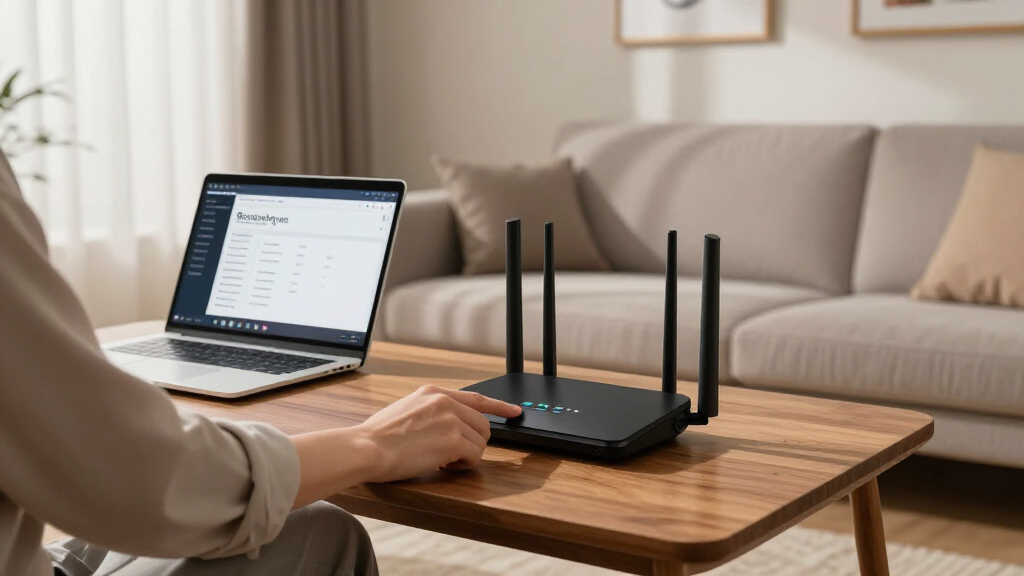

Privacy-focused VPN routers encrypt every device on your network at the router level, so your smart TV, IoT gadgets, and laptops all share one protected connection without individual VPN apps. After comparing this lineup, the ASUS RT-AX57 GO stands out as the best overall pick, combining Wi-Fi 6 speeds, built-in VPN client and server modes, and true portability. For whole-home protection, the Omada ER706W and Synology RT2600ac offer stronger throughput and multi-VPN support, while the Deeper Connect Mini takes a different route with decentralized networking and no subscription fees. The main tradeoff in this category is between travel-sized convenience and full-home performance, and between managed VPN subscriptions and self-hosted or decentralized alternatives. Keep reading for the full breakdown of which model fits your setup.

Get privacy and security gear delivered free — and shop member deals
- Fast, free delivery on millions of items
- Access to Prime Big Deal Days deals on October 6–7
- Prime Video, Amazon Music and more included
Key Takeaways
- Travel routers like the ASUS RT-AX57 GO, GL.iNet Opal, and TP-Link Roam 6 dominate portability, but their VPN throughput is the bottleneck — Wi-Fi 6 models handle encrypted traffic noticeably better than the WiFi 5 TP-Link option.
- The Deeper Connect Mini and Air are the only options here that avoid commercial VPN subscriptions entirely, using decentralized networking instead — a privacy philosophy choice, not just a hardware one.
- Wired-only routers (TP-Link ER605, D-Link DSR-250V2, Cudy R700) offer the most stable VPN tunnels and multi-WAN failover but require a separate Wi-Fi access point, which many buyers overlook before purchasing.
- The S1 router’s 2.5G WAN/LAN ports make it the standout for Gigabit-class VPN connections, since most AX3000 routers throttle encrypted traffic well below their advertised speeds.
- Synology‘s RT2600ac remains the strongest pick for beginner-friendly per-device VPN control, thanks to its package-based interface that lets you route only some devices through the tunnel.
| TP-Link ER605 Wired Gigabit VPN Router |  | Best for Small Business Networks | Ports: 5 Gigabit (1 WAN, 2 WAN/LAN, 2 LAN) | WAN Support: Up to 3 WAN including USB mobile broadband | VPN Tunnels: 20× IPsec, 16× OpenVPN, 16× L2TP, 16× PPTP | VIEW LATEST PRICE | See Our Full Breakdown |
| GL.iNet GL-SFT1200 Opal Travel Router |  | Best Budget Travel Pick | Wireless Speed: AC1200 (300 Mbps 2.4GHz + 867 Mbps 5GHz) | Ports: 2 Gigabit LAN, 1 Gigabit WAN | VPN Support: OpenVPN, WireGuard | VIEW LATEST PRICE | See Our Full Breakdown |
| Synology RT2600ac Dual-Band Wi-Fi Router |  | Best Software Experience | Processor: 1.7 GHz dual-core | Wi-Fi: 4×4 dual-band 802.11ac wave 2 | Max Wireless Speed: Up to 2.53 Gbps | VIEW LATEST PRICE | See Our Full Breakdown |
| TP-Link Roam 6 AX3000 Dual-Band Wi-Fi 6 Travel Router |  | Best Premium Travel Router | Wireless Speed: Up to 2402 Mbps (5 GHz) + 574 Mbps (2.4 GHz) | Wi-Fi Standard: Wi-Fi 6 (802.11ax) | Ports: 1× 2.5 Gbps WAN/LAN, 1× 1 Gbps LAN, USB 3.0 | VIEW LATEST PRICE | See Our Full Breakdown |
| Capri CP-EL128 Server & 2 Travel Router VPN |  | Best Two-Router Bundle | Bundle: 2 travel routers + 1 month VPN included | Wi-Fi: Dual-band 802.11ac | Ports: 3 LAN | VIEW LATEST PRICE | See Our Full Breakdown |
| TP-Link WiFi Travel Router (WiFi 5) |  | Best Budget Pocket Router for Secure Hotspots | Frequency Range: 2.4GHz and 5GHz | Wireless Standards: IEEE 802.11ac/n/a 5GHz, IEEE 802.11b/g/n 2.4GHz | Maximum Data Rate: 733Mbps | VIEW LATEST PRICE | See Our Full Breakdown |
| Deeper Connect Mini Decentralized VPN Router with Lifetime Free DPN Wi-Fi |  | Best Set-and-Forget Whole-Home Privacy Appliance | VPN Type: Decentralized VPN (DPN) | Lifetime DPN: Yes, no subscription required | Supported Devices: Smart TVs, gaming consoles, laptops, IoT devices | VIEW LATEST PRICE | See Our Full Breakdown |
| D-Link Gigabit VPN Router DSR-250V2 |  | Best for Small Business Network Security | Ports: 1×1Gbps WAN, 3×1Gbps LAN, 1×1Gbps configurable LAN/WAN | VPN Tunnels: Up to 75 | IPsec Tunnels: 50 | VIEW LATEST PRICE | See Our Full Breakdown |
| Deeper Connect Air (2026 Version) Portable Wireless VPN Router |  | Best Portable Decentralized VPN | Type: Portable wireless VPN router | Connectivity: Wi-Fi | VPN Support: OpenVPN, WireGuard, DPN (decentralized) | VIEW LATEST PRICE | See Our Full Breakdown |
| Omada ER706W Gigabit AX3000 WiFi 6 VPN Router |  | Best Performance Pick for Serious Home Networks | Wi-Fi Standard: AX3000 Wi-Fi 6 | Max Speed: 2402 Mbps on 5GHz, 574 Mbps on 2.4GHz | Ethernet Ports: 5× Gigabit RJ45 | VIEW LATEST PRICE | See Our Full Breakdown |
| Cudy Gigabit Multi-WAN Router, OpenWRT, Load Balance, 5x GbE, R700 |  | Best for Redundant Wired Privacy Setups | Ports: 5x Gigabit Ethernet (RJ45) | WAN Support: Up to 5 WAN connections with failover and load balancing | Firmware: OpenWRT compatible | VIEW LATEST PRICE | See Our Full Breakdown |
| Stealth Remote Access: Self-Hosted VPN Server for Secure Home Digital Assets |  | Best for Self-Hosted Remote Access | Connectivity: Wired | Includes: Private Matter Gateway (PMG) plus 1-year Virtual Machine Server service | Subscription: $36 annually after first year | VIEW LATEST PRICE | See Our Full Breakdown |
| D-Link AX3000 Wi-Fi 6 Portable VPN Travel Router (DBR-330) |  | Best Travel Router for File Sharing | Wi-Fi Standard: Wi-Fi 6 (AX3000) | Max Speed: Up to 3 Gbps | Bands: 2.4 GHz and 5 GHz | VIEW LATEST PRICE | See Our Full Breakdown |
| S1 WiFi 6 Home Router with Built-in VPN, AX3000 Dual-Band, 2.5G WAN & 3×2.5G LAN |  | Best Multi-Gig Home Value | Wi-Fi Standard: WiFi 6 (802.11ax) | Bands: Dual-Band (2.4 GHz and 5 GHz) | Max Wireless Speed: 3000 Mbps | VIEW LATEST PRICE | See Our Full Breakdown |
| ASUS RT-AX57 GO – AX3000 Dual Band WiFi 6 Portable Travel Router |  | Best Full-Featured Travel Pick | Wi-Fi Standard: WiFi 6 (802.11ax) | Max Speed: 3,000 Mbps | Bands: Dual Band | VIEW LATEST PRICE | See Our Full Breakdown |
More Details on Our Top Picks
TP-Link ER605 Wired Gigabit VPN Router
The ER605 stands out for buyers who need serious VPN capacity rather than portability. With support for 20 IPsec LAN-to-LAN tunnels plus 16 each of OpenVPN, L2TP, and PPTP, it handles site-to-site connections at a scale that portable options like the GL.iNet Opal simply cannot touch. The multi-WAN design with three WAN ports and USB mobile broadband failover keeps a small office online even when a primary line drops. The tradeoff is structural: there is no built-in Wi-Fi, so you will need a separate access point — the Synology RT2600ac covers that gap if wireless is non-negotiable. Setup also leans technical, which makes it better suited to someone comfortable with network administration than a first-time buyer.
Pros:- Handles up to 20 IPsec and 16 OpenVPN tunnels simultaneously
- Multi-WAN with USB broadband failover keeps connections resilient
- Firewall and DoS defense add layered network protection
- Gigabit throughput supports busy wired networks
Cons:- No integrated Wi-Fi — a separate access point is mandatory
- Configuration is complex for beginners
Best for: Small business owners or IT-minded users running site-to-site VPN tunnels across multiple locations
Not ideal for: Home users who want Wi-Fi out of the box — this is a wired-only device requiring a separate access point
- Ports:5 Gigabit (1 WAN, 2 WAN/LAN, 2 LAN)
- WAN Support:Up to 3 WAN including USB mobile broadband
- VPN Tunnels:20× IPsec, 16× OpenVPN, 16× L2TP, 16× PPTP
- Security:Firewall, DoS defense
- Speed:1 Gbps per port
- Wi-Fi:None — requires separate access point
Our verdict“This is the pick for small offices that need multi-site VPN tunnels and failover reliability, not for plug-and-play home users.”
GL.iNet GL-SFT1200 Opal Travel Router
The Opal makes the most sense for travelers who want VPN protection on public Wi-Fi without a big spend or a big device. At 145 grams with retractable antennas, it slips into a bag more easily than the TP-Link Roam 6, and it runs OpenVPN and WireGuard natively through GL.iNet’s well-regarded firmware — a friendlier experience for tinkerers than most mainstream routers. Gigabit ports are generous at this class. Compared with the Capri CP-EL128 bundle, the Opal gives you one capable router instead of two basic ones, with faster 5 GHz speeds (867 Mbps). The compromises: throughput drops when the VPN is active, the toggle switch defaults need adjustment in the admin panel, and easy-tethering is not supported.
Pros:- Native OpenVPN and WireGuard support in an open, tweakable firmware
- Very light and compact with retractable antennas
- Gigabit wired ports despite the small size
- Dual-band AC1200 wireless covers typical travel needs
Cons:- No easy-tethering support from mobile devices
- VPN throughput is limited by the modest hardware
- Default switch behavior requires admin-panel reconfiguration
Best for: Budget-conscious travelers and digital nomads who want WireGuard or OpenVPN on hotel and café Wi-Fi
Not ideal for: Users who need USB tethering from a phone or maximum throughput under an active VPN tunnel
- Wireless Speed:AC1200 (300 Mbps 2.4GHz + 867 Mbps 5GHz)
- Ports:2 Gigabit LAN, 1 Gigabit WAN
- VPN Support:OpenVPN, WireGuard
- Weight:145 g
- Antennas:Retractable
- Bands:Dual-band
Our verdict“The Opal is the smart low-cost entry point for secure browsing on the road, as long as you don’t expect desktop-class VPN speeds.”
Synology RT2600ac Dual-Band Wi-Fi Router
What separates the RT2600ac from the rest of this lineup is not raw hardware — Wi-Fi 6 models like the TP-Link Roam 6 beat it on paper — but the Synology Router operating system, which offers application-level traffic control, per-device monitoring, and VPN server plus client functionality through one of the friendliest interfaces in the category. For privacy-focused buyers who actually want to understand and manage what their network is doing, nothing here matches it. MU-MIMO and a 1.7 GHz dual-core CPU keep a busy household or small office running, and dual WAN adds failover. The tradeoffs are real: the 802.11ac radio is a generation behind, initial configuration rewards some technical patience, and there is no built-in modem.
Pros:- SRM software provides layer-7 traffic control and per-device insight
- Works as both a VPN server and client
- Dual WAN with load balancing and failover
- Mesh-expandable for growing coverage
Cons:- 802.11ac Wi-Fi is a generation behind Wi-Fi 6 rivals
- Setup rewards some networking knowledge
- No built-in modem functionality
Best for: Privacy-conscious home admins who want granular traffic control and an easy-to-run VPN server at home
Not ideal for: Bleeding-edge speed chasers — the Wi-Fi 5 radio trails newer AX3000 models like the Roam 6
- Processor:1.7 GHz dual-core
- Wi-Fi:4×4 dual-band 802.11ac wave 2
- Max Wireless Speed:Up to 2.53 Gbps
- Key Features:MU-MIMO, Smart Connect, Layer 7 traffic control, Dual WAN
- VPN:VPN server and client support
- Expansion:Mesh Wi-Fi compatible
Our verdict“Buy it for the best management software and VPN server experience in this group, not for the fastest wireless hardware.”
TP-Link Roam 6 AX3000 Dual-Band Wi-Fi 6 Travel Router
The Roam 6 is the travel pick for people who refuse to compromise on speed. With Wi-Fi 6 at up to 2402 Mbps on 5 GHz and a 2.5 Gbps WAN/LAN port, it outclasses both the GL.iNet Opal and the Capri CP-EL128 on raw performance, and its USB-C power means it runs from the same charger as your laptop. Security is unusually complete for a travel device: OpenVPN and WireGuard pass-through, WPA3, a firewall, and two-factor authentication for router admin. The catch is complexity — switching between router, hotspot, and access point modes is handled through the companion app, and non-technical users may find the initial configuration fiddly compared with simpler travel units.
Pros:- Wi-Fi 6 speeds up to 2402 Mbps on 5 GHz
- 2.5 Gbps WAN/LAN port plus USB 3.0
- USB-C power with PD support for flexible charging
- WPA3, firewall, and 2FA on router administration
Cons:- Setup and mode switching can frustrate non-technical users
- Full functionality depends on the companion app
Best for: Remote workers and frequent travelers who want full Wi-Fi 6 speeds and strong VPN security on the road
Not ideal for: Casual users who want zero-config simplicity — the mode switching and app dependency add friction
- Wireless Speed:Up to 2402 Mbps (5 GHz) + 574 Mbps (2.4 GHz)
- Wi-Fi Standard:Wi-Fi 6 (802.11ax)
- Ports:1× 2.5 Gbps WAN/LAN, 1× 1 Gbps LAN, USB 3.0
- Processor:MTK dual-core 1.3 GHz
- VPN & Security:OpenVPN, WireGuard, WPA3, firewall, 2FA
- Power:USB-C with PD support
- Dimensions:4.1 × 3.5 × 1.1 inches
Our verdict“If you work from the road and need the fastest, most secure pocketable router available, the Roam 6 justifies its premium over simpler travel units.”
Capri CP-EL128 Server & 2 Travel Router VPN
The CP-EL128 takes a different angle from every other pick here: instead of one router, you get two travel units plus a one-month VPN subscription, aimed at securely reaching your home network from anywhere. That two-device approach makes sense for couples or small teams who each need protected access, or for keeping one unit as a backup. Compared with the GL.iNet Opal, though, the hardware is more basic — 802.11ac wireless, 128 MB of RAM, and gigabit Ethernet — so it is about secure access rather than speed. The ongoing subscription requirement is the biggest structural drawback: unlike the Opal or Roam 6, which connect to any VPN service you already pay for, full functionality here is tied to a recurring plan.
Pros:- Two routers in one bundle for shared or redundant use
- Secure remote access back to a home or office network
- Connects multiple devices simultaneously over VPN
Cons:- Core VPN functionality requires an ongoing subscription
- Modest 802.11ac hardware with 128 MB of RAM
- Limited third-party performance data available
Best for: Remote workers or households who want two secure-access devices and don’t mind a subscription model
Not ideal for: Buyers who want to use their existing VPN subscription — this bundle leans on its own recurring service
- Bundle:2 travel routers + 1 month VPN included
- Wi-Fi:Dual-band 802.11ac
- Ports:3 LAN
- Bandwidth:1000 Mbps
- RAM:128 MB
- Weight:116 g per unit
- Dimensions:2.28 × 2.28 × 0.98 inches
Our verdict“Choose this bundle only if two devices plus subscription-based VPN access fits your workflow; otherwise a single more capable router like the Opal serves most travelers better.”
TP-Link WiFi Travel Router (WiFi 5)
Not every privacy buyer needs a fortress — some just need a private bubble in hotel rooms and coffee shops. That’s where this palm-sized router earns its spot. Plug it into wired Ethernet or tether it to a hotspot, and every device you connect sits behind your own network instead of risky public Wi-Fi. Compared with the GL.iNet GL-SFT1200 Opal, it’s smaller and cheaper but lacks built-in OpenVPN/WireGuard client support, so serious VPN tunneling means pairing it with a device running its own VPN app. Compared with the Deeper Connect Air, it offers no privacy features at all out of the box. The tradeoff is clear: you get portability and five flexible modes (router, extender, access point, client, hotspot) in exchange for dated AC750 speeds and a single 10/100Mbps Ethernet port that caps wired throughput.
Pros:- Extremely compact and lightweight for pockets and carry-ons
- Five operating modes cover nearly every travel networking scenario
- Dual-band AC750 wireless handles basic browsing and streaming
- USB port doubles as file-sharing hub and emergency phone charger
Cons:- No native VPN client support, unlike GL.iNet and Deeper options
- Single 10/100Mbps Ethernet port severely limits wired speeds
Best for: Travelers who want to turn public Wi-Fi into a private personal hotspot on a minimal budget
Not ideal for: Anyone expecting built-in VPN encryption — this creates a private network but doesn’t tunnel your traffic itself
- Frequency Range:2.4GHz and 5GHz
- Wireless Standards:IEEE 802.11ac/n/a 5GHz, IEEE 802.11b/g/n 2.4GHz
- Maximum Data Rate:733Mbps
- Interface:1 x 10/100Mbps WAN/LAN port, 1 USB 2.0 port, WPS and mode buttons
- Power Supply:Micro USB (up to 5V/2A)
- Operating Modes:Router, hotspot, range extender, client, access point
Our verdict“A low-cost way to carry your own Wi-Fi network everywhere, as long as you run the VPN itself on your devices.”
Deeper Connect Mini Decentralized VPN Router with Lifetime Free DPN Wi-Fi
This pick stands out for a single reason that matters to privacy buyers: a decentralized VPN with no subscription fees, ever. Instead of routing traffic through a paid provider’s servers, the Deeper Connect Mini peers across a decentralized network, protecting smart TVs, consoles, and IoT gadgets that can’t run VPN apps themselves. Compared with the D-Link DSR-250V2, which is built around traditional IPsec tunnels for business IT, this model targets homeowners who want privacy without managing certificates or tunnel configs. The built-in ad blocking and traffic monitoring add value a standard VPN router doesn’t touch. The honest tradeoffs: TP-Link discloses no Wi-Fi specs at all, so you’ll pair it with your existing router rather than replace it, and decentralized routing speeds can fluctuate based on network participation — this is privacy-first, not performance-first.
Pros:- Lifetime decentralized VPN with zero subscription costs
- Protects devices that can’t install VPN software, like smart TVs and IoT gear
- Built-in ad blocking and home firewall reduce tracking at the network level
- Residential IP routing helps avoid blocks that flag datacenter VPN addresses
Cons:- No published Wi-Fi speed or range specifications — functions as a gateway, not a full router replacement
- Requires networking comfort to configure optimally
Best for: Households that want every device — including smart TVs and consoles — protected without recurring VPN subscriptions
Not ideal for: Speed-sensitive users like competitive gamers or 4K streamers, since decentralized routing adds latency variability
- VPN Type:Decentralized VPN (DPN)
- Lifetime DPN:Yes, no subscription required
- Supported Devices:Smart TVs, gaming consoles, laptops, IoT devices
- Security Features:Ad blocking, home firewall, traffic monitoring
- IP Routing:Residential IP routing for stable connectivity
- Deployment:Whole-home network gateway
Our verdict“The strongest choice for whole-home, subscription-free privacy, provided you already own a capable Wi-Fi router.”
D-Link Gigabit VPN Router DSR-250V2
When the goal shifts from personal privacy to business-grade secure connectivity, this model makes the most sense. With support for up to 75 VPN tunnels, dual Gigabit WAN ports with load balancing and failover, and mobile broadband backup via USB modem, it’s engineered for offices that can’t afford downtime or leaked traffic. Compared with the Cudy R700 Multi-WAN router, the DSR-250V2 offers more mature enterprise tunnel support (50 IPsec tunnels plus PPTP/L2TP options) but fewer fast LAN ports — just four Gigabit total. Unlike the Omada ER706W, it has no Wi-Fi at all, which is intentional: businesses typically pair it with dedicated access points. The tradeoff is real complexity — VLAN segmentation, OSPF routing, and firewall rules assume an administrator who knows what they’re doing. Home users will find it overkill and under-documented for casual setup.
Pros:- Dual WAN with load balancing and failover keeps the office online
- Up to 75 VPN tunnels support a full remote workforce
- 950 Mbps firewall throughput with 50,000 concurrent sessions
- USB mobile broadband support adds a third connectivity fallback
Cons:- Setup demands genuine networking expertise
- No built-in Wi-Fi — separate access points required
Best for: Small and medium businesses needing multi-user VPN access, redundant internet, and VLAN segmentation
Not ideal for: Home users — no Wi-Fi, steep configuration curve, and features most families will never touch
- Ports:1×1Gbps WAN, 3×1Gbps LAN, 1×1Gbps configurable LAN/WAN
- VPN Tunnels:Up to 75
- IPsec Tunnels:50
- Firewall Throughput:950 Mbps
- Concurrent Sessions:50,000
- VLANs:16
- Routing Protocols:RIPv1/v2, OSPF
- Additional Features:Dual WAN failover, load balancing, USB mobile broadband support
Our verdict“A business security workhorse for organizations that need tunnels, redundancy, and routing control in one box.”
Deeper Connect Air (2026 Version) Portable Wireless VPN Router
This model takes the subscription-free decentralized privacy concept of the Deeper Connect Mini and shrinks it into a pocket-sized wireless format — that’s the entire pitch, and it works. Where the TP-Link TL-WR902AC travel router gives you a private network but no encryption, the Deeper Connect Air bundles OpenVPN, WireGuard, and DPN support plus ad blocking and a firewall in something you can slip into a laptop bag. Compared with the ASUS RT-AX57 GO, it trades raw Wi-Fi speed for privacy depth — the ASUS is faster and more polished as a travel router, but it depends on you supplying a VPN subscription. The drawbacks mirror its sibling: published specs are thin, there’s no stated throughput for the wireless radio, and decentralized routing isn’t the fastest option for bandwidth-heavy tasks. Think of it as a privacy shield first and a router second.
Pros:- Combines OpenVPN, WireGuard, and decentralized DPN in one portable device
- Ad blocking and firewall work across every connected device
- Pocket-sized form factor suits hotels, cafés, and coworking spaces
- Residential IP routing reduces VPN-detection headaches
Cons:- Sparse published technical specifications make performance hard to verify pre-purchase
- Configuration can overwhelm users unfamiliar with VPN concepts
Best for: Digital nomads and remote workers who want all their devices encrypted on the road without paying monthly VPN fees
Not ideal for: Non-technical travelers who want plug-and-play simplicity or guaranteed streaming-grade speeds
- Type:Portable wireless VPN router
- Connectivity:Wi-Fi
- VPN Support:OpenVPN, WireGuard, DPN (decentralized)
- Security Features:Ad blocking, firewall, traffic monitoring
- IP Routing:Residential IP routing
- Form Factor:Pocket-sized
Our verdict“The best pick if decentralized, subscription-free privacy must travel with you — just don’t expect flagship Wi-Fi speeds.”
Omada ER706W Gigabit AX3000 WiFi 6 VPN Router
For buyers who refuse to sacrifice speed for privacy, this option delivers the most complete package in this batch: AX3000 Wi-Fi 6, five Gigabit Ethernet ports, an SFP slot, mesh capability, and multi-WAN load balancing — with VPN support layered on top. Compared with the D-Link DSR-250V2, it’s far better suited to homes and prosumers, adding wireless coverage and mesh expansion that the business-focused D-Link lacks. Against the S1 Wi-Fi 6 router with 2.5G ports, the Omada counters with its SFP slot and tighter integration into TP-Link’s Omada ecosystem for whole-property coverage. Where it falls short of dedicated privacy hardware like the Deeper Connect Mini: VPN here means conventional tunnels you supply yourself, with no ad blocking or traffic monitoring baked in. Setup also leans technical — mesh controllers, VLANs, and WAN balancing aren’t beginner screens. This pick makes the most sense for a privacy-conscious power user building a fast, expandable network.
Pros:- AX3000 Wi-Fi 6 delivers up to 2402 Mbps on 5GHz for fast, low-congestion wireless
- Five Gigabit ports plus an SFP slot allow fiber and wired backhaul flexibility
- Mesh networking extends coverage without repeater performance loss
- Dual-WAN load balancing adds resilience for demanding households
Cons:- No built-in privacy extras like ad blocking — VPN tunnels require your own provider
- Complex setup demands technical knowledge
Best for: Power users and large households who want VPN-secured, high-throughput Wi-Fi they can expand with mesh satellites
Not ideal for: First-time router buyers — the depth of configuration options assumes networking familiarity
- Wi-Fi Standard:AX3000 Wi-Fi 6
- Max Speed:2402 Mbps on 5GHz, 574 Mbps on 2.4GHz
- Ethernet Ports:5× Gigabit RJ45
- SFP Slot:1× Gigabit SFP
- Mesh Networking:Yes, Omada mesh capable
- WAN Features:Multi-WAN load balancing
- VPN:Built-in VPN support for secure remote access
Our verdict“The best balance of raw speed and VPN security here, aimed at enthusiasts who configure rather than complain.”
Cudy Gigabit Multi-WAN Router, OpenWRT, Load Balance, 5x GbE, R700
This pick makes the most sense for buyers whose privacy needs are tied to uptime and control rather than wireless convenience. The standout capability here is multi-WAN failover across five Ethernet ports, which means your VPN tunnel keeps running even if one ISP drops — something no travel-class option like the TP-Link Roam 6 can replicate. OpenWRT support puts WireGuard and OpenVPN configuration entirely in your hands, with no vendor cloud in the loop. Compared with the D-Link DSR-250V2, the Cudy trades polished management software for raw flexibility, and that tradeoff cuts both ways: you get deeper customization, but you’ll spend real time in configuration screens. It’s also wired-only, so you’ll pair it with a separate access point for Wi-Fi.
Pros:- Multi-WAN failover and load balancing across up to five connections keeps VPN tunnels alive through ISP outages
- Full OpenWRT compatibility gives unrestricted control over WireGuard, OpenVPN and firewall rules
- No vendor cloud dependency — privacy configuration stays local
- Firewall and DoS protection included at the router level
Cons:- Wired-only design requires a separate access point for wireless devices
- Demanding setup that punishes buyers without networking experience
Best for: Small offices and privacy-conscious households who want self-managed OpenWRT VPN routing with ISP redundancy
Not ideal for: Anyone wanting an all-in-one box with Wi-Fi — this is a wired-only unit that assumes you already own an access point and know your way around OpenWRT
- Ports:5x Gigabit Ethernet (RJ45)
- WAN Support:Up to 5 WAN connections with failover and load balancing
- Firmware:OpenWRT compatible
- VPN:Built-in multi-protocol VPN support
- Security:Firewall and DoS protection
- Power:12V DC
- Dimensions:4.68″ L x 3.34″ W x 1.1″ H
- Weight:455 g
Our verdict“A redundancy-first, wired-only OpenWRT router for users who treat privacy as a hands-on project rather than a plug-in feature.”
Stealth Remote Access: Self-Hosted VPN Server for Secure Home Digital Assets
Where most entries in this roundup encrypt your outbound traffic, this option flips the model: it’s a hardware-based VPN server that lets you reach your home network — RDP sessions, NAS files, even Bitcoin key backups — without exposing anything to cloud trackers. The zero-configuration, plug-and-play setup stands out against the Cudy R700, which demands hours of manual OpenWRT work for comparable remote-access scenarios. The tradeoff is structural: the Virtual Machine Server component carries an annual fee after year one, so unlike the Deeper Connect Mini’s lifetime-service pitch, this is an ongoing cost. It’s also wired-only, and for buyers who just want encrypted browsing rather than a private gateway into their home lab, it’s more machine than the job requires.
Pros:- Self-hosted VPN server eliminates third-party cloud tracking of your remote sessions
- Genuinely plug-and-play — no networking knowledge needed to deploy
- Handles multiple use cases: RDP, NAS access, site-to-site VPN, and Bitcoin key backups
- Dedicated hardware delivers more consistent performance than software-only solutions
Cons:- Recurring subscription after the first year adds long-term cost
- Wired-only connectivity limits placement flexibility
Best for: Home-lab owners and small businesses who need tracking-free remote access to NAS drives, desktops, or crypto backups
Not ideal for: Casual users who only want outbound VPN protection for browsing — the subscription and server-grade feature set are wasted on simple needs
- Connectivity:Wired
- Includes:Private Matter Gateway (PMG) plus 1-year Virtual Machine Server service
- Subscription:$36 annually after first year
- Setup:Zero-configuration, plug-and-play
- Use Cases:Remote RDP, NAS access, site-to-site VPN, Bitcoin backups
- Design:Compact, durable gray hardware
Our verdict“A purpose-built private gateway for people who need secure entry into their home network rather than anonymous exit from it.”
D-Link AX3000 Wi-Fi 6 Portable VPN Travel Router (DBR-330)
Travel routers usually force a choice between tunneling and utility, but this model bundles both: VPN protection on public Wi-Fi and a private cloud built from a USB stick or microSD card up to 2 TB. That file-sharing angle is what separates it from the ASUS RT-AX57 GO, which matches its AX3000 Wi-Fi 6 speeds but offers no storage-sharing feature at all. Automatic switching between router and WISP modes means it grabs hotel or café Wi-Fi and rebroadcasts it through your tunnel without fiddling with settings mid-trip. The honest tradeoff: full functionality depends on compatible client devices, and first-time configuration can trip up non-technical travelers. Compared with older AC1200-class travel units like the GL.iNet Opal, the Wi-Fi 6 radio is a real generational jump for streaming and video calls on the road.
Pros:- Wi-Fi 6 AX3000 speeds handle streaming, video calls and remote work comfortably on the road
- Private cloud file sharing via USB or microSD turns travel storage into a personal NAS
- Automatic router/WISP mode switching simplifies connecting to hotel and café networks
- VPN support secures all devices behind the tunnel, not just one laptop
Cons:- Storage capped at 2 TB and dependent on compatible client devices
- Setup complexity may frustrate first-time travel-router buyers
Best for: Remote workers and travelers who want an encrypted tunnel plus随身 access to their own files on public networks
Not ideal for: Device-light travelers who just need basic VPN tunneling — the storage features and Wi-Fi 6 radio add cost and setup complexity they won’t use
- Wi-Fi Standard:Wi-Fi 6 (AX3000)
- Max Speed:Up to 3 Gbps
- Bands:2.4 GHz and 5 GHz
- Ethernet:Gigabit Ethernet ports
- VPN Support:Yes
- File Sharing:USB drive or microSD/TF card, up to 2 TB
- Modes:Router and WISP with automatic switching
Our verdict“The travel pick for people who carry data, not just devices — a VPN tunnel and a pocket cloud in one unit.”
S1 WiFi 6 Home Router with Built-in VPN, AX3000 Dual-Band, 2.5G WAN & 3×2.5G LAN
This model’s differentiator is raw wired throughput: a 2.5G WAN port paired with three 2.5G LAN ports, a port configuration nothing else in this batch offers — the Cudy R700 and D-Link DSR-250V2 both stop at gigabit. For a privacy-minded household, that matters if your VPN provider’s servers can push past 1 Gbps, because gigabit ports become the bottleneck. The built-in VPN with smart traffic routing keeps encrypted and everyday traffic on separate paths, and setup is genuinely plug-and-play behind your existing modem. The catch is the one-month VPN trial: ongoing service requires a separate manual purchase, so factor that in when comparing against the Deeper Connect Mini’s lifetime-service model. The short 30-day warranty also signals a newer brand without an established support track record.
Pros:- 2.5G WAN plus 3×2.5G LAN ports remove gigabit bottlenecks for high-speed VPN traffic
- Dual-band Wi-Fi 6 up to 3000 Mbps covers a full home wirelessly
- Smart routing splits VPN and regular traffic for better stability
- Plug-and-play setup behind an existing modem
Cons:- VPN service included for only one month; ongoing plans must be purchased separately
- Short 30-day warranty from a less established brand
Best for: Households on multi-gig internet plans who want whole-home VPN coverage without gigabit ports throttling their tunnel speed
Not ideal for: Buyers expecting long-term VPN service included — the bundled coverage ends after one month, and the 30-day warranty leaves little safety net
- Wi-Fi Standard:WiFi 6 (802.11ax)
- Bands:Dual-Band (2.4 GHz and 5 GHz)
- Max Wireless Speed:3000 Mbps
- WAN Port:1x 2.5G
- LAN Ports:3x 2.5G
- VPN:Built-in VPN with 1-month included service
- Warranty:30 days
- Color:White
Our verdict“The value play for fast home internet — multi-gig ports and built-in VPN routing at a price point premium brands don’t match.”
ASUS RT-AX57 GO – AX3000 Dual Band WiFi 6 Portable Travel Router
Among the travel options here, this one stands out for breadth rather than any single spec. It matches the D-Link DBR-330’s AX3000 Wi-Fi 6 speeds but adds 4G/5G tethering, so you can route a phone’s cellular connection through the VPN when hotel Wi-Fi fails — a genuinely useful redundancy for working travelers. Its security stack also runs deeper than most portables: VPN support, AiProtection, and DNS over TLS, the latter hiding your DNS queries even outside the tunnel, something the cheaper TP-Link WiFi 5 travel unit doesn’t approach. AiMesh support means it can later join an ASUS mesh at home instead of retiring to a drawer. The tradeoffs are real: tethering requires compatible SIM cards and carrier support, and mode-switching setup is less intuitive for non-technical users than the D-Link’s automatic approach.
Pros:- 4G/5G tethering provides a VPN-secured fallback when public Wi-Fi is unusable
- DNS over TLS and AiProtection add privacy layers beyond the VPN tunnel itself
- AiMesh support lets it extend an ASUS home mesh after the trip ends
- USB-C power makes it easy to run from a laptop or power bank
Cons:- Tethering depends on carrier and SIM compatibility, which varies widely
- Setup and mode switching can overwhelm non-technical users
Best for: Frequent travelers who want cellular fallback, hardened DNS privacy, and a router that doubles as a mesh node at home
Not ideal for: Plug-and-play-only buyers — mode switching and tethering setup demand more patience than simpler travel routers
- Wi-Fi Standard:WiFi 6 (802.11ax)
- Max Speed:3,000 Mbps
- Bands:Dual Band
- Tethering:4G LTE and 5G
- Security:VPN, AiProtection, DNS over TLS
- Power:USB-C
- Mesh Support:AiMesh compatible
Our verdict“The most complete travel router in the lineup — cellular fallback and layered privacy for travelers who refuse to depend on hotel Wi-Fi.”
How We Picked
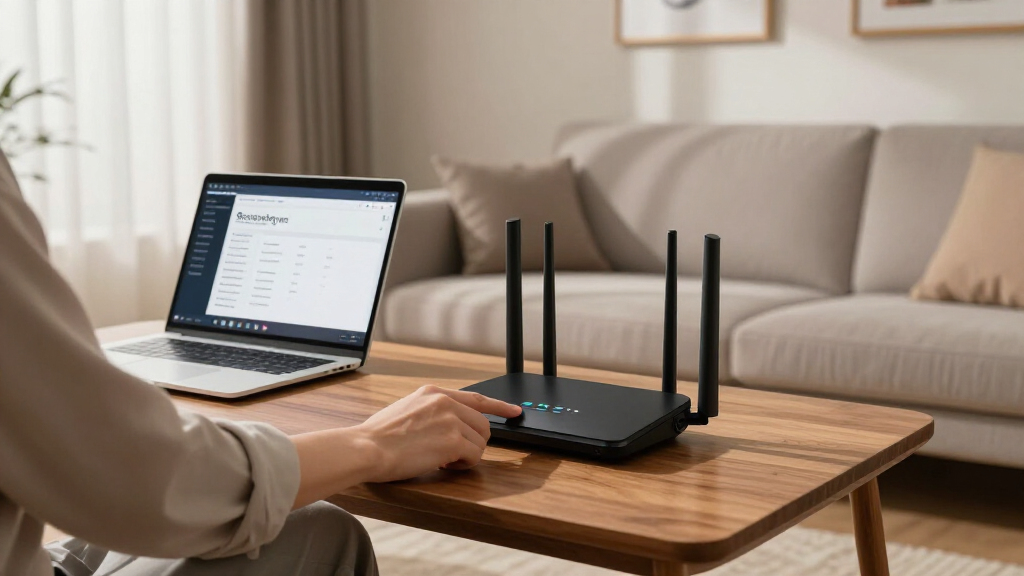
My ranking logic starts with VPN integration quality: how many protocols a router supports (OpenVPN, WireGuard, IKEv2), whether it can act as both client and server, and whether encrypted throughput stays usable for streaming and video calls. A router that drops to 20 Mbps on an OpenVPN tunnel defeats the purpose of whole-network privacy, so raw Wi-Fi speed alone never earned a high rank. I also weighed privacy architecture heavily — open-source firmware support (OpenWrt), kill-switch behavior, DNS control, and whether the device relies on a subscription, a self-hosted server, or decentralized routing.
From there, I separated the lineup by use case: fixed home routers, travel routers, and wired-only security gateways, because a buyer protecting a household has different needs than someone securing hotel Wi-Fi. Ease of setup, hardware longevity (CPU power, port speeds), and transparency of the vendor’s data practices rounded out the evaluation. Products ranked lower either lacked WireGuard support, throttled VPN traffic aggressively, or bundled privacy features behind paid ecosystems with unclear logging policies.
Factors to Consider When Choosing Privacy-focused VPN Routers
Choosing a privacy-focused VPN router involves more than picking the fastest hardware. These are the factors that actually determine whether your privacy setup works reliably day to day.VPN Throughput Is Not the Same as Advertised Speed
The single most common mistake buyers make is comparing AX3000 or AC1200 ratings and assuming VPN performance follows. Encryption is CPU-intensive, and many budget routers process OpenVPN traffic at a fraction of their line speed — sometimes under 50 Mbps. WireGuard support changes this equation dramatically, since its lighter encryption lets mid-range hardware maintain hundreds of megabits through the tunnel. If your internet plan exceeds 300 Mbps and you want full-speed privacy, look for dedicated VPN hardware acceleration or 2.5G ports like the S1 offers; otherwise you are paying for Wi-Fi speed the tunnel will never use. Check whether the manufacturer publishes VPN throughput figures, and treat their absence as a warning sign rather than a neutral fact.
Subscription, Self-Hosted, or Decentralized?
Privacy-focused routers fall into three philosophical camps, and the choice matters more than any spec sheet. A managed VPN subscription (used by the ASUS, GL.iNet, and Synology options as clients) is the easiest path but means trusting a third party’s no-logs policy. A self-hosted server — like the Stealth option or WireGuard server mode on the RT-AX57 GO — gives you full control but shifts responsibility for maintenance, updates, and uptime onto you. Decentralized networks like the Deeper Connect devices trade subscription fees for a shared-bandwidth model, which some privacy purists embrace and others find philosophically uncomfortable since your connection routes through other users’ nodes. Decide which trust model fits your threat level before comparing hardware at all.
Travel Router or Fixed Installation
Portable models trade antennas, Ethernet ports, and thermal headroom for pocketability, and that tradeoff shows up in sustained performance. A travel router like the GL.iNet Opal or TP-Link WiFi 5 unit is designed for securing hotel and café Wi-Fi, where the source connection is slow anyway, so reduced VPN throughput rarely matters. At home on a Gigabit connection, the same hardware becomes the weakest link. Conversely, wired gateways like the ER605 or DSR-250V2 assume you already have — or will buy — separate Wi-Fi, a hidden cost that surprises many first-time buyers. Match the form factor to where the privacy risk actually lives: public networks for travel models, your own ISP for fixed ones.
Open Firmware Support and Longevity
A router’s privacy posture degrades the moment its vendor stops issuing firmware updates, and consumer routers are frequently abandoned within a few years of release. OpenWrt compatibility — native on Cudy’s R700 and central to GL.iNet’s entire product line — is effectively an insurance policy: the community keeps patching long after the manufacturer moves on. Open firmware also unlocks features vendors gate off, like policy-based routing per device, custom DNS resolvers, and ad blocking at the network level. The tradeoff is that flashing third-party firmware can void warranties and occasionally breaks vendor-specific VPN conveniences. If you plan to keep hardware for five or more years, this factor should weigh more heavily than a modest speed difference.
Per-Device Routing and Split Tunneling
Routing every device through a VPN sounds maximally private, but it usually degrades banking apps, local streaming, and gaming. The better approach is policy-based routing: sending your smart TV and laptop through the tunnel while your console and thermostat stay local. Synology’s RT2600ac and open-firmware routers handle this gracefully; cheaper models often offer only an all-or-nothing toggle. Before buying, check whether the interface supports per-device or per-domain rules, and whether the kill switch can be scoped rather than global. This is the difference between a privacy setup you keep and one you disable out of frustration within a month.
Hardware Headroom and Port Speeds
VPN encryption loads the CPU, so a router that feels fine today can choke as your internet plan or device count grows. Look for multi-core processors and at least one Gigabit port on any fixed installation; the S1’s 2.5G WAN and LAN ports are the forward-looking choice here, since 2.5G service is becoming standard on new plans. Multi-WAN models like the Cudy R700 and DSR-250V2 add failover, letting a second ISP or cellular connection take over if your primary line drops — valuable if continuous connectivity matters for remote access to home assets. USB ports matter too, since they enable cellular failover with a tethered phone. Ports and CPU are the two specs you cannot upgrade later, so buy headroom, not adequacy.
Frequently Asked Questions
Do I still need a VPN subscription if I buy a privacy-focused VPN router?
It depends on which model you choose. Most routers in this lineup — the ASUS RT-AX57 GO, Synology RT2600ac, and GL.iNet Opal among them — act as VPN clients that connect to a commercial service, so a subscription is still required. Exceptions include the Deeper Connect Mini and Air, which use decentralized networking with no recurring fee, and the Stealth self-hosted server, which connects you to your own infrastructure. Several models also support server mode, letting you build your own WireGuard endpoint on a VPS or home server instead of paying a consumer VPN provider. If avoiding subscriptions is a priority, filter your shortlist to those three architectures from the start.
Can a travel router really protect me on hotel or public Wi-Fi?
Yes, and that is precisely the scenario travel models are built for. A device like the TP-Link Roam 6 or D-Link DBR-330 creates your own encrypted Wi-Fi network on top of the public one, tunneling traffic through your VPN before it ever touches the hotel’s network — which blocks the most common attacks on shared Wi-Fi, like session hijacking and traffic interception. The limitation to understand is that these routers protect the link, not the destination; you still need HTTPS everywhere and sensible device hygiene. Also verify the model supports captive-portal passthrough, since some hotel login pages conflict with VPN tunnels. For frequent travelers, the convenience of one-tap protection across all devices beats installing VPN apps on each one.
Why choose a wired-only VPN router like the TP-Link ER605 if it has no Wi-Fi?
Wired VPN gateways exist because stability beats convenience for permanent installations. Without radio hardware to manage, these devices dedicate their processing power to sustained encrypted throughput, handle dozens of concurrent tunnels, and support features like multi-WAN failover and site-to-site VPNs between locations. The typical setup pairs one with a separate Wi-Fi access point, which also isolates your wireless security from your VPN layer — useful if you want to upgrade one without replacing the other. Small businesses and remote workers accessing office networks are the natural audience. Home users who want a single box should instead look at the Omada ER706W or S1, which combine both functions.
Is a decentralized VPN router like the Deeper Connect actually more private?
The honest answer is that it is differently private, and the distinction matters. Instead of routing traffic through a company’s server network, the Deeper Connect devices relay it through a peer-to-peer network of other users’ hardware, so no single provider sees your full traffic picture. That removes trust in a corporation but introduces trust in a distributed protocol and its routing rules. There is also a quid pro quo: your device participates in relaying others’ traffic, which is fine in most jurisdictions but worth understanding before committing. Buyers who want auditability and community-verified code may prefer an OpenWrt router with WireGuard instead. It is a legitimate model, just one that rewards research.
Will a VPN router slow down my entire home network?
Some slowdown is unavoidable because encryption consumes CPU cycles, but the size of the hit depends entirely on protocol and hardware. OpenVPN on a budget router can throttle a Gigabit connection to a fraction of its speed, while WireGuard on Wi-Fi 6 hardware — the RT-AX57 GO or S1, for example — often sustains hundreds of megabits without noticeable impact on streaming or calls. The smarter strategy for most homes is split tunneling: route only privacy-sensitive devices through the VPN and leave high-bandwidth traffic local. That way, a 30% speed penalty on the tunnel affects your smart TV and phone, not your gaming rig. Check whether your chosen model supports per-device routing before you buy, since all-or-nothing setups are where frustration begins.
Conclusion
The right pick here depends less on specs and more on where your privacy risk lives. For the best overall balance, the ASUS RT-AX57 GO covers home and travel use with Wi-Fi 6, WireGuard, and both client and server modes. The Omada ER706W is the stronger choice as best premium for a permanent whole-home installation, while the GL.iNet Opal takes best value for budget-conscious travelers who still want open firmware. Best for beginners goes to the Synology RT2600ac, whose interface makes per-device VPN routing approachable for first-timers. For specific needs: the S1 for Gigabit-class connections, the Deeper Connect Mini for subscription-free decentralized privacy, the Cudy R700 for OpenWrt enthusiasts and multi-WAN setups, and the TP-Link ER605 or DSR-250V2 for wired gateway deployments. Whatever you choose, prioritize WireGuard support and a trust model you actually understand — those two decisions outlast any hardware generation.
Fall Picks
fall essentials
As an affiliate, we earn on qualifying purchases.