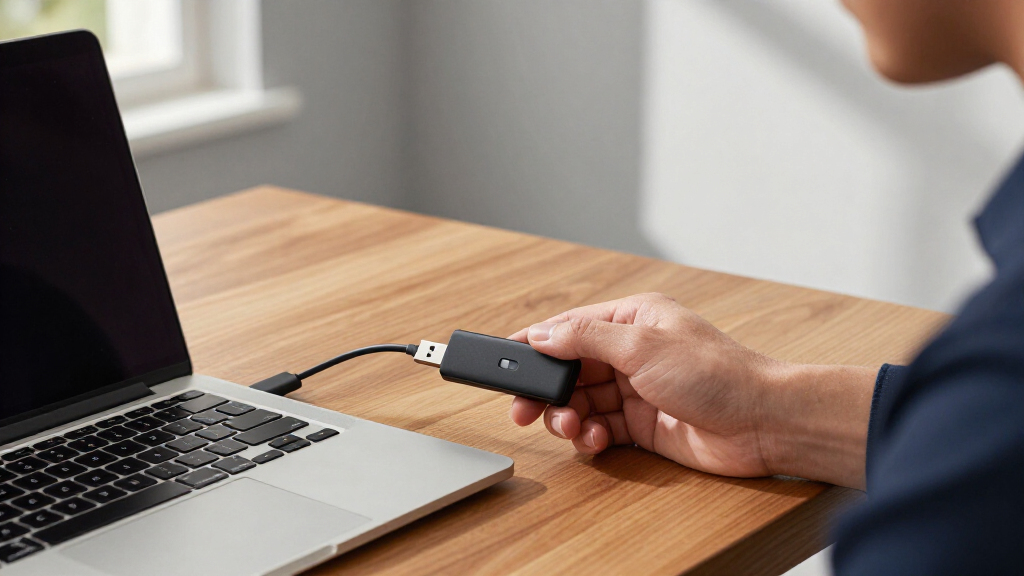

Not all encrypted USB drives for security are created equal — the difference between a software-encrypted budget stick and a FIPS-validated hardware-encrypted drive can decide whether your data survives a lost bag or a targeted theft. My top overall pick is the Kingston IronKey Vault Privacy 50, which balances strong hardware encryption, fast USB performance, and a manageable price. If you want military-grade protection with a wear-resistant keypad, the iStorage datAshur PRO stands out, while the Kingston IronKey Locker+ is the easiest entry point for everyday users who don’t want to manage passwords on a keypad. The main tradeoffs in this category come down to encryption type, storage capacity, physical durability, and price per gigabyte. Read on for the full breakdown of all 14 drives.

Get privacy and security gear delivered free with Prime
- Fast, free delivery on millions of items
- Prime Video, Amazon Music and more included
- Member-only deals all year
Key Takeaways
- Hardware encryption with an onboard keypad (iStorage datAshur PRO, Apricorn Aegis Secure Key 3Z) consistently outperformed password-software drives for security, because the PIN never touches the host computer.
- The Kingston IronKey Vault Privacy 50 won best overall by combining XTS-AES-256 encryption, malware protection, and modern USB speeds at a mid-tier price — most rivals force a sacrifice on at least one of those.
- Capacity is where pricing diverges sharply: the 4GB iStorage datAshur PRO and 8GB Apricorn Aegis Secure Key 3 NX cost as much as 64GB consumer drives, because you’re paying for the security chip, not the storage.
- The iStorage diskAshur desktop and portable hard drives are a different product category entirely — they only make sense if you need terabyte-scale encrypted backups rather than portable file transfers.
- Brute-force self-destruct features appeared only on the premium iStorage and Apricorn models; budget options like the IronKey Locker+ rely on weaker software-side protection.
| Kingston IronKey Vault Privacy 50 256GB Encrypted USB |  | Best Overall | Storage Capacity: 256GB | Encryption: XTS-AES 256-bit hardware | Compliance: TAA | VIEW LATEST PRICE | See Our Full Breakdown |
| Kingston Ironkey Keypad 200 16GB Encrypted USB |  | Best for Maximum Physical Security | Storage Capacity: 16GB | Encryption: XTS-AES 256-bit hardware | Security Certification: FIPS 140-3 Level 3 (Pending) | VIEW LATEST PRICE | See Our Full Breakdown |
| Kingston Ironkey Locker+ 64GB Encrypted USB Drive |  | Best Value | Storage Capacity: 64GB | Encryption: AES-XTS 256-bit hardware | Certification: FIPS 197 | VIEW LATEST PRICE | See Our Full Breakdown |
| iStorage datAshur Personal2 64 GB Secure Flash Drive |  | Best for Cross-Platform Use | Capacity: 64GB | Encryption: AES-XTS 256-bit hardware | Authentication: Onboard PIN (7-15 digits) | VIEW LATEST PRICE | See Our Full Breakdown |
| Secure 32GB Encrypted USB 3.0 Flash Drive – 256-bit Hardware Encryption |  | Best Budget Pick | Storage Capacity: 32GB | Encryption: 256-bit AES XTS hardware | Transfer Speed: Up to 160MB/s write, up to 480MB/s read | VIEW LATEST PRICE | See Our Full Breakdown |
| iStorage diskAshur DT2 2TB Encrypted Desktop Hard Drive |  | Best for High-Capacity Compliance | Capacity: 2TB | Encryption: AES-XTS 256-bit hardware encryption | Certification: FIPS 140-2 Level 3 | VIEW LATEST PRICE | See Our Full Breakdown |
| iStorage diskAshur3 HDD 2TB Black – Secure Portable Hard Drive with Hardware Encryption |  | Best Portable Encrypted Hard Drive | Capacity: 2TB | Encryption: AES-XTS 256-bit hardware encryption | Security Features: Password protected, auto-lock, FIPS 140-3 Level 3 compliance | VIEW LATEST PRICE | See Our Full Breakdown |
| iStorage datAshur PRO 4 GB Encrypted USB Memory Stick |  | Best Rugged Budget Security Stick | Storage Capacity: 4 GB | Encryption: AES-XTS 256-bit hardware encryption | Certification: FIPS 140-2 Level 3 | VIEW LATEST PRICE | See Our Full Breakdown |
| Apricorn 8GB Aegis Secure Key 3 NX USB 3.0 Encrypted Flash Drive |  | Best for Managed Deployments | Capacity: 8GB | Encryption: 256-bit hardware encryption | Validation: FIPS 140-2 Level 3 | VIEW LATEST PRICE | See Our Full Breakdown |
| Apricorn 16GB Aegis Secure Key 3Z Hardware Encrypted USB 3.0 Flash Drive |  | Best Mid-Capacity Secure Stick | Capacity: 16GB | Encryption: 256-bit AES XTS hardware encryption | Validation: FIPS 140-2 Level 3 | VIEW LATEST PRICE | See Our Full Breakdown |
| Integral 4GB Crypto-197 256-Bit USB 3.0 Encrypted Flash Drive with Waterproof Double Layer Design |  | Best Rugged Budget Pick | Capacity: 4GB | Encryption: 256-bit AES hardware | Certification: FIPS 197 | VIEW LATEST PRICE | See Our Full Breakdown |
| Apricorn Aegis Secure Key – USB 3.0 Flash Drive |  | Best High-Capacity Flash Drive | Capacity: 1TB | Encryption: 256-bit AES | Interface: USB 3.0 | VIEW LATEST PRICE | See Our Full Breakdown |
| Integral 8GB Courier-197 256-Bit Hardware Encrypted USB 3.0 Flash Drive |  | Best for Everyday Secure File Sharing | Capacity: 8GB | Encryption: AES 256-bit hardware | Standards: FIPS 197 certified | VIEW LATEST PRICE | See Our Full Breakdown |
| iStorage diskAshur2 1TB Portable Hard Drive – Secure, Password Protected, Water & Dust Resistant |  | Best PIN-Authenticated Portable Vault | Capacity: 1TB | Encryption: AES-XTS 256-bit hardware | Security Certification: Common Criteria EAL 5+ certified microprocessor | VIEW LATEST PRICE | See Our Full Breakdown |
| encrypted USB drives for security | Encryption | Capacity |
|---|---|---|
| Kingston IronKey Vault Privacy | XTS-AES 256-bit hardware | — |
| Kingston Ironkey Keypad 200 16 | XTS-AES 256-bit hardware | — |
| Kingston Ironkey Locker+ 64GB | AES-XTS 256-bit hardware | — |
| iStorage datAshur Personal2 64 | AES-XTS 256-bit hardware | 64GB |
| Secure 32GB Encrypted USB 3.0 | 256-bit AES XTS hardware | — |
| iStorage diskAshur DT2 2TB Enc | AES-XTS 256-bit hardware encryption | 2TB |
| iStorage diskAshur3 HDD 2TB Bl | AES-XTS 256-bit hardware encryption | 2TB |
| iStorage datAshur PRO 4 GB Enc | AES-XTS 256-bit hardware encryption | — |
| Apricorn 8GB Aegis Secure Key | 256-bit hardware encryption | 8GB |
| Apricorn 16GB Aegis Secure Key | 256-bit AES XTS hardware encryption | 16GB |
| Integral 4GB Crypto-197 256-Bi | 256-bit AES hardware | 4GB |
| Apricorn Aegis Secure Key | 256-bit AES | 1TB |
| Integral 8GB Courier-197 256-B | AES 256-bit hardware | 8GB |
| iStorage diskAshur2 1TB Portab | AES-XTS 256-bit hardware | 1TB |
More Details on Our Top Picks
Kingston IronKey Vault Privacy 50 256GB Encrypted USB
This pick earns the top spot because it balances serious hardware encryption with the largest capacity in this flash-drive group at 256GB. Where the IronKey Keypad 200 relies on onboard PIN entry and the datAshur Personal2 demands a physical keypad code, the Vault Privacy 50 authenticates through software on the host — lighter to carry, but it means the host machine matters. Its XTS-AES 256-bit encryption is paired with defenses most rivals lack, including BadUSB attack protection and dual read-only modes that let you lock the drive against writes when plugging into an untrusted computer.
The tradeoff is price and friction: security features push the cost well above consumer drives, and enterprise-oriented setup will feel like overkill for casual users who’d be happier with the simpler Locker+.
Pros:- 256GB capacity dwarfs most encrypted flash drives in this class
- BadUSB and brute force protection guards against hostile host computers
- XTS-AES 256-bit hardware encryption keeps data safe even if the drive is stolen
- TAA compliance makes it eligible for government procurement
Cons:- Software-based authentication means it depends on the host device’s security
- Premium price reflects enterprise features most home users won’t use
- No published transfer speed specs to compare against faster rivals
Best for: Professionals and regulated businesses that move large volumes of sensitive data between machines and need compliance-friendly security
Not ideal for: Casual users storing personal files — the enterprise features and premium price are wasted on non-sensitive data
- Storage Capacity:256GB
- Encryption:XTS-AES 256-bit hardware
- Compliance:TAA
- Protection Features:Brute force, BadUSB attack, dual read-only
- Password Options:Multiple password and passphrase modes
- Target Market:Professional and enterprise
Our verdict“Buy this if you need maximum-capacity, compliance-grade portable encryption in a flash-drive form factor.”
Kingston Ironkey Keypad 200 16GB Encrypted USB
What separates this model from every software-authenticated drive here — including its sibling the Vault Privacy 50 — is the onboard alphanumeric keypad. You enter the PIN on the drive itself, so it works on any device without installing anything, and the encryption key never touches the host OS. That makes it one of the toughest authentication schemes in the roundup, second only to pinPad-style rivals like the Apricorn Aegis Secure Key 3Z. Multi-PIN support means an admin can issue separate user codes, which is handy for teams.
The tradeoffs are real: 16GB is the smallest capacity in this batch, and the FIPS 140-3 Level 3 certification is still pending rather than confirmed, so buyers with strict certification requirements should verify status before committing. At this price per gigabyte, you’re paying for security, not storage.
Pros:- Onboard alphanumeric keypad works with any OS, no software needed
- Multi-PIN access supports admin and user roles
- Brute force and BadUSB protection defends against attacks
- XTS-AES 256-bit hardware encryption with encryption on the chip
Cons:- FIPS 140-3 Level 3 certification is pending, not yet official
- 16GB capacity is the smallest in this roundup at a premium price
Best for: Security-focused users who need PIN-on-device authentication that works across any computer without software
Not ideal for: Anyone moving large files or backups — 16GB fills up fast for the price
- Storage Capacity:16GB
- Encryption:XTS-AES 256-bit hardware
- Security Certification:FIPS 140-3 Level 3 (Pending)
- Authentication:Alphanumeric onboard keypad
- Access Control:Multi-PIN (admin and user)
- Protection Features:Brute force, BadUSB
Our verdict“Choose this when authentication independence from the host machine matters more than raw storage space.”
Kingston Ironkey Locker+ 64GB Encrypted USB Drive
For most people who want hardware encryption without the enterprise tax, this is the sensible middle ground. It skips the onboard keypad of the Keypad 200 and the attack-hardening of the Vault Privacy 50, but keeps AES-XTS 256-bit hardware encryption with FIPS 197 certification — a real step up from unencrypted consumer drives. Where it beats both pricier IronKey siblings is speed: 145MB/s read and 115MB/s write over USB 3.2 Gen 1 makes it quick enough for daily file shuttling, not just archival drops.
The compromise is convenience-versus-security balance rather than any glaring flaw. There’s no protection against a compromised host computer like BadUSB defenses, and the multi-password admin/user system assumes you’ll spend a few minutes learning the setup rather than just plugging in and going.
Pros:- FIPS 197 certified AES-XTS 256-bit hardware encryption at a consumer-friendly price
- Fast 145MB/s read and 115MB/s write speeds outpace most secure drives here
- Multi-password system separates admin and user access
- USB 3.2 Gen 1 interface keeps transfers quick
Cons:- 64GB capacity limits usefulness for large backups
- No BadUSB or brute force attack defenses like pricier IronKey models
- Admin/user password system adds setup complexity for casual users
Best for: Students, remote workers, and small-office users who want certified hardware encryption at a reasonable price
Not ideal for: Users in hostile-environment roles who need on-device authentication or attack protection the Locker+ doesn’t provide
- Storage Capacity:64GB
- Encryption:AES-XTS 256-bit hardware
- Certification:FIPS 197
- Transfer Speed:Up to 145MB/s read, 115MB/s write
- USB Version:USB 3.2 Gen 1
- Security Features:Multi-password (Admin and User)
Our verdict“The best price-to-security ratio in this lineup for everyday encrypted storage.”
iStorage datAshur Personal2 64 GB Secure Flash Drive
This model’s strength is breadth of compatibility: it works across Windows, macOS, Linux, Chrome, Android, thin clients, embedded systems, Citrix, and VMware — a wider net than any Kingston drive in this batch. Because the PIN is entered on the drive’s keypad, the same argument that favors the IronKey Keypad 200 applies here, but with more capacity (64GB vs 16GB) and better speeds at 169MB/s read. That makes it a stronger all-rounder for people who bounce between operating systems.
The drawback is friction. Every unlock requires typing a 7-15 digit PIN on the small onboard pad, which gets tedious if you access files dozens of times a day — the Locker+ is far smoother for frequent use on a trusted machine. And with 64GB, it’s matched but not exceeded by cheaper software-authenticated alternatives.
Pros:- Onboard PIN authentication works across virtually every OS without software
- Fast USB 3.2 speeds up to 169MB/s read and 135MB/s write
- AES-XTS 256-bit hardware encryption with the key never exposed to the host
- 7-15 digit PIN length allows strong passphrases
Cons:- Keypad PIN entry is slower than software unlock for frequent access
- 64GB capacity caps large-file workflows
- No biometric option for buyers who prefer fingerprint unlock
Best for: IT professionals and multi-platform users who move encrypted data between diverse systems and virtual environments
Not ideal for: Users who access their files constantly on one trusted computer — repeated keypad PIN entry becomes a chore
- Capacity:64GB
- Encryption:AES-XTS 256-bit hardware
- Authentication:Onboard PIN (7-15 digits)
- Transfer Speeds:Up to 169MB/s read, 135MB/s write
- Interface:USB 3.2
- Compatibility:Windows, macOS, Linux, Chrome, Android, Thin Clients, Zero Clients, Embedded Systems, Citrix, VMware
Our verdict“The pick for anyone whose encrypted drive needs to open on everything from a Linux thin client to an Android phone.”
Secure 32GB Encrypted USB 3.0 Flash Drive – 256-bit Hardware Encryption
As the most affordable entry point in this roundup, this drive delivers the core promise — 256-bit AES XTS hardware encryption — without the brand-name premium of Kingston or iStorage. The zinc alloy shell is genuinely tougher than the plastic housings on most budget drives, and the quoted 480MB/s read speed is the headline number in this batch, though real-world results on USB 3.0 will typically land lower. Compared with the Locker+, you trade certified validation and multi-password management for a lower price.
One behavior demands attention: the drive factory resets after 10 wrong passwords, wiping your data. That’s a strong deterrent against guessing attacks, but it also means one forgotten password equals total loss — unlike the Locker+’s admin recovery path. There’s no recognized security certification either, which matters if your employer requires FIPS-validated hardware.
Pros:- 256-bit AES XTS hardware encryption at a budget price
- Durable zinc alloy shell resists scratches and rust
- Cross-platform compatibility with no software installation
- Fast USB 3.0 transfer speeds for the price class
Cons:- Factory reset after 10 incorrect passwords destroys all data with no recovery
- No FIPS or third-party security certification
- 32GB capacity is small for anything beyond documents and media
Best for: Budget-conscious buyers who want basic hardware encryption and a rugged body for everyday sensitive files
Not ideal for: Anyone storing irreplaceable data or working under compliance rules — no certification and the 10-strike wipe risk real data loss
- Storage Capacity:32GB
- Encryption:256-bit AES XTS hardware
- Transfer Speed:Up to 160MB/s write, up to 480MB/s read
- Interface:USB 3.0
- Material:Zinc alloy
- Security Behavior:Factory reset after 10 incorrect password attempts
Our verdict“A reasonable low-cost encrypted drive if you keep backups elsewhere and don’t need certified security.”
iStorage diskAshur DT2 2TB Encrypted Desktop Hard Drive
This model stands out for buyers who need 2TB of FIPS 140-2 Level 3 protected storage in a fixed location. Where the portable diskAshur3 trades speed for travel-friendliness, the DT2 leans into throughput — 277MB/s read speeds make it far better suited to backing up entire encrypted archives rather than ferrying documents between offices. Encryption and PIN entry happen on the drive itself, so it works across Windows, macOS, and Linux with no software installation, which matters in regulated environments where endpoint software is locked down.
The tradeoff is simple: this is a desktop drive. Anyone who needs to move data physically should look at the Aegis Secure Key 3Z or the portable iStorage options instead. And like every PIN-authenticated drive here, daily access means keypad entries.
Pros:- FIPS 140-2 Level 3 certification satisfies strict regulatory requirements
- AES-XTS 256-bit hardware encryption with no software needed on the host machine
- Fast 277MB/s read and 271MB/s write speeds beat every portable option in this lineup
- Cross-platform compatibility out of the box
Cons:- Desktop form factor makes it impractical for transport between locations
- PIN entry on every access session adds friction for frequent use
- No bundled management software for administering multiple drives
Best for: Compliance-driven offices in healthcare, defense, or finance that need large encrypted backups that stay on-site
Not ideal for: Mobile professionals — it’s a powered desktop form factor with zero portability
- Capacity:2TB
- Encryption:AES-XTS 256-bit hardware encryption
- Certification:FIPS 140-2 Level 3
- Transfer Speeds:Up to 277MB/s read, 271MB/s write
- Connectivity:USB 3.2
- Form Factor:Desktop hard drive
Our verdict“If your encrypted data lives in one room and needs to meet government-grade compliance at scale, this is the drive to buy.”
iStorage diskAshur3 HDD 2TB Black – Secure Portable Hard Drive with Hardware Encryption
Think of the diskAshur3 as the travel-ready sibling of the DT2: same 2TB capacity, same AES-XTS 256-bit hardware encryption, but built to survive life in a bag. Its headline upgrade over older iStorage portables like the diskAshur2 is FIPS 140-3 Level 3 compliance — the newer, harder-to-attain standard — which makes it the more future-proof choice for buyers whose auditors care about certification versions.
Speed drops noticeably compared with the desktop DT2 (171MB/s versus 277MB/s read), and that’s the real tradeoff: portability costs throughput. Device compatibility is unusually broad, covering everything from Windows and macOS to Android, Citrix, and zero clients, so it fits mixed-environment workflows better than most competitors. Auto-lock adds a safety net if you forget to lock it manually.
Pros:- FIPS 140-3 Level 3 compliance exceeds the older 140-2 standard most rivals carry
- Auto-lock engages protection automatically when unplugged or idle
- Works across Windows, macOS, iPadOS, Linux, Android, Chrome, Citrix, and VMware
- 2TB capacity in a genuinely portable form factor
Cons:- Slower than the desktop diskAshur DT2 at 171MB/s read
- No management software included, so multi-drive administration takes manual effort
Best for: Consultants and field workers who carry large volumes of client data and need the newest FIPS 140-3 certification
Not ideal for: Buyers who only need to move small documents — a flash drive like the datAshur PRO is lighter and cheaper
- Capacity:2TB
- Encryption:AES-XTS 256-bit hardware encryption
- Security Features:Password protected, auto-lock, FIPS 140-3 Level 3 compliance
- Transfer Speeds:Up to 171MB/s read, 148MB/s write
- Color:Black
- Form Factor:Portable hard drive
Our verdict“The strongest pick when you need certified, high-capacity encrypted storage that actually travels with you.”
iStorage datAshur PRO 4 GB Encrypted USB Memory Stick
Compared with the Apricorn Aegis Secure Key 3 NX, this option makes its case on durability and read speed: an IP57 rating means it shrugs off water and dust, and 169MB/s reads outpace most small-capacity secure sticks. The onboard keypad PIN authentication means the drive unlocks itself before it ever talks to a host computer, so the encryption key never touches potentially compromised software — a genuine security advantage over drives like the Kingston IronKey Locker+ that rely on host-based entry.
The obvious limitation is capacity. At 4GB, this holds documents, credentials, and small archives, not media or backups. Buyers who need more room should step up to the 16GB Aegis Secure Key 3Z, while anyone with serious storage needs belongs in the diskAshur family. For its size class, though, the certification and build quality punch above the price.
Pros:- IP57 water and dust resistance for harsh working conditions
- FIPS 140-2 Level 3 certification for government and regulatory use
- PIN entered on the device itself keeps the encryption key off the host computer
- Broad compatibility including Linux, Android, thin clients, and embedded systems
Cons:- 4GB capacity is limiting even for moderate document workflows
- PIN entry on the physical keypad adds a step to every use
Best for: Field staff carrying small sensitive files — contracts, credentials, reports — into rough or wet environments
Not ideal for: Anyone moving large files or backups — 4GB fills up almost immediately
- Storage Capacity:4 GB
- Encryption:AES-XTS 256-bit hardware encryption
- Certification:FIPS 140-2 Level 3
- Water/Dust Resistance:IP57
- Read Speed:169MB/s
- Write Speed:135MB/s
- Authentication:Onboard keypad PIN
Our verdict“A small, tough, properly certified stick for people whose security matters more than their storage needs.”
Apricorn 8GB Aegis Secure Key 3 NX USB 3.0 Encrypted Flash Drive
What separates the 3 NX from simpler sticks like the Integral Courier-197 is its admin and user mode structure: an administrator can configure policies, reset user PINs, and enforce read-only modes across a fleet of drives without ever seeing the user’s data. That makes this the pick for IT departments distributing encrypted drives to dozens of employees — the iStorage options in this roundup are excellent individually but less built for fleet administration.
A built-in data recovery feature also means a forgotten user PIN doesn’t mean a bricked drive, addressing the biggest fear with hardware-encrypted media. The tradeoffs are real, though: 8GB fills fast, and the per-unit cost runs high relative to capacity because you’re paying for the security architecture. For personal use, the datAshur PRO delivers comparable certification at a similar price with a rugged shell.
Pros:- Admin and user modes allow centralized policy control for fleets
- Read-only modes prevent malware from writing to the drive from untrusted machines
- Data recovery feature protects against lost user PINs
- FIPS 140-2 Level 3 validated encryption
Cons:- 8GB capacity limits it to documents and small archives
- Higher cost per gigabyte than non-managed secure drives
Best for: IT managers who need to deploy and administer encrypted drives across a team with central policy control
Not ideal for: Individual users — the admin-mode features add cost and complexity a single owner will never use
- Capacity:8GB
- Encryption:256-bit hardware encryption
- Validation:FIPS 140-2 Level 3
- Security Modes:Admin mode, user mode, read-only modes
- Connectivity:USB 3.0
- Recovery:Built-in data recovery feature
Our verdict“The right choice when one person manages many drives — its admin features justify the premium only at fleet scale.”
Apricorn 16GB Aegis Secure Key 3Z Hardware Encrypted USB 3.0 Flash Drive
The 3Z sits at a sweet spot the other flash drives here miss: with 16GB of capacity, it holds real workloads — document sets, encrypted archives, bootable recovery media — where the 4GB datAshur PRO and 8GB Aegis 3 NX force constant file triage. It inherits the same IP57 ruggedization as the datAshur PRO and adds multiple read-only modes, which the iStorage stick lacks, letting you plug into untrusted machines without risking malware writing to the drive.
Authentication runs through an embedded 7-16 digit PIN entered on the drive itself, keeping the key isolated from host software. The price per gigabyte is higher than ordinary flash storage — that’s the cost of validated hardware encryption. Buyers who want fleet admin features should still choose the 3 NX, but for a single user who needs breathing room, this is the stronger buy.
Pros:- 16GB capacity is genuinely usable for archives, unlike smaller secure sticks
- IP57 water and dust resistance matches the toughest drives in this lineup
- Multiple read-only modes protect against malware on untrusted computers
- On-device PIN entry of up to 16 digits keeps encryption keys off the host
Cons:- Premium price per gigabyte compared with ordinary USB drives
- PIN setup and entry required for every session
- Still too small for media libraries or full system backups
Best for: Solo professionals and executives who need certified, weatherproof storage with enough room for real files
Not ideal for: Budget-focused buyers who just want basic file encryption without paying for FIPS validation and rugged hardware
- Capacity:16GB
- Encryption:256-bit AES XTS hardware encryption
- Validation:FIPS 140-2 Level 3
- Water and Dust Resistance:IP57
- Authentication:Embedded 7-16 digit PIN
- Connectivity:USB 3.0
- Security Modes:Multiple read-only modes
Our verdict“The best-balanced secure flash drive here — enough capacity, full certification, and rugged build for daily professional use.”
Integral 4GB Crypto-197 256-Bit USB 3.0 Encrypted Flash Drive with Waterproof Double Layer Design
This option stands out for pairing FIPS 197-certified hardware encryption with a genuinely tough build — the waterproof double-layer housing makes it more forgiving of field conditions than most drives at this price. Compared with the Apricorn Aegis Secure Key 3 NX, the Crypto-197 gives up nothing on the encryption front for everyday users, though it lacks the keypad-based physical PIN entry that hardened security buyers may want. Setup is refreshingly simple: no software, works on PC and Mac, auto-locks when unplugged. The tradeoff is blunt — 4GB is small. For shuttling documents, credentials, or contracts, that’s plenty. For anyone backing up media or archives, the Kingston IronKey Locker+ 64GB is the smarter call.
Pros:- FIPS 197-certified 256-bit AES hardware encryption
- Waterproof, shock-resistant double-layer housing
- No software or admin rights needed — works instantly on PC and Mac
- Brute force attack protection with auto-lock
Cons:- Only 4GB of storage, among the smallest in this roundup
- Cost per gigabyte is high relative to capacity
- No physical keypad, unlike the Apricorn Secure Key line
Best for: Field workers and consultants who carry small volumes of sensitive documents in rough or wet conditions
Not ideal for: Anyone needing to move large files or backups — 4GB fills up fast
- Capacity:4GB
- Encryption:256-bit AES hardware
- Certification:FIPS 197
- Connection:USB 3.0 with Type-C
- Protection:Waterproof housing, brute force attack protection
- Auto-Lock:Yes
- Compatibility:PC and Mac
Our verdict“A small but durable encrypted drive for securely carrying modest amounts of confidential data into harsh environments.”
Apricorn Aegis Secure Key – USB 3.0 Flash Drive
When the job involves moving entire encrypted datasets, capacity matters as much as cipher strength, and this 1TB Aegis Secure Key delivers where smaller drives can’t. Compared with the Integral Courier-197’s 8GB, this is a different class of tool — think full system images, video evidence, or client archives rather than a folder of documents. The 256-bit AES encryption covers the security baseline, and USB 3.0 keeps large transfers from becoming an all-day affair. The honest tradeoff: this model costs substantially more per unit than Apricorn’s own 8GB Aegis Secure Key 3 NX, so buyers paying for terabytes they won’t use should step down a size. It also skips the FIPS certification and onboard keypad found on Apricorn’s premium 3Z model, so compliance-driven organizations may need the pricier sibling.
Pros:- Massive 1TB capacity in flash-drive form
- 256-bit AES encryption for data at rest
- High-speed USB 3.0 handles large-file transfers efficiently
- Apricorn’s established reputation in encrypted storage
Cons:- Expensive relative to smaller-capacity encrypted drives
- Not positioned as FIPS-validated, unlike some Apricorn siblings
- Fixed capacity means paying for storage you may not need
Best for: Videographers, forensic teams, and IT admins who need to transport massive encrypted datasets on a pocket-sized device
Not ideal for: Compliance-bound government or defense buyers who require FIPS-validated devices with physical keypads
- Capacity:1TB
- Encryption:256-bit AES
- Interface:USB 3.0
- Form Factor:Portable flash drive
- Primary Use:Secure storage and transfer of large datasets
Our verdict“The right pick when encrypted data volume, not budget, is the deciding factor.”
Integral 8GB Courier-197 256-Bit Hardware Encrypted USB 3.0 Flash Drive
This model makes the most sense for the most common scenario: handing sensitive files to a colleague or client without installing anything on their machine. Like the Integral Crypto-197, it carries FIPS 197-certified AES 256-bit hardware encryption and needs no software — but doubles the capacity to 8GB, which better suits multi-file transfers. Its brute-force protection is aggressive: six wrong password attempts and the data is erased. That’s excellent for confidentiality, brutal for anyone with a forgetful streak — the Kingston IronKey Locker+ 64GB offers a friendlier software-based alternative if accidental wipeouts are a realistic risk. Password requirements of 8–16 characters keep the front door strong without demanding IT-level complexity.
Pros:- FIPS 197-certified AES 256-bit hardware encryption
- Zero software installation, works on PC and Mac
- Automatic data wipe after failed attempts defeats brute-force attacks
- USB 3.0 speeds with auto-lock on removal
Cons:- 8GB capacity limits it to documents, not backups
- Data destruction after six failed logins leaves no recovery path
- Higher cost per gigabyte than unencrypted or software-encrypted drives
Best for: Professionals who regularly exchange confidential documents between machines and need plug-in-and-go security
Not ideal for: Users prone to forgetting passwords — six failed attempts permanently erases the drive
- Capacity:8GB
- Encryption:AES 256-bit hardware
- Standards:FIPS 197 certified
- Connection:USB 3.0
- Compatibility:PC and Mac
- Auto-Lock:Yes
- Password:8–16 characters, wipe after 6 failed attempts
Our verdict“A dependable, no-fuss encrypted courier for document-level file transfers between trusted machines.”
iStorage diskAshur2 1TB Portable Hard Drive – Secure, Password Protected, Water & Dust Resistant
The diskAshur2 takes a different security philosophy than every flash drive here: authentication happens on the device itself via an onboard PIN pad, so it works across a remarkably broad range of hosts — Windows, macOS, Linux, Android, thin clients, even Citrix and VMware environments — with zero software footprint. Its Common Criteria EAL 5+ certified microprocessor and AES-XTS 256-bit encryption place it a tier above the Integral Courier-197 for buyers with serious compliance requirements. Transfer speeds up to 160MB/s read outpace most encrypted flash drives, though being a spinning portable HDD, it can’t match the drop tolerance of solid-state options like the Apricorn Aegis Secure Key line. The IP56 rating handles dust and splashes, but the everyday tradeoff is entering a PIN every time you connect — a deliberate inconvenience that is the point.
Pros:- Onboard PIN pad authenticates on the device, independent of the host OS
- Common Criteria EAL 5+ certified controller with AES-XTS 256-bit encryption
- IP56 water and dust resistance for field durability
- Exceptionally broad compatibility including thin clients and virtual environments
Cons:- PIN entry required at every connection adds friction
- Spinning-disk design is less shock-tolerant than encrypted flash drives
- 1TB ceiling may fall short for archival-scale needs
Best for: Enterprise users and regulated-industry professionals who need cross-platform encrypted storage with hardware PIN authentication
Not ideal for: Users wanting quick, frequent file access — PIN entry on every connection slows casual workflows
- Capacity:1TB
- Encryption:AES-XTS 256-bit hardware
- Security Certification:Common Criteria EAL 5+ certified microprocessor
- Water/Dust Resistance:IP56
- Speed:Up to 160MB/s read, 143MB/s write
- Authentication:Onboard PIN pad
- Compatibility:Windows, macOS, Linux, Chrome, Android, thin clients, Citrix, VMware
Our verdict“The pick for security-first buyers who need certified, PIN-protected, terabyte-scale storage that works on virtually any system.”
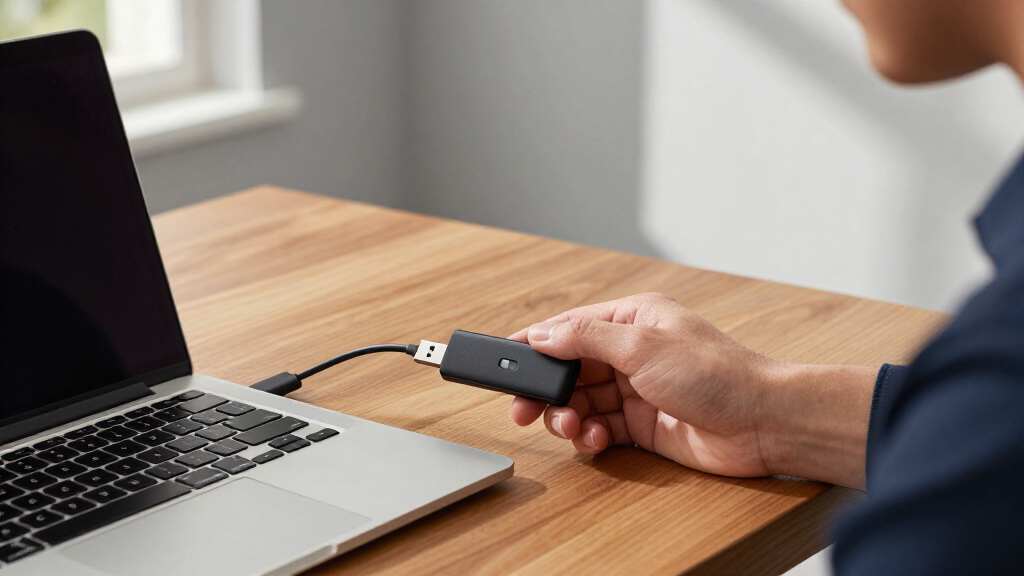
How We Picked
I ranked these 14 drives by the criteria that actually determine whether your data stays safe: encryption method (hardware AES-256 with onboard PIN entry beats software encryption), certification level (FIPS 140-2/140-3 validation adds independently verified protection), attack resistance (brute-force lockout, badge-protected enclosures, dust and water ratings), and usability — because a secure drive nobody can operate gets left in a drawer. Price per gigabyte and read/write speeds were the tiebreakers between models with comparable security.
The ranking also reflects product categories honestly. Flash drives designed for portable file security sit at the top because that’s what most buyers searching for encrypted USB drives actually need; the desktop and portable encrypted hard drives from iStorage are grouped lower not because they’re weaker — the diskAshur DT2 is arguably the most secure item here — but because they serve a different job: bulk encrypted storage, not pocketable transfers. Every pick has a stated role so you can match it to your own threat level and workflow.
Factors to Consider When Choosing Encrypted USB Drives For Security
Before buying an encrypted USB drive for security, it helps to understand what separates genuine protection from marketing labels — and where buyers most often go wrong.Hardware vs. Software Encryption
This is the single biggest decision, and it’s where most buyers overspend or under-protect. Hardware encryption lives on a chip inside the drive itself: the password or PIN unlocks the device before the computer ever sees the data, which means keyloggers, malware, and unpatched operating systems can’t intercept your credentials. Software encryption relies on a program running on your host machine, which is convenient but exposes the decryption key to anything running on that machine. If your threat model includes lost or stolen devices — the most common real-world scenario — hardware encryption with onboard PIN entry, like the iStorage datAshur or Apricorn Aegis lines, is worth the premium. If you just need casual protection of non-sensitive files, software encryption on something like the IronKey Locker+ is a reasonable compromise. The mistake to avoid: assuming the words “256-bit encryption” on the box mean the same thing across both approaches. They don’t — the implementation matters far more than the number.
Capacity vs. Security Cost
Encrypted drive pricing behaves unusually: the flash memory is often the cheapest component. A 4GB FIPS-validated drive can cost more than a 256GB consumer drive because you’re paying for the secure microcontroller, tamper-resistant housing, and certification testing. That inverts normal buying logic, so think about what you actually store. Contracts, tax documents, password databases, and client files rarely exceed a few gigabytes — a small capacity secure drive handles them fine. Video archives, encrypted system images, and medical imaging demand the terabyte-scale options like the diskAshur drives. A common mistake is buying big capacity “for the future” and ending up with weaker security for the same money. Match capacity to your real data footprint and put the savings into a better security tier.
Certifications and Compliance
If you handle data covered by GDPR, HIPAA, or government contracts, certification isn’t optional — auditors and clients will ask for it. FIPS 140-2 and the newer FIPS 140-3 validate that the encryption implementation has been independently tested, not just advertised. Kingston’s IronKey, iStorage, and Apricorn all carry validated models in this lineup, but the specific certification varies by model, so check the exact variant before purchasing. Uncertified drives aren’t automatically insecure, but they shift the burden of proof onto you. For personal use — tax records, family documents — certification is nice-to-have. For professional use, buying a certified drive is cheaper than explaining a breach. Also confirm whether your organization requires a specific certification level, because some contracts name FIPS 140-3 explicitly and older 140-2 devices may not qualify.
Physical Durability and Attack Resistance
Encryption doesn’t help if the drive physically fails or crumbles in a bag. IP68 ratings (dust-tight and waterproof, as on the Integral Crypto-197 and diskAshur2) protect against the most common accidental death: the washing machine or a coffee spill. Higher-end drives add epoxy-filled, tamper-evident enclosures that make physical extraction of the flash chips nearly impossible, plus brute-force defense that wipes the encryption key after a set number of wrong PINs. Consider your environment honestly. A drive that lives in a laptop sleeve needs less protection than one tossed into a tool bag or carried on field work. Keypad drives also wear differently — the wear-resistant coatings on newer iStorage and Apricorn models exist specifically because worn buttons can reveal which digits your PIN uses, a small detail that undermines an otherwise secure device.
Usability and Daily Workflow
The most secure drive in the world is useless if it’s too cumbersome to use, because people route around security when it’s inconvenient. Keypad drives require you to type a PIN on the device before plugging it in — excellent security, but awkward if you transfer files dozens of times a day. Password-software drives mount quickly after a prompt on your screen, which suits frequent casual use. Also check cross-platform behavior: some drives require admin rights or specific software that fails on locked-down corporate machines, library computers, or Linux systems. Administrative features like admin PINs, read-only modes, and multiple user accounts matter if you’ll share the drive within a team. Match the unlock workflow to how often you’ll actually use the drive — daily commuters and occasional travelers have very different tolerance for a ten-second PIN ritual.
Speed and Interface Tradeoffs
Encryption adds overhead, and cheaper secure drives pay for it in transfer speed. On a USB 3.0 hardware-encrypted drive, expect real-world speeds well below what an unencrypted drive of the same interface achieves, because every read and write passes through the encryption engine. For documents and spreadsheets this is irrelevant; for moving 50GB of video nightly it becomes the deciding factor. The desktop-class diskAshur DT2 exists precisely for this reason — it prioritizes sustained throughput for large encrypted backups. Note the interface of any drive you’re considering: a few budget options still ship USB 2.0, which caps you at roughly 30 MB/s regardless of what the encryption chip could do. Check quoted sustained speeds rather than interface versions, since a “USB 3.0” label alone guarantees nothing about performance.
Frequently Asked Questions
Is a hardware-encrypted drive really worth paying extra over a software-encrypted one?
For most security-focused buyers, yes. Hardware encryption keeps your PIN or password off the host computer entirely, so keyloggers and malware on a compromised machine never capture your credentials — this is the single most common real-world attack against software-encrypted drives. Hardware drives also carry their own brute-force protection, wiping the encryption key after too many wrong attempts, whereas software protection depends on the quality of the software itself. That said, if your threat model is simply stopping a casual finder from browsing your files, a software-encrypted drive like the IronKey Locker+ covers you at a lower price. The premium only pays off when the data would genuinely hurt you if exposed. Weigh the cost of the drive against the cost of the breach, not against the price of an unencrypted stick.
How much capacity do I actually need in an encrypted drive?
Less than you probably think. Most people buying encrypted drives for security store documents, credentials, and client files — rarely more than a few gigabytes — which is why secure drives are commonly sold in 4GB to 64GB sizes. The 256GB IronKey Vault Privacy 50 suits people carrying larger archives, while the small-capacity Apricorn and iStorage models are sized deliberately for sensitive-but-small payloads. Where capacity genuinely matters is encrypted backups: if you’re imaging a whole system or archiving media, you need the terabyte-scale diskAshur portable and desktop drives instead of a flash drive. A useful exercise before buying: check the actual size of the folder you plan to carry, then double it for growth. Buying four times more capacity than needed usually means paying for storage at the expense of security tier.
What happens if I forget my PIN or password?
On every drive in this roundup, the honest answer is that your data is gone — and that’s by design. Brute-force protection means the drive permanently destroys its encryption key after a set number of failed attempts, usually ten, and there is no manufacturer backdoor or recovery service for genuine hardware-encrypted models. Some drives support an admin PIN that can reset a forgotten user PIN without data loss, which is why team deployments and even solo users should configure the admin account during setup. The practical defense is discipline: store a copy of critical data elsewhere in encrypted form, and record your PIN in a password manager, not on a note near the drive. If a vendor advertises “recovery” of a hardware-encrypted drive, treat that as a red flag about the security model rather than a convenience feature.
Can I use these encrypted drives on any computer, including work machines and Linux?
It varies by type, and this catches a lot of buyers out. Keypad-based hardware drives like the iStorage datAshur and Apricorn Aegis lines work almost anywhere — once unlocked via the onboard PIN, they mount as ordinary USB storage with no software installation needed, which makes them the safest choice for locked-down corporate or public machines. Software-based drives like the IronKey Locker+ depend on a host application, and some require admin rights or particular operating systems, so verify compatibility with Linux or macOS specifically if that’s your environment. Also confirm read-only mode support if you’ll plug into untrusted computers, since writable media can pick up malware even when the files themselves stay encrypted. If cross-platform portability is central to your use case, favor keypad drives over password-software models.
Are the encrypted hard drives in this list a substitute for an encrypted flash drive?
No — they solve a different problem, and understanding that distinction will save you money. The iStorage diskAshur DT2, diskAshur3, and diskAshur2 are built for bulk encrypted storage and backups: terabytes of capacity, sustained transfer speeds, and in some cases their own power supply. They encrypt data just as rigorously as the flash drives, but they’re heavier, slower to carry around on a whim, and cost far more than a small encrypted stick. A sensible setup for many professionals is one of each: a pocketable flash drive like the Vault Privacy 50 or datAshur for files in transit, and a diskAshur drive for nightly encrypted backups of everything. If you only carry documents between locations, the hard drives are overkill. If you back up entire systems, no flash drive in this list has the capacity.
Conclusion
The right pick depends entirely on what you’re protecting and how you work. For best overall, the Kingston IronKey Vault Privacy 50 delivers the strongest balance of hardware encryption, malware defense, capacity, and price — it’s the pick I’d point most readers toward. For best value, the Kingston IronKey Locker+ 64GB covers everyday file security at a consumer-friendly price, provided your threat model doesn’t include sophisticated attacks. For best premium security, the Apricorn Aegis Secure Key 3Z and iStorage datAshur PRO offer FIPS-validated, keypad-based protection where the PIN never touches your computer — the right tools for legal, medical, or government work.
For beginners, the Locker+ is the gentlest on-ramp: plug in, set a password, done. For specific needs: choose the diskAshur DT2 for desktop-scale encrypted backups, the diskAshur2 if you need rugged terabyte-scale portability, the Integral Crypto-197 if waterproofing matters most, and the small-capacity Apricorn 3 NX or datAshur Personal2 for tight budgets that still demand hardware encryption. Whatever you choose, remember that the best encrypted drive is the one whose security level matches your actual risk — anything more is wasted money, and anything less is a liability.
Evergreen bestsellers Picks

Shark Rocket Pet Plus Corded Stick Vacuum, Lightweight, Bordeaux, HV322

Ninja Foodi 10-Qt DualZone Smart XL Air Fryer, 6-in-1, DZ550

Vitamix Propel Series 750 Professional-Grade Blender, 4 Programs, Black
As an affiliate, we earn on qualifying purchases.