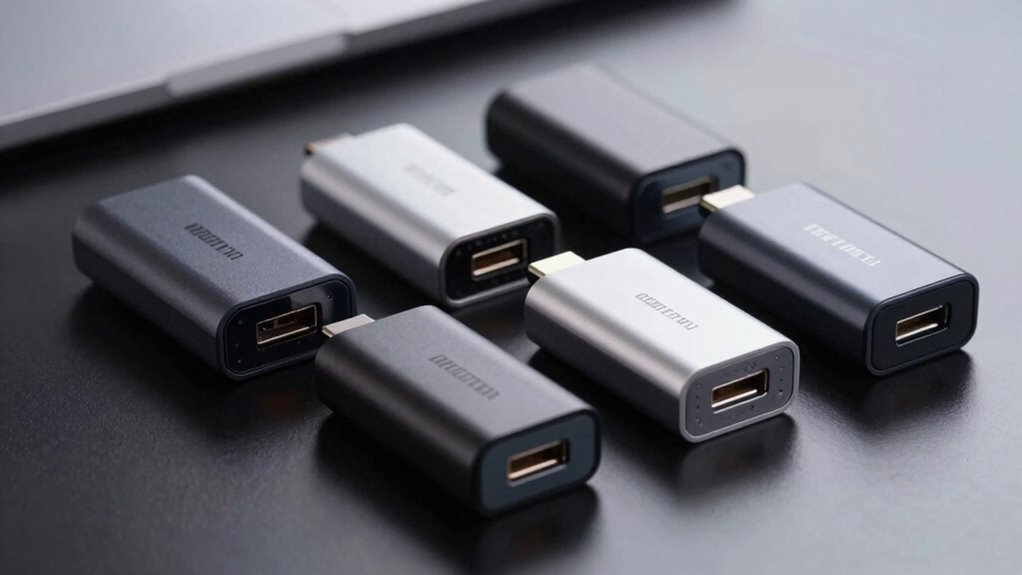

A 25GbE USB-C adapter is an unusual search: the adapters in this roundup top out at 10GbE, while most offer 2.5GbE or 5GbE. My best overall pick is the Cable Matters 10Gb Ethernet Adapter for buyers who need the highest listed link speed; the StarTech 2.5GbE Adapter stands out for broad NBASE-T and Thunderbolt compatibility, and the Plugable 2.5GbE Adapter with 100W PD suits a laptop desk setup that needs charging too. The main tradeoff is speed versus heat, power needs, and everyday convenience. Check that your laptop port, cable, switch, and network can support the speed you want before choosing. Read on for the full comparison and buying guide.

Get privacy and security gear delivered free with Prime
- Fast, free delivery on millions of items
- Prime Video, Amazon Music and more included
- Member-only deals all year
Key Takeaways
- No listed adapter offers 25GbE: the Cable Matters model tops this lineup at 10GbE, while SABRENT and Cable Matters also have 5GbE options.
- Most choices are 2.5GbE: they fit upgrades from gigabit networking, but cannot deliver 25GbE speeds.
- Speed brings system tradeoffs: a faster adapter can demand more power and produce more heat, so the host port and intended workload matter.
- Convenience separates several 2.5GbE picks: Plugable offers a USB-A fallback, while its PD model adds pass-through charging.
- Your whole network sets the ceiling: a multi-gig adapter cannot exceed the speed supported by the computer, cable, switch, router, and remote device.
| Cable Matters USB-C to 10Gb Ethernet Adapter (Low-Heat, Silent) |  | Best for 10GbE Headroom | Network speeds: 10G/5G/2.5G/1G/100M auto-negotiation | Chipset: Realtek RTL8159 | Connector: USB Type-C to Ethernet | VIEW ON AMAZON | See Our Full Breakdown |
| StarTech 2.5GbE USB-C to Ethernet Adapter (NBASE-T, Thunderbolt Compatible) |  | Best for Broad Device Compatibility | USB interface: USB-C 3.2 Gen 1 (5Gbps) | Ethernet port: 1x RJ45 | Network speeds: 10/100Mbps, 1Gbps, 2.5Gbps | VIEW ON AMAZON | See Our Full Breakdown |
| ASUS USB-C2500 V2 2.5Gbps USB-C Ethernet Adapter |  | Best for Simple Setup | Model: USB-C2500 V2 | Connectivity: USB-C to RJ45 Ethernet | Maximum network speed: 2.5Gbps | VIEW ON AMAZON | See Our Full Breakdown |
| Dell USB-C to 2.5G Ethernet Adapter |  | Best for Dell Fleet Deployment | Model number: DELL-SA224-BK | Connector: USB Type-C to RJ-45 network | Ports: 1 | VIEW ON AMAZON | See Our Full Breakdown |
| TP-Link UE302C USB-C to 2.5G Ethernet Adapter |  | Best Compact Travel Pick | Model: UE302C | Maximum speed: 2.5Gbps | Connector: USB-C | VIEW ON AMAZON | See Our Full Breakdown |
| SABRENT USB-C to 2.5GbE Ethernet Adapter (NT-25GA) |  | Best for Wake-on-LAN and PXE | Model: NT-25GA | Connection: USB-C to RJ45 Ethernet | Maximum speed: 2.5Gbps | VIEW ON AMAZON | See Our Full Breakdown |
| Plugable 2.5Gbps USB-C and USB-A to Ethernet Adapter |  | Best for USB-C and USB-A Flexibility | Connection: USB-C and USB-A to RJ45 Ethernet | Maximum speed: 2.5Gbps | USB requirement: USB 3.0 for full performance | VIEW ON AMAZON | See Our Full Breakdown |
| Plugable USB-C to Ethernet Adapter 2.5Gb with 100W PD Charging (USBC-E2500PD) |  | Best for Charging While Wired | Model: USBC-E2500PD | Connection: USB Type-C to Ethernet | Ethernet speed: 2.5Gbps | VIEW ON AMAZON | See Our Full Breakdown |
| UGREEN USB-C to 2.5Gb Ethernet Adapter | 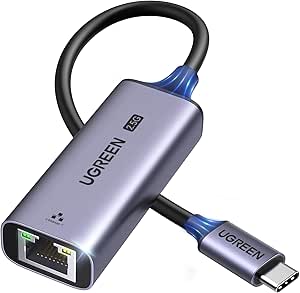 | Best for a Straightforward Aluminum Build | Model: UG-USBC-25052 | Connection: USB-C to RJ45 Ethernet | Maximum network speed: 2.5Gbps | VIEW ON AMAZON | See Our Full Breakdown |
| SABRENT USB-C to 5Gb Ethernet Adapter, 5GbE/2.5GbE Multi-Gig (NT-C5GA) |  | Best for a 5GbE Upgrade Path | Model: NT-C5GA | Maximum speed: 5Gbps | Chipset: Realtek RTL8157CG | VIEW ON AMAZON | See Our Full Breakdown |
| Cable Matters USB-C to 5Gbps Ethernet Adapter |  | Best for 5GbE on a USB-C Laptop | Maximum speed: 5Gbps (5000 Mbps) | Chipset: Realtek RTL8157 | Connector: USB-C / Thunderbolt | VIEW ON AMAZON | See Our Full Breakdown |
| 25gbe usb c adapter | Compatibility | Model |
|---|---|---|
| Cable Matters USB-C to 10Gb Et | USB-C, USB4, Thunderbolt 3/4/5; macOS and Windows | — |
| StarTech 2.5GbE USB-C to Ether | Windows 7+, macOS/iOS, ChromeOS, Linux LTS Kernel 4.19+, Intel/AMD/ARM/Apple Silicon, Thunderbolt | — |
| ASUS USB-C2500 V2 2.5Gbps USB- | Windows, macOS, Linux | USB-C2500 V2 |
| Dell USB-C to 2.5G Ethernet Ad | — | — |
| TP-Link UE302C USB-C to 2.5G E | — | UE302C |
| SABRENT USB-C to 2.5GbE Ethern | Windows, macOS, ChromeOS, Linux | NT-25GA |
| Plugable 2.5Gbps USB-C and USB | — | — |
| Plugable USB-C to Ethernet Ada | — | USBC-E2500PD |
| UGREEN USB-C to 2.5Gb Ethernet | USB-C and Thunderbolt 3/4 devices | UG-USBC-25052 |
| SABRENT USB-C to 5Gb Ethernet | Windows 10/11, macOS, Linux with recent Realtek r8157 driver | NT-C5GA |
| Cable Matters USB-C to 5Gbps E | — | — |
More Details on Our Top Picks
Cable Matters USB-C to 10Gb Ethernet Adapter (Low-Heat, Silent)
The Cable Matters adapter is the closest fit here for buyers aiming beyond 2.5GbE: it negotiates 10G, 5G, 2.5G, 1G, and 100M, so it can join faster NAS and workstation networks while still connecting to slower gear. Its Realtek RTL8159 controller, aluminum housing, and heat sink address heat during sustained transfers, while the braided pigtail helps protect the host port. That makes it a more capable upgrade than the StarTech 2.5GbE adapter, which tops out at 2.5Gbps and uses a 5Gbps USB interface. The tradeoff is that a 10GbE link does not mean 10Gbps of real throughput: the supplied figures are about 7Gbps on Windows and 5Gbps on macOS, and best performance calls for USB 3.2 Gen 2×2 or faster. Skip it if 2.5GbE is enough.
Pros:- Negotiates across 10G, 5G, 2.5G, 1G, and 100M networks
- Aluminum housing and heat sink are designed for lower heat during transfers
- Braided pigtail can reduce strain on the computer’s USB-C port
- Compatible with macOS and Windows, plus USB-C, USB4, and Thunderbolt 3/4/5
Cons:- Real-world throughput is listed at about 7Gbps on Windows and 5Gbps on macOS
- Best performance requires a USB 3.2 Gen 2×2 (20Gbps) port or faster
- Not compatible with Android or Xbox One S
Best for: Desktop and laptop users moving large files to a 10GbE NAS who have a USB 3.2 Gen 2×2 or faster port
Not ideal for: Buyers who only need a simple 2.5GbE connection, or Android and Xbox One S users, since those devices are listed as incompatible
- Network speeds:10G/5G/2.5G/1G/100M auto-negotiation
- Chipset:Realtek RTL8159
- Connector:USB Type-C to Ethernet
- Ports:1
- Real-world throughput:About 7Gbps on Windows / 5Gbps on macOS
- Recommended host port:USB 3.2 Gen 2×2 (20Gbps) or higher
- Compatibility:USB-C, USB4, Thunderbolt 3/4/5; macOS and Windows
- Color:Silver
Our verdict“Choose this for a multi-gig adapter with a path to 10GbE, provided your computer and network can support it.”
StarTech 2.5GbE USB-C to Ethernet Adapter (NBASE-T, Thunderbolt Compatible)
The StarTech 2.5GbE adapter is a practical fit when one dongle needs to serve a mix of laptops, tablets, and mobile devices. Its NBASE-T support can deliver up to 2.5Gbps over existing Cat5e cabling, avoiding a cable replacement just to move beyond gigabit. The attached six-inch lead and bus power keep setup simple, while the listed compatibility spans Windows, macOS, ChromeOS, Linux, iOS, and several processor platforms. Compared with the ASUS USB-C2500 V2, StarTech provides more listed connection and management features, including Wake-on-LAN and VLAN. Its ceiling is still 2.5Gbps, though, and 16K jumbo frames are not supported on macOS. Choose it for mixed-device flexibility; pick a 10GbE model such as the Cable Matters adapter if your network needs more bandwidth.
Pros:- Can run at 2.5Gbps over existing Cat5e cable
- Broad listed support for Windows, macOS, ChromeOS, Linux, iOS, and multiple processor platforms
- Bus-powered design with an attached six-inch cable
- Supports Wake-on-LAN and VLAN
Cons:- Maximum network speed is 2.5Gbps
- 16K jumbo frames are not supported on macOS
Best for: Households or IT teams connecting USB-C laptops, tablets, and iPhones to a 2.5GbE network over existing Cat5e cabling
Not ideal for: NAS users who need more than 2.5Gbps or Mac users whose setup depends on 16K jumbo frames
- USB interface:USB-C 3.2 Gen 1 (5Gbps)
- Ethernet port:1x RJ45
- Network speeds:10/100Mbps, 1Gbps, 2.5Gbps
- Cable length:6in (15cm) attached cable
- Chipset:Realtek
- Power:USB bus-powered
- Features:Wake-on-LAN, VLAN, 16K jumbo frames (not supported on macOS)
- Compatibility:Windows 7+, macOS/iOS, ChromeOS, Linux LTS Kernel 4.19+, Intel/AMD/ARM/Apple Silicon, Thunderbolt
Our verdict“Choose StarTech for a broadly compatible, bus-powered 2.5GbE adapter that can use existing Cat5e wiring.”
ASUS USB-C2500 V2 2.5Gbps USB-C Ethernet Adapter
The ASUS USB-C2500 V2 suits buyers who want a straightforward step up from gigabit without managing driver installation. It supports plug-and-play use on compatible Windows, macOS, and Linux devices, and its compact form makes it easier to keep with a laptop than a larger network accessory. Like the Dell USB-C to 2.5G Ethernet Adapter, it stops at 2.5Gbps; Dell lists MAC Address pass-through, while ASUS emphasizes broad desktop, laptop, and NAS use with no drivers needed. The supplied details do not specify a cable length or extra management features, so buyers who need those should compare the StarTech adapter, which lists Wake-on-LAN and VLAN. ASUS offers a three-year warranty, but its 2.5Gbps ceiling will not serve a 5GbE or 10GbE network at full speed.
Pros:- Supports network speeds up to 2.5Gbps
- Plug-and-play setup with no drivers needed
- Works with compatible Windows, macOS, and Linux devices
- Compact design and a listed three-year warranty
Cons:- Maximum speed is 2.5Gbps
- Requires a compatible USB-C connection
- Product details do not specify cable length or advanced network features
Best for: Laptop, desktop, or NAS owners who want a compact 2.5GbE USB-C connection with plug-and-play setup on Windows, macOS, or Linux
Not ideal for: Users who need a 5GbE or 10GbE link, or buyers who need listed features such as Wake-on-LAN or VLAN
- Model:USB-C2500 V2
- Connectivity:USB-C to RJ45 Ethernet
- Maximum network speed:2.5Gbps
- Supported network speeds:2.5G, 1G, 100Mbps
- Compatibility:Windows, macOS, Linux
- Setup:Plug and play; no drivers needed
- Warranty:3 years
- Included items:Quick Start Guide, Ethernet Adapter, Warranty Card
Our verdict“Choose ASUS for a compact, no-driver 2.5GbE adapter when straightforward setup matters more than extra features.”
Dell USB-C to 2.5G Ethernet Adapter
The Dell USB-C to 2.5G Ethernet Adapter has a specific advantage for managed laptop environments: MAC Address pass-through can help preserve device identification for network policies that rely on a wired connection. Its 2.5Gbps maximum also gives compatible laptops a faster link than gigabit Ethernet, while the compact, lightweight design suits travel. Compared with the ASUS USB-C2500 V2, Dell’s clearest differentiator is pass-through support; ASUS instead lists plug-and-play compatibility across Windows, macOS, and Linux and a longer warranty period. Dell’s supplied details name laptop and desktop compatibility but do not specify operating systems, cable length, or driver behavior, so check your deployment requirements before buying. It is a focused choice for Dell-centered setups, but less compelling when cross-platform detail or broad feature support matters.
Pros:- Supports network transfer speeds up to 2.5Gbps
- MAC Address pass-through supports managed network setups
- Compact, lightweight design is suited to travel
- Includes a listed one-year manufacturer warranty
Cons:- Limited to one network port and 2.5Gbps maximum
- Supplied product details do not specify a cable or plug-and-play behavior
- Compatibility information is limited to laptops and desktops
Best for: IT administrators supporting Dell laptops that need MAC Address pass-through for wired network policies
Not ideal for: Buyers who need documented compatibility across specific operating systems, a higher-than-2.5Gbps link, or a clearly specified included cable
- Model number:DELL-SA224-BK
- Connector:USB Type-C to RJ-45 network
- Ports:1
- Maximum transfer speed:2.5Gbps
- Feature:MAC Address pass-through
- Compatible devices:Laptop, desktop
- Warranty:1 year manufacturer
Our verdict“Choose Dell when MAC Address pass-through is a requirement for your laptop deployment and 2.5Gbps is sufficient.”
TP-Link UE302C USB-C to 2.5G Ethernet Adapter
The TP-Link UE302C is aimed at people who carry an adapter between a laptop, tablet, and shared workspaces. Its foldable aluminum design combines portability with a housing built for regular packing, and the listed plug-and-play support covers major desktop and mobile operating systems. That makes it a more travel-oriented pick than the Dell USB-C to 2.5G Ethernet Adapter, whose details emphasize MAC Address pass-through but do not specify a foldable design. TP-Link still tops out at 2.5Gbps, so it cannot match the 5GbE or 10GbE capacity of the Cable Matters options in this roundup. Full speed also depends on having a 2.5GbE router or switch; the adapter alone cannot upgrade the rest of a network. Its portability and OS range matter most when the connection is actually available.
Pros:- Foldable, portable design with an aluminum housing
- Plug-and-play operation without driver installation
- Listed compatibility includes Windows, macOS, iPadOS, ChromeOS, Linux, and iOS
- LED indicator lights provide connection status
Cons:- Maximum network speed is 2.5Gbps
- A 2.5GbE-capable router or switch is required to reach full speed
Best for: Traveling laptop and tablet users who want a compact adapter for wired access to 2.5GbE networks
Not ideal for: Users with 5GbE or 10GbE networks, or anyone whose router or switch supports only gigabit Ethernet
- Model:UE302C
- Maximum speed:2.5Gbps
- Connector:USB-C
- Material:Aluminum
- Compatible operating systems:Windows 11/10/8.1/8/7, macOS, iPadOS, ChromeOS, Linux, iOS
- Driver requirement:None; plug and play
- Design:Foldable, portable, with LED indicator lights
Our verdict“Choose the UE302C for a portable, foldable 2.5GbE adapter when your host device and network support the connection.”
SABRENT USB-C to 2.5GbE Ethernet Adapter (NT-25GA)
The SABRENT NT-25GA is a good fit for buyers who need more than a basic wired connection: its support for Wake-on-LAN and PXE boot can help with remote access and network-based setup. It negotiates among 2.5Gbps, 1Gbps, and 100Mbps, so it can also connect to older network equipment. Compared with the Plugable USB-C and USB-A adapter, though, this model only connects over USB-C, so it is less flexible for older computers. Its aluminum housing and status LEDs add practical durability and at-a-glance link information, but reaching 2.5Gbps depends on a USB 3.0 or faster data port, a suitable cable, and compatible network gear. Older operating systems may also need a driver.
Pros:- Negotiates at 2.5Gbps, 1Gbps, or 100Mbps
- Supports Wake-on-LAN and PXE boot
- Aluminum housing and status LEDs
- Works with current Windows, macOS, ChromeOS, and Linux systems
Cons:- No USB-A connector or converter is included
- Full speed needs a USB 3.0 or faster port and compatible network equipment
- Older operating systems may require a driver
Best for: IT users who need a compact USB-C adapter with Wake-on-LAN or PXE support across several operating systems
Not ideal for: Owners of USB-A-only computers or people using a network limited to Gigabit Ethernet
- Model:NT-25GA
- Connection:USB-C to RJ45 Ethernet
- Maximum speed:2.5Gbps
- Link speeds:2.5Gbps / 1Gbps / 100Mbps
- Controller:Realtek RTL8156BG
- Compatibility:Windows, macOS, ChromeOS, Linux
- Housing and features:Aluminum; Wake-on-LAN, PXE boot, status LEDs
- Warranty:2 years
Our verdict“Choose the NT-25GA if you need Wake-on-LAN or PXE over USB-C and can meet its network and port requirements.”
Plugable 2.5Gbps USB-C and USB-A to Ethernet Adapter
The Plugable 2.5Gbps adapter is the flexible pick for people who move between newer USB-C laptops and older USB-A systems. Its dual connector options make it easier to share one adapter across devices, while Cat 5e or better cabling can support a 2.5Gbps link when the host and network equipment allow it. The included two-year defect coverage and lifetime support add a useful support path that the listed SABRENT NT-25GA details do not match. That flexibility does come with a limitation: full performance requires USB 3.0, and actual throughput depends on the complete network path. Buyers who want to charge a laptop through the same port should look instead at the Plugable USBC-E2500PD, which adds 100W pass-through charging.
Pros:- Connects through USB-C or USB-A
- Supports network speeds up to 2.5Gbps
- Works with Cat 5e or better cabling
- Includes two-year defect coverage and lifetime support
Cons:- Full performance requires USB 3.0 and compatible 2.5Gbps network equipment
- Actual speed depends on the cable, host, and network
- Does not provide pass-through charging
Best for: People who need one multi-gig Ethernet adapter for both USB-C laptops and USB-A computers
Not ideal for: Laptop users who need pass-through charging while using the adapter, or anyone with only USB 2.0 ports
- Connection:USB-C and USB-A to RJ45 Ethernet
- Maximum speed:2.5Gbps
- USB requirement:USB 3.0 for full performance
- Cable compatibility:Cat 5e or better
- Operating systems:Windows, macOS, ChromeOS, and iOS 17+ on listed compatible iPhones
- Warranty:2 years
- Support:Lifetime support
Our verdict“Pick this Plugable when USB-C and USB-A compatibility matters more than charging pass-through.”
Plugable USB-C to Ethernet Adapter 2.5Gb with 100W PD Charging (USBC-E2500PD)
The Plugable USBC-E2500PD solves a common laptop tradeoff: it pairs 2.5Gbps Ethernet with up to 100W Power Delivery pass-through, so a compatible USB-C port can handle networking and charging through one adapter. That makes it more useful at a desk than the SABRENT NT-25GA or UGREEN adapter, neither of which lists charging pass-through. Its plug-and-play support across Windows, macOS, ChromeOS, and specified Apple devices also keeps setup simple. The extra functionality relies on a full-featured, standards-compliant USB-C port, however, and the supplied details do not specify a warranty beyond a limited-warranty reference. Buyers who only need Ethernet may prefer a simpler adapter without the charging feature.
Pros:- Combines 2.5Gbps Ethernet with 100W pass-through charging
- Supports plug-and-play operation without driver installation
- Works with listed Windows, macOS, ChromeOS, iPad, and iPhone devices
- Uses one USB-C connection for networking and charging
Cons:- Requires a full-featured, standards-compliant USB-C port
- Warranty details are limited in the supplied product information
- Adds charging functionality that may be unnecessary for Ethernet-only setups
Best for: USB-C laptop users who want wired 2.5GbE while keeping a single port available for charging
Not ideal for: People with USB-C ports that lack data and Power Delivery support, or users who do not need pass-through charging
- Model:USBC-E2500PD
- Connection:USB Type-C to Ethernet
- Ethernet speed:2.5Gbps
- Power Delivery:Up to 100W pass-through charging
- Ports:2
- Compatible operating systems:Windows 10/11, macOS 11+, ChromeOS
- Listed device support:Thunderbolt 3/4, USB4, USB-C, and iPhone 15/16 Pro models
- Color:Black
Our verdict“Choose the USBC-E2500PD if you want a wired 2.5GbE connection and charging through the same compatible USB-C port.”
UGREEN USB-C to 2.5Gb Ethernet Adapter
The UGREEN USB-C to 2.5Gb Ethernet Adapter keeps the feature set focused: USB-C networking up to 2.5Gbps, an aluminum housing with reinforced ports, and a Realtek RTL8156BG chipset. That makes it a straightforward option for a laptop or tablet owner who wants a wired connection without the extra charging feature of the Plugable USBC-E2500PD or the boot and wake functions of the SABRENT NT-25GA. Its compact, simple proposition is appealing, but the supplied information gives fewer details about operating-system support and link negotiation than SABRENT’s listing. It also reaches 2.5Gbps only when connected to capable network equipment; the adapter cannot raise the speed of a slower router or switch.
Pros:- Supports Ethernet speeds up to 2.5Gbps
- Aluminum housing with reinforced ports
- Uses the Realtek RTL8156BG chipset
- Compatible with USB-C and Thunderbolt 3/4 devices
Cons:- Maximum speed requires 2.5Gbps-capable network equipment
- The supplied details do not list specific operating systems
- Does not include USB-A connectivity or charging pass-through
Best for: USB-C and Thunderbolt laptop or tablet owners seeking a simple 2.5GbE connection in an aluminum enclosure
Not ideal for: Buyers who need documented support for specific operating systems, USB-A connectivity, or pass-through charging
- Model:UG-USBC-25052
- Connection:USB-C to RJ45 Ethernet
- Maximum network speed:2.5Gbps
- Chipset:Realtek RTL8156BG
- Housing:Aluminum with reinforced ports
- Compatibility:USB-C and Thunderbolt 3/4 devices
Our verdict“Choose the UGREEN if a simple aluminum USB-C adapter is your priority and your network already supports 2.5GbE.”
SABRENT USB-C to 5Gb Ethernet Adapter, 5GbE/2.5GbE Multi-Gig (NT-C5GA)
The SABRENT NT-C5GA is the lineup’s speed step-up: it supports 5GbE as well as 2.5GbE, 1GbE, and 100Mbps, so it can fit a faster network today and negotiate down on older equipment. Compared with the SABRENT NT-25GA, its 5Gbps ceiling gives a compatible workstation more headroom for large transfers, but only when the USB-C port supports USB 3.2 Gen 2 and the Ethernet run uses Cat 6a or better. Its bus-powered aluminum enclosure doubles as a heatsink, though the USB-C port must carry data; power-only ports will not work. Windows and macOS have driver-free setup listed, while Linux support depends on a recent Realtek r8157 driver.
Pros:- Supports 5Gbps with backward auto-negotiation to 2.5GbE, 1GbE, and 100Mbps
- Aluminum housing doubles as a heatsink
- Bus-powered and requires no external power supply
- Driver-free setup on Windows 10/11 and macOS
Cons:- Full 5Gbps requires USB 3.2 Gen 2 and Cat 6a or better cabling
- Does not work with power-only USB-C ports
- Linux support requires a recent Realtek r8157 kernel driver
Best for: Users upgrading to 5GbE who have a USB 3.2 Gen 2 host port and Cat 6a network cabling
Not ideal for: People with only 2.5GbE equipment, slower USB-C ports, or Linux systems without a recent r8157 driver
- Model:NT-C5GA
- Maximum speed:5Gbps
- Chipset:Realtek RTL8157CG
- Connector:USB-C
- Standards:802.3bz / 5GBASE-T
- Auto-negotiation speeds:5GbE / 2.5GbE / 1GbE / 100Mbps
- Cable requirement for 5Gbps:Cat 6a or better
- Power and housing:Bus-powered; aluminum housing doubles as heatsink
- Compatibility:Windows 10/11, macOS, Linux with recent Realtek r8157 driver
Our verdict“Choose the NT-C5GA if your network and USB-C port can use 5GbE and you want room beyond 2.5Gbps.”
Cable Matters USB-C to 5Gbps Ethernet Adapter
The Cable Matters USB-C to 5Gbps Ethernet Adapter suits buyers whose network is faster than 2.5GbE but who do not need the roundup’s 10GbE option. Its 5Gbps ceiling gives large transfers to a compatible NAS or switch more headroom than the StarTech 2.5GbE and TP-Link UE302C adapters, while keeping the connection on a single USB-C port. The aluminum housing helps dissipate heat, and the braided pigtail avoids adding a separate cable to the setup. Setup is plug-and-play on modern macOS and Windows systems. The tradeoff is port and device compatibility: full speed needs USB 3.2 Gen 2 or faster, Android is unsupported, and older systems may need a manual Linux driver. Choose it when 5GbE matters; for ordinary 2.5GbE networks, the slower alternatives may be a better fit.
Pros:- Supports wired networking up to 5Gbps with compatible hardware
- Aluminum housing aids heat dissipation
- Braided pigtail cable is designed to resist fraying
- Plug-and-play setup on modern macOS and Windows
Cons:- Full 5Gbps requires a USB 3.2 Gen 2 10Gbps or faster port
- Not compatible with Android devices
- Older operating systems and some Linux kernels may require manual driver installation
Best for: Laptop and desktop owners with a USB-C, USB4, or Thunderbolt port and a 5GbE-capable NAS, switch, or network who transfer large files.
Not ideal for: Android users, people with only USB 3.2 Gen 1 ports who expect full 5Gbps throughput, and buyers whose network tops out at 2.5GbE.
- Maximum speed:5Gbps (5000 Mbps)
- Chipset:Realtek RTL8157
- Connector:USB-C / Thunderbolt
- Housing:Aluminum
- Cable:Braided pigtail
- Compatible operating systems:Windows, macOS, Linux, Chrome OS, iOS
- Warranty:Limited one-year
Our verdict“Choose this adapter to connect a compatible USB-C computer to 5GbE equipment; for a 2.5GbE network, the StarTech or TP-Link option may be sufficient.”

How We Picked
I compared the listed models by their stated Ethernet speed, connection options, and features that affect everyday laptop use. Because the lineup does not include a 25GbE adapter, I treated the 10GbE Cable Matters model as the closest listed option for buyers seeking the highest throughput, while making that limit explicit. I gave the 5GbE adapters a distinct place for buyers whose network is faster than 2.5GbE but does not call for the top speed in this group.
Within the crowded 2.5GbE field, ranking logic comes from practical differences: Thunderbolt compatibility on StarTech, USB-A support on one Plugable model, and 100W PD pass-through on another. I also considered whether a feature serves a clear buyer need, rather than treating brand names or a longer feature list as proof of better performance. The supplied product names do not establish details such as chipset, cable length, or operating-system support, so buyers should confirm those against the manufacturer’s current specifications before purchase.
| 25gbe usb c adapter | Compatibility | Model |
|---|---|---|
| Cable Matters USB-C to 10Gb Et | USB-C, USB4, Thunderbolt 3/4/5; macOS and Windows | — |
| StarTech 2.5GbE USB-C to Ether | Windows 7+, macOS/iOS, ChromeOS, Linux LTS Kernel 4.19+, Intel/AMD/ARM/Apple Silicon, Thunderbolt | — |
| ASUS USB-C2500 V2 2.5Gbps USB- | Windows, macOS, Linux | USB-C2500 V2 |
| Dell USB-C to 2.5G Ethernet Ad | — | — |
| TP-Link UE302C USB-C to 2.5G E | — | UE302C |
| SABRENT USB-C to 2.5GbE Ethern | Windows, macOS, ChromeOS, Linux | NT-25GA |
| Plugable 2.5Gbps USB-C and USB | — | — |
| Plugable USB-C to Ethernet Ada | — | USBC-E2500PD |
| UGREEN USB-C to 2.5Gb Ethernet | USB-C and Thunderbolt 3/4 devices | UG-USBC-25052 |
| SABRENT USB-C to 5Gb Ethernet | Windows 10/11, macOS, Linux with recent Realtek r8157 driver | NT-C5GA |
| Cable Matters USB-C to 5Gbps E | — | — |
Factors to Consider When Choosing 25gbe Usb C Adapter
Start with the network you can actually connect to, then match the adapter to your laptop and work habits. These checks help avoid paying for a higher link speed your setup cannot use or choosing a compact dongle that lacks a feature you need every day.
Match the adapter speed to the full network path
An adapter’s listed Ethernet speed is only one part of the connection. The computer port, network switch or router, Ethernet cable, and device at the other end all need to support the target speed. A 10GbE adapter connected to a 2.5GbE switch will negotiate at the lower supported rate, so the higher ceiling brings no speed gain on that link. The same applies to the 5GbE and 2.5GbE models here. Check the ports on your network gear before buying, and remember that internet service speed and local file-transfer speed are separate limits. If 25GbE is a firm requirement, none of the 11 listed products meets it.
Check your computer’s USB port and operating system
USB-C describes the connector shape, not a guaranteed data rate or feature set. A slower USB connection can limit an Ethernet adapter even when the adapter’s network port supports a higher rate. Thunderbolt compatibility can help on systems with Thunderbolt ports, but it does not make every USB-C host or cable equivalent. Also check the manufacturer’s current driver and operating-system support for your exact computer. This matters especially for managed work laptops, where installing drivers may be restricted. Confirm the host requirements before treating an adapter’s headline speed as achievable.
Choose a speed for your workload, not a bigger number
For web use and ordinary office work, faster Ethernet may make little visible difference if the internet connection or remote service is the bottleneck. Local backups, shared storage, and large project files can benefit more, provided the storage and network can keep pace. Moving from gigabit to 2.5GbE is a more modest upgrade than moving to 5GbE or 10GbE, but it can be easier to use with existing multi-gig equipment. Higher link speeds may also increase power draw and heat, particularly during sustained transfers. Decide whether your work involves long, heavy transfers or brief bursts before choosing the fastest model available.
Treat pass-through charging and extra USB support as separate needs
A laptop adapter that adds Ethernet can occupy a port you already use for charging or peripherals. A PD pass-through model can keep a compatible laptop powered while connected, but buyers should verify the supported charging standard and power delivery for their computer. USB-A compatibility can be useful with older laptops or desktops, though the host connection still affects attainable speed. These convenience features do not raise Ethernet throughput. Consider your usual desk setup: if you rely on one USB-C port for power, charging pass-through may matter more than a jump from 2.5GbE to 5GbE. If you have open ports and a separate charger, a simpler adapter may suit you better.
Check cabling, placement, and sustained-use conditions
Multi-gig networking depends on suitable Ethernet cabling and compatible network ports, so inspect the existing cable run before blaming a new adapter for a slow link. Longer cable runs, damaged connectors, and older network equipment can complicate higher-speed setups. Also think about where the adapter will sit: a dangling dongle can put strain on the laptop port, while a crowded or enclosed spot may hold more heat during sustained transfers. The product names identify Cable Matters’ 10GbE model as low-heat and silent, but buyers should consult its full specifications for operating limits and host requirements. For a permanent workstation, placement and cable management can matter more than pocket size. For travel, a short, simple connection may be easier to pack and use.
Frequently Asked Questions
Does any adapter in this roundup support 25GbE?
No. The highest listed speed is 10GbE on the Cable Matters USB-C adapter. This lineup also includes two 5GbE options and several 2.5GbE models. If you need a true 25GbE link, look for a compatible adapter with an explicit 25GbE specification and check how it connects to your computer. You will also need 25GbE-capable network equipment and a suitable host connection to use that speed.
Will a 10GbE adapter make my internet connection 10Gbps?
Only if every relevant part of the path supports that rate, including your computer’s connection, router or switch, service plan, and the server you are reaching. Many internet connections are slower than 10Gbps, so the adapter may mainly help with transfers inside a local network. If you move large files to a NAS, check its Ethernet port and storage performance as well. A faster adapter can remove one bottleneck, but it cannot raise the limits elsewhere in the system.
Should I choose a 5GbE model or a 10GbE model?
Choose based on the fastest port you can use on your network and the kind of transfers you make. A 5GbE adapter can suit a network built around 5GbE or 2.5GbE equipment, while 10GbE makes more sense when the computer and network gear can support it. For a 25GbE requirement, neither speed is enough. Higher link speed alone does not guarantee faster file work if the drive, cable, or host connection becomes the limiting factor. Check those parts before selecting the faster model.
Can I use these USB-C Ethernet adapters with a Thunderbolt port?
The StarTech model is specifically described as Thunderbolt compatible, and some other USB-C adapters may work with Thunderbolt ports as well. Compatibility depends on the adapter’s specifications and the computer, so verify both manufacturers’ guidance for your model. A Thunderbolt-shaped port does not guarantee that every attached adapter will run at its top listed Ethernet speed. The USB generation and host bandwidth can limit throughput. If Thunderbolt support is a requirement, favor a model that states it plainly and confirm operating-system support.
Is the Plugable model with 100W PD a good choice if I need full charging power?
It may simplify a laptop desk setup by combining Ethernet and pass-through charging, but the 100W label alone does not confirm how much power reaches your computer in every setup. The laptop, charger, cable, and adapter all need to support the relevant power-delivery limits. Check the manufacturer’s specifications for pass-through behavior and any power reserved for the adapter itself. If full charging capacity matters during demanding work, verify the delivered wattage against your laptop’s requirements. Choose this feature for port convenience, not as a substitute for checking charging compatibility.
Conclusion
For the fastest option in this lineup, I’d choose the Cable Matters 10GbE adapter, with the clear caveat that it still falls short of 25GbE. The best fit for a buyer balancing broad compatibility with 2.5GbE is the StarTech adapter; for a straightforward multi-gig upgrade, compare the ASUS, Dell, TP-Link, SABRENT, and UGREEN 2.5GbE models against your host and operating-system requirements. Beginners should start by matching a 2.5GbE adapter to their computer and network ports before paying for higher speed. For a desk setup that needs charging, the Plugable 2.5GbE PD model is the specialized choice; for USB-A flexibility, consider the other Plugable option. Buyers with 5GbE networks can compare the SABRENT and Cable Matters 5GbE adapters. For true 25GbE, choose a product explicitly rated for that speed outside this roundup.
Halloween Picks
halloween
As an affiliate, we earn on qualifying purchases.