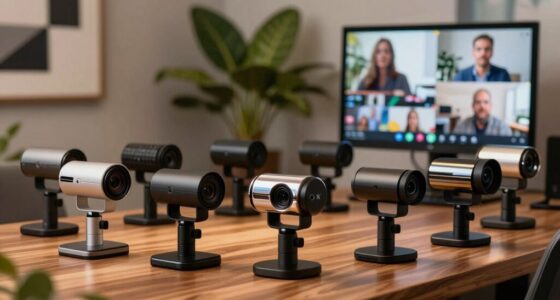
This checklist is for anyone setting up a more private workspace at home or in an office. It covers everyday exposure points, from a webcam and USB connection to documents and portable storage.

Get privacy and security gear delivered free with Prime
- Fast, free delivery on millions of items
- Prime Video, Amazon Music and more included
- Member-only deals all year
The sections follow those workspace needs: camera privacy, charge-only USB access, card and passport storage, screen visibility, encrypted files, and paper disposal. Each pick has a specific job, so you can focus on the part of your setup you want to address.
Use the checklist to compare each item with your devices and habits before buying. Check fit and compatibility carefully, especially for laptop screens, webcams, and USB ports, and prioritize the gaps that matter most in your workspace.
Webcam privacy cover
A physical shutter gives you a direct way to cover a webcam when you are not using it. The listed slide shutter is named for Logitech C920, C920x, and C930e cameras, so start by confirming that your camera is one of those models and that the cover’s placement will not interfere with the lens or its operation. A cover made for a particular camera may not fit a laptop webcam or a different external camera.A common mistake is choosing by the words “webcam cover” alone. Compare the product name with your camera model, then consider how you use the camera: you will want the shutter to be easy to open before calls and easy to close afterward. Check the cover’s dimensions and mounting approach in the listing, and make sure there is enough room around the lens for it to sit properly. This pick is most relevant if you use one of the named Logitech cameras and want a visible physical cover as part of your routine.
What to look for:
- Confirm the camera is a Logitech C920, C920x, or C930e.
- Check the cover dimensions against the camera body.
- Verify that the shutter will not obstruct the lens.
- Review how the cover attaches to the camera.
- Choose a placement that is easy to open and close.
Webcam Privacy Cover Slide Shutter for Logitech C920, C920x, C930e, and C922 Pro

A sliding privacy shutter that fits Logitech C920, C920x, C930e, and C922 Pro Stream webcams, as well as other popular models. The cover slides closed to block the camera lens and protect your privacy when not in use.
Pros:
- Compatible with a wide range of Logitech webcam models
- Simple sliding design for quick privacy control
- Cost-effective alternative to OEM covers
Cons:
- Third-party product not endorsed by Logitech
Best for: People using a listed Logitech camera who want a physical shutter.
Not ideal for: People whose webcam model or lens placement does not match the listing.
Bottom line: Confirm your camera model and fit before adding this shutter to your workspace.
USB data blocker
A charge-only adapter can be useful when you want to connect a device to a USB power source while limiting the connection’s intended role to charging. The OFFGRID USB-C Data Blocker is identified as a charge-only adapter, making port and cable compatibility the first things to check. Confirm that the device you plan to charge uses USB-C and that the power source and cable arrangement work with the adapter.A common buying mistake is assuming every USB connection is interchangeable. Check the product listing for supported connector types and any device-specific limitations, and keep in mind that a charge-only adapter is not a substitute for reviewing whether a power source is trusted. Consider your actual routine: if you frequently charge from shared or unfamiliar ports, a dedicated blocker may fit that use; if you need data transfer at the same time, this charge-only design may not suit that task. Make sure you can identify it easily so it does not get mixed up with a data-capable adapter.
What to look for:
- Match the adapter’s USB-C connector to your device.
- Check compatibility with your charging cable and power source.
- Review the listing for supported devices and limitations.
- Consider whether you need charging only or data transfer too.
- Keep the blocker easy to distinguish from regular adapters.
OFFGRID USB-C Data Blocker Charge-Only Adapter

This compact USB-C adapter allows charging while blocking data transfer, helping protect devices at public charging stations. It has a lightweight metal exterior and is compatible with USB-C phones, laptops, and tablets.
Pros:
- Blocks data transfer while allowing charging
- Compact and lightweight for travel
- Metal exterior
- Compatible with a range of USB-C devices
Cons:
- Single port
- No charging speed or power rating is specified
Best for: People who want a charge-only adapter for compatible USB-C devices.
Not ideal for: People who need to transfer data through the same connection.
Bottom line: Check every connector in your charging setup before choosing this adapter.
RFID blocking card holder
A travel folio can keep a passport and cards together, which may make it easier to manage important travel documents in one place. The listed Bellroy Travel Folio is identified as a leather passport wallet in navy. Check the dimensions and internal layout against the passport and cards you intend to carry, and review the product details to confirm which types and quantities of items fit.The section’s RFID-blocking purpose makes it especially important to verify the listing’s stated protection details rather than infer them from the product name alone. A common mistake is treating a passport wallet as automatically suitable for every card, document, or travel routine. Look at how it closes, how you prefer to organize documents, and whether its size works with your bag or pocket. If you need an RFID-blocking card holder, confirm that function explicitly in the product specifications before buying; the provided product name alone does not establish it. Choose this folio when its documented features and capacity match what you plan to carry.
What to look for:
- Verify RFID-blocking claims in the product specifications.
- Check the folio’s dimensions against your passport.
- Review the number and types of cards it can hold.
- Consider whether the closure and layout suit your routine.
- Confirm the navy leather version matches the listing you want.
Bellroy Travel Folio Leather Passport Wallet – Navy

This zip-around leather travel folio organizes up to two passports, cards, cash, boarding passes, receipts, a spare SIM, and the included Micro Pen. It features RFID shielding, multiple pockets, and a back slip pocket for quick access to travel documents; the eco-tanned leather develops a patina with use.
Pros:
- Organizes passports, cards, cash, and travel documents in multiple pockets
- RFID shielding helps protect personal data
- Includes a Micro Pen and storage for a spare SIM
- Compact design with a quick-access back slip pocket
Cons:
- Larger-format passports may not fit in the designated sleeve
- Leather requires dry-cloth cleaning
Best for: Travelers seeking a folio whose verified features match their document needs.
Not ideal for: People who need confirmed RFID blocking or capacity not stated in the listing.
Bottom line: Verify the RFID details and interior capacity before treating this as your card holder.
Privacy screen filter
A privacy filter is intended to help limit what people beside you can see on your display. This pick is named for a 14-inch widescreen laptop and has a gold frameless design, so screen size and aspect ratio are essential checks. Measure the visible display area and compare the listing’s exact fit details rather than relying only on the laptop’s marketed size.Common mistakes include buying a filter for the wrong aspect ratio, confusing screen size with the laptop’s outer dimensions, or overlooking how it attaches. Check the attachment method and whether it suits your screen’s bezel and your preference for removing the filter. Also consider how the gold appearance may look on your display and review the listing for any viewing or care guidance. A filter that fits well should align with the active display area without covering important parts of the screen. Confirm the exact laptop model and dimensions before ordering, especially if the display is close to but not exactly 14 inches.
What to look for:
- Confirm the laptop has a 14-inch widescreen display.
- Compare the filter dimensions with the visible screen area.
- Check the laptop model and aspect ratio against the listing.
- Review the attachment method for your screen and bezel.
- Consider the gold appearance and care guidance.
3M Gold Frameless Privacy Filter for 14-Inch Widescreen Laptop

This privacy filter keeps your personal information secure from prying eyes while maintaining clear visibility for the user. It features a reversible design with a vivid gold or black side and uses an optically clear adhesive for easy application.
Pros:
- Provides high-level privacy protection
- Reversible design offers two color options
- Clear visibility for the user
Cons:
- May slightly reduce screen brightness
- Requires careful application to avoid bubbles
Best for: People with a compatible 14-inch widescreen laptop seeking a privacy filter.
Not ideal for: People with a different screen size, aspect ratio, or attachment preference.
Bottom line: Match the filter to your laptop’s exact display dimensions before buying.
Encrypted USB flash drive
Portable encrypted storage can suit files you want to carry while keeping access controls on the drive itself. The listed Apricorn Aegis Padlock is described as a 2TB hardware-encrypted portable external hard drive, so verify the exact form factor and capacity in the product listing before purchase. The product name says “flash drive” in the section title, while the listed item says “external hard drive”; check which physical device is actually being offered.Compatibility deserves close attention: confirm the connection type, operating-system support, and any setup or unlocking steps listed for the drive. A common mistake is assuming hardware encryption makes file handling effortless or removes the need for a backup. Review how the keypad works, how access is configured, and what happens if you forget the credentials, using the manufacturer’s product information. Consider whether the stated 2TB capacity fits your intended file collection and whether the drive’s dimensions suit your travel needs. For sensitive files, also plan where a separate backup will live.
What to look for:
- Confirm whether the listing is for a flash drive or external hard drive.
- Verify the 2TB capacity and physical dimensions.
- Check connector and operating-system compatibility.
- Review keypad setup, unlocking, and recovery information.
- Plan a separate backup for important files.
Apricorn Aegis Padlock 2TB Hardware-Encrypted Portable External Hard Drive

This portable 2TB drive uses 256-bit AES XTS hardware encryption and an integrated keypad for PIN-based access. It connects over USB 3.0, requires no software or administrator rights, and supports up to five user PINs plus an administrator PIN.
Pros:
- Hardware encryption with keypad-based PIN access
- Works without software installation or administrator rights
- Compatible with PC, Mac, and USB-enabled operating systems
- Rugged design with epoxy coating and brute-force self-destruct feature
Cons:
- Uses a rotating 5400 rpm hard drive
- Requires PIN entry through the integrated keypad
Best for: People who need portable storage and can use the listed keypad drive.
Not ideal for: People seeking a compact flash drive or a different capacity or interface.
Bottom line: Confirm the device type, compatibility, and access process before relying on it for files.
Document shredder
A cross-cut shredder belongs on a privacy checklist when paper records need to be discarded. The listed 4005 Cross Cut is described as a commercial office paper shredder with an automatic oiler, so consider the amount of paper your workspace handles and review the product’s capacity and operating details. “Commercial office” in the name does not by itself establish a specific sheet capacity or suitable duty cycle for your needs.Common buying mistakes include overlooking the shredder’s accepted materials, bin capacity, and maintenance requirements. Check the listing for the paper size and types it accepts, how it is emptied, and what the automatic oiler does and requires. Make sure the unit’s dimensions and power needs suit the room where you plan to use it, and consider who will operate it. For a shared office, prioritize clear operating guidance and a placement that makes routine use convenient. Match the shredder to your paper disposal volume using the listed specifications, and follow the manufacturer’s maintenance instructions.
What to look for:
- Review sheet capacity and duty cycle in the listing.
- Confirm accepted paper sizes and materials.
- Check bin capacity and how it is emptied.
- Verify the unit’s dimensions and power requirements.
- Read the automatic oiler and maintenance instructions.
4005 Cross Cut Commercial Office Paper Shredder with Automatic Oiler, Continuous

This heavy-duty cross-cut shredder is designed for commercial use, handling 37-39 sheets at a time with a large 44-gallon bin. It features automatic oiling, jam prevention, and continuous operation, making it suitable for offices with 20-25 users.
Pros:
- High capacity shredder suitable for large office environments
- Automatic oiler and jam prevention features enhance usability
- Continuous operation allows for efficient shredding
Cons:
- Very heavy and bulky, may require sturdy setup space
- Requires 20AMP power outlet, limiting placement options
- No price information available
Best for: Workspaces whose paper volume fits the shredder’s listed capacity.
Not ideal for: People who need to shred materials or volumes outside its stated specifications.
Bottom line: Compare your paper volume and accepted materials with the listing before selecting this shredder.
Build your checklist around the biggest gaps in your routine first: confirm device fit, then address the connections, screens, storage, and paper you handle most often. Check each product’s specific compatibility details before you buy, since names alone do not establish every feature or fit.
You do not need to change everything at once. Start with the workspace items that match your devices and habits, then revisit the checklist as your setup changes. A few well-matched choices can make privacy routines easier to maintain day to day.