If you’re looking to upgrade your setup in 2026, I recommend exploring the top Thunderbolt 4 docks like the Anker 778, Plugable Thunderbolt 4, CalDigit TS4, and UGREEN models. These docks offer high data transfer speeds, multiple ports, 4K or even 8K display support, and powerful charging capabilities. They’re perfect for boosting productivity and expanding your workspace. Keep going, and you’ll discover detailed insights on each option to help you pick the best fit.
Key Takeaways
- High-speed data transfer support up to 40 Gbps with Thunderbolt 4 for rapid large file handling.
- Compatibility across Windows, macOS, ChromeOS, and Thunderbolt-certified systems ensures versatile device integration.
- Advanced models offer multi-display support up to 8K and extensive port options for professional workflows.
- Power delivery up to 160W allows fast charging of multiple devices simultaneously, reducing clutter.
- Compact, durable designs enhance portability and setup flexibility for both home and professional use.
| Anker 778 Thunderbolt Docking Station (12-in-1) | 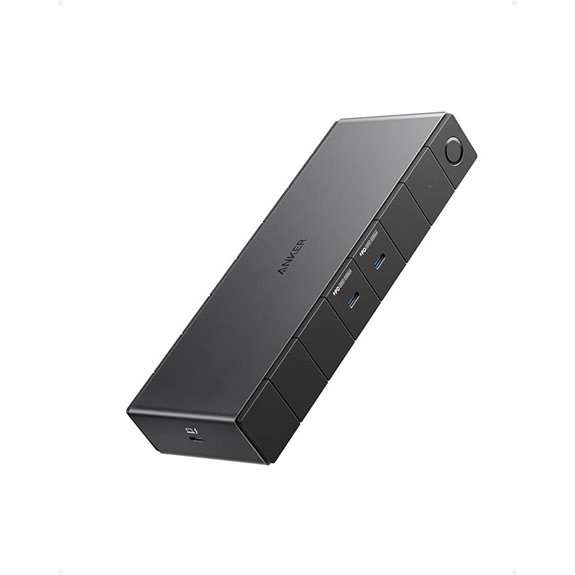 | Best Overall | Number of Ports: 12 ports (various including Thunderbolt, USB-C, USB-A, HDMI, DisplayPort, Ethernet) | Display Support: 1x 8K or 4x 4K | Power Delivery (Wattage): Up to 100W | VIEW LATEST PRICE | See Our Full Breakdown |
| Plugable Thunderbolt 4 Dock with 100W Charging | 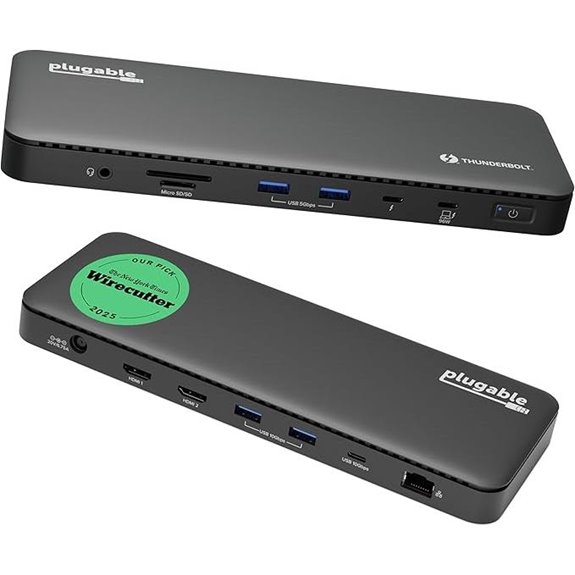 | High-Speed Performance | Number of Ports: 13 ports (Thunderbolt 4, USB, HDMI, Ethernet, SD/microSD) | Display Support: 1x 8K or dual 4K | Power Delivery (Wattage): 100W | VIEW LATEST PRICE | See Our Full Breakdown |
| Amazon Basics Thunderbolt4/USB4 Docking Station | 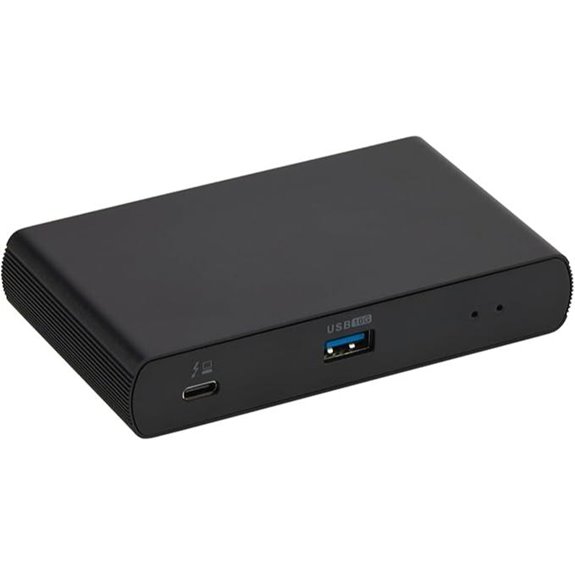 | Compact & Travel-Friendly | Number of Ports: 3 ports (Thunderbolt 4, Thunderbolt downstream, USB-C, HDMI, Ethernet) | Display Support: Dual 4K or 8K single | Power Delivery (Wattage): Up to 85W | VIEW LATEST PRICE | See Our Full Breakdown |
| CalDigit TS4 Thunderbolt 4 Dock with 18 Ports | 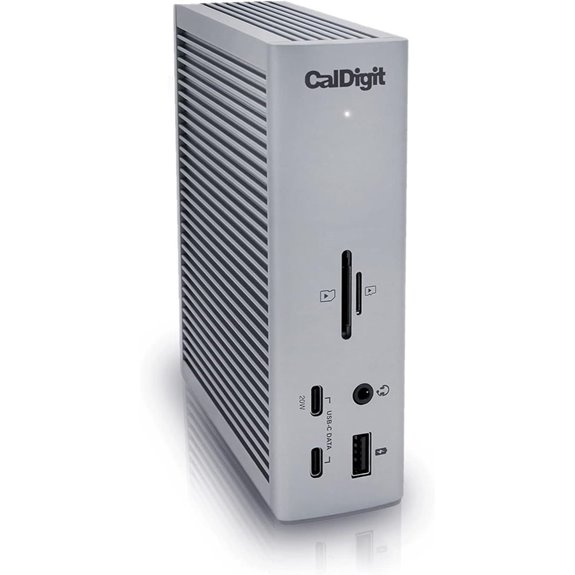 | Professional Workstation | Number of Ports: 18 ports (Thunderbolt, USB-A, SD/microSD, DisplayPort, Ethernet, audio) | Display Support: 1x 8K or dual 6K/4K | Power Delivery (Wattage): 98W | VIEW LATEST PRICE | See Our Full Breakdown |
| Dell Thunderbolt 4 Dock SD25TB4 with 4K Displays | 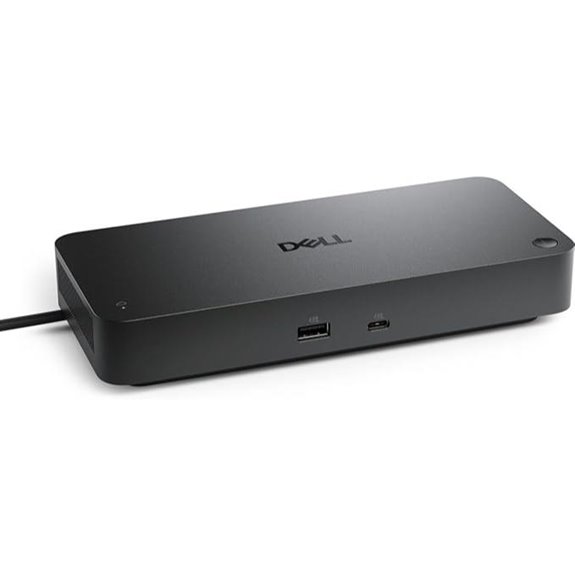 | Business-Ready | Number of Ports: 6 ports (Thunderbolt, HDMI, DisplayPort, Ethernet, USB) | Display Support: 4x 4K | Power Delivery (Wattage): Up to 130W | VIEW LATEST PRICE | See Our Full Breakdown |
| Anker Prime Docking Station with 14 Ports | 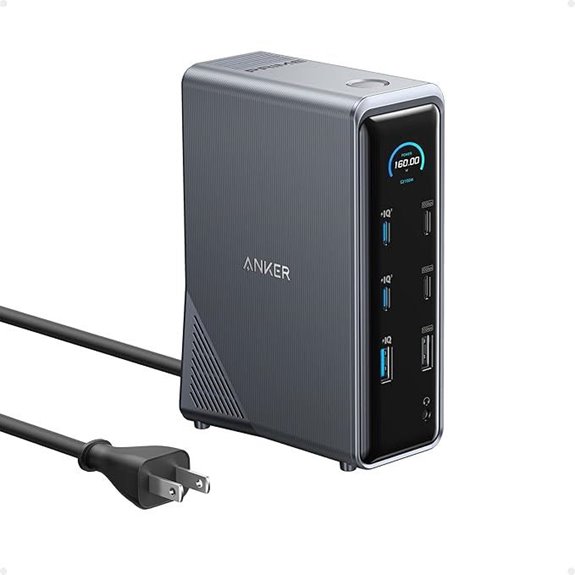 | Power & Display Combo | Number of Ports: 14 ports (USB-C, USB4, Thunderbolt, HDMI, Ethernet, audio) | Display Support: Dual 4K or 8K | Power Delivery (Wattage): 160W | VIEW LATEST PRICE | See Our Full Breakdown |
| Microsoft Surface Thunderbolt 4 Dock with Dual 4K Support | 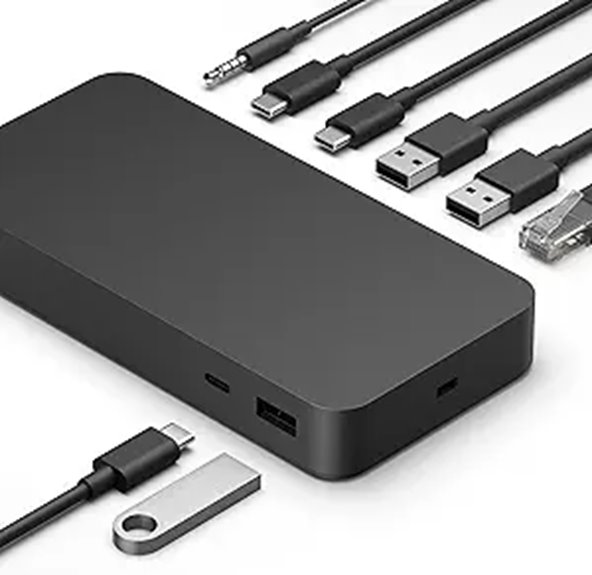 | Sleek & Eco-Friendly | Number of Ports: 8 ports (Thunderbolt, USB-A, Ethernet, audio) | Display Support: Dual 4K | Power Delivery (Wattage): 100W | VIEW LATEST PRICE | See Our Full Breakdown |
| Anker Prime TB5 14-in-1 Thunderbolt Docking Station | 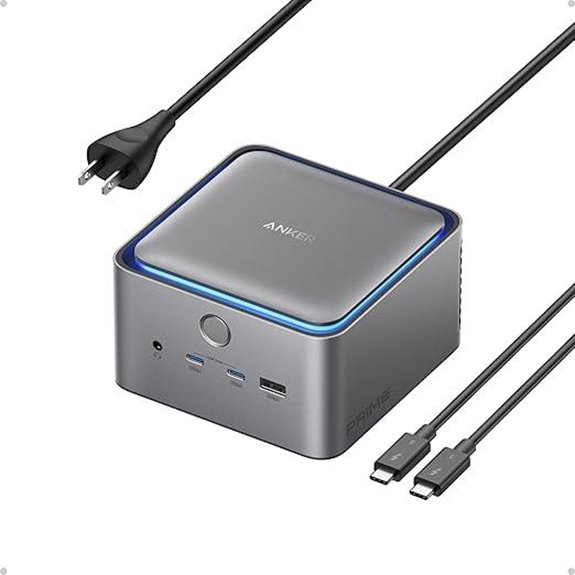 | Advanced Connectivity | Number of Ports: 14 ports (Thunderbolt 5, USB-C, USB-A, SD, HDMI, Ethernet) | Display Support: Dual 8K or 2x 8K | Power Delivery (Wattage): 140W | VIEW LATEST PRICE | See Our Full Breakdown |
| Amazon Basics Thunderbolt4/USB4 Docking Station | 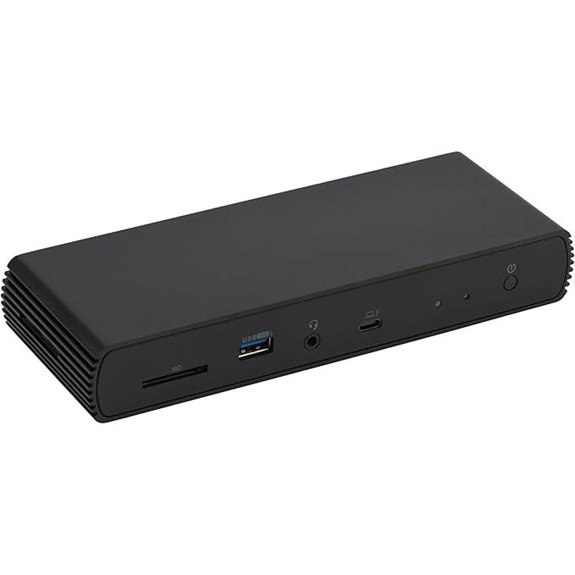 | Dual 4K Support | Number of Ports: 7 ports (Thunderbolt 4, USB-C, USB-A, Ethernet, audio) | Display Support: Dual 4K | Power Delivery (Wattage): 96W | VIEW LATEST PRICE | See Our Full Breakdown |
| Dell ThunderBolt 4 Dock (WD22TB4) | 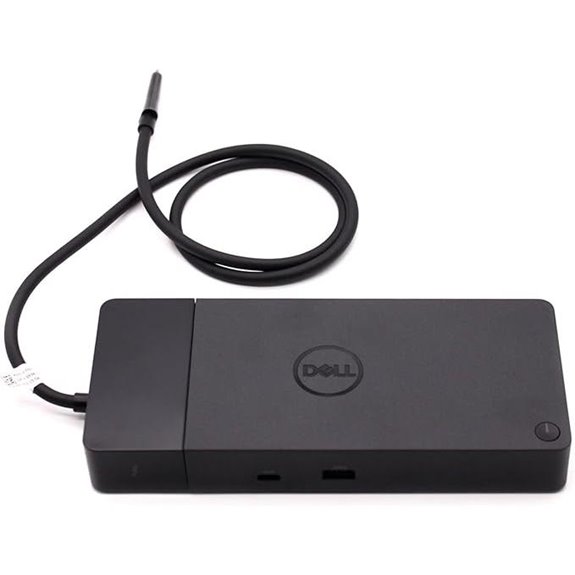 | Modular Flexibility | Number of Ports: 9 ports (Thunderbolt 4, USB-C, USB-A, DisplayPort, HDMI, Ethernet) | Display Support: Multiple (including 4K and 8K) | Power Delivery (Wattage): 180W | VIEW LATEST PRICE | See Our Full Breakdown |
| Plugable 16-in-1 Thunderbolt 4 Dock with Dual 4K Monitors | 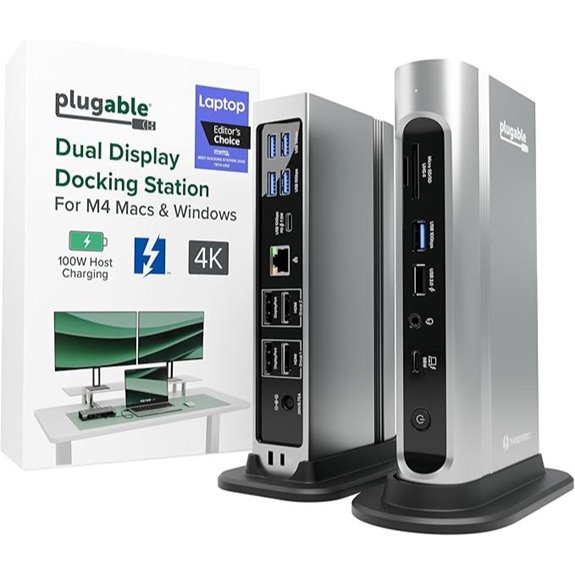 | Award-Winning Design | Number of Ports: 7 ports (Thunderbolt 4, USB-A, Ethernet, audio) | Display Support: Dual 4K | Power Delivery (Wattage): 100W | VIEW LATEST PRICE | See Our Full Breakdown |
| UGREEN Thunderbolt 4 Dock 8-in-1 with 4K/8K Display | 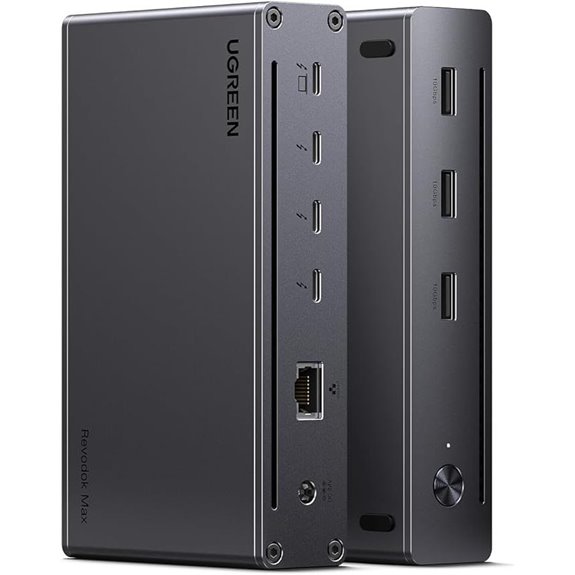 | Versatile Expansion | Number of Ports: 8 ports (Thunderbolt 4, USB-A, Ethernet, SD/TF) | Display Support: Dual 4K or 8K | Power Delivery (Wattage): 85W | VIEW LATEST PRICE | See Our Full Breakdown |
| UGREEN Thunderbolt 4 Dock 13-in-1 with 8K Display | 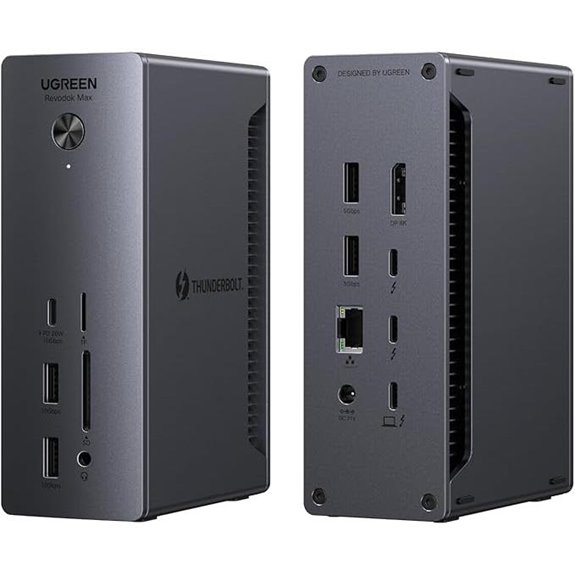 | Multi-Display Powerhouse | Number of Ports: 13 ports (Thunderbolt 4, USB-C, USB-A, SD, DisplayPort, HDMI, Ethernet) | Display Support: Dual 4K or 8K | Power Delivery (Wattage): 180W | VIEW LATEST PRICE | See Our Full Breakdown |
| OWC Thunderbolt Hub Docking Station Grey/Black Thunderbolt 4 USB-A | 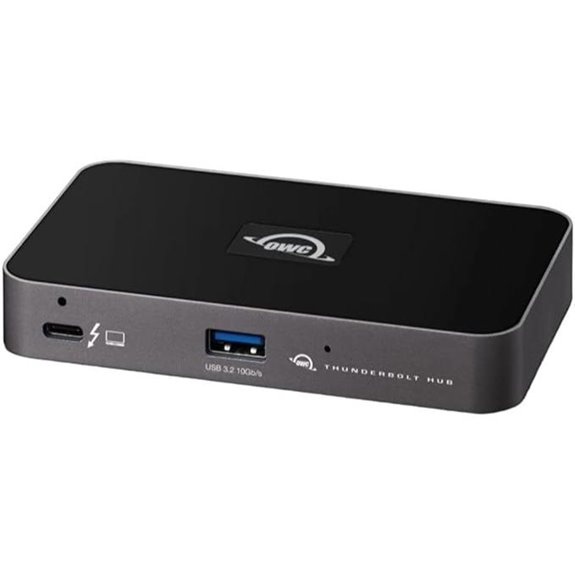 | Future-Proof Tech | Number of Ports: 8 ports (Thunderbolt 4, USB-A, USB-C, Ethernet, audio) | Display Support: Dual 4K or 8K | Power Delivery (Wattage): 140W | VIEW LATEST PRICE | See Our Full Breakdown |

More Details on Our Top Picks
-

Plugable Thunderbolt 4 Dock with 100W Charging, Thunderbolt Certified, Laptop Docking Station Dual Monitor Single 8K or Dual 4K HDMI for Windows and Mac, 4X USB, Gigabit Ethernet (TBT4-UD5)
Thunderbolt Certified & Award-Winning Performance: Officially recognized as the Best Thunderbolt Dock 2025 by Wirecutter, this Thunderbolt docking...
As an affiliate, we earn on qualifying purchases.
Anker 778 Thunderbolt Docking Station (12-in-1)
If you’re looking for a versatile docking station that delivers lightning-fast data transfer and supports multiple high-resolution displays, the Anker 778 Thunderbolt Docking Station is an excellent choice. It offers 40 Gbps bandwidth, allowing you to connect one 8K display or four 4K displays simultaneously. Compatible with Dell, HP, and other Thunderbolt 4 devices, it features a variety of ports, including Thunderbolt, USB-C, USB-A, Ethernet, and HDMI 2.1. With up to 100W power delivery and additional charging options, it simplifies your workspace. The package includes everything you need, backed by an 18-month warranty and reliable customer support.
- Number of Ports:12 ports (various including Thunderbolt, USB-C, USB-A, HDMI, DisplayPort, Ethernet)
- Display Support:1x 8K or 4x 4K
- Power Delivery (Wattage):Up to 100W
- Compatibility:Thunderbolt 4 compatible, not M1/M2 MacBooks
- Form Factor:Desktop-sized
- Additional Features:All-in-one charging, 12-in-1
- Additional Feature:180W power adapter included
- Additional Feature:Supports single 8K display
- Additional Feature:18-month warranty coverage
-

Amazon Basics Thunderbolt 4 Docking Station, Dual 4K@60Hz Display Support, 85W Power Delivery, 3X Downstream TBT4, 1xUSB A 3.1, Mac/Windows Compatible, Black, 4.76 x 2.84 x 0.86 inches
Compact docking station for additional device connectivity and charging needs. Note: Please use the provided black Thunderbolt 4...
As an affiliate, we earn on qualifying purchases.
Plugable Thunderbolt 4 Dock with 100W Charging
The Plugable Thunderbolt 4 Dock with 100W Charging stands out as an excellent choice for professionals who need fast, reliable connectivity along with powerful charging capabilities. It’s Thunderbolt Certified and was named Best Thunderbolt Dock 2025 by Wirecutter, thanks to its ultra-fast 40Gbps speeds and Intel Evo certification. It supports dual 4K 60Hz HDMI displays or an 8K monitor via Thunderbolt 4, Thunderbolt 5, or USB4. With 100W charging (96W certified) and 13 versatile ports—HDMI, Thunderbolt, USB, SD card, Ethernet—it seamlessly integrates with Windows and macOS systems, ensuring a robust, future-proof setup.
- Number of Ports:13 ports (Thunderbolt 4, USB, HDMI, Ethernet, SD/microSD)
- Display Support:1x 8K or dual 4K
- Power Delivery (Wattage):100W
- Compatibility:Thunderbolt 4, Thunderbolt 5, USB4, Windows & macOS
- Form Factor:Desktop-sized
- Additional Features:Certified, dual HDMI/8K support
- Additional Feature:Awarded Best Dock 2025
- Additional Feature:Supports dual 4K 60Hz displays
- Additional Feature:Compatible with Thunderbolt 5
-

CalDigit TS4, 18-in-1 Thunderbolt 4 Docking Station, 98W Charging, 3* TBT4 (40Gb/s), 3* USB-C + 5* USB-A (10Gb/s), 2.5GbE LAN, 1*8K@30Hz or 2*6K@60Hz Displays, Mac/Windows/Chrome, 0.8m Certified Cable
18 Ports of Extreme Connectivity - Featuring an impressive 18 ports, the TS4 has enough connectivity for even...
As an affiliate, we earn on qualifying purchases.
Amazon Basics Thunderbolt4/USB4 Docking Station
For professionals seeking a compact and versatile docking solution, the Amazon Basics Thunderbolt 4/USB4 Docking Station offers an excellent choice. Its slim design (4.76 x 2.84 x 0.86 inches) makes it perfect for travel, supporting dual 4K60Hz displays and charging devices with up to 85W Power Delivery. Compatible with Windows 10 or later, non-M1/M2 MacBooks, and Thunderbolt 3 laptops (limited functionality), it includes three downstream TBT4 ports for expanded connectivity. The package comes with a Thunderbolt 4 cable, power adapter, and quick setup guide. Rated 4.2 stars, it’s a reliable, portable option for enhancing your workspace on the go.
- Number of Ports:3 ports (Thunderbolt 4, Thunderbolt downstream, USB-C, HDMI, Ethernet)
- Display Support:Dual 4K or 8K single
- Power Delivery (Wattage):Up to 85W
- Compatibility:Thunderbolt 4 & USB4, Windows & macOS
- Form Factor:Compact, travel-friendly
- Additional Features:Travel-sized, 3 ports
- Additional Feature:Compact, travel-friendly size
- Additional Feature:Supports up to 85W PD
- Additional Feature:Fully compatible with Windows 10+
CalDigit TS4 Thunderbolt 4 Dock with 18 Ports
Professionals needing extensive connectivity will find the CalDigit TS4 Thunderbolt 4 Dock with 18 ports to be an ideal choice. It offers a thorough array of ports, including three Thunderbolt 4, eight USB-A at 10Gb/s, SD and microSD card readers, DisplayPort 1.4, audio jacks, Ethernet, and a security slot. It supports up to 8K resolution on Windows or 6K on macOS, with dual display options for compatible Macs. Providing 98W power delivery, it charges laptops while connecting multiple devices. Its robust port selection makes it perfect for demanding workflows, streamlining your setup into a single, efficient hub.
- Number of Ports:18 ports (Thunderbolt, USB-A, SD/microSD, DisplayPort, Ethernet, audio)
- Display Support:1x 8K or dual 6K/4K
- Power Delivery (Wattage):98W
- Compatibility:Thunderbolt 4, Thunderbolt 3, USB4, Windows & macOS
- Form Factor:Large, professional
- Additional Features:18 ports, multi-display
- Additional Feature:Supports dual 6K displays
- Additional Feature:98W charging power
- Additional Feature:2.5GbE network port
Dell Thunderbolt 4 Dock SD25TB4 with 4K Displays
If you need a versatile dock that can handle multiple 4K displays seamlessly, the Dell Thunderbolt 4 Dock SD25TB4 stands out as a top choice. It supports up to four 4K monitors through HDMI 2.1, DisplayPort 1.4, USB-C, and Thunderbolt 4, making it perfect for professional workflows. With dual Thunderbolt 4 ports, you can connect up to six devices easily. It delivers up to 130W of power for Dell laptops and 96W for others, ensuring fast charging. Plus, its high-speed data transfer, 2.5GbE Ethernet, and robust security features make it a reliable, eco-friendly addition to any workspace.
- Number of Ports:6 ports (Thunderbolt, HDMI, DisplayPort, Ethernet, USB)
- Display Support:4x 4K
- Power Delivery (Wattage):Up to 130W
- Compatibility:Thunderbolt 4, Windows & Dell-specific
- Form Factor:Compact
- Additional Features:4K support, security features
- Additional Feature:Eco-friendly recycled materials
- Additional Feature:130W power delivery
- Additional Feature:Supports six device connections
Anker Prime Docking Station with 14 Ports
The Anker Prime Docking Station with 14 ports stands out as an ideal choice for users who need a thorough all-in-one hub that combines charging, data transfer, and display management. It supports USB-C, USB4, and Thunderbolt connections, making it compatible with Windows 10/11 and ChromeOS. With 160W total power delivery, it can charge four devices simultaneously, including three USB-C ports at 100W each. The station offers eleven ports for fast data transfer up to 10Gbps, dual HDMI outputs for 4K displays, and additional Ethernet and audio ports. It’s a versatile, high-capacity solution for streamlining your workstation.
- Number of Ports:14 ports (USB-C, USB4, Thunderbolt, HDMI, Ethernet, audio)
- Display Support:Dual 4K or 8K
- Power Delivery (Wattage):160W
- Compatibility:USB-C, USB4, Thunderbolt 4, Windows & Mac
- Form Factor:Compact, travel-friendly
- Additional Features:14 ports, dual display
- Additional Feature:160W total power output
- Additional Feature:Supports dual 4K displays
- Additional Feature:Designed for Dell, HP, Lenovo
Microsoft Surface Thunderbolt 4 Dock with Dual 4K Support
For those seeking seamless dual 4K display support along with fast data transfer and device charging, the Microsoft Surface Thunderbolt 4 Dock stands out as a top choice. It offers Thunderbolt 4 ports for rapid data speeds, media streaming, and power delivery, supporting two 4K monitors for sharp visuals. Compatibility includes Surface laptops and various peripherals through USB-C, USB-A, Ethernet, and audio ports. Built with environmentally friendly recycled ocean-bound plastic, it combines eco-consciousness with high performance. Its sleek, compact design fits neatly into any workspace, and quick charging capabilities ensure your devices power up efficiently. Overall, it’s a versatile, reliable option for boosting productivity and entertainment.
- Number of Ports:8 ports (Thunderbolt, USB-A, Ethernet, audio)
- Display Support:Dual 4K
- Power Delivery (Wattage):100W
- Compatibility:Thunderbolt 4, Windows & Surface
- Form Factor:Small, portable
- Additional Features:Dual 4K support, tactile ports
- Additional Feature:Built with ocean-bound plastic
- Additional Feature:Supports dual 4K monitors
- Additional Feature:Compact, durable design
Anker Prime TB5 14-in-1 Thunderbolt Docking Station
Professional users demanding rapid data transfer and versatile connectivity will find the Anker Prime TB5 14-in-1 Thunderbolt Docking Station to be an exceptional choice. It offers Thunderbolt 5 with speeds up to 120Gbps, enabling large file transfers—150GB in just 25 seconds. The dock includes multiple ports: Thunderbolt 5, USB-C, USB-A, SD and TF card readers, HDMI 2.1 or DisplayPort 2.1, Ethernet, and an audio jack. It supports dual displays, up to 8K@60Hz, and provides up to 140W power delivery. An advanced cooling system guarantees consistent performance, making it ideal for demanding professional environments.
- Number of Ports:14 ports (Thunderbolt 5, USB-C, USB-A, SD, HDMI, Ethernet)
- Display Support:Dual 8K or 2x 8K
- Power Delivery (Wattage):140W
- Compatibility:Thunderbolt 5, Thunderbolt 4, Windows & Mac
- Form Factor:Large, professional
- Additional Features:14-in-1, active cooling
- Additional Feature:Thunderbolt 5 support
- Additional Feature:150GB transfer in 25 sec
- Additional Feature:Active cooling system
Amazon Basics Thunderbolt4/USB4 Docking Station
If you’re seeking a versatile docking station that offers both Thunderbolt 4 and USB4 support, the Amazon Basics Thunderbolt4/USB4 Docking Station is an excellent choice. It expands connectivity with multiple ports, supports dual 4K@60Hz displays, and delivers up to 96W of power for charging. Compatible with Windows 10+ laptops with Thunderbolt 4 and non-M1/M2 Macs running macOS 11+, it’s perfect for most setups. Keep in mind, HDMI may downgrade resolution, and using multiple high-bandwidth devices can affect display and network speeds. Its travel-friendly design makes it ideal for on-the-go professionals seeking reliable, all-in-one connectivity.
- Number of Ports:7 ports (Thunderbolt 4, USB-C, USB-A, Ethernet, audio)
- Display Support:Dual 4K
- Power Delivery (Wattage):96W
- Compatibility:Thunderbolt 4, Windows & macOS
- Form Factor:Compact
- Additional Features:Dual 4K, sleek design
- Additional Feature:Supports 8K@30Hz via HDMI
- Additional Feature:Includes Thunderbolt 4 cable
- Additional Feature:122°F operating temperature
Dell ThunderBolt 4 Dock (WD22TB4)
The Dell ThunderBolt 4 Dock (WD22TB4) stands out for its modular design, allowing users to swap out modules for easy upgrades and customization. I appreciate how this flexibility future-proofs my setup. It offers two ThunderBolt 4 ports, along with multiple USB-C and USB-A connections, plus DisplayPort and HDMI outputs, supporting several 4K displays. The dock provides fast data transfer at 40 GB/s and delivers up to 180W of power, ensuring quick device charging. Compatible with Windows 10 and 11, it simplifies connecting peripherals and displays through a single cable, making it perfect for professional and personal use.
- Number of Ports:9 ports (Thunderbolt 4, USB-C, USB-A, DisplayPort, HDMI, Ethernet)
- Display Support:Multiple (including 4K and 8K)
- Power Delivery (Wattage):180W
- Compatibility:Thunderbolt 4, Windows & Mac
- Form Factor:Modular, desktop
- Additional Features:Swappable modules, fast charging
- Additional Feature:Swappable upgrade modules
- Additional Feature:Supports multiple 4K screens
- Additional Feature:180W power adapter included
Plugable 16-in-1 Thunderbolt 4 Dock with Dual 4K Monitors
For anyone seeking a versatile docking solution that effortlessly transforms a laptop into a dual-monitor powerhouse, the Plugable 16-in-1 Thunderbolt 4 Dock stands out. Recognized as the 2025 Dock of the Year by Laptop Mag, it offers seamless plug-and-play setup and supports dual 4K 60Hz displays via HDMI or DisplayPort. With 7 USB ports, 2.5Gb Ethernet, SD/microSD card readers, and an audio jack, it covers all connectivity needs. Plus, it delivers 100W Power Delivery, ensuring your laptop stays charged all day. Compatible with macOS, Windows, Thunderbolt 4, and USB4 systems, it’s a reliable, all-in-one solution for professional workflows.
- Number of Ports:7 ports (Thunderbolt 4, USB-A, Ethernet, audio)
- Display Support:Dual 4K
- Power Delivery (Wattage):100W
- Compatibility:Thunderbolt 4, macOS & Windows
- Form Factor:Compact
- Additional Features:Award-winning, dual 4K
- Additional Feature:Recognized as Dock of the Year
- Additional Feature:Supports dual 4K 60Hz displays
- Additional Feature:7 USB ports, 2.5Gb Ethernet
UGREEN Thunderbolt 4 Dock 8-in-1 with 4K/8K Display
Designed for professionals who need seamless high-resolution displays and fast data transfer, the UGREEN Thunderbolt 4 Dock 8-in-1 stands out with its support for dual 4K@60Hz or single 8K displays. It offers three Thunderbolt 4 ports, three USB A 3.2 ports, gigabit Ethernet, and a 140W power port, enabling multiple devices to connect simultaneously. With Thunderbolt 4’s 40Gbps transfer speeds, you can move large files quickly while maintaining crystal-clear display quality. The dock also includes a 140W GaN charger that delivers up to 85W to your laptop, ensuring efficient power and minimal clutter. Compatibility spans MacBooks, Windows laptops, and tablets.
- Number of Ports:8 ports (Thunderbolt 4, USB-A, Ethernet, SD/TF)
- Display Support:Dual 4K or 8K
- Power Delivery (Wattage):85W
- Compatibility:Thunderbolt 4, Windows & Mac
- Form Factor:Compact
- Additional Features:8-in-1, 8K support
- Additional Feature:Supports 8K@30Hz display
- Additional Feature:140W charging power
- Additional Feature:Compatible with MacBook Pro
UGREEN Thunderbolt 4 Dock 13-in-1 with 8K Display
If you need a versatile docking station that can handle demanding creative and professional workflows, the UGREEN Thunderbolt 4 Dock 13-in-1 with 8K Display is an excellent choice. It offers dual Thunderbolt 4 ports, a DisplayPort 1.4, and multiple USB options, including USB-C and USB-A, plus SD/TF card readers and 2.5GbE Ethernet. It supports dual 4K@60Hz monitors or an 8K@30Hz display, perfect for high-resolution tasks. With a 180W power supply, it delivers up to 90W charging to your laptop. Designed for broad compatibility, it’s ideal for busy professionals needing reliable, high-speed connectivity in one sleek device.
- Number of Ports:13 ports (Thunderbolt 4, USB-C, USB-A, SD, DisplayPort, HDMI, Ethernet)
- Display Support:Dual 4K or 8K
- Power Delivery (Wattage):180W
- Compatibility:Thunderbolt 4, USB4, Windows & Mac
- Form Factor:Large, versatile
- Additional Features:13-in-1, high-speed data
- Additional Feature:Supports dual 4K or 8K
- Additional Feature:180W power supply
- Additional Feature:Broad device compatibility
OWC Thunderbolt Hub Docking Station Grey/Black Thunderbolt 4 USB-A
The OWC Thunderbolt Hub Docking Station stands out as an ideal choice for professionals seeking high performance and reliable connectivity. It leverages the full power of connected devices, delivering advanced data transfer speeds and smooth operation beyond basic hubs. Compatibility is seamless, supporting Thunderbolt 4, Thunderbolt 3, USB-C, and USB4 devices, ensuring you can connect almost any gadget. Thunderbolt certification and OWC’s reputation for reliability mean consistent performance on both Mac and Windows systems. Designed to be cost-effective yet robust, this dock is perfect for enhancing productivity at work or home without sacrificing quality.
- Number of Ports:8 ports (Thunderbolt 4, USB-A, USB-C, Ethernet, audio)
- Display Support:Dual 4K or 8K
- Power Delivery (Wattage):140W
- Compatibility:Thunderbolt 4, USB-A, Windows & Mac
- Form Factor:Compact, portable
- Additional Features:Thunderbolt & USB-A, versatile
- Additional Feature:Supports Thunderbolt 4 & USB-A
- Additional Feature:Built-in OWC reliability
- Additional Feature:High-performance data transfer
Factors to Consider When Choosing a Thunderbolt 4 Dock
When choosing a Thunderbolt 4 dock, I consider how well it matches my devices and the variety of ports it offers. Power delivery and display support are also vital to guarantee my setup runs smoothly and efficiently. Finally, I look at build quality and portability to find a dock that’s durable yet easy to carry around.
Compatibility With Devices
Selecting a Thunderbolt 4 dock that’s compatible with your device is crucial to guarantee seamless performance and connectivity. First, check that the dock supports your operating system, like Windows 10+ or macOS 11+, to ensure proper functionality. Verify that your device has a Thunderbolt 4, Thunderbolt 3, or USB-C port supporting DisplayPort Alt Mode and Power Delivery—since not all USB-C ports support these features. For MacBooks with M1, M2, or M3 chips, confirm the dock’s display support, as some models have limitations. Also, confirm the dock can deliver the right wattage for charging to avoid disconnections. Finally, consider whether the dock is backward compatible with Thunderbolt 3 or USB4 ports, broadening compatibility without sacrificing performance.
Port Selection Variety
Choosing a Thunderbolt 4 dock with a variety of ports can considerably expand your device’s capabilities and guarantee seamless connectivity. A diverse port selection, including Thunderbolt, USB-C, USB-A, HDMI, DisplayPort, Ethernet, and SD card readers, ensures compatibility with a wide range of peripherals and accessories. Multiple video output ports support dual 4K displays or an 8K monitor, perfect for high-resolution work and multimedia. The presence of several USB-C and USB-A ports allows you to connect multiple peripherals, storage devices, and chargers simultaneously. High data transfer speeds—up to 40Gbps—make handling large files quick and efficient. Additionally, dedicated Ethernet, audio, and charging ports add functionality, reducing the need for extra adapters and streamlining your workspace.
Power Delivery Capacity
Power Delivery (PD) capacity is a crucial element to consider because it determines how effectively your dock can charge your devices. You want a dock that meets or surpasses your laptop’s charging needs, usually between 85W and 160W, to ensure peak performance. A higher PD wattage means faster charging for compatible devices, minimizing downtime and boosting productivity. It’s also important to check if the dock supports dynamic or fixed PD output, as some models allow adjustable power levels, giving flexibility based on your device’s requirements. Be cautious not to exceed your laptop’s maximum supported wattage, which can trigger safety features or disconnection issues. Finally, consider the total PD wattage across all ports to ensure multiple devices can charge simultaneously without sacrificing charging speed or performance.
Display Support Options
When evaluating display support options on a Thunderbolt 4 dock, it’s important to contemplate both the maximum resolution and refresh rate it can handle. Many docks support dual 4K displays at 60Hz or a single 8K display at 30Hz, but actual output depends on the dock’s hardware and your device’s capabilities. Compatibility with DisplayPort 1.4 or HDMI 2.1 standards is vital for achieving high resolutions and refresh rates. Some docks also enable daisy-chaining multiple monitors or using MST to expand desktop space across several screens. Keep in mind, the number of external displays and their resolutions can be limited by your laptop’s graphics hardware and port configurations. Ensuring these factors align will optimize your multi-monitor setup for productivity and entertainment.
Build and Portability
A compact and lightweight design is essential for anyone who needs to move their Thunderbolt 4 dock frequently, whether between home, office, or travel setups. A small form factor makes carrying the dock easier and more convenient, especially when paired with a high-quality, short cable that reduces clutter and saves space. Durable construction with premium materials guarantees the dock can withstand frequent transport and daily use without damage. Many portable models feature integrated power adapters, helping keep your workspace tidy by minimizing external components. Additionally, universal compatibility across various laptops and tablets enhances versatility, so you can confidently use the same dock across different devices. Ultimately, a well-built, portable Thunderbolt 4 dock balances durability, ease of transport, and space efficiency for a seamless setup experience.
Data Transfer Speeds
Choosing a Thunderbolt 4 dock with high data transfer speeds guarantees you can move large files quickly and keep your peripherals responsive. Thunderbolt 4 supports up to 40Gbps, making it ideal for fast data transfers and smooth operation of connected devices. This consistent speed applies across compatible devices, ensuring reliable performance. Dual high-bandwidth ports can operate simultaneously without reducing transfer rates, which is great when you need to connect multiple high-demand peripherals. However, keep in mind that sharing bandwidth among several devices might slow transfer speeds if many are active at once. Also, actual speeds can vary depending on the capabilities of your devices, cables, and ports. Choosing a dock with robust hardware and quality cables helps maximize these high-speed benefits.
Additional Features Needed
To get the most out of your Thunderbolt 4 dock, you’ll want to contemplate additional features that match your specific workflow. Think about whether you need integrated SD card readers for quick photo transfers or audio jacks for seamless audio connections. An Ethernet port can boost wired network stability, especially for professional tasks. Multiple video outputs like HDMI, DisplayPort, or Thunderbolt ports are essential for multi-monitor setups. Verify the dock provides power delivery that meets or exceeds your laptop’s charging needs to keep your device powered without fuss. Extra USB-A and USB-C ports with fast data transfer speeds help manage peripherals efficiently. Finally, consider security features like slots or remote management if you’re working in high-security or enterprise environments.
Frequently Asked Questions
Which Thunderbolt 4 Dock Offers the Best Value for Money?
I believe the CalDigit TS4 offers the best value for money among Thunderbolt 4 docks. It provides impressive features like multiple ports, fast data transfer, and reliable build quality at a reasonable price. While it might cost more upfront, its versatility and durability make it a smart investment. If you’re looking to upgrade your setup without breaking the bank, I highly recommend considering the CalDigit TS4.
How Do Thunderbolt 4 Docks Impact Device Battery Life?
Thunderbolt 4 docks can impact device battery life, but it’s usually minimal if you’re just connecting peripherals. I’ve noticed that when I leave my laptop plugged in with a dock, it doesn’t drain much battery, thanks to efficient power delivery. The key is to use docks that support proper power management; otherwise, some docks might cause slight battery drain during extended use. Overall, they’re designed to balance connectivity and battery health.
Are Thunderbolt 4 Docks Compatible With Non-Apple Devices?
Yes, Thunderbolt 4 docks are compatible with non-Apple devices. I’ve used them with various Windows and Linux laptops, and they work seamlessly, offering fast data transfer and multiple port options. Just make certain your device has a Thunderbolt 4 port, and you’re good to go. These docks are versatile, making them a great addition regardless of your device brand, boosting your setup’s productivity and connectivity.
Can Thunderbolt 4 Docks Support Daisy Chaining Multiple Devices?
Yes, Thunderbolt 4 docks support daisy chaining multiple devices. I’ve set up my own workspace with a Thunderbolt 4 dock connected to several peripherals like monitors, external drives, and even a USB hub, all daisy-chained seamlessly. This flexibility allows me to expand my setup without cluttering my desk or sacrificing performance. Just make sure your devices support Thunderbolt or Thunderbolt-compatible daisy chaining for peak results.
What Is the Maximum Data Transfer Speed of Thunderbolt 4 Docks?
The maximum data transfer speed of Thunderbolt 4 docks is 40 Gbps, which is incredibly fast. I love how this speed allows me to transfer large files quickly, connect multiple high-bandwidth devices, and enjoy seamless performance. Whether I’m editing videos or running complex workflows, Thunderbolt 4’s speed keeps everything smooth and efficient. It’s a huge upgrade from older standards, making my setup more powerful and future-proof.
Conclusion
Choosing the right Thunderbolt 4 dock is like finding the perfect key to activate your setup’s full potential. It’s more than just ports; it’s the heartbeat that keeps your creative engine running smoothly. When you pick a dock that fits your needs, you’re not just upgrading—you’re elevating your entire workspace to new heights. So, go ahead, embrace the power and let your setup shine brighter than ever before.