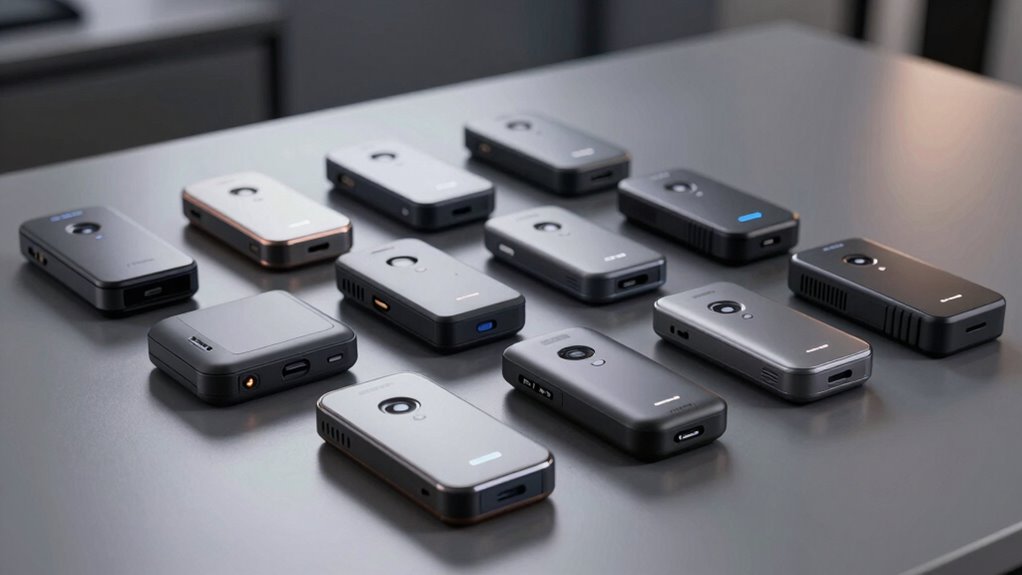

For most people who need a portable scanner for receipts, the Canon imageFORMULA R10 is the best overall fit because its sheet-fed, duplex design suits regular batches of paperwork. The Epson RapidReceipt RR-60 stands out for a compact receipt-focused workflow, while the Brother DS-740D is a strong choice when scanning both sides matters. The main tradeoffs are batch convenience versus pocketable size, and automatic document handling versus the flexibility of a handheld wand. Your choice also depends on whether you need OCR, wireless use, or a computer-free workflow. Read on for the full breakdown of what separates these 14 options.

Get privacy and security gear delivered free with Prime
- Fast, free delivery on millions of items
- Prime Video, Amazon Music and more included
- Member-only deals all year
Key Takeaways
Sheet-fed models suit recurring receipt piles. The Canon R10, Brother DS-740D, and Epson mobile scanners are better matched to repeatable desk-to-bag workflows than handheld wands.
Duplex scanning matters beyond receipts. The Canon R10 and Brother DS-740D can capture both sides, which helps with two-sided forms and supporting documents as well as receipts.
Epson’s lineup splits by workflow. The RR-60 and RR-70W emphasize receipt organization, while the ES-50, ES-60W, and DS-70 focus on compact single-sheet scanning.
Handheld scanners trade convenience for control. The generic A4 and AOZBZ models can scan without a feed path, but keeping a wand straight across narrow receipts takes practice.
Portability does not always mean computer-free. Check the connection and software requirements: wireless models offer more placement flexibility, while USB models may depend on a nearby computer.
| Portable Handheld Scanner for A4 Documents, Photos, and Receipts |  | Best for Card-Based, Computer-Free Capture | Scan resolution: 300, 600, or 900 dpi | File formats: JPEG and PDF | Included storage: 16 GB Micro SD card | VIEW ON AMAZON | See Our Full Breakdown |
| Portable A4 Color Document and Photo Scanner, 900 DPI, with 16 GB SD Card |  | Best for Phone-Compatible Handheld Scanning | Scanner type: Portable handheld | Resolution modes: 300, 600, and 900 dpi | File formats: JPEG and PDF | VIEW ON AMAZON | See Our Full Breakdown |
| Epson RapidReceipt RR-60 Compact Mobile Document Scanner |  | Best for Receipt Organization | Power: USB-powered | Weight: Under 10 oz | Scanning speed: Up to 10 pages per minute | VIEW ON AMAZON | See Our Full Breakdown |
| AOZBZ Portable Handheld Document Scanner, 300/600/900 dpi |  | Best Basic Handheld Pick | Resolution: 300, 600, or 900 dpi | Connection: USB 2.0 | File formats: JPEG and PDF | VIEW ON AMAZON | See Our Full Breakdown |
| Epson WorkForce ES-60W Wireless Mobile Document Scanner |  | Best for Wireless, OCR-Ready Scanning | Scanner type: Wireless mobile single-sheet-fed document scanner | Scan speed: As fast as 4 seconds per page at 300 dpi | Connectivity: USB and wireless | VIEW ON AMAZON | See Our Full Breakdown |
| Epson RapidReceipt RR-70W Compact Mobile Document Scanner |  | Best for Wireless Receipt Workflows | Model: RR-70W | Power: USB or battery | Weight: Under 11 oz | VIEW ON AMAZON | See Our Full Breakdown |
| Plustek Mobile Scanner S410 Plus – Portable Sheet-Fed Document Scanner for Windows 7/8/10/11 with OCR Software |  | Best for Windows OCR and Mixed Media | Scanner type: Portable sheet-fed document scanner | Connectivity and power: USB bus-powered | Weight: Less than 1 lb | VIEW ON AMAZON | See Our Full Breakdown |
| Canon imageFORMULA R10 Portable Duplex Document Scanner |  | Best for Receipt Batches | Power: USB powered | Power consumption: 2.5 W or less; 0.7 W in energy-saving mode | Suggested daily volume: 500 scans | VIEW ON AMAZON | See Our Full Breakdown |
| Epson WorkForce ES-50 Compact Mobile Document Scanner |  | Best for Simple Single-Receipt Scans | Model: ES-50 | Scanner type: Single-sheet-fed mobile document scanner | Scan speed: As fast as 5.5 seconds per page | VIEW ON AMAZON | See Our Full Breakdown |
| Brother DS-740D Duplex Compact Mobile Document Scanner |  | Best for Fast Duplex Scanning | Scan speed: Up to 16 pages per minute | Scanning: Single- and double-sided in one pass | Power connection: Micro USB 3.0 | VIEW ON AMAZON | See Our Full Breakdown |
| Epson DS-70 Portable Single-Sheet Document Scanner |  | Best for the Lightest Travel Kit | Scanner type: Single-sheet-fed document scanner | Connection: USB | Resolution: 1200 dpi | VIEW ON AMAZON | See Our Full Breakdown |
| ScanSnap iX2400 High-Speed One-Touch Color Document Scanner, Black |  | Best for Large Receipt Batches | Scanning speed: Up to 45 pages per minute | Feeder capacity: 100 sheets | Connection: Wired USB | VIEW ON AMAZON | See Our Full Breakdown |
| Brother DS-640 Compact Mobile Document Scanner |  | Best for Cross-Platform Mobile Scanning | Model: DS640 | Scan speed: Up to 16 pages per minute | Weight: About 1.5 pounds | VIEW ON AMAZON | See Our Full Breakdown |
| HP HPPS100 Small USB Document & Photo Scanner |  | Best for Simple Receipt Capture | Model: HPPS100 | Scan type: Simplex, one-sided sheetfed | Scan speed: 15 pages per minute; 4 seconds per page | VIEW ON AMAZON | See Our Full Breakdown |
| portable scanner for receipt | Power |
|---|---|
| Portable Handheld Scanner for | 2 AA batteries (not included) |
| Portable A4 Color Document and | 2 AA batteries (not included) |
| Epson RapidReceipt RR-60 Compa | USB-powered |
| AOZBZ Portable Handheld Docume | — |
| Epson WorkForce ES-60W Wireles | — |
| Epson RapidReceipt RR-70W Comp | USB or battery |
| Plustek Mobile Scanner S410 Pl | — |
| Canon imageFORMULA R10 Portabl | USB powered |
| Epson WorkForce ES-50 Compact | USB powered; no batteries or external power supply required |
| Brother DS-740D Duplex Compact | — |
| Epson DS-70 Portable Single-Sh | USB bus-powered, 2.5 watts |
| ScanSnap iX2400 High-Speed One | — |
| Brother DS-640 Compact Mobile | USB 3.0 cable |
| HP HPPS100 Small USB Document | USB 2.0 bus-powered; cable included |
More Details on Our Top Picks
Portable Handheld Scanner for A4 Documents, Photos, and Receipts
For occasional receipt capture away from a desk, this battery-powered wand can save scans directly to its included 16 GB Micro SD card, so a computer does not need to be beside you while scanning. Its 300, 600, and 900 dpi settings let you choose between quicker everyday capture and more detail for small print. Unlike the Epson RapidReceipt RR-60, it does not offer software to sort receipt data or create searchable PDFs; it stores scans as JPEG or PDF instead. That makes it a simpler fit for people who mainly want portable image files. The tradeoff is manual control: you need to glide the scanner steadily, and it requires two AA batteries that are not included. It also needs a memory card to operate, even though one is supplied.
Pros:- Included 16 GB Micro SD card supports scanning without a computer at hand
- Three resolution settings accommodate everyday receipts and finer detail
- Saves scans in both JPEG and PDF formats
- Compatible with listed Windows and Mac systems without software installation
Cons:- Two AA batteries are required and are not included
- Steady manual movement is needed to reduce uneven scans
- Requires a memory card to operate
Best for: Travelers and self-employed workers who want to save occasional receipts directly to a memory card without carrying a computer.
Not ideal for: People who need searchable receipts, automatic data organization, or reliable batch scanning with little manual effort.
- Scan resolution:300, 600, or 900 dpi
- File formats:JPEG and PDF
- Included storage:16 GB Micro SD card
- Maximum supported storage:32 GB Micro SD card
- Power:2 AA batteries (not included)
- Compatibility:Windows XP/7/Vista; Mac OS 10.4 or later
- Scan size:A4 documents
Our verdict“Choose this handheld model for simple, standalone receipt image capture; pick the Epson RapidReceipt RR-60 if receipt organization and searchable PDFs matter more.”
Portable A4 Color Document and Photo Scanner, 900 DPI, with 16 GB SD Card
This handheld scanner pairs memory-card capture with USB connectivity and listed support for iOS and Android, giving phone users another way to access scans alongside Windows and Mac compatibility. Its included 16 GB card and JPEG or PDF output make it suitable for saving receipts while away from a computer. Compared with the similar Portable Handheld Scanner for A4 Documents, Photos, and Receipts, its listed phone support is a useful distinction, though both rely on manual gliding and two AA batteries. Three resolution modes, up to 900 dpi, offer flexibility for readable receipts and more detailed images. The main compromise is handling: smooth, even movement takes care, especially when scanning a stack. This is a flexible travel option, but the Epson WorkForce ES-60W is better suited to buyers who want a sheet-fed workflow and OCR.
Pros:- Listed compatibility includes iOS and Android as well as Windows and Mac
- Includes a 16 GB microSD card for standalone file storage
- Offers three resolution modes up to 900 dpi
- Saves scans as JPEG or PDF and connects through USB 2.0
Cons:- Manual scanning calls for smooth, steady movement
- Two AA batteries are required and are not included
- Does not list OCR or receipt data organization features
Best for: Phone users who want a lightweight handheld scanner with memory-card storage for occasional receipts and documents.
Not ideal for: People scanning many receipts at once or seeking guided sheet feeding, OCR, or automatic receipt organization.
- Scanner type:Portable handheld
- Resolution modes:300, 600, and 900 dpi
- File formats:JPEG and PDF
- Included storage:16 GB microSD card
- Maximum supported storage:32 GB
- Connectivity:USB 2.0
- Power:2 AA batteries (not included)
- Supported systems:Windows XP/7/Vista, Mac OS 10.4 and above, iOS, and Android
- Dimensions:2 × 2 × 4 in
Our verdict“Pick this for phone-compatible, handheld receipt capture with included storage, while frequent scanners will likely prefer the sheet-fed Epson WorkForce ES-60W.”
Epson RapidReceipt RR-60 Compact Mobile Document Scanner
The RR-60 is the most receipt-focused choice here for people who want scans to become usable records. Its software can create searchable PDFs, organize receipt data, and send files to cloud services or financial applications, taking it beyond the image-file storage offered by the handheld AOZBZ Portable Handheld Document Scanner. At under 10 oz and up to 10 pages per minute, it suits a home office or mobile worker handling a regular stream of invoices and receipts. The tradeoff is that it needs a connected USB power source, and cloud workflows depend on a computer or mobile app. Unlike the battery-powered Epson WorkForce ES-60W, the RR-60 is described as USB-powered, so it is less self-contained on the move. Its software-led organization is the reason to choose it, not standalone scanning.
Pros:- Creates searchable PDFs and organizes receipt data
- Can send scans to OneDrive, Dropbox, and Google Drive
- Supports exports to financial applications
- Compact, lightweight design scans up to 10 pages per minute
Cons:- Requires a connected USB power source
- Cloud scanning requires a computer or mobile app
- Its software workflow is more involved than saving simple JPEG or PDF files to a card
Best for: Freelancers and small-business owners who regularly need searchable receipt records and exports to cloud or financial software.
Not ideal for: People who want to scan receipts without a connected computer or USB power source.
- Power:USB-powered
- Weight:Under 10 oz
- Scanning speed:Up to 10 pages per minute
- Maximum long-page size:8.5 × 72 in
- Compatible platforms:Windows and Mac
- Cloud services:OneDrive, Dropbox, and Google Drive
Our verdict“Choose the RR-60 when searchable, organized receipt records are the priority; choose a battery-powered handheld scanner for computer-free capture.”
AOZBZ Portable Handheld Document Scanner, 300/600/900 dpi
The AOZBZ is a straightforward option for scanning receipts as files on a microSD card, with no receipt-specific software features listed. It offers three resolution settings and JPEG or PDF output, much like the other handheld models in this group. Its 16 GB card is included, and USB 2.0 provides a way to connect it to a computer afterward. At 170 g, it has a defined listed weight, but the 10-inch length makes it less pocket-friendly than the compact Portable A4 Color Document and Photo Scanner. Manual movement also means scan consistency depends on a steady hand. The product data lists older Windows versions and Mac OS 10.4 or later, with no newer systems specified, so compatibility may be less clear than for the Epson models. It makes most sense for simple, occasional capture where that limitation is acceptable.
Pros:- Includes a 16 GB SD card and supports cards up to 32 GB
- Offers 300, 600, and 900 dpi resolution settings
- Saves scans as JPEG or PDF
- USB 2.0 connection supports transfer to compatible computers
Cons:- Manual gliding requires a steady hand for consistent results
- Listed operating system support covers older Windows versions and Mac OS 10.4 or later
- No OCR or receipt organization software is listed
Best for: Occasional receipt scanners who want a basic handheld device, included memory card, and USB transfer to a listed compatible computer.
Not ideal for: Buyers who need clearly listed support for newer operating systems, hands-free feeding, or receipt indexing and OCR.
- Resolution:300, 600, or 900 dpi
- Connection:USB 2.0
- File formats:JPEG and PDF
- Storage:Includes 16 GB SD card; supports up to 32 GB microSD
- Optical sensor:CIS
- Light source:LED
- Weight:170 g
- Dimensions:10 × 1 × 1 in
- Compatible operating systems:Windows XP/7/Vista; Mac OS 10.4 or later
Our verdict“Choose the AOZBZ for basic memory-card receipt scans if its listed compatibility fits your computer; the Epson RapidReceipt RR-60 is better for organized digital records.”
Epson WorkForce ES-60W Wireless Mobile Document Scanner
The ES-60W suits mobile receipt workflows that need more than a saved image. It scans a single page in as fast as four seconds at 300 dpi and includes OCR software for searchable PDFs and editable Word or Excel files. Wireless and USB connectivity, plus support for computers and mobile devices, give it a more connected workflow than the card-based Portable Handheld Scanner for A4 Documents, Photos, and Receipts. Its sheet-fed design also avoids the steady hand movement required by handheld wands. The tradeoff is page by page handling: each receipt must be inserted individually, and wireless or cloud features rely on compatible software and an internet connection. Compared with the USB-powered Epson RapidReceipt RR-60, the ES-60W adds wireless scanning and mobile support, while the RR-60 emphasizes receipt data organization and financial exports.
Pros:- Scans a single page in as fast as four seconds at 300 dpi
- Wireless and USB connectivity supports computers and mobile devices
- OCR creates searchable PDFs and editable Word or Excel files
- Handles receipts, documents, and ID cards
Cons:- Single-sheet feeding requires inserting receipts one at a time
- Wireless and cloud features require compatible software and an internet connection
- Does not list the RR-60’s receipt data organization and financial application exports
Best for: Mobile professionals who scan receipts and ID cards individually and want wireless capture plus searchable or editable files.
Not ideal for: People processing large piles of receipts who need batch feeding, or users who want wireless features without compatible software and internet access.
- Scanner type:Wireless mobile single-sheet-fed document scanner
- Scan speed:As fast as 4 seconds per page at 300 dpi
- Connectivity:USB and wireless
- Compatible devices:PC, Mac, iOS, and Android
- Maximum document size:8.5 × 72 inches
- Paper types:Documents, ID cards, and receipts
- Software:Epson ScanSmart and Nuance OCR
- Operating temperature:41–95 °F (5–35 °C)
Our verdict“Choose the ES-60W for fast, wireless single-receipt scans with OCR; choose the RR-60 for a workflow centered on organizing receipt data.”
Epson RapidReceipt RR-70W Compact Mobile Document Scanner
The Epson RapidReceipt RR-70W suits people who want to capture receipts away from a desk and send files directly to a phone, computer, or cloud account. Its battery or USB power gives it more flexibility on the go than the USB-only Epson WorkForce ES-50, while wireless scanning makes it easier to file receipts without first connecting a cable. Automatic cropping, background removal, and searchable PDFs can reduce cleanup and make expense records easier to find later. It also handles pages up to 72 inches, which is useful for long receipts. The tradeoff is that buyers who mainly scan stacks at a desk may prefer the Canon imageFORMULA R10, whose 20-sheet feeder is designed for batch work; the RR-70W’s supplied data does not specify an automatic feeder.
Pros:- Battery or USB power supports scanning away from a computer
- Wireless scanning to computers, mobile devices, and cloud services
- Automatic cropping and background removal can reduce manual cleanup
- Handles receipts and long pages up to 72 inches
Cons:- No automatic document feeder capacity is specified for batch scanning
- At up to 15 pages per minute, it is slower on paper than the Brother DS-740D’s stated 16 pages per minute
Best for: Mobile workers who need battery-powered receipt scanning and wireless delivery to phones or cloud storage
Not ideal for: People who regularly digitize large receipt batches and want a specified automatic document feeder
- Model:RR-70W
- Power:USB or battery
- Weight:Under 11 oz
- Scanning speed:Up to 15 pages per minute
- Maximum page size:8.5 in wide × 72 in long
- Wireless scanning:Yes
- Compatible platforms:Windows, Mac, smartphones, and tablets
- Cloud services:OneDrive, Dropbox, and Google Drive
- Processing features:Automatic cropping, background removal, searchable PDFs, and automatic file naming
Our verdict“Choose the RR-70W if wireless filing and battery operation matter more than feeder-based batch scanning.”
Plustek Mobile Scanner S410 Plus – Portable Sheet-Fed Document Scanner for Windows 7/8/10/11 with OCR Software
The Plustek S410 Plus is a practical fit for Windows users who scan receipts alongside IDs, business cards, and full-size paperwork. Its button-free automatic scanning can keep a simple feed-and-save routine moving, and included OCR turns scans into searchable PDFs or editable Word and Excel files. Compared with the Epson WorkForce ES-50, which supports both Windows and Mac, the Plustek is narrower in platform support but calls out plastic ID cards and legal documents among its supported media. USB bus power also avoids carrying a separate battery. That simplicity comes with limits: it needs a Windows computer, and the supplied specifications do not state a scan speed, wireless connection, or feeder capacity. Buyers needing mobile-device or cloud-first scanning may prefer the wireless Epson RapidReceipt RR-70W.
Pros:- USB bus-powered, with no battery or external power supply required
- Button-free automatic scanning simplifies routine capture
- OCR creates searchable PDFs and editable Word and Excel files
- Supports receipts, legal documents, business cards, and plastic ID cards
Cons:- Compatibility is listed for Windows 7, 8, 10, and 11 only
- No scan speed or automatic feeder capacity is specified
- USB connection does not offer the wireless workflow of the Epson RapidReceipt RR-70W
Best for: Windows-based bookkeepers and office administrators who scan receipts, cards, and documents into searchable files
Not ideal for: Mac users or people who need wireless scanning without a connected Windows computer
- Scanner type:Portable sheet-fed document scanner
- Connectivity and power:USB bus-powered
- Weight:Less than 1 lb
- Compatibility:Windows 7, 8, 10, and 11
- Included software:Plustek DocAction OCR software
- Scanning workflow:Button-free automatic scanning
- Supported media:Letter and legal documents, business cards, plastic ID cards, invoices, and receipts
- OCR output:Searchable PDF, Word, and Excel files
Our verdict“Pick the S410 Plus for Windows-based receipt and card scanning with OCR, provided wireless or Mac support is not a requirement.”
Canon imageFORMULA R10 Portable Duplex Document Scanner
For someone sorting a pile of receipts at a desk, the Canon imageFORMULA R10 has a clear advantage: its 20-sheet automatic feeder can reduce the number of times you stop to load pages, and duplex scanning captures both sides in one pass. That makes it better suited to batch work than the single-sheet Epson WorkForce ES-50. Built-in software works with Windows and Mac, so setup is straightforward, while USB power keeps the scanner compact and avoids a wall adapter. Its stated speed reaches 12 pages per minute, below the Brother DS-740D’s 16 pages per minute, and the R10 requires a connected USB power source. It is also not intended for photo paper, so it is a document and receipt tool rather than an all-purpose image scanner.
Pros:- 20-sheet automatic feeder helps with receipt and document batches
- Duplex scanning captures both sides in one pass
- Built-in software works with Windows and Mac without installation
- Handles receipts, business cards, and plastic or embossed cards
Cons:- USB power requires a connected device or USB power source
- Not intended for photographic media
- Its stated duplex speed of up to 12 pages per minute is lower than the Brother DS-740D’s stated 16 pages per minute
Best for: Home office users and small business owners who digitize batches of receipts and double-sided paperwork
Not ideal for: Travelers who need battery or wireless operation, or buyers who also want to scan photographic prints
- Power:USB powered
- Power consumption:2.5 W or less; 0.7 W in energy-saving mode
- Suggested daily volume:500 scans
- Duplex scanning speed:Up to 12 pages per minute
- Automatic document feeder:20 sheets
- Compatible operating systems:Windows and Mac
- Supported media:Receipts, business cards, plastic or embossed cards, reports, and legal documents
- Photo paper:Not intended for photographic media
- Certification:ENERGY STAR certified
Our verdict“Choose the R10 for feeder-assisted receipt batches and duplex capture when USB power and document-only scanning fit your setup.”
Epson WorkForce ES-50 Compact Mobile Document Scanner
The Epson WorkForce ES-50 keeps receipt scanning straightforward: feed one page, connect over USB, and use Epson ScanSmart and included OCR to create searchable or editable files. Its 5.5-second single-page scan is useful when receipts arrive one at a time, and support for pages up to 72 inches covers long receipts that can challenge shorter scanners. Compared with the Canon imageFORMULA R10, the ES-50 is built around a slimmer single-sheet workflow rather than a 20-sheet feeder, so it takes less setup for occasional scanning but more attention for a pile of paperwork. USB power means you avoid a separate supply, though you still need a computer connection. The battery-powered, wireless Epson RapidReceipt RR-70W is a better fit if you need to scan untethered.
Pros:- Scans a single page in as little as 5.5 seconds
- USB power avoids carrying a separate power supply
- OCR supports searchable PDFs and editable Word and Excel files
- Handles receipts and long documents up to 72 inches
Cons:- Feeds one sheet at a time, making large batches slower to process
- Requires a computer connection for operation
- Lacks the battery and wireless options listed for the Epson RapidReceipt RR-70W
Best for: Individuals and freelancers who scan receipts one at a time to a Windows or Mac computer
Not ideal for: People processing receipt stacks or scanning away from a connected computer
- Model:ES-50
- Scanner type:Single-sheet-fed mobile document scanner
- Scan speed:As fast as 5.5 seconds per page
- Maximum document size:8.5 × 72 inches
- Connectivity:USB 2.0
- Power:USB powered; no batteries or external power supply required
- Compatibility:Windows and Mac
- Software and OCR:Epson ScanSmart with Nuance OCR
- Supported media:Documents, receipts, and ID cards
Our verdict“Pick the ES-50 for quick, occasional receipt scans to a computer if you do not need a feeder or wireless operation.”
Brother DS-740D Duplex Compact Mobile Document Scanner
The Brother DS-740D is the speed-focused choice here for receipts and paperwork with information on both sides. Its duplex scanning up to 16 pages per minute beats the Canon imageFORMULA R10’s stated 12-page-per-minute duplex speed, making it a stronger match for users who value fast two-sided capture. USB power keeps it suitable for a mobile desk without a wall outlet, and support for file, email, OCR, and cloud destinations gives scanned receipts several routes into a records system. It does require a connected PC or laptop and applicable software; the Canon R10 is more convenient for batch feeding because it specifies a 20-sheet automatic feeder. The Brother’s supplied data does not specify feeder capacity, so buyers should not assume the same hands-off batch workflow.
Pros:- Scans single- and double-sided documents in one pass
- Stated speed of up to 16 pages per minute
- USB-powered design works without a wall outlet
- Supports Windows, Mac, and Linux with OCR and cloud destinations
Cons:- Requires a connected PC or laptop and applicable software
- Bundled drivers and software require an internet connection to download
- No automatic feeder capacity is specified, unlike the Canon imageFORMULA R10’s 20-sheet feeder
Best for: Mobile professionals who frequently scan double-sided receipts and documents to a connected computer
Not ideal for: People who need wireless or battery operation, or who want a specified automatic feeder for receipt stacks
- Scan speed:Up to 16 pages per minute
- Scanning:Single- and double-sided in one pass
- Power connection:Micro USB 3.0
- Supported operating systems:Windows, Mac, and Linux
- Scan destinations:File, image, OCR, email, and cloud services
- Software:Drivers and bundled software require an internet connection to download
- Warranty:One-year limited warranty
Our verdict“Choose the DS-740D for fast duplex receipt scanning across major desktop operating systems when a connected computer is available.”
Epson DS-70 Portable Single-Sheet Document Scanner
The Epson DS-70 is the pick for someone who wants a receipt scanner that barely adds weight to a work bag: at 9.44 ounces, it is lighter than the Brother DS-640, which weighs about 1.5 pounds. Its USB power and single-sheet feed suit occasional expense reports, and included OCR software can turn scans into searchable PDFs or editable text. At up to 5.5 seconds per page, it handles a few receipts without much waiting, but its one-page feed makes a stack a manual job. Compared with the HP HPPS100, the DS-70 is lighter and scans longer documents, while the HP lists a faster page rate. Choose this Epson for portability and OCR; skip it if batch scanning matters more than pack weight.
Pros:- Very light at 9.44 ounces
- USB bus-powered, with no battery or separate power supply
- OCR software supports searchable PDFs and editable text
- Accepts receipts, cards, and documents up to 72 inches long
Cons:- Single-sheet feed slows down multi-page receipt batches
- Not suited to high-volume scanning
- Requires a USB-connected computer to operate
Best for: Traveling consultants who scan a handful of receipts at a time and want OCR without carrying a heavier device
Not ideal for: People processing frequent stacks of receipts, since each sheet must be fed individually
- Scanner type:Single-sheet-fed document scanner
- Connection:USB
- Resolution:1200 dpi
- Scan speed:As fast as 5.5 seconds per page
- Maximum document size:8.5 x 72 inches
- Weight:9.44 ounces
- Power:USB bus-powered, 2.5 watts
- Compatibility:Windows 7 and later; Mac
- Warranty:3-year limited warranty with next-business-day replacement
Our verdict“Choose the DS-70 if low carry weight and OCR matter more than quickly processing a pile of receipts.”
ScanSnap iX2400 High-Speed One-Touch Color Document Scanner, Black
For a home office sorting a month’s worth of receipts at once, the ScanSnap iX2400 offers a different kind of convenience from the portable single-sheet models here: its 100-sheet feeder and speed of up to 45 pages per minute are built for batches. Automatic blank-page removal, skew correction, and image cleanup can reduce the time spent fixing scans afterward. The tradeoff is portability: this is a wired USB scanner, while the Epson DS-70 and Brother DS-640 are described as compact mobile options for on-the-go use. The iX2400 makes more sense as a desk-side receipt station than a scanner to carry between meetings. Choose it when feeding a stack quickly matters; skip it if you need a lightweight travel device or wireless setup.
Pros:- 100-sheet feeder handles substantial batches
- Scans up to 45 pages per minute
- Automatic skew, orientation, and blank-page correction reduce cleanup
- ScanSnap Home supports receipts, business cards, documents, and photos
Cons:- Wired USB connection limits placement and mobility
- The large feeder is unnecessary for occasional single-receipt scans
- Product details do not specify a battery or standalone operation
Best for: Small business owners and household bookkeepers who regularly digitize large batches of receipts at a desk
Not ideal for: Frequent travelers who need a lightweight scanner to use away from a wired computer setup
- Scanning speed:Up to 45 pages per minute
- Feeder capacity:100 sheets
- Connection:Wired USB
- Software:ScanSnap Home
- Document handling:Documents, receipts, business cards, photos, and envelopes
- Image correction:Automatic size and color-depth detection, blank-page and streak removal, skew and orientation correction
- Color:Black
Our verdict“Pick the iX2400 for fast desk-based receipt batches, and choose a mobile model such as the DS-70 for travel.”
Brother DS-640 Compact Mobile Document Scanner
The Brother DS-640 suits buyers who want one compact scanner to move between Windows, Mac, and Linux computers. It scans up to 16 pages per minute and runs from a USB 3.0 connection, so it can handle a modest receipt queue without a separate power supply. Its included software supports OCR and several scan destinations, including cloud services and email, which gives it more workflow flexibility than the DS-70’s specified OCR-focused setup. That flexibility comes with extra weight: at about 1.5 pounds, it is heavier than the 9.44-ounce Epson. Like the Epson, it is a mobile single-sheet scanner rather than a feeder for large stacks. Its image rotation feature is PC-only, a limitation Mac and Linux users should weigh.
Pros:- Supports Windows, Mac, and Linux
- USB-powered for scanning without a separate outlet
- Scans color and black-and-white pages at up to 16 pages per minute
- Included software supports OCR, cloud, email, and network destinations
Cons:- About 1.5 pounds, considerably heavier than the Epson DS-70
- Image rotation is available on PC only
- Requires a connected computer for power and scanning
Best for: People who carry a scanner between Windows, Mac, or Linux computers and send receipts to multiple digital destinations
Not ideal for: Buyers prioritizing the lightest possible travel kit or needing image rotation on Mac and Linux
- Model:DS640
- Scan speed:Up to 16 pages per minute
- Weight:About 1.5 pounds
- Length:Less than 1 foot
- Power:USB 3.0 cable
- Operating systems:Windows, Mac, Linux
- Supported drivers:TWAIN/WIA, ICA, SANE
- Software features:OCR, image enhancement, and scanning to computer, network, cloud, or email
Our verdict“Choose the DS-640 if broad computer compatibility and flexible scan destinations matter more than minimum carry weight.”
HP HPPS100 Small USB Document & Photo Scanner
The HP HPPS100 is a straightforward choice for buyers who want portable receipt capture with a listed speed of 15 pages per minute and one-click saving through HP WorkScan. It handles paper from 2 x 2.9 inches up to 8.5 x 14 inches, giving it room for small slips as well as standard documents. Its 1200 dpi resolution is also specified, unlike the ScanSnap iX2400’s supplied details, which focus on feeder capacity and speed. The HP scans only one side and has no automatic feeder for stacks, so its speed figure does not make it a batch-work substitute for the iX2400. Compared with the lighter Epson DS-70, the HP offers a faster stated page rate but lacks the Epson’s listed OCR capability. It fits simple USB-connected workflows best.
Pros:- Listed speed of 15 pages per minute
- 1200 dpi resolution and support for small paper sizes
- USB 2.0 bus-powered with cable included
- HP WorkScan includes auto-scan, image editing, and one-click saving
Cons:- Simplex scanning captures only one side at a time
- No automatic document feeder for a stack
- Not suited to large-volume batch jobs
Best for: PC and Mac users who want a compact USB scanner for occasional receipts, photos, and short document scans
Not ideal for: People who need duplex scanning or regularly process stacks of receipts without hand-feeding each page
- Model:HPPS100
- Scan type:Simplex, one-sided sheetfed
- Scan speed:15 pages per minute; 4 seconds per page
- Resolution:1200 dpi
- Paper size range:2 x 2.9 to 8.5 x 14 inches
- Output formats:PDF, JPG, and others
- Power:USB 2.0 bus-powered; cable included
- Compatibility:Windows and MacOS
- Software:HP WorkScan
Our verdict“Choose the HPPS100 for occasional one-sided receipt and photo scans when a simple USB workflow is enough.”

How We Picked
I ranked these scanners by how well their design fits receipt capture: feeding narrow, often curled paper reliably; handling several documents without fuss; and making scanned records useful through OCR, software, or flexible connections. I also weighed portability, power needs, duplex capability, and whether a scanner can handle documents beyond receipts. A high listed resolution alone did not earn a higher place, since a steady feed and a usable filing workflow matter more for everyday expense records.
The order favors dedicated sheet-fed models that combine practical receipt handling with low setup friction. Receipt-oriented Epson RapidReceipt models and versatile duplex scanners rank ahead of handheld wands for routine batches; wireless convenience and computer-free operation distinguish models within those groups. Simpler or less clearly specified options rank lower because buyers may need to verify software compatibility, paper handling, and connection requirements before relying on them.
Factors to Consider When Choosing Portable Scanner For Receipts
Before choosing a portable receipt scanner, think about where receipts enter your workflow and what happens after the scan. These decisions can matter more than the highest resolution listed on a product page.
Match the feed style to your receipt volume
For a few receipts each week, a single-sheet scanner can keep a bag light without taking up much desk space. If you scan a month of expenses at once, loading receipts one by one can become the part you dislike most, so a sheet-fed model with a smoother batch workflow may be a better fit. Handheld wands can handle paper that a feed mechanism may struggle with, but they ask you to guide the scanner steadily by hand. Receipt paper can be curled, faded, or unusually narrow, so check what paper sizes and feed conditions the manufacturer supports. Avoid choosing by page-per-minute claims alone: small receipts often need careful placement even on a fast device.
Decide whether duplex scanning earns its place
Most point-of-sale receipts have useful information on one side, so duplex scanning may add little if receipts are your only target. It becomes more useful when the same scanner will handle invoices, signed forms, travel documents, or pages with notes on the reverse. A duplex unit can reduce manual flipping, but it may add size or complexity to a setup used only occasionally. Think about the mix of documents you scan across a typical month rather than focusing on a single receipt. If two-sided records are rare, a compact single-sided model may be easier to carry and set up.
Plan the filing workflow before buying
A clear image is only the first step if you later need to find a particular expense. OCR can make printed text searchable, but results depend on receipt condition, print quality, and the software that processes the scan. Check whether the included software works with your computer and whether it exports files in formats your existing bookkeeping or cloud tools accept. Do not assume that a scanner marketed for receipts automatically sorts, labels, or uploads them the way you want. If you already use a document system, confirm the handoff process before choosing a model for its bundled software.
Choose connectivity around where you scan
USB is straightforward when you scan beside a laptop, but it ties the workflow to a computer and an available port. Wireless connectivity can make scanning more flexible when the scanner sits away from your desk or you want fewer cables. A wireless label does not by itself confirm that a device can scan directly to a phone or operate without a computer; check the exact supported devices and software. Battery or power arrangements also affect whether a scanner is practical for travel or only portable between rooms. Decide where scans will be captured and stored before paying extra for a connection you may not use.
Treat portability as a whole setup
A small scanner is not very portable if its cable, power adapter, and required computer make the kit cumbersome. Compare the device’s footprint with the space where you will actually use it, such as a shared desk, hotel room, or home office. If you scan on the move, check power options and whether the workflow depends on carrying extra accessories. A larger sheet-fed model may still be convenient if it replaces repeated handling of paper stacks at a fixed workspace. The right balance depends on whether you carry the scanner daily or simply move it between work locations.
Know when paying for more makes sense
Extra capability is useful when it removes a repeated task: duplex scanning for two-sided documents, wireless access for flexible placement, or receipt software that fits an established filing routine. It offers less value when your scans are occasional and you already have a simple way to name and store files. Compare software compatibility and document handling before treating higher resolution as an upgrade; text legibility and reliable feeding are usually more relevant for receipts. Also consider whether the scanner will handle documents and photos, since broader use can justify a more versatile device. Choose the feature that fixes your own bottleneck, not the longest specification list.
Frequently Asked Questions
Can a portable document scanner handle narrow or curled receipts?
It depends on the scanner’s feed path and the condition of the paper. Sheet-fed units can be convenient for consistent, flat receipts, but very narrow or curled thermal paper may need careful alignment or flattening first. A handheld scanner avoids feeding the receipt through a mechanism, though you must guide it evenly to prevent skew. Check the supported paper sizes and feed guidance for the specific model, and keep badly curled receipts flat before scanning.
Is a receipt-focused scanner worth choosing over a general document scanner?
A receipt-focused model makes sense when you regularly capture expenses and value a workflow designed around organizing those records. A general document scanner may be the better choice if receipts are only one part of a broader mix that includes forms and double-sided pages. Compare the included software and export options with the way you already file expenses; branding alone does not tell you how well it will fit. If you scan only occasionally, a simpler document scanner may cover the need without adding another specialized workflow.
Do I need OCR to keep scanned receipts useful?
OCR is helpful when you want to search scanned files for a merchant name or printed text instead of opening each image. It is not a guarantee that every amount or item will be recognized correctly, especially on faded, creased, or low-contrast thermal paper. Keep the original scan and review important details before using OCR output for expense reporting. If you already name files and track expenses manually, searchable text may be a convenience rather than a requirement.
Should I choose a wireless scanner if I mainly scan receipts at home?
Wireless connectivity can help if you want to place the scanner away from your computer or share it across a flexible workspace. For a fixed home setup, USB may be simpler if you scan directly to one computer and do not mind a cable. Check whether the wireless model supports your intended device and destination, since wireless does not always mean phone scanning or computer-free operation. Choose based on the full path from paper to saved record, not the connection label alone.
Is duplex scanning useful if nearly all my scans are receipts?
For ordinary one-sided receipts, duplex scanning usually does not change the result. It becomes useful if you also scan two-sided invoices, forms, or documents with notes on the back, since it avoids flipping pages manually. Consider how often those other documents appear in your real workflow before accepting the added size or setup complexity of a duplex model. If receipts are genuinely your only documents, a compact single-sided scanner is likely a more direct fit.
Conclusion
Best overall: I would start with the Canon imageFORMULA R10 for a balanced portable workflow that handles both sides of documents. Best value: The Epson WorkForce ES-50 is a sensible compact pick for straightforward single-sheet scanning, while buyers who prioritize two-sided capture should compare the Brother DS-740D. Best premium: The Epson RapidReceipt RR-70W suits buyers who want receipt-oriented handling and wireless flexibility. Best for beginners: The Epson RapidReceipt RR-60 is the more focused starting point for organizing receipts. For specific needs, choose a handheld model when a feed path is a poor match for your paper, or a duplex unit when your records extend beyond one-sided receipts.