
An OLED ultrawide monitor delivers the deepest blacks and fastest response times you can get in a panoramic format, but the category splits sharply along a few lines: 34-inch WQHD panels versus giant 45- and 49-inch super-ultrawides, 144Hz models versus 240Hz flagships, and WOLED versus QD-OLED panel chemistry. My best overall pick is the Alienware AW3425DW, which balances a 240Hz QD-OLED panel, strong color performance, and a manageable 34-inch footprint. If you want maximum immersion, the Samsung Odyssey OLED G9 (G91SD) and its 49-inch dual-QHD canvas is the standout super-ultrawide, while the ASUS ROG Strix XG34WCDG makes the most sense for buyers chasing OLED quality at a lower cost. Read on for the full breakdown of all 13 monitors, including who each one is for and where the tradeoffs bite.

Get privacy and security gear delivered free with Prime
- Fast, free delivery on millions of items
- Prime Video, Amazon Music and more included
- Member-only deals all year
Key Takeaways
- 240Hz QD-OLED models like the MSI MPG 491CQPX and Alienware AW3425DW separated themselves from 144Hz panels mainly for competitive gamers — casual and single-player audiences get diminishing returns from the higher refresh rate.
- The 49-inch super-ultrawides (MSI 491CQP, INNOCN 49Q1R, both Odyssey G9 models) demand serious desk depth and a powerful GPU; buyers underestimating either requirement are the most common source of returns in this category.
- The ASUS ROG Strix XG34WCDG and MSI MAG 341CQP proved that OLED ultrawides now exist at genuinely accessible tiers, trading refresh rate and HDR brightness rather than panel quality to hit lower prices.
- Across the lineup, QD-OLED panels consistently delivered richer, more saturated color while WOLED options like the LG 45GX900A-B offered stronger full-screen brightness — the choice comes down to a dark room versus a bright one.
- White and compact options such as the LG 34GX90SA-W and LG 34GX90SA fill narrow niches (aesthetic builds, smaller desks) that none of the 49-inch models can serve.
| LG UltraGear 34GX900A-B 34-Inch Curved OLED Gaming Monitor |  | Best Overall | Screen size: 34 inches | Resolution: WQHD (3440 x 1440) | Refresh rate: 240Hz | VIEW ON AMAZON | See Our Full Breakdown |
| MSI MPG 491CQP QD-OLED 49″ Curved Gaming Monitor |  | Best Super-Ultrawide for the Money | Screen size: 49 inches | Resolution: 5120 x 1440 (DQHD) | Refresh rate: 144Hz | VIEW ON AMAZON | See Our Full Breakdown |
| INNOCN 49Q1R 49″ QD-OLED 5K2K Ultrawide Curved Gaming Monitor |  | Best for Workstation Users | Screen size: 49 inches | Resolution: 5120 x 1440 (5K2K) | Refresh rate: 144Hz | VIEW ON AMAZON | See Our Full Breakdown |
| Alienware 34 QD-OLED Curved Gaming Monitor (AW3425DW) |  | Best Brightness and Color | Screen size: 34.2 inches | Panel type: QD-OLED | Resolution: WQHD (3440 x 1440) | VIEW ON AMAZON | See Our Full Breakdown |
| LG UltraGear 45-Inch Curved OLED Gaming Monitor |  | Best for Immersion | Screen size: 45 inches | Resolution: 3440 x 1440 (WQHD) | Refresh rate: 240Hz | VIEW ON AMAZON | See Our Full Breakdown |
| ASUS ROG Strix OLED XG34WCDG 34″ Ultrawide QD-OLED Gaming Monitor |  | Best for Peace of Mind | Screen Size: 34 inches | Resolution: 3440 x 1440 (Ultrawide QHD) | Panel Type: QD-OLED | VIEW ON AMAZON | See Our Full Breakdown |
| Samsung 49″ Odyssey OLED G9 (G91SD) Dual QHD QD-OLED Curved Gaming Monitor |  | Best Super-Ultrawide Immersion | Screen Size: 49 inches | Resolution: 5120 x 1440 (Dual QHD) | Aspect Ratio: 32:9 | VIEW ON AMAZON | See Our Full Breakdown |
| LG UltraGear 34-inch Curved OLED WQHD Gaming Monitor, 240Hz | 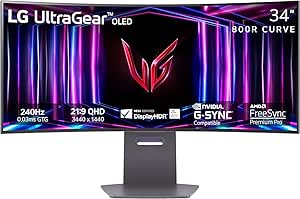 | Best Value 240Hz OLED Ultrawide | Screen Size: 34 inches | Panel Type: OLED | Resolution: WQHD (3440 x 1440 class) | VIEW ON AMAZON | See Our Full Breakdown |
| LG UltraGear 34GX90SA-W 34″ WQHD OLED Curved Gaming Monitor (White) |  | Best Premium All-Rounder | Screen Size: 34 inches | Resolution: 3440 x 1440 (WQHD) | Panel Type: OLED | VIEW ON AMAZON | See Our Full Breakdown |
| LG UltraGear 45-inch Curved WQHD OLED Gaming Monitor (45GX900A-B) |  | Best Big-Screen Immersion | Screen Size: 45 inches | Resolution: 3440 x 1440 (WQHD) | Panel Type: OLED | VIEW ON AMAZON | See Our Full Breakdown |
| MSI MPG 491CQPX 49-Inch Curved QD-OLED Gaming Monitor, 5120 x 1440, 240Hz |  | Best Super Ultrawide for High-Refresh Gaming | Screen size: 49 inches | Panel type: QD-OLED, 1800R curvature | Resolution: 5120 x 1440 (DQHD), 32:9 | VIEW ON AMAZON | See Our Full Breakdown |
| Samsung 49″ Odyssey OLED G93SC QD-OLED Curved Gaming Monitor |  | Best Premium Design Pick | Screen size: 49 inches | Panel type: QD-OLED, 1800R curvature | Resolution: Dual QHD, 32:9 | VIEW ON AMAZON | See Our Full Breakdown |
| MSI MAG 341CQP QD-OLED X28 34-Inch UWQHD Gaming Monitor |  | Best for Esports-First Buyers | Screen size: 34 inches | Panel type: QD-OLED (RGB stripe), 1800R curvature | Resolution: 3440 x 1440 (UWQHD), 21:9 | VIEW ON AMAZON | See Our Full Breakdown |
| oled ultrawide monitor | Screen size | Resolution | Refresh rate | Response time |
|---|---|---|---|---|
| LG UltraGear 34GX900A-B 34-Inc | 34 inches | WQHD (3440 x 1440) | 240Hz | 0.03ms (GtG) |
| MSI MPG 491CQP QD-OLED 49" Cur | 49 inches | 5120 x 1440 (DQHD) | 144Hz | 0.03ms GtG |
| INNOCN 49Q1R 49" QD-OLED 5K2K | 49 inches | 5120 x 1440 (5K2K) | 144Hz | — |
| Alienware 34 QD-OLED Curved Ga | 34.2 inches | WQHD (3440 x 1440) | 240Hz | 0.03ms |
| LG UltraGear 45-Inch Curved OL | 45 inches | 3440 x 1440 (WQHD) | 240Hz | 0.03ms GTG |
| ASUS ROG Strix OLED XG34WCDG 3 | 34 inches | 3440 x 1440 (Ultrawide QHD) | 175 Hz | 0.03 ms |
| Samsung 49" Odyssey OLED G9 | 49 inches | 5120 x 1440 (Dual QHD) | 144 Hz | 0.03 ms |
| LG UltraGear 34-inch Curved OL | 34 inches | WQHD (3440 x 1440 class) | Up to 240 Hz | 0.03 ms (GtG) |
| LG UltraGear 34GX90SA-W 34" WQ | 34 inches | 3440 x 1440 (WQHD) | 240 Hz | — |
| LG UltraGear 45-inch Curved WQ | 45 inches | 3440 x 1440 (WQHD) | 240 Hz | 0.03 ms (GtG) |
| MSI MPG 491CQPX 49-Inch Curved | 49 inches | 5120 x 1440 (DQHD), 32:9 | 240Hz | 0.03ms (GtG) |
| Samsung 49" Odyssey OLED G93SC | 49 inches | Dual QHD, 32:9 | 240Hz | 0.03ms (GTG) |
| MSI MAG 341CQP QD-OLED X28 34- | 34 inches | 3440 x 1440 (UWQHD), 21:9 | 280Hz | 0.03ms (GtG) |
More Details on Our Top Picks
LG UltraGear 34GX900A-B 34-Inch Curved OLED Gaming Monitor
This LG stands out as the most balanced pick because it pairs a 240Hz refresh rate with a genuinely usable desk footprint. Compared with the Alienware AW3425DW, which matches its speed and panel quality, the LG pulls ahead on practical details: USB-C with 65W power delivery for a single-cable laptop setup, full height/tilt/swivel adjustment, and a 2-year OLED warranty spelled out upfront. The aggressive 800R curve wraps the screen around your vision, which feels immersive in racing games but can distort straight lines for productivity work — buyers who split time between spreadsheets and gaming may prefer the gentler 1800R curve of the MSI MPG 491CQP. Brightness is the honest weakness: the panel shines in dark rooms but specified peak brightness only applies under limited conditions.
Pros:- 240Hz refresh rate with 0.03ms response for fast, smear-free gameplay
- USB-C with 65W power delivery simplifies laptop connectivity
- Full ergonomic stand plus a 2-year limited OLED warranty
- Up to 98.5% DCI-P3 coverage with DisplayHDR True Black 400
Cons:- Steep 800R curve can distort straight lines for work tasks
- Peak brightness rating applies only under limited APL conditions
Best for: Competitive gamers and single-cable laptop users who want flagship speed without a super-ultrawide desk commitment
Not ideal for: Productivity-first users who dislike aggressive curves, or anyone gaming in a bright, sunlit room
- Screen size:34 inches
- Resolution:WQHD (3440 x 1440)
- Refresh rate:240Hz
- Response time:0.03ms (GtG)
- Curvature:800R
- HDR:VESA DisplayHDR True Black 400
- USB-C power delivery:65W
- Warranty:2-year limited OLED warranty
Our verdict“The safest all-around choice: flagship OLED speed and connectivity in a size most desks can actually accommodate.”
MSI MPG 491CQP QD-OLED 49″ Curved Gaming Monitor
If you want the dual-monitor-killing 32:9 format without paying Samsung Odyssey G9 prices, this MSI is the value play of the roundup. It shares the same 5120×1440 QD-OLED panel class as the Samsung Odyssey OLED G9 but trades a slightly lower 144Hz refresh rate — versus 240Hz on the G93SC — for a friendlier price and a surprisingly complete feature set. The KVM switch and OLED Care 2.0 burn-in mitigation are genuinely useful, and full-bandwidth HDMI 2.1 at 48Gbps means PS5 and Xbox Series X owners get 120Hz with VRR and ALLM, something the INNOCN 49Q1R also offers but with fewer polish features. The tradeoffs are real: 250 nits of brightness is dim for HDR content, and this panel demands a deep desk.
Pros:- Full 48Gbps HDMI 2.1 with 120Hz, VRR, and ALLM for consoles
- KVM support lets you switch keyboard and mouse between two PCs
- OLED Care 2.0 reduces long-term burn-in risk
- VESA ClearMR 8000 certification for strong motion clarity
Cons:- 250 nit peak brightness is low for HDR highlights
- Enormous footprint requires a deep, wide desk
- QD-OLED burn-in risk remains despite mitigation software
Best for: Sim racers, strategy gamers, and multitaskers who want one enormous screen replacing two monitors
Not ideal for: HDR movie enthusiasts and owners of small desks — the 47-inch-wide footprint and modest brightness will disappoint both
- Screen size:49 inches
- Resolution:5120 x 1440 (DQHD)
- Refresh rate:144Hz
- Response time:0.03ms GtG
- Panel type:QD-OLED
- Brightness:250 nits
- Console mode:HDMI 2.1, 48Gbps, 120Hz, VRR, ALLM
- Special features:KVM, OLED Care 2.0
Our verdict“The smartest way into the 49-inch QD-OLED class if you value features and price over raw brightness.”
INNOCN 49Q1R 49″ QD-OLED 5K2K Ultrawide Curved Gaming Monitor
The INNOCN 49Q1R plays a different game than the MSI MPG 491CQP it superficially resembles. Where the MSI is tuned for gaming polish, the INNOCN doubles down on workstation connectivity: 90W USB-C power delivery, an RJ45 Ethernet jack, and PIP/PBP that lets you run two computers side by side on one panel. A docked laptop needs exactly one cable here. The matte screen finish is another differentiator — unlike the glossy MSI and the LG 45-inch, it fights glare in office lighting, which matters more than pixel-peeping contrast if you work during the day. Gaming performance is solid at 144Hz with 0.03ms response, but its 99% sRGB gamut spec is narrower than the DCI-P3 coverage rivals advertise, and 250 nits brightness remains the class-wide weakness.
Pros:- 90W USB-C plus RJ45 Ethernet effectively replaces a docking station
- PIP/PBP and KVM support true two-computer workflows
- Matte finish resists glare in bright offices
- Height, tilt, and swivel adjustments included
Cons:- 99% sRGB gamut is narrower than the DCI-P3 coverage of competing QD-OLEDs
- 250 nit brightness limits HDR impact
- 32:9 format demands a very deep desk
Best for: Professionals who want a single screen that docks a laptop, runs two machines, and still handles evening gaming
Not ideal for: Color-critical creators or cinephiles — sRGB-focused gamut and modest brightness fall short of the DCI-P3-focused rivals
- Screen size:49 inches
- Resolution:5120 x 1440 (5K2K)
- Refresh rate:144Hz
- Panel type:QD-OLED
- Color gamut:99% sRGB
- USB-C power delivery:90W
- Screen finish:Matte
- Features:PIP/PBP, KVM, RJ45 Ethernet
Our verdict“A docking-station-first super-ultrawide that treats gaming as the bonus rather than the headline.”
Alienware 34 QD-OLED Curved Gaming Monitor (AW3425DW)
Against the LG 34GX900A-B — its closest rival in size, resolution, and speed — the Alienware wins on the spec gamers actually notice: 1000 nits peak HDR brightness, roughly quadrupling what most OLEDs in this roundup sustain on small highlights. Combined with 99.3% DCI-P3 coverage and factory Delta E under 2, this is the panel for players who want HDR explosions to genuinely pop rather than whisper. The gentler 1800R curve is also easier to live with than LG’s 800R, making it better for mixed gaming-and-work sessions. The catch is transparency: Dell’s listing omits stand, port, and warranty details, so you’re buying on panel performance alone and should verify what’s in the box before committing.
Pros:- 1000 nits peak HDR brightness leads this size class
- 99.3% DCI-P3 coverage with Delta E under 2 color accuracy
- Gentler 1800R curve suits mixed gaming and productivity
- Supports G-SYNC Compatible, FreeSync Premium Pro, and VESA AdaptiveSync
Cons:- No stand, connectivity, or warranty details are provided
- Lacks the USB-C power delivery of the LG 34GX900A-B
Best for: HDR-focused gamers and content creators who prioritize brightness and color accuracy over feature documentation
Not ideal for: Buyers who want certainty about stands, ports, and warranty coverage before purchase — the listing leaves those details blank
- Screen size:34.2 inches
- Panel type:QD-OLED
- Resolution:WQHD (3440 x 1440)
- Refresh rate:240Hz
- Response time:0.03ms
- Color coverage:99.3% DCI-P3
- Peak HDR brightness:1000 nits
- Curve:1800R
Our verdict“The best-looking 34-inch image here, provided you’re comfortable buying without confirmed accessory details.”
LG UltraGear 45-Inch Curved OLED Gaming Monitor
This is the middle path between the 34-inch LG 34GX900A-B and the 49-inch super-ultrawides: a 45-inch 21:9 canvas that keeps the immersive wraparound feel without demanding the desk depth of a 32:9 panel. The 800R curve is the tightest here, pulling the edges of the screen into your peripheral vision for sim racing and open-world games in a way flatter panels can’t match. Uniquely in this lineup it adds Wi-Fi and Bluetooth, plus Ethernet, hinting at smart-TV-adjacent features none of the MSI or Alienware options offer. But the same 3440×1440 resolution stretched across 45 inches means lower pixel density than the 34-inch models — text looks softer — and the glossy finish plus 29.8-pound weight demand a controlled room and sturdy desk.
Pros:- 1300 cd/m² peak brightness for striking HDR highlights
- Wi-Fi, Bluetooth, and Ethernet connectivity are unique in this lineup
- Aggressive 800R curve maximizes peripheral immersion
- 240Hz with 0.03ms response matches the fastest panels here
Cons:- 3440×1440 stretched over 45 inches yields soft text clarity
- Glossy finish reflects ambient light in bright rooms
- Heavy at 29.8 lbs and requires substantial desk space
Best for: Sim racers and cinematic single-player gamers who prioritize wraparound immersion over pixel density
Not ideal for: Desk-bound office users and text-heavy workers — lower pixel density and reflective gloss make documents a chore
- Screen size:45 inches
- Resolution:3440 x 1440 (WQHD)
- Refresh rate:240Hz
- Response time:0.03ms GTG
- Curvature:800R
- Peak brightness:1300 cd/m²
- HDR:HDR10, DisplayHDR True Black 400
- Wireless:Wi-Fi, Bluetooth
Our verdict“The most immersive 21:9 OLED you can buy if you game more than you type — just don’t expect 34-inch sharpness.”
ASUS ROG Strix OLED XG34WCDG 34″ Ultrawide QD-OLED Gaming Monitor
What separates this ASUS from the LG UltraGear 34-inch OLED in the same size class isn’t raw speed — it’s the safety net. The OLED Care Pro suite with a Neo Proximity Sensor actively blacks the panel out when you step away, which directly attacks the burn-in anxiety that keeps many buyers away from OLED. Combined with a 3-year warranty including burn-in and advance replacement coverage, this is the most reassuring ownership story in the 34-inch segment.
The tradeoff is that 175Hz trails the 240Hz LG, so pure competitive players lose a measurable edge in frame fluidity. In return, you get Delta E < 2 color accuracy and 99.3% DCI-P3 coverage that make this viable for editing work alongside gaming — a versatility the LG can’t match. The matte finish tamps down reflections but slightly softens OLED’s punchy contrast versus glossy rivals.
Pros:- Best-in-class burn-in mitigation with Neo Proximity Sensor and OLED Care Pro
- 3-year warranty with advance replacement and burn-in coverage
- Delta E < 2 factory calibration suits creative work, not just gaming
- 175Hz with 0.03ms response time remains highly responsive for most gamers
Cons:- 175Hz is slower than the 240Hz competitors in this roundup
- Matte coating slightly reduces perceived OLED contrast and punch
Best for: Buyers who want OLED image quality but worry about burn-in, especially hybrid gamers and content creators who need color accuracy
Not ideal for: Esports-focused players who need every frame advantage — the 175Hz cap trails 240Hz alternatives like the LG UltraGear 34
- Screen Size:34 inches
- Resolution:3440 x 1440 (Ultrawide QHD)
- Panel Type:QD-OLED
- Refresh Rate:175 Hz
- Response Time:0.03 ms
- Color Coverage:99.3% DCI-P3, Delta E < 2
- HDR:VESA DisplayHDR 400 True Black
- Adaptive Sync:G-SYNC Compatible
- Warranty:3 years with burn-in coverage
Our verdict“This is the pick for buyers who want OLED’s look without the long-term worry, trading some refresh rate for superior protection and color accuracy.”
Samsung 49″ Odyssey OLED G9 (G91SD) Dual QHD QD-OLED Curved Gaming Monitor
If a 21:9 panel like the LG UltraGear 45GX900A feels like a half-measure, this 49-inch 32:9 monster replaces a dual-monitor setup with a single seamless sheet of QD-OLED. Dual QHD resolution means no distracting center bezel, and with 0.03ms response and 144Hz, motion clarity holds up against every smaller option here. The Picture-in-Picture support makes the width genuinely productive, not just cinematic.
The honest catch: many games simply don’t support 32:9, leaving you with black bars or a stretched image. Compared with the MSI MPG 491CQP at the same size and resolution, the Samsung counters with logo detection, screen saver, and thermal modulation burn-in defenses, but 144Hz falls behind the MSI 491CQPX’s 240Hz for competitive players. This panel is about immersion and multitasking scale, not esports frame rates.
Pros:- Seamless 32:9 Dual QHD canvas replaces a dual-monitor setup
- QD-OLED delivers true blacks with no pixel light bleed
- Robust burn-in prevention with logo detection and thermal modulation
- Picture-in-Picture for multitasking without extra hardware
Cons:- 32:9 aspect ratio is unsupported by many games and awkward for general desktop work
- 144Hz is slower than competing 49-inch 240Hz models
- Enormous footprint demands a deep desk
Best for: Sim racing and flight sim enthusiasts, plus multitaskers who want to replace two monitors with one seamless display
Not ideal for: Competitive FPS players — many titles don’t support 32:9, and 144Hz trails the 240Hz options in this lineup
- Screen Size:49 inches
- Resolution:5120 x 1440 (Dual QHD)
- Aspect Ratio:32:9
- Panel Type:QD-OLED
- Refresh Rate:144 Hz
- Response Time:0.03 ms
- Adaptive Sync:G-SYNC Compatible, FreeSync Premium Pro
- Stand:Ergonomic tilt and height adjustable
Our verdict“Buy this for total immersion in sim racing and sprawling workflows — skip it if your games or desk can’t keep up with a 49-inch 32:9 panel.”
LG UltraGear 34-inch Curved OLED WQHD Gaming Monitor, 240Hz
Of the three 34-inch 240Hz OLED options in this roundup, this model earns the value slot by cutting the extras rather than the core experience. You still get the full 240Hz / 0.03ms combination, HDR True Black 400, and dual G-SYNC plus FreeSync Premium Pro support — the same performance foundation as the pricier LG 34GX90SA. What you give up are conveniences: no built-in webOS streaming, no USB-C power delivery, and a shorter warranty.
The 800R curve and anti-glare coating make long sessions comfortable, and the height/tilt/swivel stand is more flexible than the fixed stands on some budget rivals. One caveat: hitting 240Hz requires a capable graphics card over the right port, so pairing this with an entry-level GPU wastes its headroom. Compared with the ASUS ROG Strix XG34WCDG, you gain 65Hz of fluidity but lose the stronger burn-in warranty coverage.
Pros:- Full 240Hz refresh rate with 0.03ms response at a lower tier than premium rivals
- Supports both NVIDIA G-SYNC and AMD FreeSync Premium Pro
- Fully adjustable stand with height, tilt, and swivel
- Anti-glare, low-reflection coating suits bright rooms
Cons:- No USB-C connectivity or power delivery
- 240Hz requires a compatible high-end graphics card
- Lacks the smart-platform convenience of the 34GX90SA
Best for: Enthusiast gamers with a powerful GPU who want 240Hz OLED speed without paying for smart features they won’t use
Not ideal for: Console-focused or casual buyers — no built-in streaming platform, and 240Hz is wasted without a high-end graphics card
- Screen Size:34 inches
- Panel Type:OLED
- Resolution:WQHD (3440 x 1440 class)
- Refresh Rate:Up to 240 Hz
- Response Time:0.03 ms (GtG)
- HDR:DisplayHDR True Black 400
- Adaptive Sync:G-SYNC Compatible; FreeSync Premium Pro
- Ports:HDMI 2.1; DisplayPort 1.4
Our verdict“The smart money pick for PC gamers who want flagship 240Hz OLED speed and are willing to skip frills to get it.”
LG UltraGear 34GX90SA-W 34″ WQHD OLED Curved Gaming Monitor (White)
This is the do-everything version of LG’s 34-inch OLED. Where the standard LG UltraGear 34 is purely a PC gaming display, the 34GX90SA adds built-in webOS24, turning the monitor into a standalone streaming and cloud-gaming device — no PC or console required. Add USB-C with 65W power delivery, and a single cable runs both video and laptop charging, a trick none of the other 34-inch picks here can manage.
Image quality is top-tier: 1300-nit peak brightness, 98.5% DCI-P3 coverage, and HDR True Black 400 put it at or above the ASUS ROG Strix for HDR punch. The catches are real, though — the steep 800R curve can distort straight lines during spreadsheet work, the warranty is only two years, and premium pricing puts it well above the value-oriented LG 34. You’re paying for versatility, not just panel quality.
Pros:- webOS24 enables streaming apps and cloud gaming without a PC
- Single-cable USB-C with 65W power delivery for laptops
- 1300-nit peak brightness and 98.5% DCI-P3 for standout HDR
- 240Hz refresh with 0.03ms response matches the fastest 34-inch options
Cons:- Steep 800R curve is uncomfortable for extended non-gaming work
- Only a 2-year limited warranty despite premium pricing
- Commands a high price over the value-tier LG UltraGear 34
Best for: Buyers who split time between PC gaming, console play, streaming, and laptop work and want one display for all of it
Not ideal for: Productivity-first users and budget hunters — the 800R curve and premium price are wasted on office work alone
- Screen Size:34 inches
- Resolution:3440 x 1440 (WQHD)
- Panel Type:OLED
- Refresh Rate:240 Hz
- Peak Brightness:1300 nits
- Smart Platform:webOS24
- Connectivity:HDMI 2.1, DisplayPort 1.4, USB-C (65W PD)
- Color:White
Our verdict“The best choice if you want a single OLED ultrawide that games, streams, and docks your laptop — provided you’ll actually use those extras.”
LG UltraGear 45-inch Curved WQHD OLED Gaming Monitor (45GX900A-B)
This 45-inch model splits the difference between the 34-inch LG panels and the sprawling Samsung Odyssey OLED G9. You keep the familiar 21:9 aspect ratio — so virtually every game and app works without black bars — while gaining a canvas that fills your field of view thanks to the aggressive 800R curve. At 240Hz with 0.03ms response, it outright beats the Samsung’s 144Hz, making it the better pick for fast-paced titles on a big panel.
The compromise is resolution: 3440 x 1440 stretched across 45 inches means lower pixel density than the 34-inch models, so text is noticeably softer up close. Like the LG 34GX90SA, you get USB-C with 65W power delivery, but that’s not enough wattage for many gaming laptops. OLED care tools and a panel-covering two-year warranty soften the burn-in question, though not as thoroughly as ASUS’s three-year coverage. This is a display you sit back from, not one you hunch over.
Pros:- Huge 45-inch 21:9 canvas that stays compatible with virtually all games
- 240Hz refresh rate beats the 144Hz Samsung Odyssey OLED G9 at similar size
- USB-C with 65W power delivery for single-cable laptop setups
- Two-year warranty that covers the OLED panel
Cons:- Low pixel density at 45 inches makes text soft compared with 34-inch panels
- 65W USB-C is underpowered for most gaming laptops
- Requires substantial desk depth for a comfortable viewing distance
Best for: Immersive single-player and action gamers with a deep desk who want maximum screen size without 32:9 compatibility headaches
Not ideal for: Desk work close to the screen — 3440 x 1440 across 45 inches produces soft text compared with 34-inch alternatives
- Screen Size:45 inches
- Resolution:3440 x 1440 (WQHD)
- Panel Type:OLED
- Aspect Ratio:21:9
- Curve:800R
- Refresh Rate:240 Hz
- Response Time:0.03 ms (GtG)
- Adaptive Sync:FreeSync Premium Pro; G-SYNC Compatible
- USB-C Power Delivery:65W
Our verdict“The ideal pick for gamers who want a theater-sized OLED experience while keeping 21:9 compatibility — just don’t buy it for close-up productivity.”
MSI MPG 491CQPX 49-Inch Curved QD-OLED Gaming Monitor, 5120 x 1440, 240Hz
This option stands out as the pick for players who refuse to choose between an enormous 32:9 canvas and a 240Hz refresh rate. Compared with the older MSI MPG 491CQP, which caps at 144Hz on the same panel size, the 491CQPX delivers a substantial jump in motion smoothness for competitive titles — and at 5120 x 1440, that width genuinely replaces a dual-monitor setup. Console players also benefit from HDMI 2.1 with VRR and ALLM, something the MSI MAG 341CQP also offers but on a much smaller frame. The tradeoff is familiar OLED territory: MSI’s OLED Care 2.0 mitigates image sticking through pixel shifts and dimming routines, but static HUDs over long sessions still carry residual risk. At 400 nits, HDR highlights are decent rather than dazzling next to brighter panels.
Pros:- 240Hz refresh rate with 0.03ms response time for exceptionally fluid motion
- 5120 x 1440 DQHD resolution replaces a two-monitor setup in one seamless panel
- HDMI 2.1 with VRR and ALLM makes it console-friendly alongside PC use
- OLED Care 2.0 actively reduces burn-in risk with automated panel maintenance
Cons:- OLED burn-in risk is reduced but never fully eliminated with static content
- 400-nit peak brightness limits HDR punch compared with brighter QD-OLED panels
Best for: Competitive gamers who want a dual-monitor-replacing 49-inch screen without dropping below 240Hz
Not ideal for: Players who log heavy hours in HUD-heavy games like MMOs or strategy titles — static interface elements raise burn-in concern over time
- Screen size:49 inches
- Panel type:QD-OLED, 1800R curvature
- Resolution:5120 x 1440 (DQHD), 32:9
- Refresh rate:240Hz
- Response time:0.03ms (GtG)
- HDR certification:VESA DisplayHDR True Black 400
- Adaptive sync:G-SYNC Compatible
- Connectivity:HDMI 2.1, DisplayPort, VGA
Our verdict“Buy this if you want the widest possible OLED field of view at a true 240Hz — just build screen-care habits around static HUDs.”
Samsung 49″ Odyssey OLED G93SC QD-OLED Curved Gaming Monitor
Where the MSI MPG 491CQPX leads on raw spec parity, the Odyssey OLED G93SC wins on polish. Its slim 4.5mm metal chassis, height-adjustable stand, and built-in speakers make it the most living-room-ready 49-inch QD-OLED here, and Samsung extras like Auto Source Switch+ and Core Lighting+ add convenience the MSI simply doesn’t match. Performance is effectively a tie: 240Hz, 0.03ms response, and DisplayHDR True Black 400 on the same 1800R curve. The differences are in the details — the USB hub is data-only, so it won’t charge peripherals or carry video, which feels stingy at this tier. And like the LG UltraGear 45-inch, the footprint demands a deep, wide desk. This model makes the most sense for buyers who value aesthetics and ergonomics as much as frame rates.
Pros:- Slim 4.5mm metal design with an ergonomic height-adjustable stand
- 240Hz and 0.03ms response time match the fastest panels in this roundup
- Built-in speakers and Auto Source Switch+ add genuine daily-use convenience
- HDMI 2.1, DisplayPort, and USB hub cover both PC and console setups
Cons:- USB hub handles data only — no charging or video pass-through
- Very large footprint demands substantial and deep desk space
- No brightness advantage over the MSI 491CQPX despite the premium positioning
Best for: Design-conscious buyers who want a 49-inch QD-OLED that looks as premium on the desk as it performs in-game
Not ideal for: Users with shallow or cluttered desks — the 49-inch super ultrawide footprint plus stand leaves little room for anything else
- Screen size:49 inches
- Panel type:QD-OLED, 1800R curvature
- Resolution:Dual QHD, 32:9
- Refresh rate:240Hz
- Response time:0.03ms (GTG)
- HDR certification:DisplayHDR True Black 400
- Adaptive sync:AMD FreeSync Premium Pro, G-Sync Compatible
- Design:4.5mm at thinnest point, metal build, built-in speakers
Our verdict“Choose this over the MSI MPG 491CQPX if industrial design and desk ergonomics matter as much as frame rates to you.”
MSI MAG 341CQP QD-OLED X28 34-Inch UWQHD Gaming Monitor
This model is better suited to speed-over-size players: its 280Hz refresh rate is the highest in this batch, edging past the 240Hz LG UltraGear 34GX900A-B and both 49-inch Samsungs on the same panel class. The RGB stripe subpixel layout deserves attention too — unlike some QD-OLEDs with fringed text, it renders documents and chat windows cleanly, making it a rare ultrawide that doubles as a work display. Brightness is the real story: 1300-nit peaks and DisplayHDR True Black 500 clearly outshine the 400-nit MSI MPG 491CQPX, so HDR games pop harder on a smaller canvas. Tradeoffs exist. The glossy finish throws reflections in bright rooms, and at 27.6 pounds with a 31.96-inch width, it is heavier than most 34-inch rivals like the Alienware AW3425DW.
Pros:- 280Hz refresh rate — the highest in this roundup — with 0.03ms response time
- 1300-nit peak brightness and DisplayHDR True Black 500 outperform most 49-inch rivals
- RGB stripe panel layout improves text clarity for mixed work and gaming
- USB Type-C plus HDMI 2.1 with VRR and ALLM covers consoles and modern laptops
Cons:- Glossy screen finish reflects ambient light in bright environments
- At 27.6 pounds it is heavier than comparable 34-inch models like the Alienware AW3425DW
Best for: Competitive FPS and racing-game players who prioritize maximum refresh rate and HDR punch over screen real estate
Not ideal for: Bright, sun-lit offices — the glossy coating turns windows and lamps into visible reflections during dark scenes
- Screen size:34 inches
- Panel type:QD-OLED (RGB stripe), 1800R curvature
- Resolution:3440 x 1440 (UWQHD), 21:9
- Refresh rate:280Hz
- Response time:0.03ms (GtG)
- Peak brightness:1300 nits
- HDR certification:VESA DisplayHDR True Black 500
- Adaptive sync:AMD FreeSync Premium Pro, G-SYNC Compatible
- Connectivity:DisplayPort 1.4a, HDMI 2.1, USB Type-C
Our verdict“This pick makes the most sense for speed-chasing gamers who want a brighter, sharper 34-inch panel instead of a sprawling 49-inch setup.”

How We Picked
I ranked these monitors by judging each one against what an OLED ultrawide buyer actually pays for: panel performance, size and ergonomics, feature set, and value relative to the rest of the lineup. Refresh rate, resolution, response time, and HDR performance defined the performance tier; whether a monitor was a 34-inch WQHD panel, a 45-inch WQHD curve, or a 49-inch 5120×1440 super-ultrawide determined its practicality for different desks and GPUs; and connectivity, warranty coverage on the panel, and extra features like KVM switches or built-in apps broke ties between models with similar specs.
The ranking order reflects fit as much as raw specs. A 240Hz 34-inch panel with excellent color balance placed above a bigger 144Hz panel because it serves a wider range of buyers, while super-ultrawides were judged on immersion-per-dollar and the GPU horsepower they demand. Value picks weren’t simply the cheapest — they had to give up the right things (refresh rate, not panel quality) to justify their position. This approach is why the lineup is ordered from broadly appealing to increasingly specialized, rather than by size or price alone.
| oled ultrawide monitor | Panel type | Adaptive Sync |
|---|---|---|
| LG UltraGear 34GX900A-B 34-Inc | — | — |
| MSI MPG 491CQP QD-OLED 49" Cur | QD-OLED | — |
| INNOCN 49Q1R 49" QD-OLED 5K2K | QD-OLED | — |
| Alienware 34 QD-OLED Curved Ga | QD-OLED | — |
| LG UltraGear 45-Inch Curved OL | — | — |
| ASUS ROG Strix OLED XG34WCDG 3 | QD-OLED | G-SYNC Compatible |
| Samsung 49" Odyssey OLED G9 | QD-OLED | G-SYNC Compatible, FreeSync Premium Pro |
| LG UltraGear 34-inch Curved OL | OLED | G-SYNC Compatible; FreeSync Premium Pro |
| LG UltraGear 34GX90SA-W 34" WQ | OLED | — |
| LG UltraGear 45-inch Curved WQ | OLED | FreeSync Premium Pro; G-SYNC Compatible |
| MSI MPG 491CQPX 49-Inch Curved | QD-OLED, 1800R curvature | G-SYNC Compatible |
| Samsung 49" Odyssey OLED G93SC | QD-OLED, 1800R curvature | AMD FreeSync Premium Pro, G-Sync Compatible |
| MSI MAG 341CQP QD-OLED X28 34- | QD-OLED (RGB stripe), 1800R curvature | AMD FreeSync Premium Pro, G-SYNC Compatible |
Factors to Consider When Choosing Oled Ultrawide Monitor
Before committing to any OLED ultrawide, a few category-wide realities shape whether you’ll be happy with your purchase months later. These are the factors I weighed most heavily, and the ones buyers most often get wrong.34 vs 45 vs 49 Inches: The Decision That Shapes Everything Else
Screen size is the first fork in the road because it dictates desk requirements, viewing distance, and even seating position. A 34-inch ultrawide fits most standard desks and works at normal monitor distance, while a 49-inch super-ultrawide is roughly the width of two 27-inch monitors side by side and realistically needs a desk at least 55 inches deep for comfortable viewing. Many buyers fixate on the wow factor of a 49-inch panel and overlook that they’ll be turning their head to see the edges — fine for racing sims and flight games, less ideal for everyday work. The 45-inch models split the difference with a taller, more immersive curve but still demand a substantial setup. My advice: measure your desk and simulate the width with cardboard or tape before buying anything over 34 inches.
QD-OLED vs WOLED: Which Panel Chemistry Suits Your Room
Both panel types deliver true blacks and instant pixel response, but they behave differently in real rooms. QD-OLED panels — used in the Alienware, Samsung, and MSI models here — produce more saturated, punchy color but lose some contrast in brightly lit rooms because the quantum dot layer doesn’t have a polarizer, so blacks can look slightly raised with ambient light or sunlight. WOLED panels, found across the LG lineup, hold black levels better in bright rooms and typically push higher full-screen brightness, but colors are a touch less vivid. If you game in a dark or dim room, QD-OLED is the stronger choice; if your space has windows and overhead lighting, WOLED will look more consistent throughout the day.
Refresh Rate: What 144Hz Versus 240Hz Actually Buys You
The jump from 60Hz to 144Hz is transformative; the jump from 144Hz to 240Hz is a genuine but smaller upgrade that matters most for competitive shooters and high-frame-rate racing. A common mistake is paying a premium for 240Hz when your GPU can’t push past 140 frames per second at ultrawide resolutions — ultrawide gaming is GPU-hungry, and 3440×1440 or 5120×1440 at high settings can bottleneck even strong cards. Check what your system can realistically output in the games you play before deciding that 240Hz is worth the price difference. Single-player and story-driven gamers lose almost nothing by choosing a 144Hz model and spending the savings elsewhere. Note that 240Hz panels often run brighter thanks to better thermal headroom, which is a hidden benefit beyond frame rate.
Burn-In Risk and Warranty Coverage
Burn-in remains the most feared and most misunderstood aspect of OLED ownership. Modern panels include pixel shift, logo dimming, and automatic refresh cycles that make permanent image retention unlikely for varied use, but static taskbars, spreadsheet work, and fixed HUD elements over eight hours a day do carry real long-term risk. This is why panel warranty coverage is a genuine buying criterion, not a footnote — some manufacturers cover burn-in for up to three years while others exclude it entirely, and that difference can decide whether a stuck taskbar outline is a free replacement or a total loss. If your monitor doubles as a work display, factor this heavily. Buyers using an OLED ultrawide purely for gaming and varied content have little reason to worry.
Resolution, Pixel Density, and Text Clarity
A 34-inch 3440×1440 panel and a 49-inch 5120×1440 panel have nearly identical pixel density — the bigger screen simply stretches the same pixels wider. That means text sharpness is comparable across both, and both look great at typical viewing distances. Where buyers trip up is expecting a resolution upgrade when moving to a 49-inch model; you’re buying width, not sharpness. If crisp text for productivity is a priority, prioritize models with good subpixel layouts and read up on text rendering — some QD-OLED arrangements cause fringing on small fonts that bothers some office users and not others. For gaming and video, none of this matters much.
Connectivity and Console or Device Switching
Ultrawides are increasingly hub devices, and port selection determines how painless that is. Look for HDMI 2.1 if you plan to connect a console (and know that consoles letterbox ultrawide screens, wasting the format’s biggest advantage), a DisplayPort 1.4 or DP 2.1 connection for full refresh rate from a PC, and a KVM switch if you juggle a work laptop and gaming rig. USB-C with power delivery turns the monitor into a single-cable docking station, which is quietly one of the most useful features on any ultrawide. Built-in smart platforms are a nice bonus for streaming without waking your PC. Cheap out on connectivity and you’ll be buying dongles within a month.
Frequently Asked Questions
Is a 49-inch OLED super-ultrawide overkill for gaming?
It depends entirely on the games you play and the space you have. Racing sims, flight simulators, and immersive single-player titles are transformative on a 49-inch panel like the Odyssey OLED G9 or MSI 491CQP, because the 32:9 aspect ratio fills your peripheral vision in a way no 34-inch screen can. Competitive shooters are a different story — many don’t support 32:9 aspect ratios, leaving you with black bars on the sides, and the sheer width can slow down target acquisition. You also need a GPU capable of driving 5120×1440 at high frame rates, which is a bigger investment than the monitor itself for many buyers. If your desk is under 55 inches deep or you mostly play esports titles, a 34-inch panel is the smarter choice.
Should I choose a QD-OLED or WOLED ultrawide monitor?
The honest answer is that both are excellent, and your room lighting should decide. QD-OLED panels — in the Alienware, Samsung Odyssey, and MSI models here — deliver more vivid, saturated colors and look stunning in dim or dark rooms, which describes most gaming setups. WOLED panels, which LG uses across its UltraGear lineup, maintain darker blacks under bright ambient light because they include a polarizer, and they often push higher full-screen brightness for HDR content. If your room has uncontrolled sunlight or bright overhead lights, WOLED will look more consistent; if you game with the lights off, QD-OLED’s color punch is hard to beat. Neither choice is wrong, and the difference shrinks further once you’re actually playing rather than comparing side by side.
Do I need 240Hz, or is 144Hz enough for an OLED ultrawide?
Because OLED pixels respond nearly instantly, even 144Hz OLED motion looks dramatically cleaner than 144Hz on an LCD — so the usual refresh-rate advice understates how good the slower panels are. The 240Hz models in this lineup, like the MSI 491CQPX and LG 34GX900A-B, mainly benefit competitive players who can sustain very high frame rates, and they tend to run brighter thanks to improved thermal management. But reaching 240fps at 3440×1440 or 5120×1440 requires a genuinely high-end graphics card, and if yours can’t, the extra refresh rate goes unused. For single-player, RPG, and casual gaming, 144Hz OLED delivers essentially the same experience for less money. Buy 240Hz for your system’s capability, not for the spec sheet.
How worried should I be about OLED burn-in on an ultrawide monitor?
For typical gaming use, burn-in risk is low and getting lower — modern panels include pixel shifting, logo detection, and automatic compensation cycles that run in the background. The genuine risk case is static content: a Windows taskbar, browser chrome, or a fixed work application displayed for many hours daily over months. If your ultrawide doubles as a full-time work monitor, that pattern matters, and you should hide the taskbar, use dark mode, and vary your layout. Equally important is warranty coverage, because manufacturers differ sharply — some cover burn-in for up to three years while others treat it as user damage. Gamers with varied content libraries have very little to worry about; static-content power users should plan around it deliberately.
Can I use a PS5 or Xbox with an OLED ultrawide monitor?
You can connect them, but you’ll lose the format’s main advantage. Consoles output at standard 16:9 resolutions, so on an ultrawide panel the image is letterboxed with black bars on each side — your expensive 34- or 49-inch OLED effectively becomes a smaller centered display. The bars themselves are a showcase for OLED’s perfect blacks, and picture quality is still excellent, but you’re paying for screen area you never use. If console gaming is a big part of your routine, a large 16:4 OLED TV or a standard widescreen OLED monitor usually makes more sense. The ultrawide format pays off with a PC, where nearly all modern PC games support 21:9 or 32:9 natively.
Conclusion
The right OLED ultrawide comes down to what you’re actually putting in front of it. For the best overall pick, the Alienware AW3425DW hits the widest sweet spot: 240Hz QD-OLED performance, manageable size, and a panel that satisfies both competitive and cinematic gamers. For best value, the ASUS ROG Strix XG34WCDG and MSI MAG 341CQP prove you can get genuine OLED quality without paying flagship prices — you give up refresh rate, not the core experience.
For best premium, the Samsung Odyssey OLED G9 (G91SD) and MSI MPG 491CQPX represent the ceiling of the category, pairing 49-inch super-ultrawide immersion with 240Hz capability — the right choice if your desk and GPU can back them up. For beginners and first-time OLED buyers, the LG UltraGear 34-inch 240Hz model is the safest entry point: trusted panel tech, strong warranty coverage, and no super-ultrawide growing pains. And for specific needs, the LG 45GX900A-B serves immersive single-player fans who want a taller 45-inch canvas, the INNOCN 49Q1R undercuts the big names at 49 inches, and the white LG 34GX90SA-W is the obvious pick for aesthetic-focused builds. Whatever you choose, buy for your desk, your room lighting, and your GPU — in that order — and you’ll end up with a monitor that still feels like an upgrade years from now.
Fall Picks
fall essentials
As an affiliate, we earn on qualifying purchases.