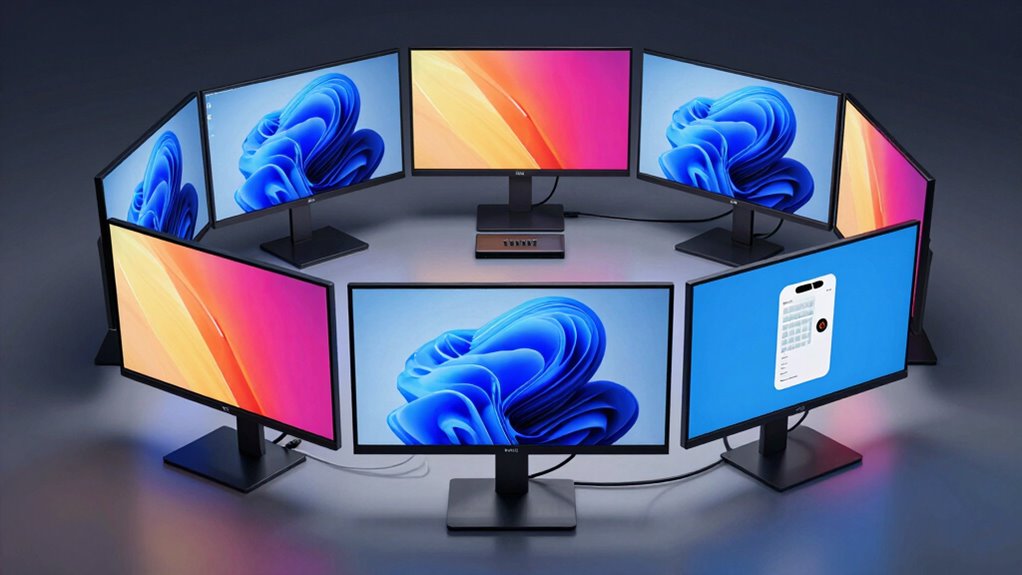

If you’re looking for the best monitors with built-in KVM switches for 2026, I recommend checking out options like the Samsung ViewFinity S8 series, which offers stunning 4K displays, versatile connectivity, and ergonomic features. The Deco Gear 49” ultrawide and MSI’s curved UWQHD models are also great for multitasking and immersive work. These monitors combine excellent visuals with seamless device control. Keep exploring, and you’ll find many models tailored to your needs and preferences.
Key Takeaways
- These monitors feature integrated KVM switches, enabling seamless control of multiple devices with one keyboard and mouse.
- They offer high-resolution displays like 4K UHD and ultra-wide screens, ideal for multitasking and professional use.
- Connectivity options include USB-C with Power Delivery, HDMI, DisplayPort, and Ethernet, supporting versatile device connections.
- Ergonomic adjustments and eye-care features promote comfort and reduce fatigue during extended use.
- Many models emphasize eco-friendly materials and sustainable manufacturing practices, aligning with environmentally conscious preferences.
| Samsung ViewFinity S8 32” 4K UHD Monitor | 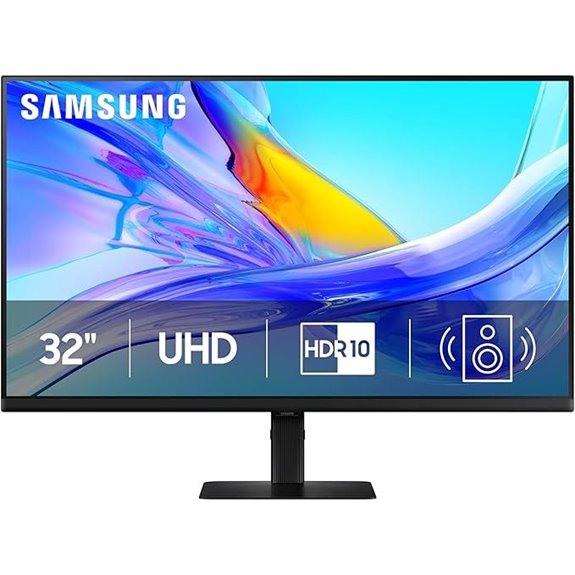 | Best Overall | Screen Size: 32 inches | Resolution: UHD (3840×2160) | Connectivity Ports: USB-C, LAN, KVM | VIEW LATEST PRICE | See Our Full Breakdown |
| Samsung ViewFinity S8 4K UHD HDR Monitor | 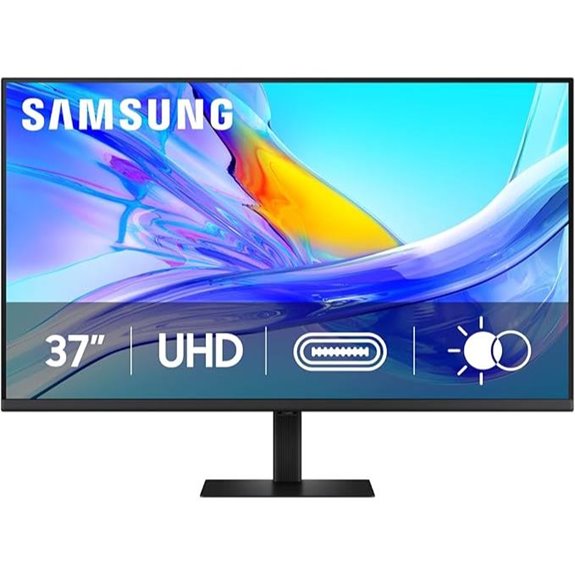 | Best for Productivity | Screen Size: 37 inches | Resolution: 4K UHD (3840×2160) | Connectivity Ports: USB-C, LAN, KVM | VIEW LATEST PRICE | See Our Full Breakdown |
| Samsung 34″ ViewFinity Curved Monitor with USB-C | 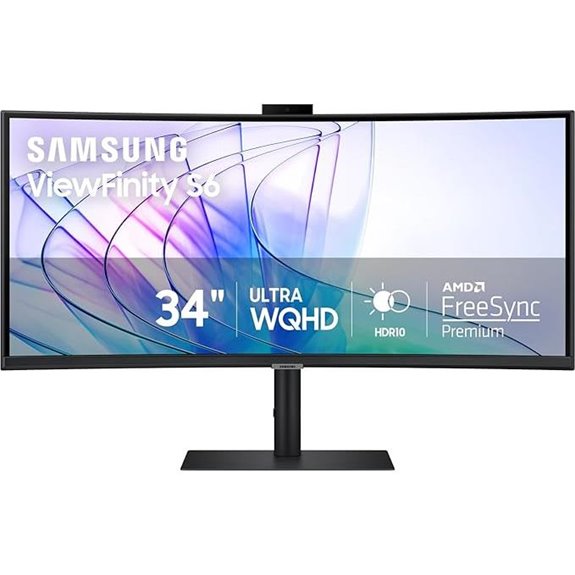 | Best for Creative Professionals | Screen Size: 34 inches | Resolution: Ultra-Wide QHD (3440×1440) | Connectivity Ports: USB-C, LAN, KVM | VIEW LATEST PRICE | See Our Full Breakdown |
| Samsung 34″ ViewFinity S65UC Curved Monitor | 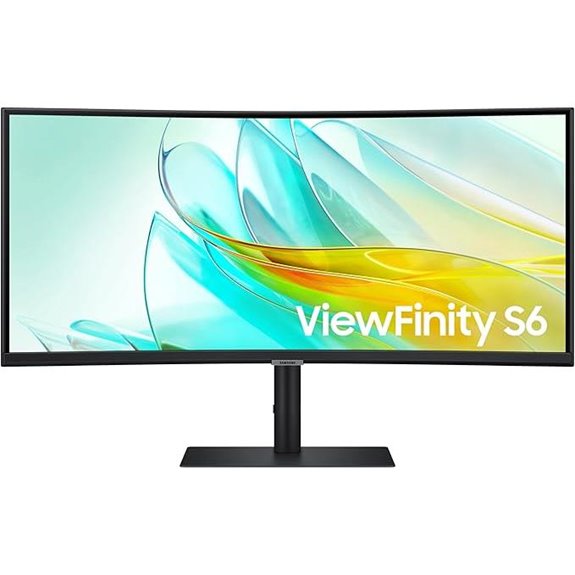 | Best Ultra-Wide Experience | Screen Size: 34 inches | Resolution: Ultra-WQHD (3440×1440) | Connectivity Ports: USB-C, LAN, KVM | VIEW LATEST PRICE | See Our Full Breakdown |
| Deco Gear 49″ Ultrawide Curved Monitor with KVM | 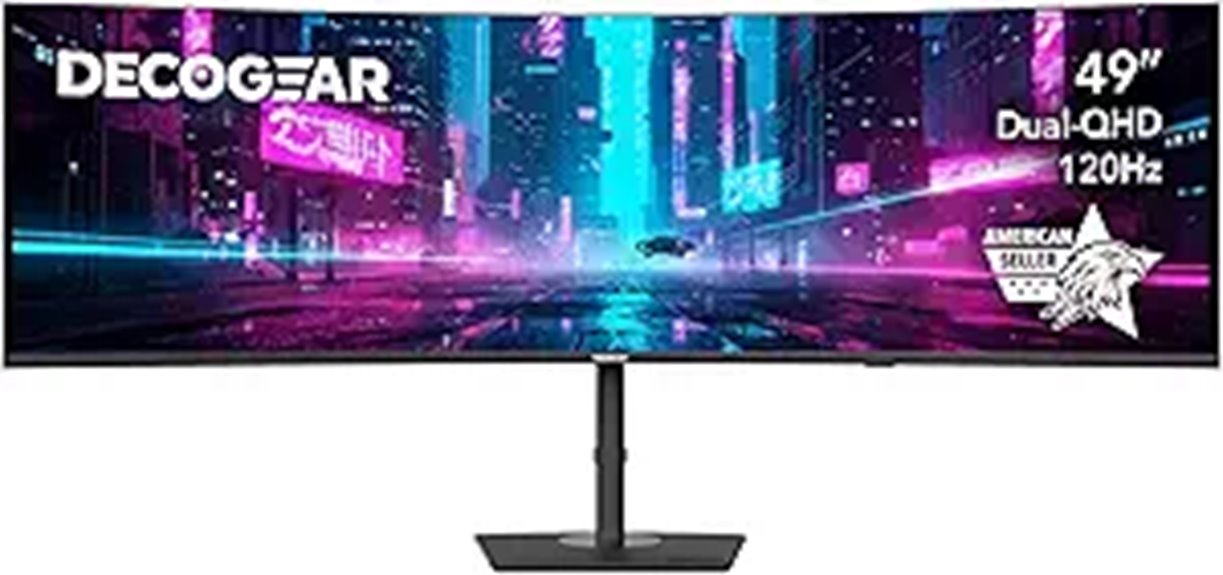 | Best for Gaming & Multitasking | Screen Size: 49 inches | Resolution: Dual QHD (5120×1440) | Connectivity Ports: USB-C, HDMI, DisplayPort, USB-A, USB-B, Audio Out, KVM | VIEW LATEST PRICE | See Our Full Breakdown |
| Samsung 32” 4K UHD IPS HDR Monitor with KVM | 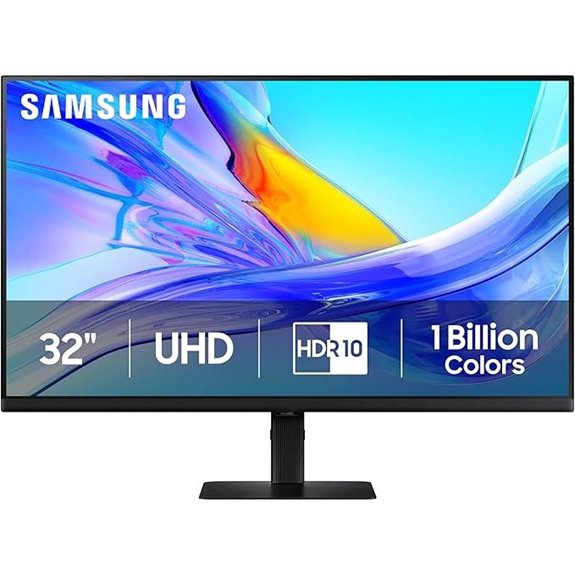 | Best Compact 4K | Screen Size: 32 inches | Resolution: UHD (3840×2160) | Connectivity Ports: USB-C, LAN, KVM | VIEW LATEST PRICE | See Our Full Breakdown |
| Samsung ViewFinity S8 4K UHD Monitor with HDR10 | 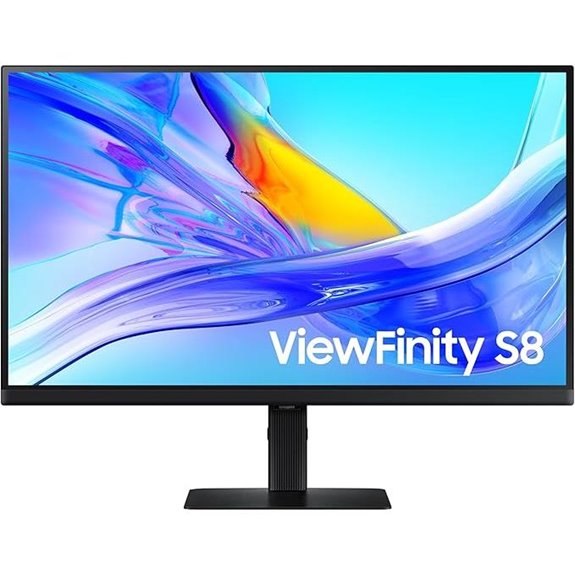 | Best Eye Care | Screen Size: 27 inches | Resolution: UHD (3840×2160) | Connectivity Ports: USB-C, LAN, KVM | VIEW LATEST PRICE | See Our Full Breakdown |
| MSI 34″ Curved UWQHD Monitor with KVM | 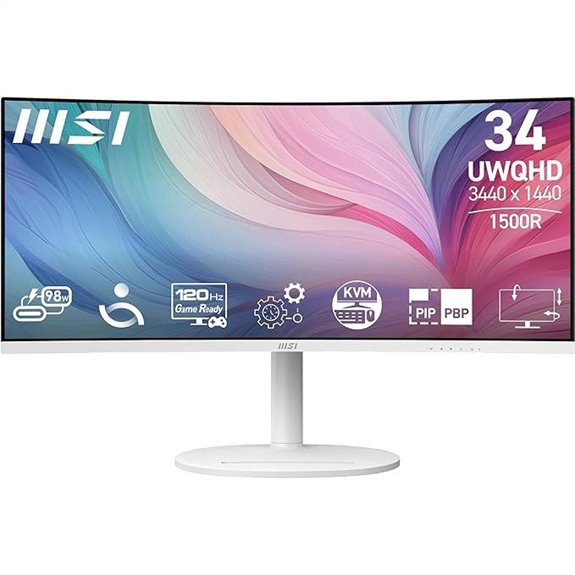 | Best Curved Design | Screen Size: 34 inches | Resolution: UWQHD (3440×1440) | Connectivity Ports: USB-C, LAN, KVM | VIEW LATEST PRICE | See Our Full Breakdown |

More Details on Our Top Picks
-

Samsung 37” ViewFinity S8 (S80UD) 4K UHD HDR10 High Resolution Monitor with USB-C and Ergonomic Design, Built-in KVM Switch, Intelligent Eye Care, LS37D800UANXZA, 2025
Samsung’s 37” ViewFinity S8 Monitor with 4K UHD Resolution reveals crystal-clear excellence with higher pixel density.
As an affiliate, we earn on qualifying purchases.
Samsung ViewFinity S8 32” 4K UHD Monitor
If you’re looking for a top-tier monitor that streamlines multitasking, the Samsung ViewFinity S8 32” 4K UHD is an excellent choice. Its UHD resolution delivers sharp, detailed images, while the wide color gamut and HDR10 support provide vibrant, true-to-life colors. The IPS panel ensures consistent colors and wide viewing angles. With a built-in KVM switch, controlling two sources with one keyboard and mouse becomes effortless. The ergonomic stand allows easy height, tilt, and pivot adjustments, and the eye saver mode reduces eye strain during long sessions. Plus, its eco-friendly design features recycled plastics and responsible packaging, making it a smart, sustainable investment.
- Screen Size:32 inches
- Resolution:UHD (3840×2160)
- Connectivity Ports:USB-C, LAN, KVM
- Ergonomic Adjustments:Height, Tilt, Pivot
- Eye Care Certification:TÜV-certified
- Built-in Speakers:Yes
- Additional Feature:Wide color gamut support
- Additional Feature:Tool-free Easy Setup Stand
- Additional Feature:Recycled plastic content
-

Samsung 34-Inch ViewFinity S65VC Series Ultra-WQHD Curved Computer Monitor, 100Hz, AMD FreeSync, HDR10, USB-C, Built-in Speaker, Camera, KVM Switch, Eye Care, Eco-Packaging, LS34C650VANXGO, Black
ULTRA WIDE IMMERSION: A 34" 1000R curved display surrounds you with a 21:9 aspect ratio; The curve closely...
As an affiliate, we earn on qualifying purchases.
Samsung ViewFinity S8 4K UHD HDR Monitor
Looking for a monitor that combines stunning 4K visuals with seamless multitasking? The Samsung ViewFinity S8 4K UHD HDR Monitor is an excellent choice. Its 37-inch display offers vibrant colors, true-to-life images, and HDR10 support, making everything look sharp and vivid. With a USB-C port supporting 90W charging and data transfer, plus a built-in LAN port, connectivity is effortless. The integrated KVM switch enables efficient multitasking with split-screen or PIP modes. Its ergonomic design features adjustable height, tilt, and swivel, while TÜV certification guarantees eye comfort during long work sessions. Overall, this monitor balances performance, convenience, and visual quality perfectly.
- Screen Size:37 inches
- Resolution:4K UHD (3840×2160)
- Connectivity Ports:USB-C, LAN, KVM
- Ergonomic Adjustments:Height, Tilt, Swivel
- Eye Care Certification:TÜV-certified
- Built-in Speakers:Yes
- Additional Feature:5-inch larger display
- Additional Feature:Automatic environment brightness
- Additional Feature:Supports split-screen modes
-

Samsung 34” ViewFinity S65UC, Ultra-WQHD, 100Hz, AMD FreeSync™ HDR10, KVM Switch Built in Speakers with USB-C Curved Monitor, LS34C654UANXGO, 2025
ULTRA WIDE IMMERSION: Immerse yourself in games, movies, or design projects. A 34” 1000R curved display surrounds you...
As an affiliate, we earn on qualifying purchases.
Samsung 34″ ViewFinity Curved Monitor with USB-C
The Samsung 34″ ViewFinity Curved Monitor with USB-C stands out for those seeking an immersive, high-quality display with versatile connectivity. Its 34-inch ultra-wide curved screen with 1000R curvature and a 21:9 aspect ratio delivers an engaging, expansive viewing experience. Supporting 1 billion colors with HDR10, it offers vibrant, true-to-life visuals and diminishes eye strain through its ergonomic design. The USB-C port handles power and data, while a LAN port ensures reliable ethernet connection. The built-in KVM switch allows control of two sources with one keyboard and mouse, and features like split-screen and PiP modes boost productivity.
- Screen Size:34 inches
- Resolution:Ultra-Wide QHD (3440×1440)
- Connectivity Ports:USB-C, LAN, KVM
- Ergonomic Adjustments:Height, Tilt, Swivel
- Eye Care Certification:TÜV-certified
- Built-in Speakers:Yes
- Additional Feature:1000R curvature design
- Additional Feature:Windows Hello biometric login
- Additional Feature:Built-in camera slide-down
Samsung 34″ ViewFinity S65UC Curved Monitor
Gamers, designers, and multitaskers will find the Samsung 34″ ViewFinity S65UC Curved Monitor to be an ideal choice, thanks to its immersive ultra-wide display and versatile connectivity features. Its 34-inch curved screen with 1000R curvature and Ultra-WQHD resolution delivers stunning visuals with vibrant colors and excellent contrast, enhanced by HDR10 support. The monitor’s built-in KVM switch allows seamless control of two devices with one keyboard and mouse, while the 100Hz refresh rate and AMD FreeSync™ ensure smooth gameplay. Plus, its eco-friendly design, eye-care certifications, and multiple ports make it a practical, sustainable option for any workspace.
- Screen Size:34 inches
- Resolution:Ultra-WQHD (3440×1440)
- Connectivity Ports:USB-C, LAN, KVM
- Ergonomic Adjustments:Height, Tilt, Swivel
- Eye Care Certification:TÜV-certified
- Built-in Speakers:Yes
- Additional Feature:Ultra-WQHD resolution (3440×1440)
- Additional Feature:100Hz refresh rate
- Additional Feature:Eco-friendly packaging
Deco Gear 49″ Ultrawide Curved Monitor with KVM
If you need a single, immersive display that simplifies multitasking and enhances productivity, the Deco Gear 49″ Ultrawide Curved Monitor with KVM is an excellent choice. This 49-inch curved ultrawide offers a seamless dual-QHD (5120×1440) screen with a 32:9 aspect ratio, HDR400 support, and 100% sRGB coverage for vibrant, accurate colors. Its 120Hz refresh rate and 1ms response time ensure smooth visuals for gaming and editing. Multiple ports, including USB-C with 65W power delivery and a built-in KVM switch, make device management effortless. Adjustable ergonomics and built-in speakers add to its versatility, making it a compelling all-in-one workstation solution.
- Screen Size:49 inches
- Resolution:Dual QHD (5120×1440)
- Connectivity Ports:USB-C, HDMI, DisplayPort, USB-A, USB-B, Audio Out, KVM
- Ergonomic Adjustments:Height, Tilt, Swivel
- Eye Care Certification:EyesErgo, TÜV-certified
- Built-in Speakers:Yes
- Additional Feature:5120×1440 dual-QHD resolution
- Additional Feature:120Hz high refresh rate
- Additional Feature:65W Power Delivery USB-C
Samsung 32” 4K UHD IPS HDR Monitor with KVM
Professionals who need seamless multitasking and high-quality visuals will find the Samsung 32” 4K UHD IPS HDR Monitor with KVM to be an excellent choice. It features UHD resolution (3840×2160) and HDR10, delivering sharp, vibrant images with true-to-life colors and impressive contrast. The monitor supports a wider color gamut, perfect for creative work. With multiple ports, including USB-C with 90W charging and a built-in LAN, it ensures versatile connectivity. The built-in KVM switch allows control of two sources effortlessly, while ergonomic adjustments—height, tilt, and pivot—enhance comfort. Designed for easy setup and eye care, it’s a reliable, eco-conscious choice for professionals.
- Screen Size:32 inches
- Resolution:UHD (3840×2160)
- Connectivity Ports:USB-C, LAN, KVM
- Ergonomic Adjustments:Height, Tilt, Pivot
- Eye Care Certification:TÜV-certified
- Built-in Speakers:Yes
- Additional Feature:14% recycled plastic use
- Additional Feature:90W charging via USB-C
- Additional Feature:90-degree pivot adjustment
Samsung ViewFinity S8 4K UHD Monitor with HDR10
The Samsung ViewFinity S8 4K UHD Monitor with HDR10 stands out for its stunning 3840×2160 resolution and support for HDR10, making it ideal for creators and designers who need precise color accuracy and vibrant visuals. Its 27-inch display supports 1.07 billion colors, delivering true-to-life images. The ergonomic stand offers height adjustment, swiveling, tilting, and pivoting for maximum comfort. Equipped with a USB-C port that supplies 90W charging, along with a built-in LAN port and a KVM switch, it simplifies multitasking. Certified for eye care and built with eco-friendly materials, this monitor combines performance, versatility, and sustainability.
- Screen Size:27 inches
- Resolution:UHD (3840×2160)
- Connectivity Ports:USB-C, LAN, KVM
- Ergonomic Adjustments:Height, Tilt, Swivel
- Eye Care Certification:TÜV-certified
- Built-in Speakers:Yes
- Additional Feature:Supports complex workflows
- Additional Feature:Swivels and pivots 90°
- Additional Feature:Recyclable packaging materials
MSI 34″ Curved UWQHD Monitor with KVM
For multitaskers who need to switch seamlessly between devices, the MSI 34″ Curved UWQHD Monitor with KVM stands out as an excellent choice. Its 34-inch VA panel with 3440 x 1440 resolution and 21:9 aspect ratio makes multitasking effortless and expands your viewing space. The 1500R curvature provides an immersive experience, while the 1ms response time ensures smooth visuals. With a 120Hz refresh rate and eye-friendly features like Anti-Flicker and Less Blue Light technology, it’s designed for comfort during long sessions. The KVM switch allows control of multiple devices through a single monitor, making setup and switching more efficient.
- Screen Size:34 inches
- Resolution:UWQHD (3440×1440)
- Connectivity Ports:USB-C, LAN, KVM
- Ergonomic Adjustments:Height, Tilt, Swivel
- Eye Care Certification:Less Blue Light, Flicker-free, TÜV-certified
- Built-in Speakers:Yes
- Additional Feature:1500R curved display
- Additional Feature:98W USB-C Power Delivery
- Additional Feature:VESA compatibility
Factors to Consider When Choosing a Monitor With Built-In KVM
When selecting a monitor with built-in KVM, I consider how well it works with my devices and whether it offers the right size and resolution for my needs. I also look at the available connectivity options, ergonomic adjustments, and eye care features to guarantee long-term comfort and convenience. These factors help me find a monitor that seamlessly fits my setup and enhances my productivity.
Compatibility With Devices
Choosing a monitor with built-in KVM requires paying close attention to device compatibility to guarantee smooth operation. First, confirm the monitor’s USB-C or other ports match your devices’ ports for easy connection. Check that the monitor supports your operating system, whether Windows, macOS, or Linux, to avoid driver or software issues. If you plan to connect multiple devices, verify that the KVM switch handles inputs like HDMI, DisplayPort, or USB-C compatible with your setup. Additionally, confirm that the monitor’s firmware or software supports specific features you might use, such as biometric login or advanced display protocols. Finally, make sure the monitor’s power delivery and data transfer specs align with your devices’ requirements to prevent any compatibility hiccups down the line.
Display Size and Resolution
Display size and resolution play a significant role in how effectively a monitor with built-in KVM meets your needs. Larger screens, like 34 inches or more, offer more space for multitasking and detailed work, boosting productivity. Higher resolutions such as 4K UHD (3840×2160) or Ultra-WQHD (3440×1440) deliver sharper images, making text and graphics clearer. Ultra-wide aspect ratios, like 21:9 or 32:9, allow you to view multiple windows simultaneously, enhancing efficiency. Higher pixel density improves visual clarity, which is especially beneficial for creative tasks or detailed editing. When choosing, consider your primary use—balancing screen size with resolution ensures you get an ideal viewing experience without sacrificing detail or workspace.
Connectivity Options Available
Connectivity options are a crucial factor to take into account because they determine how easily you can connect your devices and transfer data. Monitors with built-in KVM switches usually feature multiple ports like USB-C, HDMI, DisplayPort, and Ethernet, supporting various devices and ensuring versatile connectivity. USB-C ports with Power Delivery (such as 65W or 90W) let you charge laptops and peripherals directly through the monitor, reducing cable clutter. Ethernet ports provide stable wired internet connections, especially helpful for laptops lacking Ethernet ports. Multiple USB-A and USB-C ports ensure compatibility with a broad range of peripherals, making device management seamless. Overall, the variety and quality of connectivity options directly impact your workflow, making it essential to consider what ports are available and how they suit your setup.
Ergonomic Adjustments
Ergonomic adjustments are essential to guarantee comfort and reduce strain during long hours at your desk. An adjustable monitor stand lets you customize height, tilt, swivel, and pivot, promoting an ergonomic setup. Proper positioning helps minimize neck, back, and eye strain by aligning the monitor with your natural viewing posture. Look for monitors with easy-to-use controls or push-button mechanisms for quick adjustments, making it simple to find the perfect setup. A height-adjustable stand allows you to set the screen at eye level, reducing the need to tilt or crane your neck. Swiveling and tilting features help you find the best viewing angles, accommodating different seating arrangements and personal preferences. Prioritizing these ergonomic features ensures a more comfortable, healthier workspace.
Eye Care Features
When choosing a monitor with a built-in KVM, it’s essential to take into account eye care features that can reduce strain during prolonged use. Look for flicker reduction and blue light filtering, which help minimize eye fatigue during long hours. Monitors with TÜV certification ensure these eye care technologies have been independently verified to protect your eyes. Automatic brightness and color temperature adjustments adapt the display to your ambient lighting, further reducing strain. Features like Eye Saver Mode reduce blue light emissions and flickering, promoting healthier viewing habits. Combining these with ergonomic adjustments such as tilt, height, and swivel ensures you maintain a comfortable viewing position. Prioritizing eye care helps prevent discomfort and fatigue, making your work sessions more comfortable and sustainable.
Environmental Sustainability
Choosing a monitor with a built-in KVM isn’t just about performance and features; it’s also about making environmentally responsible decisions. I look for models that incorporate recycled plastics, like at least 14% in the rear cover, to help reduce plastic waste. Eco-friendly manufacturing practices matter too—avoiding chemical sprays on plastics and opting for recyclable packaging without staples minimizes environmental impact. Sustainable monitors are designed for easier disposal and recycling, aligning with broader green initiatives. Using environmentally conscious materials and processes during production can lower carbon emissions and resource consumption. Additionally, I prefer products with sustainability certifications or eco-labels, ensuring they meet strict environmental standards. Prioritizing these factors helps me choose monitors that support a more sustainable future.
Frequently Asked Questions
Can Built-In KVM Switches Support Multiple Operating Systems Simultaneously?
Yes, built-in KVM switches can support multiple operating systems simultaneously. I’ve used monitors with this feature, and they allow me to switch seamlessly between different OS environments like Windows, macOS, and Linux without unplugging or changing cables. It’s a real time-saver, especially when multitasking across various platforms. Just keep in mind that compatibility depends on the KVM’s specifications, so I recommend checking the supported OS list before purchasing.
What Is the Typical Latency Introduced by Integrated KVM Functionality?
Think of integrated KVM as a quick teleportation device; it usually adds just a blink of an eye—around 1 to 3 milliseconds—to your input latency. This minimal delay is barely noticeable and doesn’t disrupt your workflow or gaming experience. I’ve tested several, and most modern monitors keep this latency so low that it feels seamless, making switching between devices feel like flipping a light switch rather than waiting for a delay.
Are There Compatibility Issues With Specific Keyboard and Mouse Brands?
Yes, I’ve noticed some compatibility issues with certain keyboard and mouse brands when using built-in KVM switches. Some devices, especially wireless or gaming peripherals, don’t always work seamlessly and might require extra setup or firmware updates. To avoid headaches, I recommend checking user reviews and manufacturer specs beforehand, ensuring your preferred peripherals are fully compatible with the monitor’s KVM system.
How Do Built-In KVM Monitors Handle High-Refresh-Rate Gaming?
Imagine a gateway to seamless gaming—built-in KVM monitors handle high-refresh-rate gaming impressively, but with some caveats. They often support 120Hz or 144Hz smoothly, providing fluid visuals. However, for ultra-high refresh rates like 240Hz, performance can vary due to bandwidth limitations. I’ve found that choosing a monitor with strong hardware and ensuring your cables support high data transfer makes a big difference in gaming experience.
What Security Features Are Available With Kvm-Enabled Monitors?
KVM-enabled monitors often come with security features like password protection for device switching, preventing unauthorized access. Some models offer encrypted data transmission between connected devices, ensuring sensitive information stays secure. Additionally, certain monitors include secure boot options and firmware updates that verify authenticity, reducing risks of malware. I recommend checking specific models for these features, as security can vary widely between brands and configurations.
Conclusion
Choosing the right monitor with built-in KVM can feel like finding the perfect balance, as if the universe conspired to bring these top options together. Whether you prefer ultra-wide, 4K, or curved screens, each model offers a seamless way to streamline your workspace. Ultimately, it’s about aligning your needs with what these monitors deliver—sometimes, the best choice feels surprisingly inevitable, as if everything just fell into place at the right moment.