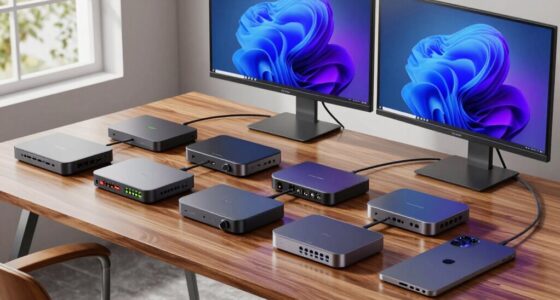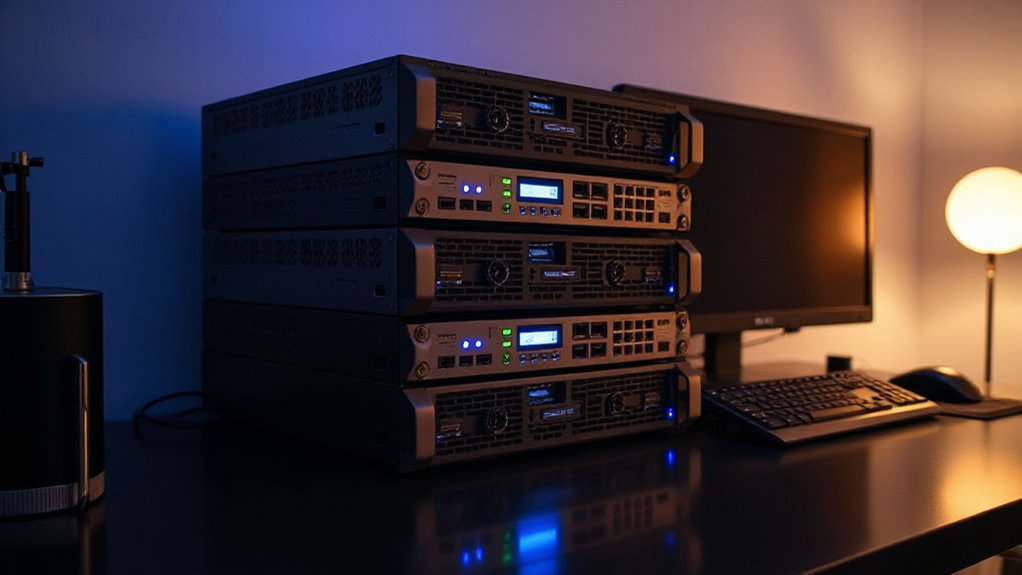

If you’re searching for a home lab server, you’re likely balancing performance, expandability, and ease of use. The UGREEN NAS DXP2800 stands out as a versatile storage solution for content creators, while the ZimaBoard 2 1664 x86 offers a flexible all-in-one platform for DIY enthusiasts. For enterprise-grade performance, the Dell PowerEdge R730xd provides robust power and expandability, but it comes with a higher price tag. Meanwhile, the ZimaBlade 7700 Starter Kit caters to those seeking a quiet, energy-efficient media server. Keep reading to explore these options and more, along with the key factors to consider when choosing the right home lab server for your needs.

Get privacy and security gear delivered free with Prime
- Fast, free delivery on millions of items
- Prime Video, Amazon Music and more included
- Member-only deals all year
Key Takeaways
- Performance and expandability vary greatly, with enterprise servers offering top-tier specs at a premium.
- NAS devices provide excellent storage solutions for content creators and small-scale setups.
- DIY-friendly options like ZimaBoard and ZimaBlade are ideal for tech-savvy users wanting customization.
- Size and power consumption are often overlooked but critical for home environments.
- Price ranges span from budget-friendly kits to high-end enterprise hardware, affecting features and longevity.


| home lab server | Processor | Storage |
|---|---|---|
| UGREEN NAS DXP2800 2-Bay Netwo | — | — |
| ZimaBoard 2 1664 x86 Home Serv | N150 quad-core up to 3.6GHz | 64GB eMMC |
| ZimaBoard 2 Home Server | Intel N150 | 32GB eMMC |
| Dell PowerEdge R730xd Server 2 | 2x Intel Xeon E5-2690 v4 2.6GHz | 4x 1.2TB 10K SAS HDD |
| Dell PowerEdge R630 SFF Server | 2x 2.60GHz Intel Xeon E5-2640 V3 | — |
| PCSP R640 8 Bay SFF Pro Virtua | — | 2x 480GB Enterprise SSD |
| HP ProLiant DL360p Gen8 1U Rac | 2×6-Core E5-2640 Xeon 2.5GHz | — |
| 7700 x86 Home Server & 2-Bay N | Intel Quad-Core | — |
| ZimaBlade 7700 Home Server Sta | Intel Quad-Core | 32GB eMMC |
More Details on Our Top Picks
UGREEN NAS DXP2800 2-Bay Network Attached Storage for Content Creators and Enthusiasts
This NAS stands out for its enormous 80TB capacity, making it ideal for creators with large media libraries, especially when compared to smaller, more limited options like the 7700 x86 Home Server. Its user-friendly setup simplifies sharing across multiple devices, and AI-powered photo organization adds convenience for media-heavy workflows. However, it requires internal installation, which can be complex for less technical users, and its 2-bay limit restricts future expansion. Plus, the absence of included drives means additional costs for storage. This pick makes the most sense for creators who prioritize large, secure local storage and easy access over scalability or plug-and-play simplicity.
Pros:- Massive storage capacity up to 80TB for all media and data needs
- User-friendly setup with seamless file sharing across devices
- AI-powered photo organization automatically sorts and de-duplicates
Cons:- Requires internal installation, which might be daunting for some
- Limited to 2-bay configuration, restricting future expansion
Best for: Content creators and small teams who need large, reliable local storage with simple access and organization tools
Not ideal for: Users seeking a plug-and-play setup or scalable storage beyond two bays, or those unwilling to install drives themselves
- Digital Storage Capacity:80 TB
- Hard Disk Interface:Serial ATA
- Connectivity Technology:SATA
- Hard Disk Form Factor:3.5 inches
- Hardware Connectivity:Ethernet, SATA 6.0 Gb/s, USB
- Hardware Platform:x86
Our verdict“This NAS suits creators who need large, organized storage with straightforward access, but not those seeking extensive scalability.”
ZimaBoard 2 1664 x86 Home Server, N150, 16GB LPDDR5, PCIe 3.0×4 Expansion, Dual 2.5GbE & SATA3.0, All-in-One NAS/Router/Docker/Home Lab with ZimaOS
The ZimaBoard 2 excels in offering a versatile, high-performance platform suitable for demanding homelabs, especially when compared to the more straightforward UGREEN NAS. Its quad-core CPU and 16GB LPDDR5 RAM provide ample power for various workloads, from media serving to complex virtual environments. The PCIe 3.0 x4 slot adds significant flexibility, enabling GPU, NVMe, or AI accelerator upgrades. Dual SATA ports and dual 2.5GbE ports foster high-speed storage and networking. Still, it demands a certain level of technical expertise for setup and optimization, and its higher price may deter casual users. Its limited internal storage, relying on external drives or adapters, also constrains out-of-the-box usability. It’s best suited for tech-savvy hobbyists who want to customize their home server experience with high performance and expandability.
Pros:- Quad-core CPU with up to 3.6GHz performance for demanding tasks
- Expandable PCIe 3.0 x4 slot for GPUs, NVMe drives, or AI accelerators
- Dual SATA and dual 2.5GbE ports for fast storage and network connectivity
Cons:- Requires technical knowledge for setup and tuning
- Limited internal storage without additional drives or adapters
- Higher cost compared to basic SBCs or entry-level NAS devices
Best for: Experienced home lab enthusiasts or developers who need a flexible, high-performance platform for diverse workloads
Not ideal for: Beginners or users seeking a simple, out-of-the-box NAS solution with minimal setup
- Processor:N150 quad-core up to 3.6GHz
- Memory:16GB LPDDR5
- Storage:64GB eMMC
- Expansion:PCIe 3.0 x4
- Networking:Dual 2.5GbE
- Form Factor:Single board server
Our verdict“This device is perfect for advanced users who want a customizable, high-powered home server, but not for those seeking simplicity.”
ZimaBoard 2 Home Server, Intel N150, 8GB DDR5, 32GB eMMC, PCIe x4, Dual SATA, Dual 2.5GbE, UHD Output
Compared with the more powerful ZimaBoard 2 1664, this model offers a more modest but reliable setup for continuous operation, suitable for media streaming, NAS, or light homelabs. Its Intel N150 processor and 8GB DDR5 RAM balance performance and power efficiency, making it a solid choice for steady workloads. The dual SATA ports and dual 2.5GbE support provide good connectivity for storage and network needs. Its 32GB eMMC limits internal storage, but this can be supplemented with external drives. Setup and customization might require some technical skill, and it’s less flexible for heavy workloads than the 1664 variant. This board is best for users who want a dependable, low-maintenance server with moderate expandability.
Pros:- Reliable performance for continuous operation
- Dual SATA and dual 2.5GbE for flexible storage and networking
- Efficient power usage with a balanced hardware setup
Cons:- Limited internal storage with only 32GB eMMC
- Less powerful than the 1664 model for demanding workloads
- Requires some technical knowledge for optimal setup
Best for: Home users seeking a reliable, low-power server for media, backups, or light homelab tasks
Not ideal for: Power users or those needing extensive internal storage or GPU support
- Processor:Intel N150
- Memory:8GB DDR5
- Storage:32GB eMMC
- Expansion:PCIe x4
- Networking:Dual 2.5GbE
- Output:UHD
Our verdict“This board offers dependable, low-maintenance operation for basic home server needs, but isn’t suited for heavy workloads or complex setups.”
Dell PowerEdge R730xd Server 24B SFF 2U, 2x Intel Xeon E5-2690 v4 2.6GHz, 128GB DDR4 RAM, 4x 1.2TB 10K SAS HDD, H730P 2GB RAID, Dual Power Supplies, Dual 10Gb + 1Gb NIC
This Dell PowerEdge R730xd offers an enterprise-level platform with dual Xeon processors totaling 28 cores, making it ideal for high-demand workloads, especially compared to the smaller ZimaBoard picks. Its 128GB RAM supports intensive multitasking and virtualization, while the four 1.2TB SAS drives provide substantial local storage. Dual power supplies and advanced RAID options boost reliability, suitable for 24/7 operation. Its rackmount 2U form factor and technical complexity mean it’s better suited for experienced sysadmins or dedicated hobbyist labs than casual users. The high cost and larger physical footprint are notable tradeoffs. This server is designed for those needing enterprise-grade performance at home, not for simple media streaming or light use.
Pros:- High-performance dual Xeon processors with 28 cores
- Large 128GB RAM for virtualization and heavy multitasking
- Multiple storage and network options for maximum flexibility
Cons:- Bulkier 2U rackmount form factor requiring proper setup
- Higher cost and complexity for maintenance and setup
- Renewed product may have limited warranty support
Best for: Advanced home lab builders or small businesses requiring high availability, extensive storage, and processing power
Not ideal for: Users seeking a plug-and-play, low-cost home server or those without rackmount infrastructure
- Processor:2x Intel Xeon E5-2690 v4 2.6GHz
- Cores:28 cores total
- RAM:128GB DDR4
- Storage:4x 1.2TB 10K SAS HDD
- RAID Controller:H730P 2GB
- Network:Dual 10Gb SFP+ and 1Gb RJ45
Our verdict“This enterprise-grade server is ideal for those who need serious processing and storage capacity at home, but not for casual or small-scale users.”
Dell PowerEdge R630 SFF Server 2X 2.60GHz Intel Xeon E5-2640 V3 16-Core 64GB RAM (Renewed)
Compared to the larger R730xd, the Dell PowerEdge R630 offers a more compact 1U form factor while still packing solid performance with dual Xeon E5-2640 V3 processors and 64GB of RAM. It’s well-suited for users who need enterprise features in a smaller space, such as advanced homelabs, virtual environments, or small business setups. Its renewal status suggests a lower price point, but potential buyers should consider warranty limitations. The absence of detailed storage options means external drives or upgrades are likely needed for larger data needs. Setup requires familiarity with server hardware, but it delivers impressive performance for its size. This server is ideal for those who want enterprise capabilities without the bulk of larger rackmounts.
Pros:- Compact 1U form factor ideal for limited space
- Powerful dual Xeon E5-2640 V3 processors with 16 cores
- Includes necessary components for enterprise performance
Cons:- Renewed product with possible warranty limitations
- Lacks detailed internal storage options, requiring upgrades
- Requires technical expertise for optimal deployment
Best for: Small-scale enterprise users or hobbyists seeking a space-efficient server with enterprise-grade features
Not ideal for: Casual users or those needing large internal storage out of the box
- Processor:2x 2.60GHz Intel Xeon E5-2640 V3
- Cores:16 cores
- RAM:64GB
- Condition:Renewed
Our verdict“This server offers enterprise-class features in a smaller footprint for users comfortable with server setup and upgrades, but isn’t for plug-and-play simplicity.”
PCSP R640 8 Bay SFF Pro Virtualization Lab Server with Dual Platinum 8180 Processors
This server excels in handling intensive virtualization tasks, thanks to its dual Intel Platinum 8180 processors that deliver a staggering 56 cores and 112 threads. Compared to the HP ProLiant DL360p Gen8, it offers vastly more processing power and memory expandability, making it ideal for complex lab environments. The inclusion of enterprise SSDs and multiple network interfaces supports robust, scalable setups. However, this power comes with tradeoffs: it requires significant technical expertise to configure and manage, and the cost can escalate quickly with full specs. The high-performance hardware suits dedicated homelabs or small business virtualization labs where uptime and speed matter most.
Pros:- Exceptional processing power with dual Platinum 8180 CPUs
- Supports up to 384GB DDR4 RAM for heavy multitasking
- Enterprise-grade SSDs for fast storage
Cons:- Requires advanced technical knowledge to set up and operate
- High cost, especially with full configuration and enterprise components
Best for: Advanced home lab enthusiasts or small-scale IT businesses needing high-density virtualization and maximum scalability.
Not ideal for: Beginners or users seeking a simple, plug-and-play server due to its complexity and cost.
- System:PCSP R640 8 Bay SFF
- Processors:2x Intel Platinum 8180 (56-Core/112-Thread)
- Memory:Choose 16GB to 384GB DDR4 RAM
- Storage:2x 480GB Enterprise SSD
- Graphics Card:Integrated Matrox G200eW3
- Operating System:Windows 2025 Eval
Our verdict“This server is best suited for experienced users demanding top-tier virtualization and scalability, despite its complexity and price.”
HP ProLiant DL360p Gen8 1U Rackmount Server with Dual Xeon E5-2640, 64GB RAM, 8x300GB SAS HDD, P420i RAID, GigaBit NIC, No OS (Renewed)
This refurbished 1U rackmount server offers a solid foundation for a home lab with enterprise features, including dual Xeon E5-2640 CPUs and 64GB of DDR3 RAM, making it suitable for demanding multitasking and data redundancy. Its 8 SAS drives with RAID support cater to storage-heavy projects, and redundant power supplies enhance reliability. Compared to the PCSP R640, it’s more compact and cost-effective but less powerful in raw processing and memory capacity. Its bulkier form factor and higher power consumption could be drawbacks in small or quiet environments. It’s an excellent choice for those who need enterprise-grade hardware in a space-efficient, rack-mountable form.
Pros:- Powerful dual Xeon processors for enterprise workloads
- Large 64GB RAM capacity for multitasking
- RAID support with multiple SAS drives for data safety
Cons:- Requires setup and configuration without included OS
- Bulkier 1U rackmount may not suit all spaces
- Higher power draw compared to smaller units
Best for: Mid-level home lab users seeking reliable, expandable enterprise hardware with a smaller footprint.
Not ideal for: Beginners or those wanting a plug-and-play setup due to the need for configuration and maintenance.
- Processor:2×6-Core E5-2640 Xeon 2.5GHz
- Memory:64GB DDR3 RAM
- Hard Drive:8×300GB 10K SAS SFF HDD
- RAID:P420i RAID
- Network:4×GigaBit NIC
- Form Factor:1U Rackmount
Our verdict“This server is ideal for experienced users needing reliable enterprise hardware in a compact rackmount form, despite its setup complexity.”
7700 x86 Home Server & 2-Bay NAS Kit, Intel Quad-Core, 16GB RAM, CasaOS Preinstalled
This mini server makes a practical choice for media enthusiasts and light self-hosting, with its Intel quad-core processor and 16GB RAM providing enough power for Plex streaming, Nextcloud, or small Docker setups. Compared to the more robust PCSP R640, it’s less suited for virtualization but excels in simplicity and quiet operation. The preinstalled CasaOS offers easy management, making it accessible for users new to home servers. The limited storage capacity and single expansion slot might be constraints for larger media libraries or expanding services. Its small size and low power draw make it perfect for users prioritizing a quiet, energy-efficient media hub or lightweight server for casual use.
Pros:- Compact, quiet design suitable for living spaces
- Pre-installed CasaOS simplifies setup and management
- Supports 4K media streaming and Docker containers
Cons:- Limited to two drive bays, restricting storage expansion
- Requires technical skill for advanced customization
Best for: Home users wanting an easy-to-use, media-focused server for streaming, backups, and light applications.
Not ideal for: Power users or those needing extensive virtual machines or large storage arrays due to its limited bays and expandability.
- Processor:Intel Quad-Core
- RAM:16GB
- Storage Bays:2-Bay NAS
- Preinstalled OS:CasaOS
- Expansion:PCIe x4
- Includes:Power supply, metal drive cage, dual SATA cables
Our verdict“This server is perfect for users seeking a straightforward, media-oriented home server without the complexity of larger systems.”
ZimaBlade 7700 Home Server Starter Kit, Intel Quad-Core, 16GB RAM, 32GB eMMC, Open x86 Platform, Docker Ready, Self-Hosting, PCIe Expansion, Quiet Low Power, Remote Access, 4K Media Server
The ZimaBlade 7700 offers a balanced entry point into home server projects, combining fanless, low-power design with an open x86 platform that supports a wide range of applications. Unlike the NAS-focused 7700 kit, this version emphasizes versatility, with PCIe expansion and support for Docker and media servers. Its 32GB eMMC storage limits local capacity but makes setup simple and energy-efficient. When compared to the PCSP R640, it’s significantly less powerful but much easier to handle for beginners or those building a quiet, multi-purpose server. The lack of pre-installed OS could be a hurdle for newcomers, but its expandability makes it attractive for users willing to tinker.
Pros:- Fanless, silent operation ideal for living spaces
- Open x86 platform compatible with many OS and applications
- Expandable PCIe for additional SSDs or network cards
Cons:- Limited internal storage with only 32GB eMMC
- Setup may be complex for those unfamiliar with Linux or DIY builds
Best for: Beginners or hobbyists wanting a flexible, silent home server for media, backups, and private cloud applications.
Not ideal for: Power users requiring high storage capacity or enterprise-grade hardware due to its limited internal storage and lower specs.
- Processor:Intel Quad-Core
- RAM:16GB
- Storage:32GB eMMC
- Platform:Open x86
- Expansion:PCIe 2.0 x4
- Cooling:Fanless
Our verdict“This kit suits users seeking a quiet, adaptable, and low-power home server with room to grow, despite its modest storage capacity.”

How We Picked
These products were evaluated based on their performance potential, flexibility, build quality, ease of setup, and value for different user types. Priority was given to versatility—whether the device can handle multiple roles like storage, virtualization, or media serving—and expandability, which is essential for future upgrades. We also considered price-to-performance ratios and how accessible each product is for users with varying technical skills. The ranking reflects a balance between these factors, aiming to recommend options suitable for beginners, enthusiasts, and professionals alike.Factors to Consider When Choosing Home Lab Server
Choosing the right home lab server involves understanding your specific needs and balancing several key factors. The first consideration should be your primary use case—whether you need storage, virtualization, media streaming, or a combination. Next, evaluate expandability options like PCIe slots, RAM capacity, and drive bays, which determine future growth. Power consumption and physical size matter for home setups, especially if space or energy costs are concerns. Compatibility with your existing network and ease of management are also crucial. Lastly, consider budget constraints and the long-term value, avoiding overpaying for features you won’t use.Performance and Hardware Specs
Look beyond raw CPU and RAM numbers; consider how these specs translate into real-world tasks. For example, virtualization and media transcoding require robust CPUs and ample memory, while simple storage servers might not need high-end processors. Balance your performance needs with your budget to avoid overspending on unnecessary power. Keep in mind that enterprise hardware offers top-tier specs but often comes with higher noise levels and power draw, which might not suit a quiet home environment.
Expandability and Future Proofing
Many home lab users underestimate the importance of upgrade paths. Check if the server has enough drive bays for storage expansion and PCIe slots for adding cards like network adapters or SSDs. RAM capacity is also key for virtualization workloads or multiple containers. Selecting a device with room to grow can save money long-term, but it might also mean paying for features you won’t immediately need. Balance current requirements with anticipated future growth to find the best fit.
Size, Power, and Noise Levels
Home environments often demand quieter, more energy-efficient hardware. Rack-mounted servers or enterprise hardware tend to be loud and consume more power, which can be disruptive. Smaller form factors like mini PCs or NAS units are quieter but may have limited expandability. Consider your available space and how much noise you can tolerate, especially if you plan to run the server 24/7. Energy costs over time can also add up, so weigh long-term operational expenses against upfront costs.
Ease of Use and Management
For beginners, user-friendly interfaces and straightforward setup processes are critical. Devices with pre-installed management software or simplified dashboards reduce the learning curve. Enthusiasts and professionals might prefer more control via command-line or advanced management tools. Compatibility with popular operating systems and virtualization platforms can also influence your choice. Remember that more complex hardware often requires a steeper learning curve but offers greater customization and control.
Budget and Long-term Value
While it can be tempting to choose the cheapest option, consider the long-term value. Cheaper hardware may lack durability or necessary features, leading to higher replacement or upgrade costs later. Conversely, premium hardware provides longevity and better performance but at a higher initial investment. Match your budget with your needs—if you’re exploring or learning, a budget option might suffice; for production or critical use, investing in higher-end hardware makes sense. Always factor in warranty, support, and community resources, which can add value over time.
Frequently Asked Questions
What is the best home lab server for a beginner?
The best choice for a beginner is a device that balances ease of setup with enough flexibility for growth, such as the 7700 x86 Home Server & 2-Bay NAS Kit. It preinstalls CasaOS, offers straightforward management, and consumes less power. These features allow newcomers to get started quickly without getting overwhelmed by complex configurations. As skills grow, upgrading or switching to more advanced hardware becomes more manageable.
Should I prioritize performance or expandability?
Deciding between performance and expandability depends on your immediate needs and future plans. If you require high processing power for virtualization or media transcoding today, focus on hardware with a strong CPU and plenty of RAM. However, if you want a server that can grow over time, prioritize expandability—more drive bays, PCIe slots, and RAM slots—so you can upgrade as demands increase. Balancing the two often leads to the best long-term value.
How much should I spend on a home lab server?
Spending varies widely based on your use case. Budget setups can start around a few hundred dollars for small NAS or mini PCs, suitable for basic storage or media serving. More advanced users building virtualization labs or enterprise-grade environments should expect to invest several thousand dollars. The key is matching spend with your needs—overspending on features you won’t use wastes money, while underinvesting might limit your server’s capabilities and longevity.
Are enterprise servers worth it for home use?
Enterprise hardware offers unmatched performance, expandability, and durability but often comes with higher noise levels, power consumption, and complexity. For most home users, these tradeoffs outweigh the benefits unless building a dedicated, professional-grade lab or hosting critical services. For typical enthusiasts, mid-range options like ZimaBoard or NAS devices provide sufficient power at a fraction of the cost and complexity.
What should I consider about noise and power consumption?
Noise and power draw are often overlooked but essential factors for home labs. Enterprise servers can be loud and consume significant energy, making them less suitable for living spaces. Smaller, energy-efficient devices like mini PCs or NAS units tend to be quieter and cheaper to operate. Consider your environment and how much noise and energy costs matter over time, especially if the server will run continuously or in shared living spaces.
Conclusion
For those just starting out or building a modest home lab, the 7700 x86 Home Server & 2-Bay NAS Kit offers excellent value and ease of use. Enthusiasts with more technical skills will appreciate the expandability of options like the ZimaBoard 2 for flexible projects. Professionals needing robust, scalable hardware should consider the Dell PowerEdge R730xd for maximum performance and growth potential. Budget-conscious buyers should look at entry-level NAS units, while those prioritizing quiet operation and energy efficiency might prefer the ZimaBlade 7700. Ultimately, matching the hardware to your current needs and future plans ensures a satisfying home lab experience in 2026.
As an affiliate, we earn on qualifying purchases.Fall Picks
fall essentials