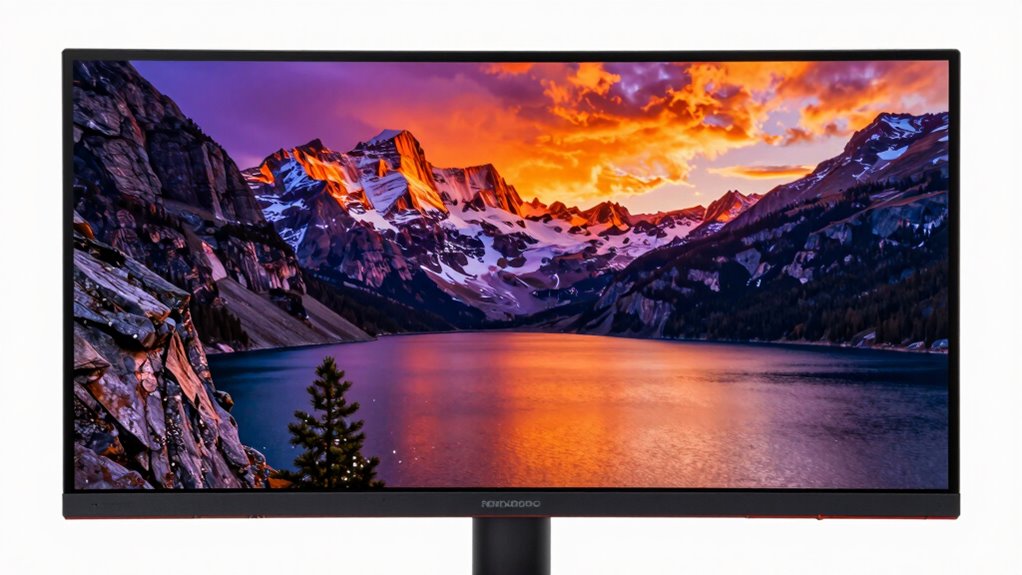
For a HDR1000 monitor, my best overall pick is the AOC Q27G4SMN, which pairs a QHD Mini-LED panel with a 300Hz refresh rate and an HDR1000 rating. The AOC Q27G3XMN is a strong value-minded alternative, while the Samsung Odyssey G9 suits players who want an expansive curved screen. The main choice is whether you want sharper 4K detail, faster motion, a wider format, or more affordable access to Mini-LED contrast. HDR labels alone do not tell you how well a monitor handles bright highlights, dark scenes, and blooming around bright objects. Read on for how the nine options differ and which tradeoffs fit your setup.

Get privacy and security gear delivered free with Prime
- Fast, free delivery on millions of items
- Prime Video, Amazon Music and more included
- Member-only deals all year
Key Takeaways
- The AOC Q27G4SMN stands out for speed and HDR: its QHD resolution and 300Hz refresh rate favor fast PC gaming over 4K detail.
- The AOC Q27G3XMN makes a simpler value case: QHD Mini-LED and 180Hz cover a broad gaming range without chasing the highest refresh rates in this group.
- 4K and high refresh can coexist: the KTC M27U6 offers a dual-mode approach, while the AOC U27G4XM centers the choice on 4K Mini-LED.
- Refresh rate changes the target audience: the INNOCN GA27T1M’s 320Hz and Acer MG275U X2biippx’s QD-MiniLED lean toward speed-focused players.
- HDR1000 is only one part of the picture: resolution, dimming behavior, screen format, and the graphics card’s ability to drive the display also shape the experience.
| Samsung Odyssey G9 49-Inch Curved DQHD Gaming Monitor |  | Best for Ultrawide HDR Gaming | Screen size: 49 inches | Resolution: Dual QHD (DQHD) | Curvature: 1000R | VIEW ON AMAZON | See Our Full Breakdown |
| KTC M27T6S 27-Inch QHD Mini-LED Gaming Monitor, White |  | Best for Adjustable Mini-LED HDR | Screen size: 27 inches | Resolution: 2560 × 1440 (QHD) | Panel type: Fast IPS | VIEW ON AMAZON | See Our Full Breakdown |
| AOC Q27G3XMN 27-Inch QHD Mini-LED Gaming Monitor, 180Hz |  | Best Value HDR1000 Entry | Screen size: 27 inches | Panel type: VA | Resolution: 2560 × 1440 (QHD) | VIEW ON AMAZON | See Our Full Breakdown |
| Acer Nitro XV275U 27-Inch QHD Mini LED Gaming Monitor |  | Best for High-Refresh HDR Gaming | Screen size: 27 inches | Resolution: 2560 × 1440 (QHD) | Display type: IPS | VIEW ON AMAZON | See Our Full Breakdown |
| Acer Nitro MG275U X2biippx 27-Inch QD-MiniLED WQHD Gaming Monitor |  | Best for HDR Gaming and Color Work | Screen size: 27 inches | Resolution: 2560 × 1440 (WQHD) | Panel type: IPS QD-MiniLED | VIEW ON AMAZON | See Our Full Breakdown |
| INNOCN GA27T1M 27-Inch 1440p 320Hz Mini-LED Gaming Monitor |  | Best for Competitive 1440p Gaming | Screen size: 27 inches | Resolution: 2560 × 1440 pixels | Refresh rate: Up to 320 Hz | VIEW ON AMAZON | See Our Full Breakdown |
| KTC M27U6 27-Inch 4K QD-Mini LED Dual-Mode Gaming Monitor |  | Best Dual-Mode Pick | Screen size: 27 inches | Resolution and refresh modes: 4K UHD at 72Hz or Full HD 1080p at 144Hz | Panel type: Fast IPS | VIEW ON AMAZON | See Our Full Breakdown |
| AOC Q27G4SMN 27″ QHD Mini-LED Gaming Monitor, 300Hz, HDR1000 |  | Best Ergonomic High-Refresh Pick | Screen size: 27 inches | Resolution: 2560 × 1440 (QHD) | Panel and backlight: Mini-LED VA | VIEW ON AMAZON | See Our Full Breakdown |
| AOC U27G4XM 27-inch 4K Mini-LED Gaming Monitor |  | Best for 4K HDR Gaming | Screen size: 27 inches | Resolution: 3840 × 2160 (4K UHD) | Backlight: Mini-LED | VIEW ON AMAZON | See Our Full Breakdown |
| hdr1000 monitor | Screen size | Resolution | Refresh rate | Backlight |
|---|---|---|---|---|
| Samsung Odyssey G9 49-Inch Cur | 49 inches | Dual QHD (DQHD) | 240Hz | — |
| KTC M27T6S 27-Inch QHD Mini-LE | 27 inches | 2560 × 1440 (QHD) | 200Hz; supports 210Hz overclocking | Mini-LED with 1,152 local dimming zones |
| AOC Q27G3XMN 27-Inch QHD Mini- | 27 inches | 2560 × 1440 (QHD) | 180Hz (overclocked via DisplayPort 1.4) | Mini-LED with 336 local dimming zones |
| Acer Nitro XV275U 27-Inch QHD | 27 inches | 2560 × 1440 (QHD) | 320Hz | Mini LED with 1,152 local dimming zones |
| Acer Nitro MG275U X2biippx 27- | 27 inches | 2560 × 1440 (WQHD) | Up to 210Hz via DisplayPort; 144Hz via HDMI | — |
| INNOCN GA27T1M 27-Inch 1440p 3 | 27 inches | 2560 × 1440 pixels | Up to 320 Hz | — |
| KTC M27U6 27-Inch 4K QD-Mini L | 27 inches | — | — | QD-Mini LED |
| AOC Q27G4SMN 27" QHD Mini-LED | 27 inches | 2560 × 1440 (QHD) | 300Hz | — |
| AOC U27G4XM 27-inch 4K Mini-LE | 27 inches | 3840 × 2160 (4K UHD) | Up to 160Hz at 4K | Mini-LED |
More Details on Our Top Picks
Samsung Odyssey G9 49-Inch Curved DQHD Gaming Monitor
The Odyssey G9 takes a different route from the 27-inch HDR1000 monitors here: its 49-inch, 1000R curved screen and Dual QHD resolution spread the game across a wide field of view. That makes it the standout for supported games and multitasking, while its 240Hz refresh rate keeps motion fluid. VESA DisplayHDR 1000 and a stated 1000-nit peak brightness put HDR in its feature set, though the supplied specs do not list local dimming zones, so buyers focused on backlight control may prefer the KTC M27T6S or Acer Nitro XV275U, both of which specify 1,152 zones. The tradeoff is physical: this display needs substantial desk space, and its wide format may not suit every game or setup.
Pros:- 49-inch 1000R curved Dual QHD screen creates an expansive gaming and multitasking workspace
- 240Hz refresh rate and 1ms GtG response time support fluid, responsive play
- VESA DisplayHDR 1000 with 1000-nit peak brightness
- Height, swivel, and tilt adjustments plus picture-in-picture
Cons:- Its 49-inch width demands considerable desk space
- The supplied specs do not state local dimming zones, unlike the KTC M27T6S and Acer Nitro XV275U
- The 32:9 format may not fit every game or viewing preference
Best for: PC gamers with a deep, wide desk who want an expansive curved view for compatible games and multitasking.
Not ideal for: Buyers prioritizing documented local dimming performance, a compact desk setup, or standard 16:9 framing.
- Screen size:49 inches
- Resolution:Dual QHD (DQHD)
- Curvature:1000R
- Refresh rate:240Hz
- Response time:1ms (GtG)
- Peak brightness:1000 nits
- HDR:VESA DisplayHDR 1000
- Adaptive sync:AMD FreeSync Premium Pro
Our verdict“Choose the Odyssey G9 if you want a 49-inch ultrawide HDR gaming experience and have room for its broad curved screen.”
KTC M27T6S 27-Inch QHD Mini-LED Gaming Monitor, White
The KTC M27T6S pairs HDR1000 with 1,152 Mini-LED dimming zones, giving it a strong feature case for buyers who want bright highlights and more localized backlight control in a standard 27-inch QHD format. Its 200Hz refresh rate, with 210Hz overclocking, is ample for fast play, though the Acer Nitro XV275U goes further at 320Hz for players who put maximum refresh ahead of ergonomics. KTC counters with a stand that adjusts for height, tilt, swivel, and pivot, making it easier to fit different desks and orientations. The tradeoffs are its listed HDMI 2.0 ports and limited color-gamut context: 157% sRGB is provided without a stated coverage standard, so color-focused buyers have less clarity than with the Acer Nitro MG275U X2biippx.
Pros:- HDR1000 and 1,152 Mini-LED local dimming zones
- 200Hz refresh rate with 210Hz overclocking support
- Stand adjusts for height, tilt, swivel, and pivot
- Adaptive Sync compatibility includes FreeSync and G-Sync Compatible
Cons:- Listed HDMI ports are HDMI 2.0
- The 157% sRGB gamut figure is not paired with a coverage standard
- Refresh rate is lower than the Acer Nitro XV275U’s 320Hz
Best for: PC gamers who want a 27-inch HDR1000 Mini-LED display with a highly adjustable stand and a refresh rate above 200Hz.
Not ideal for: Color-critical buyers who need clearly stated gamut coverage, or users who need HDMI 2.1 connectivity.
- Screen size:27 inches
- Resolution:2560 × 1440 (QHD)
- Panel type:Fast IPS
- Refresh rate:200Hz; supports 210Hz overclocking
- Backlight:Mini-LED with 1,152 local dimming zones
- Peak brightness:1000 nits
- HDR:HDR1000
- Ports:1 × DisplayPort 1.4; 2 × HDMI 2.0
Our verdict“Pick the M27T6S if you want strong stated dimming-zone specs and broad stand adjustment in a 27-inch HDR gaming monitor.”
AOC Q27G3XMN 27-Inch QHD Mini-LED Gaming Monitor, 180Hz
The AOC Q27G3XMN brings VESA DisplayHDR 1000 and Mini-LED dimming to a 27-inch QHD VA panel, with 336 zones specified. That is fewer zones than the KTC M27T6S and Acer Nitro XV275U, each listed with 1,152, but it still gives buyers a concrete local-dimming specification alongside a 180Hz refresh rate. Its 1ms GtG response time and Adaptive-Sync support suit gaming, while the listed 96% DCI-P3 area coverage adds useful color range. The refresh rate is overclocked through DisplayPort 1.4, so buyers should check their connection needs; console performance also depends on the console. Compared with the faster 27-inch options, this AOC is the more restrained pick for someone whose priority is HDR features over the highest refresh ceiling.
Pros:- VESA DisplayHDR 1000 certification with Mini-LED backlighting
- 336 local dimming zones are specified
- 180Hz refresh rate and 1ms GtG response time
- Stand supports pivot, swivel, and tilt, with VESA mounting compatibility
Cons:- 336 dimming zones are fewer than the 1,152 listed for the KTC M27T6S and Acer Nitro XV275U
- The 180Hz refresh rate is overclocked and requires DisplayPort 1.4
- Console performance depends on the console
Best for: QHD PC gamers who want a specified DisplayHDR 1000 Mini-LED setup and do not need a refresh rate above 180Hz.
Not ideal for: Players seeking the highest refresh rates in this group, or console buyers expecting identical performance across devices.
- Screen size:27 inches
- Panel type:VA
- Resolution:2560 × 1440 (QHD)
- Refresh rate:180Hz (overclocked via DisplayPort 1.4)
- Response time:1ms GtG
- Backlight:Mini-LED with 336 local dimming zones
- HDR certification:VESA DisplayHDR 1000
- Color gamut:134% sRGB; 96% DCI-P3 area coverage
Our verdict“Choose the Q27G3XMN if you want a 27-inch QHD DisplayHDR 1000 monitor with specified Mini-LED zones and can work within its 180Hz ceiling.”
Acer Nitro XV275U 27-Inch QHD Mini LED Gaming Monitor
For players who want HDR1000 and very high motion performance in one 27-inch QHD screen, the Acer Nitro XV275U makes the strongest refresh-rate case here: it lists 320Hz and up to 0.5ms GtG response time. Its IPS panel and 1,152-zone Mini LED backlight also put detailed local dimming alongside that speed. The KTC M27T6S offers a more flexible stand and a 210Hz overclock option, but the Acer is the more specialized choice for fast competitive play. There is a clear compromise in the supplied contrast figure: 1000:1 native contrast is modest, so dark scenes may depend more on local dimming than on the panel’s own contrast. Its stated color-gamut figure is simply 99%, with no standard identified.
Pros:- 320Hz refresh rate targets exceptionally fluid motion
- Mini LED backlight with 1,152 local dimming zones
- VESA DisplayHDR 1000 and 1000-nit brightness
- IPS panel with AMD FreeSync Premium support
Cons:- Listed 1000:1 contrast ratio may limit native contrast in dark scenes
- The 99% color-gamut figure does not name a measurement standard
- The supplied specs do not list stand adjustments
Best for: Competitive PC players who want a 27-inch QHD IPS monitor with HDR1000 features and a 320Hz refresh rate.
Not ideal for: Buyers prioritizing high native contrast, detailed color-gamut documentation, or a broad set of stand adjustments.
- Screen size:27 inches
- Resolution:2560 × 1440 (QHD)
- Display type:IPS
- Backlight:Mini LED with 1,152 local dimming zones
- Refresh rate:320Hz
- Response time:Up to 0.5ms GTG
- Brightness:1000 nits
- HDR certification:VESA DisplayHDR 1000
Our verdict“Choose the XV275U if competitive speed is your priority and you also want a specified 1,152-zone HDR1000 backlight.”
Acer Nitro MG275U X2biippx 27-Inch QD-MiniLED WQHD Gaming Monitor
The Acer Nitro MG275U X2biippx is the most color-focused 27-inch pick in this group, pairing QD-MiniLED HDR1000 with stated 99% DCI-P3, 95% AdobeRGB, and Delta E below 2. Those figures make it easier to weigh for color-focused work than the KTC M27T6S, whose supplied gamut figure lacks a named coverage standard. For gaming, it reaches 210Hz over DisplayPort and supports AMD FreeSync Premium; HDMI is limited to 144Hz, though the listed ports are HDMI 2.1. Its 1,152-zone backlight and 1,000-nit HDR peak match the KTC’s zone count, while the KTC offers more stand adjustment. Here, the Acer’s ergonomic range is tilt only, so plan on a monitor arm if you need height or swivel positioning.
Pros:- QD-MiniLED backlight with up to 1,152 local dimming zones and HDR1000
- Stated 99% DCI-P3 and 95% AdobeRGB gamut coverage
- Delta E below 2 is specified for color accuracy
- Up to 210Hz over DisplayPort, with HDMI 2.1 ports
Cons:- 210Hz is available only through DisplayPort; HDMI refresh rate is 144Hz
- Stand adjustment is limited to tilt
- The KTC M27T6S offers height, swivel, and pivot adjustments
Best for: PC gamers who also do color-focused creative work and want stated wide-gamut coverage and color accuracy.
Not ideal for: Buyers who need a fully adjustable stand or want to run above 144Hz over HDMI.
- Screen size:27 inches
- Resolution:2560 × 1440 (WQHD)
- Panel type:IPS QD-MiniLED
- Local dimming zones:Up to 1,152
- Refresh rate:Up to 210Hz via DisplayPort; 144Hz via HDMI
- Brightness:500 nits native; up to 1,000 nits peak in HDR1000 mode
- Color gamut:99% DCI-P3; 95% AdobeRGB
- Color accuracy:Delta E < 2
Our verdict“Pick the MG275U X2biippx if you want HDR gaming and documented wide-gamut color for creative work, and can accommodate tilt-only adjustment.”
INNOCN GA27T1M 27-Inch 1440p 320Hz Mini-LED Gaming Monitor
The INNOCN GA27T1M pairs QHD resolution with a 320Hz refresh rate, making it the speed-focused choice among these 27-inch HDR1000 displays. Its 1,152-zone Mini-LED backlight and peak brightness up to 1,000 nits add HDR highlights, while adaptive sync and G-SYNC compatibility help keep fast play smooth. Compared with the AOC Q27G4SMN, it has a slightly higher stated refresh ceiling, though the AOC adds DisplayHDR 1000 certification and a more adjustable stand. The INNOCN’s IPS panel and 100% sRGB gamut put gaming responsiveness ahead of unusually broad color coverage. Its stand only tilts, so I would pair it with a monitor arm if positioning flexibility matters. This pick makes most sense for players who value frame speed over 4K detail or extensive ergonomics.
Pros:- Up to 320Hz refresh rate with a stated 0.5ms GtG response time
- 1,152-zone Mini-LED local dimming with peak brightness up to 1,000 nits
- VRR and G-SYNC compatibility for smoother gameplay
- HDMI 2.1, DisplayPort 1.4, and VESA mounting support
Cons:- Stand offers tilt adjustment only
- 100% sRGB gamut is less expansive than the wide-gamut coverage claimed for the AOC Q27G4SMN
- QHD resolution has less fine detail than the 4K KTC M27U6
Best for: Competitive PC gamers who want QHD sharpness, very high refresh rates, and Mini-LED HDR in a 27-inch screen
Not ideal for: Buyers who need a height-adjustable stand or broad color gamut for color-critical creative work
- Screen size:27 inches
- Resolution:2560 × 1440 pixels
- Refresh rate:Up to 320 Hz
- Display and backlight:IPS with Mini-LED
- Local dimming zones:1,152
- Peak brightness:Up to 1,000 nits
- Adaptive sync:VRR, G-SYNC compatible
- Connectivity:HDMI 2.1, DisplayPort 1.4
Our verdict“Choose the GA27T1M if high-refresh QHD gaming matters more to you than 4K resolution or flexible stand adjustments.”
KTC M27U6 27-Inch 4K QD-Mini LED Dual-Mode Gaming Monitor
The KTC M27U6 is the flexible choice for buyers who switch between detailed desktop work and faster-paced games. Its dual mode pairs 4K at 72Hz with Full HD at 144Hz, and the 1,152-zone QD-Mini LED backlight brings HDR1000 brightness to both kinds of use. Compared with the AOC U27G4XM, which reaches 160Hz at 4K, the KTC gives up some 4K smoothness but adds a specified lower-resolution mode for faster play. The wide claimed color gamut and 1.07 billion color support may appeal to vivid-content viewers, though the supplied specs do not establish professional color accuracy. Its 4K ceiling is modest for gaming, and HDMI 2.0 is older than the HDMI 2.1 offered by several rivals. Height, pivot, swivel, and tilt adjustments give it a practical advantage over the tilt-only INNOCN GA27T1M.
Pros:- Switches between 4K UHD at 72Hz and Full HD at 144Hz
- QD-Mini LED backlight with 1,152 dimming zones and HDR1000
- Height, pivot, swivel, and tilt adjustments
- Supports 1.07 billion colors and a stated 148% sRGB gamut
Cons:- 4K mode is limited to 72Hz, below the AOC U27G4XM’s stated 160Hz at 4K
- HDMI 2.0 is an older connection standard than HDMI 2.1 on several alternatives
- The 144Hz mode lowers resolution to Full HD
Best for: Mixed-use buyers who want a sharp 4K desktop mode and a separate 144Hz Full HD mode for games
Not ideal for: Players seeking high refresh rates at native 4K or HDMI 2.1 connectivity
- Screen size:27 inches
- Resolution and refresh modes:4K UHD at 72Hz or Full HD 1080p at 144Hz
- Panel type:Fast IPS
- Backlight:QD-Mini LED
- Local dimming zones:1,152
- Peak brightness and HDR:1,000 nits; HDR1000
- Color depth:1.07 billion colors
- Ports:2 × HDMI 2.0, 1 × DisplayPort 1.4
Our verdict“Pick the M27U6 if you want one monitor to alternate between detailed 4K viewing and a faster, lower-resolution gaming mode.”
AOC Q27G4SMN 27″ QHD Mini-LED Gaming Monitor, 300Hz, HDR1000
With 300Hz QHD, DisplayHDR 1000 certification, and 1,152 dimming zones, the AOC Q27G4SMN balances speed and HDR credentials in a single 27-inch VA display. The height, tilt, swivel, and pivot stand makes it easier to set up for long sessions than the INNOCN GA27T1M’s tilt-only stand. Against the INNOCN, the AOC trades a little peak refresh rate for more complete ergonomics and an explicit DisplayHDR 1000 certification. Its VA panel and glossy finish are meaningful compromises: dark-level response can lag at extreme refresh rates, and reflections may distract in bright rooms. The stated wide color gamut supports vivid-looking content, but the supplied 1000:1 contrast figure is less striking than many buyers may expect from a VA label. I would shortlist it for players who want fast QHD HDR and flexible positioning.
Pros:- 300Hz refresh rate with a stated 1ms GtG response time
- DisplayHDR 1000 certification and 1,152 Mini-LED dimming zones
- Height, tilt, swivel, and pivot stand adjustments
- HDMI 2.1 and DisplayPort 1.4 connectivity
Cons:- VA panel may show slower dark-level response at very high refresh rates
- Glossy finish can reflect room lighting
- QHD resolution offers less detail than 4K options such as the AOC U27G4XM
Best for: Competitive gamers who want QHD HDR, a refresh rate near 300Hz, and a stand with full positioning adjustments
Not ideal for: Players gaming in bright, reflective rooms or those sensitive to dark-scene smearing at high frame rates
- Screen size:27 inches
- Resolution:2560 × 1440 (QHD)
- Panel and backlight:Mini-LED VA
- Local dimming zones:1,152
- Refresh rate:300Hz
- HDR certification:DisplayHDR 1000
- Adaptive sync:Yes
- Ports:DisplayPort 1.4, 2 × HDMI 2.1, earphone output
Our verdict“Choose the Q27G4SMN if you want fast QHD HDR gaming with a more adjustable stand than the INNOCN provides.”
AOC U27G4XM 27-inch 4K Mini-LED Gaming Monitor
The AOC U27G4XM is the resolution-led option here: 4K at up to 160Hz gives it a sharper image and a higher stated 4K refresh rate than the KTC M27U6’s 72Hz 4K mode. Its 1,152-zone Mini-LED backlight and DisplayHDR 1000 certification target bright highlights and more controlled local contrast, while G-SYNC compatibility supports smoother play with compatible systems. Compared with the QHD AOC Q27G4SMN, this model favors detail and native-resolution gaming over its rival’s 300Hz ceiling. The description mentions 320Hz dual-mode capability in the title, but does not explain the mode or its resolution, so I would judge it on the specified 160Hz at 4K. It also offers a USB 3.2 hub and a stand with height, swivel, pivot, and tilt. The tradeoff is greater GPU demand to drive 4K at high frame rates.
Pros:- 4K UHD resolution with refresh rates up to 160Hz
- 1,152-zone Mini-LED backlight and DisplayHDR 1000 certification
- G-SYNC Compatible support
- HDMI 2.1, DisplayPort 1.4, USB 3.2 hub, and adjustable stand
Cons:- Driving demanding games at 4K and high refresh rates requires capable hardware
- The title’s 320Hz dual-mode claim is not detailed in the supplied description
- QHD alternatives such as the AOC Q27G4SMN offer higher specified refresh rates
Best for: PC and console gamers with hardware suited to 4K who want HDR1000 and a high refresh rate at native resolution
Not ideal for: Buyers whose priority is maximum competitive frame rate at QHD or who lack a system that can drive demanding 4K games
- Screen size:27 inches
- Resolution:3840 × 2160 (4K UHD)
- Backlight:Mini-LED
- Local dimming zones:1,152
- Refresh rate:Up to 160Hz at 4K
- Response time:1ms GtG
- HDR certification:VESA DisplayHDR 1000
- Connectivity:HDMI 2.1, DisplayPort 1.4, USB 3.2 hub, headphone output
Our verdict“Choose the U27G4XM if you want detailed 4K HDR gaming at up to 160Hz and have hardware to make use of it.”

How We Picked
I compared these monitors around the needs implied by an HDR1000 search: bright HDR highlights, controlled dark areas, and gaming performance. I gave weight to the stated HDR tier and Mini-LED or QD-MiniLED panel approach, then considered resolution, refresh rate, screen size, and format as practical tradeoffs. A higher refresh rate can benefit competitive play, while 4K favors fine detail and demands more graphics power. The Samsung Odyssey G9 earns a distinct place for its super ultrawide format, though its size and aspect ratio make it a less direct fit for buyers seeking a conventional 27-inch HDR display.
The ranking favors monitors that balance HDR capability with a clear use case and accessible tradeoffs. Models with more specialized strengths, such as 320Hz motion, dual-mode operation, or a 49-inch curved screen, suit narrower setups and preferences. Product specifications do not settle every aspect of HDR quality: local dimming zone count, real scene performance, and calibration can affect what viewers see. I treat HDR1000 as a useful starting point, not a guarantee that two monitors will look alike.
| hdr1000 monitor | Backlight |
|---|---|
| Samsung Odyssey G9 49-Inch Cur | — |
| KTC M27T6S 27-Inch QHD Mini-LE | Mini-LED with 1,152 local dimming zones |
| AOC Q27G3XMN 27-Inch QHD Mini- | Mini-LED with 336 local dimming zones |
| Acer Nitro XV275U 27-Inch QHD | Mini LED with 1,152 local dimming zones |
| Acer Nitro MG275U X2biippx 27- | — |
| INNOCN GA27T1M 27-Inch 1440p 3 | — |
| KTC M27U6 27-Inch 4K QD-Mini L | QD-Mini LED |
| AOC Q27G4SMN 27" QHD Mini-LED | — |
| AOC U27G4XM 27-inch 4K Mini-LE | Mini-LED |
Factors to Consider When Choosing Hdr1000 Monitor
Before choosing an HDR1000 monitor, decide what you want the HDR label to deliver in your own setup. Screen resolution, game type, room lighting, desk space, and computer capability can change which tradeoffs matter most.
Check What the HDR Rating Does—and Does Not—Tell You
An HDR1000 claim points to a high peak brightness tier, which can help bright effects stand out in supported content. It does not describe how many local dimming zones a monitor has or how precisely they control light. A bright object against a dark background can produce a visible halo when dimming zones are large or slow to react. Look for independent measurements of HDR brightness and contrast behavior when available, and check whether the display supports the HDR format used by your games and media. Treat the rating as a shortlist filter rather than a complete picture of HDR performance.
Match Resolution and Refresh Rate to Your PC
Higher resolution adds fine detail, but it also makes the graphics card work harder to sustain high frame rates. QHD can be a practical fit for 27-inch gaming when smooth motion matters, while 4K is attractive for sharp text and detailed scenes. A 300Hz or 320Hz panel only helps when your games and hardware can produce enough frames to use it. For slower single-player games, you may value resolution and HDR presentation more than an extreme refresh ceiling. Decide which workload you actually play before paying for performance your system cannot reach.
Think About Dimming Behavior in Your Room
Mini-LED local dimming can make HDR scenes more vivid by brightening one area while keeping another dark. In a dark room, blooming around subtitles, stars, or bright interface elements may be easier to notice. Ambient light can make those halos less apparent, though it may also reduce the sense of deep blacks. HDR performance can vary by picture mode, so check whether local dimming remains active at your preferred refresh rate and with variable refresh enabled. If you mostly play competitive titles with bright menus, strong SDR behavior may matter as much as peak HDR brightness.
Measure the Desk Before Choosing a Screen Format
A 27-inch monitor is a familiar fit for many desks, but a 49-inch super ultrawide like the Odyssey G9 needs far more horizontal space and a viewing distance that lets you take in the full panel. Curved screens can help keep the edges in view, yet not every game handles ultrawide aspect ratios equally well. Check the monitor’s stand footprint, height adjustment, and mounting support alongside the panel dimensions. Also confirm that your desk can support the monitor’s weight and that nearby speakers or a second display will still fit. Choosing by diagonal size alone can leave the screen too close or the desk crowded.
Budget for the Whole HDR Setup
Driving 4K at high refresh can call for a more capable graphics card than QHD at similar settings. HDR also depends on compatible games, system settings, and a suitable connection, so a monitor upgrade may not change every title. Check the inputs and bandwidth needed for your target resolution and refresh rate, especially if you plan to switch between a PC and console. Consider whether the stand, USB features, speakers, or ports match your setup before treating the panel specification as the whole purchase. Spending more makes the most sense when it solves a specific constraint, such as limited desk width or a need for both 4K detail and a faster mode.
Frequently Asked Questions
Is HDR1000 alone enough to choose between these monitors?
No. The HDR1000 label speaks mainly to a peak brightness tier, while local dimming and panel behavior affect contrast and visible halos. Two Mini-LED monitors can produce different results even when their HDR claims look similar on a spec sheet. Compare resolution, dimming features, and independent measurements where available. Choose by how the full display fits your games and room, not by the HDR number alone.
Should I choose QHD at 300Hz or 4K at a lower refresh rate?
Choose QHD at a very high refresh rate if you play competitive games and your PC can produce high frame rates. Choose 4K if sharp detail matters more for your games, desktop work, or media, and your graphics card can handle the load. A 4K screen can still feel smooth, but resolution may limit achievable frame rates in demanding titles. The KTC M27U6’s dual-mode design is relevant if you want flexibility, though you should confirm how its modes behave for your setup before buying.
Will these monitors give me good HDR in every game?
No monitor can add HDR to a game that does not support it, and game implementations vary in quality. Some titles offer useful brightness and tone-mapping controls, while others may look better in SDR. Operating system settings and console or PC output settings also need to match the monitor’s capabilities. Check support for the games you play most, and be prepared to adjust HDR settings per title.
Is the Samsung Odyssey G9 a good choice for a typical desk?
It can work well if you want an immersive super ultrawide view and have enough desk depth and width. Its 49-inch format takes substantially more space than the 27-inch monitors in this roundup, and some games may not support its aspect ratio cleanly. It also asks more of your computer to drive the wide display at high settings. For a standard desk or a preference for conventional screen proportions, a 27-inch option is easier to place and use.
When should I pay more for a 4K HDR1000 monitor?
Pay more for 4K when added detail matters to your games, creative work, or media and your system can run it well. It is a weaker fit if your main aim is the highest possible frame rate in competitive games, where QHD models in this group prioritize faster refresh. Also check whether the monitor’s HDR presentation and connectivity support your actual sources; extra resolution cannot compensate for a weak fit elsewhere. If you are unsure, compare the pixel density and expected frame rate at your normal viewing distance before choosing.
Conclusion
For most players seeking a fast Mini-LED HDR display, I recommend the AOC Q27G4SMN as best overall, with the AOC Q27G3XMN as best value for a more moderate refresh target. Beginners who want a familiar 27-inch QHD starting point can focus on the Q27G3XMN’s 180Hz balance rather than paying for refresh they may not use. For a premium 4K direction, compare the KTC M27U6 and AOC U27G4XM around dual-mode flexibility and your preferred resolution experience. The INNOCN GA27T1M suits players who prioritize 320Hz, while the Samsung Odyssey G9 is the specific pick for those with room for a sweeping ultrawide screen. Choose by the workload and space you have, then use HDR1000 as one part of the decision.
Halloween Picks
halloween
As an affiliate, we earn on qualifying purchases.