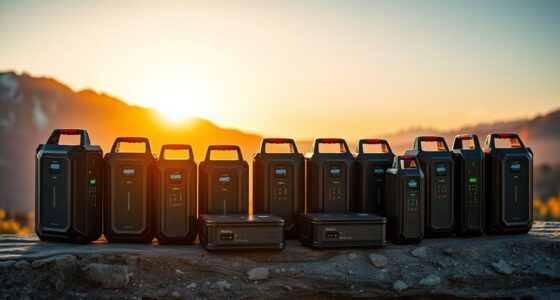
A Thunderbolt eGPU enclosure lets a compatible laptop use a desktop graphics card, but the right choice depends on more than the port: bandwidth, power, cooling, and card fit all shape the result. I rank the Sonnet Breakaway Box 750ex as the best overall for its established enclosure design and useful ports, while the Plugable TBT5-AI stands out for buyers seeking Thunderbolt 5 and dock features. For a premium Thunderbolt 5 setup, the Sonnet Breakaway Box 850 T5 is another strong candidate. Open docks can cost less and accommodate different cards, but they offer less protection and polish. Read on for the full comparison, tradeoffs, and advice on matching an enclosure to your laptop and GPU.

Get privacy and security gear delivered free with Prime
- Fast, free delivery on millions of items
- Prime Video, Amazon Music and more included
- Member-only deals all year
Key Takeaways
- The Sonnet Breakaway Box 750ex is the most balanced pick in this lineup: it pairs an enclosed design with connectivity beyond the GPU link, while newer Thunderbolt 5 models are better suited to buyers who want the latest interface.
- Thunderbolt 5 separates the premium options: the Plugable TBT5-AI and Sonnet Breakaway Box 850 T5 target newer systems, but their extra bandwidth only helps when the laptop and workload can use it.
- Open docks trade convenience for flexibility: the generic dock stations and PCIe dock can suit hands-on builders who want simpler access to the card, but they expose components and may need separate power or accessories.
- Power delivery varies enough to affect desk setup: models advertising 85W PD can charge many laptops over one cable, while the 240W supply listing and enclosure power specifications should not be treated as equivalent measures.
- Compatibility is the deciding filter: laptop support for eGPU operation, GPU length and thickness, power requirements, and operating system matter more than the enclosure name or Thunderbolt generation alone.
| Sonnet Breakaway Box 750ex Thunderbolt 3 eGPU Enclosure |  | Best Overall for a Ready-to-Use Enclosure | Connection: Thunderbolt 3 | Power supply: 750W | Continuous GPU power: 375W | VIEW ON AMAZON | See Our Full Breakdown |
| Plugable TBT5-AI Thunderbolt 5 eGPU Enclosure and Dock |  | Best for Thunderbolt 5 and Local AI | Thunderbolt bandwidth: 80 Gbps | Power supply: 850W ATX 3.1, 80+ Gold | GPU power allocation: Up to 600W | VIEW ON AMAZON | See Our Full Breakdown |
| External GPU Dock Station for Thunderbolt 3/4 and USB4 |  | Best for Flexible Power-Supply Builds | Interface: Thunderbolt 3, Thunderbolt 4, and USB4 | PCIe bandwidth: 32 Gbps with PCIe 3.0 x4 | Controller: JHL7440 | VIEW ON AMAZON | See Our Full Breakdown |
| ANQUORA ANQ-L336 Mini eGPU Enclosure with 85W PD |  | Best Compact Hub-Style Dock | Interface: Thunderbolt 3, Thunderbolt 4, and USB4 | PCIe connectivity: PCIe 4.0 x4 | Data transfer: Up to 40 Gbps interface; 32 Gbps PCIe transfer | VIEW ON AMAZON | See Our Full Breakdown |
| External eGPU Dock for Thunderbolt 3/4 and USB4 with 85W PD |  | Best Basic Daisy-Chain Dock | Controller: JHL7440 | Interface compatibility: Thunderbolt 3, Thunderbolt 4, and USB4 | Port speed: 40 Gbps | VIEW ON AMAZON | See Our Full Breakdown |
| PCIe 3.0 x16 eGPU Dock with Thunderbolt 4 Cable |  | Best for Flexible Power Setups | Interface: PCIe 3.0 x16 | Transfer speed: Around 22 Gbps | Controller: JHL6340 | VIEW ON AMAZON | See Our Full Breakdown |
| Sonnet Breakaway Box 850 T5 Thunderbolt 5 eGPU Enclosure |  | Best for High-Power Thunderbolt 5 Builds | Connectivity: Thunderbolt 5; compatible with Thunderbolt 4 and most USB4 Windows 11 computers | GPU support: Triple-wide NVIDIA GeForce RX 50, 40, and 30 Series; AMD Radeon RX 9000, 7000, and 6000 Series | Power supply: 850 watts | VIEW ON AMAZON | See Our Full Breakdown |
| StarTech Thunderbolt 3 PCIe Expansion Chassis, TAA Compliant (TB31PCIEX16) |  | Best for Non-GPU PCIe Expansion | Interface: Thunderbolt 3; compatible with Thunderbolt 4 | PCIe slot: One PCIe 3.0 x16 | Bandwidth: Up to 40 Gbps | VIEW ON AMAZON | See Our Full Breakdown |
| Razer Core X V2 External Graphics Enclosure |  | Best for Four-Slot GPU Flexibility | Host connectivity: Thunderbolt 5, Thunderbolt 4, or USB4 | Maximum GPU width: 4 slots | GPU compatibility: NVIDIA and AMD desktop graphics cards | VIEW ON AMAZON | See Our Full Breakdown |
| Mini eGPU Enclosure for Thunderbolt 3/4 and USB4 |  | Best Compact DIY Dock | Interface: Thunderbolt 3, Thunderbolt 4, USB4 | Controller: JHL7440 | USB ports: 2 total, including USB-A and a downstream Thunderbolt 3 port | VIEW ON AMAZON | See Our Full Breakdown |
| Thunderbolt 4/3 and USB4 External GPU Enclosure with 240W Power Supply |  | Best Complete Package | Card compatibility: NVIDIA and AMD cards up to 205 × 150 × 55 mm | Interfaces: Thunderbolt 3, Thunderbolt 4, USB4 | PCIe mode: PCIe 3.0 x16 | VIEW ON AMAZON | See Our Full Breakdown |
| Maskedfish Thunderbolt 3/4 and USB4 eGPU Enclosure with 85W Power Delivery |  | Best for Full-Size Graphics Cards | Connectivity: Thunderbolt 3/4 or USB4 | Bandwidth: 40 Gbps connection; 32 Gbps high-speed | PCIe mode: PCIe 4.0 x16 | VIEW ON AMAZON | See Our Full Breakdown |
| VIKINYEE VK-Y900 Thunderbolt 3/4 and USB4 eGPU Enclosure |  | Best for AI Development on Mac | Connectivity: Thunderbolt 3/4, USB4 | Card support: NVIDIA and AMD GPUs plus PCIe cards | Controller: Intel JHL7440/7450 | VIEW ON AMAZON | See Our Full Breakdown |
More Details on Our Top Picks
Sonnet Breakaway Box 750ex Thunderbolt 3 eGPU Enclosure
The Sonnet Breakaway Box 750ex is the clearest fit for buyers who want an eGPU enclosure with a power supply and useful desk connections already built in. Its 750W supply supports compatible high-power graphics cards, while four USB-A ports and Gigabit Ethernet can reduce the need for a separate hub. Compared with the Plugable TBT5-AI, it has older Thunderbolt 3 connectivity and less GPU power headroom, but it works with supported Mac and Windows systems and has a more established, straightforward graphics-acceleration role. The main limitation is platform support: Macs with M1 chips cannot use GPUs through it. Buyers also need to supply the graphics card and confirm its dimensions and compatibility before purchasing.
Pros:- 750W power supply supports compatible high-power GPUs
- Four USB-A ports provide extra connections at the desk
- Gigabit Ethernet is built into the enclosure
- Supports graphics-intensive work on compatible Mac and Windows systems
Cons:- M1 Macs cannot use GPUs through this enclosure
- Thunderbolt 3 offers less bandwidth than the Plugable TBT5-AI’s Thunderbolt 5 connection
- Graphics card must be purchased separately and checked for fit
Best for: Mac or Windows users with a compatible Thunderbolt 3 computer who want a powered enclosure with USB-A and Ethernet built in
Not ideal for: M1 Mac owners, Thunderbolt 5 buyers, or anyone who wants an enclosure that includes a graphics card
- Connection:Thunderbolt 3
- Power supply:750W
- Continuous GPU power:375W
- Maximum GPU length:312 mm
- USB ports:4 USB-A, 5 Gb/s
- Ethernet:Gigabit RJ45
- Compatibility:Mac and Windows; M1 Macs are not compatible with GPUs
Our verdict“Choose the Sonnet if your compatible Mac or Windows setup needs a powered Thunderbolt 3 enclosure with useful ports built in.”
Plugable TBT5-AI Thunderbolt 5 eGPU Enclosure and Dock
For a Windows 11 workstation built around a compatible newer port, the Plugable TBT5-AI offers the most capable connection and power setup in this batch. Its 80Gbps Thunderbolt 5 bandwidth, 850W supply, and up to 600W GPU allocation suit demanding local AI workloads and high-power cards. The Sonnet Breakaway Box 750ex is a simpler option for compatible Mac and Windows graphics tasks, but it uses Thunderbolt 3 and provides less GPU power. Plugable also works as a substantial dock, with 96W host charging, 2.5Gbps Ethernet, and USB ports. That flexibility comes with strict compatibility limits: it does not support Thunderbolt 3 or macOS, and buyers must verify GPU dimensions and eGPU support on USB4 systems.
Pros:- Thunderbolt 5 provides up to 80Gbps bandwidth
- 850W ATX 3.1 supply allocates up to 600W to the GPU
- Combines 96W host charging, 2.5Gbps Ethernet, and USB connectivity
- Includes a Thunderbolt 5 cable
Cons:- Does not support macOS, Linux, ChromeOS, or Thunderbolt 3
- Graphics card is sold separately
- GPU size and USB4 eGPU support require careful checking
Best for: Windows 11 users with Thunderbolt 5, Thunderbolt 4, or eGPU-capable USB4 who want to run a high-power GPU for local AI
Not ideal for: Mac, Linux, ChromeOS, or Thunderbolt 3 users, and buyers whose USB4 system lacks eGPU support
- Thunderbolt bandwidth:80 Gbps
- Power supply:850W ATX 3.1, 80+ Gold
- GPU power allocation:Up to 600W
- GPU slot:PCIe x16 slot with 4 lanes of PCIe 4.0
- Maximum GPU dimensions:346 × 170 × 77 mm; up to 3.5 slots wide
- Host charging:96W
- Compatibility:Windows 11; Thunderbolt 5, Thunderbolt 4, and eGPU-capable USB4
Our verdict“Pick the Plugable for a compatible Windows 11 setup that needs Thunderbolt 5 bandwidth and power for a demanding GPU.”
External GPU Dock Station for Thunderbolt 3/4 and USB4
This External GPU Dock Station is for builders who already have a graphics card and want to choose their own power supply. It accepts ATX, SFX, FLEX, or 12V DC power, a broader range than the supplied-power Sonnet Breakaway Box 750ex, but neither a PSU nor GPU comes in the box. Its JHL7440 controller connects over Thunderbolt 3 or 4 and USB4, with PCIe 3.0 x4 bandwidth and up to 85W laptop charging. A Thunderbolt 4 port supports daisy chaining, so it can fit into a connected desk setup. The compact, 500 g dock is easier to place than a full enclosure, though buyers take on more component selection and compatibility work. Windows systems require Windows 11.
Pros:- Accepts several power supply formats
- Supports NVIDIA and AMD PCIe graphics cards
- Up to 85W PD can charge a connected laptop
- Thunderbolt 4 port supports daisy chaining
Cons:- Power supply and graphics card are both sold separately
- Windows systems require Windows 11
- PCIe 3.0 x4 connection has less bandwidth than the Plugable TBT5-AI’s Thunderbolt 5 setup
Best for: Windows 11 builders who already own a compatible PCIe GPU and want to pair the dock with an ATX, SFX, FLEX, or 12V DC supply
Not ideal for: Buyers seeking a complete, powered enclosure or anyone using a standard USB-C port without Thunderbolt or eGPU-capable USB4
- Interface:Thunderbolt 3, Thunderbolt 4, and USB4
- PCIe bandwidth:32 Gbps with PCIe 3.0 x4
- Controller:JHL7440
- Power supply compatibility:ATX, SFX, FLEX, or 12V DC
- PD charging:Up to 85W
- Ports:1 USB-A 10 Gbps port, 1 Thunderbolt 4 port, 1 daisy-chain port
- Dimensions and weight:7.8 × 7.8 × 1.9 in; 500 g
Our verdict“Choose this dock if you value power-supply flexibility and already have the components to build around it.”
ANQUORA ANQ-L336 Mini eGPU Enclosure with 85W PD
The ANQUORA ANQ-L336 stands out for buyers who want a small eGPU dock with more desk connectivity than a basic single-port adapter. It pairs PCIe 4.0 x4 with 85W power delivery and two Thunderbolt 4 ports, making it a more hub-oriented choice than the External GPU Dock Station, which provides one Thunderbolt 4 port and one USB-A port. The small 365 g unit can suit a laptop, mini PC, or handheld setup, provided the host supports eGPU over Thunderbolt 3, Thunderbolt 4, or USB4. Its power supply is not included, so the compact footprint does not make setup plug-and-play. Support for NVIDIA RTX 50-series cards is limited, which narrows its appeal for buyers choosing from the newest GPUs.
Pros:- Compact 365 g design suits space-limited setups
- PCIe 4.0 x4 connectivity
- Two Thunderbolt 4 ports add hub functionality
- Provides up to 85W power delivery
Cons:- Power supply and graphics card are not included
- NVIDIA RTX 50-series support is limited
- Buyers must confirm their host supports eGPU over USB4 or Thunderbolt
Best for: Laptop, mini PC, and handheld owners who need a compact eGPU dock with 85W charging and two Thunderbolt 4 ports
Not ideal for: RTX 50-series buyers or anyone who wants a bundled power supply and a ready-to-install setup
- Interface:Thunderbolt 3, Thunderbolt 4, and USB4
- PCIe connectivity:PCIe 4.0 x4
- Data transfer:Up to 40 Gbps interface; 32 Gbps PCIe transfer
- Power delivery:85W
- Supported power supplies:ATX, SFX, FLEX, or DC 12V
- Ports:1 USB-A port, 2 Thunderbolt 4 ports
- Dimensions and weight:6.38 × 4.65 × 6.97 in; 365 g
Our verdict“Pick the ANQUORA if desk space and extra Thunderbolt ports matter more than bundled power or broad RTX 50-series support.”
External eGPU Dock for Thunderbolt 3/4 and USB4 with 85W PD
This External eGPU Dock covers the core connections without bundling a power supply or adding a large set of dock features. Its JHL7440 controller supports Thunderbolt 3, Thunderbolt 4, and USB4, while 85W power delivery can charge a compatible host. The USB-A and daisy-chain ports make it more useful in a connected workstation than a bare GPU adapter. Compared with the ANQUORA ANQ-L336, it has fewer listed hub details and no stated PCIe 4.0 connection; the appeal here is a simpler feature set for compatible NUCs, laptops, and gaming systems. Buyers must provide both the graphics card and ATX power supply, and GPU support is limited to select NVIDIA and AMD models, so this dock suits people prepared to check compatibility.
Pros:- Supports Thunderbolt 3, Thunderbolt 4, and USB4
- Provides up to 85W power delivery
- Includes USB-A and daisy-chain ports
- Supports select NVIDIA and AMD graphics cards
Cons:- Graphics card and ATX power supply are sold separately
- GPU support is limited to select models
- The listed port set is more basic than the ANQUORA ANQ-L336’s two Thunderbolt 4 ports
Best for: NUC, laptop, and gaming-system owners who want a basic Thunderbolt or USB4 eGPU dock with 85W charging and daisy chaining
Not ideal for: Buyers who need a bundled power supply, broad stated GPU compatibility, or a compact dock with multiple Thunderbolt ports
- Controller:JHL7440
- Interface compatibility:Thunderbolt 3, Thunderbolt 4, and USB4
- Port speed:40 Gbps
- Power delivery:85W
- Ports:Thunderbolt port, USB-A port, daisy-chain port
- Supported graphics cards:Select NVIDIA and AMD GPUs
- Included items:eGPU dock; graphics card and ATX power supply not included
Our verdict“Choose this dock if you already have a suitable GPU and ATX supply and want a straightforward eGPU connection with daisy chaining.”
PCIe 3.0 x16 eGPU Dock with Thunderbolt 4 Cable
This open dock suits builders who want to pair their own graphics card with a range of power sources. Its four power input options make it more adaptable than the Mini eGPU Enclosure for Thunderbolt 3/4 and USB4, which supports several power supply types but is designed around a compact form. The included Thunderbolt 4 cable and 24-pin jumper also reduce the number of parts to source before assembly. Its JHL6340 controller provides around 22 Gbps transfer speed, so buyers should weigh that bandwidth against faster enclosure options such as the Razer Core X V2. This is a dock rather than a finished enclosure: you need a compatible host port, graphics card, and suitable power arrangement, and some USB4 consoles may need a BIOS update.
Pros:- Accepts CPU 4+4-pin, Molex, PD 3.0, or DC5521 power input
- Includes a Thunderbolt 4 cable and 24-pin power jumper
- Supports compatible NVIDIA and AMD graphics cards
- Works with Thunderbolt 3, Thunderbolt 4, and USB4 connections
Cons:- Around 22 Gbps transfer speed is lower than the stated bandwidth of faster Thunderbolt options
- Requires buyers to supply and configure a compatible graphics card and power source
- Some USB4 consoles may require a BIOS update
Best for: DIY builders with a compatible Windows or Linux system who want several ways to power a graphics card.
Not ideal for: Buyers seeking a ready-to-use enclosure, maximum bandwidth, or a setup that avoids compatibility and BIOS checks.
- Interface:PCIe 3.0 x16
- Transfer speed:Around 22 Gbps
- Controller:JHL6340
- Compatible connections:USB4, Thunderbolt 3, Thunderbolt 4
- Operating systems:Windows 10/11, Linux
- Power inputs:CPU 4+4-pin, Molex, PD 3.0 (12V, up to 60W), DC5521 (12V, up to 120W)
- Included cable:Thunderbolt 4 cable, 23.6 inches
- Also included:24-pin power jumper cable
Our verdict“Choose this dock if flexible power inputs matter more to your DIY build than enclosure convenience or the highest transfer speed.”
Sonnet Breakaway Box 850 T5 Thunderbolt 5 eGPU Enclosure
The Sonnet Breakaway Box 850 T5 is the most fully equipped choice here for a demanding desktop GPU setup. Its 850W power supply and support for triple-wide cards give it more room for power-hungry graphics hardware than the Razer Core X V2, which leaves the power supply to the buyer. Sonnet also adds USB-A ports and 5GbE Ethernet, so the enclosure can serve as a desk-side connection hub. That adds useful capability, though the 14.1-pound steel enclosure is a substantial piece of gear to keep on a desk or move between workspaces. Compatibility is described around Thunderbolt 5, Thunderbolt 4, and most USB4 Windows 11 computers, making this a less certain fit for buyers on other operating systems.
Pros:- Built-in 850W power supply supports demanding GPU configurations
- Fits triple-wide supported NVIDIA and AMD graphics cards
- Adds 5GbE Ethernet and three 10 Gbps USB-A ports
- Temperature-controlled fan adjusts cooling to operating conditions
Cons:- At 14.1 pounds, it is heavy and takes up substantial desk space
- Compatibility information focuses on Windows 11 computers
- Less suited to buyers who want a bare dock and their own power supply arrangement
Best for: Windows 11 laptop owners planning a high-power, triple-wide GPU setup who also want Ethernet and USB ports at the desk.
Not ideal for: Buyers who need a lightweight enclosure, broad operating system guidance, or a compact DIY dock.
- Connectivity:Thunderbolt 5; compatible with Thunderbolt 4 and most USB4 Windows 11 computers
- GPU support:Triple-wide NVIDIA GeForce RX 50, 40, and 30 Series; AMD Radeon RX 9000, 7000, and 6000 Series
- Power supply:850 watts
- Ports:1 Thunderbolt 5 peripheral port, 3 USB-A ports (10 Gbps), 1 5GbE Ethernet port
- Cooling:Built-in variable-speed, temperature-controlled fan
- Material:Alloy steel
- Weight:14.1 pounds
- Dimensions:15.75 × 8.25 × 9.75 inches (D × W × H)
Our verdict“Pick the Sonnet if you want a powerful Thunderbolt 5 enclosure with a built-in supply and useful desk connectivity, and can accommodate its size.”
StarTech Thunderbolt 3 PCIe Expansion Chassis, TAA Compliant (TB31PCIEX16)
This StarTech chassis is the outlier in a roundup of external GPU enclosures: it does not support graphics cards. Its strength is adding a PCIe slot for compatible single-width expansion cards, with driverless macOS and Windows support and a tool-free aluminum case. That makes it a better match for compact PCIe peripherals than the PCIe 3.0 x16 eGPU Dock with Thunderbolt 4 Cable, which is built around connecting a GPU. StarTech lists bandwidth up to 40 Gbps, but card fit is tightly constrained to 8 inches and single width; the slot supplies just 25 W. Buyers looking for desktop graphics acceleration should skip it. For those who need a small PCIe expansion chassis and value TAA compliance, its focused compatibility may be useful.
Pros:- Supports Thunderbolt 3 and Thunderbolt 4 hosts
- Provides up to 40 Gbps bandwidth for supported PCIe expansion
- Tool-free aluminum chassis includes active cooling
- Includes a universal power adapter and Thunderbolt cable
Cons:- Graphics cards are not supported
- Limited to single-width cards up to 8 inches long
- PCIe slot power is limited to 25 W
Best for: Mac or Windows users who need a compact, TAA-compliant chassis for a supported single-width PCIe card other than a graphics card.
Not ideal for: Anyone shopping for an external GPU enclosure or needing a long, double-width, or high-power PCIe card.
- Interface:Thunderbolt 3; compatible with Thunderbolt 4
- PCIe slot:One PCIe 3.0 x16
- Bandwidth:Up to 40 Gbps
- Card limits:Single-width, up to 8 inches (20.3 cm)
- PCIe slot power:25 W
- Power adapter:12 V, 5 A (65 W), universal
- Display support:Up to 4K/5K at 60 Hz
- Compatibility:macOS and Windows; driverless
- Compliance:TAA-compliant
Our verdict“Choose this StarTech chassis for supported non-GPU PCIe expansion; skip it if your goal is external graphics.”
Razer Core X V2 External Graphics Enclosure
The Razer Core X V2 gives buyers broad physical room for a desktop graphics card, supporting models up to four slots wide. That makes it a flexible alternative to the Sonnet Breakaway Box 850 T5, whose listed GPU support tops out at triple-wide cards. Razer also includes a Thunderbolt 5 cable and delivers up to 140 W to compatible laptops, which can simplify a desk setup with one cable for graphics and laptop power. The tradeoff is that the GPU and standard ATX power supply are both sold separately, so this is a substantial build project rather than a complete graphics solution. It supports Thunderbolt 5, Thunderbolt 4, and USB4 Windows hosts, but Macs with M1 or later chips cannot use eGPUs.
Pros:- Supports desktop NVIDIA and AMD graphics cards up to four slots wide
- Thunderbolt 5 cable is included
- Provides up to 140 W to compatible laptops
- Adjustable 120 mm fan varies speed automatically
Cons:- Graphics card and standard ATX power supply are sold separately
- Macs with M1 or later chipsets do not support eGPUs
- Host compatibility is specified for Windows laptops and gaming handhelds
Best for: Windows laptop or gaming handheld owners who already have, or plan to choose, a desktop GPU up to four slots wide.
Not ideal for: Buyers who want an enclosure with a power supply included, or Mac users with M1 or later systems.
- Host connectivity:Thunderbolt 5, Thunderbolt 4, or USB4
- Maximum GPU width:4 slots
- GPU compatibility:NVIDIA and AMD desktop graphics cards
- Power delivery:Up to 140 W to compatible laptops
- Cooling:120 mm fan with automatic speed adjustment
- Power supply support:Standard ATX power supply
- Included cable:Thunderbolt 5 cable
- GPU and power supply:Sold separately
Our verdict“Choose the Razer Core X V2 if fitting a very wide GPU and delivering laptop power over one cable matter more than an included power supply.”
Mini eGPU Enclosure for Thunderbolt 3/4 and USB4
At just 280 g and about an inch thick, this dock is the compact pick for builders who want a small Thunderbolt eGPU base rather than a finished enclosure. Its JHL7440 controller and downstream Thunderbolt 3 port give it more connection options than the simpler PCIe 3.0 x16 eGPU Dock with Thunderbolt 4 Cable, which emphasizes multiple power inputs. The Mini dock also includes a USB-A port and supports SFX, ATX, FLEX, and DC power supplies. Those options do not remove the setup work: the graphics card and power supply are not included, and hardware compatibility or driver configuration may take research. Its 85W rating also makes it a more modest setup than the Sonnet Breakaway Box 850 T5 for buyers planning a high-power desktop card.
Pros:- Compact 280 g design with a 9.45-inch length
- Supports Thunderbolt 3, Thunderbolt 4, and USB4
- Includes USB-A and a downstream Thunderbolt 3 port
- Accepts SFX, ATX, FLEX, or compatible DC power
Cons:- Graphics card and power supply are not included
- DIY setup, compatibility checks, and driver configuration may be required
- Not recommended for handheld game consoles
Best for: DIY laptop or NUC owners who prioritize a lightweight dock and need USB-A plus downstream Thunderbolt connectivity.
Not ideal for: Buyers who want a complete enclosure, high-power turnkey cooling and supply, or a setup intended for handheld game consoles.
- Interface:Thunderbolt 3, Thunderbolt 4, USB4
- Controller:JHL7440
- USB ports:2 total, including USB-A and a downstream Thunderbolt 3 port
- Wattage:85 watts
- Input voltage:20 volts
- Power supply compatibility:SFX, ATX, FLEX, and DC (19.5–20 V; 5.5 × 2.5 mm)
- Dimensions:9.45 × 2.91 × 1.1 inches
- Weight:280 g
- Warranty:One year
Our verdict“Pick this Mini dock if a compact footprint and downstream ports suit your DIY setup, and you are prepared to source and configure the other components.”
Thunderbolt 4/3 and USB4 External GPU Enclosure with 240W Power Supply
Most budget eGPU docks make you source your own power supply and cables, which turns a cheap enclosure into a part-scavenging project. This option avoids that entirely: the 240W PSU, Thunderbolt 4 cable, PCIe power cable, and a carrying case are all in the box, so the only extra purchase is the graphics card itself. Compared with the open-frame VIKINYEE VK-Y900, this enclosure trades unlimited card length for a real protective chassis — cards up to 205 mm fit inside an anodized aluminum shell rather than sitting exposed. The 85W downstream charging is generous enough for most work laptops, reducing cable clutter. The tradeoff is a hard size ceiling: long triple-fan cards simply won’t fit, and PCIe 3.0 bandwidth means some GPU throughput is left on the table versus PCIe 4.0 competitors.
Pros:- All-in-one kit includes 240W power supply, cables, and carrying case
- 85W power delivery charges most laptops over the same cable
- Closed aluminum chassis protects the card during transport
- Broad compatibility across Thunderbolt 3/4 and USB4 hosts
Cons:- Cards longer than 205 mm will not fit
- PCIe 3.0 x16 mode limits bandwidth versus PCIe 4.0 alternatives
- Graphics card must be purchased separately
Best for: Buyers who want a plug-and-play kit with everything included, pairing mid-sized cards with a Thunderbolt laptop
Not ideal for: Owners of high-end triple-fan graphics cards, which exceed the 205 mm length limit
- Card compatibility:NVIDIA and AMD cards up to 205 × 150 × 55 mm
- Interfaces:Thunderbolt 3, Thunderbolt 4, USB4
- PCIe mode:PCIe 3.0 x16
- Power supply:240W (included)
- Power delivery:85W and 15W
- Extra ports:DisplayPort
- OS support:Windows 10/11, Linux
- Material:Anodized aluminum
Our verdict“This is the pick for anyone who wants to unbox, insert a card, and start gaming the same day without buying extra components.”
Maskedfish Thunderbolt 3/4 and USB4 eGPU Enclosure with 85W Power Delivery
Where the Thunderbolt 4/3 enclosure with 240W PSU caps you at 205 mm cards, this open-frame design removes the length restriction altogether — any NVIDIA or AMD card, regardless of size, mounts without clearance worries. That makes it a natural home for the oversized triple-fan GPUs that enclosed docks reject. It also runs PCIe 4.0 x16 mode, extracting more usable bandwidth than the PCIe 3.0 docks in this roundup, which matters for compute workloads and high-resolution gaming. At 369 g in an aluminum frame, it stays reasonably portable, and 85W charging covers most laptops. The tradeoffs are structural: you need to supply your own ATX power supply, an exposed card is more vulnerable to dust and knocks, and plain USB-C ports simply won’t work — your host must be genuine Thunderbolt or USB4.
Pros:- No card length limit — fits even the largest consumer GPUs
- PCIe 4.0 x16 mode delivers more bandwidth than PCIe 3.0 docks
- Open frame provides unrestricted airflow for cooling
- 85W power delivery supports single-cable laptop setups
Cons:- ATX power supply not included, adding cost and setup effort
- Standard USB-C ports are unsupported
- Exposed card offers no physical protection in transit
Best for: Owners of oversized triple-fan cards who need unrestricted card length and PCIe 4.0 bandwidth
Not ideal for: Users whose laptops only have standard USB-C, and anyone wanting a protected, enclosed build
- Connectivity:Thunderbolt 3/4 or USB4
- Bandwidth:40 Gbps connection; 32 Gbps high-speed
- PCIe mode:PCIe 4.0 x16
- Power delivery:85W
- Controller:JHL7540/7440
- Power supply:ATX (required, not included)
- OS support:Windows 10/11, Linux, select macOS (AI dev only)
- Weight:369 g
Our verdict“The right choice if your GPU is too big for enclosed docks and you don’t mind sourcing your own ATX power supply.”
VIKINYEE VK-Y900 Thunderbolt 3/4 and USB4 eGPU Enclosure
This enclosure’s standout feature is niche but real: TinyGPU support on Apple Silicon Macs for AI deep learning work, something the Windows-and-Linux-only docks in this roundup can’t offer at all. Paired with an Intel JHL7440/7450 controller, it handles both graphics cards and other PCIe cards, making it a flexible experimentation platform beyond gaming. Its dual Thunderbolt ports with 85W and 15W power delivery mirror the charging setup of the Thunderbolt 4/3 enclosure with 240W PSU, but at 339 g it’s the lighter, more travel-friendly of the two. The catch is that you must bring your own ATX power supply, and the Mac support is strictly for development — macOS gaming and 3D rendering are off the table. Compared with the Maskedfish open-frame, it gains a protective aluminum shell but a slightly more assembly-oriented workflow.
Pros:- TinyGPU AI deep learning support on Apple Silicon Macs
- Accepts both graphics cards and general PCIe cards
- Dual Thunderbolt ports with 85W pass-through charging
- Light 339 g aluminum build travels well
Cons:- Requires a separate ATX power supply
- Mac support is limited to AI development, not gaming or rendering
- Smaller brand with little established track record
Best for: Apple Silicon Mac owners doing AI/deep learning development, plus tinkerers who want PCIe card flexibility
Not ideal for: Mac users expecting gaming or 3D rendering support, which Apple Silicon restrictions don’t allow
- Connectivity:Thunderbolt 3/4, USB4
- Card support:NVIDIA and AMD GPUs plus PCIe cards
- Controller:Intel JHL7440/7450
- Power supply:ATX (required, not included)
- Power delivery:Up to 85W pass-through; second port 15W
- Ports:Dual Thunderbolt, one DisplayPort
- Material:Aluminum
- Weight:339 g
Our verdict“A specialist pick for developers who want an external GPU playground that works with Apple Silicon, provided they already own an ATX supply.”

How We Picked
I ranked these enclosures by how well their stated design and connection features answer common buyer needs: a dependable enclosed desktop setup, a current high-bandwidth link, a flexible open dock, or a compact arrangement. I gave weight to Thunderbolt generation, power delivery and GPU power capacity where specified, physical enclosure format, cooling and protection, included connectivity, and how much setup work the design implies. A headline wattage or port generation earns credit only when it translates into a clear buyer benefit.
The ordering favors well-defined, enclosed products that offer a more complete desktop setup, then distinguishes newer premium connections from simpler docks. I place open and compact options according to their fit for builders who value access, small size, or lower setup complexity over a finished enclosure. Several listings provide limited detail in their names, so I treat exact GPU fit, host compatibility, power limits, and included accessories as items buyers must confirm before purchase rather than assume.
Factors to Consider When Choosing External Gpu Enclosure Thunderbolt
Before choosing a model, I would treat the enclosure and laptop as one system: the host must support eGPU use, the card must physically fit, and the power and connection must suit the workload. These checks can prevent a costly mismatch even when two products carry similar Thunderbolt labels.
Confirm the laptop supports external GPUs
A Thunderbolt-shaped USB-C port does not by itself prove that a laptop supports an external graphics card. Check the laptop maker’s specifications for Thunderbolt or USB4 capability and eGPU support, then verify the operating system and driver situation for the graphics card you plan to use. Some USB4 systems differ in implementation, so a general USB4 label is not a guarantee of identical behavior. If the laptop is central to work or gaming, check for known limitations before selecting an enclosure. This step matters more than buying the newest enclosure, since a faster link cannot overcome a host that cannot use an eGPU.
Match the link to your workload and host
Thunderbolt 5 can offer more bandwidth than Thunderbolt 3 or 4, but the benefit depends on both ends of the connection and what you do. A newer enclosure connected to an older host will not turn that host into a Thunderbolt 5 system. Workloads that move large amounts of data or use an external display connected directly to the GPU may benefit more than tasks limited by the laptop processor. Also account for the bandwidth shared with docks, storage, and other devices on the same connection path. Choose the generation your laptop can support, and pay for a newer link only when it fits a planned upgrade or a real workload need.
Check GPU dimensions and power as separate limits
Card compatibility has two parts: whether the graphics card fits the enclosure and whether the enclosure can supply its power needs. Compare the card’s length, height, slot thickness, and connector placement with the manufacturer’s enclosure limits. Then check the enclosure’s GPU power supply capacity and required PCIe power connectors; a laptop charging figure such as 85W PD describes a different job. Larger or higher-power cards can rule out compact enclosures even when the connection itself is compatible. Leave room for airflow and cable routing instead of relying on a close fit shown in a product photo.
Decide whether one-cable charging is useful
Power delivery can simplify a desk by letting the enclosure charge the laptop through the same cable used for data. Check the laptop’s charging requirement and whether the enclosure’s stated PD output can meet it under load. A laptop may still run with lower delivery, but its battery could drain during demanding use or it may charge slowly. Do not confuse the enclosure’s total power supply rating with USB-C power delivery to the host. If you already use a dedicated charger, paying extra for stronger PD may bring little practical benefit.
Choose an enclosed chassis or an open dock
A full enclosure shields the graphics card, manages cables, and generally makes a cleaner permanent setup, though it occupies more space and can restrict card size. An open dock makes card swaps and inspection easier, which helps builders who already have a suitable power supply and want direct access. That openness also leaves the card exposed to dust, bumps, and accidental cable pulls. Think about where the setup will sit and how often you expect to change cards. A compact mini enclosure saves desk room, but compact dimensions can narrow GPU choice and make cooling more demanding.
Count the ports and accessories you actually need
Some eGPU products also serve as docks, while a basic chassis may provide little beyond the graphics connection. List the displays, storage, network, and USB devices you plan to attach, then compare that list with the enclosure’s documented ports. Check whether its cable is included and rated for the connection, and whether the display should connect to the GPU or the laptop for your use case. A built-in dock can reduce cable clutter, but it can also add cost and another set of ports to verify. For a stationary setup with existing peripherals, a straightforward enclosure may be easier to maintain.
Frequently Asked Questions
Will a Thunderbolt 5 enclosure work with my Thunderbolt 3 or 4 laptop?
It may connect through backward compatibility, but the link will operate according to the capabilities of the host and cable, not the enclosure’s maximum generation. That means a Thunderbolt 5 enclosure will not give a Thunderbolt 3 laptop Thunderbolt 5 bandwidth. Check the enclosure maker’s compatibility notes and confirm eGPU support for the specific laptop and operating system. If you do not expect to upgrade your laptop, compare the newer model’s other features against a mature Thunderbolt 3 or 4 option before choosing.
Can I use any desktop graphics card in an eGPU enclosure?
No. The card must fit the enclosure’s supported length, height, and slot width, and its power demands must stay within the supply’s capacity and available connectors. Some cards also need more room around their coolers for proper airflow. Confirm those details from the enclosure and card specifications rather than relying on the product title’s broad compatibility claim. For an open dock, check whether a power supply is included or whether you need to provide one.
Will an eGPU perform like the same graphics card in a desktop PC?
Not always. The connection between laptop and enclosure has less bandwidth than a direct desktop PCIe slot, and performance can also depend on the laptop processor, game or application, and display arrangement. Connecting a monitor directly to the graphics card can avoid sending rendered frames back to the laptop display, which may help in some setups. A faster Thunderbolt generation can reduce one limitation, but it does not remove every system bottleneck. Compare results for your own software and laptop class before treating desktop GPU benchmarks as a promise.
Does 85W power delivery mean the enclosure can power a high-end GPU?
No. Power delivery to the laptop and power available to the graphics card are separate specifications. An enclosure’s 85W PD figure describes charging delivered to the host laptop, while the GPU relies on the enclosure’s internal supply and PCIe power connectors. Check both ratings against the laptop and graphics card requirements. The same distinction applies to a listed 240W power supply: the number alone does not establish the total GPU power capacity or laptop charging output.
Should I choose a dock-style eGPU or a fully enclosed model?
Choose an open dock if you value easy card access, expect to swap hardware, and are comfortable managing exposed components and any separate power equipment. A full enclosure suits a fixed desk setup where protection, tidier cabling, and a more finished appearance matter. Compact enclosed models save room but can narrow your GPU choices, while larger chassis can take up more desk space. Before deciding, compare the space you have, the card you intend to install, and whether you need integrated ports or laptop charging.
Conclusion
For most buyers, I recommend the Sonnet Breakaway Box 750ex as the best overall balance of enclosure and desk utility. The External GPU Dock Station for Thunderbolt 3/4 and USB4 is the best value direction for a buyer who prefers a simpler dock and verifies its power and compatibility details; the Sonnet Breakaway Box 850 T5 is my premium pick for a Thunderbolt 5 host and a forward-looking setup. Beginners are better served by a documented, enclosed model such as the 750ex than by an open dock that requires more hands-on setup. For a compact desk, compare the ANQUORA ANQ-L336 and other mini enclosure listings against your GPU dimensions, while builders who need an accessible PCIe chassis can look at the StarTech TB31PCIEX16. Choose only after checking laptop eGPU support, card fit, and separate power requirements.
Halloween Picks
halloween
As an affiliate, we earn on qualifying purchases.