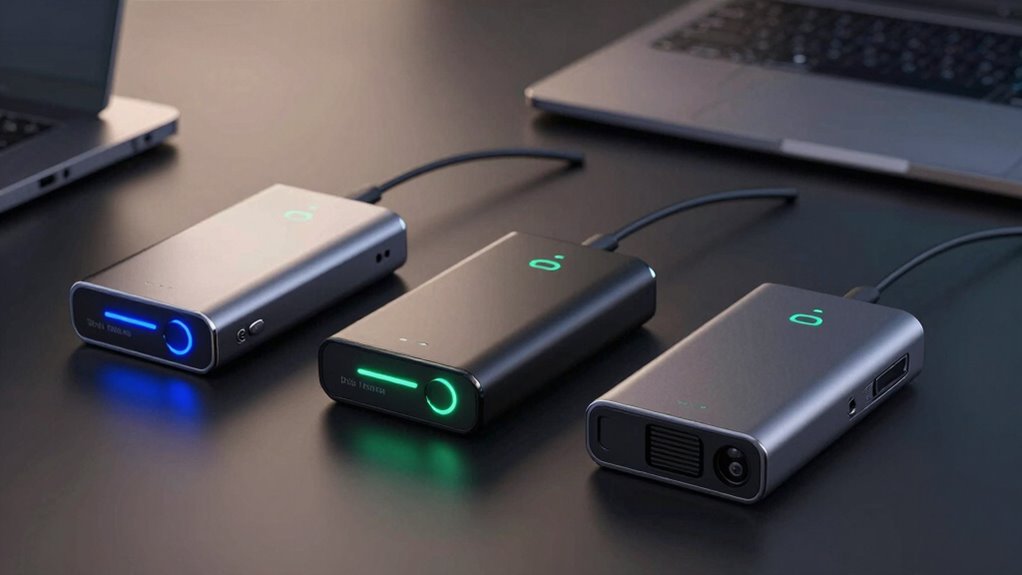
When it comes to securely erasing drives, choosing the right hardware can make all the difference. For professional environments, the StarTech.com 4 Bay SSD/HDD Eraser stands out with its multiple modes and high capacity, but it comes at a higher cost and complexity. For quick, on-the-go wipes, the Beamo USB Eraser offers simplicity and reusability, though it lacks detailed controls. Meanwhile, the StarTech.com Single Bay Eraser balances professional-grade features with more limited capacity, making it ideal for smaller workloads. Below, I compare these and two other options to help you find the best fit for your data destruction needs.

Get privacy and security gear delivered free with Prime
- Fast, free delivery on millions of items
- Prime Video, Amazon Music and more included
- Member-only deals all year
Key Takeaways
- Standalone erasers like the StarTech.com 4 Bay provide multi-drive support and advanced modes suitable for enterprise use.
- USB-based solutions such as the Beamo Eraser excel in simplicity and reusability, ideal for quick and occasional wipe tasks.
- The StarTech Single Bay model offers a middle ground, supporting multiple erase modes but only for SATA drives.
- Compatibility varies significantly; some tools support only specific drives or interfaces, so matching with your hardware is key.
- Tradeoffs include price, ease of use, and supported drive types—more feature-rich options tend to be more complex and costly.
| StarTech.com 4 Bay SSD/HDD Hard Drive Eraser, 2.5/3.5″ SATA, Hostless Standalone Secure Erase, Disk Sanitizer, Hardware Wiper Erasing Tool, 9 Modes, RS232 Printer Port, NIST/DOD, LCD, TAA |  | Best Overall for Professional Multi-Drive Erasure | Supports Drives: 4 SATA drives | Erase Modes: 9 modes, including secure and DoD | Display: LCD screen | VIEW ON AMAZON | See Our Full Breakdown |
| StarTech.com Single Bay SSD/HDD Hard Drive Eraser, 2.5/3.5″ SATA, Secure Erase, Disk Sanitizer, 9 Modes, LCD, TAA |  | Best for Professional Single-Drive Erasure | Supported Drives: 2.5/3.5″ SATA | Erase Modes: 9 modes including secure and DoD | Display: LCD | VIEW ON AMAZON | See Our Full Breakdown |
| Hard Drive Disk Eraser & Disk Wiper on 32GB USB Drive |  | Best for Quick, Multi-Drive Wiping on USB | Capacity: 32GB USB drive | Standards: DoD 5220.22-M | Compatibility: PC & Server supporting USB boot | VIEW ON AMAZON | See Our Full Breakdown |
| Hard Drive Eraser Bootable USB Disk Wipe Tool for PC |  | Best for Multi-Drive, Standalone Secure Wiping | Supported Devices: HDD, SSD, USB, SD Card | Standards: DoD 5220.22-M | Connectivity: USB-A and USB-C | VIEW ON AMAZON | See Our Full Breakdown |
| Beamo Hard Drive Eraser USB – Secure Data Wipe for HDD, SSD, Flash Drive & SD Card |  | Best for Simple, Reusable Data Destruction | Supported Devices: HDD, SSD, USB, SD Card | Connector Type: USB | Warranty & Support: 30-Day Return | VIEW ON AMAZON | See Our Full Breakdown |
| drive eraser hardware | Standards | Connectivity |
|---|---|---|
| StarTech.com 4 Bay SSD/HDD Har | NIST 800-88, DoD 5220.22-M | USB 3.0, RS232 port |
| StarTech.com Single Bay SSD/HD | NIST 800-88, DoD | USB |
| Hard Drive Disk Eraser & Disk | DoD 5220.22-M | — |
| Hard Drive Eraser Bootable USB | DoD 5220.22-M | USB-A and USB-C |
| Beamo Hard Drive Eraser USB | — | — |
More Details on Our Top Picks
StarTech.com 4 Bay SSD/HDD Hard Drive Eraser, 2.5/3.5″ SATA, Hostless Standalone Secure Erase, Disk Sanitizer, Hardware Wiper Erasing Tool, 9 Modes, RS232 Printer Port, NIST/DOD, LCD, TAA
This model is designed for IT professionals and data centers, supporting up to four drives simultaneously with nine erase modes, including DoD and NIST standards. The LCD display facilitates easy configuration and status monitoring, and its independent drive support allows for flexible operation. Compared with smaller or simpler tools, this device excels in bulk erasure scenarios but requires some technical knowledge to operate effectively. Its cost and size make it less suitable for casual users or small setups.
Pros:- Supports up to 4 drives simultaneously, increasing efficiency.
- Offers 9 erase modes, including secure and DoD standards.
- LCD display for straightforward setup and status updates.
- Supports various drive interfaces with adapters.
Cons:- High cost and larger footprint not suitable for casual use.
- Requires some technical knowledge to operate effectively.
- Limited to SATA and compatible drives; no NVMe support.
Best for: Large-scale data centers, IT departments, and professionals needing secure, multi-drive sanitization.
Not ideal for: Home users or those with only a few drives, due to its complexity and higher price.
- Supports Drives:4 SATA drives
- Erase Modes:9 modes, including secure and DoD
- Display:LCD screen
- Connectivity:USB 3.0, RS232 port
- Standards:NIST 800-88, DoD 5220.22-M
- Dimensions:8.2″L x 3.8″W x 1.2″H
Our verdict“A robust choice for professional environments that need to erase multiple drives securely and efficiently.”
StarTech.com Single Bay SSD/HDD Hard Drive Eraser, 2.5/3.5″ SATA, Secure Erase, Disk Sanitizer, 9 Modes, LCD, TAA
This standalone device supports one SATA drive at a time, making it suitable for smaller operations or individual drive sanitization. Its nine erase modes—including secure and DoD—are accessible via an LCD, giving users clear control over the process. Although it’s limited to SATA drives, its straightforward operation and professional-grade standards make it an attractive choice for IT technicians and small-scale data security tasks. The tradeoff is its inability to handle multiple drives simultaneously, which could slow down larger workflows.
Pros:- Supports multiple erase modes, including secure and DoD standards.
- Standalone device with LCD for easy operation.
- Compatible with various SATA drives and adapters.
- Designed for professional data sanitization.
Cons:- Limited to SATA drives only.
- No support for NVMe or other interfaces.
- Requires some technical knowledge to operate.
Best for: IT professionals needing secure, single-drive sanitization in small or medium businesses.
Not ideal for: Large-scale data destruction environments or users needing to wipe multiple drives fast.
- Supported Drives:2.5/3.5″ SATA
- Erase Modes:9 modes including secure and DoD
- Display:LCD
- Standards:NIST 800-88, DoD
- Dimensions:5.5″L x 4.8″W x 2.8″H
- Connectivity:USB
Our verdict“An excellent choice for secure, single-drive erasure with professional-grade standards, suitable for small to medium operations.”
Hard Drive Disk Eraser & Disk Wiper on 32GB USB Drive
This bootable 32GB USB drive simplifies the process of securely erasing multiple disks at once, supporting DoD standards. It’s ideal for IT technicians and data disposal scenarios where speed and ease are priorities. Its main advantage is supporting simultaneous wiping of several drives, but it requires USB boot support and some technical familiarity. It’s less suitable for environments demanding detailed control or handling large-capacity drives.
Pros:- Supports wiping multiple disks simultaneously.
- Meets DoD data erasure standards.
- Simple, bootable USB interface for quick operation.
- Compatible with most PCs and servers supporting USB boot.
Cons:- Limited to systems with USB boot support.
- No detailed controls or interface for drive selection.
- Requires some technical knowledge to boot and operate.
Best for: IT professionals and technicians needing quick wipes of multiple drives via USB, especially on PCs supporting bootable USBs.
Not ideal for: Users without USB boot support or those needing detailed erase controls.
- Capacity:32GB USB drive
- Standards:DoD 5220.22-M
- Compatibility:PC & Server supporting USB boot
- Supported Drives:Multiple drives simultaneously
Our verdict“A practical, fast solution for multi-drive erasure in professional settings, especially when convenience outweighs detailed control.”
Hard Drive Eraser Bootable USB Disk Wipe Tool for PC
This bootable USB device supports both HDDs and SSDs, with compatibility for USB-A and USB-C ports. It offers rapid, multiple drive wiping without needing internet access, making it ideal for secure environments and on-site data destruction. While it supports DoD standards and features dual USB connectors, its limited storage capacity and lack of software make it less flexible for detailed or software-based wiping tasks. Its durability and speed are major pluses for professional use.
Pros:- Supports secure wiping with DoD standards.
- Dual USB connectors for versatility.
- Supports multiple drives simultaneously.
- High-speed read/write performance.
Cons:- Limited storage (1 GB) limits additional features.
- No included software or detailed instructions.
- Requires technical knowledge to operate.
Best for: IT professionals needing fast, secure multi-drive wipes without reliance on internet-based tools.
Not ideal for: Casual users or those requiring software-based, customizable wiping options.
- Supported Devices:HDD, SSD, USB, SD Card
- Standards:DoD 5220.22-M
- Connectivity:USB-A and USB-C
- Speed:Up to 450MB/s read, 25MB/s write
Our verdict“A reliable, fast tool for secure multi-drive erasure in professional environments demanding speed and security.”
Beamo Hard Drive Eraser USB – Secure Data Wipe for HDD, SSD, Flash Drive & SD Card
The Beamo USB eraser offers a straightforward, reusable method to permanently wipe a variety of storage devices, including HDDs, SSDs, and SD cards. Its plug-and-play design makes it accessible for anyone, without needing technical skills or subscriptions. Although it’s very easy to use, it lacks advanced features like detailed controls or verification, which might be a limitation for users needing certified or detailed erasure processes. It’s best suited for casual or occasional use, such as selling or recycling drives.
Pros:- Performs permanent, unrecoverable data destruction.
- Compatible with a wide range of devices.
- Reusability saves costs long-term.
- Simple plug-and-play operation.
Cons:- Requires booting from the USB for operation.
- Limited technical features or reporting capabilities.
- No verification or encryption features.
Best for: Individuals or small businesses needing quick, reusable, and simple data wiping without technical complexity.
Not ideal for: Enterprise environments requiring detailed logs, verification, or multi-drive simultaneous wiping.
- Supported Devices:HDD, SSD, USB, SD Card
- Connector Type:USB
- Warranty & Support:30-Day Return
Our verdict“An excellent, hassle-free option for casual users or small-scale disposal, prioritizing simplicity over detailed controls.”

How We Picked
Our selection of the best drive eraser hardware for 2026 is based on a careful review of features, usability, and professional suitability. We prioritized standalone tools with multiple wiping modes, drive capacity, and compatibility with common drive types like SATA, SSD, and mSATA. We also considered ease of operation, supported standards (such as DoD and NIST), and additional features like LCD displays and data transfer capabilities. Price and user feedback helped refine the rankings, ensuring we recommend options that balance performance and value for different buyer needs.
| drive eraser hardware | Connectivity | Standards |
|---|---|---|
| StarTech.com 4 Bay SSD/HDD Har | USB 3.0, RS232 port | NIST 800-88, DoD 5220.22-M |
| StarTech.com Single Bay SSD/HD | USB | NIST 800-88, DoD |
| Hard Drive Disk Eraser & Disk | — | DoD 5220.22-M |
| Hard Drive Eraser Bootable USB | USB-A and USB-C | DoD 5220.22-M |
| Beamo Hard Drive Eraser USB | — | — |
Factors to Consider When Choosing Drive Eraser Hardware
Choosing the right drive eraser hardware depends on your specific needs—whether you require professional, multi-drive support or a quick, simple solution for occasional use. Understanding key features like supported drive types, erase standards, and ease of use will help you make an informed decision. Here, I break down the main considerations to guide your purchase.Types of Drive Erasing Hardware
Drive erasers come in two main formats: standalone units and bootable USB drives. Standalone devices like the StarTech.com 4 Bay model are designed for high-volume, professional environments where multiple drives need to be erased securely and efficiently. These are ideal for data centers or IT departments that handle large quantities of drives regularly. USB-based solutions, such as the Beamo or the USB wipe tools, are more portable and straightforward, perfect for quick wipes or occasional use, but may lack the advanced features of dedicated hardware.
Supported Drive Types and Interfaces
Most hardware options support SATA drives, but if you work with NVMe or M.2 SSDs, you’ll need a device that explicitly supports those interfaces. The multi-drive erasers often support both HDDs and SSDs, but check compatibility lists carefully. USB-based tools typically support a broad range of drive types, including SD cards and USB flash drives, making them versatile for different storage media. Matching your hardware with your drive types is essential to ensure effective erasure.
Standards and Security Features
Look for devices supporting recognized standards like DoD 5220.22-M, NIST 800-88, or secure erase protocols for SSDs. These standards guarantee that data is irrecoverably destroyed, which is critical for compliance and security. Devices with multiple erase modes, including quick wipe and multi-pass overwrite, offer added flexibility depending on your security needs. LCD displays and serial port reporting can improve usability and record-keeping.
Ease of Use and Additional Features
For professional setups, features like LCD screens, multiple erase modes, and drive capacity support are valuable. Simpler USB drives excel in plug-and-play operation, requiring minimal technical knowledge but lacking detailed controls. Consider whether you need a device with software support, logging, or the ability to support multiple drives simultaneously, balancing these features against your budget and technical skill level.
Frequently Asked Questions
What is the difference between a standalone drive eraser and a USB wipe tool?
Standalone drive erasers are dedicated hardware devices that support multiple drives simultaneously and often include advanced features like LCD displays, multiple erase modes, and compatibility with enterprise standards. USB wipe tools, on the other hand, are typically bootable drives that provide a quick, simple way to erase a few drives, suitable for on-the-spot data destruction but lacking the capacity and features of dedicated hardware.
Are these hardware tools compatible with all drive types?
Compatibility varies among devices. Many support SATA HDDs and SSDs, but if you work with NVMe, M.2, or PCIe drives, you need to verify that the eraser explicitly supports those interfaces. USB-based tools tend to be more versatile, supporting a broad range of devices including SD cards and USB flash drives. Always check the manufacturer specifications to ensure your drives are compatible before purchasing.
Do these erasers meet security standards like DoD or NIST?
Yes, most professional-grade devices support standards such as DoD 5220.22-M and NIST 800-88. These standards specify methods for securely erasing data, making the data unrecoverable. Choosing a device that supports these standards ensures compliance with security protocols and provides peace of mind that sensitive data is thoroughly destroyed.
Is technical expertise required to operate these devices?
It depends on the model. Professional standalone units with LCD screens and multiple modes may require some familiarity with data sanitization procedures, but they typically come with clear instructions. USB wipe tools are generally designed to be user-friendly, often just needing you to boot from the device and follow prompts. For complex, multi-drive erasers, some technical knowledge is recommended.
Can I erase drives without internet access?
Many of these devices, especially standalone erasers, operate entirely offline, supporting secure wipe standards without needing an internet connection. USB-based tools also function offline, making them suitable for secure environments where internet access is restricted or unavailable. Always verify this feature if offline operation is a priority for your workflow.
Conclusion
For large organizations and IT professionals, the StarTech.com 4 Bay Eraser offers unmatched capacity, versatility, and security features, making it worth the investment. Small businesses or tech-savvy individuals needing secure, single-drive erasure should consider the StarTech.com Single Bay Eraser for its balance of features and simplicity. For those prioritizing portability and quick multi-drive wipes, the USB-based tools like the Beamo or the 32GB USB drive provide effective, easy solutions. Casual users or those handling only a few drives occasionally will find these more than sufficient, while enterprise users should lean toward dedicated hardware for compliance and efficiency.
Halloween Picks
halloween
As an affiliate, we earn on qualifying purchases.