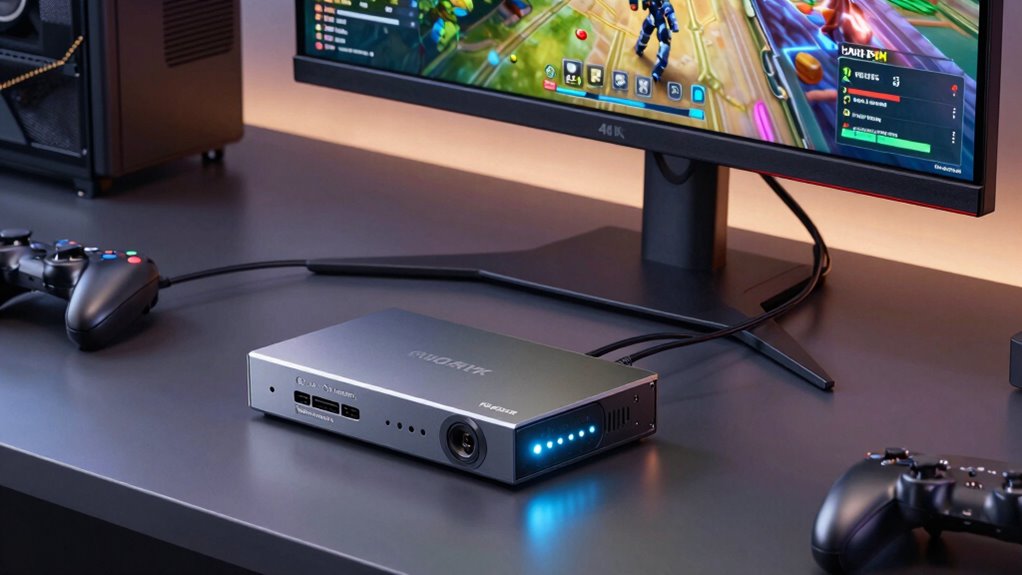

For a capture card that can pass through a 4K 60Hz signal, my best overall pick is the Elgato 4K S, with the AVerMedia Live Gamer Ultra S standing out for a feature-rich external setup and the Elgato 4K Pro for a desktop PC with an internal slot. The key tradeoff is that 4K 60 passthrough does not always mean the card records or streams at 4K 60; many models capture at a lower resolution or frame rate. Connection type, supported refresh rates, and compatibility with your console or computer can matter as much as the headline resolution. My picks range from simple USB devices to a higher-capability internal card, each with different limits. Read on for the full comparison, buying advice, and recommendations by setup.

Get privacy and security gear delivered free with Prime
- Fast, free delivery on millions of items
- Prime Video, Amazon Music and more included
- Member-only deals all year
Key Takeaways
- The Elgato 4K S is my best overall pick for a portable external workflow, while its exact recording and passthrough limits should still be checked against your source and software.
- The Elgato 4K Pro is the internal-card choice for desktop users who can install a PCIe card and want 8K60 passthrough support; it is a poor fit for laptops.
- Several budget USB options advertise 4K input or passthrough but capture at lower output settings. UGREEN lists 2K 30Hz output and 1080p 60FPS capture, while Acer lists 1080p 60Hz output.
- The AVerMedia Live Gamer Ultra S and StreamLine MINI+ fill different roles. The Ultra S is the more capable external option, while the MINI+ is a simpler fit for a less demanding stream setup.
- Guermok and XIIXMASK offer multiple compact USB designs, but their overlapping names and specs make model-by-model verification important. Check the exact device’s capture resolution, passthrough refresh rate, and included connection adapters before buying.
| XIIXMASK USB 3.0 HDMI Capture Card with 4K60FPS Pass-Through |  | Best for High-Frame-Rate 1080p Capture | Capture interface: USB 3.0 | Maximum capture resolution: Up to 1080p at 120FPS | HDMI passthrough: Up to 4K at 60FPS | VIEW ON AMAZON | See Our Full Breakdown |
| Guermok USB 3.0 HDMI Capture Card with USB-C Adapter |  | Best for Broad Device Compatibility | Interfaces: HDMI, USB 3.0 Type-A, USB-C | Maximum input/output resolution: Up to 4K at 60 Hz | Video formats: MJPEG, YUY2, NV12, XRGB | VIEW ON AMAZON | See Our Full Breakdown |
| UGREEN HDMI Video Capture Card, 4K Input, 2K 30Hz Output, 1080p 60FPS, USB-A and USB-C |  | Best for Straightforward 1080p60 Capture | HDMI input: Up to 4K at 30Hz | Output: Up to 2K at 30Hz; 1080p at 60FPS | Interface: USB-A and USB-C | VIEW ON AMAZON | See Our Full Breakdown |
| AVerMedia StreamLine MINI+ GC311G2 Capture Card |  | Best for Console Passthrough | Video capture resolution: Up to 1080p | Passthrough resolution: 4K60 HDR | High-refresh passthrough: Up to 1440p144 or 1080p240 | VIEW ON AMAZON | See Our Full Breakdown |
| XIIXMASK USB 3.0 HDMI Capture Card with 4K60 Passthrough |  | Best for 4K Capture Versatility | Interface: USB 3.0 | Capture resolution: Up to 4K60 | High-frame-rate recording: 1080p at up to 120FPS | VIEW ON AMAZON | See Our Full Breakdown |
| Acer USB 3.0 HDMI Capture Card with 4K Input and 1080p 60Hz Output |  | Best for Simple 1080p Streaming | Interface: USB 3.0 | HDMI input: 4K | Video output: 1080p at 60Hz | VIEW ON AMAZON | See Our Full Breakdown |
| AVerMedia Live Gamer Ultra S 4K60 HDMI Capture Card (GC553Pro) |  | Best for VRR and Ultrawide Setups | Model: GC553Pro | Connection: USB 3.2 Gen 1 Type-C | Passthrough: Up to 4K60 with HDR and VRR | VIEW ON AMAZON | See Our Full Breakdown |
| XIIXMASK USB 3.0 HDMI Capture Card with 4K Pass-Through |  | Best for Flexible Connections | Hardware interface: USB 3.0 | Capture resolution: 1080p at 60 fps; 1440p at 30 fps | HDMI input and passthrough: Up to 4K at 60Hz | VIEW ON AMAZON | See Our Full Breakdown |
| Guermok 4K HDMI to USB-C Video Capture Card |  | Best Compact Starter Pick | Input resolution: Up to 4K at 30 Hz | Output resolution: Up to 1920 × 1080 at 60 Hz or 2K at 30 Hz | Interface: USB 3.0 and USB-C | VIEW ON AMAZON | See Our Full Breakdown |
| Elgato 4K S Capture Card |  | Best for 4K60 Recording | Maximum capture resolution: 4K at 60 fps | High-frame-rate capture: 1440p at 120 fps or 1080p at 240 fps | HDR support: HDR10 with tone mapping on Windows | VIEW ON AMAZON | See Our Full Breakdown |
| Elgato 4K Pro Internal Capture Card with 8K60 Passthrough |  | Best for High-End PC Setups | Type: Internal capture card | Interface: HDMI 2.1 | Maximum passthrough: Up to 8K60 | VIEW ON AMAZON | See Our Full Breakdown |
| Guermok 4K HDMI Capture Card with 2K 120 FPS Support |  | Best for Flexible Plug-and-Play Setups | Maximum capture resolution: Up to 4K at 60 FPS | High-frame-rate input: Up to 2560 × 1440 at 120 FPS | HDMI passthrough: Up to 4096 × 2160 at 60 Hz YUV420 | VIEW ON AMAZON | See Our Full Breakdown |
More Details on Our Top Picks
XIIXMASK USB 3.0 HDMI Capture Card with 4K60FPS Pass-Through
The 120FPS 1080p capture makes this XIIXMASK a fit for creators who want smoother motion in recordings while keeping a 4K60 signal available for a passthrough display. That split matters: it does not capture at 4K, so the Guermok USB 3.0 HDMI Capture Card is a closer match if your goal is 4K input/output, while the AVerMedia StreamLine MINI+ GC311G2 offers 4K60 HDR passthrough for console play but records at up to 1080p60. Here, the higher capture frame rate is the differentiator. Plug-and-play operation, no external power, and 3.5mm audio and microphone ports can simplify a compact streaming setup. The tradeoff is that the provided details do not specify capture resolution beyond 1080p at 120FPS, and the extra formats and ports may be unnecessary for a basic 1080p60 stream.
Pros:- Captures up to 1080p at 120FPS for smoother fast-motion footage
- Passes through HDMI up to 4K at 60FPS
- Works without drivers or external power
- Provides separate 3.5mm audio input and microphone output
Cons:- Capture is limited to 1080p rather than 4K
- The listing does not specify compatibility with high-refresh passthrough beyond 4K60
- Audio ports and multiple video formats may add little value to a simple streaming setup
Best for: PC and console streamers who prioritize smooth 1080p recordings at up to 120FPS and want 4K60 passthrough for a separate display.
Not ideal for: Creators who need captured footage at 4K60, or beginners who only need a straightforward 1080p60 setup without extra audio connections.
- Capture interface:USB 3.0
- Maximum capture resolution:Up to 1080p at 120FPS
- HDMI passthrough:Up to 4K at 60FPS
- Video formats:MJPEG, YUY2, NV12, XRGB
- Audio ports:3.5mm audio input and microphone output
- Connections:USB-A and USB-C
- External power:Not required
- Compatibility:Windows 7/8/10/11, macOS, Linux, Android 5.0+, iPadOS 17+
Our verdict“Choose this XIIXMASK if 120FPS 1080p capture matters more than recording at 4K.”
Guermok USB 3.0 HDMI Capture Card with USB-C Adapter
The Guermok USB 3.0 HDMI Capture Card pairs a USB-A connection with an included USB-C adapter, making it a flexible pick for people who move between a desktop, laptop, or tablet. Its listed 4K at 60 Hz input/output capability gives it a stronger 4K-oriented spec than the UGREEN HDMI Video Capture Card, whose input tops out at 4K30 and whose output is up to 2K30 or 1080p60. That does not mean every setup will capture 4K60: the listing says performance varies by video format, and USB 2.0 reduces the limit to 1080p. You will also need capture software, and slight latency makes this less suitable for direct, latency-free monitoring. For flexible computer or tablet capture, its operating-system range and adapter are practical advantages; for guaranteed low-latency console passthrough, the AVerMedia StreamLine MINI+ is more clearly specified.
Pros:- Listed for up to 4K at 60 Hz input and output with compatible formats and setup
- Includes a USB-A to USB-C adapter
- Supports Windows, macOS, Linux, Android, and iPadOS
- Needs no drivers or external power
Cons:- Requires capture software and cannot directly cast to a monitor or TV
- Introduces millisecond-level latency
- USB 2.0 limits capture resolution to 1080p
Best for: Streamers who switch between USB-A computers and USB-C tablets or laptops and want a capture option listed for 4K60 input/output.
Not ideal for: Players who need direct monitor passthrough or minimal latency, and buyers whose only available connection is USB 2.0 but who expect 4K capture.
- Interfaces:HDMI, USB 3.0 Type-A, USB-C
- Maximum input/output resolution:Up to 4K at 60 Hz
- Video formats:MJPEG, YUY2, NV12, XRGB
- Operating systems:Windows, macOS, Linux, Android, iPadOS
- Included adapter:USB-A male to USB-C female
- External power:Not required
- USB 2.0 limit:Up to 1080p
Our verdict“Pick Guermok for adaptable USB connections and broad device support, provided your setup uses USB 3.0 and software capture.”
UGREEN HDMI Video Capture Card, 4K Input, 2K 30Hz Output, 1080p 60FPS, USB-A and USB-C
UGREEN is the more clearly bounded choice for a 1080p60 recording workflow: it accepts HDMI input up to 4K30 and outputs up to 2K30 or 1080p60. That makes it less suited to a roundup centered on 4K60 than either XIIXMASK model or the Guermok USB 3.0 HDMI Capture Card, all of which list 4K60-related capabilities. Its value is predictability for buyers whose target is standard 1080p streaming, plus USB-A and USB-C connections and an aluminum alloy casing that helps dissipate heat. The one-way HDMI-to-USB signal path means it is a capture device, not a display passthrough hub. Some console sources may also require HDCP to be disabled, and the 2K output depends on the source and capture device. Choose it for a simpler 1080p60 target, not for 4K60 capture.
Pros:- Supports 1080p at 60FPS output for a common streaming resolution
- Accepts HDMI input up to 4K30
- USB-A and USB-C broaden connection options
- Aluminum alloy casing helps dissipate heat
Cons:- Does not support 4K60 input or capture
- Only carries signal from HDMI input to USB output
- Some console sources require HDCP to be disabled, and 2K support depends on the setup
Best for: New streamers and remote presenters targeting 1080p60 who want both USB-A and USB-C connectivity and do not need 4K60 capture.
Not ideal for: 4K60 creators or console players who want HDMI passthrough to a display while recording.
- HDMI input:Up to 4K at 30Hz
- Output:Up to 2K at 30Hz; 1080p at 60FPS
- Interface:USB-A and USB-C
- Data transfer:Up to 5 Gbps via USB 3.0; backward compatible with USB 2.0
- Signal direction:HDMI input to USB output
- Compatibility:Windows 7/8.1/10/11, macOS, Linux, compatible phones and tablets
- iPadOS requirement:Version 17 or later for USB-C iPad compatibility
- Casing:Aluminum alloy
Our verdict“Choose UGREEN for dependable 1080p60 capture with broad USB compatibility, but skip it if 4K60 is your target.”
AVerMedia StreamLine MINI+ GC311G2 Capture Card
For console players, the 4K60 HDR passthrough is the reason to choose the AVerMedia StreamLine MINI+: it supports playing on a connected display at that signal while recording or streaming at up to 1080p60. It also lists high-refresh passthrough up to 1440p144 or 1080p240, giving it a more gaming-specific profile than the UGREEN HDMI Video Capture Card, which targets up to 1080p60 output without the same passthrough details. Against the XIIXMASK USB 3.0 model with 4K60FPS passthrough, AVerMedia specifies HDR and additional refresh modes, while XIIXMASK lists 1080p capture up to 120FPS. The tradeoff is clear: capture tops out at 1080p, so this is not a 4K recording solution. Its USB-C plug-and-play setup is straightforward, but it still depends on compatible hardware and system specifications.
Pros:- Supports 4K60 HDR passthrough for gameplay on a connected display
- Records and streams at up to 1080p60
- Lists passthrough up to 1440p144 or 1080p240
- Works with OBS and other supported apps on Windows, macOS, and iPadOS
Cons:- Capture resolution is limited to 1080p
- Requires compatible hardware and system specifications
- Its console-focused passthrough features may be unnecessary for simple desktop capture
Best for: Console players who want 4K60 HDR or high-refresh gameplay on a display while recording or streaming at 1080p60.
Not ideal for: Creators who need 4K recorded footage, or buyers whose computer or tablet does not meet the compatible system requirements.
- Video capture resolution:Up to 1080p
- Passthrough resolution:4K60 HDR
- High-refresh passthrough:Up to 1440p144 or 1080p240
- Video formats:NV12, YUY2, MJPEG
- Hardware interface:HDMI, USB 3.0 Type-C
- Compatible platforms:Windows, macOS, iPadOS
- Dimensions:4.43 x 2.6 x 0.82 inches
- Weight:0.25 kg
Our verdict“Choose the StreamLine MINI+ for console passthrough features when 1080p60 capture is enough.”
XIIXMASK USB 3.0 HDMI Capture Card with 4K60 Passthrough
This XIIXMASK stands apart from its similarly named sibling by listing capture up to 4K60, alongside 4K passthrough and 1080p recording up to 120FPS. That makes it the strongest fit in this batch for buyers seeking both high-resolution capture and a higher-frame-rate 1080p option. By comparison, the XIIXMASK USB 3.0 HDMI Capture Card with 4K60FPS Pass-Through specifies capture only up to 1080p at 120FPS, while the AVerMedia StreamLine MINI+ records up to 1080p60 despite its 4K60 HDR passthrough. The broad console, camera, and operating-system list helps if your sources vary, and USB-A/USB-C plus audio ports add setup flexibility. The listing requires USB 3.0 for its stated capture capabilities, and no customer performance feedback is provided, so the 4K60 capture claim has less practical context here.
Pros:- Lists capture up to 4K60 and 4K passthrough
- Supports 1080p recording at up to 120FPS
- Includes USB-A, USB-C, and 3.5mm audio connections
- Lists compatibility with multiple operating systems, devices, and streaming apps
Cons:- USB 3.0 is required for the stated capture capabilities
- No customer reviews or performance feedback are provided in the supplied product data
- The listing does not give further conditions for achieving 4K60 capture
Best for: Streamers and creators with USB 3.0 who want a listed 4K60 capture option, 4K passthrough, and support for varied HDMI sources.
Not ideal for: USB 2.0 users or buyers who want documented performance feedback before relying on 4K60 capture.
- Interface:USB 3.0
- Capture resolution:Up to 4K60
- High-frame-rate recording:1080p at up to 120FPS
- Video formats:MJPEG, YUY2, NV12, XRGB
- Connections:USB-A, USB-C, 3.5mm audio input, microphone output
- Operating systems:Windows 7/8/8.1/10/11, macOS, Linux, Android 5.0+, iPadOS 17+
- Compatible devices:PS4/PS5, Xbox Series X/S, Switch/Switch 2, Quest 3/3S, computers, cameras, webcams, TV boxes, DVD players
- External power:Not required
Our verdict“Pick this XIIXMASK if its listed 4K60 capture and 1080p120 options match your USB 3.0 setup.”
Acer USB 3.0 HDMI Capture Card with 4K Input and 1080p 60Hz Output
The Acer suits streamers who want straightforward 1080p60 capture from a 4K HDMI source. Its 4K input does not mean it records 4K: the output tops out at 1080p at 60Hz, so it makes more sense for viewers who value smooth Full HD streams over preserving 4K detail. Compared with the Elgato 4K S, it gives up 4K60 recording and high-frame-rate options, but its driver-free, USB-powered setup is a simpler fit for a basic streaming station. The 3.5 mm microphone input also gives creators a direct route for commentary. That convenience has limits: YUY2 encoding and the 1080p ceiling leave less room for demanding capture workflows, and the supplied details do not establish advanced passthrough features.
Pros:- Accepts 4K HDMI input while capturing at 1080p60
- 3.5 mm microphone input supports direct commentary
- USB-powered setup needs no external power
- Works with common streaming apps and gaming devices
Cons:- Capture output is limited to 1080p at 60Hz
- Does not list HDR or VRR passthrough support
- YUY2 encoding may be less suited to workflows seeking other encoding options
Best for: New streamers using a 4K console or camera who want simple 1080p60 capture with a direct microphone input.
Not ideal for: Creators who need 4K recording, high-frame-rate capture, or documented HDR and VRR passthrough.
- Interface:USB 3.0
- HDMI input:4K
- Video output:1080p at 60Hz
- Video encoding:YUY2
- Microphone input:3.5 mm
- Power:USB-powered; no external power required
- Compatibility:Windows, macOS, Android; Switch, PS5, PS4, Xbox, DSLR cameras
- Supported apps:OBS, XSplit, VLC, YouTube, Facebook, Twitter
Our verdict“Choose the Acer for uncomplicated 1080p60 streams with 4K input; pick the Elgato 4K S if you need 4K recording or higher frame rates.”
AVerMedia Live Gamer Ultra S 4K60 HDMI Capture Card (GC553Pro)
The GC553Pro earns its place for setups where 4K60 HDR and VRR passthrough matter as much as capture. It accepts ultrawide formats and can record VRR gameplay at up to 1440p60 or 1080p240, giving it a broader gaming focus than the Acer USB 3.0 HDMI Capture Card, which is capped at 1080p60 output. The USB-C connection and support for Windows, macOS, and iPadOS also make it useful across more than a single console desk. The tradeoff is that features are not equally broad on every platform: 5.1-channel audio capture is specified for Windows, and some functions rely on AVerMedia software or its OBS plug-in. This is a stronger fit for PC and ultrawide players than for someone seeking the simplest plug-and-play card.
Pros:- 4K60 passthrough supports HDR and VRR
- Accepts ultrawide inputs including 3440×1440
- VRR recording reaches 1440p60 or 1080p240
- Compatible with Windows, macOS, and iPadOS
Cons:- 5.1-channel audio capture is specified for Windows
- Some features require AVerMedia Streaming Center or its OBS plug-in
- The supplied details do not specify a 4K60 capture recording mode
Best for: PC and console players with a VRR or ultrawide display who want 4K60 HDR passthrough and flexible capture modes.
Not ideal for: Streamers who need 5.1-channel capture on macOS or iPadOS, or who prefer not to configure companion software or an OBS plug-in.
- Model:GC553Pro
- Connection:USB 3.2 Gen 1 Type-C
- Passthrough:Up to 4K60 with HDR and VRR
- VRR recording:Up to 1440p60 or 1080p240
- Ultrawide input:3440×1440 and 2560×1080
- Audio capture:5.1-channel on Windows
- Supported platforms:Windows 10/11, macOS 13/14 or later, iPadOS 17 or later
Our verdict“Pick the GC553Pro for VRR and ultrawide gaming with 4K60 HDR passthrough, especially on Windows.”
XIIXMASK USB 3.0 HDMI Capture Card with 4K Pass-Through
This XIIXMASK is a practical choice when 4K60 passthrough matters but recording at 4K does not. It captures up to 1080p60 or 1440p30, so gameplay can reach a display at 4K60 while the stream stays within a more modest capture resolution. The included USB-A or USB-C connection gives it an advantage over the Guermok 4K HDMI to USB-C Video Capture Card for users who want connection options in one setup. A 3.5 mm mic or headset input covers commentary, though the listed limitation around party chat may complicate multiplayer audio. Setup may also need extra attention: OBS can require a restart after audio configuration. It is a sensible middle ground for mixed-device desks, but less suitable for buyers who expect 4K60 recording or fuss-free audio routing.
Pros:- Passes through HDMI at up to 4K60
- Captures 1080p at 60 fps or 1440p at 30 fps
- USB-A and USB-C connectivity options
- 3.5 mm mic or headset input supports commentary
Cons:- Capture does not reach 4K60
- Does not record party chat
- OBS may need restarting after audio setup
Best for: Console streamers switching between USB-A and USB-C computers who want 4K60 passthrough and 1080p60 capture.
Not ideal for: Creators who need 4K60 recordings, reliable party-chat capture, or 1440p capture at 60 fps.
- Hardware interface:USB 3.0
- Capture resolution:1080p at 60 fps; 1440p at 30 fps
- HDMI input and passthrough:Up to 4K at 60Hz
- Audio input:3.5 mm mic or headset input
- Compatible operating systems:Windows 7/8/8.1/10, macOS, Linux, Android, iPadOS 17+
- Compatible devices:Laptop, PS4/PS5, Xbox, Switch, PC, Mac, camera
- Weight:0.15 kg
- In the box:Capture card, USB 3.0 to USB-A/USB-C cable, English user manual
Our verdict“Choose this XIIXMASK for 4K60 display passthrough and flexible USB connections when 1080p60 capture is enough.”
Guermok 4K HDMI to USB-C Video Capture Card
The Guermok is a small, simple option for a starter streaming kit, with 1080p60 capture and a USB 3.0 or USB-C connection. Its input supports up to 4K at 30Hz, but that is a different proposition from the 4K60 input and passthrough offered by the XIIXMASK USB 3.0 HDMI Capture Card with 4K Pass-Through. Guermok does allow output up to 2K at 30Hz, which can suit lower-frame-rate workflows, while its compact form and no-external-power design help when packing a portable setup. The tradeoff is a one-way HDMI-to-USB signal: it cannot feed a monitor or TV directly, and video decoding can add latency. Capture software is required, so this is better for a laptop-based setup than for a display-first console arrangement.
Pros:- Captures up to 1080p at 60 fps
- Compact and portable design
- USB 3.0 and USB-C connection options
- No external power required
Cons:- Input is limited to 4K at 30Hz
- Cannot directly pass video to a monitor or TV
- Requires capture software and decoding may add latency
Best for: Traveling creators and first-time streamers who need portable 1080p60 capture for a laptop-based workflow.
Not ideal for: Console players who want 4K60 passthrough to a TV or monitor, or creators sensitive to capture latency.
- Input resolution:Up to 4K at 30 Hz
- Output resolution:Up to 1920 × 1080 at 60 Hz or 2K at 30 Hz
- Interface:USB 3.0 and USB-C
- Transmission:One-way, HDMI to USB-C
- Power:No external power required
- Compatibility:Windows, macOS, Linux, Android, OBS Studio, VLC, and other listed devices and software
- In the box:Capture card, USB 3.0 to USB-C adapter, user manual
Our verdict“Pick the Guermok for portable laptop capture at 1080p60, but choose the XIIXMASK if you need 4K60 passthrough.”
Elgato 4K S Capture Card
For a roundup focused on 4K60 capture, the Elgato 4K S is the clearest match: it records at 4K60 and also offers faster modes up to 1440p120 or 1080p240. Those options give competitive players a way to preserve motion at high frame rates, while the GC553Pro is differentiated by its specified 4K60 HDR and VRR passthrough and ultrawide support. The Elgato instead lists HDR10 tone mapping on Windows and a 3.5 mm analog audio input for chat or commentary. Its fit depends on the source and workflow: the supplied compatibility information names major consoles, while HDR tone mapping is Windows-specific. The product data does not describe its connection interface or passthrough modes, so buyers who prioritize those details should compare the GC553Pro before choosing.
Pros:- Records gameplay at up to 4K60
- High-frame-rate capture reaches 1440p120 or 1080p240
- HDR10 tone mapping is supported on Windows
- 3.5 mm analog audio input supports chat or commentary
Cons:- HDR10 tone mapping is specified for Windows
- Provided product details do not specify connection or passthrough modes
- No external mic input alternatives are listed beyond 3.5 mm analog
Best for: Console creators who want 4K60 recordings or high-frame-rate capture at 1440p or 1080p.
Not ideal for: Buyers whose decision depends on confirmed VRR or ultrawide passthrough, or on HDR tone mapping outside Windows.
- Maximum capture resolution:4K at 60 fps
- High-frame-rate capture:1440p at 120 fps or 1080p at 240 fps
- HDR support:HDR10 with tone mapping on Windows
- Analog audio input:3.5 mm
- Compatible platforms:PS5, Xbox Series X/S, Switch 2, and more
Our verdict“Choose the Elgato 4K S for documented 4K60 recording and high-frame-rate capture; choose the GC553Pro when VRR and ultrawide passthrough are priorities.”
Elgato 4K Pro Internal Capture Card with 8K60 Passthrough
The Elgato 4K Pro suits a desktop built around high-refresh-rate gaming, where capture quality matters without forcing the source display down to a lower spec. Its 4K60 capture, 8K60 passthrough, VRR support, and 10-bit HDR make it a stronger fit for demanding HDMI 2.1 setups than external options such as the Elgato 4K S. The card can also capture 1080p at up to 240 fps, useful for fast gameplay when frame rate matters more than resolution. That capability comes with a firm tradeoff: this is an internal card for a compatible Windows PC, not a portable plug-in device. The supplied hardware details are limited, so buyers should check PC compatibility before choosing it.
Pros:- Captures up to 4K60
- Passes through video up to 8K60
- Supports VRR passthrough and true 10-bit HDR
- Can capture 1080p at up to 240 fps
Cons:- Requires a compatible PC installation
- Listed hardware specifications are incomplete
- Its internal form factor is less flexible than the external Elgato 4K S
Best for: PC streamers with a compatible Windows 10 desktop, HDMI 2.1 sources, and a display setup that uses VRR or high refresh rates
Not ideal for: Console streamers seeking a simple external device, or buyers without a compatible Windows PC and available internal card slot
- Type:Internal capture card
- Interface:HDMI 2.1
- Maximum passthrough:Up to 8K60
- Maximum capture resolution:Up to 4K60
- Maximum capture frame rate:1080p240
- HDR:True 10-bit HDR
- Variable refresh rate:Supported
- Operating system:Windows 10
Our verdict“Choose the 4K Pro if your compatible Windows desktop needs high-end HDMI 2.1 passthrough alongside 4K60 capture.”
Guermok 4K HDMI Capture Card with 2K 120 FPS Support
The Guermok 4K HDMI Capture Card offers a flexible external route to 4K60 capture, with 1440p120 input for players who want to keep a high-refresh source in their setup. Its USB 3.0 connection, broad operating-system support, and no-external-power setup make it easier to move between computers and devices than the internal Elgato 4K Pro. Separate 3.5 mm audio input and microphone output also give streamers more connection options without adding another capture device. The tradeoff is format dependence: the stated 4K capture rate varies by capture format, and USB 2.0 limits capture to 1080p. Buyers should use USB 3.0 and confirm their chosen software and format support the capture mode they need.
Pros:- Supports capture up to 4K60 and 1440p120 input
- Passes through up to 4K60
- Includes 3.5 mm audio input and microphone output
- Works across several operating systems without external power
Cons:- USB 2.0 limits capture to 1080p
- 4K capture frame rate depends on the selected format
- Requires a USB 3.0 connection to access its higher capture modes
Best for: Streamers who move between Windows, Mac, or Linux systems and want an external card with 1440p120 input and separate audio connections
Not ideal for: Buyers limited to USB 2.0, or creators who need guaranteed 4K60 capture across every format and software setup
- Maximum capture resolution:Up to 4K at 60 FPS
- High-frame-rate input:Up to 2560 × 1440 at 120 FPS
- HDMI passthrough:Up to 4096 × 2160 at 60 Hz YUV420
- Capture formats:MJPEG, YUY2, NV12, XRGB
- Interfaces:HDMI, USB 3.0 Type-A, USB 3.0 Type-C, 3.5 mm audio
- Audio ports:3.5 mm audio input and microphone output
- Compatibility:Windows, macOS, Linux, Android, PadOS; consoles, cameras, and streaming software
- Dimensions and weight:5.03 × 2.91 × 0.83 inches; 1.6 ounces
- Power and setup:Plug and play; no external power required
Our verdict“Pick the Guermok if you want a portable external setup with broad device compatibility and can connect it over USB 3.0.”

How We Picked
I ranked these 12 cards by how well their listed capabilities match the promise of 4K 60 passthrough, while separating that feature from recording and streaming performance. I weighed the stated capture resolution and frame rate, passthrough support, connection type, and practical fit for a desktop, laptop, or console setup. A model with clear 4K 60 passthrough claims ranks ahead of a card described only as 4K input when the output is limited to 1080p 60 or 2K 30.
I also considered setup flexibility and buyer fit: USB-C or USB-A connectivity, included adapters, and whether a card requires an internal PCIe slot. The ranking favors options with a clearer match to common gaming and streaming needs, but listed specifications alone do not establish real-world compatibility with every device, refresh rate, or capture program. Before choosing, verify the manufacturer’s exact limits for your source, computer, and intended recording settings.
Factors to Consider When Choosing Capture Card 4k 60
Before choosing a card, I would trace the signal from your console or camera, through the card, to your display and recording computer. That makes it easier to spot where resolution or refresh rate may be limited, especially when passthrough and capture specifications differ.
Separate Passthrough From Recording
Passthrough describes the signal sent to your display; capture describes what the card sends to your computer for recording or streaming. A card may let you play at 4K 60 while capturing at 1080p 60, or it may offer another capture limit entirely. Decide which part matters most: smooth local play, high-resolution footage, or both. Read the specifications for each path instead of treating “4K” as a complete description. A common mistake is buying for a passthrough label and discovering that the recorded video is capped below the intended resolution. If the manufacturer does not clearly state both limits, verify them before choosing.
Match Refresh Rate to Your Actual Setup
Resolution alone does not describe motion handling. A 4K 60Hz signal and a 1080p 120Hz signal impose different demands, and some cards list support for one without the other. Start with the console or camera’s output mode and the refresh rate you want on your gaming display. Then check whether the card can pass that mode through while capturing at your preferred settings. High-refresh gaming can be a reason to choose a model with explicit 120Hz support, even when its capture output is lower resolution. Avoid assuming a “4K input” label covers every combination of resolution, refresh rate, HDR, or variable refresh rate.
Choose USB or Internal PCIe Around Your Computer
USB cards are easier to move between compatible computers, making them a natural fit for many laptops and compact setups. Their performance still depends on the card’s interface, the computer’s available port, and the software workflow. An internal PCIe card, such as the Elgato 4K Pro, calls for a desktop with a compatible slot and room for installation, but it avoids taking up an external USB connection. Check whether a USB-C port carries the required data capability; the connector shape alone does not tell you its speed. If you stream from a laptop, confirm both physical compatibility and the computer’s ability to handle the capture workload.
Check Compatibility Across the Whole Signal Chain
Your source, card, computer, display, and software all need to support the mode you plan to use. A mismatch at any point can force a lower resolution or refresh rate. Confirm the console or camera’s output, the card’s supported input and passthrough modes, the display connection, and the capture program’s supported formats. Also check whether a protected video source or a specific audio setup changes what you can record. An included adapter can help with connector fit, but it does not add bandwidth or capabilities the card lacks. This check matters especially when moving between USB-A, USB-C, and HDMI gear.
Decide What You Need to Capture
Streaming and archiving call for different capture priorities. For a live stream, stable 1080p 60 capture may suit your broadcast better than a higher-resolution mode your platform or computer cannot use smoothly. If you plan to edit gameplay footage, higher-resolution capture can preserve detail for cropping or reframing, provided your storage and editing system can handle larger files. Camera users may care more about reliable input compatibility and clean audio than about a gaming-focused refresh rate. Consider where the footage will end up before paying for capture capacity you will not use. A sensible target is the best mode your full recording workflow can sustain.
Know When Paying for More Capability Helps
Extra passthrough or capture capacity pays off when it solves a real workflow limit. A premium external card may suit creators who want more flexibility across sources, while an internal card makes more sense when a desktop is the permanent streaming hub. For a beginner streaming at 1080p, a simpler USB card with clearly stated limits may be easier to set up and manage. Spending more does not fix a slow computer, unsuitable port, or incompatible display path. Write down your current source and target recording settings before comparing feature lists. That keeps the choice tied to an actual need rather than a headline specification.
Frequently Asked Questions
Does a 4K 60 passthrough card record gameplay at 4K 60?
No, passthrough and capture are separate specifications. Passthrough is the signal the card sends onward to your display, while capture is the video delivered to your computer. In this lineup, UGREEN lists 4K input but 2K 30Hz output and 1080p 60FPS capture, illustrating why the labels need close reading. Check the exact recording resolution and frame rate for the model you are considering. Also confirm whether those settings work alongside your desired passthrough mode.
Which type should I choose if I play on a laptop?
An external USB card is generally the practical starting point for a laptop. The Elgato 4K S, AVerMedia external models, and USB options from UGREEN, Acer, Guermok, and XIIXMASK do not require an internal PCIe slot. Still, verify the required USB connection and your laptop’s available ports, since an adapter changes connector fit rather than capability. Check that your computer can run the capture software while handling the game or stream. The Elgato 4K Pro is aimed at a desktop with a compatible internal slot.
Is 1080p 60 capture enough for streaming?
For many streaming workflows, 1080p 60 capture is a useful target. It can preserve smooth motion without creating the storage and computer demands that higher-resolution recording can bring. Whether it is enough depends on your source, broadcast platform, audience, and plans for editing the footage later. If you want to crop or reframe recordings, higher-resolution capture can retain more detail for post-production. Compare the capture card’s output with the stream settings you can actually run, rather than choosing by input resolution alone.
Should I pick a USB-C card because my laptop has USB-C?
Not by connector shape alone. USB-C describes the physical plug, not the data rate or capture modes a port supports. Check the card’s required interface, your laptop’s port specifications, and any adapter’s capabilities. The Guermok USB 3.0 model lists a USB-C adapter, while another Guermok card is described as HDMI to USB-C; confirm which exact product and connection path you are buying. If your system only has USB-A, verify whether the supplied adapter or a compatible one supports the card’s needs.
When does an internal capture card make more sense than an external one?
An internal card is a better fit when you use a desktop as a permanent capture or streaming station. It can suit buyers who want the capabilities listed for the Elgato 4K Pro, including 8K60 passthrough support, and have a compatible PCIe slot. It is a poor match for laptop users or anyone who often moves the card between systems. Before choosing, confirm your motherboard has an available slot and that the card fits your case and setup. If you value portability or a simpler installation, compare external USB options first.
Conclusion
For my best overall recommendation, I would start with the Elgato 4K S as an external option, then confirm its supported modes match your source and recording plans. The UGREEN card is my best value-oriented pick for buyers comfortable with its listed 1080p 60FPS capture and 2K 30Hz output limits. Beginners who want an external connection should favor a model with clearly stated capture and passthrough specifications; the AVerMedia StreamLine MINI+ is a simpler candidate to compare against the more capable Ultra S. For a premium desktop setup, the Elgato 4K Pro is the standout internal choice, while the AVerMedia Live Gamer Ultra S is worth a look if you want a higher-capability external card. If your specific need is 120 FPS support or a USB-C connection, compare the exact Guermok model listings and verify the supported mode before deciding.