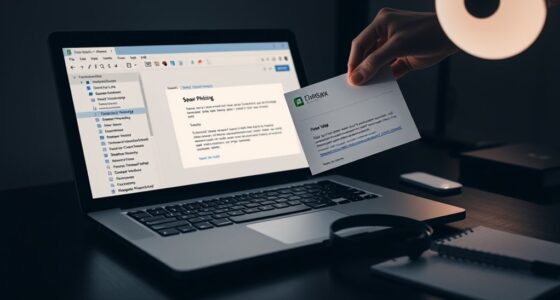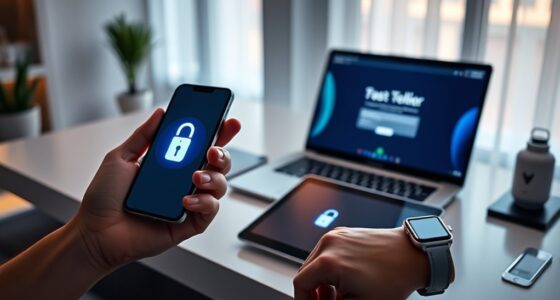

Passkeys decrease phishing and credential stuffing by replacing passwords with secure, cryptographic credentials stored directly on your device. This method means hackers can’t steal or reuse credentials because they’re tied to your device and protected by biometric verification. Since passkeys don’t transmit sensitive data online, phishing attempts fail, and stolen info becomes useless without physical device access. To discover how this advanced security keeps your accounts safer, continue exploring the details behind passkeys’ protections.
Key Takeaways
- Passkeys use cryptographic methods, making stolen credentials useless without the device and biometric data.
- Local verification on devices prevents credentials from being intercepted during online transmission.
- Biometric authentication adds an extra security layer, ensuring only the legitimate user can access accounts.
- Eliminating passwords reduces risks from reuse and guessability that commonly lead to credential stuffing.
- Credential theft is ineffective without physical access to the device, mitigating phishing attacks.

Passkeys are emerging as a powerful tool to combat phishing by providing a more secure and user-friendly way to authenticate online. Unlike traditional passwords, passkeys rely on cryptographic methods that make it nearly impossible for hackers to intercept or reuse credentials. When you use passkeys, you don’t have to remember complex passwords or worry about weak ones being guessed or stolen. Instead, they leverage biometric authentication, such as fingerprint or facial recognition, to confirm your identity swiftly and securely. This integration of biometric authentication means that only you can access your accounts, reducing the risk of unauthorized access due to stolen credentials.
Device security plays a vital role in the effectiveness of passkeys. Since passkeys are stored securely on your device, they are less vulnerable to theft and phishing attacks. When you authenticate using biometric data, the process happens locally on your device, not through transmitting sensitive information over the internet. This local verification ensures that your credentials are never exposed to potential interception by cybercriminals. additionally, because your device acts as a secure enclave, it safeguards your passkeys from malware or other malicious software that might be present on your device. As a result, even if an attacker tries to trick you into revealing your credentials through a phishing scam, the biometric authentication process prevents the attacker from gaining access, since they cannot replicate your biometric data.
Using passkeys also eliminates the common vulnerabilities associated with traditional passwords, such as reuse across multiple sites or the tendency to write passwords down. With biometric authentication tied directly to your device, you don’t need to create or remember passwords for each account. Instead, your device acts as a trusted authenticator, making login processes faster and less prone to human error. This not only enhances security but also improves user experience, encouraging more consistent adoption of secure authentication methods. Furthermore, because passkeys are based on public-key cryptography, even if a hacker attempts credential stuffing—using stolen credentials across multiple sites—they won’t succeed unless they also have access to your device and biometric data, which are protected by device security measures. Managing Bitcoin Volatility can also be facilitated by secure authentication methods, ensuring only authorized users access sensitive financial data.

Yubico – YubiKey 5C NFC – Multi-Factor authentication (MFA) Security Key and passkey, Connect via USB-C or NFC, FIDO Certified – Protect Your Online Accounts
POWERFUL SECURITY KEY: The YubiKey 5C NFC is the most versatile physical passkey, protecting your digital life from…
As an affiliate, we earn on qualifying purchases.
As an affiliate, we earn on qualifying purchases.
Frequently Asked Questions
How Do Passkeys Differ From Traditional Passwords?
Passkeys differ from traditional passwords because they don’t rely on password complexity. Instead, you use biometric verification, like fingerprint or facial recognition, to authenticate. This makes them more secure and easier to use, as you don’t need to remember or type complex passwords. Passkeys are stored securely on your device, reducing the risk of phishing and credential stuffing, and providing a seamless, safer login experience.
Can Passkeys Be Used Across Multiple Devices Seamlessly?
Yes, you can use passkeys across multiple devices seamlessly. They support cross device synchronization and multi-platform integration, so you won’t face the hassle of managing different passwords. As long as your devices are connected through a secure account, your passkeys sync automatically, making logging in quick and secure. This setup eliminates the need to remember complex passwords and provides a smooth experience across all your devices.
What Are the Potential Security Risks of Passkeys?
You might worry about security risks with passkeys, but they actually enhance phishing prevention and credential management. Since passkeys rely on cryptographic methods, attackers find it hard to steal or fake them. However, if your device is compromised or not properly secured, there’s a small risk. Always keep your device updated and use strong security practices to minimize these risks. Overall, passkeys offer a safer alternative to traditional passwords.
Are Passkeys Compatible With All Existing Online Platforms?
Imagine passkeys as universal keys fitting multiple doors, but not every lock opens with them. Right now, cross-platform compatibility and browser support are evolving, so passkeys work smoothly on many major platforms and browsers. However, some older systems might still be missing the key. As technology advances, more online platforms will adopt passkeys, making them increasingly compatible across diverse devices and browsers, simplifying your secure access.
How Do Passkeys Impact User Convenience and Accessibility?
Passkeys enhance your user experience by making logins faster and more secure through biometric authentication, like fingerprint or facial recognition. They reduce the hassle of remembering passwords, streamlining access across devices and platforms. This improves accessibility for all users, including those with disabilities, because biometric authentication is often easier and more intuitive than traditional passwords, ensuring you can securely access your accounts anytime, anywhere.

Thetis Pro-C FIDO2 Security Key Passkey Device with USB C & NFC, TOTP/HOTP Authenticator APP, FIDO 2.0 Two Factor Authentication 2FA MFA, Works with Windows/macOS/Linux/Gmail/Facebook/Dropbox/GitHub
FIDO2/Passkey Authentication – Secure, passwordless login with supported platforms. Check if your intended service supports hardware keys before…
As an affiliate, we earn on qualifying purchases.
As an affiliate, we earn on qualifying purchases.
Conclusion
By adopting passkeys, you’re stepping into a future where phishing and credential stuffing are relics of the past—like dial-up internet or floppy disks. These secure, passwordless logins make it nearly impossible for hackers to steal your credentials, giving you peace of mind. So, don’t wait for the DeLorean to arrive—embrace passkeys now and safeguard your digital life before the cyber villains catch on.
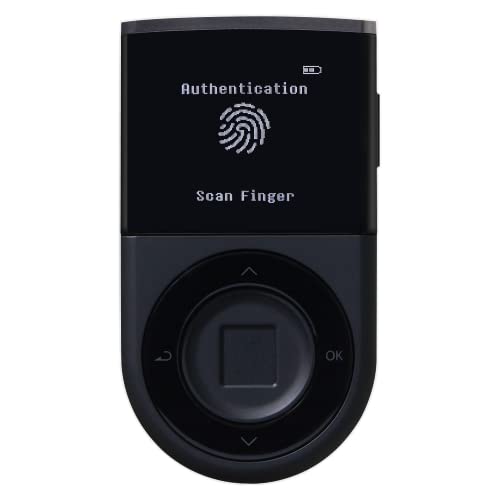
D'CENT Hardware Wallet – Biometric Cold Wallet for Crypto with Fingerprint Authentication | Secure Bluetooth Storage for Bitcoin, Ethereum, XRP, XDC, Solana, Stablecoins & More
UNMATCHED SECURITY WITH BIOMETRIC PROTECTION – Protect your crypto with certified EAL5+ Secure Element chip and advanced fingerprint…
As an affiliate, we earn on qualifying purchases.
As an affiliate, we earn on qualifying purchases.

Fingerprint Reader Biometric Authentication – DigitalPersona URU4500 USB – Fingerprint Scanner – Original HID Brand
New replacement old Red Logo Digital persona URU4500, HID , USB reader. Original HID Brand
As an affiliate, we earn on qualifying purchases.
As an affiliate, we earn on qualifying purchases.