
TL;DR
A privacy VPN encrypts traffic between your device and a VPN server and can show websites the server’s IP address instead of your network IP. It does not make you anonymous: the VPN provider becomes an intermediary, and accounts, cookies, browser fingerprints, and phishing can still expose or track you. Compare providers by data collection and retention, independent audit scope and date, leak protections, ownership, and cancellation terms.
Your laptop can show a VPN icon while the coffee shop Wi-Fi still knows you connected to a VPN server. That small detail captures the real bargain: a VPN changes who can observe parts of your connection; it does not turn you invisible.

Get privacy and security gear delivered free with Prime
- Fast, free delivery on millions of items
- Prime Video, Amazon Music and more included
- Member-only deals all year
A virtual private network (VPN) creates an encrypted connection between a device and a VPN server. That tunnel can help protect traffic from people sharing a network and can make websites see the server’s IP address instead of your network IP. But the VPN provider now sits in the middle, and your logged-in accounts, cookies, and browser fingerprint can still identify you.
This guide explains what privacy VPN services protect, what they leave exposed, and how to compare providers without getting distracted by dramatic claims. You will come away with a practical checklist for choosing a service that fits your risks, whether you are checking email on airport Wi-Fi or working from a hotel room.
A VPN encrypts the route from your device to its server and can show websites the server’s IP address.
The VPN provider becomes an intermediary, so check what it collects, retains, and has independently audited.
Accounts, cookies, browser fingerprints, phishing, and malicious downloads remain outside a VPN’s core protection.
Compare leak protection, protocol support, ownership, security history, speed, and cancellation terms before subscribing.
A nearby server may perform well, but distance, congestion, your device, and your underlying connection shape speed.
What a Privacy VPN Hides—and What It Leaves Visible
A privacy VPN service encrypts the connection from your device to its VPN server and usually replaces your network IP address with the server’s address for websites you visit. On shared Wi-Fi, that makes it harder for another person on the same network to inspect your traffic. The protection matters most on networks you do not control, where an operator or another user might otherwise observe unencrypted traffic or connection details. The trade is that your internet provider may see that you are using a VPN, while the VPN provider becomes an intermediary and can observe some connection metadata.
Think of the tunnel like a sealed envelope carried through a busy station. People nearby may have a harder time reading what is inside, but the carrier can still see where the envelope came from and where it is going. HTTPS adds another layer: it protects the contents of most modern web sessions from intermediaries, including the VPN operator, while leaving some metadata visible. In practice, a VPN and HTTPS address different parts of the route: the VPN protects the link to its server, while HTTPS protects data between your browser and a website. Neither makes every detail private.
Say you open your bank’s website on hotel Wi-Fi. A VPN can hide your home network IP from the website and make local network snooping harder, but it cannot hide the fact that you signed in to your bank account. Websites may still connect your activity through account logins, cookies, and browser fingerprinting. These identifiers can persist as your IP changes, so an IP address alone is only one piece of how a site recognizes visitors. A VPN is a privacy tool, not an anonymity switch.
Use the tool for the problem it solves. If you want to reduce exposure on shared networks or mask your network IP from a site, a VPN may help. It will not stop phishing emails, malicious downloads, or tracking tied to an account you use every day. The practical question is whether shifting the network-level trust to a VPN provider helps with your particular risk, and whether you are comfortable evaluating that provider.
Products Worth Considering

LG 27G810A-B 27-inch UltraGear 4K UHD IPS Gaming Monitor
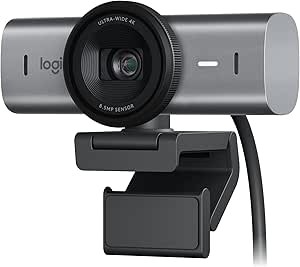
Logitech MX Brio Ultra HD 4K Webcam

Trezor Safe 7 Crypto Hardware Wallet with Bluetooth and Color Touchscreen
As an affiliate, we earn on qualifying purchases.
Judge a Provider by Its Data Practices, Not Its Slogan
Privacy VPN services differ in what they collect, why they collect it, and how long they keep it. “No logs” has no single technical meaning across the industry, so read the privacy policy for specifics: connection timestamps, IP addresses, bandwidth totals, device identifiers, and account details can all matter. These details have different implications. An email address may be needed to manage an account, while connection timestamps or source IP addresses could help link a user to a particular session. A provider that collects less data gives itself less information to retain or disclose, though even minimal collection does not by itself prove that the service is secure or well run.
Independent audits can help test a provider’s claims, but an audit covers a defined scope at a particular time. Look for who performed it, what systems they examined, and when. An audit of an app’s code does not automatically prove that company-wide logging practices match the marketing page. Likewise, a review of server configuration may not cover payment systems, customer support records, or every data center. The scope tells you which claim the evidence supports; the date helps you judge whether that evidence still reflects the current service. Transparency reports and clear incident disclosures add useful context, though neither guarantees future behavior.
Imagine two services both advertising “zero logs.” One explains exactly what it retains, publishes a recent audit of its server configuration, and reports how it handles legal requests. The other offers only a badge and a broad promise. The first gives you more evidence to evaluate, even though neither claim should be treated as permanent proof. That difference matters because privacy depends on the provider’s actual systems and incentives, not the wording on its homepage.
Ownership and jurisdiction also shape the trust decision. A provider’s legal location and corporate structure can affect which laws and requests apply, but a country name alone does not settle whether a service is trustworthy. Corporate ownership can change, and companies may operate infrastructure across multiple countries. Check who owns the company, what data it says it holds, and whether its practices have outside scrutiny. These factors help you understand who may influence the service and what obligations it may face; they are clues to weigh alongside evidence about how it handles data.
Compare Encryption, Protocols, and Leak Protection
A VPN’s security depends on sound encryption and careful implementation, not a dramatic phrase like “military-grade.” Many services offer WireGuard or OpenVPN, two established protocol options with different design and compatibility tradeoffs. WireGuard is a modern, efficient choice that many providers have adopted; OpenVPN has a longer history and broad support. The protocol determines how your device establishes and maintains the encrypted tunnel, but it does not answer whether the provider collects account data, secures its servers, or handles failures safely. A provider’s account or privacy controls layered around it still need separate scrutiny.
Picture a laptop switching from home Wi-Fi to a phone hotspot during a video call. If the VPN drops during that handoff, some traffic could leave outside the tunnel unless the app handles the failure safely. A kill switch can block network traffic when the VPN connection fails, while DNS leak protection aims to keep domain lookups from escaping through the ordinary network route. These protections matter because a brief interruption can reveal information even when the VPN works properly most of the time. Their value depends on how the app behaves across device sleep, network changes, and reconnects—not just whether the settings page has a toggle.
When comparing services, check more than a protocol name. Look for maintained apps, clear explanations of leak protection, multi-factor account security, and open-source software where available. Open source lets others inspect code, but it does not prove every server or company practice is safe; someone still has to review the code, and the server-side systems are a separate question. Likewise, an easy-to-use app is helpful only if its settings work as described. Clear explanations and tested defaults can reduce the chance that a user mistakenly relies on a protection they have not enabled.
- Check protocol support: See whether the service offers WireGuard, OpenVPN, or another clearly documented option for your devices. Compatibility matters if you use older devices or need the VPN to stay connected while switching networks.
- Review failure handling: Confirm that a kill switch and DNS leak protection are available, then read how they behave when a connection drops. A setting that blocks traffic more aggressively may protect privacy but temporarily interrupt apps until the tunnel reconnects.
- Look for outside evidence: Compare audit scope and date, incident disclosures, and security documentation. Evidence helps you assess the provider’s claims, but each report only supports conclusions about the systems and period it actually covered.
These checks matter most when you rely on a VPN while traveling or using shared networks. A protocol label is a starting point; the app’s behavior during an interruption is the practical test. Consider the tradeoff between uninterrupted connectivity and preventing traffic from escaping if the tunnel fails, then choose settings that match your needs.
Choose a Service That Fits Your Speed and Budget
A VPN usually adds some overhead because it encrypts traffic and routes it through another server. Your results depend on server distance, congestion, device, and internet connection, so no provider can promise that every site will load faster. A nearby server may feel quick; a distant, crowded one can make a video call stutter. Encryption also uses device resources, which may be more noticeable on older hardware. That means speed is not just a provider-wide rating: it can vary by location, time, device, and the route your traffic takes.
For example, someone in Berlin connecting to a nearby server may barely notice a change while reading email. The same person connecting to a server across an ocean for a particular service could see slower downloads or buffering. A VPN can improve routing in specific situations, but it cannot repair a weak hotel connection or make a slow broadband plan fast in general. If you need video calls or large uploads, test those tasks on the locations you expect to use. The nearest server is a useful starting point, while a less congested alternative may perform better at a particular time.
Free services are not automatically unsafe, and paid plans are not automatically private. Free providers may rely on ads, paid upgrades, or other business models; paid providers still need to explain their data practices. The business model matters because a service needs some way to cover its costs, and that can shape the features it offers or the data it collects. Read the privacy policy, check ownership and security history, and understand what happens when a trial ends. Easy cancellation is a useful sign of a service that lets you leave without a fight, and clear renewal terms help you judge the real cost beyond an introductory price.
Bundled plans may add password managers, malware filtering, or identity monitoring. Convenience can be real: one subscription might cover several needs. But each feature handles different data, so review its privacy terms separately. Extra features do not automatically make the VPN itself more private. Bundles can be worthwhile if you will use the added tools, but compare their individual capabilities and renewal costs with services focused on those needs.
Use a VPN for the Risks It Actually Reduces
A VPN helps most when you want to make traffic harder to inspect on a local network or show websites a VPN server’s IP address instead of your own network IP. It does not replace HTTPS, account security, careful downloads, or browser privacy controls. Its protection has a specific boundary: it secures one part of the route, not everything you do online. Understanding that boundary helps prevent a false sense of safety, which could otherwise lead you to trust a suspicious link or reuse a weak password because the VPN icon is visible.
Say you are in an airport lounge, checking a work dashboard before boarding. A VPN can add an encrypted tunnel to the provider’s server, but a convincing fake login page can still steal your password. A password manager, multi-factor authentication, and checking the address before signing in address risks a VPN cannot. Those protections work at different points: the VPN affects the network path, while authentication controls help protect the account if a password is exposed or reused.
Some VPN apps include ad or tracker filtering. Those features may block some known domains, but they do not erase tracking tied to logged-in accounts or stop every form of browser fingerprinting. A site can still recognize a familiar account even if your IP changes between visits. Filtering may reduce some unwanted requests, but it should be treated as a separate feature with its own coverage and privacy terms.
Streaming is another case where expectations need care. A VPN may work while traveling, but a streaming service can block VPN connections, and available catalogs and service terms vary. Local rules around VPN use also differ and can change, so check current requirements where you are. If a service stops working, that can reflect provider blocking or location rules rather than a broken tunnel. Choosing a VPN primarily for streaming therefore involves a practical tradeoff: access may vary over time, and the provider cannot guarantee that a particular service will keep working.
Use This Checklist Before You Subscribe
The best privacy VPN for you is the one whose evidence and features fit your needs, not the one with the longest server-count headline. Start with your main reason for using it: public Wi-Fi, hiding your network IP from websites, or connecting while traveling. That use case determines which compromises matter most: a frequent traveler may prioritize reliable apps and failure handling, while someone focused on reducing website access to their network IP may weigh provider practices and server availability more heavily. Then compare providers against the same questions so a polished landing page does not make the decision for you.
Picture two plans with similar monthly prices. One offers thousands of servers but says little about retention; the other publishes a recent, scoped audit, explains its data collection, and makes cancellation clear. If privacy is your goal, the second gives you more useful information even if the first has a bigger number on its homepage. Server count may matter for availability and load, but it cannot answer the more consequential question of what information the company collects and how it handles it.
- Data: What does the provider collect, why, and for how long? Look for specific categories and retention periods so you can judge whether the information could link activity to your account.
- Evidence: What did an independent audit actually examine, and when? Scope and date help you see which claims the report supports and whether the evidence is current.
- Security: Which protocols, leak protections, and account safeguards are available? Check how they behave during interruptions, since a protection that is poorly explained or difficult to use may not help when you need it.
- Company: Who owns the provider, where is it based, and how does it disclose incidents? These details help you understand who controls the service and how transparent it is when something goes wrong.
- Everyday fit: Does it work on your devices, meet your speed needs, and offer clear cancellation? A service that is awkward on your devices or difficult to leave may not be practical even if its privacy claims look strong.
Test the service during the refund or trial period if one is available. Try your usual websites, check that the app handles a lost connection as expected, and see whether everyday tasks feel acceptable. A short hands-on check tells you more than a promise about speed or a map covered in server dots. It also lets you decide whether the privacy benefits justify any speed loss, extra setup, or recurring cost.
Frequently Asked Questions
Does a VPN make me anonymous?
No. A VPN can mask your network IP from websites, but accounts, cookies, payment records, and browser fingerprints can still identify or track you. Treat it as one privacy layer, not a disguise.
Can my VPN provider see what I do online?
The provider becomes an intermediary and may see connection metadata. HTTPS protects the contents of most web sessions from intermediaries, including VPN operators, but it does not hide every detail such as connection timing or destination metadata.
Are free VPN services safe?
Some free services may be legitimate, but they can have limits or different business models, including advertising or paid upgrades. Check data practices, ownership, funding, and security history; price alone does not establish whether a service is private.
Will a VPN protect me on public Wi-Fi?
A VPN adds an encrypted connection to its server, which can make traffic harder for people on the same network to inspect. HTTPS already protects most modern web traffic, and a VPN does not stop phishing, unsafe downloads, or account tracking.
Will a VPN stop ads or make my internet faster?
Not by itself. Some services offer filtering, but a VPN does not block every ad or tracking method, and its encryption and routing can add speed overhead. Results vary with server distance, congestion, device, and connection.
What should I check before choosing a privacy VPN?
Compare what the provider collects and retains, the scope and date of independent audits, protocol support, DNS leak protection, and kill-switch behavior. Also check ownership, security disclosures, device support, and cancellation terms, then try it on your normal network if a trial is available.
Conclusion
Remember the central trade: a VPN shifts trust. It can make your traffic harder to inspect on shared Wi-Fi and mask your network IP from websites, while placing the VPN provider between you and the wider internet.
Before subscribing, read the data policy, inspect the scope and date of any audit, and try the app on the networks you actually use. Choose the provider that explains its limits plainly. A quiet, well-understood tunnel is more useful than a flashy promise to disappear.