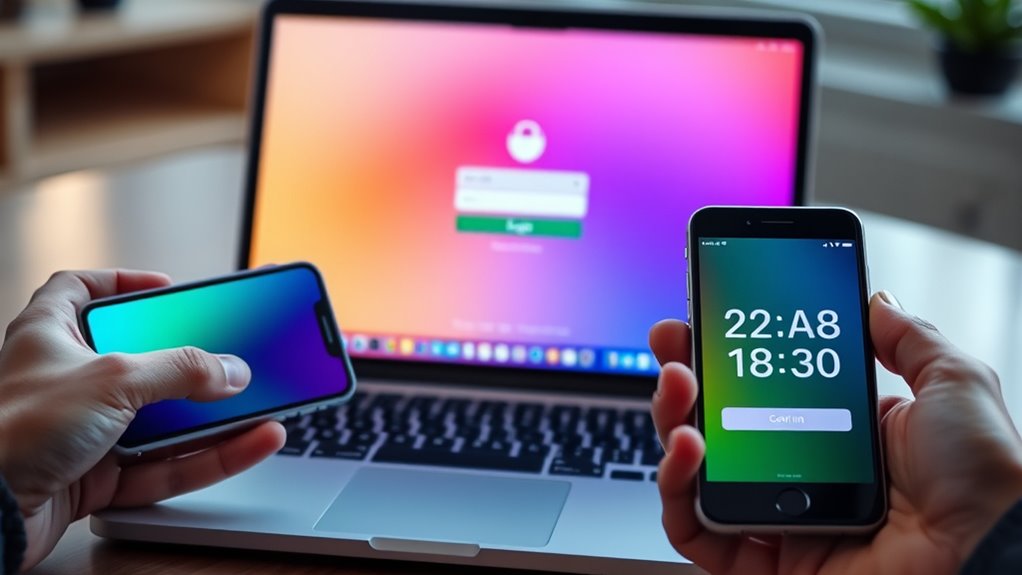

To implement two-factor authentication in your web app, start by integrating a secure second verification step like biometric data or one-time passwords. Make certain you follow best practices by encrypting biometric information, providing fallback options, and complying with privacy regulations such as GDPR or CCPA. Use robust security protocols to protect user data throughout the process. If you keep exploring, you’ll discover how to optimize security while maintaining user convenience effectively.
Key Takeaways
- Integrate biometric verification as a second authentication factor to enhance security and user convenience.
- Ensure biometric data collection, storage, and transmission follow encryption and privacy regulations like GDPR.
- Provide fallback options such as backup codes or security questions for users unable to use biometric methods.
- Implement multi-layered security protocols combining biometrics with OTPs or other verification methods.
- Regularly update security measures and inform users about data handling practices to maintain trust and compliance.

Implementing two-factor authentication (2FA) is one of the most effective ways to enhance your account security. When you add this extra layer, you greatly reduce the risk of unauthorized access, even if someone manages to steal your password. One of the most modern and secure methods to achieve this is through biometric verification. Biometrics, like fingerprint scans, facial recognition, or iris scans, provide a unique way to confirm your identity, making it harder for attackers to impersonate you. By integrating biometric verification into your web app’s 2FA process, you guarantee that only you can access your account, leveraging something inherently tied to your physical characteristics.
Biometric verification enhances 2FA by uniquely confirming user identity through physical traits, boosting security and user convenience.
To implement biometric verification properly, you need to incorporate robust security protocols. These protocols govern how biometric data is collected, stored, and transmitted. It’s essential to use encryption techniques to protect biometric templates, ensuring they’re not exposed during transmission or if your database is compromised. Security protocols also include authentication algorithms that confirm the biometric data matches the stored profile without revealing the actual data, preserving user privacy. Additionally, consider employing multi-layered security strategies, such as combining biometric verification with other factors like a one-time password (OTP) sent via email or SMS, to further strengthen your authentication process. Incorporating biometric data into your security measures can enhance both security and user convenience.
When designing your system, it’s important to prioritize user convenience alongside security. Biometric authentication is fast and user-friendly; users can quickly verify their identity with a fingerprint or face scan, reducing friction compared to traditional passwords. However, you should also provide fallback options, such as backup codes or security questions, in case biometric verification fails due to device issues or user preferences. This flexibility guarantees a seamless user experience while maintaining security standards.
Furthermore, you need to stay aware of privacy concerns and legal requirements surrounding biometric data. Make sure your security protocols comply with relevant data protection laws, like GDPR or CCPA. Inform users about how their biometric data will be stored, used, and protected, building trust and transparency. Regularly update your security protocols to address emerging threats and vulnerabilities, keeping biometric verification systems resilient against evolving cyber attacks.

Fingerprint Reader Biometric Authentication – DigitalPersona URU4500 USB – Fingerprint Scanner – Original HID Brand
- Brand and Model: DigitalPersona URU4500 USB
- Replacement for Old Model: Red Logo DigitalPersona URU4500
- Brand Origin: Original HID Brand
As an affiliate, we earn on qualifying purchases.
As an affiliate, we earn on qualifying purchases.
Frequently Asked Questions
How Does Two-Factor Authentication Impact User Experience?
When you add two-factor authentication, you might notice a slight change in your user interface, but it boosts user trust considerably. While it requires extra steps to log in, most users appreciate the added security. This process reassures you that your account is protected, making you more confident in using the app. Overall, two-factor authentication enhances security without overly complicating the user experience.
What Are the Common Challenges in Deploying 2FA?
When deploying 2FA, you face challenges like ensuring smooth user onboarding, so users don’t get frustrated or abandon the process. You also need to navigate regulatory compliance, which can require adjustments to security measures and documentation. Balancing strong security with user convenience is tricky, and technical issues or support needs can arise. Addressing these challenges helps you improve security without compromising user experience or violating regulations.
Which 2FA Methods Are Most Secure?
Choosing the most secure 2FA methods is like picking the strongest lock. Biometric options, like fingerprint or facial recognition, offer high security through unique identifiers. Hardware tokens, such as YubiKeys, provide physical proof of identity, making them very tough to compromise. Both methods considerably enhance your security, but combining them offers the best protection against hacking. You’ll want to prioritize biometric options and hardware tokens for maximum safety.
How to Handle Lost Second-Factor Devices?
When you lose your second-factor device, you should first use backup codes you’ve saved to regain access. If you don’t have backup codes, proceed with your account recovery options, like verifying your identity through email or security questions. Always keep backup codes in a safe place beforehand. This guarantees you can recover your account quickly without compromising security, even if your second device is lost or stolen.
What Are the Costs Associated With Implementing 2FA?
Think of implementing 2FA as planting a sturdy security fence around your app. You’ll face initial implementation costs, including integrating authentication methods and user setup. Maintenance expenses come into play for updates, monitoring, and support. While the upfront investment might seem steep, the added protection markedly reduces risks. Overall, plan for both startup costs and ongoing expenses to keep your security measures robust and effective over time.
As an affiliate, we earn on qualifying purchases.
Conclusion
Implementing two-factor authentication is like adding an extra lock to your digital door, making it much harder for intruders to break in. By taking this step, you’re strengthening your web app’s security and protecting your users’ data. Don’t wait until a breach happens—act now and make your app as secure as possible. With two-factor authentication in place, you’re not just locking the door; you’re guarding it with a fortress.
As an affiliate, we earn on qualifying purchases.
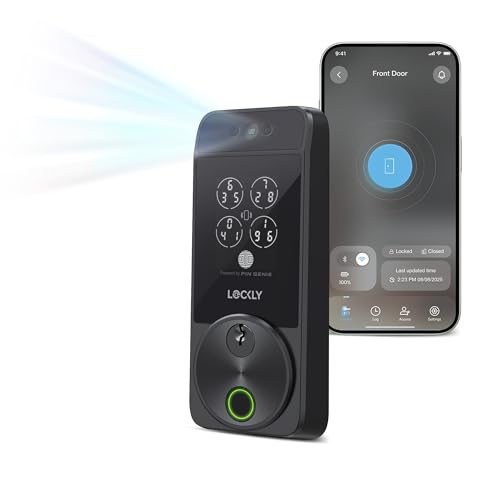
Zeno Series Facial Recognition Deadbolt by Lockly
- Facial Recognition Technology: Unlocks automatically with your face
- Infrared Sensors: Ensures accuracy in all lighting conditions
- Secure Facial Data Storage: Encrypted and stored on device
As an affiliate, we earn on qualifying purchases.
As an affiliate, we earn on qualifying purchases.