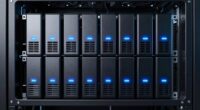
If you’re exploring NVMe HBA cards, you’re likely seeking high-speed, reliable connectivity for your storage setup. The Broadcom 9500-16i stands out as the best overall choice, offering PCIe 4.0 support and compatibility with up to 1024 SAS/SATA or 32 NVMe devices. For those prioritizing enterprise-grade performance, the Broadcom BCM HBA 9600-24i provides extensive port options and robust throughput. Meanwhile, the SAS3416 9400-16i offers a solid balance of features at a lower price point, making it suitable for more budget-conscious users. Understanding the main tradeoffs—such as port counts, compatibility, and PCIe versions—is key. Continue reading for a detailed breakdown to help you make the best choice for your needs.

Get privacy and security gear delivered free with Prime
- Fast, free delivery on millions of items
- Prime Video, Amazon Music and more included
- Member-only deals all year
Key Takeaways
- The top picks emphasize PCIe 4.0 support for maximum bandwidth, especially for demanding workloads.
- Port count tends to vary widely; consider your storage expansion needs carefully to avoid over- or under-purchasing.
- Compatibility with existing hardware and operating systems remains a critical factor, influencing ease of setup and long-term reliability.
- Higher-priced models generally offer more ports and better performance, but budget options can suffice for moderate use.
- Many HBA cards support both SAS and NVMe, but not all are equally optimized for NVMe performance, so check specifications carefully.
| Broadcom 9500-16i 12Gb/s Tri-Mode SAS/NVMe HBA, PCIe 4.0, Up to 1024 SAS/SATA or 32 NVMe Devices |  | Best Overall for Enterprise Scalability | Device Support: 1024 SAS/SATA or 32 NVMe devices | Connectivity: PCIe 4.0 | Compatibility: Windows, macOS, Linux | VIEW ON AMAZON | See Our Full Breakdown |
| SAS HBA Card Compatible with LSI 9400-16i, 16-Port PCIe SATA Expansion Card, SAS3416 Tri-Mode |  | Best for Dense Storage with Flexibility | Controller: Broadcom SAS3416 12Gb/s Tri-Mode | Host Interface: PCIe 3.1 x8 | Internal Connectors: 4× Mini-SAS HD SFF-8643 | VIEW ON AMAZON | See Our Full Breakdown |
| SAS3416 9400-16i SATA/SAS HBA IT Mode 12 Gbps 16-Port NVMe HDD Controller Card |  | Best for High-Speed NVMe Storage in IT Mode | Interface: PCIe 3.1 x8 | Chipset: SAS3416 | Ports: 16 SATA/SAS | VIEW ON AMAZON | See Our Full Breakdown |
| LSI SAS 9300-16I HBA Card, 16 Port 12Gbps Controller for Windows, Linux, PCIe |  | Best for Reliable Multi-OS Enterprise Storage | Ports: 16 | Data Transfer Rate: 12Gbps | Interface: PCIe 3.0, PCIe 8X | VIEW ON AMAZON | See Our Full Breakdown |
| 430-16i LSI SAS3416 9400-16i SATA Tri-Mode HBA Controller 12G, 16 Port, Support NVMe HDD |  | Best for Versatile Protocol Support in Enterprise Storage | Model Number: 430-16i | Number of Ports: 16 | Interface: PCI Express 3.0 | VIEW ON AMAZON | See Our Full Breakdown |
| SAS HBA Card Compatible with LSI 9300-8i IT Mode 8-Port with SATA Cables |  | Best Value for Reliable SAS Connectivity | Compatible with: LSI 9300-8i | Controller: LSI/Broadcom SAS3008 | Firmware: HBA IT Mode (Non-RAID) | VIEW ON AMAZON | See Our Full Breakdown |
| Broadcom BCM HBA 9600-24i SAS/SATA/NVMe |  | Most Versatile for Enterprise Storage Needs | Model Number: 05-50111-01 | Supported Interfaces: SAS, SATA, NVMe | VIEW ON AMAZON | See Our Full Breakdown |
More Details on Our Top Picks
Broadcom 9500-16i 12Gb/s Tri-Mode SAS/NVMe HBA, PCIe 4.0, Up to 1024 SAS/SATA or 32 NVMe Devices
This card stands out for supporting an extraordinary number of devices—up to 1024 SAS/SATA or 32 NVMe—making it ideal for large-scale enterprise servers. Its PCIe 4.0 interface ensures maximum bandwidth, surpassing PCIe 3.1 options like the SAS3416-based cards. While its high capacity and broad OS support make it versatile, the overkill nature means casual or small business users will find it excessive and expensive. It’s perfect for data centers needing expansive connectivity but less suitable for personal use or smaller setups where cost and complexity outweigh benefits.
Pros:- Supports up to 1024 SAS/SATA or 32 NVMe devices for extensive scalability
- PCIe 4.0 bandwidth ensures faster data transfer rates
- Compatible with Windows, macOS, and Linux, easing integration across platforms
Cons:- Designed for high-end enterprise environments, making it overkill for smaller setups
- High cost and complexity may deter casual users
Best for: Large enterprises or data centers requiring massive device support and maximum throughput
Not ideal for: Small business servers or home labs due to its high cost and complexity
- Device Support:1024 SAS/SATA or 32 NVMe devices
- Connectivity:PCIe 4.0
- Compatibility:Windows, macOS, Linux
- Features:Universal Bay Management (UBM) Ready
Our verdict“This HBA is an excellent choice for large-scale enterprise deployments demanding maximum device support and speed.”
SAS HBA Card Compatible with LSI 9400-16i, 16-Port PCIe SATA Expansion Card, SAS3416 Tri-Mode
Compared to the Broadcom 9500-16i, this LSI-based SAS card offers 16 ports in a more accessible form factor, making it suitable for dense internal storage setups. Its support for 12Gb/s SAS and 6Gb/s SATA, along with IT Mode for direct OS access, makes it highly flexible for RAID-free configurations like ZFS or FreeNAS. However, its reliance on PCIe 3.1 and the need for breakout cables can complicate installation, especially for those new to enterprise hardware. It’s ideal for users who want high port density without the enterprise-level complexity or cost of the 9500-16i.
Pros:- Supports high-speed 12Gb/s SAS and 6Gb/s SATA devices
- 16 internal ports in a compact form factor
- Exposes drives in IT Mode for direct OS management and data integrity
Cons:- Requires breakout cables and additional setup effort
- Cables and drives are not included, adding to initial cost
Best for: Users building dense internal storage arrays with a focus on flexibility and cost-effectiveness
Not ideal for: Beginners or those seeking plug-and-play solutions, due to cable and configuration complexity
- Controller:Broadcom SAS3416 12Gb/s Tri-Mode
- Host Interface:PCIe 3.1 x8
- Internal Connectors:4× Mini-SAS HD SFF-8643
- Number of Ports:16
Our verdict“This card offers a dense, flexible storage expansion suitable for experienced users comfortable with hardware setup.”
SAS3416 9400-16i SATA/SAS HBA IT Mode 12 Gbps 16-Port NVMe HDD Controller Card
Unlike the previous cards, this controller emphasizes NVMe support alongside traditional SAS/SATA, thanks to its SAS3416 chip. Its PCIe 3.0 x8 interface provides solid performance, making it suitable for high-speed storage environments. However, its limited details on compatibility and the absence of included cables mean it’s better suited for users already familiar with hardware configuration. Compared with more versatile options like the 9500-16i, this card is more niche but excels where NVMe performance is prioritized in IT Mode setups.
Pros:- Supports high-speed NVMe protocol for fast storage access
- 16 ports for dense connection options
- PCIe 3.0 x8 ensures reliable data transfer
Cons:- Limited product details and no included cables
- Requires compatible infrastructure and advanced setup knowledge
Best for: Power users deploying NVMe-based storage solutions in enterprise or high-performance settings
Not ideal for: Beginners or those needing a ready-to-use, fully packaged solution due to limited info and accessories
- Interface:PCIe 3.1 x8
- Chipset:SAS3416
- Ports:16 SATA/SAS
- Supported Protocol:NVMe
Our verdict“This is a strong choice for NVMe-focused setups in environments where manual configuration isn’t a barrier.”
LSI SAS 9300-16I HBA Card, 16 Port 12Gbps Controller for Windows, Linux, PCIe
Compared to the Broadcom 9500-16i, the LSI SAS 9300-16I provides a more accessible PCIe 3.0 interface while supporting 16 high-speed SAS/SATA ports. Its broad OS compatibility and reliable build make it a dependable choice for diverse server environments. However, its 90-day warranty and lack of included cables may be limiting for some users. This card is well-suited for enterprise servers needing dependable multi-OS support without the latest PCIe 4.0 benefits.
Pros:- Supports 12Gbps SAS and SATA speeds for fast data transfer
- Compatible with multiple operating systems including Windows and Linux
- Reliable with premium PCB construction
Cons:- Limited to PCIe 3.0, offering less bandwidth than PCIe 4.0 options
- Short 90-day warranty and no included cables
Best for: Enterprises or professionals needing multi-OS compatibility and proven reliability
Not ideal for: Small-scale or hobbyist setups where PCIe 4.0 benefits and longer warranty are desired
- Ports:16
- Data Transfer Rate:12Gbps
- Interface:PCIe 3.0, PCIe 8X
- Supported Operating Systems:Windows, Linux
Our verdict“This card offers dependable, multi-OS support for enterprise environments, prioritizing reliability over the latest PCIe standards.”
430-16i LSI SAS3416 9400-16i SATA Tri-Mode HBA Controller 12G, 16 Port, Support NVMe HDD
This controller emphasizes protocol versatility, supporting SAS, SATA, and NVMe on 16 ports. Its PCIe 3.0 interface offers solid speed for enterprise NAS or storage arrays, but the lack of detailed compatibility info and accessories makes it less transparent than other options. Compared with the more feature-rich Broadcom 9500-16i, the 430-16i excels in protocol support but may require more technical effort to set up and integrate effectively. It’s best for users needing multi-protocol flexibility in enterprise storage environments.
Pros:- Supports SAS, SATA, and NVMe protocols for maximum flexibility
- 16-port design ideal for enterprise storage arrays
- PCIe 3.0 interface ensures reliable performance
Cons:- Limited details on compatibility and installation procedures
- No accessories or cables included, requiring additional purchase
Best for: Enterprise users requiring support for multiple storage protocols in NAS or storage arrays
Not ideal for: Casual users or those seeking plug-and-play solutions with comprehensive support and accessories
- Model Number:430-16i
- Number of Ports:16
- Interface:PCI Express 3.0
- Supported Protocols:SAS, SATA, NVMe
Our verdict“This controller is suited for advanced enterprise environments that need protocol versatility and high port density.”
SAS HBA Card Compatible with LSI 9300-8i IT Mode 8-Port with SATA Cables
This SAS HBA card stands out for its straightforward compatibility with the popular LSI 9300-8i and its support for high-speed data transfer up to 12Gbps. Compared with the Broadcom BCM HBA 9600-24i, it offers a more budget-friendly option for users who primarily need SATA connectivity without NVMe support. Its inclusion of SATA cables makes setup easier for direct attach configurations, especially for small-scale NAS or home lab setups. However, the lack of SAS cables and the absence of RAID support make it less suitable for complex enterprise environments. The card is ideal for those prioritizing cost-effective, reliable SAS/SATA connectivity in a non-RAID setup, but it’s not suited for users needing SAS expansion or RAID functionality.
Pros:- Supports high-speed data transfer up to 12Gbps for SAS and SATA drives
- Compatible with popular NAS and storage systems like ZFS, TrueNAS, and unRAID
- Includes SATA cables for simplified setup
Cons:- Cables provided are only for SATA drives, not SAS drives
- Requires additional cables for SAS drive connections
- No RAID support, limited to IT mode (non-RAID)
Best for: Hobbyist or small business users focusing on NAS or ZFS storage with direct attach SATA drives
Not ideal for: Enterprises requiring SAS or NVMe drives, or RAID capabilities for data redundancy
- Compatible with:LSI 9300-8i
- Controller:LSI/Broadcom SAS3008
- Firmware:HBA IT Mode (Non-RAID)
- Data Transfer Rate:up to 12Gbps SAS, SATA 6Gbps
- Host Interface:PCIe 3.0 x8
- Internal Connectors:2× Mini-SAS HD SFF-8643
- Includes:HBA Card, 2× SFF-8643 to 4× SATA cables
Our verdict“This card is best suited for users seeking cost-effective, high-speed SATA/SAS connectivity for simple storage setups.”
Broadcom BCM HBA 9600-24i SAS/SATA/NVMe
The Broadcom BCM HBA 9600-24i is designed to handle a wide array of storage interfaces, including SAS, SATA, and NVMe, making it a flexible choice for high-demand data centers. Unlike the SAS 9300-8i, which focuses solely on SAS and SATA, this model supports NVMe drives, offering a significant performance boost for workloads requiring fast SSDs. Its enterprise-grade design ensures reliable connectivity, but the limited detailed specs and potentially complex installation process may pose challenges for beginners. This card makes the most sense for organizations or advanced users who need a single, robust solution that can support multiple drive types and large-scale storage arrays, but it’s less practical for small setups or users unfamiliar with enterprise hardware.
Pros:- Supports SAS, SATA, and NVMe drives for maximum flexibility
- Suitable for enterprise storage and high-performance data center applications
- Reliable and capable of handling large-scale storage environments
Cons:- Detailed specifications are limited, which could hinder precise planning
- Installation may be complex for users without enterprise hardware experience
- Potentially higher cost and power consumption compared to simpler cards
Best for: Data center professionals or enterprise users needing multi-interface support, including NVMe
Not ideal for: Home users or small businesses with simple storage needs or limited technical expertise
- Model Number:05-50111-01
- Supported Interfaces:SAS, SATA, NVMe
Our verdict“This HBA is ideal for advanced users and enterprises seeking a highly versatile, multi-interface storage solution with NVMe support, though it’s overkill for small-scale or casual use.”

How We Picked
These products were evaluated based on several key criteria: raw performance, compatibility across different systems, build quality, port density, and value for money. We prioritized models that support PCIe 4.0 to ensure future-proofing, and those with a proven track record for reliability in demanding environments. Cost was also a factor, but only when balanced against features and performance. The ranking reflects a combination of these aspects, favoring options that offer the best overall balance of speed, expandability, and usability for various user needs.Factors to Consider When Choosing Nvme Hba Card
Choosing the right NVMe HBA card involves balancing performance, compatibility, and budget. Understanding these factors can help you avoid common pitfalls, such as overspending on unnecessary ports or selecting a card incompatible with your system. Here are some key considerations to guide your decision:Performance and PCIe Version
Performance is heavily influenced by the PCIe version supported—PCIe 4.0 offers twice the bandwidth of PCIe 3.0, which is vital for high-speed NVMe drives. If your motherboard and CPU support PCIe 4.0, choosing a card with this standard maximizes throughput and future-proofing. Conversely, PCIe 3.0 cards may be more affordable but could bottleneck your NVMe drives in demanding workloads. Matching your hardware capability with the card’s PCIe version ensures you get the speed you expect.
Port Count and Expandability
The number of ports determines how many drives you can connect simultaneously. Consider your storage needs now and in the future—overestimating can lead to unnecessary costs, while underestimating may limit expansion. A 16-port card offers good flexibility for most setups, but if you plan to scale significantly, a 24- or 32-port model might be more appropriate. Remember that higher port count cards often come with increased power and cooling requirements, which should be factored into your build.
Compatibility and System Support
Ensure the card is compatible with your motherboard’s PCIe slots and your operating system. Some cards are optimized for Linux or Windows, and driver support can vary. For enterprise or server environments, look for cards with robust management features or compatibility with management tools. Also, verify whether the card supports both SAS and NVMe, especially if you have mixed drive types, to maximize versatility without sacrificing performance.
Reliability and Build Quality
High-quality components and solid construction are essential for long-term stability, especially under continuous workloads. Features such as heatsinks or upgraded cooling solutions can prevent thermal throttling. Cheaper models might cut corners on build quality, risking reliability issues over time. If you’re deploying your card in a critical environment, investing in a proven, well-reviewed model can avoid costly downtime or failures.
Cost and Value
While high-end models deliver premium features, they come at a higher price. Consider whether the additional ports or performance enhancements justify the extra cost for your specific use case. Budget-friendly options can be suitable for home labs or light workloads, but for enterprise or high-performance needs, investing in a more capable card can offer better long-term value and scalability. Always balance your immediate needs with future growth prospects when evaluating cost versus benefit.
Frequently Asked Questions
Can I use an NVMe HBA card with both SATA and NVMe drives?
Many NVMe HBA cards support both SATA and NVMe drives, but not all are equally optimized for dual support. Some cards handle SATA and NVMe separately, offering flexibility, while others prioritize NVMe performance, potentially limiting SATA compatibility. It’s important to verify the specifications to ensure the card meets your mixed-drive needs. In general, choosing a card designed for both types will give you the best balance of versatility and performance.
What should I look for if I want to maximize throughput for high-performance workloads?
For demanding workloads, prioritize a card supporting PCIe 4.0 to access higher bandwidth. Ensure it has enough ports to connect multiple NVMe drives and that it supports features like multiple lanes per port if available. Good firmware support and proven driver stability are also essential to maintain consistent high-speed performance over time. Checking reviews and compatibility with your hardware setup can prevent bottlenecks and ensure you get the throughput you need.
Are enterprise-grade NVMe HBA cards worth the extra cost for a home setup?
Typically, enterprise-grade cards offer features like higher port counts, better cooling, and more robust management tools. For home use, these features might be overkill unless you’re running very intensive workloads or managing a large storage array. However, investing in a higher-quality card can improve reliability and longevity, especially if you plan to keep your setup running continuously. For most home users, mid-range cards provide a better balance of cost and performance.
How important is driver support for NVMe HBA cards?
Driver support is critical because it directly impacts the stability and performance of your storage setup. Well-supported drivers ensure compatibility with your operating system and enable features like hot-swapping and management utilities. Poor driver support can lead to crashes, data corruption, or limited functionality. Always check manufacturer documentation and user feedback to confirm that the card is supported on your system and that driver updates are actively maintained.
Should I prioritize port count or performance if I have limited budget?
If budget constraints exist, decide based on your immediate needs. For most users, focusing on performance (PCIe version and chipset quality) ensures faster speeds per drive, while port count can be expanded gradually as needed. If you require multiple drives now, a mid-range card with a reasonable port count and solid performance may be best. Over time, adding more cards or upgrading can help expand capacity without sacrificing core performance.
Conclusion
For broad use, the Broadcom 9500-16i offers a balanced mix of speed, reliability, and expandability, making it the best overall choice. Budget-conscious users or those with moderate needs will find the SAS3416 9400-16i provides excellent value. For enterprise environments or demanding workloads, the Broadcom BCM HBA 9600-24i stands out with its extensive port options and future-proof PCIe 4.0 support. Beginners should consider models with straightforward setup and solid driver support, while power users focused on high throughput should prioritize cards supporting PCIe 4.0 and multiple NVMe connections. Matching your specific needs with these profiles will lead to the best long-term investment.
Halloween Picks
halloween
As an affiliate, we earn on qualifying purchases.