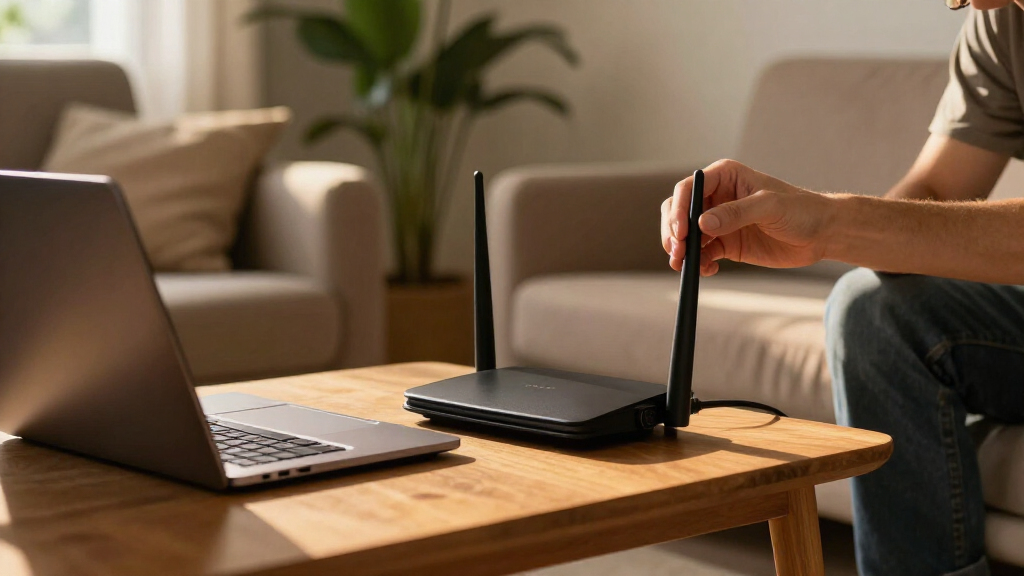

Choosing the right VPN router for home can significantly enhance your online privacy and network security. The best models balance robust VPN support, strong performance, and user-friendly features. The Cudy AX1500 stands out as the best overall for its solid Wi-Fi 6 coverage and reliable VPN integration, while the GL.iNet GL-MT6000 Flint offers excellent gaming performance with dual 2.5G ports for high-speed connections. However, the tradeoff often comes down to complexity versus affordability—more advanced routers may require technical setup, while simpler options might lack some features. Continue reading for a detailed breakdown of each product and how to choose the right VPN router for your home.

Get privacy and security gear delivered free with Prime
- Fast, free delivery on millions of items
- Prime Video, Amazon Music and more included
- Member-only deals all year
Key Takeaways
- Performance and VPN support are the primary factors that differentiate top models, with Wi-Fi 6 and Wi-Fi 7 offering future-proofing.
- Ease of setup varies; beginner-friendly routers tend to have simpler interfaces but may sacrifice advanced features.
- Multiple Ethernet ports and high-speed Wi-Fi options are vital for gaming or extensive device use, but often increase cost.
- Build quality and security features, such as automatic VPN configuration and firmware updates, are key for long-term reliability.
- Price often reflects the sophistication of features—more expensive models typically offer better performance and security options.
| Cudy AX1500 Gigabit Mesh Wi-Fi 6 Router, 4x GbE, OFDMA, VPN, WR1500 | 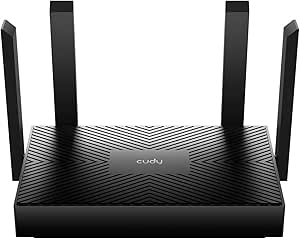 | Best Overall for Small to Medium Homes with Multiple Devices | Wi-Fi Standard: Wi-Fi 6 (802.11ax) | Speed: 1201 Mbps (5 GHz) + 300 Mbps (2.4 GHz) | Ethernet Ports: 4x GbE | VIEW LATEST PRICE | See Our Full Breakdown |
| GL.iNet GL-MT6000 Flint 2 Wi-Fi 6 Gaming Router with Dual 2.5G Ports |  | Best for High-Speed Gaming and Large Device Support | Wi-Fi Standard: Wi-Fi 6 | Maximum Speed: 6 Gbps | Ports: 2 x 2.5G, 4 x 1G | VIEW LATEST PRICE | See Our Full Breakdown |
| ASUS RT-AX1800S Dual Band WiFi 6 Router with Network Security and Parental Controls |  | Best for Security-Conscious Families with Moderate Coverage Needs | WiFi Standard: WiFi 6 (802.11ax) | Max Data Throughput: 1800 Mbps | Ports: 1 Gigabit WAN, 4 Gigabit LAN | VIEW LATEST PRICE | See Our Full Breakdown |
| TP-Link ER605 Wired Gigabit VPN Router |  | Best for Small to Medium Businesses Needing Multi-WAN and Secure Connections | Ports: 1x Gigabit WAN, 2x Gigabit WAN/LAN, 2x Gigabit LAN, 1x USB WAN | VPN Support: 20× LAN-to-LAN IPsec, 16× OpenVPN, 16× L2TP, 16× PPTP | Security Features: SPI Firewall, DoS Defense | VIEW LATEST PRICE | See Our Full Breakdown |
| GL.iNet GL-MT5000 Brume 3 Wired VPN Security Gateway |  | Best for Advanced Users Needing Customizable, High-Speed VPN Gateway | Maximum VPN Speed: 1100 Mbps | Number of Ports: 3 | LAN Port Bandwidth: 2500 Mbps | VIEW LATEST PRICE | See Our Full Breakdown |
| GL.iNet GL-BE9300 Flint 3 Tri-Band Wi-Fi 7 Router with VPN |  | Best for Ultra-High-Speed Home Streaming and Gaming | Wi-Fi Standard: Wi-Fi 7 | Frequency Band: Tri-Band | Maximum Speed: 9 Gbps | VIEW LATEST PRICE | See Our Full Breakdown |
| VPN routers for home | Coverage | Wi-Fi Standard | Ports |
|---|---|---|---|
| Cudy AX1500 Gigabit Mesh Wi-Fi | Up to 1100 sq ft | Wi-Fi 6 (802.11ax) | — |
| GL.iNet GL-MT6000 Flint 2 Wi-F | Wide coverage | Wi-Fi 6 | 2 x 2.5G, 4 x 1G |
| ASUS RT-AX1800S Dual Band WiFi | Wide area | — | 1 Gigabit WAN, 4 Gigabit LAN |
| TP-Link ER605 Wired Gigabit VP | — | — | 1x Gigabit WAN, 2x Gigabit WAN/LAN, 2x Gigabit LAN, 1x USB WAN |
| GL.iNet GL-MT5000 Brume 3 Wire | — | — | — |
| GL.iNet GL-BE9300 Flint 3 Tri- | Up to 2000 square feet | Wi-Fi 7 | — |
More Details on Our Top Picks
Cudy AX1500 Gigabit Mesh Wi-Fi 6 Router, 4x GbE, OFDMA, VPN, WR1500
The Cudy AX1500 stands out for delivering reliable Wi-Fi 6 speeds up to 1201 Mbps on 5 GHz, making it ideal for streaming and gaming. Its support for OFDMA technology helps manage multiple devices efficiently, outperforming older Wi-Fi standards and providing smoother network experiences. The four Gigabit Ethernet ports offer wired options, while built-in VPN support enhances security without extra equipment. Compared with the ASUS RT-AX1800S, it offers broader device support but has a more limited coverage area, making it better suited for smaller or medium-sized homes. Its setup via app can be straightforward for tech-savvy users but may pose a challenge for beginners. The absence of advanced parental controls limits its appeal for families needing comprehensive content management.
Pros:- Fast Wi-Fi 6 speeds great for streaming and gaming
- Supports multiple devices with OFDMA technology
- Includes four Gigabit Ethernet ports for wired connections
- Built-in VPN support enhances security
Cons:- Limited coverage area for very large homes
- Setup via app can be complex for non-tech users
- No advanced parental controls included
Best for: Small to medium-sized households seeking fast, secure Wi-Fi with multiple device support.
Not ideal for: Large homes requiring extensive coverage or users needing advanced parental controls integrated into the router.
- Wi-Fi Standard:Wi-Fi 6 (802.11ax)
- Speed:1201 Mbps (5 GHz) + 300 Mbps (2.4 GHz)
- Ethernet Ports:4x GbE
- OFDMA:Yes
- VPN Support:WireGuard, PPTP, L2TP
- Coverage:Up to 1100 sq ft
Our verdict“This router is a well-rounded choice for smaller households prioritizing speed and security without requiring extensive coverage.”
GL.iNet GL-MT6000 Flint 2 Wi-Fi 6 Gaming Router with Dual 2.5G Ports
The GL.iNet GL-MT6000 Flint 2 is designed specifically for gamers and heavy online users who need ultra-low latency and blazing speeds up to 6 Gbps. Its dual 2.5G ports allow for high-speed wired connections, providing an advantage over the Cudy AX1500, which offers gigabit wired ports but not the multi-gig speeds. The router supports over 100 devices simultaneously, thanks to Wi-Fi 6 and advanced network management, making it ideal for busy households with multiple gamers or streamers. The WPA3 security protocol adds a layer of protection, but setup can require firmware updates, and its advanced features may be overwhelming for casual users. Its Linux-based OS offers extensive customization, but that’s not necessary for typical home use.
Pros:- Supports Wi-Fi 6 with speeds up to 6 Gbps
- Dual 2.5G ports for high-speed wired connections
- Supports over 100 connected devices simultaneously
- Enhanced security with WPA3
Cons:- Setup may require firmware updates and technical knowledge
- Advanced features might be complex for casual users
- No built-in Wi-Fi for areas needing additional access points
Best for: Gamers and power users needing ultra-fast, low-latency Wi-Fi with robust device support.
Not ideal for: Users seeking simple plug-and-play solutions or those with small homes that don’t need ultra-high throughput.
- Wi-Fi Standard:Wi-Fi 6
- Maximum Speed:6 Gbps
- Ports:2 x 2.5G, 4 x 1G
- Security Protocol:WPA3
- Coverage:Wide coverage
- Control Method:Touch
Our verdict“This router is best for serious gamers and tech enthusiasts who need maximum speed and device capacity in a single device.”
ASUS RT-AX1800S Dual Band WiFi 6 Router with Network Security and Parental Controls
The ASUS RT-AX1800S delivers solid Wi-Fi 6 performance, supporting speeds up to 1800 Mbps across dual bands, with MU-MIMO and OFDMA for efficient multi-device management. It excels in providing built-in security features, including AiProtection and a free VPN, making it suitable for households prioritizing privacy. Compared to the Cudy AX1500, it offers better security and parental controls but falls short in overall coverage and maximum throughput. Its support for AiMesh allows expansion with additional ASUS routers, but this is only advantageous if you plan to extend coverage. Setup is straightforward through the app or web GUI, though actual speeds can vary depending on environment and device compatibility.
Pros:- Supports Wi-Fi 6 with up to 1800 Mbps speeds
- Includes robust security features with free VPN
- Easy to set up and manage via app and web GUI
- Supports MU-MIMO and OFDMA for multiple device handling
Cons:- Coverage may be limited in larger or thick-walled homes
- Limited to dual-band Wi-Fi, no tri-band option
- Throughput can vary based on environment
Best for: Families needing balanced Wi-Fi speed, security, and easy management within moderate-sized homes.
Not ideal for: Large households requiring extensive coverage or users seeking tri-band Wi-Fi for high-density setups.
- WiFi Standard:WiFi 6 (802.11ax)
- Max Data Throughput:1800 Mbps
- Ports:1 Gigabit WAN, 4 Gigabit LAN
- Security:AiProtection, VPN
- Coverage:Wide area
- Control:App, Web GUI
Our verdict“This router is a strong pick for families who want security, decent coverage, and simple setup without needing tri-band speeds.”
TP-Link ER605 Wired Gigabit VPN Router
The TP-Link ER605 excels in enterprise-like reliability with its support for up to three Ethernet WAN ports, outperforming typical home routers like the ASUS RT-AX1800S by offering multiple WAN options and load balancing. Its advanced security features, including IPsec, OpenVPN, and L2TP, make it suitable for environments where secure remote access is essential. While it lacks Wi-Fi, it pairs well with access points, making it a flexible choice for those needing wired backbone support. The setup process can be complex for average users, especially with its focus on multi-WAN and network management features, but it offers significant advantages for small business or tech-savvy home setups with multiple internet sources.
Pros:- Supports multiple WAN connections for load balancing and backup
- Advanced security features including IPsec and OpenVPN
- Omada SDN integration simplifies centralized network management
- Gigabit Ethernet ports for fast wired connectivity
Cons:- No built-in Wi-Fi, requiring separate access points
- Setup complexity may be daunting for non-technical users
- Designed primarily for wired networks, less suitable for Wi-Fi-centric homes
Best for: Small to medium-sized businesses or advanced home users needing multi-WAN and high security for wired networks.
Not ideal for: Home users seeking an all-in-one Wi-Fi solution or those unfamiliar with network configuration.
- Ports:1x Gigabit WAN, 2x Gigabit WAN/LAN, 2x Gigabit LAN, 1x USB WAN
- VPN Support:20× LAN-to-LAN IPsec, 16× OpenVPN, 16× L2TP, 16× PPTP
- Security Features:SPI Firewall, DoS Defense
- Wireless Compatibility:Wi-Fi 6 (802.11ax) (via separate APs)
- Dimensions:6.22 x 3.98 x 0.98 inches
- Weight:12.64 ounces
Our verdict“This router is ideal for tech-savvy users or small businesses needing reliable, secure multi-WAN wired connections, but less suited for straightforward home Wi-Fi setups.”
GL.iNet GL-MT5000 Brume 3 Wired VPN Security Gateway
The GL.iNet GL-MT5000 Brume 3 offers a high VPN throughput of up to 1100 Mbps thanks to hardware acceleration, surpassing basic VPN routers like the Cudy AX1500. Its three 2.5G ports with multi-WAN support enable flexible, multi-path internet setups, ideal for users who value security and customization. Powered by OpenWrt, it provides extensive firmware options, making it suitable for advanced users who want to tailor their network environment. However, its wired-only design and lack of integrated Wi-Fi make it less convenient for typical home use unless paired with additional access points. Limited processor details and the need for technical skill may deter casual users.
Pros:- High VPN throughput with hardware acceleration
- Supports multiple 2.5G ports and multi-WAN failover
- OpenWrt firmware allows deep customization and plugin support
- VPN obfuscation to bypass restrictive networks
Cons:- No built-in Wi-Fi, reliant on separate access points
- Requires technical knowledge for advanced configuration
- Limited processor info, potential performance variability
Best for: Power users and small networks needing a customizable, high-speed VPN gateway with multi-WAN support.
Not ideal for: Average home users seeking a simple, integrated Wi-Fi solution or plug-and-play setup.
- Maximum VPN Speed:1100 Mbps
- Number of Ports:3
- LAN Port Bandwidth:2500 Mbps
- Security Protocols:WireGuard, OpenVPN
- Operating System:OpenWrt
- Weight:148 g
Our verdict“This device is best suited for experienced users wanting a secure, customizable VPN gateway with high throughput, but not for casual or Wi-Fi-only home setups.”
GL.iNet GL-BE9300 Flint 3 Tri-Band Wi-Fi 7 Router with VPN
The GL.iNet GL-BE9300 Flint 3 stands out for its support of Wi-Fi 7, offering speeds up to 9 Gbps that surpass the capabilities of most Wi-Fi 6 routers like the GL.iNet GL-MT6000 Flint 2. This makes it a prime choice for households engaged in 8K streaming, online gaming, and multiple video calls, where fast, reliable connections are critical. Unlike the ASUS RT-AX1800S, which also supports Wi-Fi 6 but with lower max speeds, the Flint 3’s tri-band setup ensures less interference and better device management. However, this speed and coverage come with tradeoffs: it requires firmware updates for peak performance and can be complex for non-technical users to fully leverage. Its premium price may also be a barrier for budget-conscious buyers.
This router makes the most sense for tech-savvy households that need top-tier speed and extensive coverage, and are comfortable with setup complexity.
Pros:- Supports ultra-fast Wi-Fi 7 speeds up to 9 Gbps for seamless streaming and gaming
- Up to 2000 square feet coverage with strong signal reliability
- Built-in VPN support and parental controls enhance online privacy and safety
- Easy setup via web admin and mobile app
Cons:- Requires firmware updates to reach optimal performance levels
- Complex for users unfamiliar with advanced network settings
- Premium price point may be prohibitive for some
Best for: Power users seeking the fastest Wi-Fi 7 speeds for streaming, gaming, and large device networks
Not ideal for: Less technical users or those on a tight budget, as it may be overwhelming to configure and is priced higher than Wi-Fi 6 alternatives
- Wi-Fi Standard:Wi-Fi 7
- Frequency Band:Tri-Band
- Maximum Speed:9 Gbps
- Coverage:Up to 2000 square feet
- Number of Ports:5
- Port Speed:2.5 Gbps
- RAM:1 GB
- Antennas:4
- Security Protocols:wpa2-psk, wpa3, wpa2-enterprise, wpa-enterprise, wps
Our verdict“This router is ideal for tech-savvy households demanding cutting-edge Wi-Fi 7 performance and extensive coverage, despite its complexity and cost.”

How We Picked
This lineup was selected based on a combination of performance metrics, security features, usability, and value for home users. We prioritized routers with strong VPN support, including easy setup and reliable encryption standards. Devices with Wi-Fi 6 and Wi-Fi 7 capabilities were favored for their speed and future-proofing, while ease of use was considered for those less tech-savvy. We also evaluated build quality, firmware updates, and additional security features to ensure long-term viability. The ranking reflects a balance between performance, user experience, and value, helping different types of buyers find the best fit for their needs.| VPN routers for home | Wi-Fi Standard | Coverage |
|---|---|---|
| Cudy AX1500 Gigabit Mesh Wi-Fi | Wi-Fi 6 (802.11ax) | Up to 1100 sq ft |
| GL.iNet GL-MT6000 Flint 2 Wi-F | Wi-Fi 6 | Wide coverage |
| ASUS RT-AX1800S Dual Band WiFi | — | Wide area |
| TP-Link ER605 Wired Gigabit VP | — | — |
| GL.iNet GL-MT5000 Brume 3 Wire | — | — |
| GL.iNet GL-BE9300 Flint 3 Tri- | Wi-Fi 7 | Up to 2000 square feet |
Factors to Consider When Choosing VPN Routers For Home
When selecting a VPN router for home, it’s important to focus on several key factors that influence both performance and security. Understanding your specific needs—whether for streaming, gaming, or general browsing—can help you choose a device that balances speed, ease of use, and security features. Avoid common pitfalls like overpaying for unnecessary features or choosing models that lack future compatibility. Below are the main factors to consider to make an informed decision.Performance and Wi-Fi Standards
High-speed Wi-Fi standards like Wi-Fi 6 and Wi-Fi 7 are essential for homes with multiple devices or high-bandwidth activities such as streaming 4K content or gaming. These standards provide better throughput and lower latency, which enhances overall network performance. However, investing in a router with the latest Wi-Fi tech may be unnecessary if your internet plan or devices don’t support it. Balance your speed needs with your budget, and consider future-proofing your setup if you plan to upgrade your internet or devices soon.
VPN Compatibility and Ease of Setup
Not all routers support VPN features equally. Look for models with built-in VPN servers or support for popular protocols like OpenVPN and WireGuard. Ease of setup can vary widely—some routers offer streamlined interfaces or dedicated apps, making configuration accessible even for non-technical users. For those comfortable with networking, more advanced options provide greater flexibility, but beginners should favor routers with guided setup processes to avoid frustration.
Security Features and Firmware Updates
Effective security features include automatic VPN configuration, scheduled updates, and built-in firewalls. A router that receives regular firmware updates can patch vulnerabilities and improve stability over time. Many models also include parental controls and intrusion detection, which can be valuable in a home environment. Investing in a router with strong security features helps protect your entire network from emerging threats, but be wary of models with limited support or outdated firmware.
Number of Ethernet Ports and Hardware Capabilities
If you have multiple wired devices or plan to connect high-bandwidth peripherals like gaming consoles, a router with multiple Gigabit Ethernet ports is essential. For advanced setups, models with 2.5G or 10G ports offer even higher speeds. However, these features often come at a higher price and may be overkill for basic internet needs. Consider your device lineup and future expansion plans to select a router that provides enough connectivity without overspending.
Price and Long-term Value
While budget models can provide basic VPN support, they may lack performance or security features that become critical over time. Spending more upfront on a higher-quality router can deliver better performance, longer software support, and enhanced security, ultimately saving money and hassle. Conversely, for light users or those with simpler needs, more affordable options may suffice but could require upgrades sooner. Weigh your current needs against potential future demands to find the best value.
Frequently Asked Questions
Can I set up a VPN on a standard home router?
Many modern routers support VPN configuration directly, allowing you to encrypt all traffic without additional hardware. However, not all routers have this capability, and some require flashing custom firmware like DD-WRT or OpenWRT, which can be complex. If you want a straightforward setup, choosing a router with built-in VPN support is advisable. For more advanced security, some users opt for dedicated VPN devices or software running on individual devices for greater control.
Is Wi-Fi 6 necessary for a home VPN router?
Wi-Fi 6 offers improved speed, efficiency, and capacity, which benefits homes with many connected devices or high bandwidth needs. While not strictly necessary, it provides a smoother experience for streaming, gaming, and multiple device connections. If your internet plan and devices support Wi-Fi 6, investing in a compatible router can future-proof your network. For basic browsing or HD streaming, Wi-Fi 5 or Wi-Fi 4 routers may still suffice but could become a bottleneck as your needs grow.
How secure are VPN routers for home use?
VPN routers can significantly enhance your home security by encrypting all network traffic and preventing unauthorized access. The level of security depends on the router’s firmware, supported protocols, and update frequency. Routers with automatic firmware updates and strong encryption options provide better protection against vulnerabilities. However, no device offers perfect security, so combining a VPN router with good password practices and regular updates is the best approach.
Should I prioritize speed or security when choosing a VPN router?
Ideally, you want a balance between both. High-speed routers with robust VPN support enable seamless streaming and gaming while maintaining encryption. However, some high-performance routers may compromise on security features or require more complex setup. If security is your top priority, look for models with strong encryption, automatic updates, and reliable VPN protocols. For maximum speed, ensure your internet plan and hardware support the latest Wi-Fi standards, but don’t neglect security considerations in favor of raw performance alone.
Are gaming-specific VPN routers worth considering?
For dedicated gamers, routers with gaming optimization features and high-speed ports can improve latency and overall experience, especially when combined with VPN support. However, these routers tend to be more expensive and may offer features that are unnecessary for casual users. If gaming is a priority and you need VPN support, look for models that combine high throughput with quality-of-service (QoS) features, ensuring gaming traffic is prioritized without sacrificing security or speed.
Conclusion
For most home users, the Cudy AX1500 Gigabit Mesh Wi-Fi 6 Router offers a compelling mix of performance, security, and ease of use, making it the best overall choice. Those seeking better value without sacrificing security might prefer the GL.iNet GL-MT6000 Flint, especially for gaming or high-speed needs. Buyers new to VPN routers should consider models with straightforward setup processes, like the ASUS RT-AX1800S, while power users or tech enthusiasts may lean toward more advanced, feature-rich options like the TP-Link ER605 or GL.iNet Brume 3. Ultimately, your choice depends on your specific needs—whether it’s performance, security, ease of use, or budget—and this guide helps map those priorities to the right product.
Fall Picks
fall essentials
As an affiliate, we earn on qualifying purchases.