
TL;DR

Get privacy and security gear delivered free — and shop member deals
- Fast, free delivery on millions of items
- Access to Prime Big Deal Days deals on October 6–7
- Prime Video, Amazon Music and more included
A personal VPN creates an encrypted connection between your device and a VPN provider’s server, hiding your public IP address from websites and limiting what a local network can inspect. It does not stop cookies, account-based tracking, phishing, or malware, and the provider may see connection metadata. Treat a VPN as one privacy tool, then check the provider’s data practices and keep using HTTPS, updates, and strong account security.
A VPN can hide your home IP address from a website, but it cannot stop that website from recognizing your account. That small distinction is the difference between useful privacy protection and the myth of an invisible internet.
A personal VPN creates an encrypted connection between your device and a provider’s server. This guide explains what that tunnel protects, what it leaves exposed, how to judge a provider’s claims, and when another tool—such as HTTPS or a password manager—matters more. You’ll finish with a practical checklist for choosing a service without treating an ad slogan as proof.
A VPN hides your regular public IP address from most websites, but account logins, cookies, and browser fingerprints can still identify you.
With a VPN active, your internet provider can generally see the VPN connection and its timing and data volume; the provider becomes a party you must trust.
Treat “no logs” as a claim to verify through specific retention details and independent scrutiny, not as a standard with a fixed meaning.
Use a VPN as one layer alongside HTTPS, updated software, strong unique passwords, and multifactor authentication.
Before choosing a service, check ownership, data collection, audit scope, security features, performance, and cancellation terms.
What a personal VPN hides—and what it leaves visible
A personal VPN for online privacy routes your device’s internet traffic through a provider’s server, encrypting the connection between the two. Websites generally see the VPN server’s public IP address instead of your home or mobile IP. That can reduce IP-based tracking and make it harder for other people on the same public Wi-Fi to inspect your traffic.
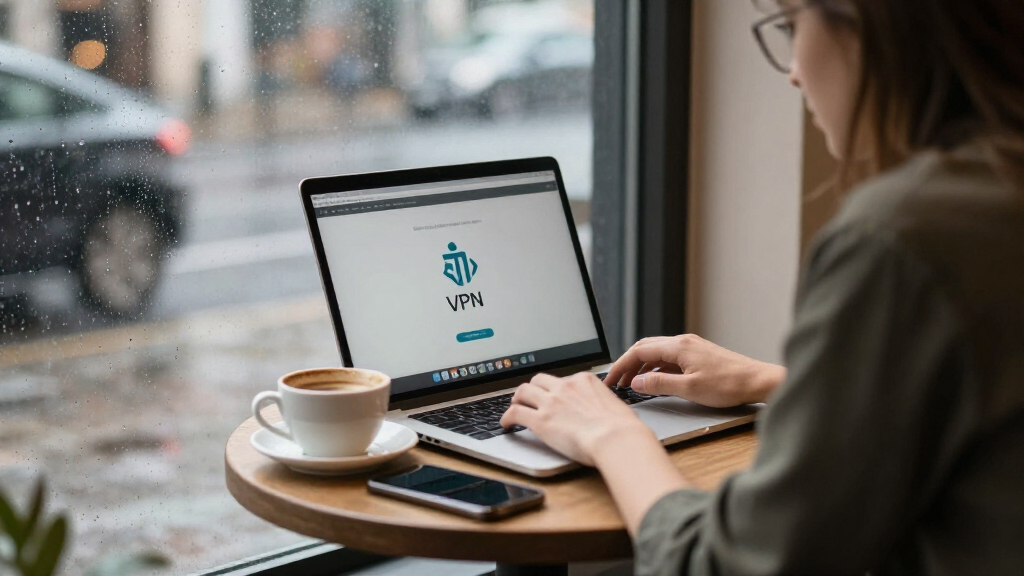
Think of the tunnel as a covered hallway between your laptop and the VPN server. Someone in the café may see you enter the hallway and notice how much traffic passes through, but they cannot easily see what travels inside it. The VPN does not make you disappear: a site still recognizes you when you sign in, and cookies or browser fingerprints can link visits together.
HTTPS already encrypts most website content between your browser and the site. A VPN adds a separate layer on the route to its server and changes which organization can observe certain connection details. Your internet provider can generally see that you connected to a VPN server, plus timing and data volume; the provider may see some connection metadata in turn.
For example, if you check your bank account on airport Wi-Fi, a VPN can help limit what the local network operator sees. It cannot protect you if you follow a fake banking link and enter your password on a fraudulent page. The tunnel protects a route, not every choice you make inside it.
best personal VPN for online privacy
As an affiliate, we earn on qualifying purchases.
As an affiliate, we earn on qualifying purchases.
Why a VPN moves trust instead of removing it
A personal VPN changes who you need to trust; it does not eliminate the need for trust. Your internet provider sees less of the traffic inside a properly configured tunnel, but the VPN company may handle connection metadata and could potentially associate activity with your account or payment. The privacy benefit depends partly on what that company collects and how it protects the data.
“No logs” is not a universal technical standard. Ask which records the provider keeps, why it keeps them, and how long they remain. A provider might say it does not log browsing history while still collecting account details, payment records, crash reports, or connection timestamps. Those details are not automatically proof of wrongdoing, but vague language makes a claim hard to judge.
Look for more than a polished privacy page. Independent audits can offer evidence about a defined product and period, while transparency reports and clear ownership disclosures help you understand who runs the service. An audit is a snapshot, not a forever-pass: software, staff, and company practices can change after reviewers finish.
Picture a person choosing a VPN before a month of travel. A clear explanation of data retention and an independent review gives them more to evaluate than a banner saying “total privacy.” Treat specific, verifiable practices as evidence; treat absolute promises as marketing until supported.
Key distinction: Encryption protects traffic in transit. It does not prove that the company operating the VPN is trustworthy or that its systems never retain data.
As an affiliate, we earn on qualifying purchases.
Which online risks a VPN can—and cannot—reduce
A VPN is most useful when you want to reduce exposure of your IP address or make local network observation harder. It is not a cure for every privacy or security problem, because many tracking methods follow your browser, accounts, or device rather than your network address. The right tool depends on the risk you are trying to reduce.
Consider the difference at a hotel: a VPN can encrypt the path from your phone to the VPN server, while HTTPS protects the connection between your browser and a website. If you are logged into a social account, that service still knows which account is active. If you accept tracking cookies, those cookies can still help connect your browsing sessions.
A VPN also does not remove malware, make a phishing page legitimate, or secure a compromised phone. It cannot prevent you from sharing your name, location, or email in a form. Some VPN apps offer filtering, but filtering is a separate feature, not an automatic result of encryption.
For a practical privacy setup, match protections to threats. Keep software updated, use strong unique passwords and multifactor authentication, and avoid suspicious links. A VPN can sit alongside those habits, particularly on networks you do not control; it cannot replace them.
- VPN: masks your public IP from sites and encrypts the device-to-server tunnel.
- HTTPS: protects content sent between your browser and a website.
- Browser controls: can limit cookies and some tracking, depending on settings.
- Device security: updates and reputable security tools address risks a VPN does not.
As an affiliate, we earn on qualifying purchases.
How to choose a VPN without relying on flashy claims
Choose a VPN by checking its operator, data practices, security features, and real-world fit—not by picking the loudest privacy promise. A useful service should explain what it collects, offer clearly maintained apps, and give you enough evidence to evaluate its claims. Your choice matters because the provider becomes part of your connection path.
- Identify the company. Check who owns and operates the service, and whether the company explains its jurisdiction and contact details.
- Read the data policy. Look for specific answers about connection records, diagnostics, account data, and retention periods.
- Check independent scrutiny. Look for audits or technical reviews that name their scope and date. A review of one app does not automatically cover every platform or later release.
- Review security features. Modern protocols such as WireGuard or well-configured OpenVPN, a kill switch, DNS leak protection, and clear handling of IPv6 can help. Features only help when implemented correctly.
- Test everyday performance and terms. A nearby server may reduce speed loss, but distance, server load, and your own connection all matter. Check limits, cancellation terms, and compatibility before committing.
Free does not automatically mean unsafe, and a paid plan does not automatically mean private. Some free services have data limits; others may rely on ads or collect user information. Look at the business model and privacy terms. If a bundled antivirus or browser offers a VPN, check whether it routes all device traffic or only traffic from that browser.
For instance, if your main goal is safer browsing on café Wi-Fi, test the app on your phone and laptop, confirm the kill switch works as described, and read what diagnostics it collects. Keep the question concrete: what data does this service need, and what evidence supports its answer?
As an affiliate, we earn on qualifying purchases.
When a VPN is worth turning on—and when it gets in the way
A VPN is worth using when its specific protection matches your situation, such as limiting IP exposure or adding a layer against observation on an untrusted network. It may also suit people who want their internet provider to see less detail about their browsing connections. It is less useful when you expect it to block account tracking, protect a compromised device, or guarantee access to a website.
At a busy airport, for example, a VPN may be a sensible extra while you browse. Still, HTTPS remains important, and you should verify a site address before entering a password. On your home network, you may prefer to leave the VPN on for IP privacy, but a distant server could add latency during a video call or large download.
Performance varies with the distance to the server, its workload, your internet connection, and the protocol. WireGuard became common in consumer VPN apps by 2024 and is valued for its relatively small codebase and performance, but a protocol’s design alone does not prove that a company handles data privately. Product details change, so check current documentation rather than relying on an old review.
Some workplaces, schools, streaming services, and countries restrict or detect VPN connections. Availability and rules vary by location and use; check local law and the service’s terms. If an essential work app stops connecting, the VPN may be the cause—turning it off for that trusted connection may be more practical than forcing a slower route.
Build a privacy routine that works beyond the VPN
A dependable privacy routine combines a VPN with protections for accounts, browsers, and devices. A tunnel can reduce exposure on the network path, but it cannot compensate for a reused password or an outdated phone. Think of privacy as several doors: locking one is useful, but you still need to close the others.
Imagine you use a VPN while traveling, then open a hotel email and tap a suspicious attachment. The VPN may have encrypted your connection, but it does not make the attachment safe. By contrast, updated software, a cautious approach to unexpected links, and multifactor authentication can reduce risks that sit outside the tunnel.
Start with a few habits that are easy to keep. Use a password manager to create unique passwords, enable multifactor authentication on important accounts, and keep your browser and operating system updated. Review browser privacy settings and limit cross-site cookies if that fits your needs. These steps address risks a VPN leaves untouched.
Then decide when you want the VPN active. Some people prefer always-on use and accept occasional speed or compatibility issues; others turn it on for public networks or when they want to limit IP exposure. Neither approach fits everyone. Revisit your settings when you change devices, providers, or needs, and check what traffic the app routes and what permissions it requests.
- Protect accounts: use unique passwords and multifactor authentication.
- Protect devices: install updates and avoid unknown attachments.
- Limit tracking: review cookies and browser privacy controls.
- Use the VPN deliberately: weigh privacy gains against speed and access issues.
Frequently Asked Questions
Does a personal VPN make me anonymous?
No. A VPN can hide your regular public IP address from websites, but logged-in accounts, cookies, browser fingerprints, and information you share can still identify or track you. It reduces some exposure; it does not make you invisible.
Can my internet provider see what I do when I use a VPN?
Your provider can generally see that your device connected to a VPN server, along with connection timing and data volume. It usually cannot read the contents of the encrypted tunnel, though configuration and DNS handling affect what information may remain visible.
Can a VPN provider see my browsing activity?
Potentially, depending on the provider, its configuration, and whether websites use HTTPS. The provider becomes a party you need to trust with some connection information, so read its data policy and look for independent scrutiny rather than relying on a “no logs” slogan alone.
Are free VPNs safe to use?
There is no single answer: some free services impose limits, while others may rely on advertising or collect user data. Check how the service earns money, what information it collects, and whether its security claims have credible independent support.
Will a VPN stop ads and online tracking?
Not by itself. A VPN may reduce tracking based on your IP address, but it does not automatically block cookies, account-based tracking, or browser fingerprinting. Browser privacy settings and tracker-blocking tools address different mechanisms.
Will using a VPN slow down my internet?
It may, because your traffic takes an additional route and the service processes the connection. The effect depends on server distance, workload, protocol, and your own connection; trying a nearby server can help, but results vary.
Conclusion
Use a personal VPN for the protection it actually provides: a more private route to a provider’s server and less exposure of your usual IP address. Before you subscribe, check what the company collects and what independent evidence supports its claims.
Then keep the rest of your privacy routine in place. A VPN can close one window; updated devices, careful browsing, and secure accounts lock the other doors.
Evergreen bestsellers Picks
bestsellers
As an affiliate, we earn on qualifying purchases.