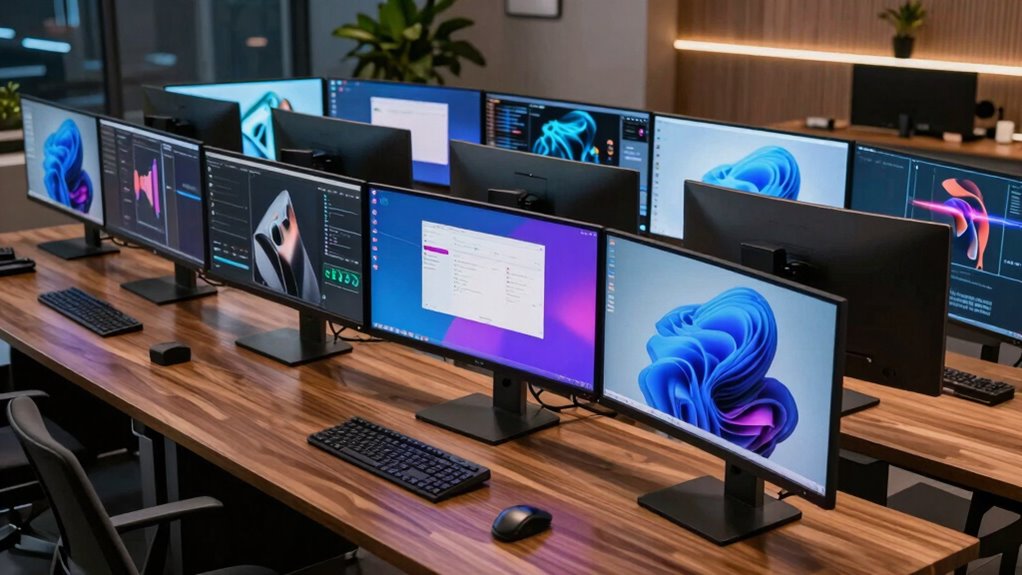
A curved ultrawide monitor for multitasking replaces the hassle of a dual-monitor setup with a single seamless canvas, and the right pick depends mostly on whether you need 34 inches of side-by-side apps or a full 49-inch superwide workspace. My top pick is the Samsung 49-inch Business Curved Ultrawide (LS49C954uANXZA), because its dual QHD resolution and picture-by-picture support let you run two full-size windows — or two computers — on one screen without bezels breaking your flow. If your desk or budget is tighter, the Dell S3425DW earns its spot with USB-C single-cable docking, which is the feature multitaskers with laptops actually end up using every day. The main tradeoffs in this category are screen real estate versus desk depth, VA panel contrast versus IPS color accuracy, and gaming-focused refresh rates versus office-friendly connectivity. Read on for the full breakdown of all 14 monitors and which one fits your workflow.

Get privacy and security gear delivered free with Prime
- Fast, free delivery on millions of items
- Prime Video, Amazon Music and more included
- Member-only deals all year
Key Takeaways
- USB-C with power delivery was the single biggest differentiator for productivity multitasking — the Dell S3425DW and INNOCN 49C1G turn the monitor into a docking station, while cheaper gaming-focused picks like the SANSUI 200Hz and KTC H34S5 leave you stringing separate cables.
- The 49-inch models (Samsung LS49C954uANXZA, Amzfast AMZG49C7U, INNOCN 49C1G) split sharply on resolution: Samsung and Amzfast offer dual QHD 5120×1440 sharpness, while the INNOCN’s 3840×1080 panel trades pixel density for a lower price and built-in speakers.
- High refresh rates above 144Hz mattered less for multitasking than expected — they’re gaming perks — but the 100Hz–120Hz baseline on the LG 34WR55QK-B, LG 34U60ZB-B, and Samsung ViewFinity models made scrolling and window dragging noticeably smoother than 60Hz office panels.
- Smart monitor features divided the lineup: the LG 34SR60QC-W’s webOS platform lets you run streaming and web apps without a PC, a genuine multitasking plus that none of the gaming-focused options match.
- The Kado by Sceptre 2-Pack is the outlier strategy in this roundup — twin 34-inch curved panels can out-flex a single 49-inch for buyers who genuinely want three or four persistent windows, but it demands a large desk and dual inputs.
| SANSUI 34-Inch Curved UWQHD Gaming Monitor, 200Hz |  | Best Budget Speed Pick | Screen size: 34 inches | Resolution: 3440 × 1440 UWQHD | Refresh rate: 200Hz | VIEW ON AMAZON | See Our Full Breakdown |
| LG 34WR55QK-B 34-inch UltraWide Curved WQHD Computer Monitor |  | Best for Laptop Users | Screen size: 34 inches | Resolution: 3440 × 1440 WQHD | Refresh rate: 100Hz | VIEW ON AMAZON | See Our Full Breakdown |
| ZZA 34″ White Curved Ultrawide Gaming Monitor – WQHD 3440×1440, 180Hz, FreeSync |  | Best Style Pick for Creators | Screen size: 34 inches | Resolution: 3440 × 1440 | Refresh rate: 180Hz | VIEW ON AMAZON | See Our Full Breakdown |
| LG 34U650A-B 34-inch Curved UltraWide WQHD IPS Monitor |  | Best Single-Cable Workstation | Screen size: 34 inches | Resolution: 3440 × 1440 (WQHD) | Panel: Curved IPS, 3800R | VIEW ON AMAZON | See Our Full Breakdown |
| Dell S3425DW 34″ Plus USB-C Curved Monitor (WQHD, 120Hz, FreeSync Premium, Eye Comfort) |  | Best Work-and-Play Balance | Screen size: 34 inches | Resolution: 3440 × 1440 (WQHD) | Panel: VA (LED), 3000:1 contrast | VIEW ON AMAZON | See Our Full Breakdown |
| Kado by Sceptre 2-Pack 34″ Curved Ultrawide WQHD Gaming Monitor (1500R, 165Hz, 1ms) |  | Best Extreme Multitasking Setup | Screen size: 2 × 34 inches | Resolution: 3440 × 1440 WQHD per panel | Curvature: 1500R | VIEW ON AMAZON | See Our Full Breakdown |
| Samsung 49″ Business Curved Ultrawide Dual QHD Computer Monitor (LS49C954uANXZA, 2024) |  | Best Premium Panoramic Replacement for Dual Monitors | Screen size: 49 inches | Resolution: Dual QHD (5120 × 1440 equivalent) | Aspect ratio: 32:9 | VIEW ON AMAZON | See Our Full Breakdown |
| LG 34SR60QC-W 34-inch QHD Curved Smart Monitor, 3440×1440, UltraWide 21:9, webOS, HDR10, 100Hz, White |  | Best for Streaming Between Tasks | Screen size: 34 inches | Resolution: 3440 × 1440 QHD | Aspect ratio: 21:9 | VIEW ON AMAZON | See Our Full Breakdown |
| INNOCN 49C1G 49″ Curved Ultrawide Gaming Monitor |  | Best Dual-Monitor Replacement | Screen Size: 49 inches | Resolution: 3840 x 1080 (32:9) | Refresh Rate: 144Hz (DisplayPort) | VIEW ON AMAZON | See Our Full Breakdown |
| LG 34U60ZB-B 34-inch UltraWide Curved WQHD Monitor |  | Best Mainstream Productivity Pick | Screen Size: 34 inches | Resolution: 3440 x 1440 WQHD (21:9) | Refresh Rate: 120Hz | VIEW ON AMAZON | See Our Full Breakdown |
| Samsung ViewFinity S65UA 34-Inch Ultrawide Curved QHD Monitor |  | Best Single-Cable Laptop Dock | Screen Size: 34 inches | Resolution: Ultra QHD (21:9) | Curvature: 1000R | VIEW ON AMAZON | See Our Full Breakdown |
| KTC H34S5 34-Inch Ultrawide Curved Gaming Monitor |  | Best for Work-Then-Play Setups | Screen Size: 34 inches | Resolution: 3440 x 1440 UWQHD (21:9) | Refresh Rate: 180Hz | VIEW ON AMAZON | See Our Full Breakdown |
| curved ultrawide monitor for multitasking | Screen size | Resolution | Refresh rate | Response time |
|---|---|---|---|---|
| SANSUI 34-Inch Curved UWQHD Ga | 34 inches | 3440 × 1440 UWQHD | 200Hz | 1ms |
| LG 34WR55QK-B 34-inch UltraWid | 34 inches | 3440 × 1440 WQHD | 100Hz | 5ms |
| ZZA 34" White Curved Ultrawide | 34 inches | 3440 × 1440 | 180Hz | 1ms |
| LG 34U650A-B 34-inch Curved Ul | 34 inches | 3440 × 1440 (WQHD) | 100Hz | 5ms |
| Dell S3425DW 34" Plus USB-C Cu | 34 inches | 3440 × 1440 (WQHD) | 120Hz | 0.03ms |
| Kado by Sceptre 2-Pack 34" Cur | 2 × 34 inches | 3440 × 1440 WQHD per panel | 165Hz | 1ms |
| Samsung 49" Business Curved Ul | 49 inches | Dual QHD (5120 × 1440 equivalent) | 120Hz | — |
| LG 34SR60QC-W 34-inch QHD Curv | 34 inches | 3440 × 1440 QHD | 100Hz | — |
| INNOCN 49C1G 49" Curved Ultraw | 49 inches | 3840 x 1080 (32:9) | 144Hz (DisplayPort) | — |
| LG 34U60ZB-B 34-inch UltraWide | 34 inches | 3440 x 1440 WQHD (21:9) | 120Hz | 5ms |
| Samsung ViewFinity S65UA 34-In | 34 inches | Ultra QHD (21:9) | 100Hz | — |
| KTC H34S5 34-Inch Ultrawide Cu | 34 inches | 3440 x 1440 UWQHD (21:9) | 180Hz | 1ms MPRT |
More Details on Our Top Picks
SANSUI 34-Inch Curved UWQHD Gaming Monitor, 200Hz
This option stands out for sheer motion performance per dollar: a 200Hz refresh rate and 1ms response on a 34-inch UWQHD curved panel is a combination usually reserved for pricier gaming screens. Compared with the Samsung ViewFinity S5, which caps out at 120Hz, the SANSUI delivers noticeably smoother window dragging and scrolling — something that matters more than it seems when you’re juggling several apps at once. The 1500R curve and FreeSync keep the experience cohesive across the whole 21:9 canvas. The tradeoffs are real, though: there’s no USB-C (unlike the LG 34WR55QK-B), no speakers, and the stand offers tilt only, so budget for a VESA arm and external audio.
Pros:- 200Hz refresh rate with 1ms response beats most 34-inch rivals on motion clarity
- PIP/PBP modes make split-screen multitasking practical
- HDMI 2.1 and DisplayPort 1.4 keep it future-proof for consoles and GPUs
- 1500R curvature wraps the ultrawide canvas comfortably around your field of view
Cons:- Tilt-only stand with no height adjustment
- No built-in speakers or USB-C connectivity
Best for: Budget-conscious buyers and gamers who want maximum refresh rate and smooth multitasking motion without paying premium prices
Not ideal for: Laptop users who want single-cable USB-C docking, or anyone needing built-in speakers and an adjustable stand
- Screen size:34 inches
- Resolution:3440 × 1440 UWQHD
- Refresh rate:200Hz
- Response time:1ms
- Curvature:1500R
- Ports:2 × HDMI 2.1, DisplayPort 1.4, 3.5mm audio
- VESA mount:100 × 100mm
Our verdict“This pick makes the most sense for speed-focused multitaskers who already own a monitor arm and don’t need docking features.”
LG 34WR55QK-B 34-inch UltraWide Curved WQHD Computer Monitor
The defining feature here is USB-C with 65W power delivery: plug in one cable and your laptop charges while driving the full 3440 × 1440 canvas. That’s a workflow advantage none of the gaming-leaning options in this roundup — including the SANSUI 200Hz or the ZZA white model — can match, and it makes this monitor behave like a docking station. The 100Hz panel is plenty for window management and spreadsheets, though competitive gamers will find the 5ms response sluggish next to the ZZA’s 1ms. The height-adjustable stand and three-side borderless design also give it a more polished desk presence than the tilt-only SANSUI.
Pros:- USB-C with 65W power delivery simplifies laptop connectivity down to one cable
- Ergonomic stand with height and tilt adjustment
- HDR10 with 99% sRGB coverage for accurate, vibrant work visuals
- Built-in USB hub adds peripheral connectivity
Cons:- 5ms response time and 100Hz ceiling are middling for fast gaming
- OnScreen Control software requires separate installation for full feature access
Best for: Professionals with USB-C laptops who want single-cable docking, charging, and an ultrawide multitasking canvas
Not ideal for: Competitive gamers — the 5ms response time and 100Hz ceiling lag well behind gaming-focused rivals here
- Screen size:34 inches
- Resolution:3440 × 1440 WQHD
- Refresh rate:100Hz
- Response time:5ms
- USB-C power delivery:Up to 65W
- Ports:2 × HDMI, DisplayPort, USB-C, 2 × USB, headphone jack
- Stand:Height and tilt adjustable
Our verdict“This model is better suited to a work-from-home professional who values cable simplicity over frame rates.”
ZZA 34″ White Curved Ultrawide Gaming Monitor – WQHD 3440×1440, 180Hz, FreeSync
Where most curved ultrawides ship in matte black, this ZZA’s white chassis is the draw for anyone building a light-toned or pastel setup — no repainting, no compromises. But it backs the looks up: 120% sRGB coverage beats the LG 34WR55QK-B’s 99%, making it the stronger choice for photo editing or thumbnail work alongside gaming. The 180Hz refresh rate sits between the Samsung ViewFinity S5’s 120Hz and the SANSUI’s 200Hz, hitting a sweet spot for both play and productivity. PBP mode lets you pair two sources on one panel. The caveats: no USB-C, no height adjustment mentioned, and a 1500R curve that polarizes users who prefer flat panels for precise design alignment.
Pros:- 120% sRGB coverage supports color-sensitive creative work
- 180Hz refresh rate with 1ms response balances gaming and smooth desktop work
- Distinctive white finish for styled setups
- Dual HDMI 2.1 plus DisplayPort 1.4 with PBP for multi-device users
Cons:- No USB-C connectivity or mentioned height adjustment
- 1500R curve and 21:9 format may not fit flat-panel or single-app workflows
Best for: Content creators and gamers building a white or light-themed setup who want wide color coverage plus high refresh rates
Not ideal for: Desk professionals who need USB-C docking or prefer flat panels for line-straight design work
- Screen size:34 inches
- Resolution:3440 × 1440
- Refresh rate:180Hz
- Response time:1ms
- Color gamut:120% sRGB
- Curvature:1500R
- Connectivity:Dual HDMI 2.1, DisplayPort 1.4
Our verdict“This pick makes the most sense for style-conscious creators who want gaming chops and accurate color in a white shell.”
LG 34U650A-B 34-inch Curved UltraWide WQHD IPS Monitor
What separates this LG from most 34-inch ultrawides in this roundup is its USB-C connection with up to 96W of laptop charging — more power than the Dell S3425DW’s 65W and enough to run even power-hungry work laptops on a single cable. Paired with the IPS panel’s consistent colors and 99% sRGB coverage, this option makes the most sense for desk-based professionals who dock a laptop daily and want display, data, and charging through one connection. The gentle 3800R curve is subtle compared to the aggressive 1500R on the Kado by Sceptre pair, which reduces distortion at the edges when you have documents stretched across the full width. The tradeoff is motion: at 100Hz with a 5ms response, it trails the Dell’s 120Hz, so it’s less convincing as a hybrid gaming display.
Pros:- USB-C handles display, data, and up to 96W laptop charging through one cable
- IPS panel delivers consistent colors and 99% sRGB coverage for color-sensitive work
- Tilt, swivel, and height adjustments plus built-in speakers simplify the workspace
- 100Hz refresh keeps everyday scrolling and video smooth
Cons:- 5ms response time and 100Hz ceiling make it a weaker fit for fast-paced gaming
- The 34-inch curved footprint demands a deep, wide desk
Best for: Laptop-based professionals who want one cable for display, data, and charging at a full-size desk
Not ideal for: Gamers — the 100Hz refresh and 5ms response lag well behind dedicated gaming panels like the Kado pair
- Screen size:34 inches
- Resolution:3440 × 1440 (WQHD)
- Panel:Curved IPS, 3800R
- Refresh rate:100Hz
- Response time:5ms
- Color coverage:Up to 99% sRGB
- USB-C charging:Up to 96W
- Stand:Tilt, swivel, height
Our verdict“Buy this if you dock a work laptop and want the cleanest single-cable desk setup in the 34-inch class.”
Dell S3425DW 34″ Plus USB-C Curved Monitor (WQHD, 120Hz, FreeSync Premium, Eye Comfort)
The Dell occupies a middle ground that most monitors here miss: fast enough for after-hours gaming, refined enough for a nine-to-five. Its 120Hz refresh rate with a 0.03ms response time and FreeSync Premium outpace the LG 34U650A-B’s 100Hz/5ms combo, while ComfortView Plus blue-light reduction targets long desk sessions without the washed-out colors typical of blue-light filters. Color coverage is strong too — 99% sRGB plus 95% DCI-P3 makes it more versatile than pure productivity panels. The single-cable USB-C setup delivers only 65W, though, which is fine for ultrabooks but tighter for larger laptops than the LG’s 96W. And since this is a VA panel, dark-scene response can smear slightly where the LG’s IPS stays cleaner, and at 20.7 pounds it’s one of the heavier 34-inch options — a real consideration if your desk is lightweight or you plan to arm-mount it.
Pros:- 120Hz refresh with 0.03ms response and FreeSync Premium handles both work and competitive gaming
- 99% sRGB and 95% DCI-P3 coverage suits color-sensitive creative work
- ComfortView Plus cuts blue light for long sessions without distorting color
- Single-cable USB-C with 65W power delivery keeps the desk tidy
Cons:- VA panel can show slower dark-level response than the IPS-based LG 34U650A-B
- At 20.7 pounds, it needs a sturdy desk or a robust mount
Best for: Hybrid users who split their day between productivity and casual gaming on one screen
Not ideal for: Owners of power-hungry laptops — 65W USB-C charging may not keep larger machines topped up under load
- Screen size:34 inches
- Resolution:3440 × 1440 (WQHD)
- Panel:VA (LED), 3000:1 contrast
- Refresh rate:120Hz
- Response time:0.03ms
- Color gamut:99% sRGB, 95% DCI-P3
- USB-C power delivery:Up to 65W
- Adaptive sync:AMD FreeSync Premium
Our verdict“This is the pick for buyers who refuse to choose between a work monitor and a gaming monitor.”
Kado by Sceptre 2-Pack 34″ Curved Ultrawide WQHD Gaming Monitor (1500R, 165Hz, 1ms)
This bundle isn’t competing with the other single 34-inch panels — it’s competing with the Samsung 49-inch Dual QHD business monitor, and it takes the opposite approach: instead of one giant super-ultrawide, you get two independent 34-inch curved displays. That means a native seam-free split for two computers, or a total of four full-size app columns side by side. With a 165Hz refresh rate and 1ms response per panel, it’s also the fastest option in this batch, well ahead of the Dell S3425DW’s 120Hz. The aggressive 1500R curvature wraps around you for immersive gaming but exaggerates the fisheye effect when reading text at the far edges of a two-screen panorama. Be honest about your hardware before buying: driving two WQHD displays at high refresh rates requires a serious GPU, and the combined footprint will consume a deep desk entirely.
Pros:- Two independent 34-inch panels enable a four-computer or multi-machine workflow impossible on one screen
- 165Hz refresh and 1ms response outpace every other option in this roundup
- VESA mount support allows flexible arm-based installation
- FreeSync Premium and blue light/flicker-free features cover long sessions
Cons:- Requires enormous desk space and a powerful GPU to use both panels at full capability
- 1440p ultrawide resolution per panel falls short for users who want 4K-class clarity
Best for: Enthusiasts and traders who want a panoramic dual-display command center and have the desk space and GPU to run it
Not ideal for: Anyone with a shallow or small desk — two 34-inch ultrawides demand roughly five feet of width and deep viewing distance
- Screen size:2 × 34 inches
- Resolution:3440 × 1440 WQHD per panel
- Curvature:1500R
- Refresh rate:165Hz
- Response time:1ms
- Adaptive sync:AMD FreeSync Premium
- Connectivity:HDMI ×2, DisplayPort, VESA mountable
Our verdict“Skip the super-ultrawide compromise and buy this pair if you truly need panoramic screen real estate across multiple sources.”
Samsung 49″ Business Curved Ultrawide Dual QHD Computer Monitor (LS49C954uANXZA, 2024)
If the Kado by Sceptre twin setup sounds appealing but the seams, bezels, and cable clutter don’t, this Samsung is the consolidated alternative: a single 49-inch, 32:9 Dual QHD panel that equals two 27-inch monitors with no gap in the middle. The built-in docking station with 90W USB-C charging outpowers the Dell S3425DW’s 65W and rivals the LG 34U650A-B, so a full workstation can run from one cable on one screen. The deep 1000R curve keeps the edges of such a wide display within a comfortable focal distance — something flatter panels struggle with at this width — though that same wrap-around bend is polarizing; some users find it fatiguing for straight-line design work. At 120Hz with DisplayHDR 400, it handles casual gaming respectably, but it’s a productivity tool first, and its footprint and price reflect that.
Pros:- 32:9 Dual QHD screen replaces a dual-monitor array with zero bezel interruption
- USB-C docking with 90W charging plus DisplayPort and HDMI consolidates all desk cables
- 120Hz refresh and DisplayHDR 400 handle casual gaming and HDR video
- Height-adjustable stand and built-in speakers round out the business feature set
Cons:- Enormous footprint that overwhelms standard desks
- The 1000R curvature divides opinion and can bother users doing precise line-based work
Best for: Professionals replacing a two-monitor setup with one seamless panoramic display and a full docking hub
Not ideal for: Small-desk owners or anyone sensitive to aggressive curvature — the 1000R bend and 49-inch width dominate a workspace
- Screen size:49 inches
- Resolution:Dual QHD (5120 × 1440 equivalent)
- Aspect ratio:32:9
- Curvature:1000R
- Refresh rate:120Hz
- HDR:VESA DisplayHDR 400
- USB-C power delivery:90W
Our verdict“This makes the most sense for buyers who want the maximum seamless multitasking canvas and are willing to pay — spatially and financially — for it.”
LG 34SR60QC-W 34-inch QHD Curved Smart Monitor, 3440×1440, UltraWide 21:9, webOS, HDR10, 100Hz, White
Every other monitor here assumes a computer is always attached; this one doesn’t. The built-in webOS23 platform means Netflix, Prime Video, and Disney+ run natively, so the screen doubles as a TV the moment work ends — no streaming stick required. Compared to the LG 34U650A-B, it trades the USB-C docking focus for AirPlay 2, HomeKit, and Bluetooth wireless features, which makes it the better fit for Apple households and casual screen-sharing from a phone or tablet. The 1800R curve sits between the subtle 3800R of the 34U650A-B and the aggressive 1500R Kado pair, a reasonable middle ground for mixed work and viewing. The compromises are real though: 100Hz is modest for gaming, there’s no USB-C power delivery for laptop docking, and the Magic Remote — the natural companion for the smart features — costs extra.
Pros:- Built-in webOS gives direct access to major streaming apps without any external device
- AirPlay 2 and HomeKit support make wireless mirroring from Apple devices effortless
- 99% sRGB coverage and HDR10 keep picture quality respectable for both work and video
- White finish and single-panel design suit compact, style-conscious spaces
Cons:- No USB-C power delivery, so laptop users still need a separate charger
- The LG Magic Remote is sold separately, despite the smart platform being the main draw
Best for: Dorm rooms, bedrooms, and compact home offices where one screen needs to serve as both monitor and streaming TV
Not ideal for: Laptop dockers — the absence of USB-C power delivery makes it a poorer workstation hub than the LG 34U650A-B or Dell S3425DW
- Screen size:34 inches
- Resolution:3440 × 1440 QHD
- Aspect ratio:21:9
- Curvature:1800R
- Refresh rate:100Hz
- Smart platform:webOS23 with Netflix, Prime Video, Apple TV, Disney+
- Wireless:AirPlay 2, HomeKit, Bluetooth, Screen Share
- Color gamut:Up to 99% sRGB
Our verdict“Choose this if your ultrawide needs to entertain as well as produce — and skip it if docking a laptop is your priority.”
INNOCN 49C1G 49″ Curved Ultrawide Gaming Monitor
If your multitasking currently spans two or three side-by-side monitors, the INNOCN 49C1G replaces them with a single seamless 32:9 canvas — no bezel gaps, no mismatched color between panels. That’s the core pitch here, and it delivers: PIP and PBP modes let you run two inputs at once, which is something the smaller 34-inch options like the LG 34U60ZB-B simply can’t replicate at this scale. The USB-C hub with 65W charging, plus RJ45 Ethernet, means one cable can drive a laptop, network, and peripherals — a genuine desk-simplifier.
The tradeoff is pixel density. At 3840 x 1080, text is noticeably softer than on the WQHD 34-inch panels from KTC or Samsung, and HDR400 is entry-level at best. Compared with the Amzfast 49-inch, which offers dual QHD resolution, this INNOCN leans toward connectivity and price-friendliness over sharpness.
Pros:- 32:9 superwide canvas replaces a multi-monitor setup with no bezel gaps
- USB-C with 65W power delivery plus RJ45 Ethernet acts as a full docking station
- PIP/PBP supports two simultaneous inputs for split-source workflows
- Full ergonomic stand with height, tilt, and swivel adjustment
- 144Hz over DisplayPort with Adaptive-Sync handles after-hours gaming well
Cons:- 3840 x 1080 pixel density is low for a 49-inch screen — text sharpness suffers
- HDR400 is entry-level and won’t show meaningful highlight detail
- Full 144Hz output requires DisplayPort 1.4, not HDMI
Best for: Laptop-based multitaskers who want one 49-inch screen plus a single-cable docking setup to replace a multi-monitor array
Not ideal for: Anyone doing detailed text or photo work — the 3840 x 1080 resolution on a 49-inch panel looks visibly soft next to WQHD 34-inch rivals
- Screen Size:49 inches
- Resolution:3840 x 1080 (32:9)
- Refresh Rate:144Hz (DisplayPort)
- Panel Type:VA, 1800R curvature
- Connectivity:USB-C 65W, HDMI 2.1, DP 1.4, RJ45, USB-A/B
- Multitasking:PIP / PBP
- Adjustability:Height, tilt, swivel
Our verdict“This is the pick for multitaskers who value screen real estate and one-cable docking over pixel density.”
LG 34U60ZB-B 34-inch UltraWide Curved WQHD Monitor
The LG 34U60ZB-B is the safest, most balanced choice in this lineup for everyday multitasking — a 3440 x 1440 WQHD panel that keeps text crisp, paired with a 120Hz refresh rate that makes window dragging and scrolling feel fluid. LG’s screen split layouts and LG Switch software are genuinely useful here: you can save window arrangements per workflow, something the KTC H34S5 and INNOCN 49C1G only partially address with generic PIP/PBP. Reader Mode rounds out a package clearly tuned for long work sessions.
Where it falls behind is flexibility. Unlike the Samsung ViewFinity S65UA, there’s no USB-C, so laptop users still need a separate charger and dongle, and the port selection stops at DisplayPort and HDMI. The 5ms response time also makes it less compelling for serious gaming than the 180Hz KTC. This model makes the most sense for desk-based desktop PC users who prioritize comfort and clarity over raw specs.
Pros:- WQHD 3440 x 1440 resolution keeps text and spreadsheets sharp
- LG Switch software with saved screen-split layouts streamlines daily multitasking
- 120Hz refresh rate makes desktop navigation noticeably smoother than 60Hz panels
- Height and tilt adjustability plus Reader Mode for comfortable long sessions
Cons:- No USB-C connectivity — laptops need a separate charger and adapters
- LG Switch software installation is required to unlock the layout features
- 5ms response time trails the gaming-focused picks in this roundup
Best for: Office and home-office desktop users who want sharp WQHD text, smooth 120Hz scrolling, and software-driven window management
Not ideal for: Laptop users wanting single-cable docking — no USB-C means charging and video require separate connections
- Screen Size:34 inches
- Resolution:3440 x 1440 WQHD (21:9)
- Refresh Rate:120Hz
- Response Time:5ms
- Curvature:1800R
- Connectivity:DisplayPort, HDMI, headphone jack
- Features:LG Switch, Reader Mode, Black Stabilizer, screen split
Our verdict“A dependable, comfort-first WQHD workhorse that suits desktop multitaskers better than gamers or laptop dockers.”
Samsung ViewFinity S65UA 34-Inch Ultrawide Curved QHD Monitor
What separates the Samsung ViewFinity S65UA from the crowd is its USB-C connection with up to 90W charging — enough to power a full-size laptop, not just an ultrabook. That makes it the strongest single-cable docking option among the 34-inch picks, edging out the LG 34U60ZB-B, which has no USB-C at all, and the INNOCN 49C1G, whose 65W ceiling can limit heavier machines. The aggressive 1000R curve is the tightest here, wrapping the screen around you in a way that reduces head movement when you’re juggling windows across the full width.
Samsung also leans into wellbeing: TUV-certified eye comfort, automatic brightness, and color temperature adjustment are thoughtful touches for all-day work. The compromises are real, though. The 100Hz refresh rate is the lowest in this batch — behind the LG’s 120Hz and far behind the KTC H34S5’s 180Hz — and Samsung doesn’t clearly confirm built-in speakers or extra video inputs, so plan on external audio and check your port needs before committing.
Pros:- USB-C with up to 90W charging powers larger laptops over a single cable
- TUV-certified eye comfort with automatic brightness and color temperature adjustment
- Tight 1000R curve minimizes head turning across the full ultrawide width
- Height-adjustable stand out of the box
Cons:- 100Hz refresh rate is the slowest among the 34-inch options here
- Built-in speakers and additional video inputs are not confirmed in the listing
- The deep curve and 34-inch footprint demand considerable desk depth
Best for: Laptop professionals who want one USB-C cable to drive the display, charge a power-hungry machine, and reduce eye strain across long days
Not ideal for: Gamers or motion-sensitive users — the 100Hz ceiling trails every other 34-inch pick in this roundup
- Screen Size:34 inches
- Resolution:Ultra QHD (21:9)
- Curvature:1000R
- Refresh Rate:100Hz
- USB-C Charging:Up to 90W
- Adaptive Sync:AMD FreeSync
- Eye Care:TUV-certified, Eye Saver Mode, flicker-free
Our verdict“The most sensible choice for laptop dockers who value charging power and eye comfort over gaming performance.”
KTC H34S5 34-Inch Ultrawide Curved Gaming Monitor
The KTC H34S5 is the speed play of this batch. Its 180Hz refresh rate and 1ms MPRT put it well ahead of the LG 34U60ZB-B (120Hz) and the Samsung ViewFinity S65UA (100Hz), and the HVA panel’s 4000:1 contrast ratio plus 125% sRGB coverage means documents look rich during the day and games look punchy at night. For buyers whose multitasking mixes spreadsheets with fast-paced titles, that balance is the whole point.
Ergonomics are unusually complete for this tier: tilt, swivel, pivot, and height adjustment, matching the flexibility of the INNOCN while beating the tilt-and-height-only LG. PIP/PBP adds genuine split-input flexibility for a second device. The catch is in the details — HDMI 2.0 tops out at 100Hz at full resolution, so you’ll need DisplayPort for the full 180Hz, and 300 nits of brightness means HDR scenes stay muted compared with brighter rivals. Compared with the Samsung, there’s also no USB-C laptop charging to speak of.
Pros:- 180Hz refresh rate with Adaptive-Sync is the smoothest motion in this batch
- 4000:1 contrast and 125% sRGB coverage deliver vivid, deep visuals
- Full ergonomic range including pivot, which most 34-inch rivals omit
- PIP/PBP plus a 3-year warranty add productivity and purchase confidence
Cons:- HDMI 2.0 ports cap at 100Hz at 3440 x 1440 — full 180Hz requires DisplayPort
- 300 cd/m² brightness is modest for convincing HDR
- No USB-C connectivity for single-cable laptop docking
Best for: Hybrid users who multitask all day and game at night, and want top-tier refresh rates without giving up WQHD clarity or ergonomics
Not ideal for: Laptop dockers — no USB-C power delivery means this won’t simplify your cable situation like the Samsung S65UA
- Screen Size:34 inches
- Resolution:3440 x 1440 UWQHD (21:9)
- Refresh Rate:180Hz
- Response Time:1ms MPRT
- Panel Type:HVA LCD, 1500R curvature, matte finish
- Contrast Ratio:4000:1
- Connectivity:2 x HDMI 2.0, 2 x DP 1.4, 1 x USB 2.0
- Ergonomics:Tilt, swivel, pivot, height
- Warranty:3 years
Our verdict“The strongest pick here for buyers who want one screen to handle serious multitasking and high-refresh gaming in equal measure.”

How We Picked
I evaluated every monitor through one lens: how well it supports running multiple applications comfortably at once. That meant prioritizing usable screen area and pixel density first (34-inch WQHD versus 49-inch dual QHD versus the lower-density 32:9 1080p panels), then connectivity — with USB-C power delivery and picture-by-picture/picture-in-picture support weighted heavily because they define the real-world multitasking experience for laptop and multi-device users. Refresh rate, HDR support, and gaming features counted as secondary benefits rather than ranking drivers, since a 200Hz panel adds little when you’re juggling spreadsheets and video calls.
Build ergonomics mattered too: height-adjustable stands and VESA mount compatibility separated monitors ready for long workdays from those designed for casual gaming desks. I also factored in panel type tradeoffs — VA panels like those in the SANSUI and Amzfast deliver deeper contrast but narrower viewing angles than the IPS-based LG and Samsung options, which affects anyone who collaborates or references color-sensitive work side-by-side. Value was judged per feature, not per brand, which is why lesser-known names like INNOCN and KTC appear alongside Samsung and LG.
Factors to Consider When Choosing Curved Ultrawide Monitor For Multitasking
Before picking from the fourteen monitors above, it helps to understand the structural choices that shape this category. The wrong size or connectivity decision can’t be fixed later with settings, so here is what to weigh before buying.34 Inches Versus 49 Inches: Match the Panel to Your Workflow
The most common mistake buyers make is assuming bigger is automatically better for multitasking. A 34-inch 21:9 panel comfortably fits two full windows side by side, which covers the majority of knowledge work — email plus browser, document plus reference material. A 49-inch 32:9 panel behaves like two 27-inch monitors glued together and only pays off if you genuinely run three or more persistent applications, do serious timeline-based editing, or want PBP support for two computers. The hidden cost is desk depth: a 49-inch curved panel wants at least three feet between you and the wall, or the curve forces constant head-turning instead of easy eye movement. Measure your desk before falling in love with the superwide options. Also check your GPU — dual QHD at 5120×1440 needs more graphics horsepower than you might expect for smooth window dragging and video playback.
USB-C Connectivity Is the Feature Most Buyers Underestimate
If you multitask with a laptop, a monitor with USB-C and power delivery changes your daily routine more than any refresh rate spec. One cable handles video, data, and charging, so docking and undocking takes two seconds and your desk stays clean. Within this roundup, only a few models offer it meaningfully — the Dell S3425DW being the clearest example — and buyers who skip it often end up buying a separate dock that costs more than the price gap to a USB-C monitor. Check the wattage too: 65W charges most laptops, but power-hungry workstations may need more. Gamers and desktop-PC owners can safely ignore this and save money on HDMI/DP-only models like the KTC or SANSUI, which is exactly why the lineup above contains both types.
Panel Type: VA Contrast Versus IPS Accuracy
Most curved ultrawides use VA panels because VA technology curves more easily and delivers strong contrast, but the tradeoff matters for multitasking specifically. VA panels like those in the SANSUI, ZZA, and Amzfast models show darker blacks and richer contrast for media, yet colors shift when viewed at an angle — a real issue on a wide curved panel where the edges are naturally off-axis. IPS panels, found in the LG 34U650A-B and Samsung ViewFinity models, keep colors consistent across the whole width, which matters if your side windows include design work, charts, or anything color-coded. VA also tends toward slower pixel response, causing smearing on dark backgrounds while scrolling — a minor annoyance in spreadsheets, more visible in fast content. Decide whether you read text and reference color on the edges of your screen all day, or whether the center of the panel is what matters.
Refresh Rate: Where to Stop Paying for Speed
The spec sheets in this category push 165Hz, 180Hz, even 200Hz, and it’s easy to assume higher numbers mean a better multitasking monitor. In practice, the comfort jump happens between 60Hz and roughly 100–120Hz — smoother scrolling, less blur when dragging windows, easier reading of moving text. Beyond that, higher refresh rates mainly benefit fast gaming, and they often come bundled with gaming aesthetics, aggressive stands, and reduced productivity connectivity. That’s why the LG 34WR55QK-B and LG 34U60ZB-B at 100–120Hz hold their positions against faster gaming monitors in this lineup. One caveat: if you mix work and competitive gaming in equal measure, the SANSUI’s 200Hz makes sense; otherwise spend the difference on resolution, size, or USB-C.
Productivity Extras That Quietly Decide Your Experience
A few under-marketed features separate a good multitasking monitor from a great one. Built-in KVM switches let you share one keyboard and mouse across two computers through the monitor — invaluable if you pair a work laptop with a personal desktop. Picture-by-picture splits the screen between two sources simultaneously, turning a 49-inch panel into a true two-machine workstation without a switch. Ergonomics count for long sessions: a height-adjustable stand (as on the Amzfast) prevents the neck strain that fixed-tilt stands cause, and VESA mounting opens up monitor arms that free desk space entirely. Finally, don’t overlook the software side — splitting and snapping windows is easier with your operating system’s built-in tools or utilities, so budget five minutes to set those up regardless of which monitor you choose.
Frequently Asked Questions
Is a 49-inch ultrawide better for multitasking than two separate 34-inch monitors?
It depends on how you work and how much desk you have. A single 49-inch panel gives you an unbroken canvas with no center bezel, cleaner cable management, and one stand footprint, which suits timeline editing, trading, and anyone who drags content across the full width of the screen. Two separate monitors — like the Kado by Sceptre 2-Pack — let you angle each panel independently, run different refresh rates, and survive one panel failing, but you get a bezel gap and double the cable clutter. The 49-inch Samsung LS49C954uANXZA also supports picture-by-picture for two computers on one screen, which twin monitors can’t replicate as cleanly. If your windows rarely interact with each other, two monitors work fine; if you constantly move content between them, the single 49-inch wins.
Do I need USB-C on a curved ultrawide monitor, or is HDMI enough?
HDMI and DisplayPort are perfectly adequate if you use a desktop PC or a gaming console and never move your machine. USB-C with power delivery becomes valuable the moment a laptop enters the picture: one cable carries video, data to peripherals, and charging, so your monitor effectively becomes a dock. The Dell S3425DW and the INNOCN 49C1G both deliver this, and it eliminates the dongle-and-dock dance entirely. Check the wattage though — 65W covers most ultrabooks, but larger laptops may throttle or drain slowly. If you’re a desktop-only user, skipping USB-C saves real money that’s better spent on size or a better panel.
Is 3440×1440 resolution sharp enough on a 34-inch ultrawide?
Yes, for the vast majority of work. A 34-inch 3440×1440 panel lands around 110 pixels per inch, which produces crisp text at normal viewing distances and comfortably fits two full-width application windows. Where you notice the difference is going bigger at the same or lower resolution — the INNOCN 49C1G’s 3840×1080 spreads fewer pixels across 49 inches, so text looks softer unless you sit farther back. The dual QHD 5120×1440 panels on the Samsung and Amzfast 49-inch models solve this, but they demand more GPU output to keep motion smooth. Unless you do detail-critical photo or CAD work, 3440×1440 on 34 inches is the sweet spot of sharpness, performance load, and price.
How much does refresh rate matter if I’m mostly working, not gaming?
What does monitor curvature (1000R, 1500R, 1800R) actually change for multitasking?
Curvature numbers describe the radius of the circle the panel would form — smaller numbers mean a more aggressive curve. A gentler 1800R curve, as on the LG 34U60ZB-B, keeps the panel fairly flat, which some people prefer for accurate straight-line work and a more natural perspective on a 34-inch screen. A tighter 1500R curve, common on the gaming-focused models here, wraps the display slightly around your vision so edges sit at a more consistent distance from your eyes — that reduces the viewing-angle color shift you’d otherwise notice at the far sides of a wide panel. On 49-inch monitors, stronger curvature becomes less optional, because the physical width would otherwise put the extreme edges well outside your comfortable focus. Sit at the distance the curve is designed for; too close or too far and the geometry stops feeling natural.
Conclusion
After comparing all fourteen, the right choice comes down to what your workday actually looks like. For the best overall multitasking monitor, the Samsung 49-inch Business Curved Ultrawide (LS49C954uANXZA) stands alone: dual QHD resolution, a 32:9 canvas, and business-grade picture-by-picture make it the closest thing to a complete dual-monitor replacement. The best value goes to the LG 34WR55QK-B, which delivers the core 34-inch WQHD multitasking experience at 100Hz without paying for gaming extras you won’t use. For best premium pick beyond pure size, the Dell S3425DW justifies its position with USB-C docking and eye-comfort certification — the features laptop-based professionals touch every single day. Beginners dipping a toe into ultrawide should start with the LG 34U650A-B or LG 34U60ZB-B: proven IPS and VA panels, sensible specs, and no setup complexity. Specific needs round out the list — the LG 34SR60QC-W smart monitor for streaming and web apps without a PC, the Amzfast 49-inch for maximum screen on a tight budget, the SANSUI 200Hz for the work-by-day, game-by-night crowd, and the Kado by Sceptre 2-Pack for anyone who truly needs four persistent windows across two angled panels. Pick the workflow first, the monitor second, and the choice gets easy.
Halloween Picks
halloween
As an affiliate, we earn on qualifying purchases.