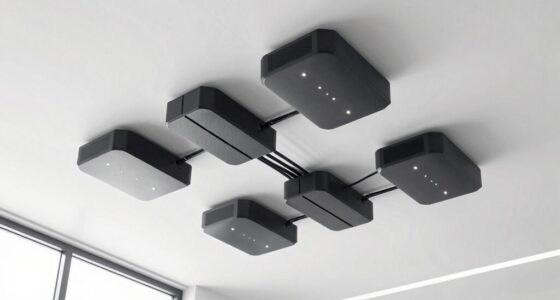

Finding the right 4k KVM over IP solution can be challenging, as options vary widely in features, performance, and price. The Best Overall pick offers a balanced mix of reliability and advanced features, while models like the AV Access Fiber Extender excel in long-distance transmission. Tradeoffs in this category often revolve around balancing video quality, latency, ease of setup, and cost. Many users face the dilemma of choosing between high-end, feature-rich options and more affordable, simpler solutions. Keep reading for a detailed comparison to help you make an informed decision tailored to your specific needs.

Get privacy and security gear delivered free with Prime
- Fast, free delivery on millions of items
- Prime Video, Amazon Music and more included
- Member-only deals all year
Key Takeaways
- The top picks demonstrate a clear balance between 4K video quality, latency, and ease of use.
- PoE (Power over Ethernet) support significantly simplifies setup and reduces clutter, favored by professional environments.
- Long-distance transmission is best served by fiber-based solutions, though they tend to cost more and require more technical setup.
- User interface and remote management features vary widely, influencing ease of use for non-technical users.
- Price often correlates with added features like serial ports, audio support, and advanced BIOS control—buyers should prioritize features based on their specific use case.
| GL.iNet Comet GL-RM1 Remote KVM, 4K 30Hz, BIOS Control, Tailscale |  | Best Overall for Remote BIOS-Level Control | Resolution: 3840×2160@30Hz | Features: BIOS control, Tailscale, remote reboot, file transfer, hardware encoding | Compatibility: Laptops, desktops, servers | VIEW ON AMAZON | See Our Full Breakdown |
| ATEN 1-Local/Remote Share Access Single Port 4K DisplayPort KVM Over IP Switch |  | Best for High-Quality 4K Video in Managed Environments | Resolution: 4096 x 2160 @ 30Hz | Video Interface: DisplayPort | Features: FPGA graphics, environment monitoring, reboot control | VIEW ON AMAZON | See Our Full Breakdown |
| Aten KE8952R-AX KVM Over IP Extender Receiver 4K HDMI Single Display with PoE |  | Best for Versatile 4K HDMI Remote Management | Video Resolution: 3840 x 2160 @ 30Hz | Color Depth: 24-bit | Supports: Deep Color, Stereo Audio | VIEW ON AMAZON | See Our Full Breakdown |
| ATEN 4K DisplayPort KVM Over IP Receiver |  | Best for Professional Multi-Computer Control | Resolution: 4K | Type: KVM Over IP Receiver | VIEW ON AMAZON | See Our Full Breakdown | |
| ATEN CN9850 1-Local Remote Share Access Single Port 4K HDMI KVM Over IP Switch |  | Best for Reliable, Redundant 4K HDMI Control | HDMI Resolution: up to 4K DCI (4096 x 2160) @ 30Hz | Power Supply: Dual | Network Interfaces: Two 10/100/1000 Mbps NICs | VIEW ON AMAZON | See Our Full Breakdown |
| Raritan Dominion KX IV-101 Ultra High Performance 1-Port 4K KVM-Over-IP Switch |  | Best Overall for Professional Single-Server Access | Weight: 3.1 lbs | Operation Mode: ON-NONE-ON | Current Rating: 1 A | VIEW ON AMAZON | See Our Full Breakdown |
| Aten KE9950T 4K DisplayPort Single Display KVM Over IP Transmitter |  | Best for High-Resolution 4K over Network with Flexibility | Maximum Video Resolution: 3840 x 2160 @30Hz | DisplayPort: 1 | USB Ports: 2 | VIEW ON AMAZON | See Our Full Breakdown |
| AV Access 4K HDMI Fiber KVM Extender Over IP, up to 550m/1800ft |  | Best for Long-Distance 4K Extending with Zero Latency | Transmission Range: 550 meters | Supported Resolutions: 4K Ultra HD | USB Ports: 3x USB 2.0 | VIEW ON AMAZON | See Our Full Breakdown |
| ATEN KE8952T 4K HDMI Single Display KVM Over IP Transmitter with PoE |  | Best for Flexible 4K Video with Power over Ethernet | Video Resolution: 3840 x 2160 @30Hz | Color Depth: 36-bit | Connection Type: KVM over IP | VIEW ON AMAZON | See Our Full Breakdown |
| ATEN 1-Port 4K DisplayPort KVM over IP Switch with Local or Remote Access |  | Best for Single-Device Control with Redundancy Features | Product Dimensions: 7.87 x 5.88 x 1.12 inches | Item Weight: 1.87 pounds | Video Resolution: 3840 x 2160 | VIEW ON AMAZON | See Our Full Breakdown |
| GL.iNet Comet PoE Remote KVM GL-RM1PE with Tailscale 4K Streaming |  | Best for Remote BIOS Management and Versatile Power Options | Connectivity Technology: Ethernet, HDMI | Controller Type: Wi-Fi | Item Weight: 85 g | VIEW ON AMAZON | See Our Full Breakdown |
| Aten KE9952T 4K DisplayPort Single View KVM Over IP Transmitter with Audio, Serial, SFP Fiber, PoE |  | Best for Data Centers with Fiber Connectivity Needs | Resolution: 3840 x 2160 @30Hz | DisplayPort Support: 1 display | Connectivity: RJ-45, SFP | VIEW ON AMAZON | See Our Full Breakdown |
| Aten KE9952R 4K DisplayPort Single Display KVM over IP Receiver with PoE |  | Best for Single-User Remote Control with High-Quality Video | Maximum Video Resolution: 3840 x 2160 @30Hz | DisplayPort: Yes | USB Ports: 4 | VIEW ON AMAZON | See Our Full Breakdown |
| GL.iNet GL-RM10 Comet Pro Remote KVM Over Wi-Fi 6 Dual Band 4K Passthrough, Touchscreen, 32GB eMMC, Tailscale Built-in |  | Best for Wireless Flexibility and User-Friendly Operation | Wi-Fi Bands: 2.4 GHz and 5 GHz | Video Passthrough: 4K@30FPS | Touchscreen: 2.22-inch | VIEW ON AMAZON | See Our Full Breakdown |
More Details on Our Top Picks
GL.iNet Comet GL-RM1 Remote KVM, 4K 30Hz, BIOS Control, Tailscale
The GL.iNet Comet GL-RM1 excels in providing BIOS-level access over the internet, making it ideal for IT professionals managing servers remotely. Unlike the ATEN 1-Remote/Local Switch, which primarily supports HDMI and additional device control, this model offers direct BIOS access, OS installation, and file transfer without needing extra software on the host. Its support for 4K at 30Hz ensures crisp video quality, but the lack of Power Delivery (PD) compatibility means you need separate power sources, which can add complexity. The integrated Tailscale support simplifies secure networking, making setup straightforward compared to traditional VPNs. However, network dependency is a tradeoff, as remote access relies on stable internet connectivity. Overall, this pick makes the most sense for remote IT staff or system administrators who require deep control and seamless setup.
Pros:- Supports BIOS-level remote control and OS installation
- High-resolution 4K at 30Hz with low latency
- Easy setup with one-click app connection
- Enables file transfer and persistent remote access
Cons:- PD adapters are incompatible, requiring separate power sources
- Network connection is essential, limiting mobility in unstable environments
Best for: IT professionals and remote system administrators needing BIOS-level access over the internet
Not ideal for: Home users seeking simple plug-and-play KVM solutions or those who rely on PD charging
- Resolution:3840×2160@30Hz
- Features:BIOS control, Tailscale, remote reboot, file transfer, hardware encoding
- Compatibility:Laptops, desktops, servers
- Connectivity:Internet
- Note:PD adapters cannot be used
Our verdict“This device is perfect for remote IT teams needing BIOS access and minimal on-site infrastructure.”
ATEN 1-Local/Remote Share Access Single Port 4K DisplayPort KVM Over IP Switch
The ATEN 1-Local/Remote Share Access Switch offers reliable 4K DisplayPort support at 30Hz, suited for environments where high-quality video and environment monitoring are critical. Compared to the Aten KE8952R-AX, which supports HDMI and USB virtual media, this model focuses on DisplayPort for compatibility with professional-grade monitors. Its FPGA graphics processor enhances image fidelity, making it preferable for engineers or designers who need precise visuals. The dual power supply and LAN options bolster uptime, but its single port setup limits flexibility—it’s not ideal for multi-device control. The straightforward environment monitoring and reboot control add to its management features, yet setup may be less user-friendly without extensive network knowledge. This switch is best for organizations requiring stable, high-res DisplayPort connections with monitoring capabilities.
Pros:- Supports 4K resolution for crisp visuals
- FPGA graphics processor improves image quality
- Dual power supply and LAN for reliable operation
- Includes environment monitoring features
Cons:- Limited to a single port, restricting multi-device sharing
- Setup may be complex for less experienced users
Best for: Engineering teams or design professionals needing high-resolution, reliable video sharing
Not ideal for: Small offices or casual users who only need basic KVM functions without environment monitoring
- Resolution:4096 x 2160 @ 30Hz
- Video Interface:DisplayPort
- Features:FPGA graphics, environment monitoring, reboot control
- Power Supply:Dual power
- Network:Dual LAN
Our verdict“This switch is tailored for professional environments demanding high-quality 4K DisplayPort sharing with robust stability.”
Aten KE8952R-AX KVM Over IP Extender Receiver 4K HDMI Single Display with PoE
The Aten KE8952R-AX offers a flexible solution for remote 4K HDMI management with PoE, simplifying power needs in enterprise setups. Its support for deep color and stereo audio at 30Hz makes it suitable for multimedia applications, but the 30Hz refresh rate at 4K can be limiting for fast-paced visuals compared to higher refresh options. Unlike the ATEN 4K DisplayPort Receiver, which emphasizes direct device control, this model emphasizes multimedia delivery and ease of deployment via PoE, reducing cabling complexity. Auto-MDIX helps streamline network setup, yet the lack of remote control features or multi-device support reduces its versatility for some use cases. It’s best suited for those prioritizing HDMI compatibility and simplified power management over ultra-fast refresh rates.
Pros:- Supports 4K UHD video at 30Hz with deep color
- PoE simplifies power setup
- Supports stereo audio and USB virtual media
- Auto-MDIX eases network configuration
Cons:- Limited to 30Hz refresh rate at 4K, less ideal for fast motion
- No remote control or multi-device management features
Best for: Media professionals or conference room setups needing HDMI 4K with simplified power options
Not ideal for: Gamers or high-speed video editors who require higher refresh rates or multi-monitor setups
- Video Resolution:3840 x 2160 @ 30Hz
- Color Depth:24-bit
- Supports:Deep Color, Stereo Audio
- Connectivity:PoE, Auto-MDIX
- Compatibility:HDMI 1.4a, HDCP 1.4
Our verdict“Best for multimedia applications in enterprise or conference settings where HDMI compatibility and PoE are valued over high refresh rates.”
ATEN 4K DisplayPort KVM Over IP Receiver
The ATEN 4K DisplayPort KVM Over IP Receiver is a solid choice for professionals needing access to multiple computers via DisplayPort, supporting 4K video. While it provides reliable high-quality video, details on additional features like integrated management tools are sparse, making setup potentially complex for less experienced users. Compared to the ATEN CN9850, which includes virtual media and serial control, this model focuses solely on display and basic control, limiting its flexibility. It’s suitable for dedicated control rooms or server environments but might fall short for users seeking comprehensive device management. Its simple design favors stability over advanced features, making it ideal for straightforward high-res control scenarios.
Pros:- Supports 4K high-resolution display
- Enables remote access to multiple computers
- Suitable for professional environments requiring high-quality visuals
Cons:- Limited information on advanced features or user interface
- Setup could be complex for beginners
Best for: Control room operators or IT managers managing multiple systems with DisplayPort displays
Not ideal for: Small office setups or users needing integrated virtual media and serial support
- Resolution:4K
- Type:KVM Over IP Receiver
Our verdict“This receiver is best for professional environments where high-resolution control of multiple DisplayPort-connected computers is needed without extra management features.”
ATEN CN9850 1-Local Remote Share Access Single Port 4K HDMI KVM Over IP Switch
The ATEN CN9850 stands out for its dual network interfaces and dual power supplies, making it highly reliable for remote access to a single HDMI-connected device at 4K resolution. Its support for RS-232 serial control and mini USB virtual media adds versatility for complex device management, setting it apart from simpler HDMI-only models like the KE8952R-AX. The compact design is practical for space-constrained environments, but its setup demands some technical knowledge, especially for configuring network redundancy. Compared to the Aten KE9950T, which focuses on transmitting signals, the CN9850 emphasizes seamless remote access and system redundancy, making it well-suited for mission-critical applications. This switch is ideal for those seeking dependable, high-quality remote control with backup options.
Pros:- Supports 4K HDMI video with excellent clarity
- Dual network interfaces ensure reliable connectivity
- Dual power supplies increase system robustness
- Supports serial RS-232 and virtual media
Cons:- Setup and configuration can be complex
- Limited to HDMI and serial control, with no wireless options
Best for: IT managers or remote control operators in enterprise environments requiring high reliability and redundancy
Not ideal for: Casual users or small offices without the technical expertise for complex setup
- HDMI Resolution:up to 4K DCI (4096 x 2160) @ 30Hz
- Power Supply:Dual
- Network Interfaces:Two 10/100/1000 Mbps NICs
- Item Dimensions:5.93 x 7.87 x 1.12 inches
- Item Weight:1.85 pounds
- Serial Control:RS-232
Our verdict“This switch is best for organizations needing dependable remote access with built-in redundancy and comprehensive device management features.”
Raritan Dominion KX IV-101 Ultra High Performance 1-Port 4K KVM-Over-IP Switch
The Raritan Dominion KX IV-101 stands out for its high-performance BIOS-level access, supporting up to 8 users remotely, making it ideal for data centers where secure, single-server management is critical. Compared to the ATEN 1-Port 4K DisplayPort KVM over IP Switch, it offers superior user capacity and a rack-mounted form factor suited for professional environments. However, its single-port design limits scalability for multi-server setups, which is a notable tradeoff. Its reliance on Ethernet and USB connectivity may require additional configuration, but it ensures compatibility with standard enterprise hardware. Best for IT professionals managing high-security, single-server environments.
Pros:- Supports BIOS-level remote access for secure management
- Handles up to 8 simultaneous users
- Rack-mountable for professional setups
- Compatible with Ethernet and USB devices
Cons:- Limited to a single port, not suitable for multiple servers
- Lacks advanced video features beyond 4K support
- Setup may be complex for non-technical users
Best for: IT departments needing BIOS-level remote management of a single server with high security and reliability.
Not ideal for: Small offices or setups requiring multi-server control, as it doesn’t support multiple ports or expansion.
- Weight:3.1 lbs
- Operation Mode:ON-NONE-ON
- Current Rating:1 A
- Operating Voltage:120 volts
- Connector Type:USB
- Control Method:Remote
- Connectivity Protocol:Ethernet
- Mounting Type:Rack Mount
Our verdict“This switch is perfect for professionals needing secure, BIOS-level control of a single server in a rack environment.”
Aten KE9950T 4K DisplayPort Single Display KVM Over IP Transmitter
The Aten KE9950T offers reliable 4K DisplayPort video transmission at 30Hz, supporting up to 3840 x 2160 resolution, making it well-suited for remote access of high-resolution workstations. Its support for dual power supplies enhances uptime, and compatibility with both copper and fiber LAN connections provides flexibility for complex network environments. Unlike the Raritan Dominion KX IV-101, which focuses on BIOS-level access, this model emphasizes high-quality video over standard network infrastructure, but it is limited to one display per transmitter, which might restrict multi-monitor setups. Its reliance on existing network hardware means setup complexity varies with infrastructure. Ideal for remote professionals needing 4K display clarity over standard networks.
Pros:- Supports 4K resolution at 30Hz with minimal latency
- Flexible connectivity including RJ-45 and SFP modules
- Dual power supplies for increased reliability
- Long-range capability up to 32,808 feet
Cons:- Requires existing network infrastructure with fiber or copper LAN
- Limited to one display per transmitter, not multi-monitor
- No mention of USB or peripheral support
Best for: Remote engineers or designers requiring 4K display access over existing network links with redundancy.
Not ideal for: Small offices or setups expecting multi-monitor support from a single device, as it’s limited to one display per transmitter.
- Maximum Video Resolution:3840 x 2160 @30Hz
- DisplayPort:1
- USB Ports:2
- Network Interface:RJ-45
- Additional Slot:SFP
- Range:32808.40 ft
Our verdict“Best suited for remote users who need high-resolution 4K video over long distances with network flexibility.”
AV Access 4K HDMI Fiber KVM Extender Over IP, up to 550m/1800ft
The AV Access 4K HDMI Fiber KVM Extender excels at transmitting 4K HDMI signals over vast distances up to 550 meters with zero latency, making it ideal for large-scale installations like stadiums or data centers. Its fiber optic technology ensures real-time control without lag, which is essential for critical applications. Compared to network-based solutions like the Aten KE9950T, this extender offers dedicated point-to-point links, providing a more reliable and straightforward connection for long-distance video. However, it requires compatible fiber switches and optical modules, adding complexity and cost to setup. Its plug-and-play approach simplifies initial installation, but hardware requirements limit flexibility. Best for large venues needing high-fidelity 4K video over extensive distances.
Pros:- Supports 4K video transmission over 550 meters
- Zero latency for real-time control
- Plug-and-play with standard fiber modules
- Suitable for large-scale, permanent installations
Cons:- Requires compatible fiber optic switches and modules
- Limited flexibility outside dedicated fiber infrastructure
- Higher initial hardware cost
Best for: Data centers, sports arenas, or campuses requiring robust, zero-latency 4K video extension over hundreds of meters.
Not ideal for: Small office environments or situations where network infrastructure is preferred, as it relies on fiber optic hardware and dedicated links.
- Transmission Range:550 meters
- Supported Resolutions:4K Ultra HD
- USB Ports:3x USB 2.0
- Optical Modules Supported:Multi-mode, Single-mode
- Power Supply:12V
- Wattage:1.6 watts
Our verdict“This extender is perfect for large-scale, high-quality 4K video delivery over very long distances with minimal delay.”
ATEN KE8952T 4K HDMI Single Display KVM Over IP Transmitter with PoE
The ATEN KE8952T offers a compact solution for remote 4K HDMI access, supporting 3840 x 2160 at 30Hz with PoE, simplifying power delivery through network cables. Its support for both single-mode and multi-mode SFP modules allows extended range up to 10 km, making it suitable for distributed setups. Compared with the Raritan KX IV-101, which is more enterprise-focused, this model emphasizes versatility and ease of deployment in diverse environments. A key tradeoff is its 30Hz refresh rate, which might not satisfy high-frame-rate needs. The reliance on SFP modules for extended range means additional hardware considerations, but PoE reduces clutter. Ideal for remote environments needing 4K over long distances with simplified power setup.
Pros:- Supports 4K resolution at 30Hz with excellent clarity
- PoE simplifies power setup, reducing cable clutter
- Supports long-range SFP modules up to 10 km
- Compact, easy to deploy
Cons:- Limited to 30Hz refresh rate at 4K, not ideal for fast-paced video
- Requires compatible SFP modules for extended range
- No USB or peripheral support included
Best for: Network administrators seeking flexible, PoE-enabled 4K access over extended distances for single displays.
Not ideal for: High-frame-rate video or multi-monitor setups, as it is limited to 30Hz and single display per unit.
- Video Resolution:3840 x 2160 @30Hz
- Color Depth:36-bit
- Connection Type:KVM over IP
- PoE Support:Yes
- SFP Module Support:Single-mode, multi-mode
- Range:Up to 10 km
Our verdict“This transmitter suits installations needing flexible, long-range 4K HDMI access with PoE, but not high-frame-rate applications.”
ATEN 1-Port 4K DisplayPort KVM over IP Switch with Local or Remote Access
The ATEN 1-Port 4K DisplayPort KVM over IP Switch offers a straightforward way to remotely control a single PC with 4K resolution support. Its inclusion of virtual media, power, and LAN redundancy makes it a reliable choice for critical applications. Compared to multi-port solutions like the AV Access Fiber Extender, this device simplifies setup for a lone server but limits scalability. Its below-average customer rating hints at potential user interface or compatibility issues, and its complex feature set may require technical familiarity. Nonetheless, for environments prioritizing single-device control with redundancy, it provides a compact, versatile solution. Best for small setups needing reliable single-machine access with fail-safes.
Pros:- Supports 4K DisplayPort resolution
- Remote and local access options
- Includes power and LAN redundancy
- Compact form factor
Cons:- Limited to a single device, restricting scalability
- Setup can be complex and may require technical skills
Best for: Small offices or secure environments that need dependable remote access to a single 4K DisplayPort device.
Not ideal for: Large or multi-server environments, since it only supports one device and has mixed customer feedback.
- Product Dimensions:7.87 x 5.88 x 1.12 inches
- Item Weight:1.87 pounds
- Video Resolution:3840 x 2160
- Connection Type:DisplayPort
- Features:Virtual media, power & LAN redundancy
- First Available:October 14, 2022
Our verdict“This switch is suited for small-scale setups needing reliable, single-device remote access with redundancy features.”
GL.iNet Comet PoE Remote KVM GL-RM1PE with Tailscale 4K Streaming
This model excels in providing reliable remote management with 4K streaming at 30FPS, making it a solid choice for those needing high-quality video output. Compared with the Aten KE9952R, it offers easier setup via Wi-Fi and dual power options (PoE and Type-C), which adds flexibility for different environments. However, its reliance on network configuration and limited detailed control options can pose challenges for less technical users. The built-in 32GB storage supports firmware updates and data, but the lack of advanced security features may worry enterprise users. Overall, this pick makes sense for IT teams seeking straightforward remote KVM access with good video quality and flexible power.Pros:- Supports 4K streaming at 30FPS for high-quality video output
- Dual power options (PoE and Type-C) for flexible setup
- Remote BIOS reinstall enhances manageability
- Built-in 32GB storage for firmware and data
Cons:- Limited detailed control options and remote management features
- Requires network setup, which may be complex for some users
Best for: IT professionals managing remote BIOS updates and firmware in flexible setups.
Not ideal for: Users seeking a plug-and-play device without network complexity or advanced remote features.
- Connectivity Technology:Ethernet, HDMI
- Controller Type:Wi-Fi
- Item Weight:85 g
- PoE Compatibility:Yes
- Built-in Storage:32GB eMMC
- Video Resolution:4K at 30FPS
Our verdict“Best suited for IT teams who need reliable, high-quality remote BIOS management with flexible power sources.”
Aten KE9952T 4K DisplayPort Single View KVM Over IP Transmitter with Audio, Serial, SFP Fiber, PoE
The Aten KE9952T stands out for its ability to support 4K resolution at 30Hz with minimal latency, making it ideal for environments demanding high-quality video and fast response times. Its support for fiber optic connections over distances up to 10 km surpasses many alternatives like the KE9952R, which is more suited for shorter-range setups. Still, the setup can be complex, requiring technical expertise to configure the fiber modules and network, which might deter smaller operations. Its PoE feature simplifies power management, but the higher cost for fiber support and advanced features makes it less attractive for budget-conscious users. This device is perfect for secure, long-distance data center applications where high performance outweighs ease of setup.Pros:- Supports 4K resolution with minimal latency
- Fiber optic support for distances up to 10 km
- PoE eliminates the need for separate power supplies
- Flexible mounting options for various environments
Cons:- Complex setup requiring technical expertise
- Higher cost due to fiber modules and advanced features
Best for: Network engineers and data center managers needing secure, long-distance 4K KVM over IP with fiber support.
Not ideal for: Small offices or users seeking simple plug-and-play solutions without fiber infrastructure.
- Resolution:3840 x 2160 @30Hz
- DisplayPort Support:1 display
- Connectivity:RJ-45, SFP
- PoE:Yes
- Fiber Distance:Up to 10 km
- Mounting Options:Desk, wall, rack
Our verdict“Ideal for secure, long-distance remote management in data centers with technical resources for setup.”
Aten KE9952R 4K DisplayPort Single Display KVM over IP Receiver with PoE
The Aten KE9952R provides reliable 4K video output at 30Hz, making it suitable for remote management of high-resolution workstations. Compared with the KE9952T transmitter, it offers a straightforward receiver solution, ideal for setups where the transmitter is already in place. Its support for PoE simplifies power delivery, and the flexible network options including fiber and copper make it adaptable. However, the device is limited to a single user at a time, which could be restrictive for multi-user environments. Its maximum refresh rate of 30Hz is adequate for most management tasks but falls short for fast-paced applications like gaming or high-speed video editing. This receiver is for those seeking high-quality, secure remote access to a single system.Pros:- Supports 4K resolution with high image clarity
- Flexible network options including fiber and copper
- PoE support simplifies power management
- Secure remote access for high-resolution management
Cons:- Limited to one local user at a time
- Requires network expertise for setup
Best for: System administrators managing a single high-resolution workstation remotely in secure environments.
Not ideal for: Multi-user offices or environments requiring multi-monitor remote access simultaneously.
- Maximum Video Resolution:3840 x 2160 @30Hz
- DisplayPort:Yes
- USB Ports:4
- Network Ports:2 x RJ-45, 1 x SFP
- PoE:Yes
- Local Users:1
Our verdict“Perfect for secure, high-quality remote control of a single workstation with simple network options.”
GL.iNet GL-RM10 Comet Pro Remote KVM Over Wi-Fi 6 Dual Band 4K Passthrough, Touchscreen, 32GB eMMC, Tailscale Built-in
The GL.iNet GL-RM10 Comet Pro offers the convenience of dual-band Wi-Fi 6 for seamless wireless remote access, making it an appealing choice for remote support and home labs. Its support for 4K@30FPS video passthrough rivals wired options, and the touchscreen interface simplifies operation compared to traditional KVM switches. Built-in Tailscale enhances security without complex VPN setups, a feature that sets it apart from devices like the Comet GL-RM1. The main tradeoff is its limited internal storage at 32GB, which may restrict firmware updates or data logging. This device makes the most sense for environments prioritizing wireless flexibility and ease of use over maximum storage or wired connectivity.Pros:- Supports dual-band Wi-Fi 6 for flexible, wireless connectivity
- Features 4K video passthrough at 30FPS
- Intuitive touchscreen for easy operation
- Built-in Tailscale for secure remote access
Cons:- Limited internal storage at 32GB eMMC
- Requires technical knowledge for deployment and network configuration
Best for: IT support teams and enthusiasts seeking wireless remote KVM with user-friendly controls and secure access.
Not ideal for: Large data centers or users needing extensive onboard storage or wired-only setups.
- Wi-Fi Bands:2.4 GHz and 5 GHz
- Video Passthrough:4K@30FPS
- Touchscreen:2.22-inch
- Storage:32GB eMMC
- Built-in Tailscale:Yes
- Remote Access:Web, GLKVM app
Our verdict“Ideal for remote users and small-scale setups prioritizing wireless access and ease of use over onboard storage capacity.”

How We Picked
In evaluating these products, I focused on core performance criteria relevant to professional and enterprise environments. Video resolution stability, latency, and reliability during extended use formed the backbone of the selection process. Ease of installation and setup, especially for remote access, was also critical. Build quality and support for advanced features such as BIOS control, serial ports, and fiber connectivity helped differentiate high-end models. Price-to-value ratios and user management interfaces played a key role, ensuring that each product offers a tangible benefit for its price. Products were ranked based on their overall capability to deliver seamless, reliable 4K KVM over IP experiences across various use cases.Factors to Consider When Choosing 4k Kvm Over Ip
Choosing the right 4k KVM over IP solution involves weighing several important factors. Understanding your specific environment, network infrastructure, and technical expertise will help narrow down options. From video quality to distance and management features, each consideration impacts your overall experience and investment. A thoughtful approach ensures you avoid common pitfalls like overspending on unnecessary features or selecting underpowered solutions that hinder productivity. Here are key factors to keep in mind when evaluating your options.Video Quality and Latency
While 4K resolution is standard in this category, actual performance can vary based on compression algorithms and hardware capabilities. Low latency is essential for real-time control, especially in high-stakes environments like data centers and broadcast setups. Be cautious of solutions that promise 4K but introduce noticeable lag or jitter, which can impair usability. Prioritize models with proven low latency and stable video streams to ensure smooth operation, even during extended sessions.
Distance and Transmission Medium
Long-distance transmission often requires fiber connections or specialized extenders, which can significantly increase costs but improve reliability. If your setup involves transmitting signals over hundreds of meters, fiber-based KVM extenders are worth considering despite their complexity. For shorter distances, Ethernet-based solutions with PoE support simplify installation and reduce clutter. Matching your environment to the appropriate transmission medium is vital to avoid performance issues or unnecessary expenses.
Ease of Setup and Management
Remote management features like web interfaces, BIOS-level access, and password protection streamline ongoing maintenance and troubleshooting. Devices with intuitive interfaces reduce setup time and minimize errors, especially for non-technical staff. Keep in mind that some solutions require advanced network configuration, which may necessitate professional support or training. A straightforward user interface and robust remote management capabilities add significant value, particularly in multi-user or enterprise environments.
Power and Connectivity Options
PoE support can simplify deployment by eliminating the need for separate power supplies, which is advantageous in rack-mounted or space-constrained setups. Fiber SFP ports expand connectivity options for high-distance, high-bandwidth applications but often increase complexity and cost. Consider your current infrastructure and future scalability needs when selecting power and connectivity features, balancing ease of installation with long-term flexibility.
Price and Feature Tradeoffs
Higher-priced models typically include advanced features like serial ports, audio, or multi-user support, which can be critical depending on use case. However, many small-scale setups do not require these extras, and a more affordable device might suffice. Avoid the trap of overpaying for unnecessary features, but also be aware that cheaper options may lack reliability or performance needed for demanding environments. Focus on the features that deliver real value for your specific application to get the best return on investment.
Frequently Asked Questions
Can I use a 4k KVM over IP solution over my existing network?
Yes, most 4k KVM over IP devices are designed to operate over standard Ethernet networks. However, to achieve optimal performance, especially at 4K resolution with low latency, your network should support gigabit speeds and ideally managed switches that prioritize traffic. For high-density setups or critical environments, dedicated network segments or VLANs can help reduce latency and prevent interference from other devices. Always verify the device’s network requirements and ensure your infrastructure aligns with those specifications for seamless operation.
What’s the difference between single-port and multi-port KVM over IP switches?
Single-port switches focus on providing remote access to just one computer or server, making them suitable for small setups or dedicated control stations. Multi-port models, on the other hand, allow managing multiple servers from a single interface, which is ideal for data centers or server rooms with many machines. The tradeoff is that multi-port units tend to be more complex, more expensive, and require more extensive configuration. Your choice depends on whether you need to control a handful of devices or a larger infrastructure.
Is PoE support necessary for my KVM over IP device?
PoE (Power over Ethernet) support can significantly simplify deployment by reducing the number of cables needed for power and data, especially in rack environments or remote locations. It allows powering devices directly through Ethernet cables connected to PoE switches, minimizing clutter and simplifying maintenance. However, PoE devices typically come at a higher cost and may require compatible network infrastructure. If your setup involves multiple devices or limited power outlets, PoE support offers notable convenience, but for smaller or local setups, traditional power supplies might suffice.
How important is BIOS-level access in a 4k KVM over IP device?
BIOS-level access is critical for managing servers or systems that require remote BIOS configuration, firmware updates, or troubleshooting at the hardware level. Devices with this feature enable IT staff to perform deeper management tasks without physical access, saving time and reducing downtime. Not all KVM over IP solutions include BIOS support, so if your environment demands comprehensive control over boot sequences or firmware settings, choosing a model with robust BIOS-level management becomes essential.
What should I consider if I need long-distance transmission over 1km?
For distances exceeding 1km, fiber optic solutions generally provide the best performance, offering low latency and high reliability. Many fiber-based KVM extenders or transmitters include SFP ports, allowing integration with existing fiber infrastructure. Keep in mind that fiber solutions tend to be more complex and costly, requiring specialized installation and equipment. Always verify that the chosen device supports the required distance and bandwidth, and consider professional installation to ensure optimal performance and future scalability.
Conclusion
For most users seeking a reliable, balanced solution, the Raritan Dominion KX IV-101 offers excellent performance and management features at a reasonable price, making it the best overall choice. Those with a tight budget or simpler needs will find the ATEN 1-Local/Remote Share Access Switch to be a practical option. If advanced features like serial ports, audio, or fiber connectivity are priorities, the Aten KE9952T stands out as a premium pick. Beginners or smaller setups should consider models with straightforward installation and user interfaces, such as the GL.iNet Comet GL-RM1. Ultimately, your decision will hinge on your specific environment, distance requirements, and feature needs—use this guide to match your priorities with the right solution.
Halloween Picks
halloween
As an affiliate, we earn on qualifying purchases.