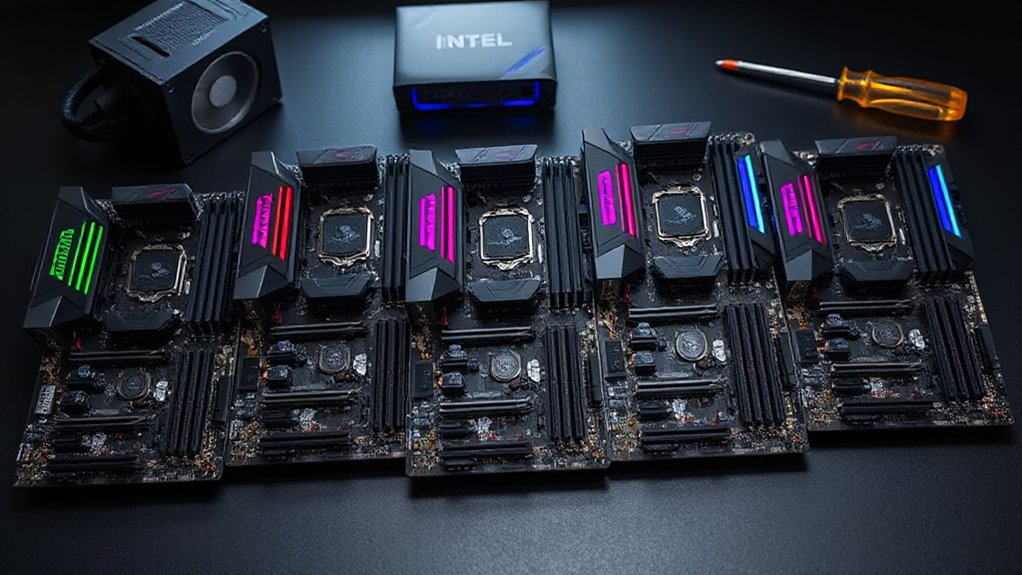

Choosing a workstation motherboard for Threadripper involves balancing performance, expandability, and compatibility. The ASUS Pro WS WRX80E-SAGE SE WiFi II stands out as the best overall for high-end reliability and feature set, especially for professional workloads. Meanwhile, the GIGABYTE TRX50 AI TOP offers cutting-edge tech like PCIe 5.0 and Wi-Fi 7 at a more accessible price, making it a strong value pick. A key tradeoff in this category is between raw performance and future-proofing versus cost and ease of use. Continue reading for a detailed breakdown of each option to find the best fit for your specific needs.

Get privacy and security gear delivered free — and shop member deals
- Fast, free delivery on millions of items
- Access to Prime Big Deal Days deals on October 6–7
- Prime Video, Amazon Music and more included
Complete the kit



Key Takeaways
- The top-performing motherboards prioritize PCIe 4.0/5.0 and DDR5 support for future-proofing.
- High-end options like ASUS Pro WS WRX80E-SAGE SE WiFi II excel in reliability but come with a premium price.
- GIGABYTE models push innovative features like Wi-Fi 7 and Marvell 10GbE, appealing to tech enthusiasts.
- Compatibility with AMD Ryzen Threadripper PRO series is a key factor for workstation-grade performance.
- Tradeoffs often involve balancing expandability and advanced features against complexity and cost.
| ASUS Pro WS WRX80E-SAGE SE WiFi II AMD WRX80 Ryzen Threadripper PRO Extended-ATX Workstation Motherboard |  | Best Overall for High-End Workstations | Socket: sWRX8 | Processor Support: AMD Ryzen Threadripper PRO Series | Connectivity: USB 3.2 Gen 2×2 Type-C, 10 x USB 3.2 Gen 2, WiFi 6E | VIEW ON AMAZON | See Our Full Breakdown |
| ASUS Pro WS TRX50-SAGE WIFI CEB Workstation Motherboard |  | Best for High-Core Count and Future-Proofing | Socket: sTR5 | Supported CPUs: AMD Ryzen Threadripper PRO 7000 WX-Series | Memory: Up to 1TB ECC R-DIMM DDR5 | VIEW ON AMAZON | See Our Full Breakdown |
| ASUS Pro WS WRX90E-SAGE SE Workstation Motherboard for AMD Ryzen Threadripper PRO 7000 WX-Series |  | Best for Extreme Multi-GPU and High-Core Support | Socket: sTR5 | Supported CPUs: AMD Ryzen Threadripper PRO 7000 WX-Series | Memory Support: Up to 2TB ECC R-DIMM DDR5 | VIEW ON AMAZON | See Our Full Breakdown |
| ASUS Pro WS TRX50-SAGE WiFi AMD TRX50 TR5 CEB Workstation Motherboard |  | Best for Overclocking and Demanding AI Workloads | Socket: sTR5 | Supported CPUs: AMD Ryzen Threadripper PRO 9000 & 7000, Ryzen 9000 & 7000 Series | Memory: Up to 1TB ECC R-DIMM DDR5 | VIEW ON AMAZON | See Our Full Breakdown |
| GIGABYTE TRX50 AI TOP sTR5 AMD TRX50 EATX Motherboard – DDR5, PCIe 5.0, M.2, USB4 Type-C, Wi-Fi 7, Marvell 10GbE |  | Best for Future-Proofing and High-Speed Networking | Socket: sTR5 | Processor Support: Ryzen Threadripper PRO 7000 Series | Memory: 8 SMD ECC R-DIMMs, up to 2TB | VIEW ON AMAZON | See Our Full Breakdown |
| GIGABYTE TRX50 AERO D Motherboard for AMD Ryzen Threadripper PRO 7000 Series |  | Best for Content Creators and AI Professionals Seeking Stability and Future-Proofing | Socket: sTR5 | Compatible Devices: Personal Computer | RAM Memory Technology: DDR5 | VIEW ON AMAZON | See Our Full Breakdown |
| AMD Ryzen Threadripper 9970X Processor with ASUS Pro WS TRX50-SAGE Workstation Motherboard Combo |  | Best for High-End Workstation Performance and Overclocking Enthusiasts | Processor Socket: sTR5 | Processor Cores: 32 | Threads: 64 | VIEW ON AMAZON | See Our Full Breakdown |
| workstation motherboard for threadripper | Socket | Connectivity |
|---|---|---|
| ASUS Pro WS WRX80E-SAGE SE WiF | sWRX8 | USB 3.2 Gen 2×2 Type-C, 10 x USB 3.2 Gen 2, WiFi 6E |
| ASUS Pro WS TRX50-SAGE WIFI CE | sTR5 | WiFi 7, 10 Gb LAN, PCIe 5.0 x16 slots |
| ASUS Pro WS WRX90E-SAGE SE Wor | sTR5 | — |
| ASUS Pro WS TRX50-SAGE WiFi AM | sTR5 | USB4, 10 Gb LAN, 2.5 Gb LAN |
| GIGABYTE TRX50 AI TOP sTR5 AMD | sTR5 | USB4, PCIe 5.0, Wi-Fi 7 |
| GIGABYTE TRX50 AERO D Motherbo | sTR5 | — |
| AMD Ryzen Threadripper 9970X P | — | — |
More Details on Our Top Picks
ASUS Pro WS WRX80E-SAGE SE WiFi II AMD WRX80 Ryzen Threadripper PRO Extended-ATX Workstation Motherboard
This ASUS motherboard stands out for its combination of extensive connectivity, robust build quality, and professional features, making it a strong choice for demanding workstation setups. Compared to the ASUS Pro WS TRX50-SAGE WIFI, it offers dual 10Gb Ethernet and WiFi 6E, ensuring high-speed network performance. Its support for AMD Ryzen Threadripper PRO processors, along with multiple PCIe 4.0 M.2 slots, caters to users needing maximum expandability and reliability. The inclusion of remote management capabilities adds to its enterprise appeal, though this complexity can be daunting for casual builders. The premium price reflects its high-end feature set, making it less suitable for budget-conscious users who don’t need enterprise-level management.
Pros:- Supports AMD Ryzen Threadripper PRO processors for demanding workloads
- Ultrafast connectivity with multiple USB 3.2 ports and WiFi 6E
- Robust build quality with multi-GPU support and remote management
Cons:- Designed for advanced users, requiring technical expertise to set up
- Premium price point may be prohibitive for smaller budgets
Best for: High-performance professional workstations requiring extensive PCIe and network options
Not ideal for: Casual users or gamers who won’t utilize multi-GPU or enterprise management features
- Socket:sWRX8
- Processor Support:AMD Ryzen Threadripper PRO Series
- Connectivity:USB 3.2 Gen 2×2 Type-C, 10 x USB 3.2 Gen 2, WiFi 6E
- Storage:3 x M.2 PCIe 4.0, HYPER M.2 x16 Gen 4
- Ethernet:Intel X550-AT2 dual 10Gb
- Form Factor:Extended-ATX
Our verdict“This motherboard suits professionals who need maximum expandability and remote management at a premium cost.”
ASUS Pro WS TRX50-SAGE WIFI CEB Workstation Motherboard
This ASUS motherboard is tailored for users who need support for AMD Ryzen Threadripper PRO 7000 WX-Series CPUs, with a focus on high core counts and high-speed connectivity. Its PCIe 5.0 slots and WiFi 7 ensure that it’s ready for future expansion, outperforming older PCIe 4.0 models like the GIGABYTE TRX50 AI TOP. The robust power delivery system and extensive cooling make it suitable for intensive workloads, though the abundance of features may overwhelm beginners. Its focus on professional-grade performance makes it less appealing for casual or gaming builds, where simpler solutions suffice. The complex setup and high price point are tradeoffs for its advanced capabilities.
Pros:- Supports high-core count AMD Ryzen Threadripper PRO CPUs
- Includes PCIe 5.0 and WiFi 7 for cutting-edge connectivity
- High-quality power delivery with extensive cooling solutions
Cons:- Overkill for users with basic workstation needs
- Complex setup requiring technical expertise
Best for: Professionals deploying high-core-count workloads with future expansion needs
Not ideal for: Casual users or those with limited technical experience due to its complexity
- Socket:sTR5
- Supported CPUs:AMD Ryzen Threadripper PRO 7000 WX-Series
- Memory:Up to 1TB ECC R-DIMM DDR5
- Power Stages:36
- Connectivity:WiFi 7, 10 Gb LAN, PCIe 5.0 x16 slots
- Management:IPMI remote management
Our verdict“Ideal for professionals prioritizing future-proofing and high-speed connectivity, but less suited for casual users.”
ASUS Pro WS WRX90E-SAGE SE Workstation Motherboard for AMD Ryzen Threadripper PRO 7000 WX-Series
This ASUS WRX90E-SAGE SE excels in multi-GPU configurations and extensive PCIe expansion, surpassing many in the lineup like the ASUS Pro WS TRX50-SAGE with its seven PCIe 5.0 x16 slots. Its support for up to 96 cores and 2TB ECC DDR5 memory makes it ideal for heavy computational tasks, but its complexity and high price can be barriers for smaller setups. The inclusion of server-grade features like IPMI remote management emphasizes its professional and enterprise focus. While it offers unmatched expansion, its setup is not straightforward for non-technical users, and it is overkill for typical workstation tasks.
Pros:- Supports AMD Ryzen Threadripper PRO 7000 WX-Series with up to 96 cores
- Seven PCIe 5.0 x16 slots for extensive GPU or NVMe expansion
- Server-grade remote management with IPMI
Cons:- High price and complexity limit accessibility for typical users
- Designed primarily for professional or enterprise environments
Best for: High-end, multi-GPU workloads and applications demanding maximum PCIe expansion
Not ideal for: Casual or entry-level users due to its complexity and cost
- Socket:sTR5
- Supported CPUs:AMD Ryzen Threadripper PRO 7000 WX-Series
- Memory Support:Up to 2TB ECC R-DIMM DDR5
- PCIe Slots:7x PCIe 5.0 x16
- LAN Ports:Dual 10 Gb LAN
- Management:IPMI remote management
Our verdict“This motherboard is a prime choice for professionals needing maximum PCIe slots and multi-GPU support, with a tradeoff in complexity and cost.”
ASUS Pro WS TRX50-SAGE WiFi AMD TRX50 TR5 CEB Workstation Motherboard
This ASUS TRX50-SAGE motherboard caters to users who want overclocking capabilities and extensive connectivity for AI or computational workloads. Its support for AMD Ryzen Threadripper PRO and Ryzen Series CPUs makes it versatile, with PCIe 5.0, USB4, and dual 10GbE LAN ensuring high data throughput. Compared to the GIGABYTE TRX50 AERO D, it offers more refined thermal management and remote monitoring features, but its overclocking focus might not appeal to users who prioritize stability over performance tuning. Its size and feature set make it overkill for basic tasks, reserving it for advanced users comfortable with complex setups.
Pros:- Supports high-end AMD Ryzen Threadripper PRO CPUs
- Overclocking support with robust power design
- Includes PCIe 5.0, USB4, and dual 10GbE LAN
Cons:- Overclocking features may require advanced knowledge
- Designed mainly for enthusiasts, not casual users
Best for: Users seeking overclocking, AI workloads, and extensive connectivity options
Not ideal for: Inexperienced builders or those with minimal overclocking needs
- Socket:sTR5
- Supported CPUs:AMD Ryzen Threadripper PRO 9000 & 7000, Ryzen 9000 & 7000 Series
- Memory:Up to 1TB ECC R-DIMM DDR5
- PCIe Slots:Three PCIe 5.0 x16, one PCIe 4.0 x16
- Connectivity:USB4, 10 Gb LAN, 2.5 Gb LAN
- Additional Features:Remote management, overclocking support
Our verdict“Best suited for power users who want overclocking and AI-ready features, accepting its complexity and premium cost.”
GIGABYTE TRX50 AI TOP sTR5 AMD TRX50 EATX Motherboard – DDR5, PCIe 5.0, M.2, USB4 Type-C, Wi-Fi 7, Marvell 10GbE
This GIGABYTE motherboard emphasizes future-proofing with PCIe 5.0, DDR5 support, and Wi-Fi 7, making it an excellent choice for those planning for the latest hardware. Its dual USB4 Type-C ports and dual 10GbE LAN offer versatile high-speed connectivity, surpassing older standards like PCIe 4.0 models. The inclusion of a thermal armor for VRMs and M.2 drives enhances cooling, which is vital for high-performance workloads. Compared to ASUS offerings, it offers a balanced mix of features with a slightly more accessible setup, but it still demands a high-end CPU and memory to realize its potential. Its large EATX form factor may restrict smaller cases, so compatibility should be checked.
Pros:- Supports latest AMD Ryzen Threadripper PRO processors
- High-speed PCIe 5.0, DDR5, and Wi-Fi 7 for the latest standards
- Robust thermal design with heatsinks and guards
Cons:- Requires compatible high-end CPU and memory to leverage features
- EATX size may not fit all cases
Best for: Enthusiasts and professionals aiming to build a future-ready, high-speed workstation
Not ideal for: Users with budget constraints or smaller case sizes, due to size and premium hardware requirements
- Socket:sTR5
- Processor Support:Ryzen Threadripper PRO 7000 Series
- Memory:8 SMD ECC R-DIMMs, up to 2TB
- Connectivity:USB4, PCIe 5.0, Wi-Fi 7
- Thermal Design:VRM Thermal Armor
- Form Factor:EATX
Our verdict“This motherboard offers strong future-proofing and high-speed connectivity for demanding workstation builds willing to invest in top-tier hardware.”
GIGABYTE TRX50 AERO D Motherboard for AMD Ryzen Threadripper PRO 7000 Series
The GIGABYTE TRX50 AERO D stands out for its support of AMD Ryzen Threadripper PRO 7000 Series processors paired with cutting-edge DDR5 memory and PCIe 5.0, making it an excellent choice for users demanding high stability and long-term performance. Compared to the ASUS Pro WS TRX50-SAGE, it offers more advanced thermal solutions and dual USB4 Type-C ports, but its setup can be more complex, especially for newcomers. The absence of integrated graphics means you’ll need a discrete GPU, which may increase overall system cost. This board is ideal for content creators, AI developers, and enthusiasts who prioritize future-proofing and robust connectivity. However, it’s less suitable for those new to workstation builds or on a tight budget due to its advanced features and price point.
Pros:- Supports latest AMD Ryzen Threadripper PRO 7000 Series processors for high stability
- Features DDR5 compatibility and PCIe 5.0 for future readiness
- Dual USB4 Type-C ports and Wi-Fi 7 for advanced connectivity
- Robust thermal design with VRM Thermal Armor and M.2 Thermal Guard
Cons:- Complex setup, potentially intimidating for beginners
- Limited to high-end users due to advanced features and price
Best for: Content creators, AI researchers, and power users looking for a high-performance, stable platform with advanced connectivity.
Not ideal for: Beginners or users seeking an easier, plug-and-play system, as the setup can be challenging and requires familiarity with high-end workstation components.
- Socket:sTR5
- Compatible Devices:Personal Computer
- RAM Memory Technology:DDR5
- Maximum RAM Size:1000 GB
- Main Power Connector:24-Pin
- Graphics Card Interface:PCI Express
- Number of RAM Slots:4
- Total SATA Ports:8
Our verdict“This motherboard is perfect for professionals who need a stable, future-proof platform and are comfortable with complex builds.”
AMD Ryzen Threadripper 9970X Processor with ASUS Pro WS TRX50-SAGE Workstation Motherboard Combo
The AMD Ryzen Threadripper 9970X and ASUS Pro WS TRX50-SAGE combo offers an exceptional blend of raw CPU power and workstation features, with a 32-core, 64-thread processor capable of reaching a 5.4 GHz boost. Compared to the GIGABYTE TRX50 AERO D, this setup provides a more powerful CPU for demanding multitasking and multithreaded workflows, but it also comes with a higher TDP of 350W, demanding robust cooling and power solutions. The motherboard supports DDR5 memory and PCIe 5.0, matching the latest standards, yet it does not include integrated graphics, requiring a discrete GPU. It’s best suited for heavy-duty tasks like 3D rendering, scientific simulations, and intensive data analysis. The combo’s high power draw and cooling needs could be a drawback for users building smaller or less cooled systems.
Pros:- Massive 32-core, 64-thread CPU for demanding multitasking
- Supports DDR5 and PCIe 5.0 for high performance and future expansion
- Overclocking potential with robust power delivery
- Multiple high-speed connectivity options including WiFi 7 and USB4
Cons:- Requires discrete cooling solution and significant power supply
- High TDP of 350W increases operational costs and cooling complexity
- No integrated graphics, adding to overall system cost
Best for: High-end professionals, overclockers, and workstation users who need maximum CPU core counts and are prepared to manage high power and cooling requirements.
Not ideal for: Casual users or those on tighter budgets, as the high TDP and need for advanced cooling make this a less practical choice for everyday tasks.
- Processor Socket:sTR5
- Processor Cores:32
- Threads:64
- Max Boost Frequency:5.4 GHz
- Cache:L1 2560 KB, L2+L3 160 MB
- TDP:350W
- Memory Support:DDR5, up to 1TB ECC R-DIMM
- PCIe Slots:3 PCIe 5.0 x16
Our verdict“This combo is ideal for power users and professionals who prioritize maximum CPU performance and are willing to handle the associated power and cooling demands.”

How We Picked
These motherboards were selected based on performance benchmarks, build quality, compatibility with AMD Threadripper processors, and feature set. We prioritized options that support the latest connectivity standards like PCIe 5.0 and DDR5 RAM, ensuring future-proofing. Usability and reliability in demanding workstation environments also influenced rankings, along with user feedback and manufacturer reputation. The goal was to identify models that balance cutting-edge technology with practical workstation needs, giving each product a clear role within this lineup.| workstation motherboard for threadripper | Socket | Connectivity |
|---|---|---|
| ASUS Pro WS WRX80E-SAGE SE WiF | sWRX8 | USB 3.2 Gen 2×2 Type-C, 10 x USB 3.2 Gen 2, WiFi 6E |
| ASUS Pro WS TRX50-SAGE WIFI CE | sTR5 | WiFi 7, 10 Gb LAN, PCIe 5.0 x16 slots |
| ASUS Pro WS WRX90E-SAGE SE Wor | sTR5 | — |
| ASUS Pro WS TRX50-SAGE WiFi AM | sTR5 | USB4, 10 Gb LAN, 2.5 Gb LAN |
| GIGABYTE TRX50 AI TOP sTR5 AMD | sTR5 | USB4, PCIe 5.0, Wi-Fi 7 |
| GIGABYTE TRX50 AERO D Motherbo | sTR5 | — |
| AMD Ryzen Threadripper 9970X P | — | — |
Factors to Consider When Choosing Workstation Motherboard For Threadripper
When selecting a workstation motherboard for Threadripper, it’s important to consider several factors that influence performance, compatibility, and future readiness. These choices can dramatically impact your workstation’s lifespan and ability to handle demanding tasks. Properly evaluating these factors helps avoid costly mistakes and ensures your investment aligns with your workload requirements.Processor Compatibility and Socket Support
Threadripper CPUs require specific socket support, such as sTRX4 or WRX80, depending on the series. Confirming socket compatibility is essential because it determines which processors you can install. Choosing a motherboard that supports your current CPU and allows room for future upgrades can save money and hassle. Avoid motherboards with limited CPU support if you plan to upgrade later, as replacing the motherboard can be costly and complex.
Memory Support and Expandability
Workstation tasks often demand high RAM capacity and speeds. Look for motherboards supporting DDR4 or DDR5 ECC RAM, with ample slots for expanding memory as needed. Prioritize models with high maximum RAM capacity and fast memory support to prevent bottlenecks in data-heavy workflows. Be aware that increased expandability can add to the price and complexity, so match your needs carefully.
Connectivity and Expansion Options
High-speed connectivity options like PCIe 4.0/5.0, USB-C, Thunderbolt, and Wi-Fi 6/7 are vital for data transfer and peripheral support. Ensure the motherboard offers enough PCIe slots for GPUs, SSDs, and other peripherals. For professionals working with external devices or large data transfers, features like 10GbE or Wi-Fi 7 can be game changers. However, adding these features can increase cost and complexity, so consider your specific workflow needs.
Build Quality and Reliability
Workstation motherboards must withstand prolonged heavy workloads. Look for models with robust power delivery, high-quality capacitors, and good thermal design. These features enhance stability and longevity, especially under demanding tasks. Cutting corners on build quality may lead to system instability or failures, which could be costly in professional environments.
Price and Future-Proofing
Pricing ranges widely, with premium boards offering the latest features and more extensive support for future upgrades. Balance your current needs with potential future requirements; investing a bit more now can extend your system’s relevance. Conversely, overspending on features you won’t use can reduce overall value. Identify which features are essential for your workload to avoid unnecessary expenses.
Frequently Asked Questions
Can I upgrade my CPU later without changing the motherboard?
In most cases, upgrading a CPU within the same socket series is possible, but compatibility depends on the motherboard’s BIOS version and chipset. With Threadripper motherboards, especially those supporting PRO series, BIOS updates are often required for newer CPUs. It’s vital to verify CPU compatibility before upgrading, as not all motherboards support every generation without updates or hardware revisions. Planning ahead for the CPU series you intend to use can prevent costly motherboard replacements later.
Is DDR5 memory necessary for a workstation build?
While DDR5 offers higher speeds and improved efficiency, it’s not strictly necessary for all workloads. DDR4 remains very capable and often more affordable, making it a practical choice for many users. However, for future-proofing and demanding data-intensive applications, DDR5 compatibility can provide noticeable performance benefits. Consider your workload requirements and budget when deciding, as DDR5 motherboards tend to carry a premium.
How important is PCIe 5.0 support for my workstation?
PCIe 5.0 doubles the bandwidth of PCIe 4.0, enabling faster data transfer for high-speed SSDs, GPUs, and other peripherals. For tasks like 3D rendering, large dataset processing, or AI workloads, PCIe 5.0 can reduce bottlenecks and improve workflow efficiency. However, the technology is still emerging, and compatible devices are limited. If you want maximum future-proofing and plan to upgrade your peripherals soon, prioritizing PCIe 5.0 support makes sense.
Should I prioritize onboard features over build quality?
Both are important, but in a workstation environment, build quality and stability tend to outweigh additional onboard features. A motherboard with excellent power delivery, thermal design, and durability ensures system reliability during extended, demanding tasks. While onboard features like Wi-Fi 6 and multiple M.2 slots add convenience, they should not come at the expense of fundamental stability. Focus on a balanced motherboard that offers essential features alongside solid construction.
Is it worth investing in a premium motherboard for future-proofing?
Investing in a premium motherboard can extend the relevance of your system, especially if you anticipate upgrading components over several years. Features like PCIe 5.0, DDR5 support, advanced networking, and robust power delivery are hallmarks of premium models. However, these come at a higher cost, so evaluate whether your current workload justifies the investment. For professional users needing maximum stability and upgrade paths, the extra expense often pays off in long-term savings and performance.
Conclusion
For most users, the ASUS Pro WS WRX80E-SAGE SE WiFi II offers the best balance of performance, reliability, and expandability, making it ideal as the overall best. Those seeking cutting-edge features at a more accessible price point might prefer the GIGABYTE TRX50 AI TOP, especially with its PCIe 5.0 and Wi-Fi 7 support. Beginners or those upgrading existing systems should look at models with simpler setups, like the ASUS Pro WS TRX50-SAGE WIFI. Meanwhile, professionals needing maximum future-proofing and high-end reliability should consider the ASUS Pro WS WRX90E-SAGE SE. Your choice ultimately depends on your specific workload, budget, and planned upgrades.
As an affiliate, we earn on qualifying purchases.Fall Picks
fall essentials