
Security certificates are digital documents that verify a website’s identity and establish a secure, encrypted connection to protect your data online. When you visit an HTTPS website, the certificate confirms it’s authentic, and encryption keeps your information safe from hackers. Browsers display a padlock icon to show the site is secure. If you want to understand how these certificates work and why they matter, keep exploring the details behind online security.
Key Takeaways
- Security certificates verify a website’s identity and enable secure HTTPS connections.
- They are issued by trusted Certificate Authorities (CAs).
- Certificates ensure data transmitted between users and websites is encrypted and protected.
- Browsers display padlock icons to indicate valid security certificates.
- They prevent impersonation and unauthorized access during online transactions.
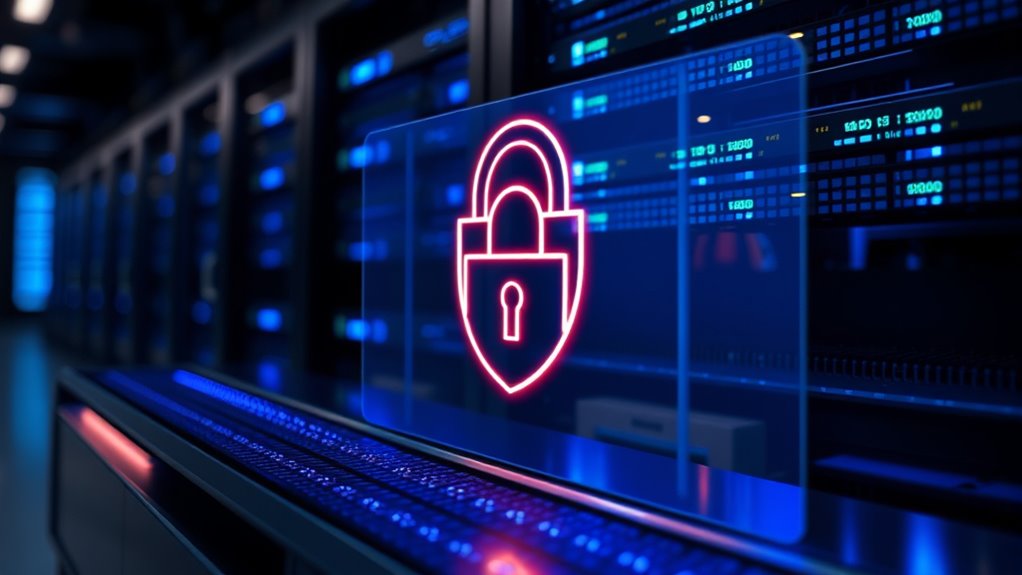
Have you ever wondered how websites guarantee that your data stays safe during online transactions? The answer lies in security certificates, which play a vital role in protecting your information. When you visit a website that uses HTTPS, it’s not just a secure connection—there’s a complex process behind the scenes involving encryption protocols and a trusted certificate authority. These elements work together to guarantee that any data you send or receive is encrypted and authenticated, preventing eavesdropping or tampering.
Encryption protocols, like TLS (Transport Layer Security), are the backbone of secure online communication. They encrypt data so that even if someone intercepts it, they can’t understand its contents. Think of encryption protocols as a secret code that only you and the website can understand. When you input sensitive information, such as credit card details or passwords, TLS encrypts this information before it leaves your device. This way, hackers or malicious entities cannot read or steal your data during transmission. These protocols are constantly evolving to address new security challenges, providing a robust layer of protection for online transactions.
Encryption protocols like TLS protect your data by making it unreadable to interceptors during online transactions.
But encryption alone isn’t enough; the website also needs to prove its identity. This is where a certificate authority (CA) comes into play. The CA acts as a trusted third party that issues digital certificates to websites. When a website obtains a security certificate from a CA, it’s essentially receiving a digital passport that verifies its identity. Your browser checks this certificate to confirm that the website you’re connecting to is legitimate and not a fake or malicious site. If the certificate is valid and issued by a trusted CA, your browser will display a padlock icon, indicating a secure connection. This process prevents impersonation attacks, where attackers create fake websites to steal your data.
The entire process hinges on the trust established between your browser, the certificate authority, and the website. When you visit a site, your browser retrieves the site’s certificate and verifies it against a list of trusted CAs. If everything checks out, the encrypted connection begins, and your data remains safe. Without this verification, you’d have no way of knowing whether the website is genuine or potentially malicious. That’s why security certificates, backed by reputable certificate authorities and enforced through encryption protocols, are fundamental to online security. They give you confidence that your sensitive information is protected, allowing you to browse, shop, and transact with peace of mind.
Additionally, hackathons have become a popular way for developers and security experts to collaborate and improve cybersecurity practices through innovative projects and competitions.

NETGEAR Wireless Access Point (WAX210) - WiFi 6 Dual-Band AX1800 Speed | 1 x 1G Ethernet PoE Port | Up to 128 Devices | 802.11ax | WPA3 | Small Size |Up to 4 SSID Networks, Power Adapter Not Included
Its compact size makes it ideal for a retail store, business lobby, or any location where you want...
As an affiliate, we earn on qualifying purchases.
Frequently Asked Questions
How Do Security Certificates Prevent Cyberattacks?
You might wonder how cyberattacks are prevented, and security certificates play a key role. They use encryption protocols to secure data transmission, making it difficult for hackers to intercept information. Certificate authorities verify your website’s identity, ensuring users connect to the genuine site. This trust reduces risks of phishing and man-in-the-middle attacks, helping you protect sensitive data and maintain secure online communications effectively.
Can Security Certificates Expire or Become Invalid?
You might wonder if security certificates can expire or become invalid. Yes, they do have a set validity period, often ranging from months to a few years. You need to stay on top of certificate renewal to maintain security. When certificates reach their expiration date or are invalidated, your website’s trustworthiness drops, risking security issues. Regularly checking certificate validity and renewing on time guarantees your connection remains secure and trusted.
What Is the Difference Between SSL and TLS Certificates?
You might wonder how SSL and TLS certificates differ. Both are encryption protocols that protect data between your browser and a server, but TLS is the newer, more secure version. Certificate authorities issue these certificates, verifying identities. While SSL is outdated, many still use its name. TLS certificates ensure your connection stays private, and understanding their differences helps you choose the best security for your website or online activities.
How Do I Verify a Website’S Security Certificate?
You might notice a padlock icon or HTTPS in your browser, which hints at website encryption. To verify a website’s security certificate, click on the padlock to view details. Check the certificate’s issuer, usually a trusted certificate authority, and confirm it’s valid and matches the site. This process confirms the site’s authenticity, giving you confidence that your data stays secure during your online visit.
Are Free Security Certificates as Secure as Paid Ones?
You might wonder if free security certificates are as secure as paid ones. While both types are issued by certificate authorities and use strong encryption algorithms, paid certificates often come with additional features like extended validation and better customer support. Free certificates still encrypt your data effectively, but they may lack some of these extras. Ultimately, your choice depends on your website’s needs and the level of trust you want to establish.
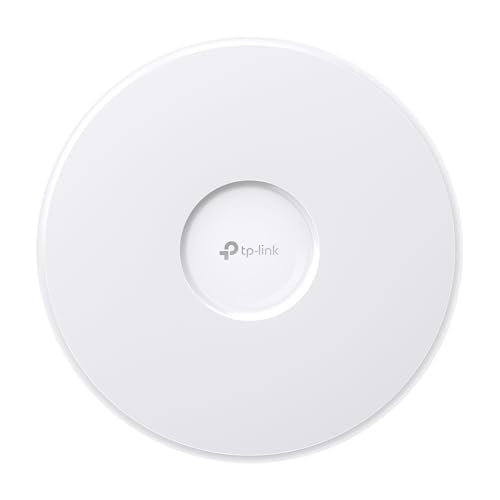
TP-Link Omada WiFi 7 Wireless Access Point - BE11000 Tri-Band, 2.5G Port, PoE+ or DC Powered, DC Adapter Included, 5yr Warranty, Captive Portal, Mesh, WPA3, Roaming, Business WiFi Experience(EAP770)
𝐅𝐑𝐄𝐄 𝐎𝐦𝐚𝐝𝐚 𝐄𝐬𝐬𝐞𝐧𝐭𝐢𝐚𝐥 𝐏𝐥𝐚𝐭𝐟𝐨𝐫𝐦 𝐂𝐞𝐧𝐭𝐫𝐚𝐥𝐢𝐳𝐞𝐝 𝐑𝐞𝐦𝐨𝐭𝐞 𝐌𝐚𝐧𝐚𝐠𝐞𝐦𝐞𝐧𝐭: Unlock numerous advanced features by integrating with Omada Cloud Management Platform,...
As an affiliate, we earn on qualifying purchases.
Conclusion
Security certificates are essential for keeping your online activities safe. They verify that websites are genuine and protect your data from hackers. Did you know that over 80% of websites now use SSL certificates to secure user information? By understanding and trusting these certificates, you help create a safer internet for everyone. So, next time you see that padlock icon, remember it’s working hard to keep your personal details secure.

TP-Link Omada WiFi 7 Wireless Access Point - BE5000 Dual Band, 2.5G Port, PoE+ or DC Powered, DC Adapter Included, 5yr Warranty, Captive Portal, Mesh, WPA3, Roaming, Business WiFi Experience(EAP720)
𝐅𝐑𝐄𝐄 𝐎𝐦𝐚𝐝𝐚 𝐄𝐬𝐬𝐞𝐧𝐭𝐢𝐚𝐥 𝐏𝐥𝐚𝐭𝐟𝐨𝐫𝐦 𝐂𝐞𝐧𝐭𝐫𝐚𝐥𝐢𝐳𝐞𝐝 𝐑𝐞𝐦𝐨𝐭𝐞 𝐌𝐚𝐧𝐚𝐠𝐞𝐦𝐞𝐧𝐭: Unlock numerous advanced features by integrating with Omada Cloud Management Platform,...
As an affiliate, we earn on qualifying purchases.

TP-Link Omada WiFi 6 Wireless Access Point - AX3000 Dual Band, 1G Port, PoE+ or DC Powered, DC Adapter Included, 5yr Warranty, Captive Portal, Mesh, WPA3, Roaming, Business WiFi Experience(EAP650)
𝗙𝗥𝗘𝗘 𝗢𝗠𝗔𝗗𝗔 𝗘𝗦𝗦𝗘𝗡𝗧𝗜𝗔𝗟𝗦: Free cloud management with no additional fees, everything is managed in the cloud without the...
As an affiliate, we earn on qualifying purchases.